---
title: 'Assistants, Agents, & Plugins'
deprecated: false
hidden: false
metadata:
robots: index
---
# Assistants & AI Agents
# Plugins
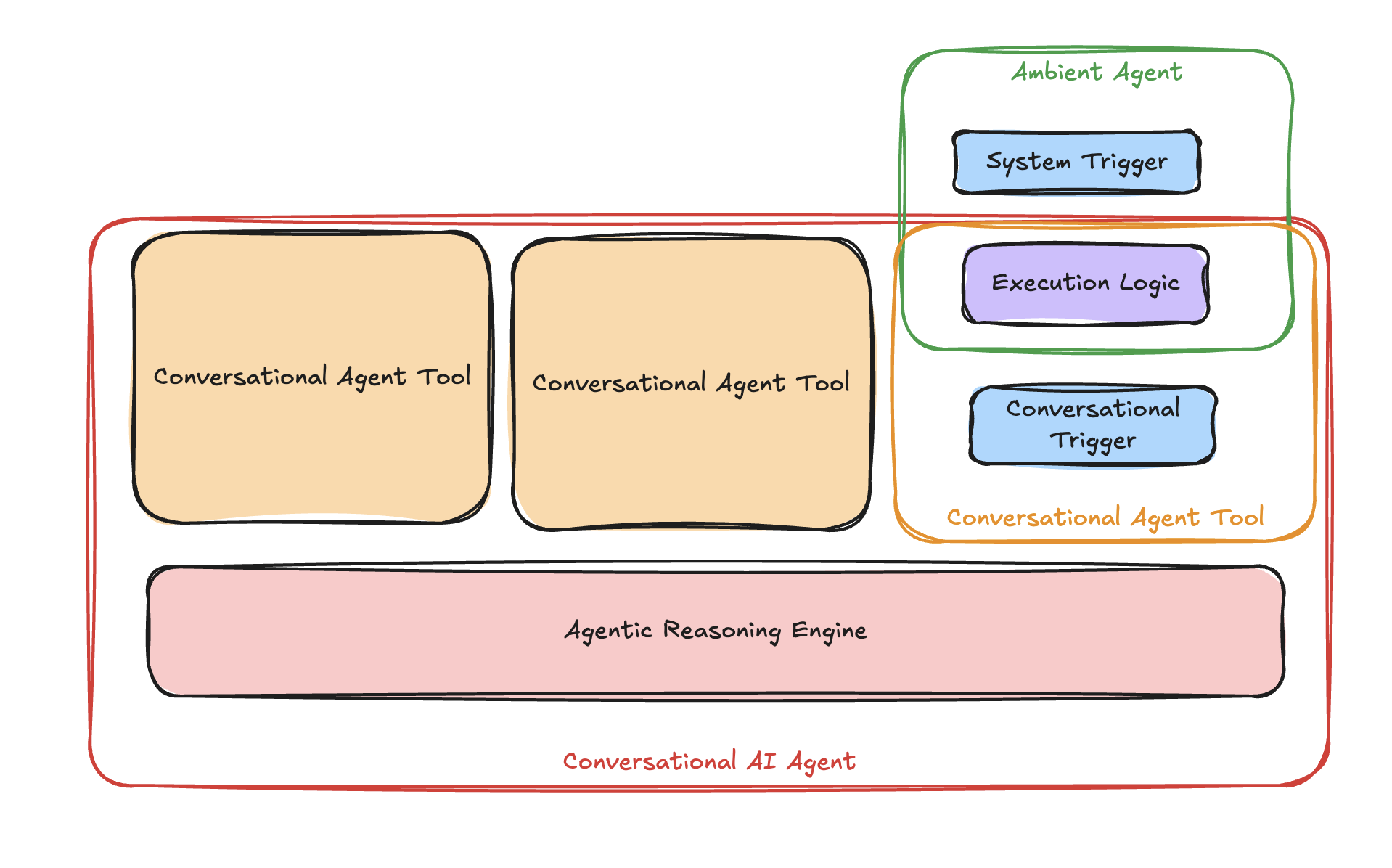
Agent Studio is where you build those **Plugins**. Plugins are made up of a **Trigger** and some **Execution Logic**
* If your plugin uses a **[Conversational Trigger](/docs/natural-language-triggers)**, it gets compiled to a "tool" – which gives your **[Conversational AI Agents](/docs/conversational-agents)** more advanced capabilities. The [Agentic Reasoning Engine](/docs/agentic-reasoning-engine) decides when to call it & how it works with other conversational plugins.
* If your plugin uses a **[System Trigger](/docs/system-triggers-overview)**, it gets compiled to an [Ambient AI Agent](/docs/ambient-agents), which runs in the background without human intervention.
# Triggers
Triggers bridge the gap between user interactions, system events, and plugin execution. Agent Studio supports three types of triggers to cover a wide range of scenarios:
* **[Conversational Triggers](/docs/natural-language-triggers)**: Activated by user utterances in natural language.
* **[System Triggers](/docs/system-triggers-overview)** - Activated by a system, not a user
* **[Webhook Triggers](/docs/webhook-triggers-limited-preview)**: Respond to external events via APIs or webhooks.
* **[Scheduled Triggers](/docs/scheduled-triggers-limited-preview)**: Run plugins at specified intervals or times..
```mermaid
graph TD
A[User Input
e.g., Schedule a meeting] -->|Conversational Trigger| B[Plugin Trigger]
C[External Event
e.g., System Alert via API] -->|Webhook Trigger| B
D[Scheduled Time
e.g., Daily at 9 AM] -->|Scheduled Trigger| B
style A fill:#f9f,stroke:#333,stroke-width:2px
style C fill:#bbf,stroke:#333,stroke-width:2px
style D fill:#bfb,stroke:#333,stroke-width:2px
style B fill:#6B2FC0,stroke:#333,stroke-width:2px,color:#fff
```