---
title: Plugin Responses
excerpt: ''
deprecated: false
hidden: false
metadata:
title: ''
description: ''
robots: index
next:
description: ''
---
# Overview
Once a Plugin begins execution, it will send updates back to the AI Agent a few times. Our AI agent architecture automatically generates dialogs for you to create a more contextualized & personalized experience for each user.
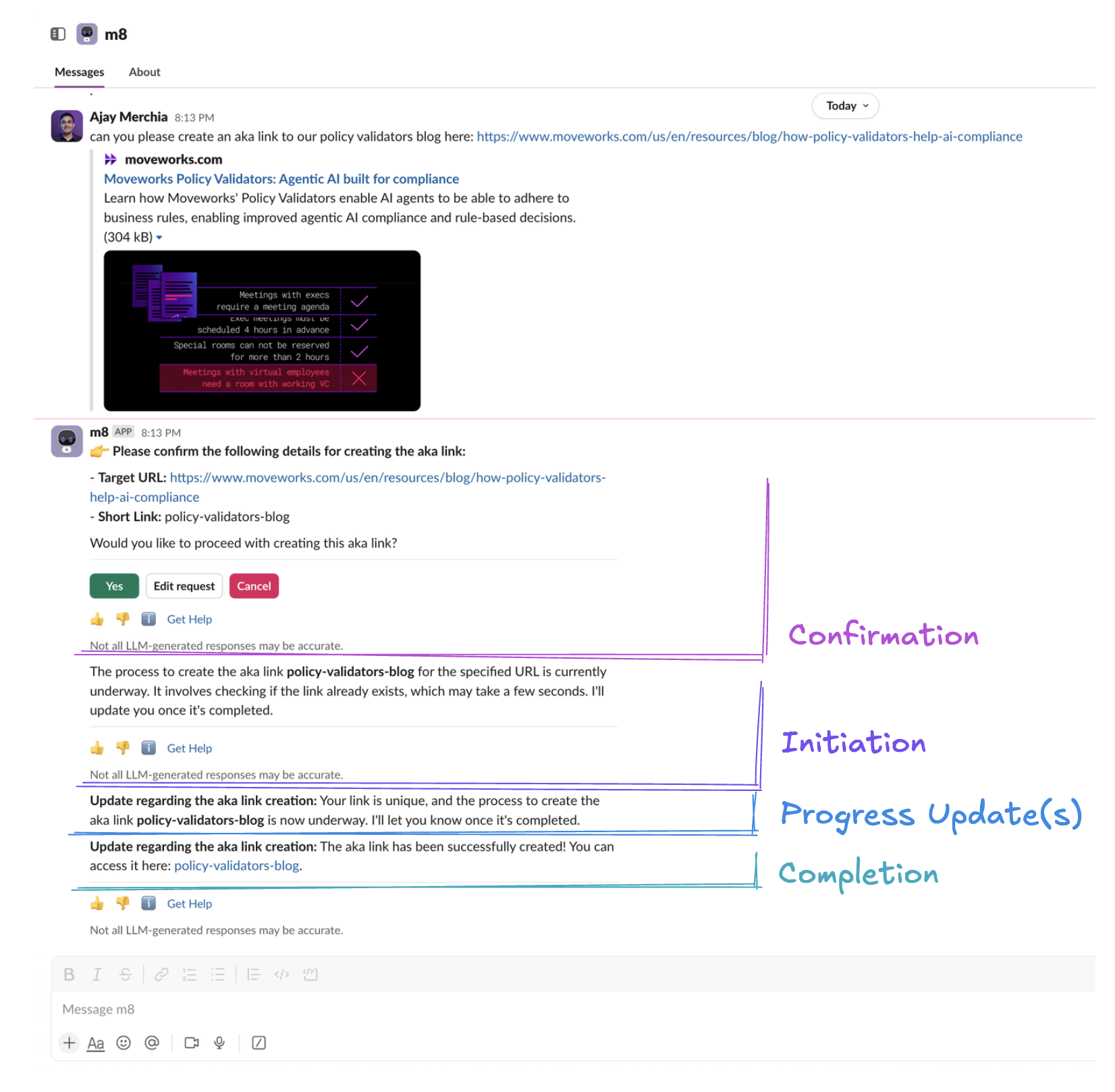
1. **Confirmation** – this dialog is optionally shown before the turn executes. It's based on [your confirmation policy](/docs/policies#confirmation-policies).
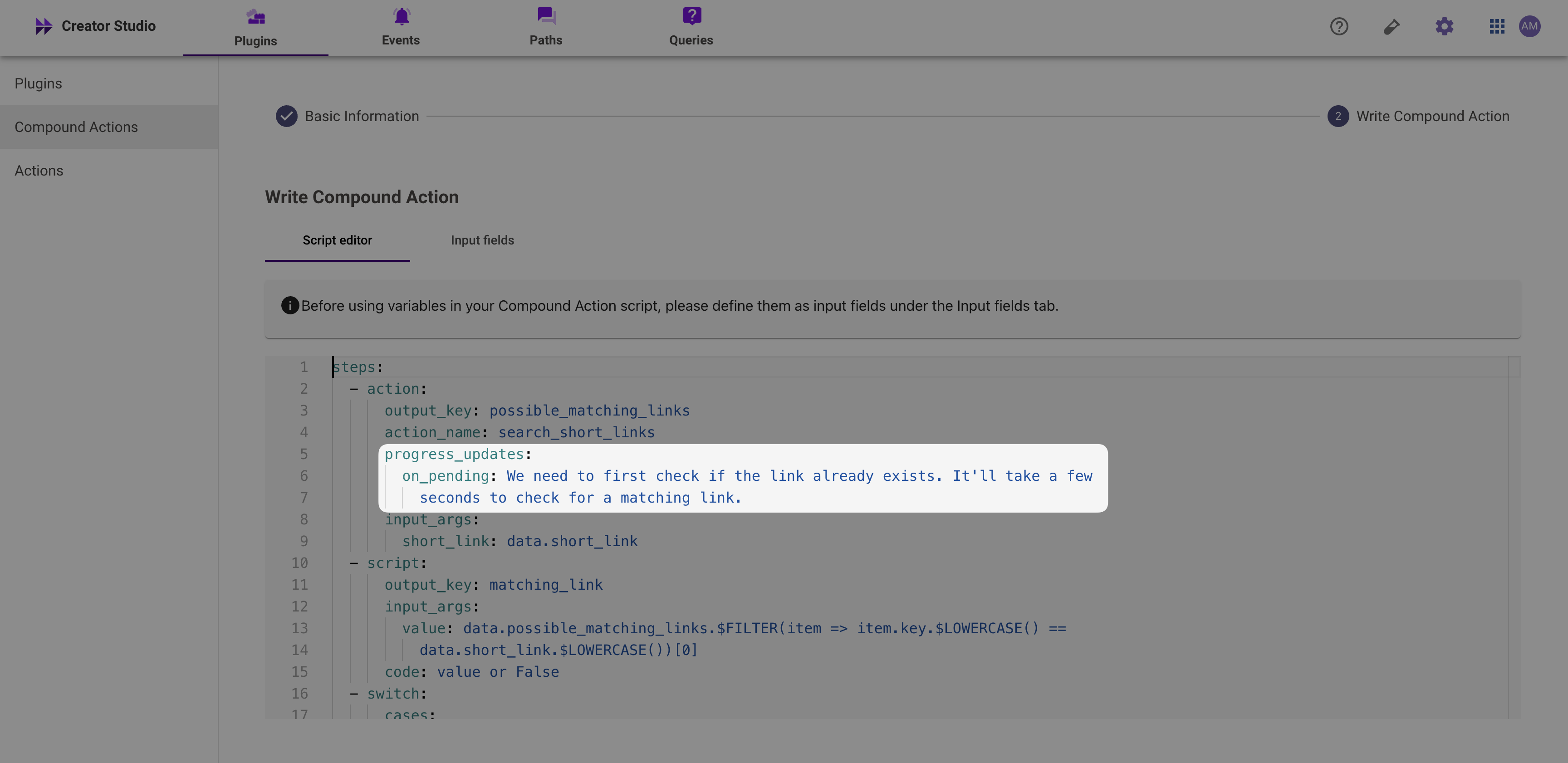
2. **On Initiation** – this dialog is shown if your [plugin execution](/docs/plugin-execution) successfully starts. It's based on the first action's `on_pending` progress update from the plugin.
3. **On Progress Updates** – this dialog is shown for all subsequent progress updates from the plugin.
4. **On Completion**– this dialog is shown once your [plugin execution](/docs/plugin-execution) ends. Instead of a string, the AI agent will interpret any data structure you share.
1. **Citations** – rich, verifiable cards to show underlying data from business systems. [Learn more here](/docs/citations-1).
You can use [our logs](/docs/logs) to discern how these messages are generated. Note that all messages are subject to [token limits](/docs/token-limitations).
## Progress Update Instructions
Progress update instructions clarify how Copilot should present updates to users. Example:
* Clarify info to present in your progress updates (e.g. `on_pending: I'm looking through X different systems for pending tasks.` and `on_complete: I was able to find Y tasks`)
## Plugin Result Instructions
Adding plugin result instructions clarifies how the AI Assistant should respond to users at the end of your plugin execution. These can be added in 2 ways:
* **(Recommended)** By adding instructions as a key-value pair in your workflow's output mapper (e.g. `display_instructions_for_model: `) or
* By adding instructions to your [plugin description](/docs/natural-language-triggers#triggering-instructions).
Here are example scenarios when you should add plugin result instructions:
* Instruction to link similar plugins (e.g. `Inform users that you can help them book time off after viewing their timeoff balance`)
* Clarify how to present successful responses to users (e.g. `When returning meetings to users, ALWAYS show summary, start time, and url fields from the API response for each meeting record.`)
# Troubleshooting
## Initiation message not accurate
Make sure you have set `progress_updates.on_pending` accurately for the FIRST action. **Progress Updates from other actions won't affect the initiation message.**
## Repetitive progress updates
If you're seeing a conversation experience like this:
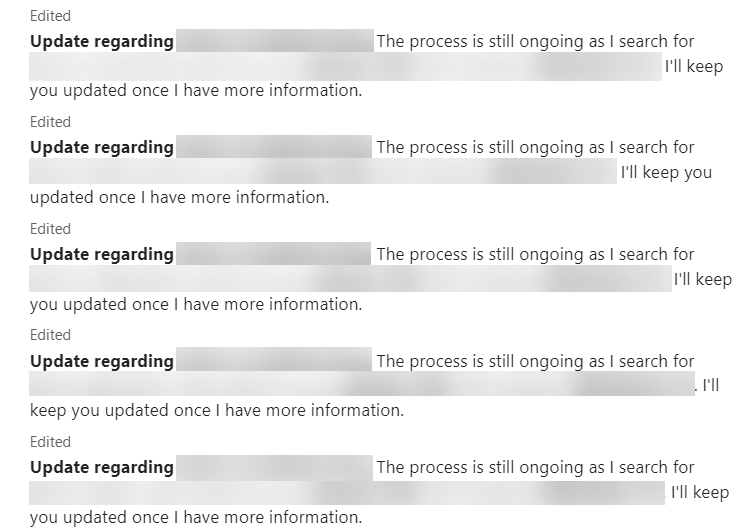
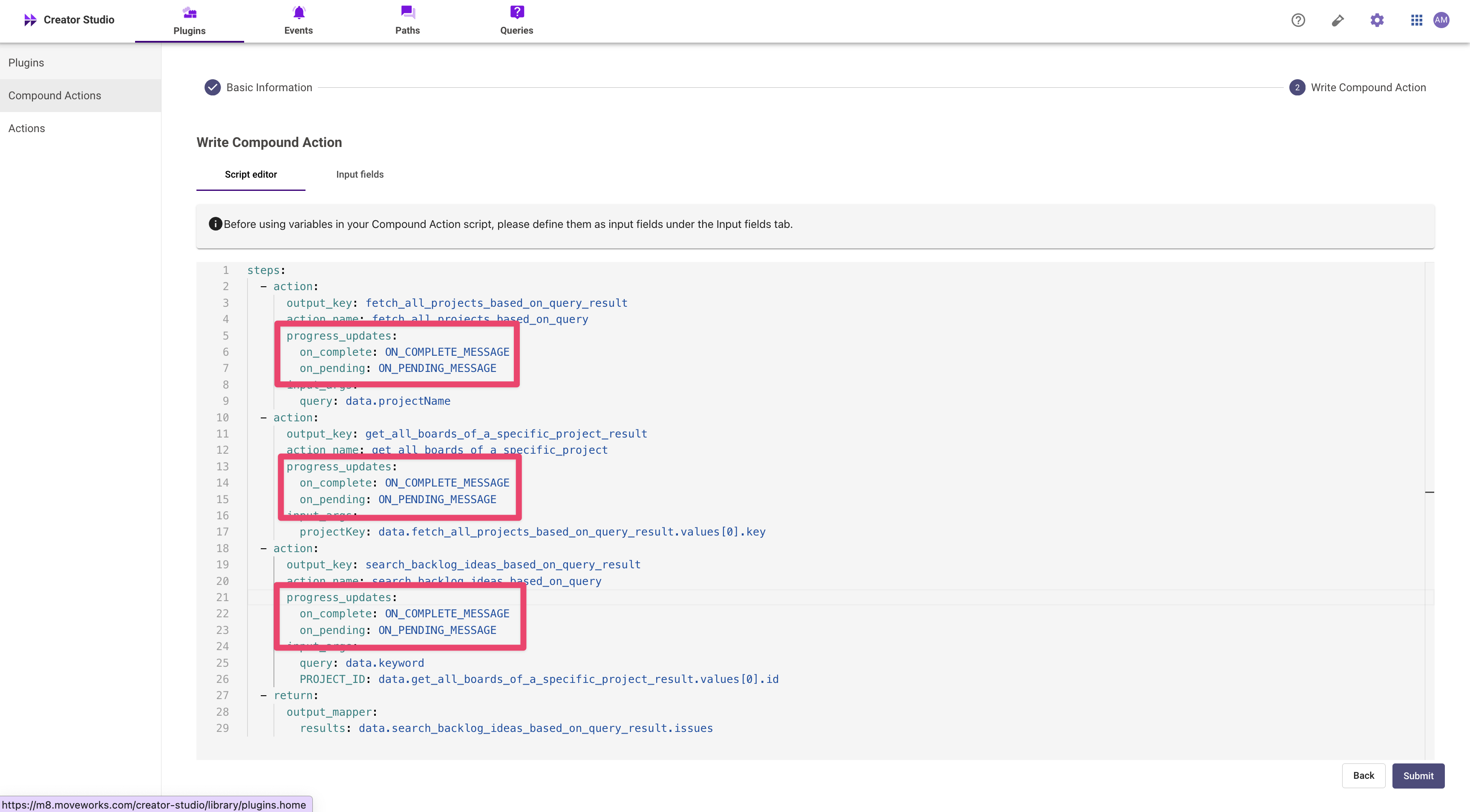
One common mistake is leaving default progress updates in the Compound Action. Make sure to remove these progress updates.
## Completion message not accurate
Make sure that your plugin response follows the [citation schema](/docs/citations-1). If you do not satisfy the citation object schema above, all data under the result or results key will be deleted from the plugin response.