---
title: Data Bank
deprecated: false
hidden: false
metadata:
robots: index
next:
pages:
- slug: user-attribute-reference
title: User Attribute Reference
type: basic
---
# Overview
The **Data Bank** in Agent Studio is a centralized repository that stores and provides access to data generated or collected during a plugin’s execution. It enables subsequent steps in a workflow to reference data from previous steps, such as user inputs (slots), action outputs, or metadata. The Data Bank ensures seamless data flow across plugins, actions, and conversation processes, making it a core concept for building dynamic, context-aware workflows.
_**Important**: While the Data Bank shares a common structure (`meta_info` and `data` keys), availability of specific keys and sub-keys varies by context (Compound Actions, HTTP Actions, Conversation Processes, or Slot Validation Policies). Always check the context-specific details below to avoid reference errors._
#### Key Use Cases
* **Reusing User Input**: Reference a user-provided slot (e.g., `ticket_id`) in multiple actions.
* **Chaining Actions**: Pass the output of one action (e.g., a device ID) as input to another.
* **Accessing Metadata**: Use user attributes (e.g., `meta_info.user.email_addr`) for personalized workflows.
# Data Bank Structure
The Data Bank contains two primary keys: `meta_info` and `data` These keys store metadata and workflow-specific data, respectively. Below, each key is detailed with its availability across contexts.
## `meta_info`
Provides built-in metadata about the current execution context, such as user attributes or unique identifiers.
#### Availability
* **Compound Actions**: N/A.
* **HTTP Actions**: `meta_info.user`, `meta_info.action_instance_id`.
* **Conversation Processes**: `meta_info.user`.
* **Slot Validation Policies**: `meta_info.user`
### `meta_info.user`
Contains attributes of the user who triggered the plugin. Use the notation `meta_info.user.` to access specific attributes. For a full list, see the [User Attributes Reference](/docs/user-attribute-reference).
### `meta_info.action_instance_id`
A unique UUID provided during execution, usable as an idempotency key to deduplicate retry calls.
#### Example (HTTP Actions Only):
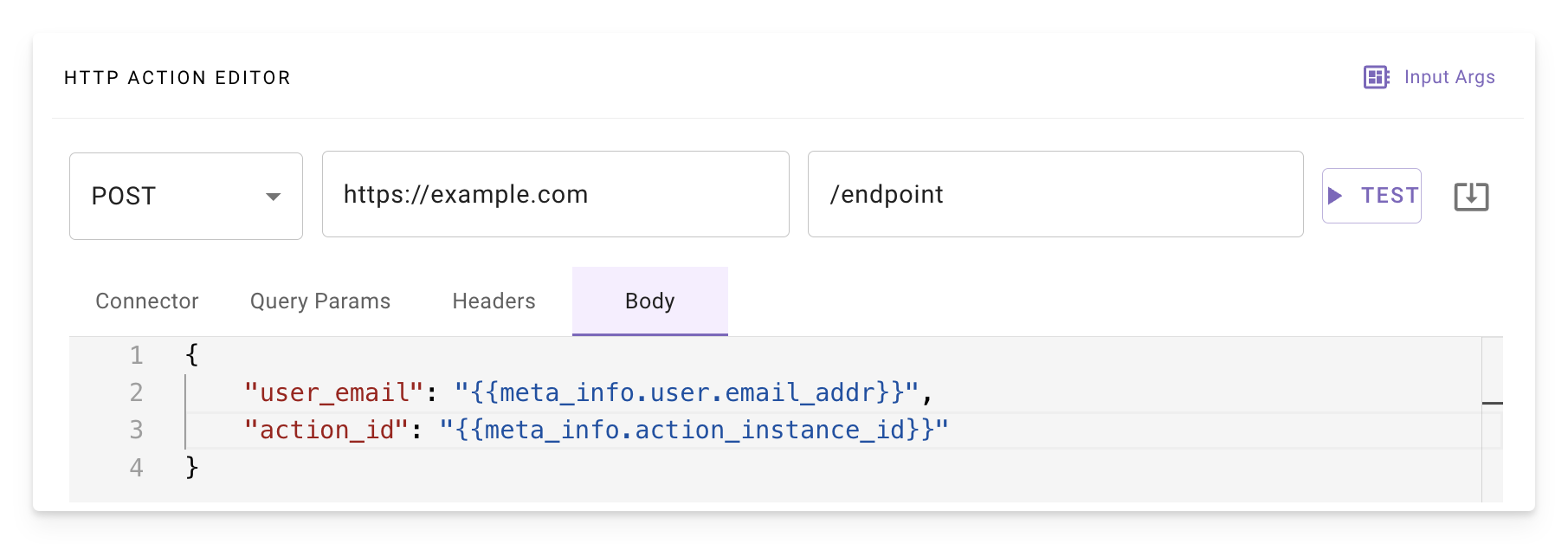
_Referencing `meta_info.user.email_addr` and `meta_info.action_instance_id` in an HTTP Action_
## `data`
Stores workflow-specific data, including slot values and action outputs. Use the notation `data.`.
#### Availability
* **Compound Actions**: `data.input_argument`, `data.output_key`.
* **HTTP Actions**: N/A.
* **Conversation Processes**: `data.slot_name`, `data.output_key`.
* **Slot Validation Policies**: N/A.
### data.slot_name
References user-provided slot values defined in a conversation process. Use this to access input variables collected from the user or inferred by the Assistant.
### data.input_arg
References system-provided input arguments defined in a compound action.
### data.output_key
References the output of actions (e.g., Built-in, HTTP) or expressions (e.g., `for`, `raise`, `action`). Each action or expression saves its output to a specified `output_key`, which can be used in subsequent steps.
**Do not** reuse key names for slots and output keys as this can cause confusion for the reasoning engine and lead to unexpected behavior. Each key created in the data bank should be unique.
#### Example: Action Output (Compound Actions):
```yaml
steps:
- action:
action_name: get_user_device
output_key: device
input_args:
user_email: meta_info.user.email_addr
- action:
action_name: clean_recycle_bin_on_device
output_key: remote_action_result
input_args:
device_id: data.device.asset_uuid # References output from first action
```
## `response`
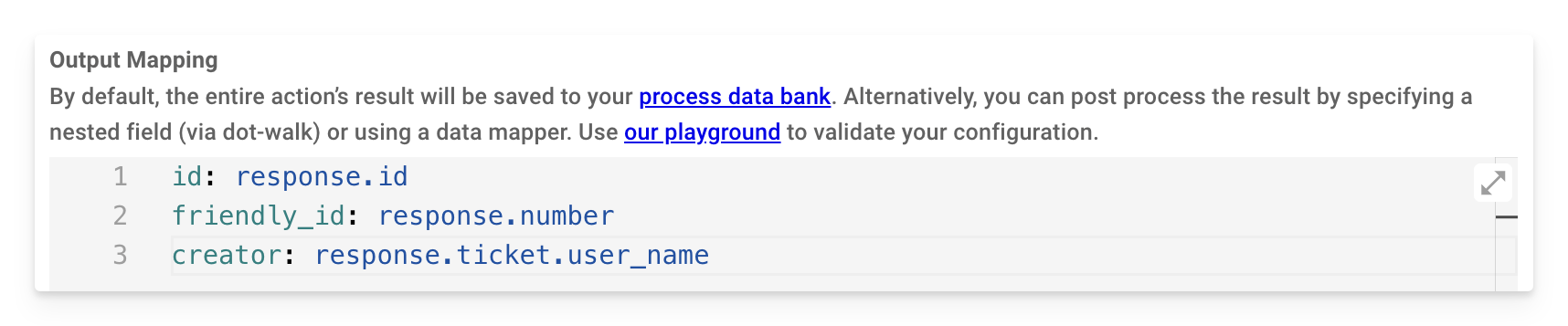
Used specifically in an action’s **Output Mapper** to reference the raw response from the action. Use DSL syntax to extract specific fields.
#### Availability
* **Conversation Process Only** (in Output Mappers).
#### Example
## `value`
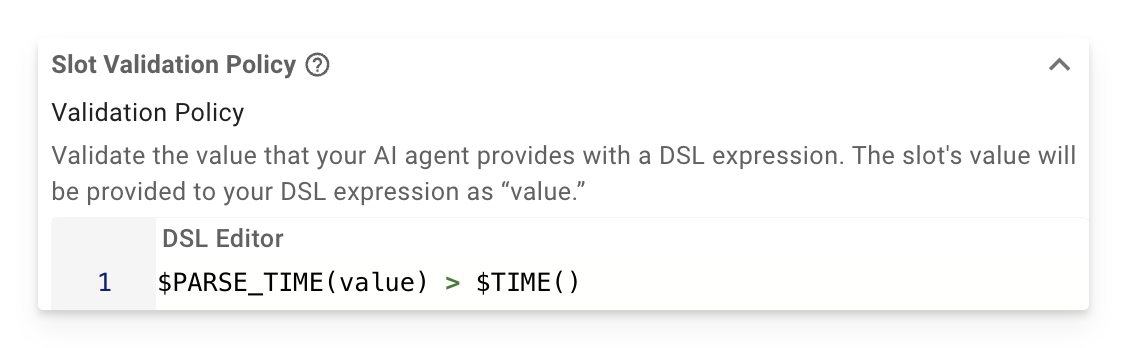
Used exclusively in **Slot Validation Policy** to reference the current slot’s value during validation. Combine with DSL expressions to enforce rules.
#### Example:
For a `due_date` slot, ensure the date is in the future:
```
$PARSE_TIME(value) > $TIME()
```
# Accessing the Data Bank by Context
The following table summarizes key availability. Reference errors occur if you attempt to use a key outside its supported context.
| Context | Available Keys |
| :--------------------------- | :------------------------------------------------------------------------------------ |
| **Compound Actions** | `data.input_arg`, `data.output_key` |
| **HTTP Actions** | `meta_info.user`, `meta_info.action_instance_id` |
| **Conversation Processes** | `meta_info.user`, `data.slot_name`, `data.output_key`, `response` (in Output Mappers) |
| **Slot Validation Policies** | `value`, `meta_info.user` |