***
title: Configuring Custom Entities
excerpt: ''
deprecated: false
hidden: false
metadata:
title: ''
description: ''
robots: index
next:
description: ''
pages:
* type: basic
slug: how-to-guides-1
title: How To Guide for Entity Catalog
***
## Entity Configuration Guide
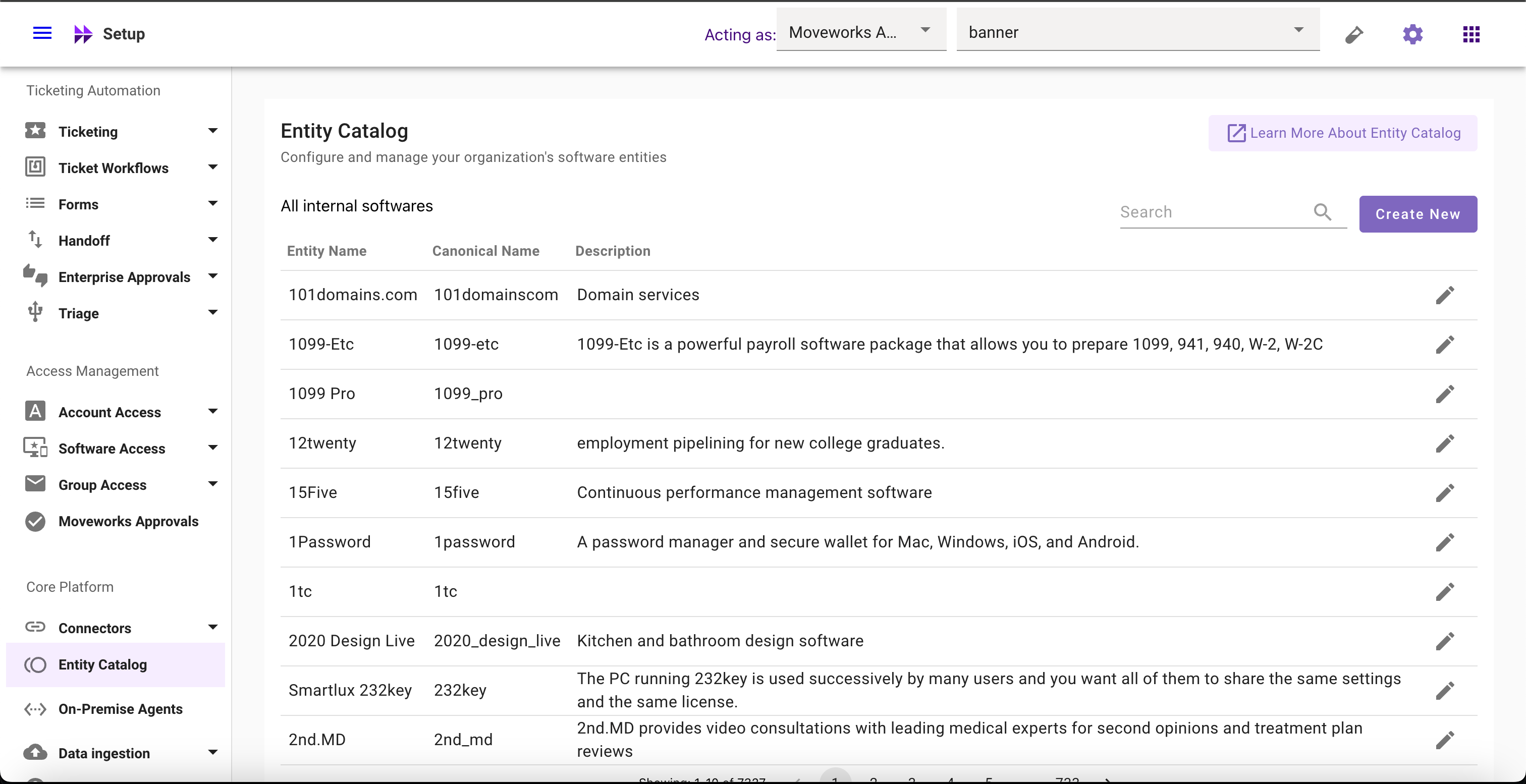
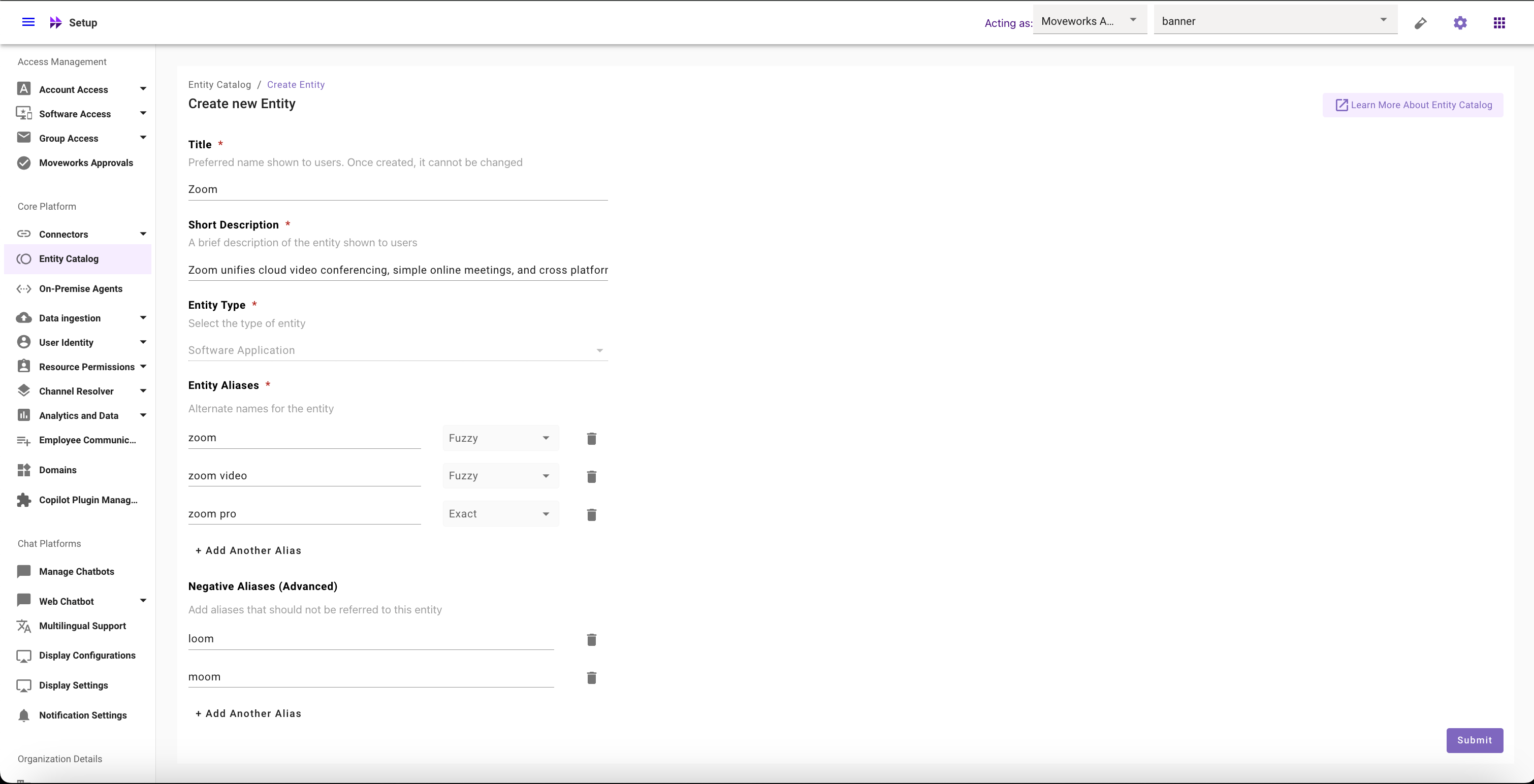
In the home screen of Entity Catalog, you can see a list of already configured softwares entities. Clicking on Create or Edit will open the configuration screen for creating new custom software entities. Let's understand what these configs mean.
### Understanding Key Configurations
| Term | Definition | Example |
| :------------------------- | :------------------------------------------------------------------- | :----------------------------------------------------------------------------------------------------------------------------------------------------------------------------------- |
| Title (Not editable) | Preferred entity name shown to users | `Zoom`, `Figma`, `Loom`, `Notion`, and more |
| Canonical Name | Moveworks ID | ServiceNow Service Catalog → `servicenow_service_catalog` WebAssembly → `webassembly` Dolby.com → `dolby_com` Canonical name is snake case with spaces converted to ‘\_’ underscores |
| Description | A brief description of the entity shown to users | “Zoom unifies cloud video conferencing, simple online meetings, and cross platform group chat into one easy-to-use platform.” |
| Entity Type (Not editable) | Classify entities according to different use cases | Software Applications |
| Aliases | Alternate names for an entity | `zoom`, `zoom video`, & `zoom pro` would be the aliases for Zoom, the video conferencing software |
| Exact matching logic | Matches a word or phrase exactly | `zoom pro` would always match with zoom entity in EC |
| Fuzzy matching logic | Match a word or phrase to within a certain edit distance | `zooom` (intentional spelling mistake) would try to match with zoom entity in EC. By default, this option will be selected for aliases |
| Negative aliases | Prevents matches against a word or phrase that would otherwise match | `loom` & `moom` entities would be negative aliases for Zoom video conferencing software since those two are different apps with very similar names |
Note
* Entity Title is also the primary alias. It is not editable once entities are created
* Currently, Entity Type **Software Application** is selected by default and is not editable
### View Software Entities
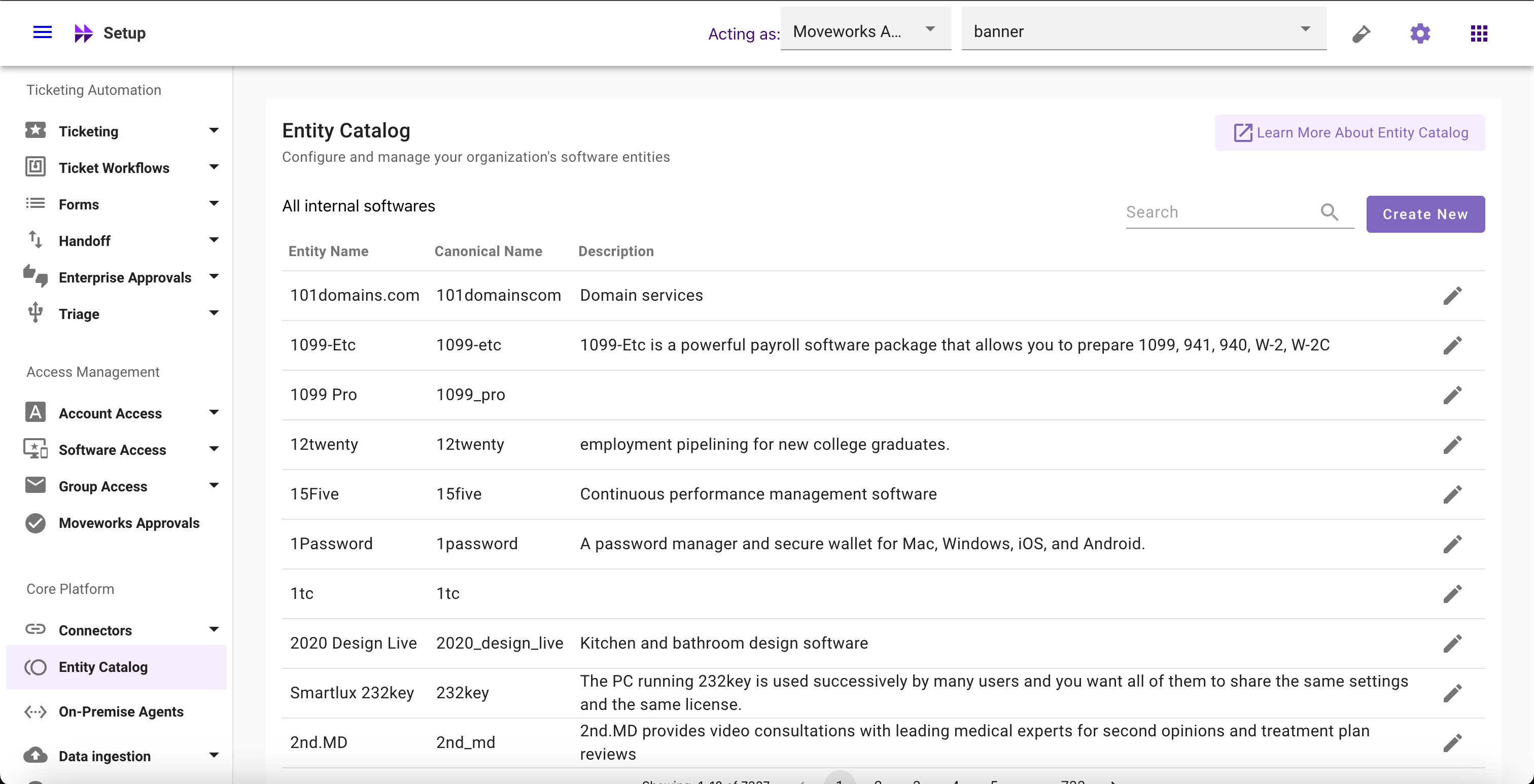
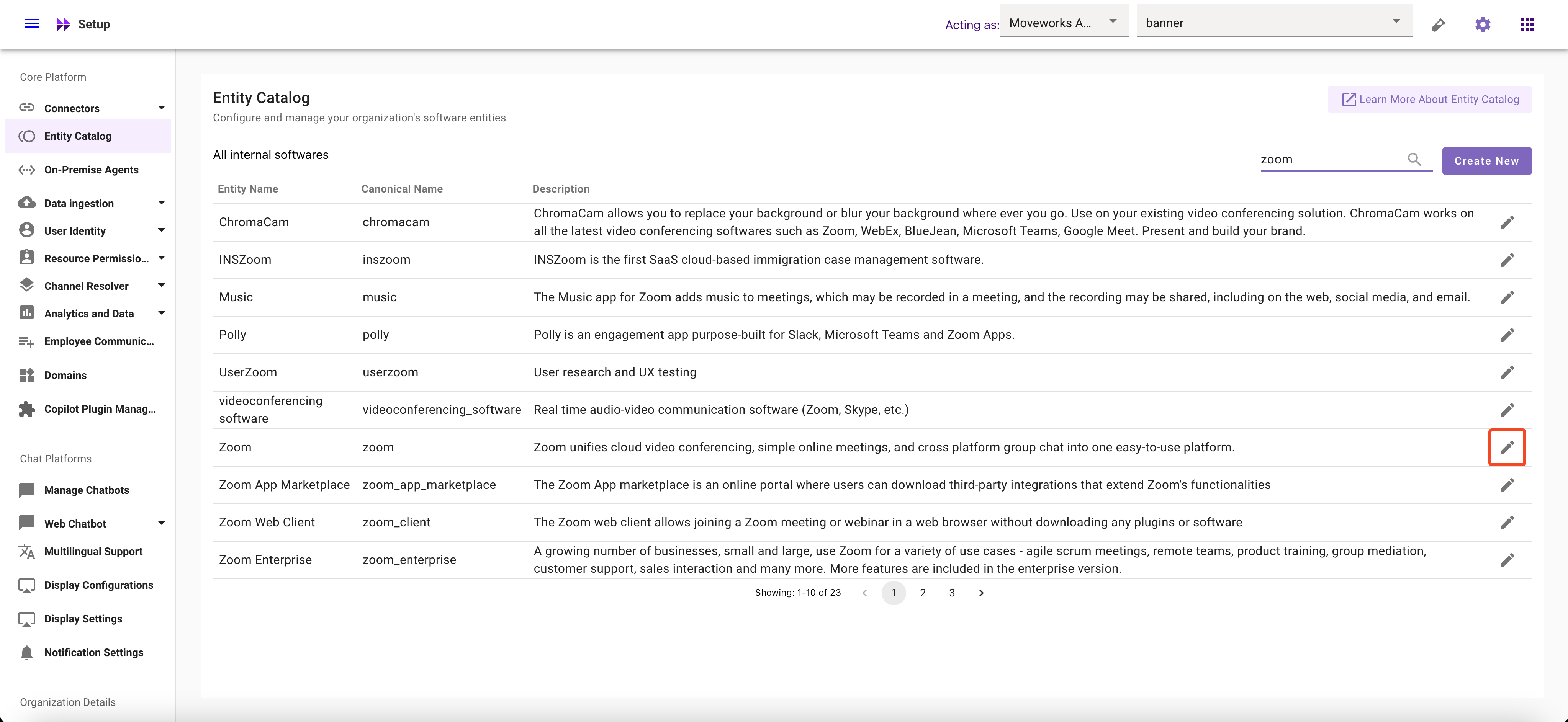
1. Navigate to **Moveworks Setup** > Core Platform section > **Entity Catalog** screen to view custom software entities
2. The screen will display entity information with **Entity Name**, **Canonical Name**, and **Description**, with an **Edit button**
### Search Software Entities
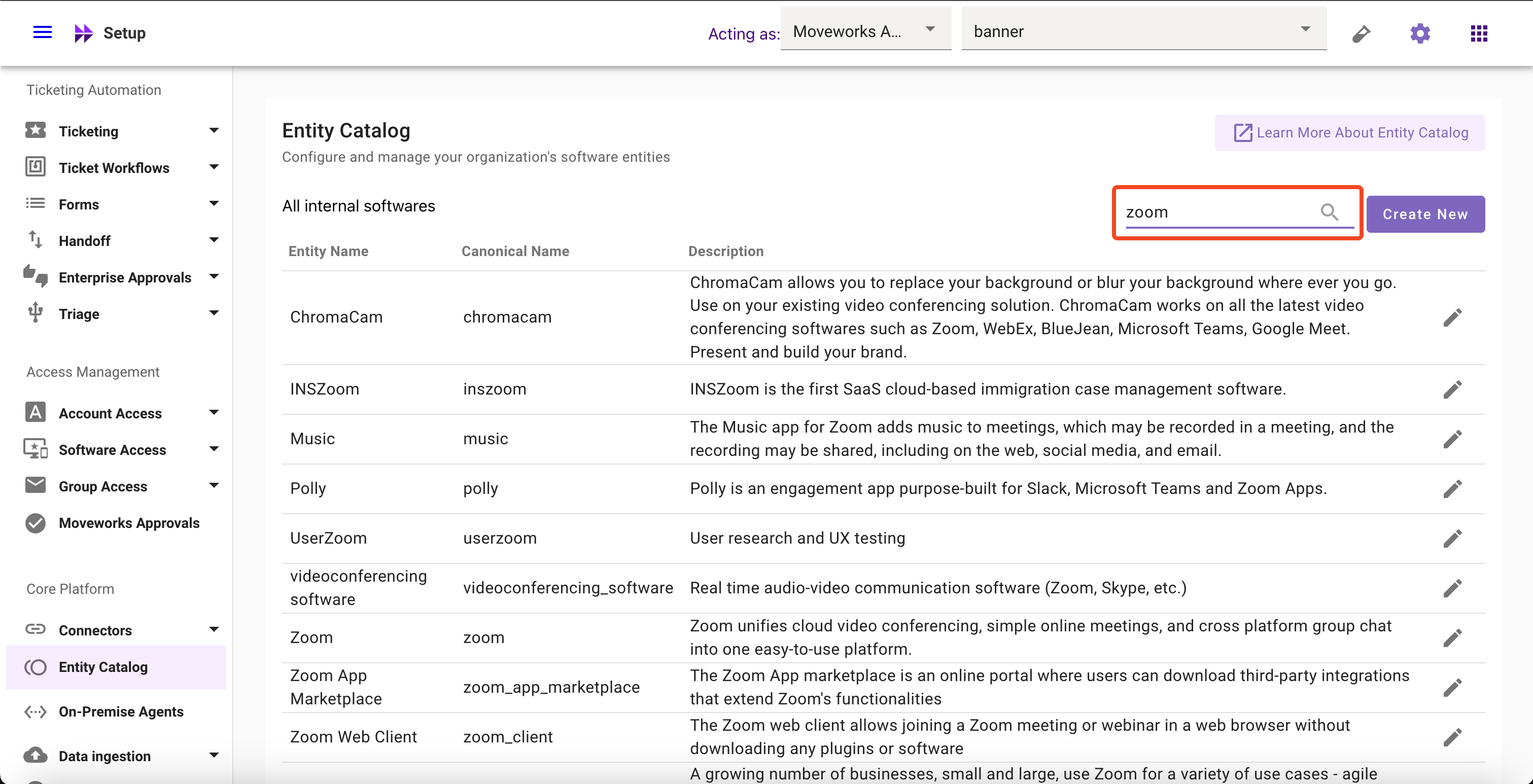
1. Navigate to **Moveworks Setup** > Core Platform section > **Entity Catalog** screen to view custom software entities
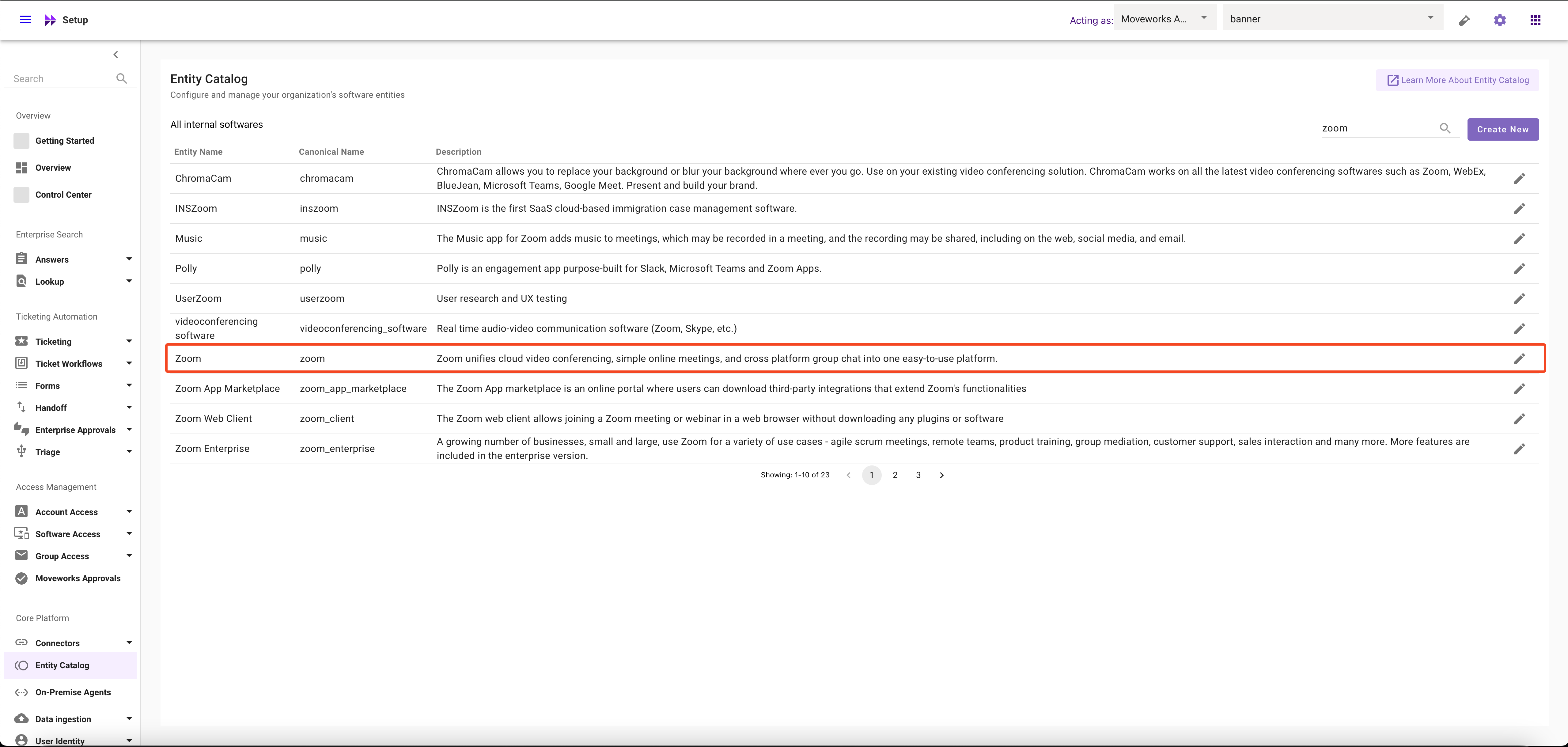
2. Click on search bar and search for entity such as `zoom` – the search string will get matched on entity name, canonical name or description
### Create Software Entities
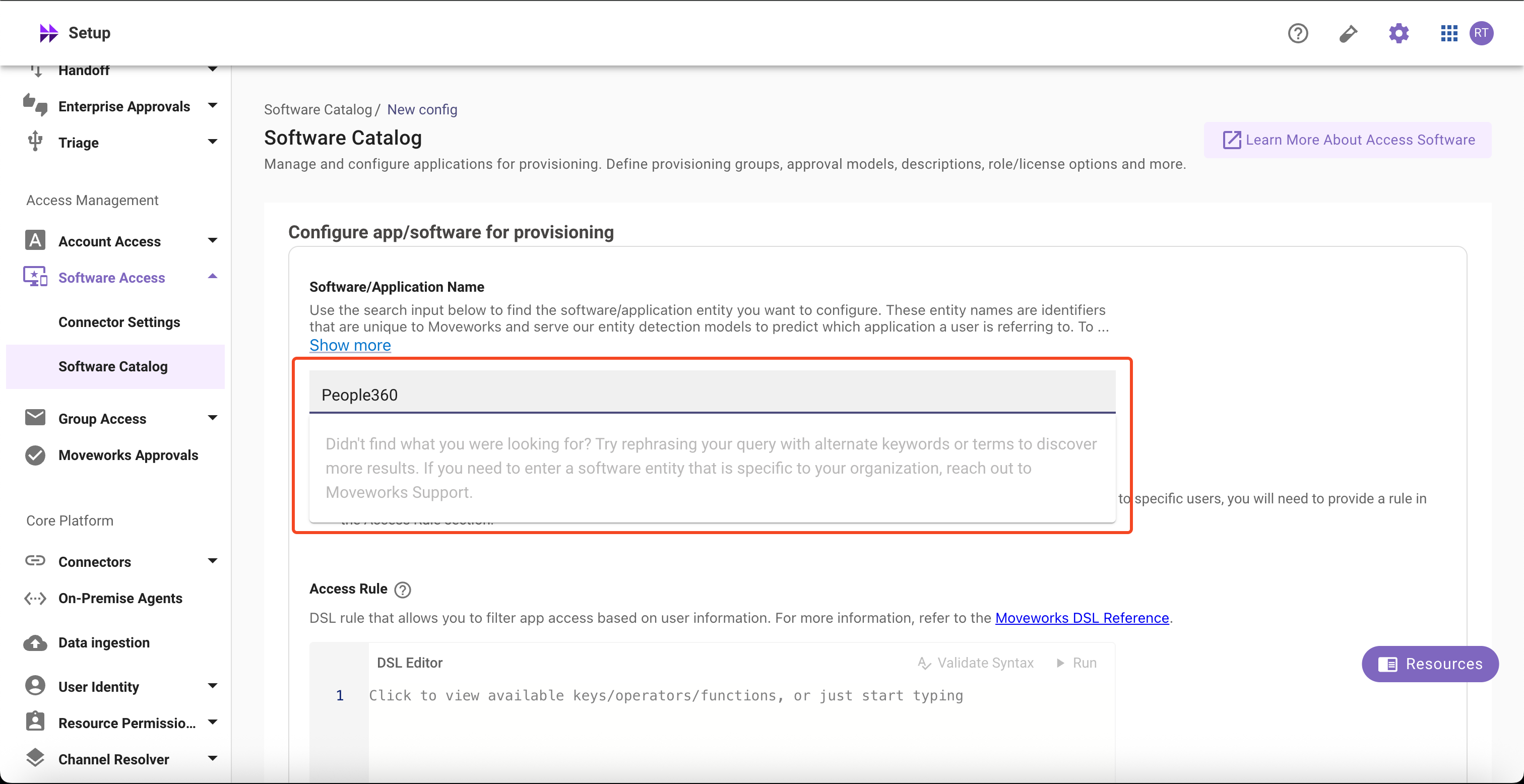
1. Search whether the software entity already exists **Moveworks Setup** > **Access Software** > **Software Catalog** > **Software/Application Name**
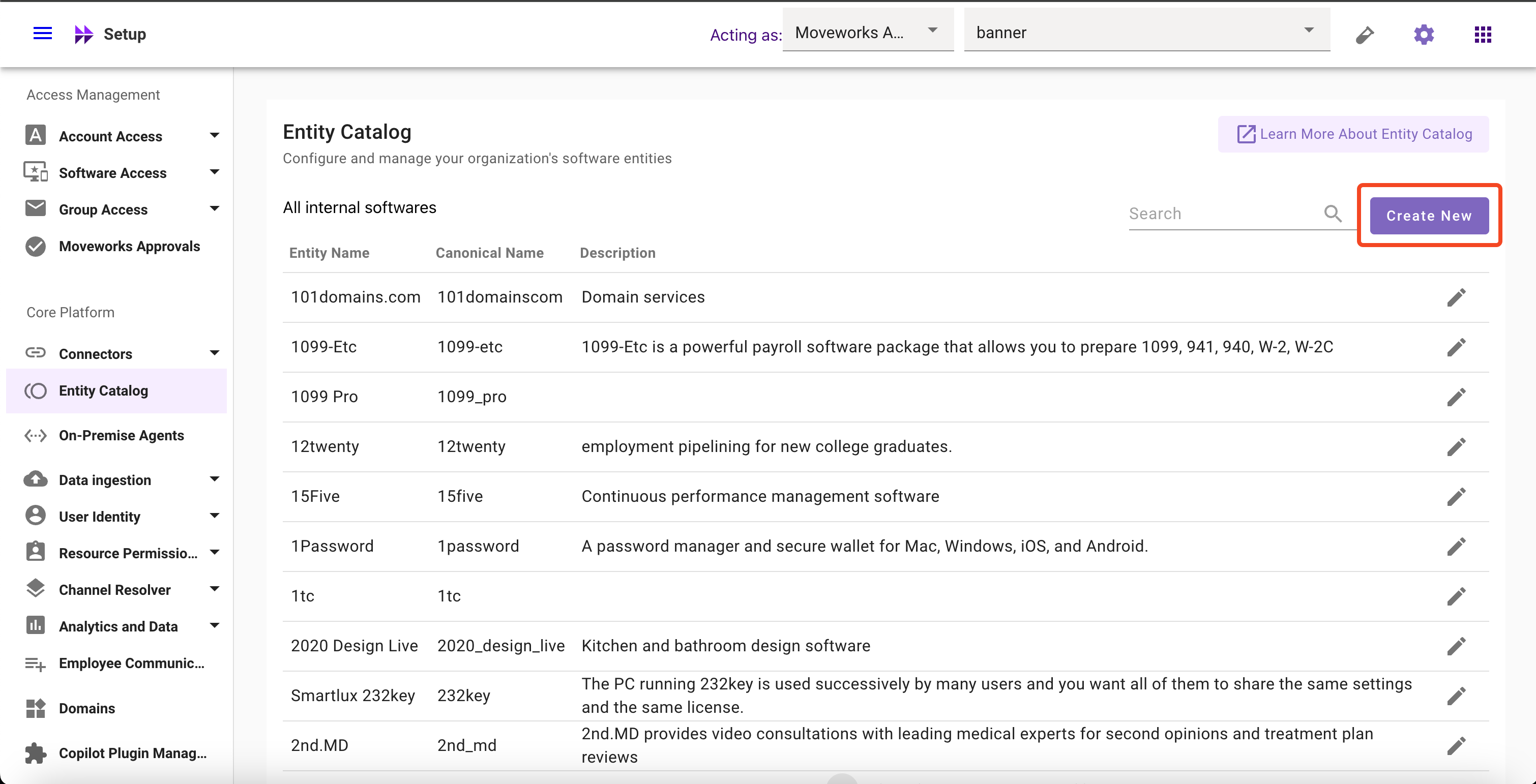
2. If the desired entity is not found, Navigate to **Entity Catalog**, click on **Create New** button
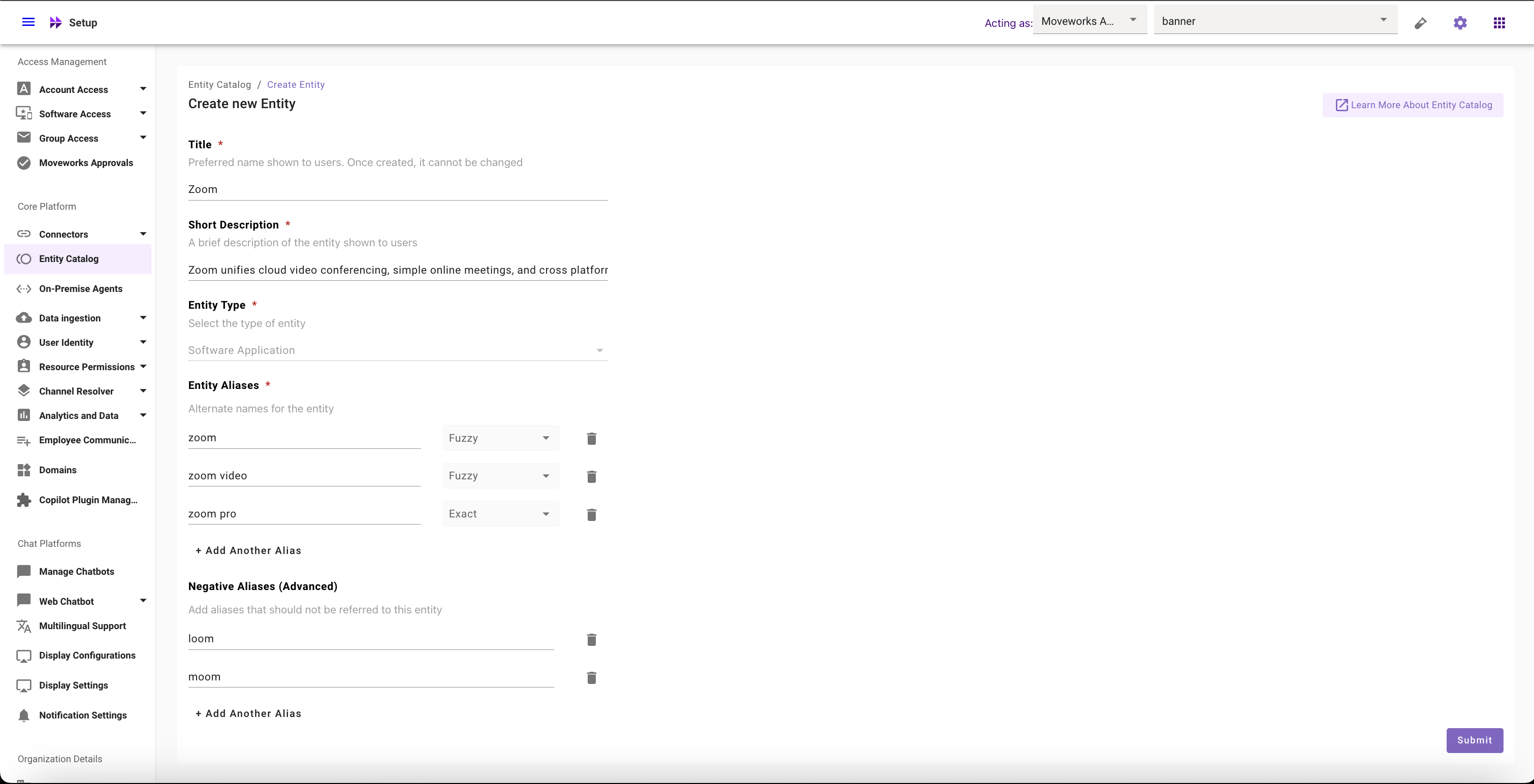
3. Fill in **all** required the fields
| Field | Value |
| :---------------- | :-------------------------------------------------------------------------------------------------------------------------- |
| Title | Zoom |
| Short Description | Zoom unifies cloud video conferencing, simple online meetings, and cross platform group chat into one easy-to-use platform. |
| Entity Type | Software Application (selected by default) |
| Entity Aliases | `zoom`, `zoom video`, `zoom pro` |
| Negative Aliases | `loom` |
4. Click on **Submit Button** to create the entity
### Modify Software Entities
1. Navigate to **Moveworks Setup** > **Entity Catalog** and Click on **Edit Button**
2. Edit the fields that you want to modify in Entity Details page
* Edit Description, or
* Add, update or remove Aliases, or change their matching logic, or
* Add, update or remove Negative Aliases
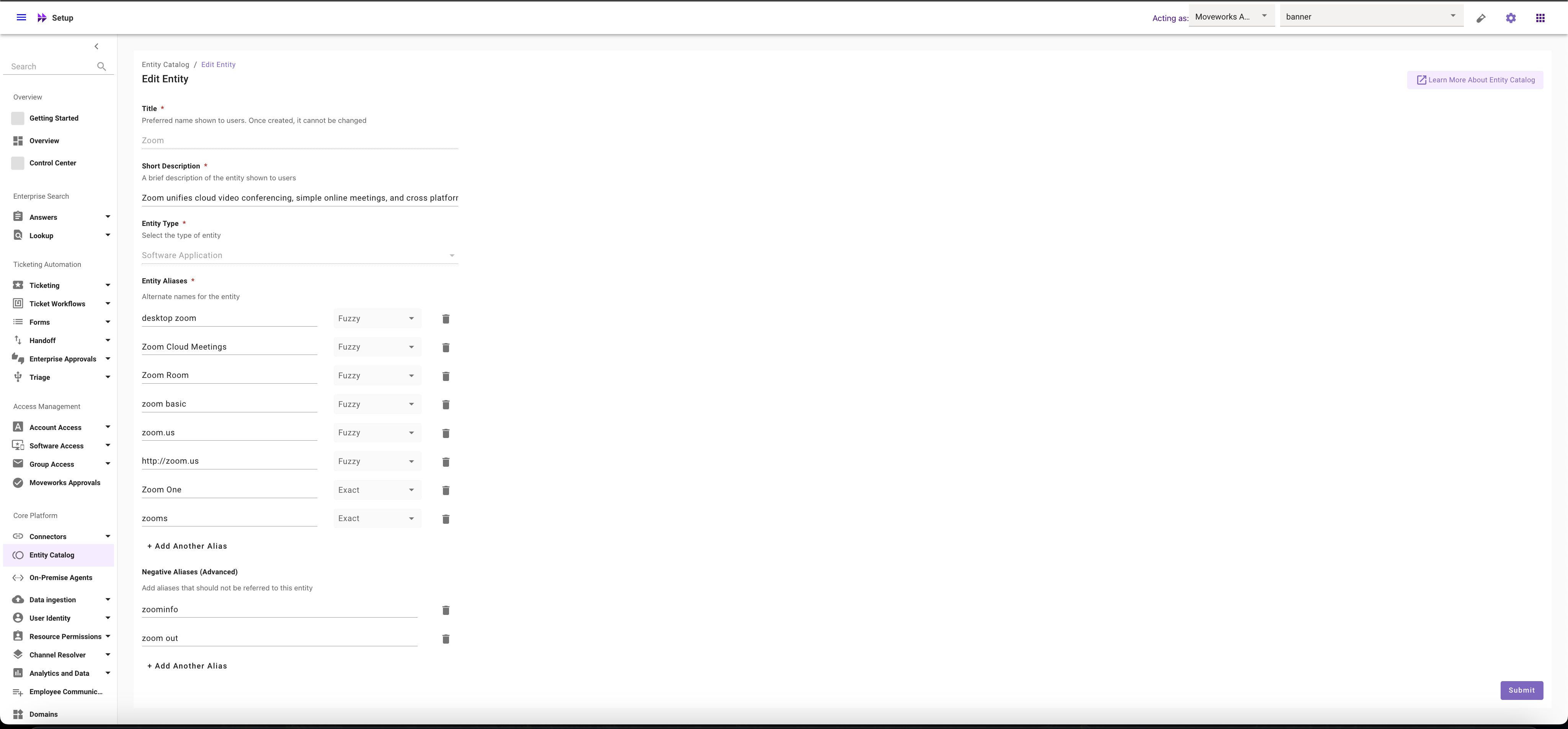
3. Click on **Submit Button**
### Where to Utilize Software Entities?
1. Navigate to **Moveworks Setup** > **Access Software** > **Software Catalog**
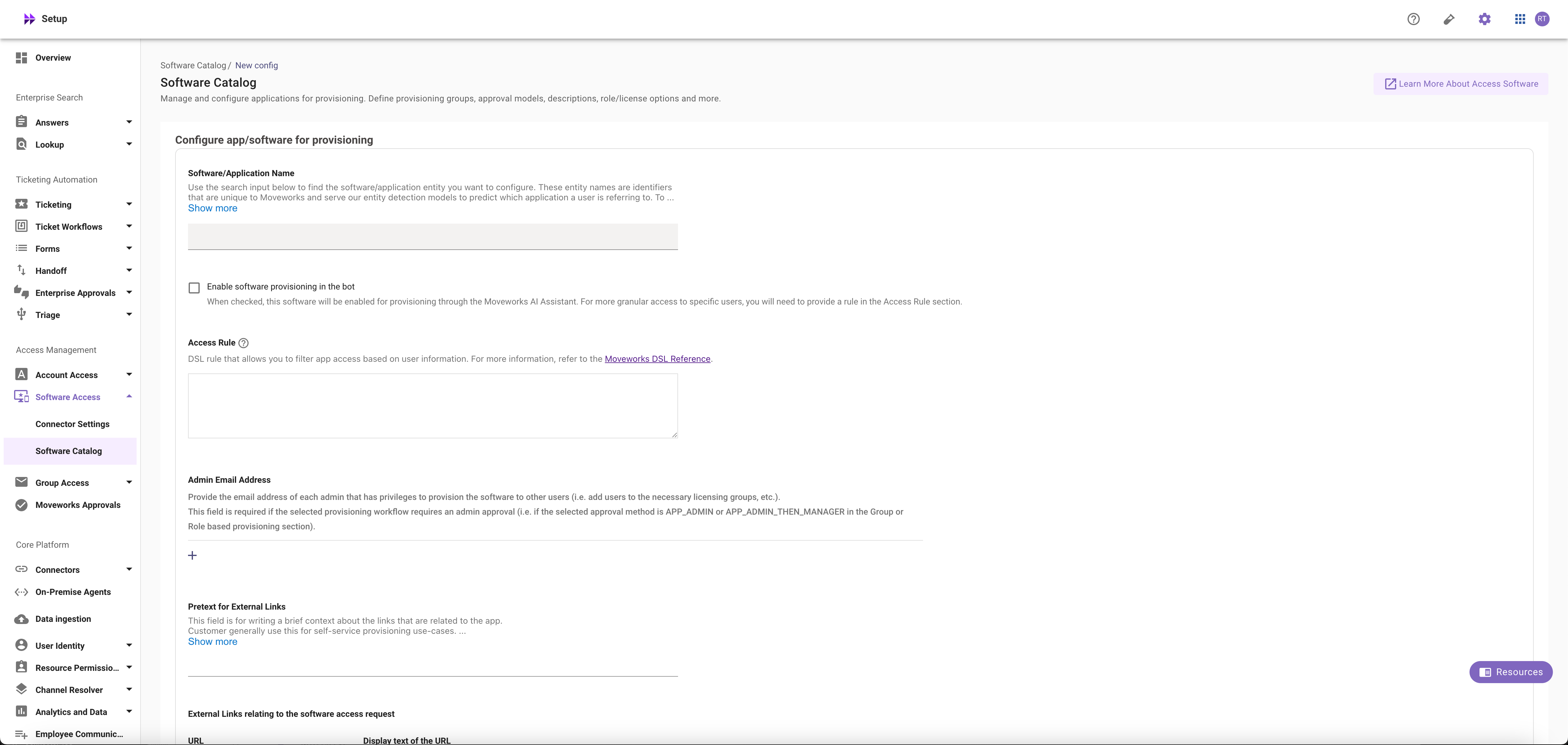
2. Search for the entity in the **Software/Application Name** field
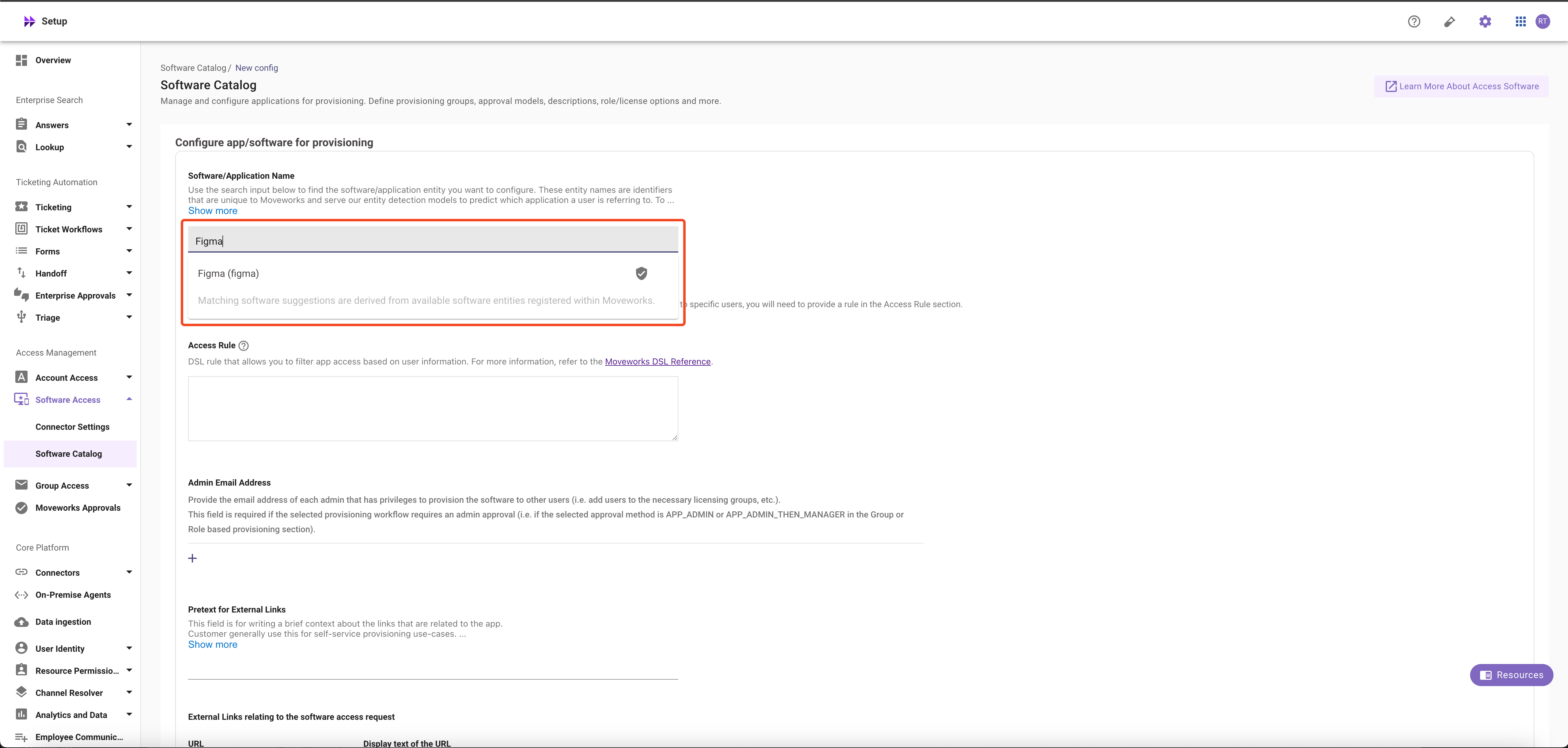
3. Setup the Software Provisioning for the Software or Application. For more information, read the guide on [Provision Management](/service-management/service-management/overview)