---
title: 'Quickstart #4: Structured Data Analysis (SDA)'
excerpt: ''
deprecated: false
hidden: false
metadata:
title: ''
description: ''
robots: index
next:
description: ''
---
# Background & Objectives
This guide will walk you through how to build Agent Studio plugins that **return large volumes of data** to the AI Assistant.
In this quickstart guide, you will
* Build a plugin that fetches 500 accounts from a mock CRM
* Set up the plugin to work alongside our [Code Interpreter plugin](/docs/code-interpreter)
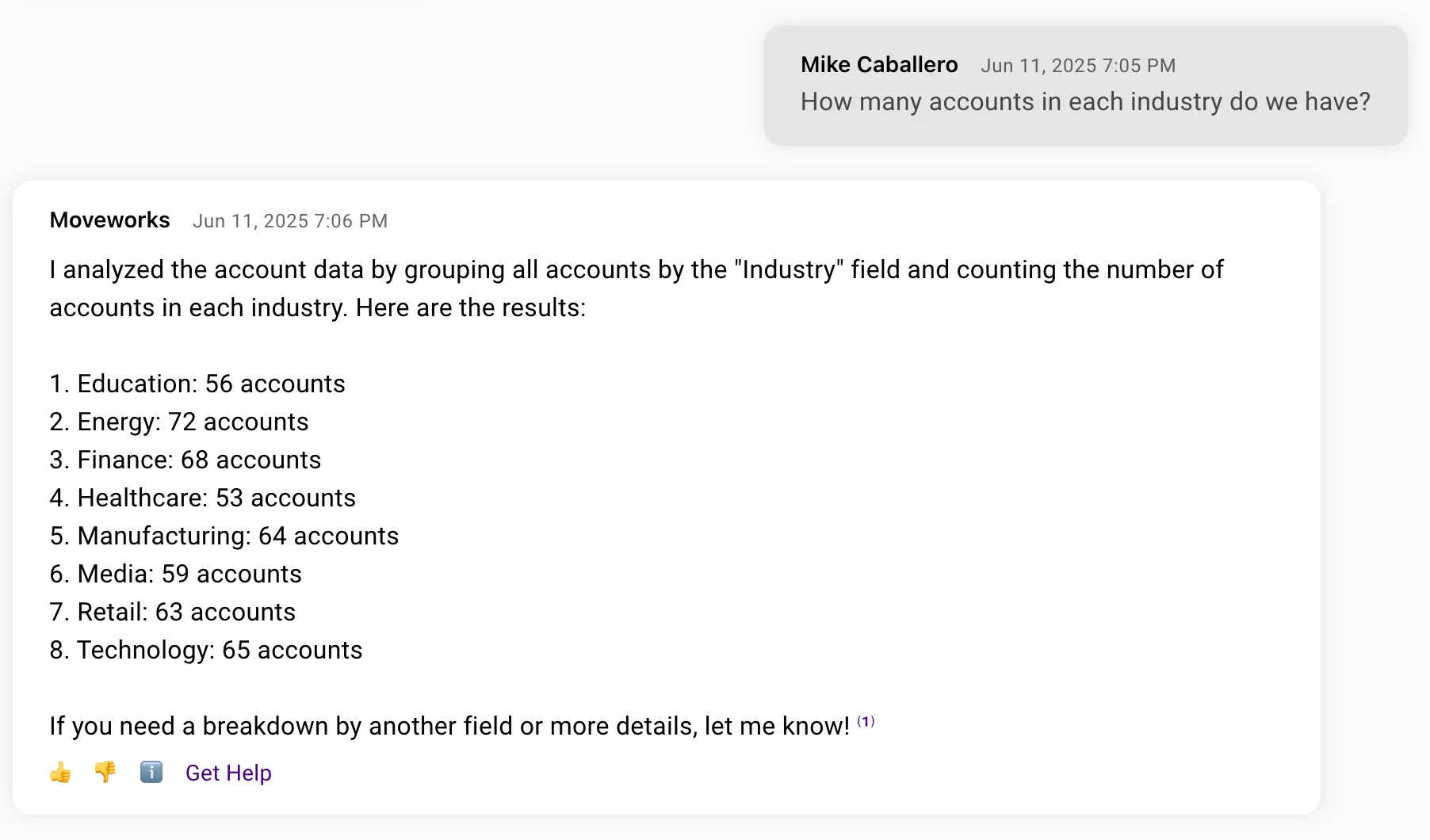
At the end, your AI Assistant will be able to handle requests like this
# Prerequisites
* Access to Agent Studio
* Access to [Structured Data Analysis](https://community.moveworks.com/ideas/structured-data-analysis-2130).
* No system APIs needed!
# Define your plugin
1. Go to **Agent Studio**. In the **Plugins** tab, select **Create**
2. Define your plugin.
> 📘 SDA Tip!
>
> It's important to be descriptive about the data that an SDA plugin returns.
| Attribute | Value |
| :----------------- | :---------------------------------------------------------------------------------------------------------------------------------------------------------------------------------------------------------------------------------------------------------- |
| Plugin Title | Fetch Accounts |
| Plugin Description | Returns all Accounts with ID, name, industry, territory, created/modified, last contact & renewal, ARR & MRR, employee count, opportunities (total/open/won/lost), avg deal size, churn rate, NPS, tickets, offices, market share %, growth rate & funding. |
# Create a trigger
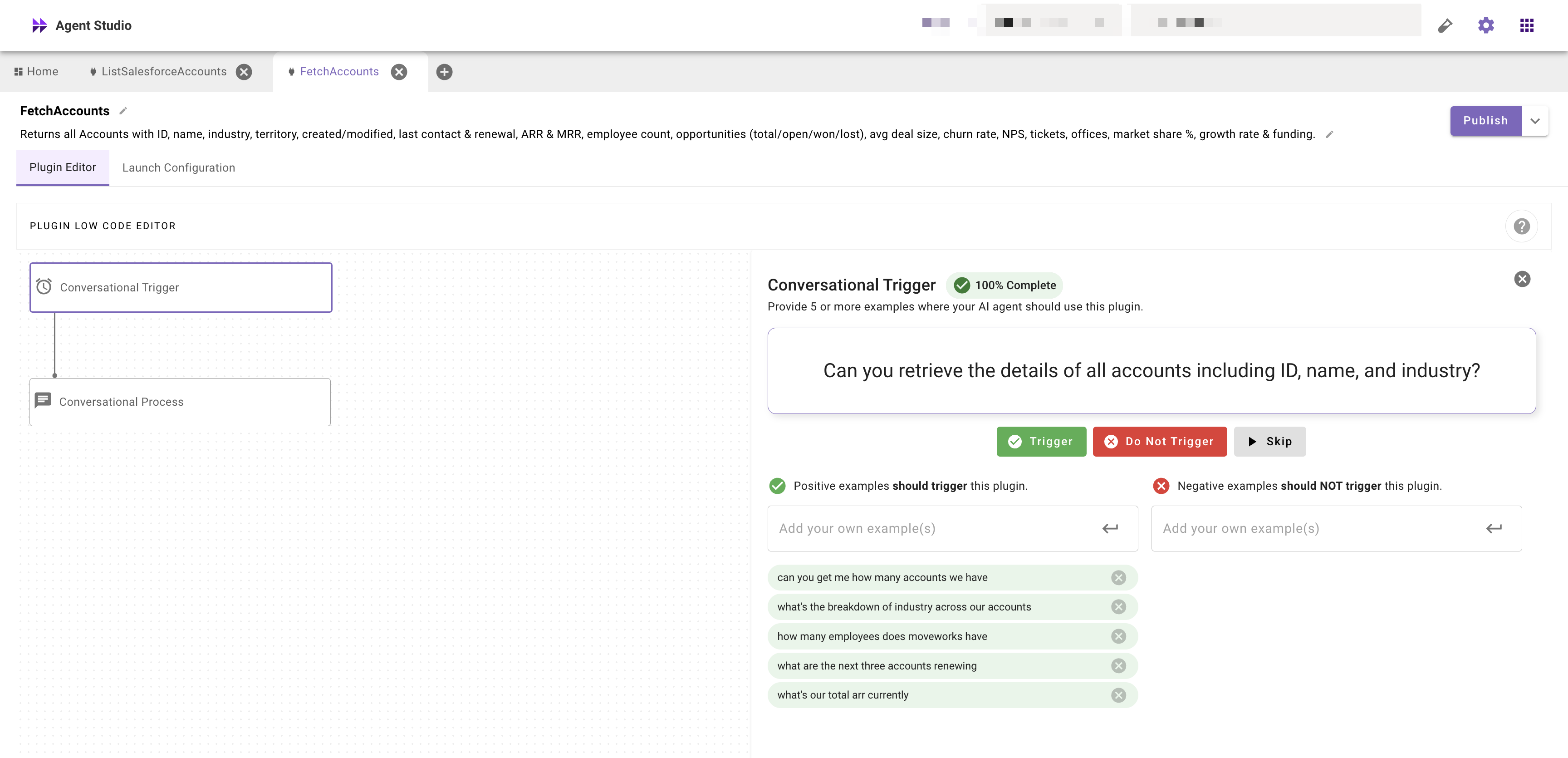
1. In the Plugin Editor, add a **Conversational Trigger** and fill it out
# Build your process
## Connect to the mock CRM
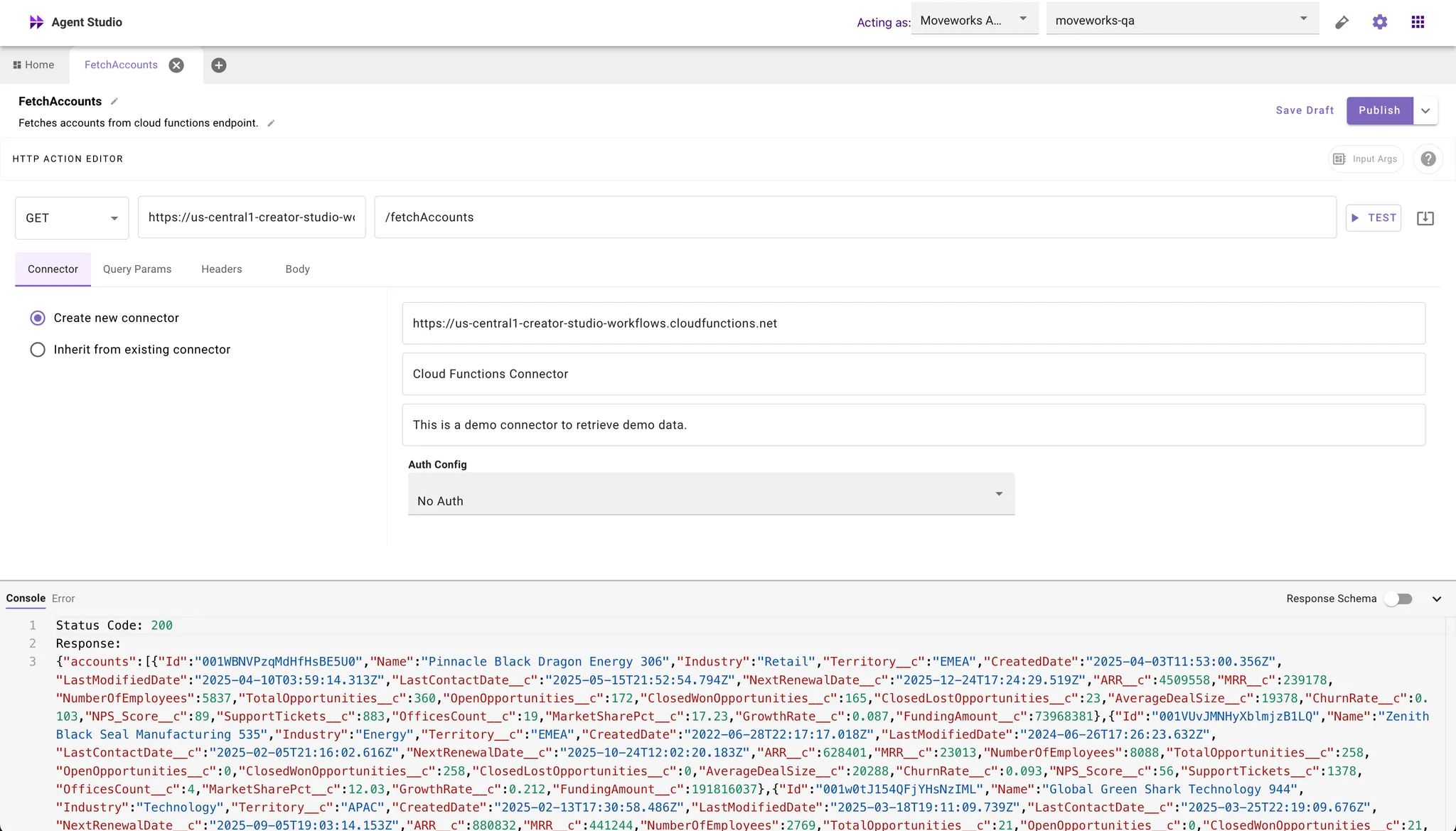
We need an HTTP action that will fetch the large volume of data from the external system.
1. Click **⊕** in the tab bar and create a new HTTP Action
2. Select the **Import** option (next to the **Test** button)
3. Import the following API call
```shell
curl --location 'https://marketplace.moveworks.com/api/purple-suite/crm/accounts?count=500'
```
4. Hit **Test**
5. Name your HTTP Action. It should look something like this.
6. Save your HTTP action
## Attach a Conversational Process
Now let's connect the HTTP action to your plugin & prepare it for analysis
1. In the Plugin Editor, add a **Conversational Process** & create a new one.
2. In the **Conversational Process Editor** add an action-based activity.
3. Choose the HTTP Action you just built.
4. In the activity configuration, under **Output Mapper**, we will rename the fields to make them more friendly for SDA.
> 📘 SDA Tip!
>
> It's important to name fields succinctly & clearly to maximize the performance of SDA against various queries.
```yaml
MAP():
items: response.accounts
converter:
AccountID: item.Id
AccountName: item.Name
AnnualRecurringRevenue: item.ARR__c
AverageDealSize: item.AverageDealSize__c
ChurnRate: item.ChurnRate__c
ClosedLostOpportunities: item.ClosedLostOpportunities__c
ClosedWonOpportunities: item.ClosedWonOpportunities__c
DateCreated: item.CreatedDate
DateLastModified: item.LastModifiedDate
Employees: item.NumberOfEmployees
FundingAmount: item.FundingAmount__c
GrowthRate: item.GrowthRate__c
Industry: item.Industry
LastContactDate: item.LastContactDate__c
MarketShare: item.MarketSharePct__c
MonthlyRecurringRevenue: item.MRR__c
NetPromoterScore: item.NPS_Score__c
NextRenewalDate: item.NextRenewalDate__c
OfficeCount: item.OfficesCount__c
OpenOpportunities: item.OpenOpportunities__c
SupportTickets: item.SupportTickets__c
Territory: item.Territory__c
TotalOpportunities: item.TotalOpportunities__c
```
# Launch it
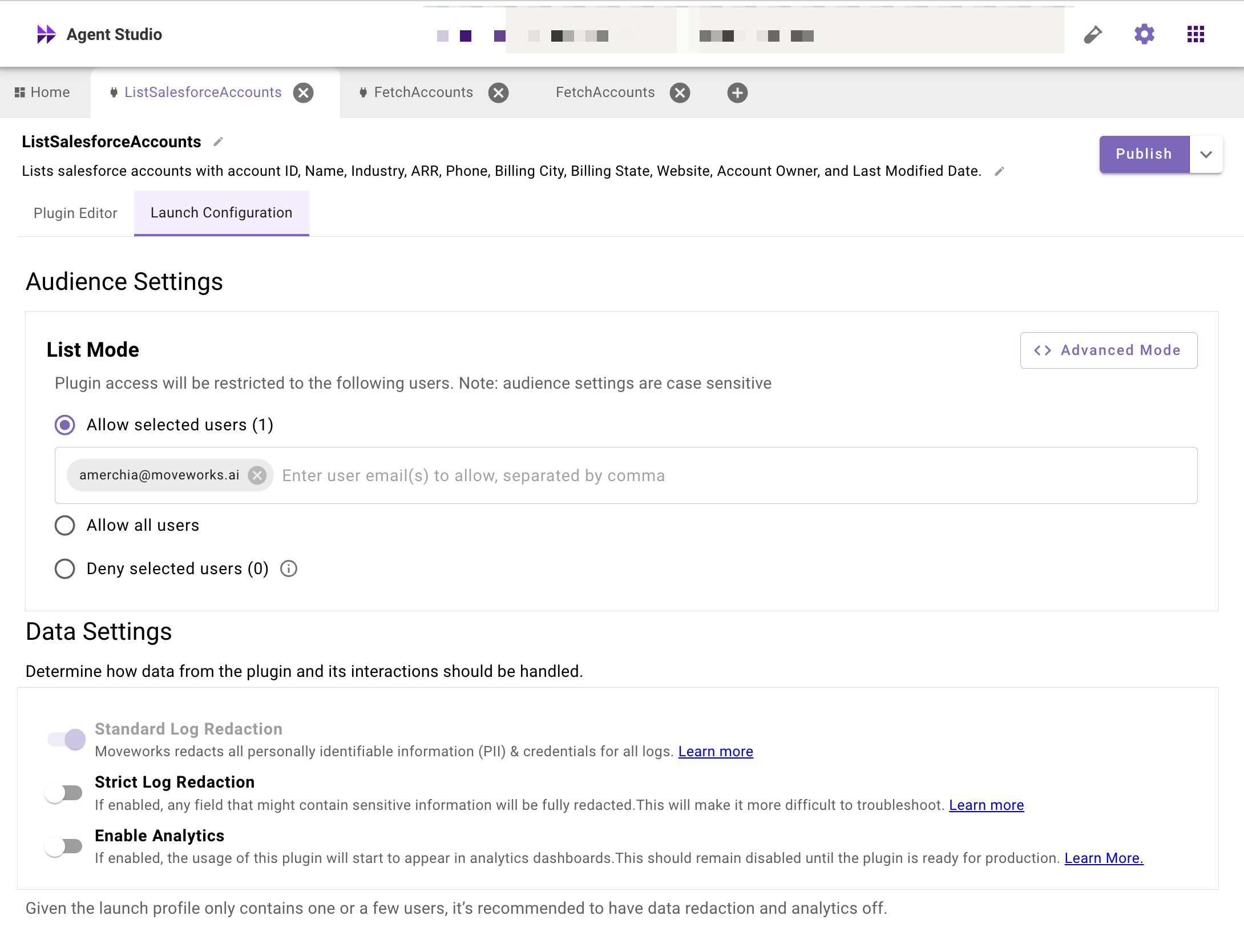
Under **Audience Settings** you can launch it to yourself for testing.
# Test it!
Try it out! You should see something like the following.

> 🚧 Not seeing the right results?
>
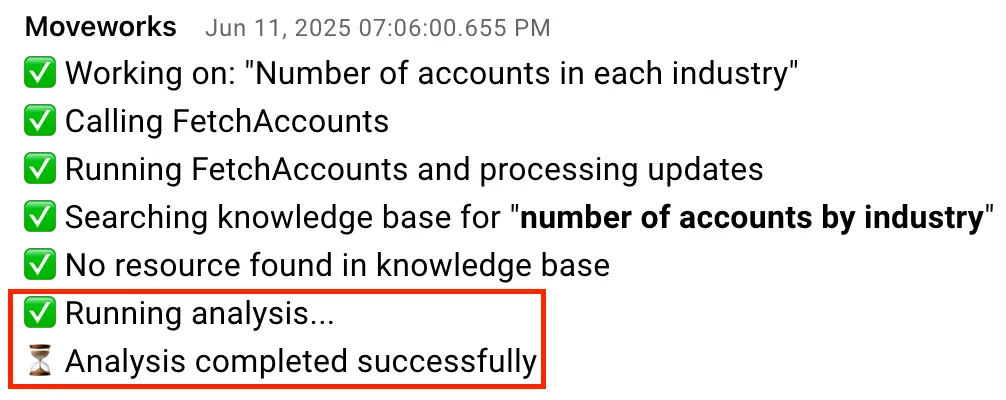
> Verify that SDA is running by checking for the **Running analysis** progress update
>
> 
Here are some other questions you could try:
* What's the total ARR of customers in the Tech industry?
* Which industry is performing best in Europe?
* Which accounts have the most support tickets are are up for renewal soon?
# Next Steps
Start building your own plugins for Structured Data Analysis!
* [Learn more about Code Interpreter!](/docs/code-interpreter)
* [FAQs & Best Practices for Structured Data Analysis](/docs/response-sizes)