***
title: Moveworks-Ready Knowledge Blocks
excerpt: ''
deprecated: false
hidden: false
metadata:
title: ''
description: ''
robots: index
next:
description: ''
---------------
# Knowledge Blocks?
Knowledge blocks are reusable pieces of content secured by their own access controls that you can add to knowledge articles in a knowledge base.
Moveworks has reviewed hundreds of knowledge blocks live in production systems across our customers. We’ve identified the following best practice modes for using knowledge blocks: **Q\&A Pages** and **Step-by-step instructions**.
# Mode 1: Q\&A Pages
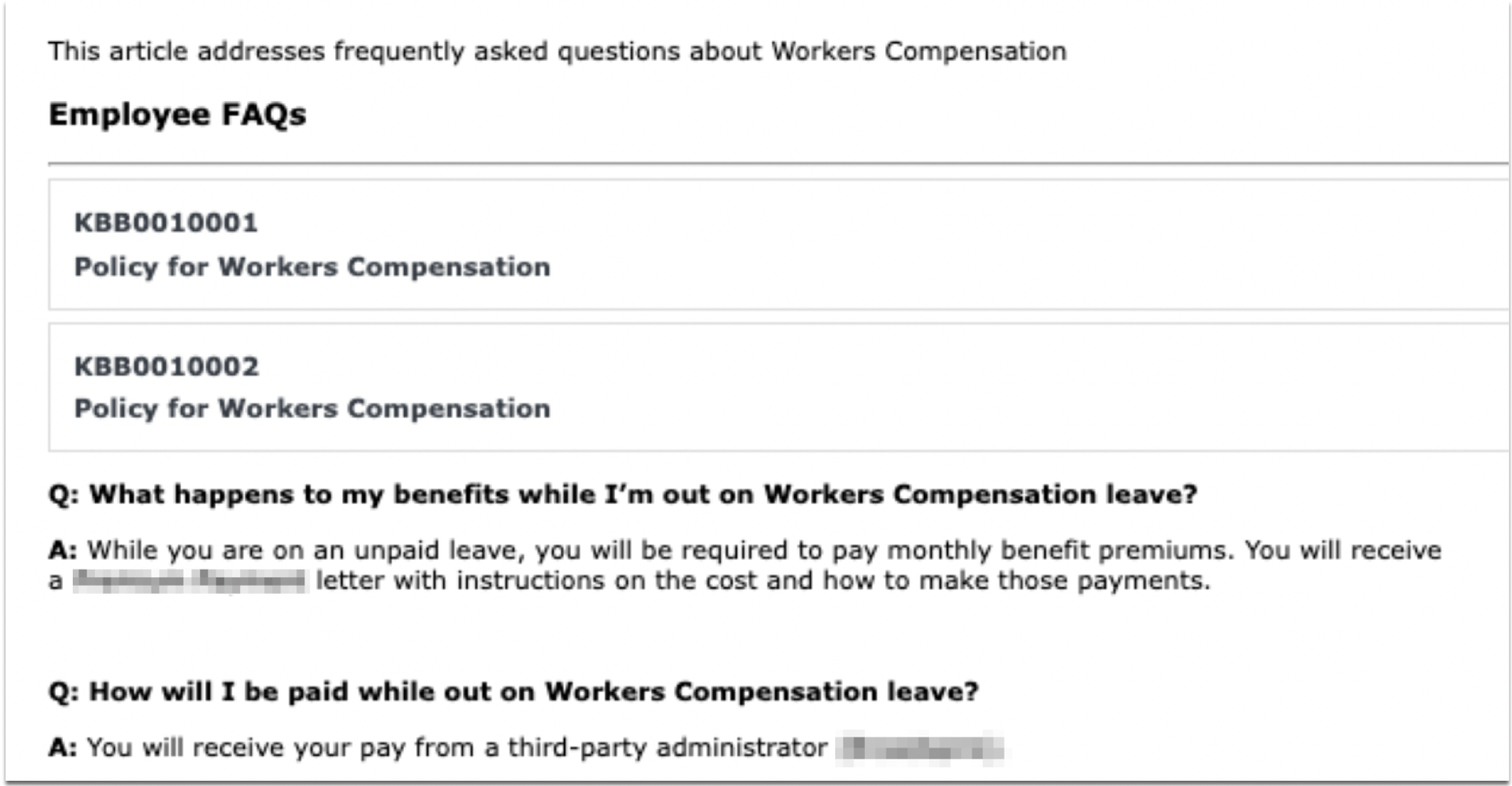
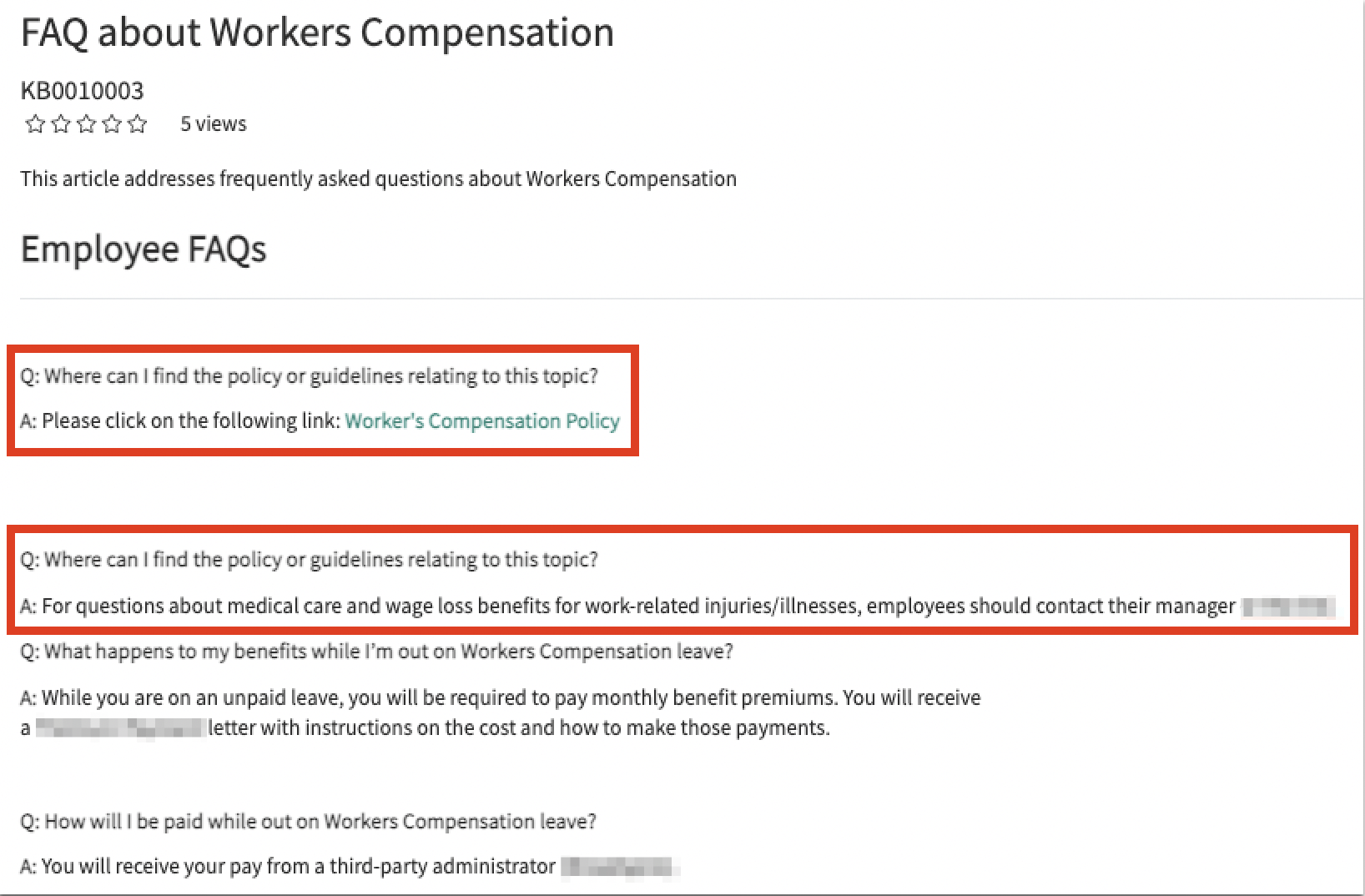
**In ServiceNow, your Knowledge Blocks for`Q&A pages` look like this:**
**How it shows up in Moveworks:**
Moveworks ingests the individual Knowledge Blocks and snippetizes them into concise answers that directly answer the user’s question. They won’t have to scroll through the FAQ page for results.
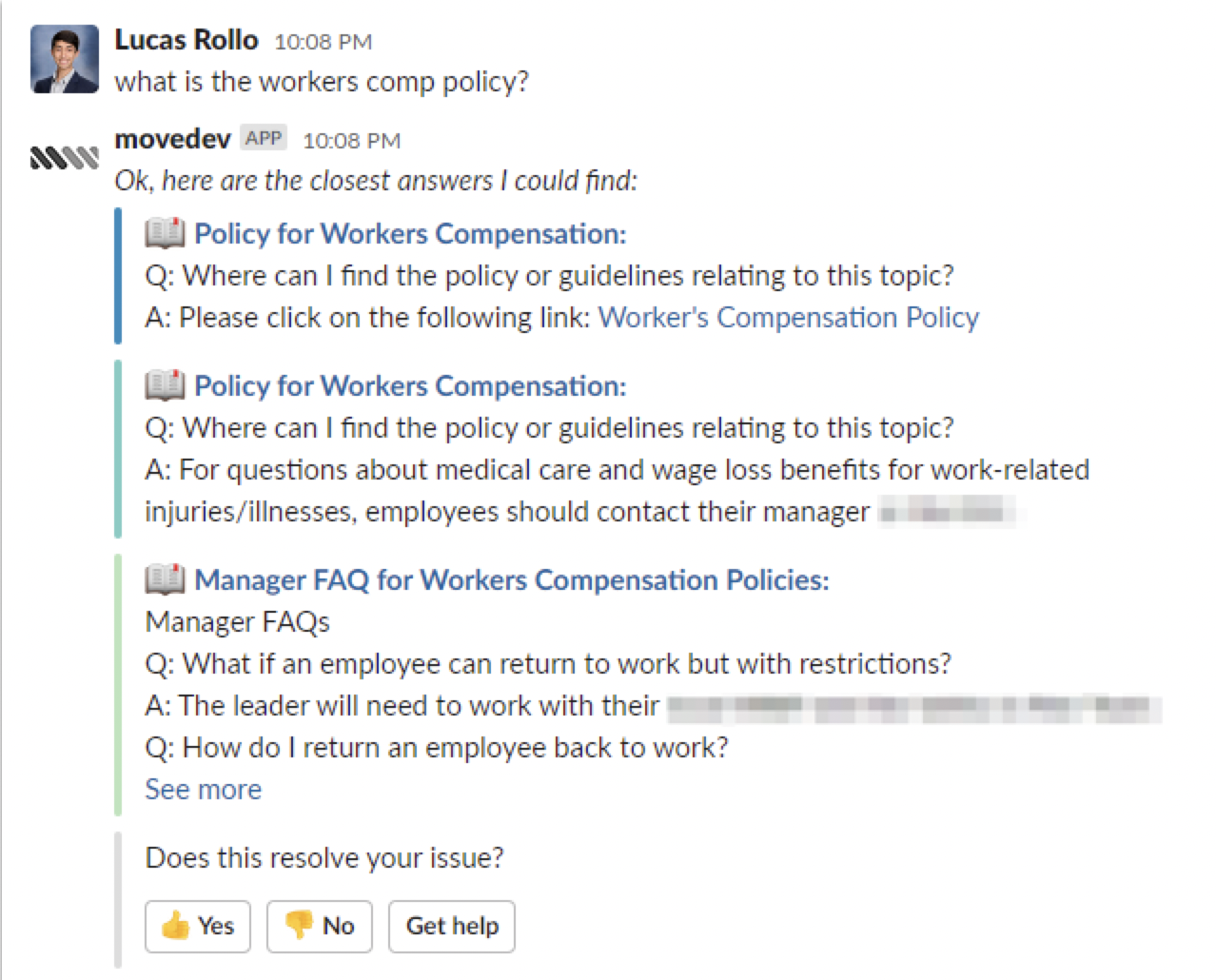
**Pro Tip**: Having each Q\&A pair be its own knowledge block will make results more concise.
# Mode 2: Step-by-step Instructions
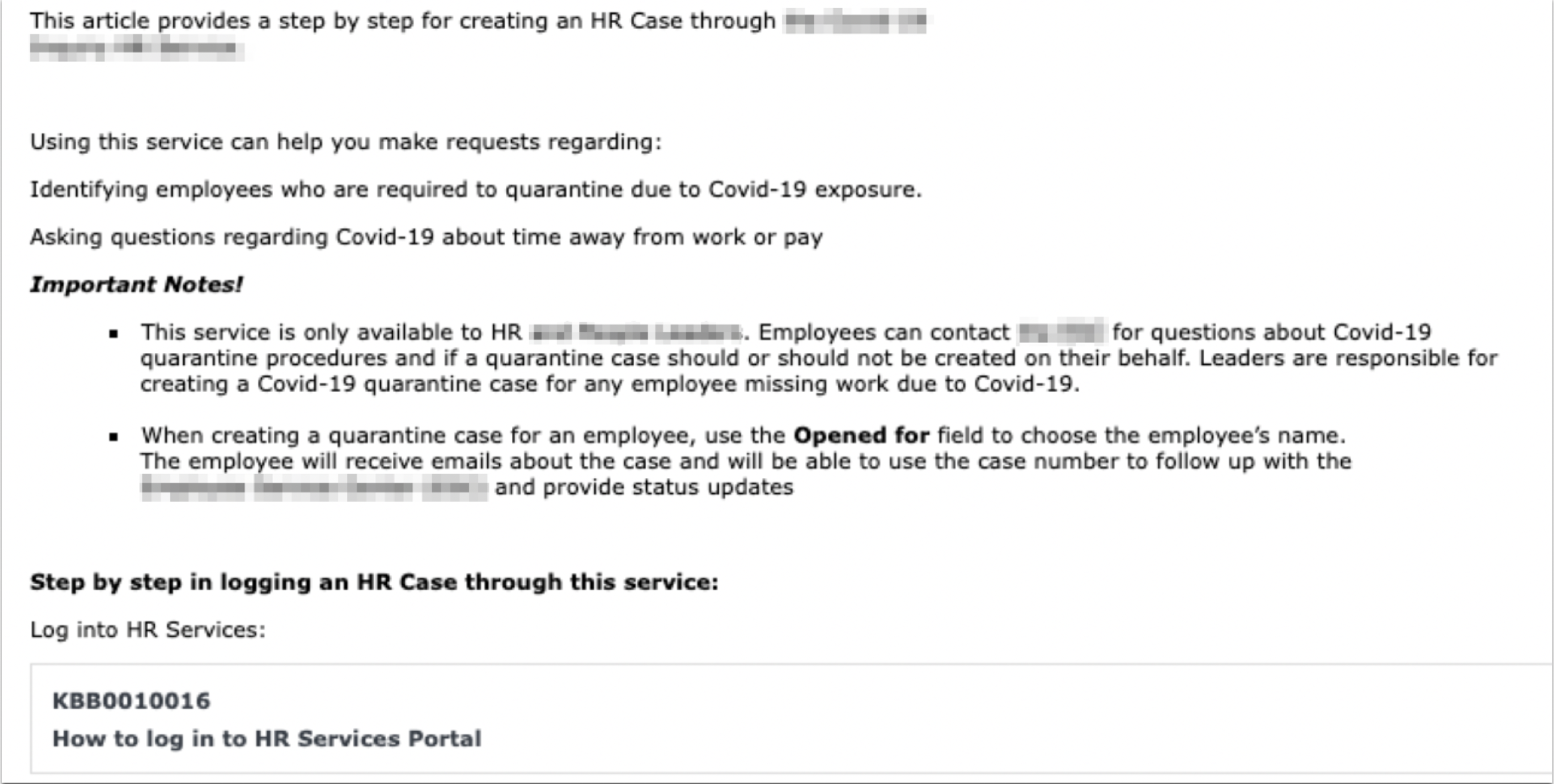
**In ServiceNow, your Knowledge Blocks for`Step-by-step instructions` look like this:**
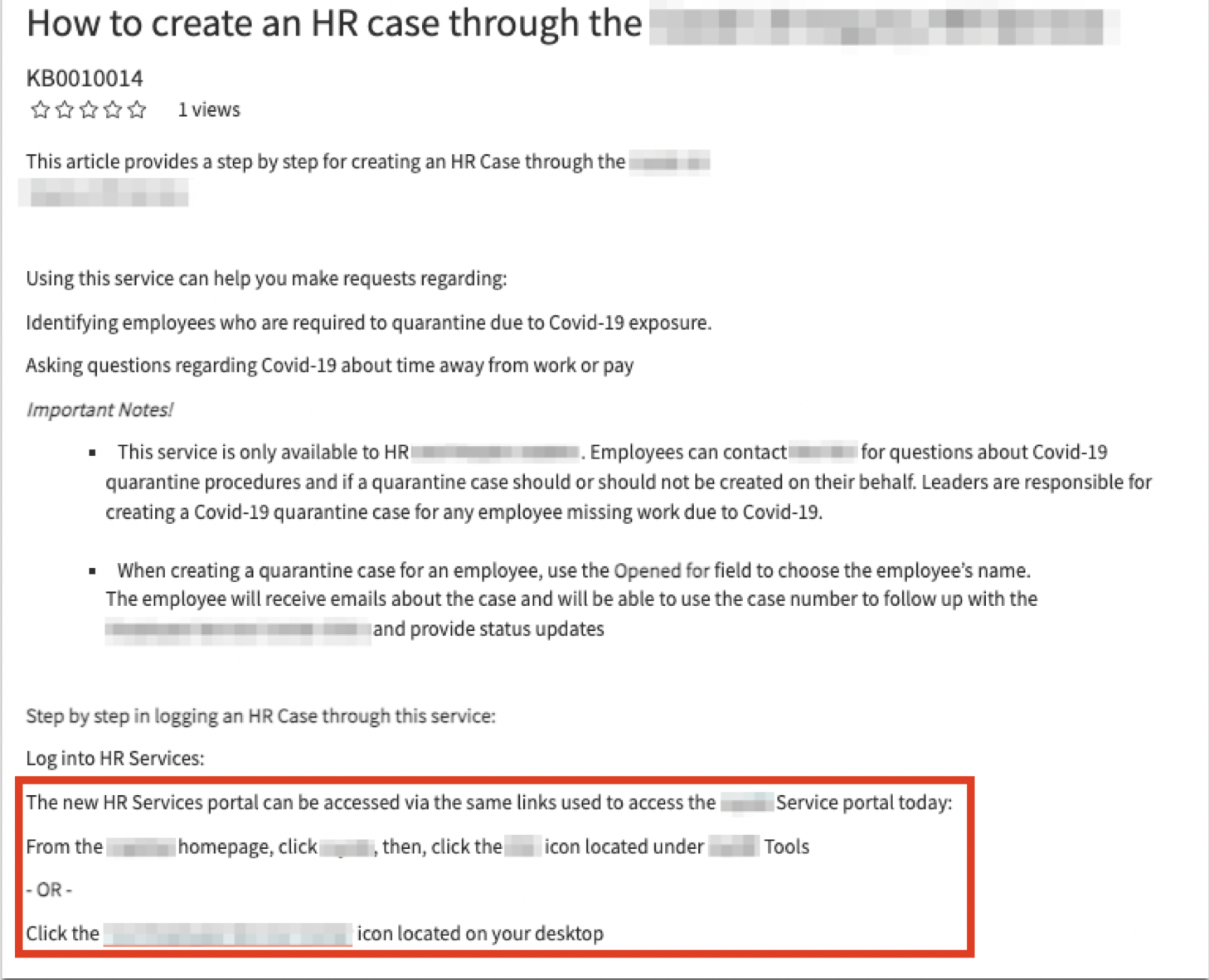
**How it shows up in Moveworks:**
**Note**: Users will be able to trigger both the parent article’s instructions AND the child article’s instructions independently.
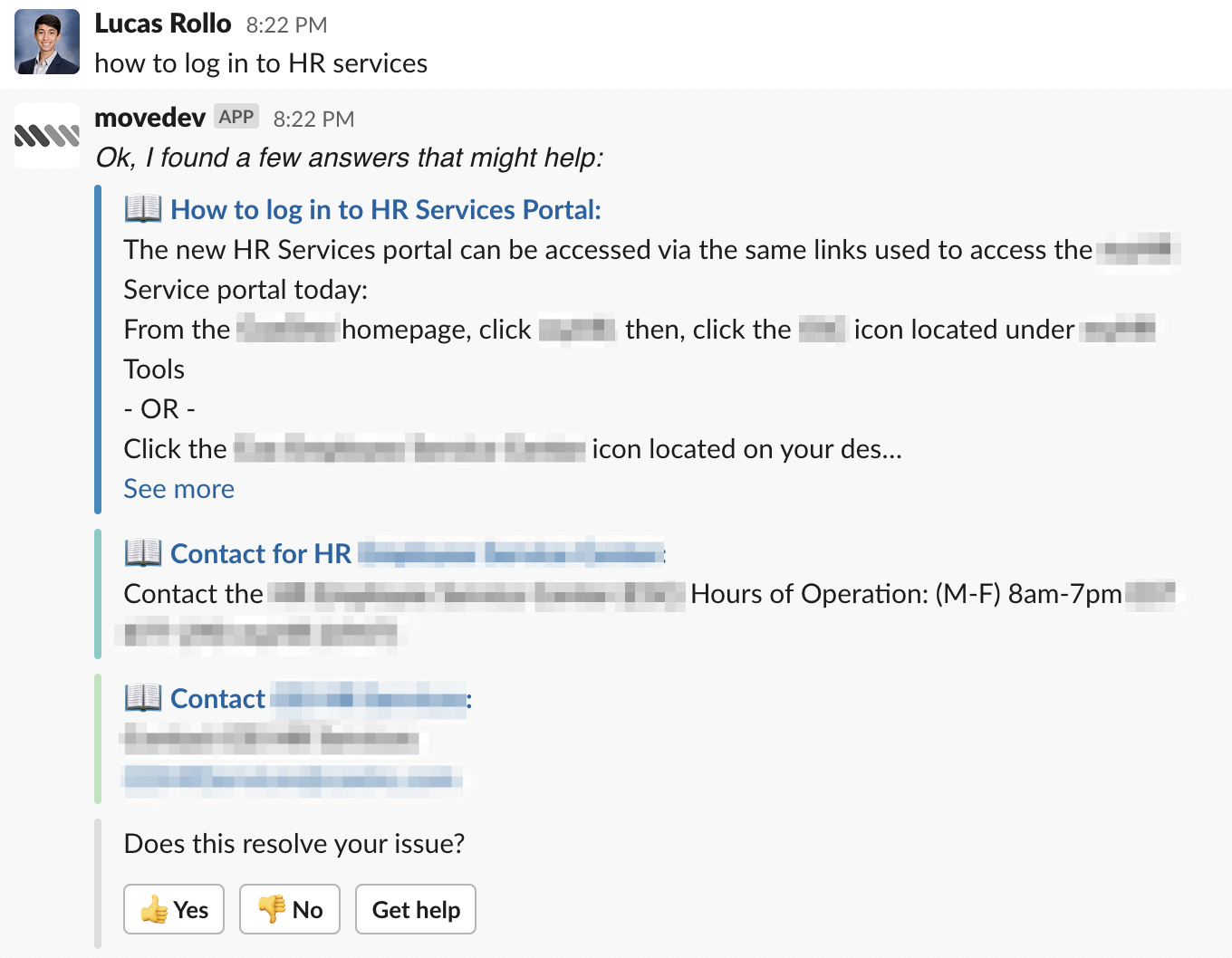
**Pro Tip**: The short description of the knowledge block (`How to log in to HR Services Portal`) is title of the link in chat. If someone clicks on this link, it’ll take them to the **Knowledge Block** in ServiceNow.
# Best Practices
## Cross-Linking Resources
Sometimes, you may want users to have quick access to Knowledge blocks from their knowledge articles. “Cross-linking” these resources is the best way to do this.
**If you had a knowledge article and a knowledge block that originally looked as below\...**
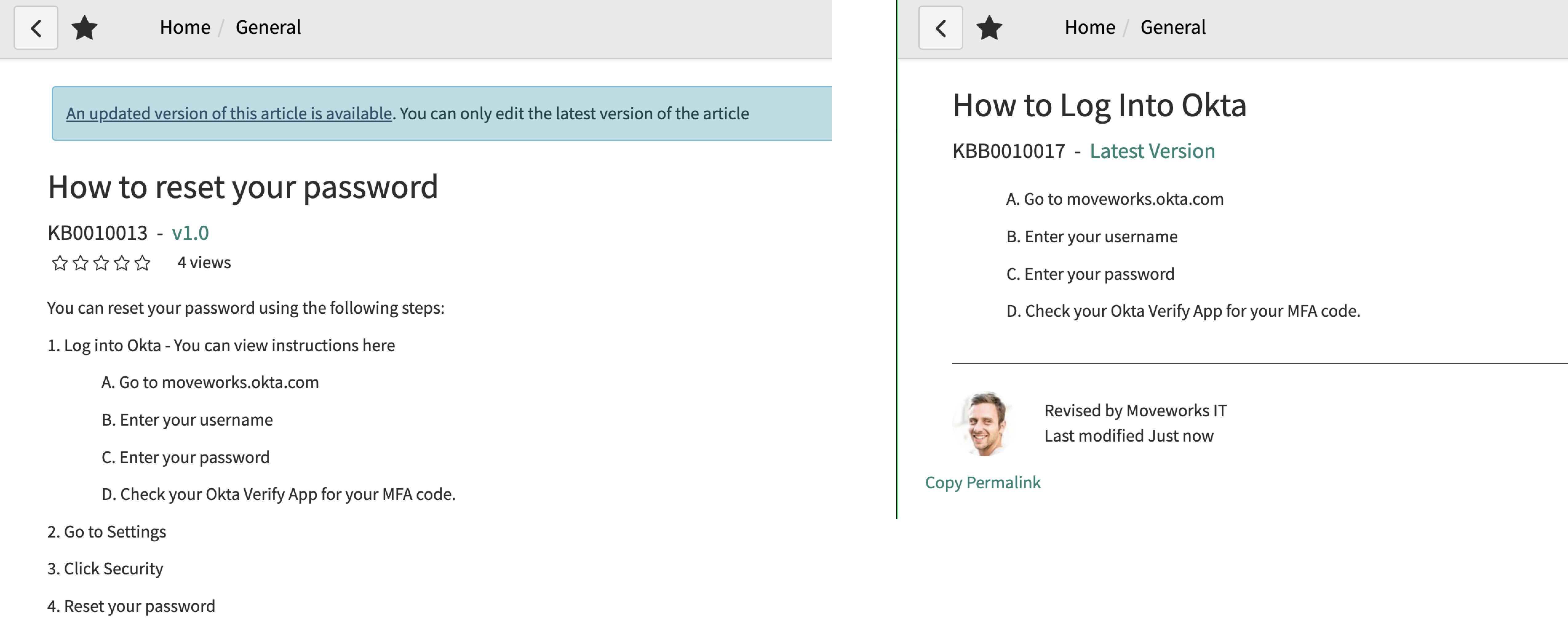
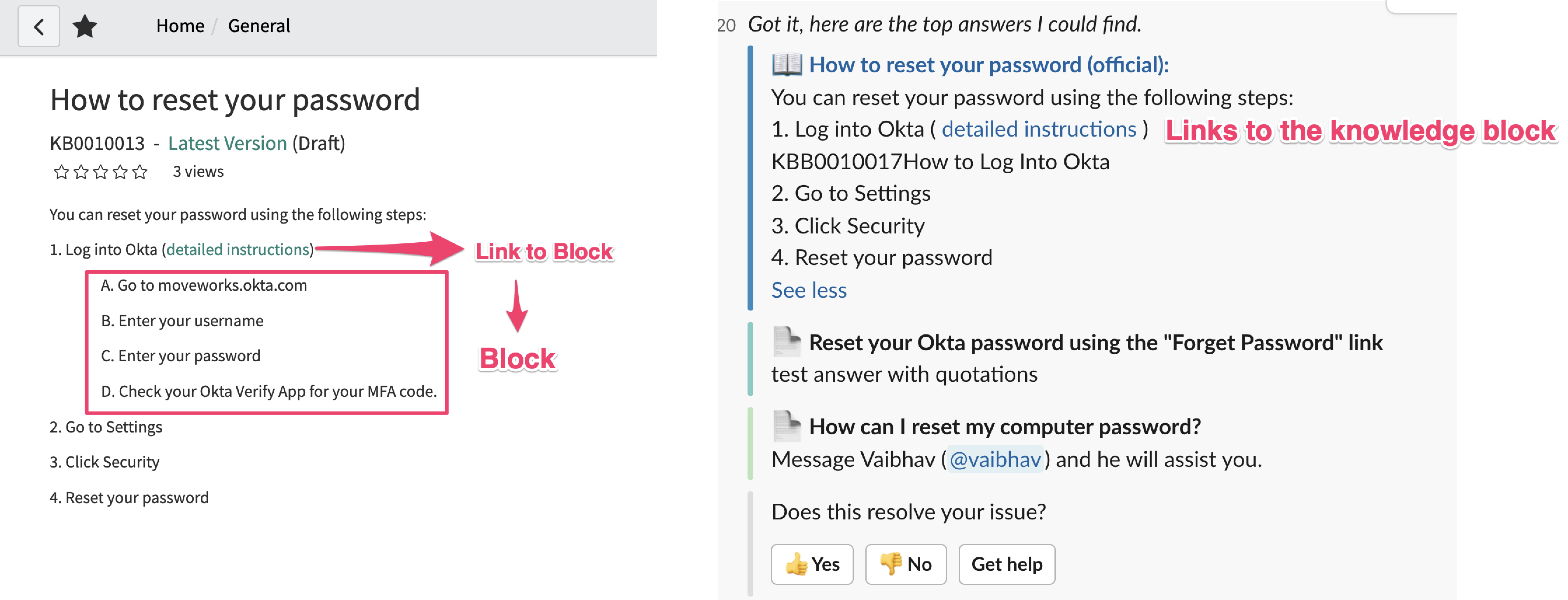
You can edit the knowledge article to “cross-link” to the knowledge block. Note that the `KBB` number may show up in the article content, but the rest of the article still renders correctly.
## Hierarchical Access Controls
Generally, knowledge blocks are used in ***multiple*** knowledge articles, so they don’t “inherit” any access controls. In fact, knowledge blocks have their own public pages, similar to knowledge articles.
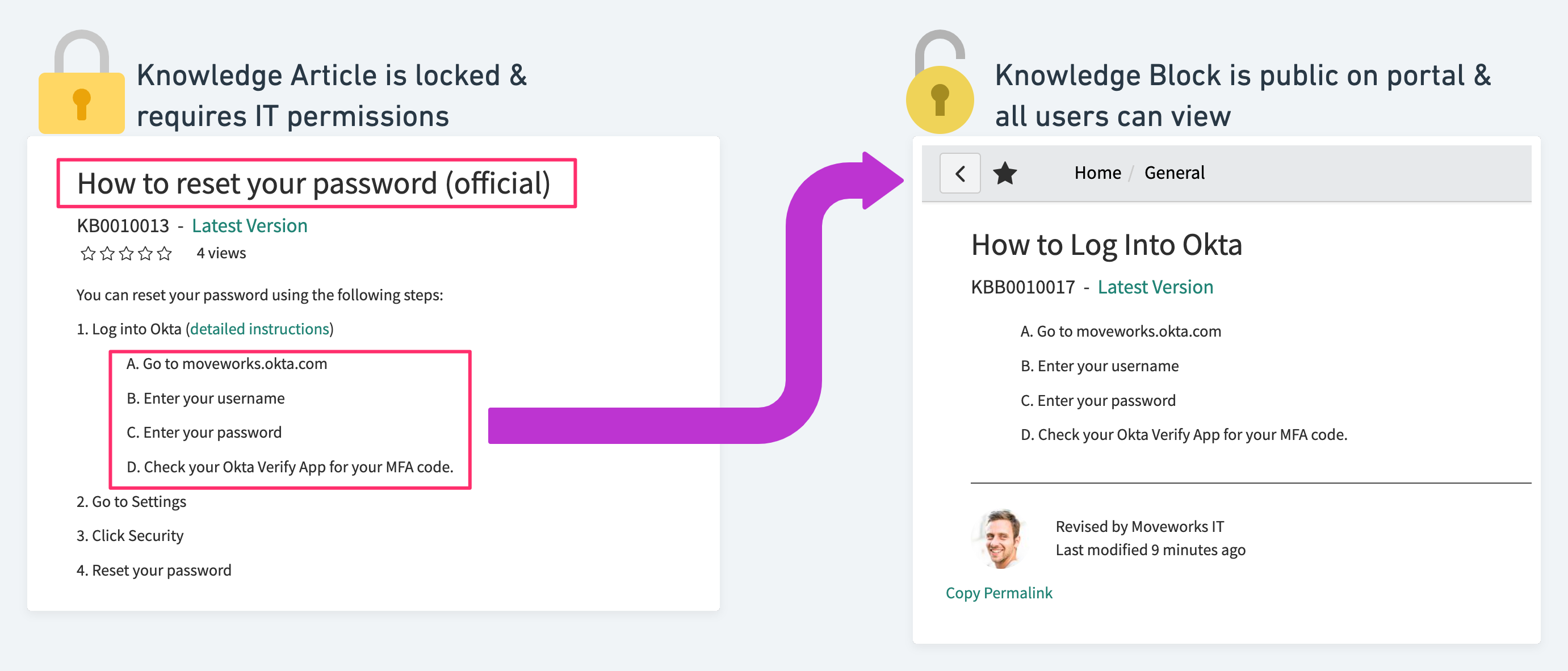
If your knowledge block is only used in a single article, and you want it to follow the parents’ access controls, you should ***explicitly*** copy over all user criteria from the knowledge article to the knowledge block.
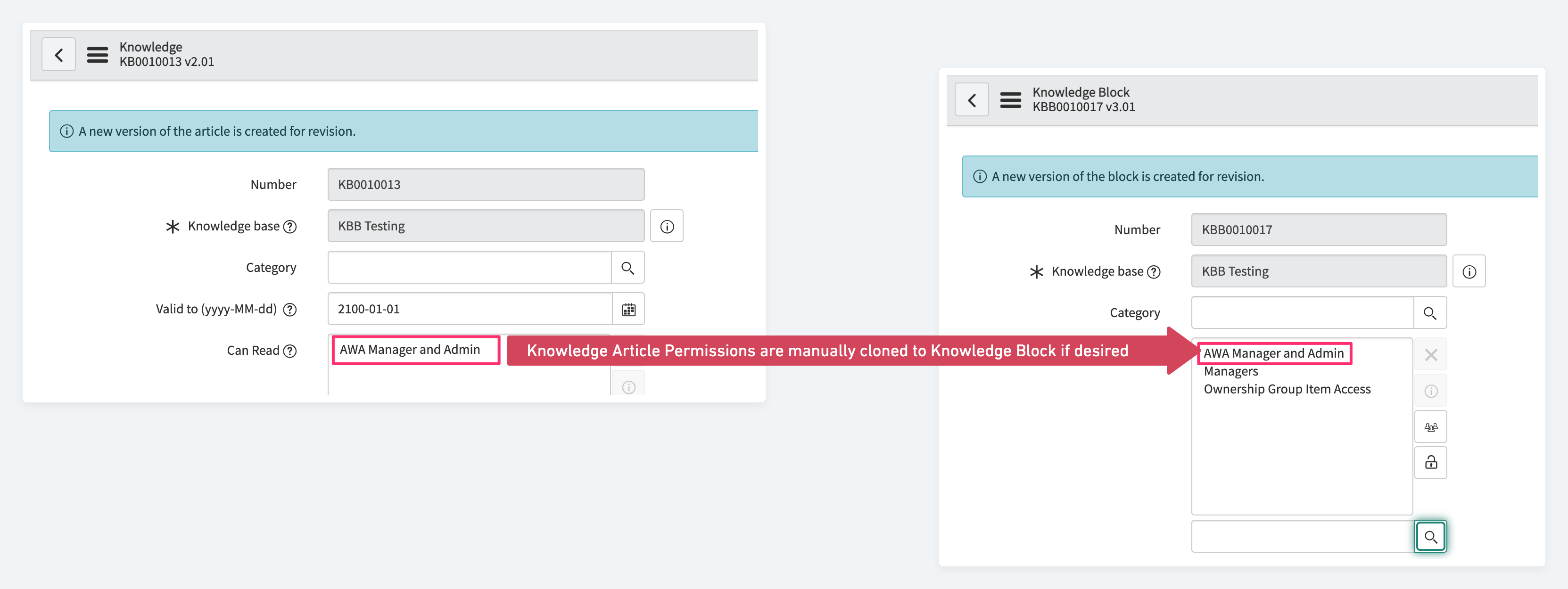
## Knowledge **Design**
### Recommendations for Knowledge Blocks
Make sure to provide a quality `short_description` for each of your Knowledge Blocks.
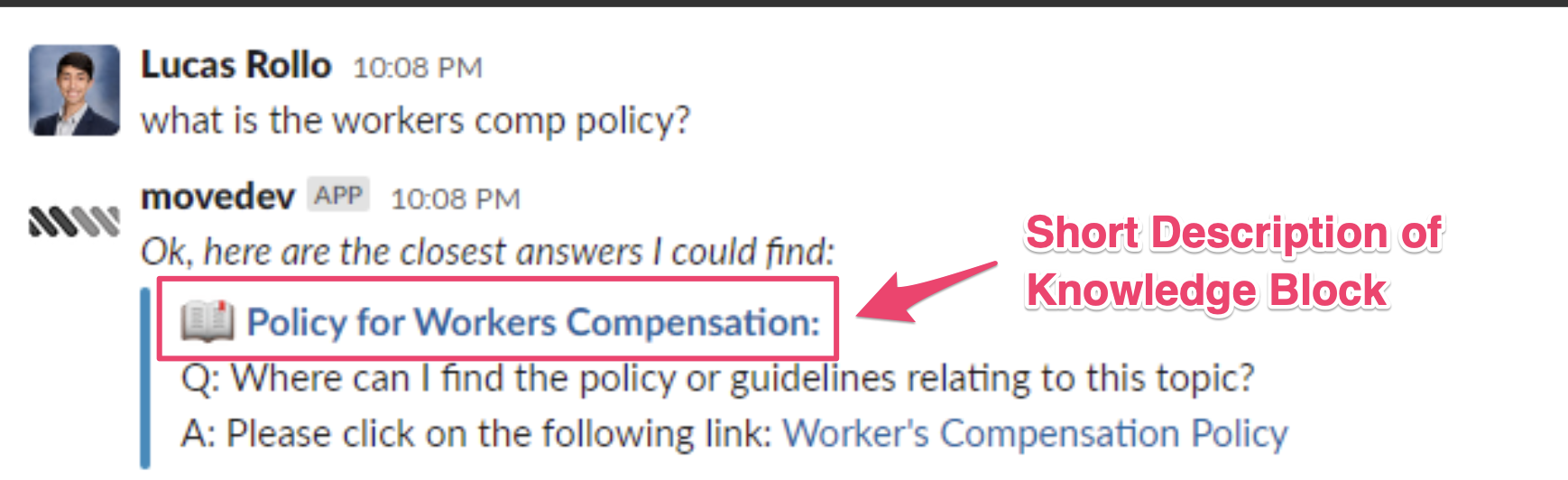
Short descriptions for your knowledge blocks will appear as the linked title in chat. When users click on it they will navigate to the article in your service portal.
### Recommendations for Articles
You should try to keep the pre-text of any parent articles relatively short.
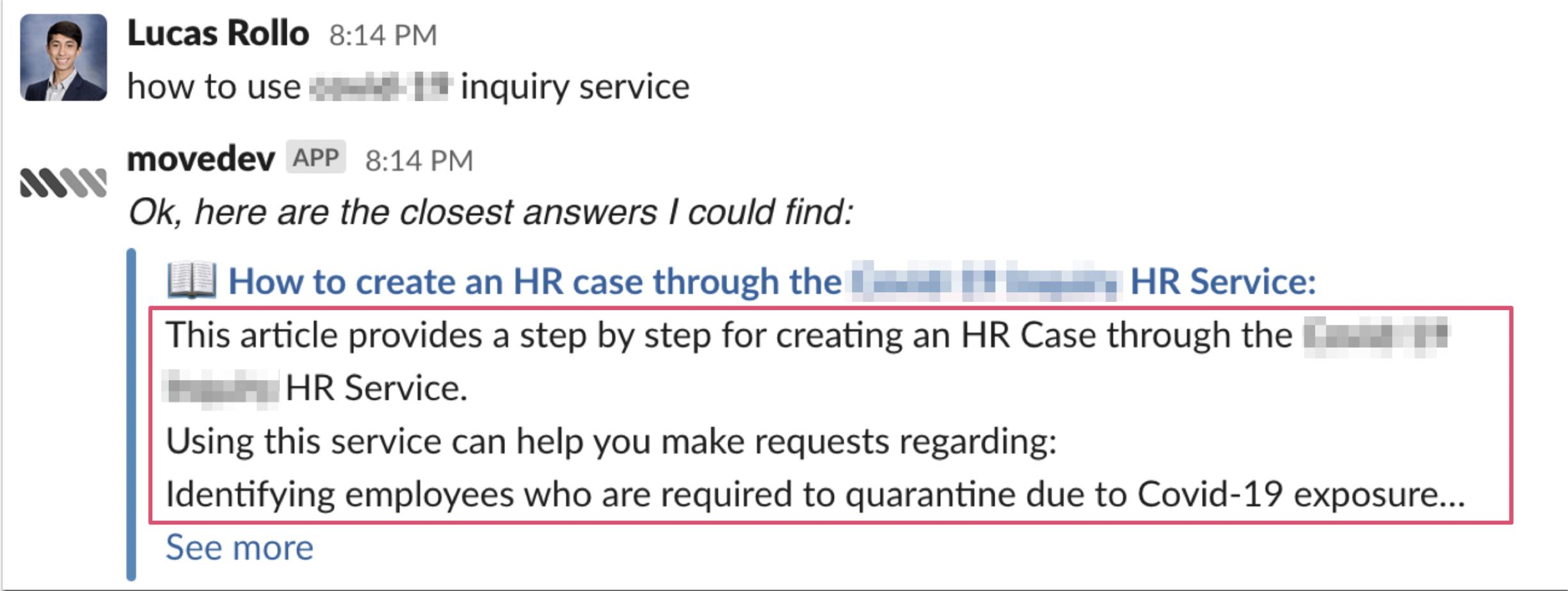
This way, answers won’t be pushed below our 2000 character limit.