***
title: How to Configure Fresh Service Knowledge Ingestion
deprecated: false
hidden: false
metadata:
robots: index
-------------
### Pre-Requisites
* Please ensure the required Fresh Service Connector has been created with the necessary permissions. Please refer the **Fresh Service Access Requirements Doc** for details.
* Please ensure the Service Account being used for connecting to Fresh Service has access to the **Categories** and **Folders** users want to ingest from.
### Configuration
Start by creating a new Ingestion under **Answers > Ingestion > Internal Knowledge Settings**
* First, select the **Connector** created for the ingestion and then provide a name for the ingestion. under *Ingestion Name*.
* Then, choose a **Domain**. The domain is the functional areas of employee service that is most related to the knowledge being ingested for this configuration.
**Setup Knowledge Bases**
* **Wizard Mode**
* *Coming Soon*
* **Advanced Mode**
* In the Advanced mode, in order to ingest articles from a category or folder, users are required to define the Start URL. The two common formats are:
```
https://.freshservice.com/api/v2/solutions/folders?category_id=1234567890
https://.freshservice.com/api/v2/solutions/articles?folder_id=0987654321
```
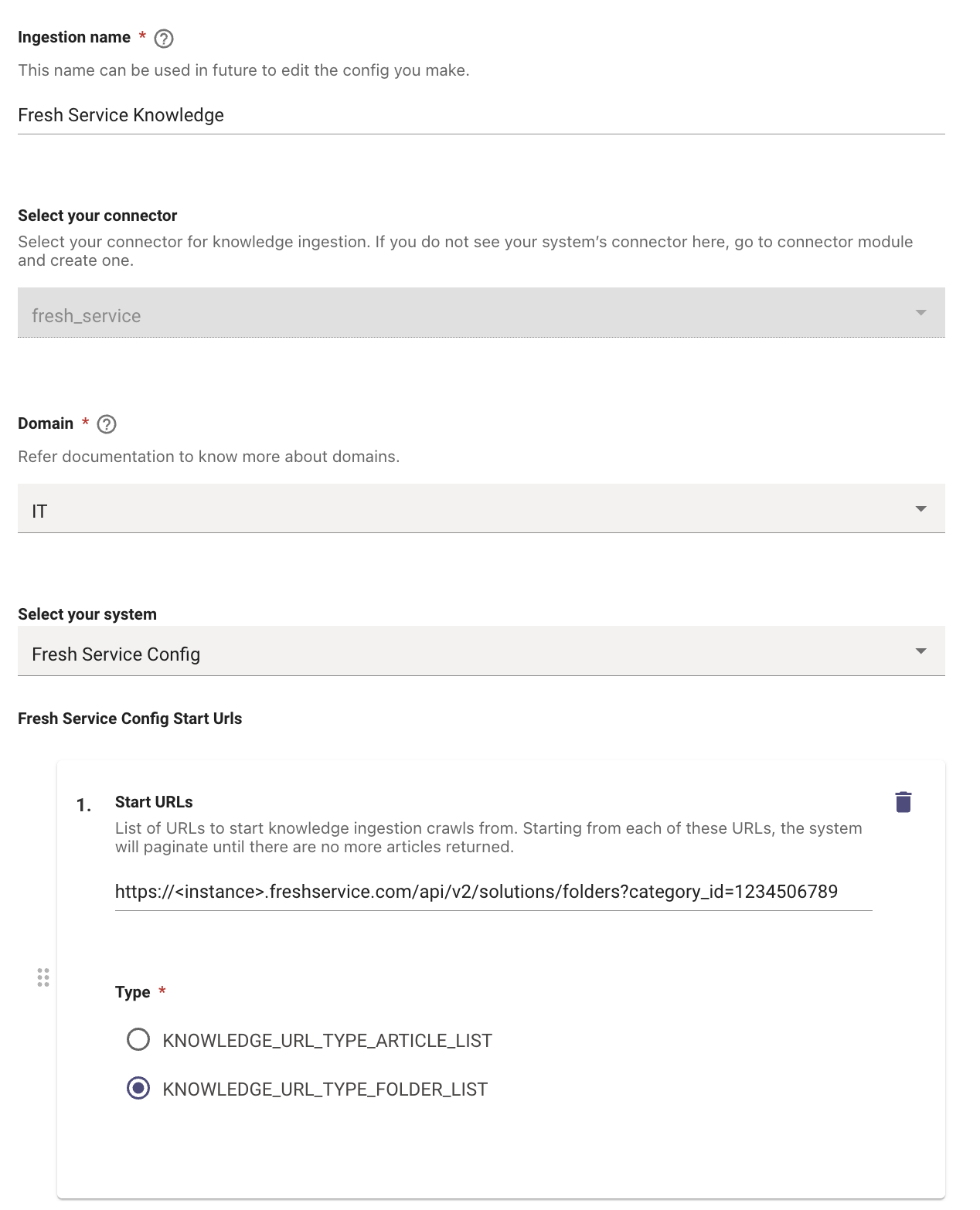
* Please note that configuring individual folders with the `/solutions/folders` endpoint will not work. I.e. the following format is explicitly unsupported for folder configuration:
```
https://.freshservice.com/api/v2/solutions/folders/0987654321
```
* In such cases, please use the `solutions/articles?folder_id=` as shown above.
### Validation
* Once you have submitted the Knowledge ingestion configuration, it will kick off the Ingestion pipeline in the background, the status of the same can be tracked on the [Ingested Knowledge View](/ai-assistant/enterprise-search/configure-search/ingested-knowledge/ingested-knowledge-internal-knowledge-faqs)
* You can search for the Articles with their Title's here, and if they are listing on the Console that means they have been ingested successfully.