***
title: Identifying Automation Opportunities
excerpt: ''
deprecated: false
hidden: false
metadata:
title: ''
description: ''
robots: index
next:
description: ''
---------------
# Background
In this example, we'll walk through how you can use Moveworks capabilities to support IT. But this can be done for any service management experience with Moveworks
# Scenario
As an IT organization, your service desk is overloaded with tickets.
* **Access Requests:** New software & roles are added every day to your enterprise. Employees demand instant access to systems.
* **Hardware Troubleshooting**: Printers & other hardware break constantly. Diagnostics & troubleshooting is highly variable & specific to your organization.
* **Infrastructure management**: Many end user issues are caused by infrastructure degradations, which require expert knowledge & finesse to effectively resolve
Solving these issues requires a complete agentic AI platform like Moveworks.
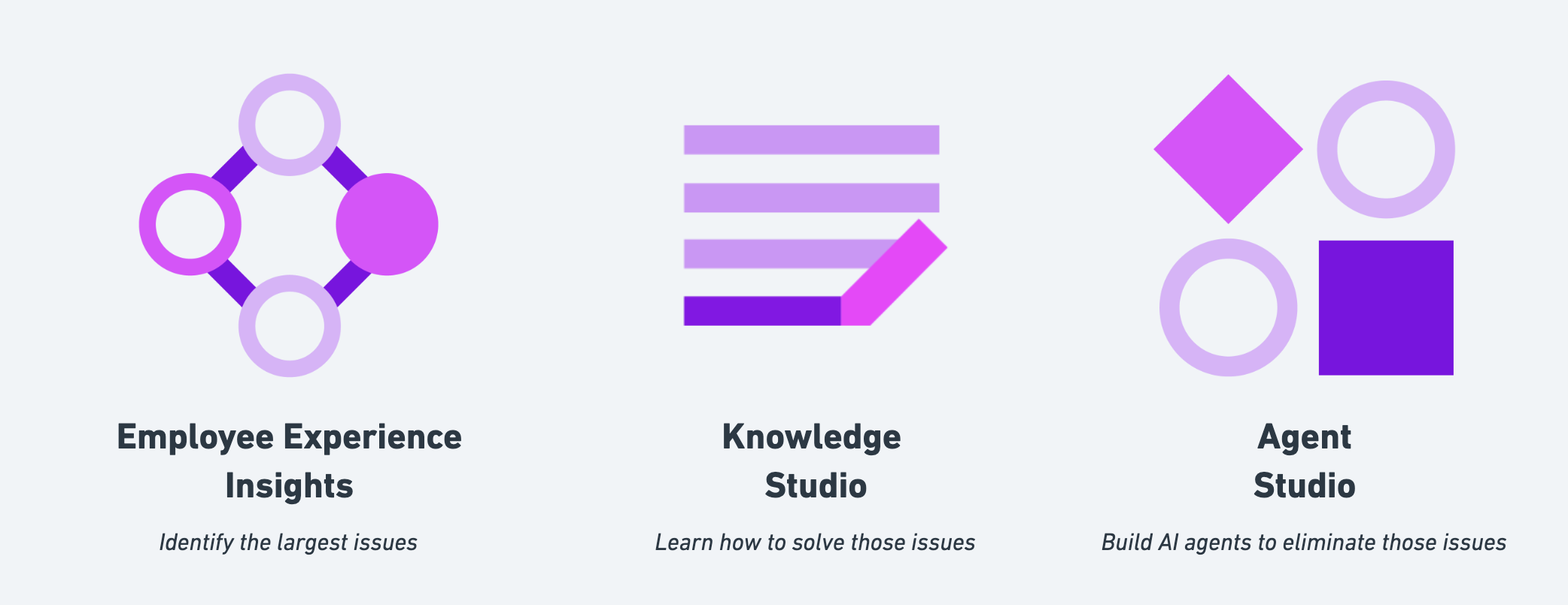
* **Employee Experience Insights** finds the largest opportunities for automation & self-service
* **Knowledge Studio** write accurate knowledge to drive self-serve resolution
* **Agent Studio** automate agent activities with conversational workflows.
Some of our largest customers have used this strategy to automate over 60% of their service desk.
## Example 1: Software Provisioning
*Using EXI to pick investments for automation & solve them with Provision Management.*
In the [Employee Issues](/service-management/employee-experience-insights/breaking-down-the-dashboard) module, we can use the [Issue Hotspot](/service-management/employee-experience-insights/breaking-down-the-dashboard#issue-heatmap) to pick a hotspot that has a large number of tickets. When you select it, you'll get some key statistics about that hotspot.
When you are first starting off, we recommend choosing the following hotspots:
* **Low Time To Resolution:** Issues that are quicker to resolve are generally less complex. They are an easier starting place for developing new use cases. It's best to crawl, walk, and then run for the longer time-to-resolution projects
* **High First Touch Resolution:** Issues that are solved on the first touch are also a good signal that they are easy to resolve. They indicate that a relatively trivial amount of work is done by an IT agent, which means they are ripe for automation.
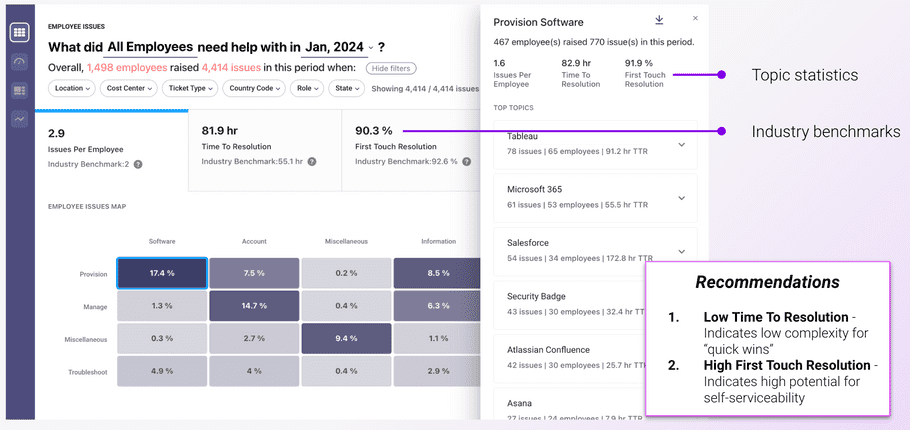
In the example above, we see that for `Provision Software`…
1. **These issues take about 82.9 hours to resolve.** This is about the average TTR of 81.9 hours, so they're likely somewhat easy for agents to resolve.
2. **91.9% of issues are resolved on the first touch.** This is a very strong cluster, above our 90.3% average, so it's likely that whatever the L1 agents are doing is possible to automate.
Let's investigate the top application / service: **Tableau** to make sure we've going to solve a significant number of tickets.
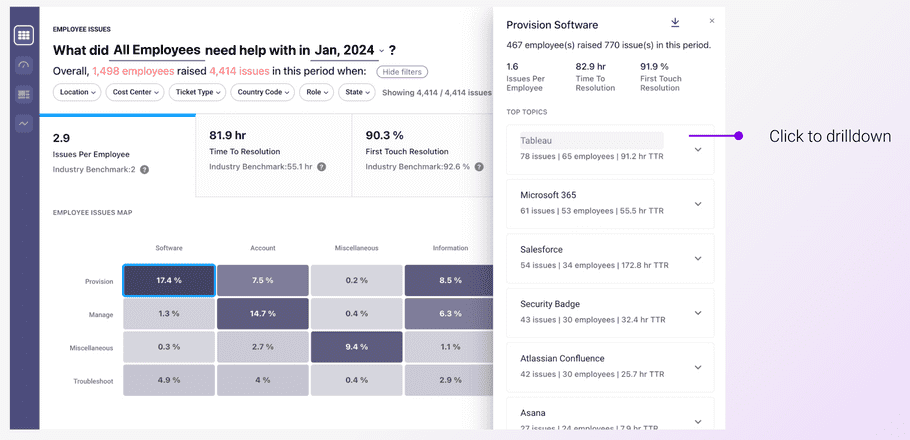
Click on **Tableau** to explore that application.
Next, in the [Apps & Services](/service-management/employee-experience-insights/apps-services) module, we see that there's 81 issues in the last month, but we want to analyze a larger volume of tickets to understand the root cause. Let's expand the date range so we have at least 100 tickets.
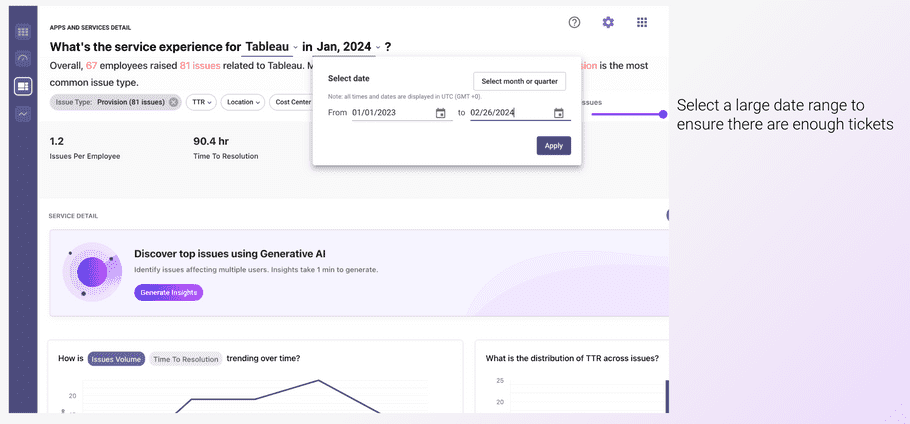
Then, we'll use [AI Summary](/service-management/employee-experience-insights/apps-services#ai-summary) to figure out what's wrong with these Tableau issues.
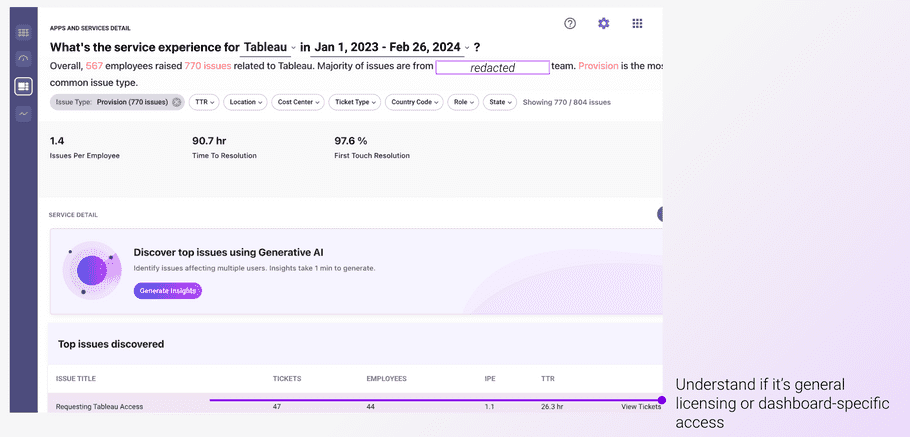
If we **View Tickets**, it looks like the majority of tickets are for general access to Tableau – not dashboard-level details.
Finally, we add **Tableau** to our software catalog in the [Access Software](/service-management/provision-management/software-access/overview) module.
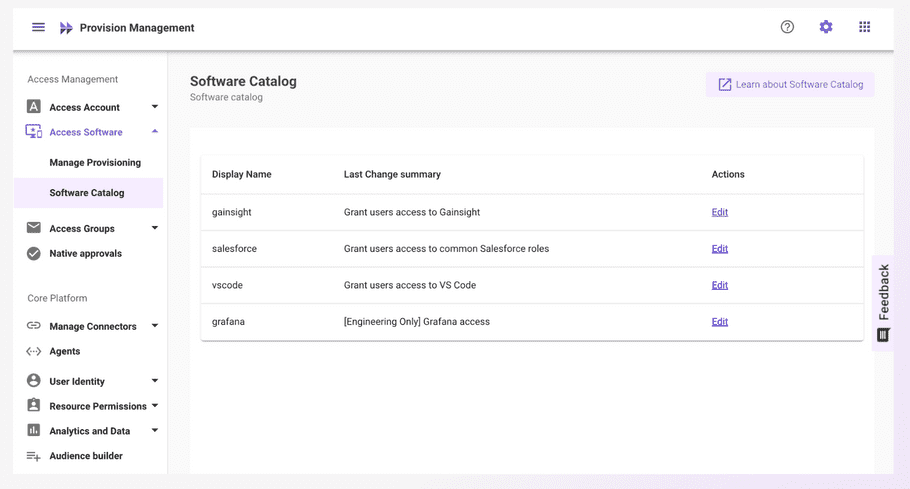
Now, when users ask for Tableau access, your copilot will resolve the issue!
## Example 2: Troubleshooting
*Adding Knowledge Studio to uncover hidden knowledge and write self-service knowledge articles for your Copilot.*
Same as before, let's pick a good troubleshooting hotspot. **Printer** seems like a good app / service to focus on given its quick time to resolution.
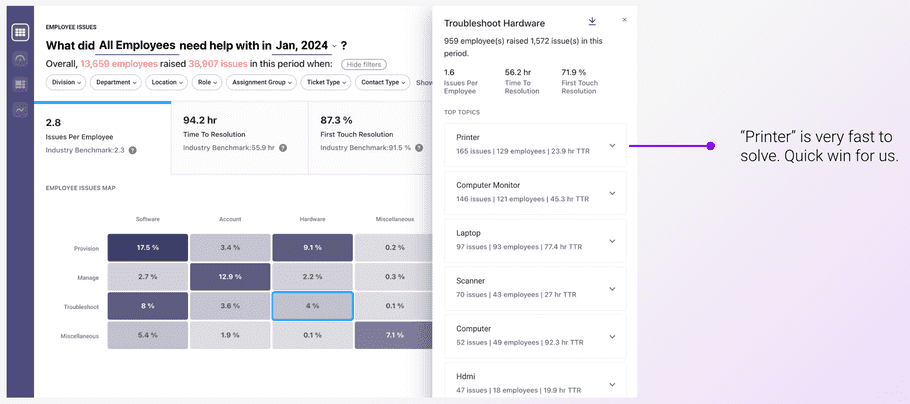
Same as before, let's use AI Summary to narrow down what **Troubleshoot Hardware for Printers** actually looks like.
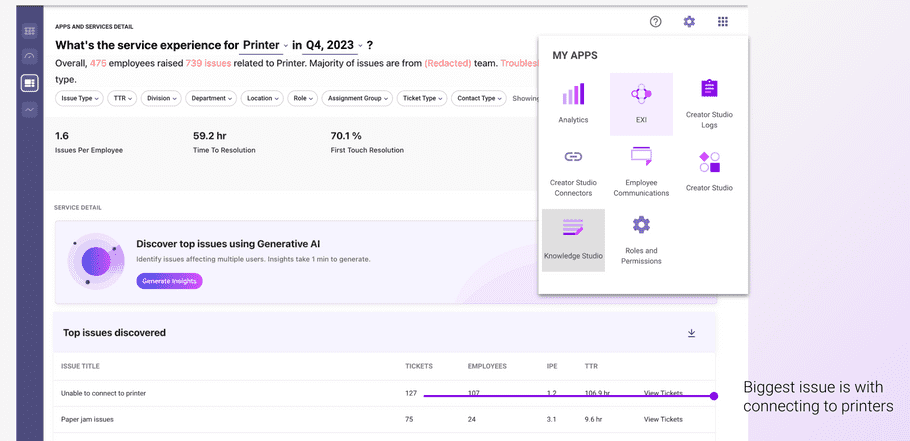
It seems that it is mostly about having issues connecting to printers. Paper jams are another issue, but let's start wtih connecting to printers.
This isn't something that can be solved with a product like Provision Management, so we'll look to self-serve knowledge instead.
Just navigate to Knowledge Studio and select "Create a New Article".
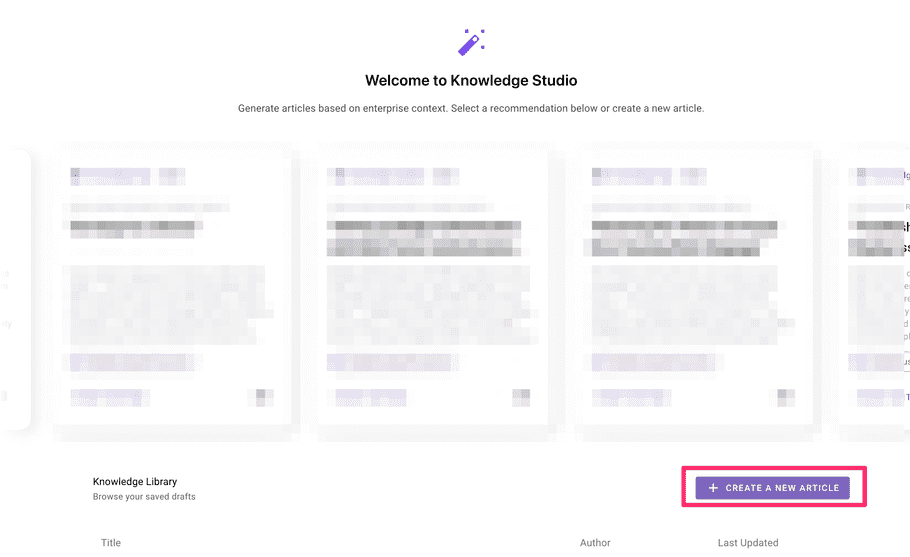
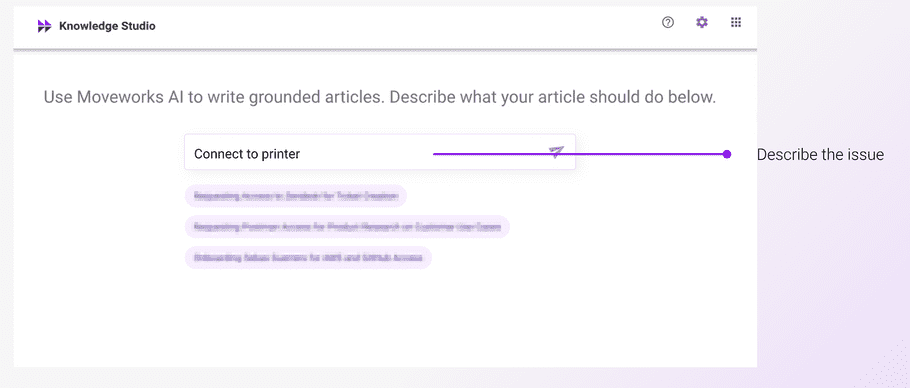
Then, ask Knowledge Studio to write an article about the issue. Here, I'm asking Knowledge Studio how agents “Connect to printers”
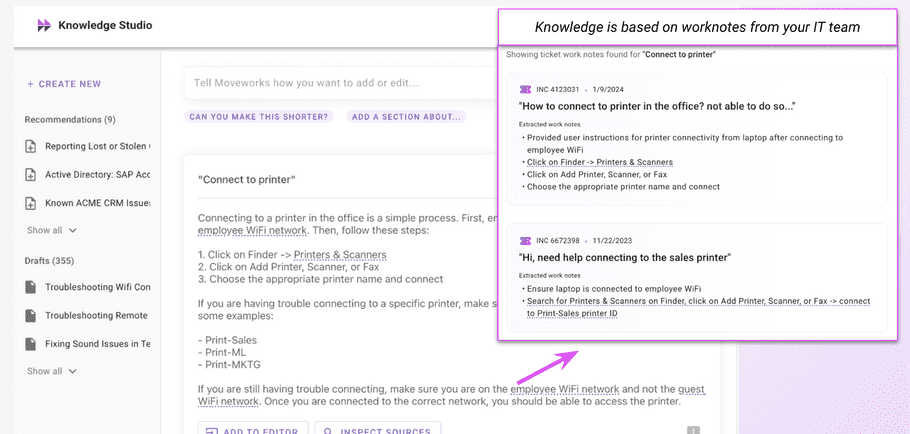
Knowledge Studio looks through how agents solve this issue today and writes a knowledge article that I can publish to my knowledge base.
## Example 3: Advanced Issues
*Adding Agent Studio to build entire agent playbooks into your Assistant*
Same as before, let's pick a good troubleshooting hotspot. **Citrix VDI** seems like a good app / service to focus on given its quick time to resolution.
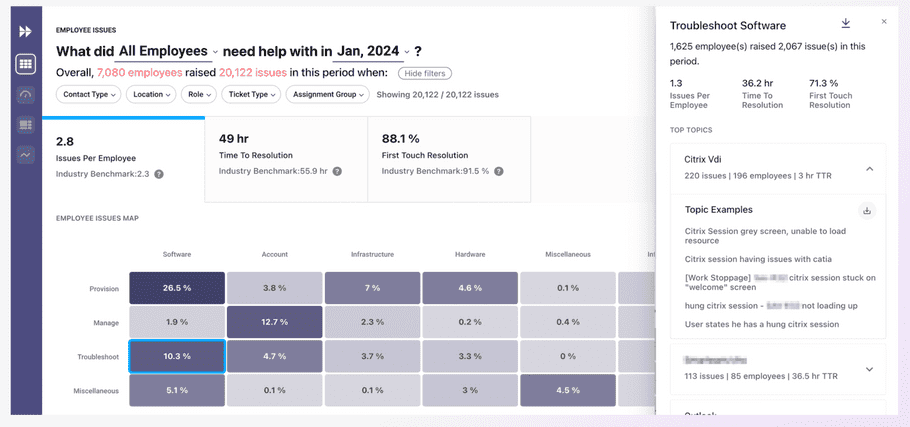
Same as before, let's use AI Summary to narrow down what **Troubleshoot Software for Citrix VDI** actually looks like.
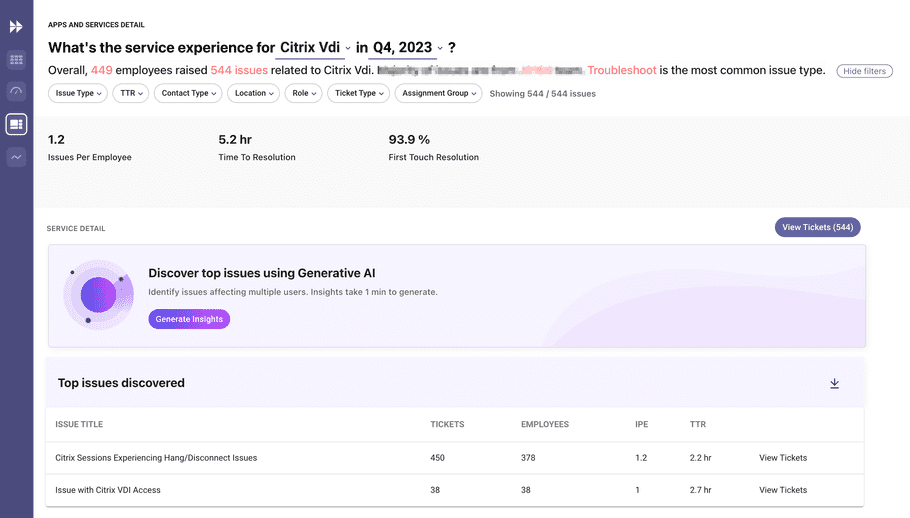
It looks like the majority of tickets are because the Citrix session is hanging or disconnecting.
We'll continue with Knowledge Studio to see if this is self-serviceable.
Same as before, ask Knowledge Studio to write an article about the issue. Here, I'm asking Knowledge Studio how agents “Fix Citrix Workspace is hung”
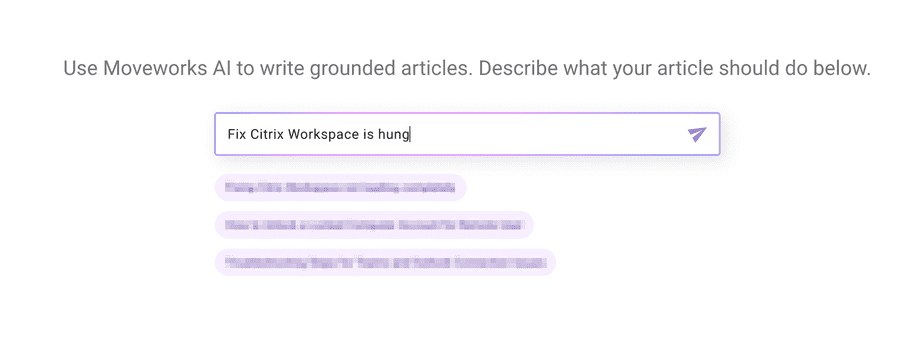
Knowledge Studio looks through how agents solve this issue today and quickly describes a use case that I can add to my Copilot.
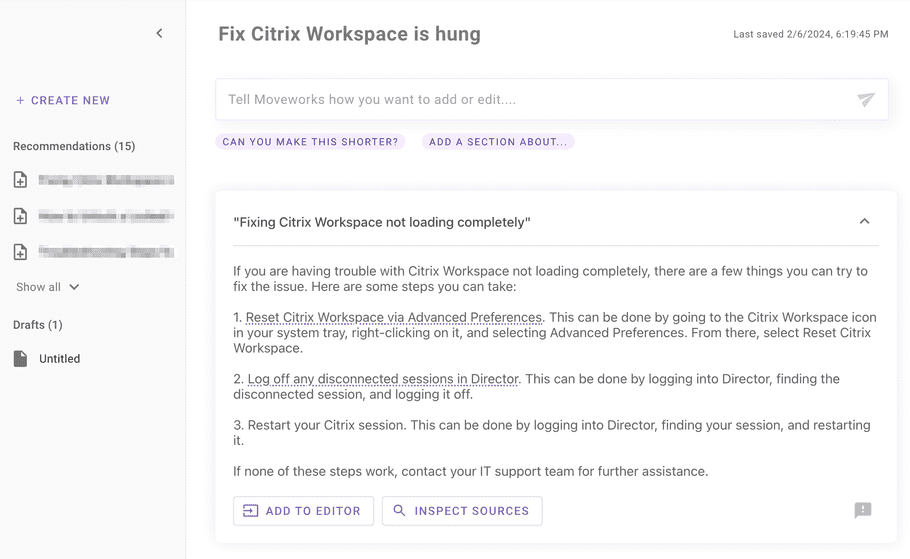
**However, this time the instructions are not self-serviceable.** If I select `Inspect Sources` it seems that IT agents have admin access to Citrix Director, which lets them reboot sessions remotely.

So the overall flow to solve Citrix VDI issues is:
1. Ask the user to restart the Citrix workspace
2. If it doesn't work, reboot the VDI they're connecting to
3. If it still doesn't work, submit an IT ticket
This is a perfect use case to add to Assistant Studio. Following our [use case lifecycle](/creator-studio/program-management/use-case-lifecycle), this would be a good time to build a purple chat mock-up of the use case and make sure the Citrix VDI team is on board with it.

From there, you can pick up the rest of the [use case lifecycle](/creator-studio/program-management/use-case-lifecycle) starting with de-risking any System API risk.(/creator-studio/troubleshooting/support/).
### 🎉 Congrats!
You just used Moveworks' products together to run AI transformation against your service desk. Try tackling another issue from the hotspot!