Staffbase
Overview
With the Staffbase content connector, Moveworks Enterprise Search enables the Moveworks AI Assistant to answer user’s questions directly in chat, by understanding the questions and responding instantly with answers containing the most relevant content, links to knowledge base articles or files, or links to external articles taken from trusted knowledge sources.
Architecture
The following diagram shows the high level architecture of how Moveworks integrates with Staffbase Intranet.
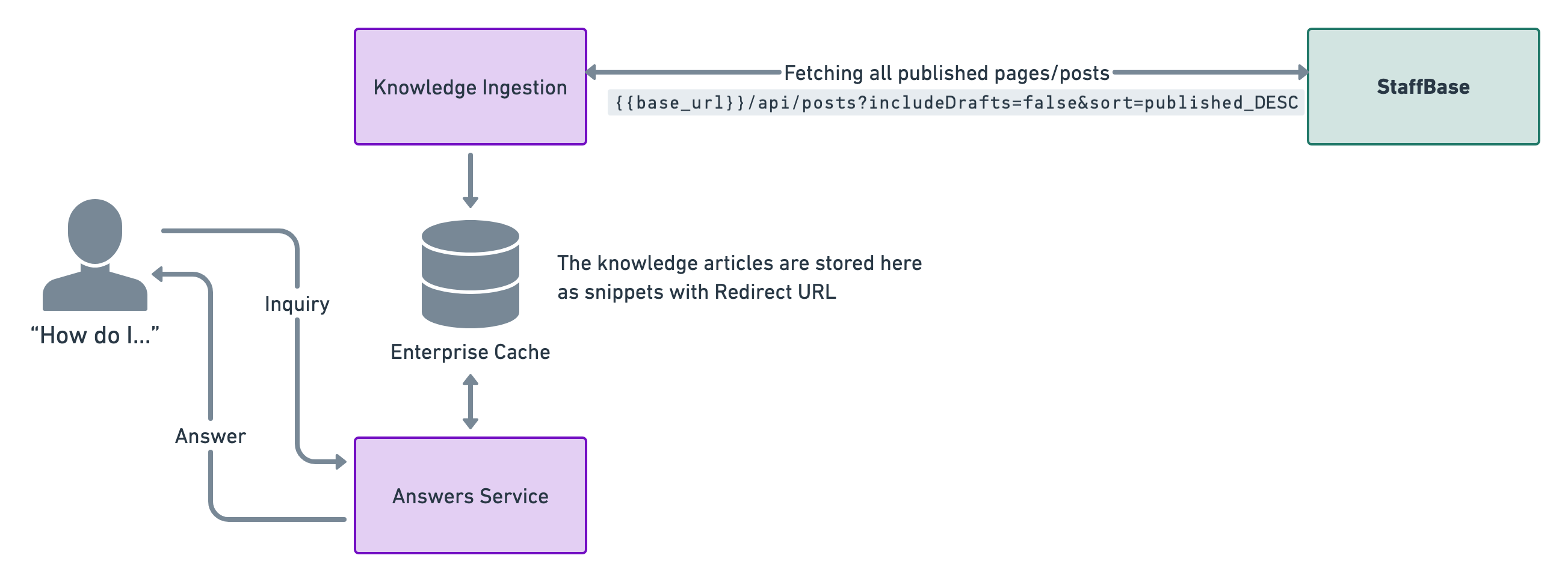
This is a live integration where we poll knowledge articles every four hours. This is done so that the enterprise cache is updated with relevant snippets for answers.
Our enterprise cache stores the knowledge articles from Staffbase and generates relevant knowledge snippets by understanding the content. We also store the redirect urls in order serve them to users to direct them to where the actual news post can be read.
Authentication
The Staffbase API is secured by HTTPS and basic authentication .
Please visit StaffBase - API Authentication for more details on how to generate the API token from the Admin portal of Staffbase.
Store the generated API Token and the base URL of your Staffbase platform. These will be used when setting up the Connector and Knowledge Ingestion configurations for Staffbase.
Ingestion
Moveworks uses the List all accessible news posts API to fetch all news posts that are accessible for the API Token.
How do we fetch knowledge articles from Staffbase
We use the following APIs to fetch the news posts that you want Moveworks to ingest.
Fetch all News Posts
Integration Scope
Content
Our knowledge ingestion engine works on ingesting the contents section from the API response which is an HTML block of the content present within the Staffbase intranet.
Currently we only ingest published news posts (we don’t ingest Draft news posts).
Snippet Titles
Note that outside of just using your title, we will also parse the rest of the new post content to determine the best title for the generated snippet
For example:
In this example, we will create a knowledge article “snippet” titled “VPN Troubleshooting Guide: How to solve connection errors”.
Snippet Description
By default, Moveworks will display data from the content field of your articles.
Article Links
Moveworks provides links to your news posts based on the link we obtain from the API response.
Permissions
Today, the Moveworks Copilot doesn’t support respecting permissions for the News posts within your Staffbase Intranet. We advise you to only allow news posts which are available to all employees within your organization for ingestion within Moveworks.
End user experience
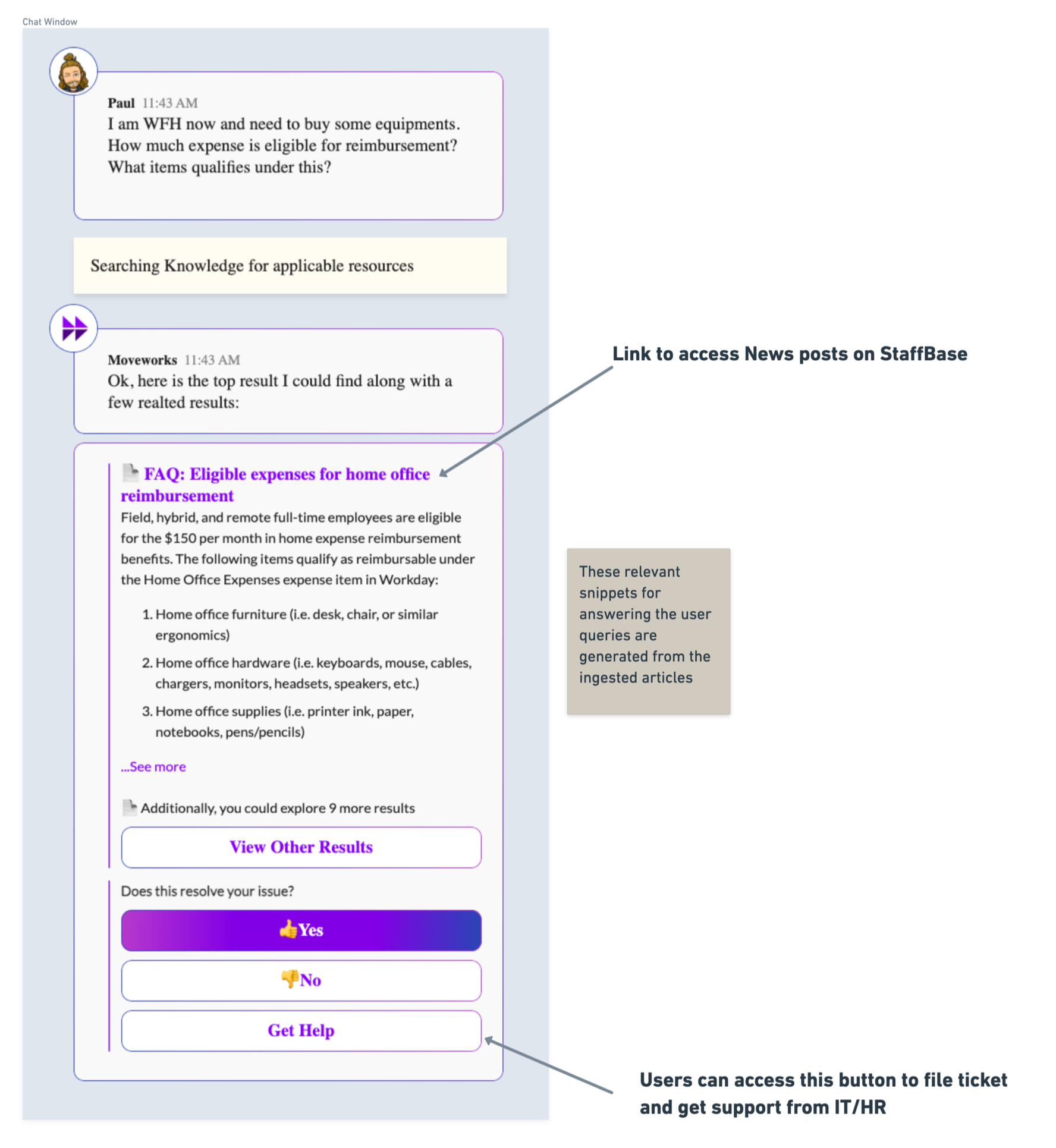
Case 1 : When bot gets relevant documents for the user inquiry (Success Case)
If there is any document which can solve the user’s query, the bot will present the answer in the following format with a redirect heading and a relevant knowledge snippet.
Case 2 : When bot doesn’t have any relevant answers to user inquiry (Backstop Case)
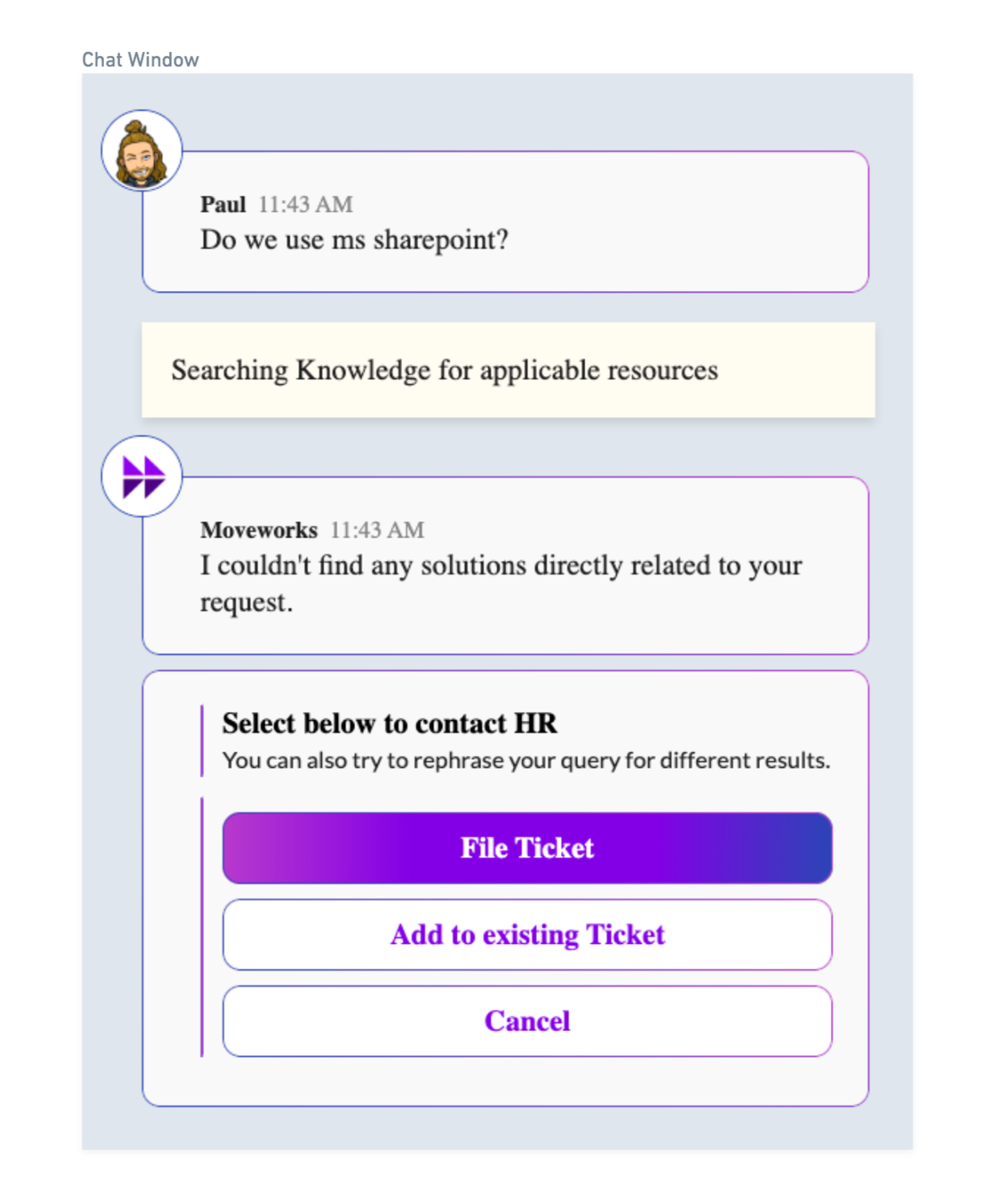
This would be the answer provided to the user if the bot doesn’t find any relevant answers from the available documents.