---
title: Plugin Management
excerpt: ''
deprecated: false
hidden: false
metadata:
title: ''
description: ''
robots: index
next:
description: ''
---
Plugin controls allow Admins to turn key capabilities ON or OFF within Moveworks Setup. Plugin controls can also be used to selectively roll-out a capability to a limited audience by adding an additional rule.
Below is the list of plugin controls available in Moveworks Setup under **AI Assistant > Plugin Management**
After clicking into the Plugin Management section, you should see a list of the all the possible plugins that can be enabled in your Moveworks AI Assistant.
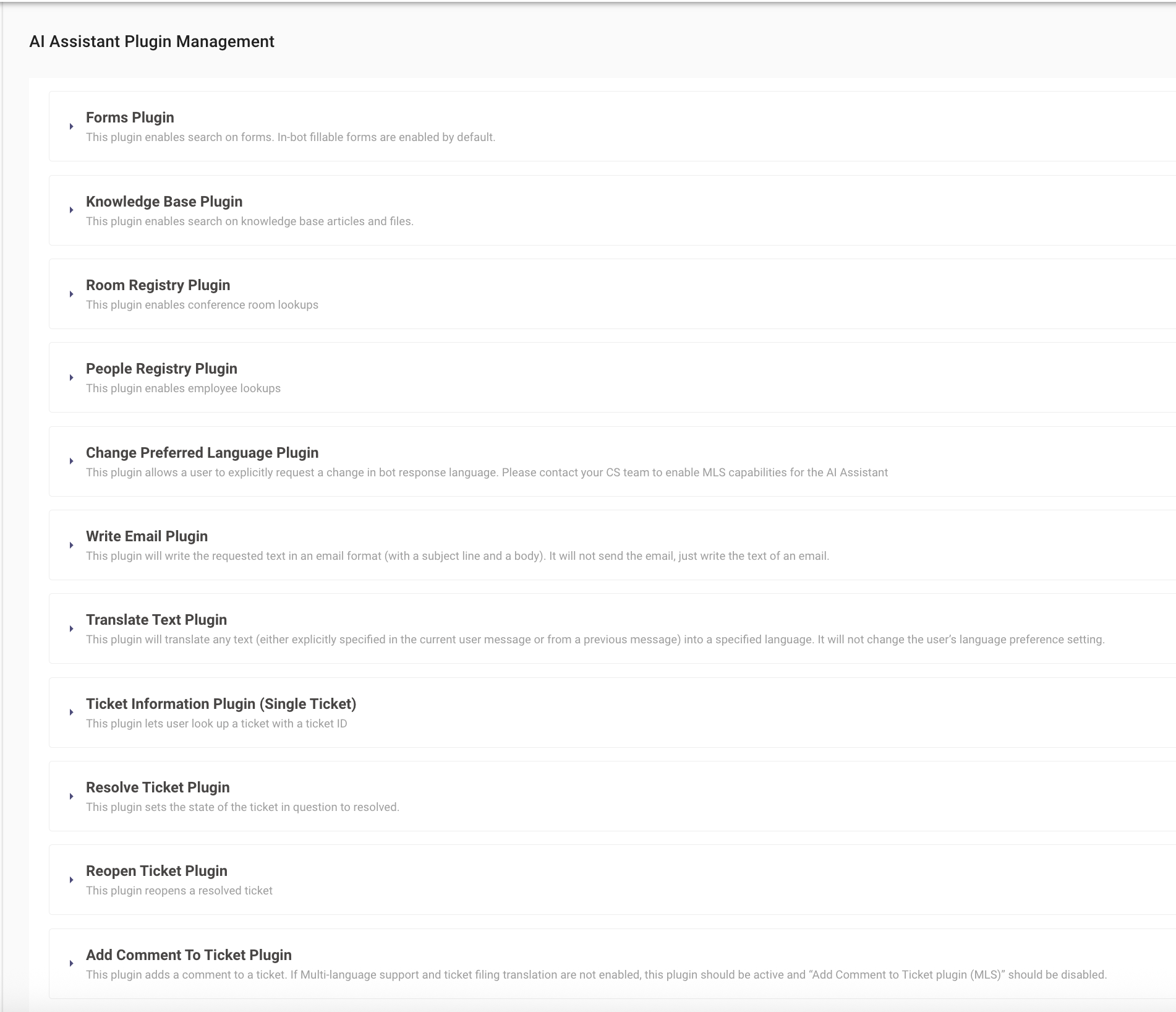
> 📘 Note: Each Plugin has a corresponding configuration that must be completed before turning on the plugin.
# Handoff
## Smart Handoff Plugin
# Search
## Forms Plugin
## Knowledge Base Plugin
## Room Registry Plugin
## People Registry Plugin
# Productivity
## Write Email Plugin
## Code Interpreter Plugin
# MLS / Translation
## Change Preferred Language Plugin
## Add comment to Ticket Plugin (MLS)
If the users are non-English but the agents are English-only, then **Add comment to Ticket Plugin (MLS) **should be used to ensure that the agents are seeing English tickets.
**Note**: If **Add comment to Ticket Plugin (MLS)** is incorrectly enabled in lieu of **Add Comment To Ticket Plugin**, then non-English users at the org will be adding comments to a ticket that get translated to English even though the agent speaks their language, potentially leading to friction due to the unnecessary translation.
## Translate Text Plugin
# Ticketing
## Ticket Information Plugin (Single Ticket)
## Resolve Ticket Plugin
## Reopen Ticket Plugin
## Add Comment To Ticket Plugin
If the organization and users are all english only, then AddCommentToTicketPlugin should be used.
If the organization is multi-lingual, but users and agents speak the same non-English language, then AddCommentToTicketPlugin should be used.
If the users are non-English but the agents are English-only, then **Add comment to Ticket Plugin (MLS) **should be used to ensure that the agents are seeing English tickets. See **Add comment to Ticket Plugin (MLS)** section above for more information.
**Note:**: If **Add Comment To Ticket Plugin** is incorrectly enabled in lieu of **Add comment to Ticket Plugin (MLS)**, then non-English users at the org will be adding non-English comments to a ticket that is being handled by an English-speaking agent, who may not understand the comment.
## Ticket Information Plugin (List of Tickets)
# Access Groups
## Add User to a Group Plugin
## Remove User from a Group Plugin
## Create a Group Plugin
## Group Membership Status Plugin
# Access Software
## Grant Software Access Plugin
# Access Account
## Unlock Account Plugin
**Note**: if the integration your organization is leveraging does not support API Actions, or you would like to give the user a pre-defined message, include the message under Deflection Message. This will disable the native action, and allow the Moveworks AI Assistant to return a standardized message whenever this plugin is invoked.
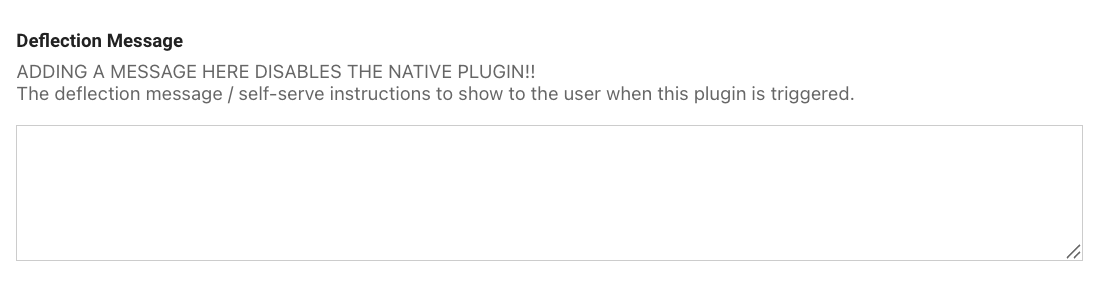
> 📘 Note: The formatting for the Deflection Message follows down the same formatting as the [FAQ Styling Guide](/docs/moveworks-setup-faqs#supported-formatting--styling).
## Reset Password Plugin
**Note**: if the integration your organization is leveraging does not support API Actions, or you would like to give the user a pre-defined message, include the message under Deflection Message. This will disable the native action, and allow the Moveworks AI Assistant to return a standardized message whenever this plugin is invoked.

## Reset MFA Plugin
## Change Password Plugin
# Approvals
## Approval Information Plugin
## Update Approval Record Plugin
## Approval Information Plugin (List of Approvals)