***
title: Okta SSO Configuration Guide for Non-US Commercial Regions (OIDC)
excerpt: ''
deprecated: true
hidden: false
metadata:
title: ''
description: ''
robots: index
next:
description: ''
---------------
Please see our updated [Okta Installation Guide (🔗)](/service-management/administration/sso-configuration/okta-sso/okta-oidc)
# Before you begin
* Ensure you have **Admin Access** to your Okta instance.
* You have collected the **CUSTOMER\_ID** under **Organization Details > General Information**.
* This is the unique identifier for your organization . This is stored as **Org Name**
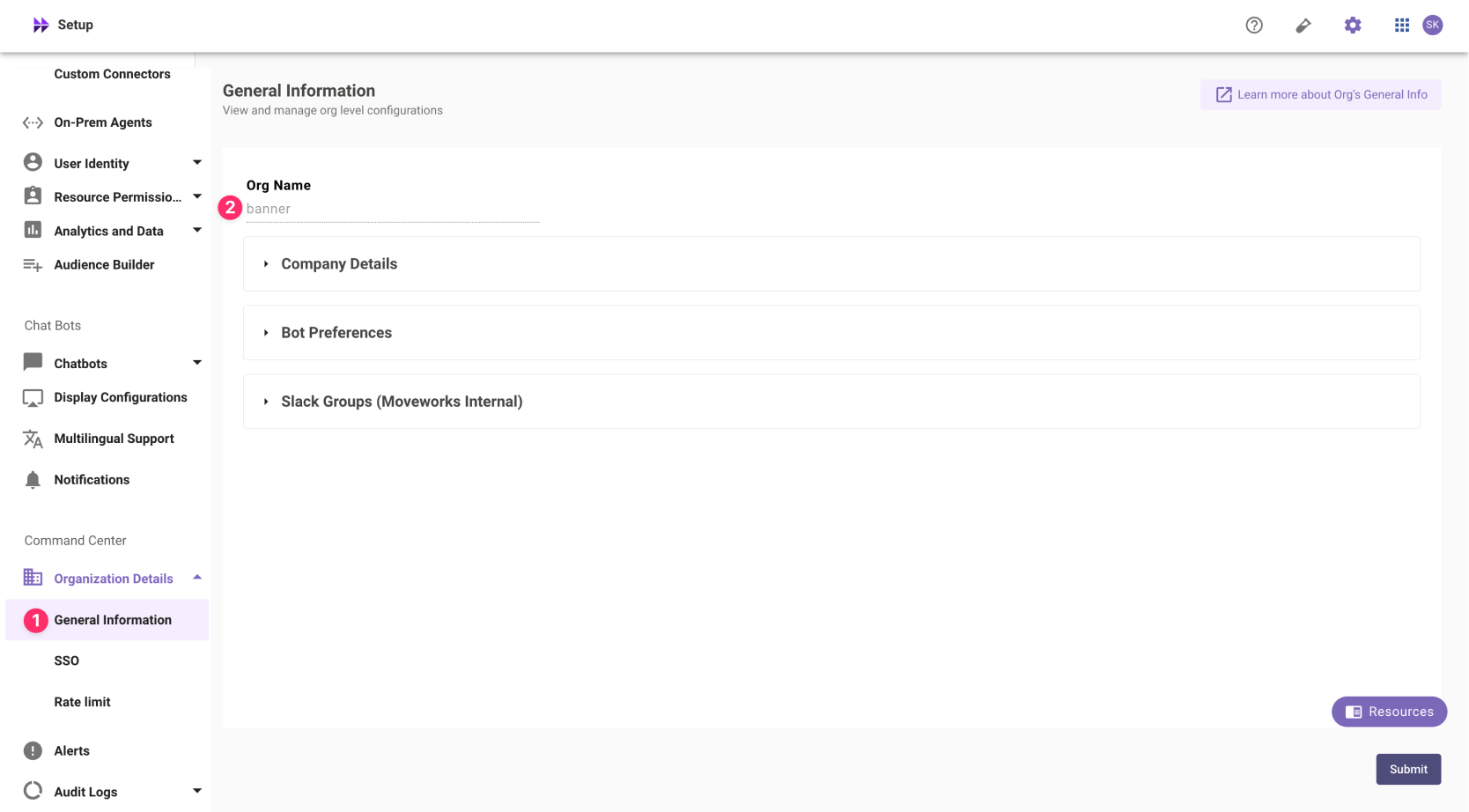
In exceptional cases where you would like Moveworks to support your organisation with a different subdomain value. Please reach out to Moveworks Support.
# Okta App Setup Instructions
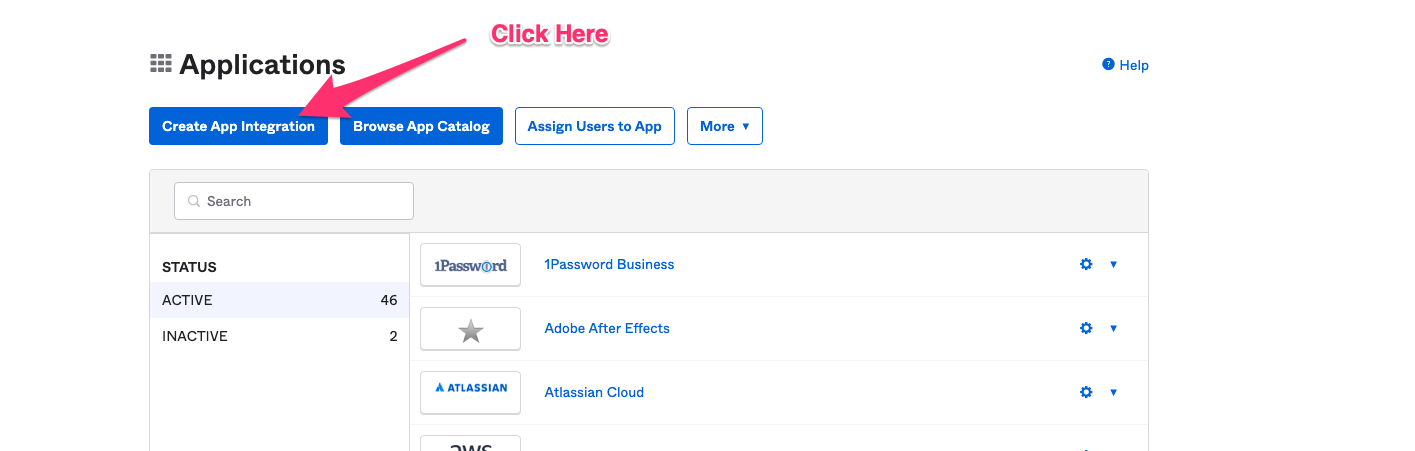
1. Go to the screen in Okta that allows you to create Applications.
2. Click on **Create App Integration**.
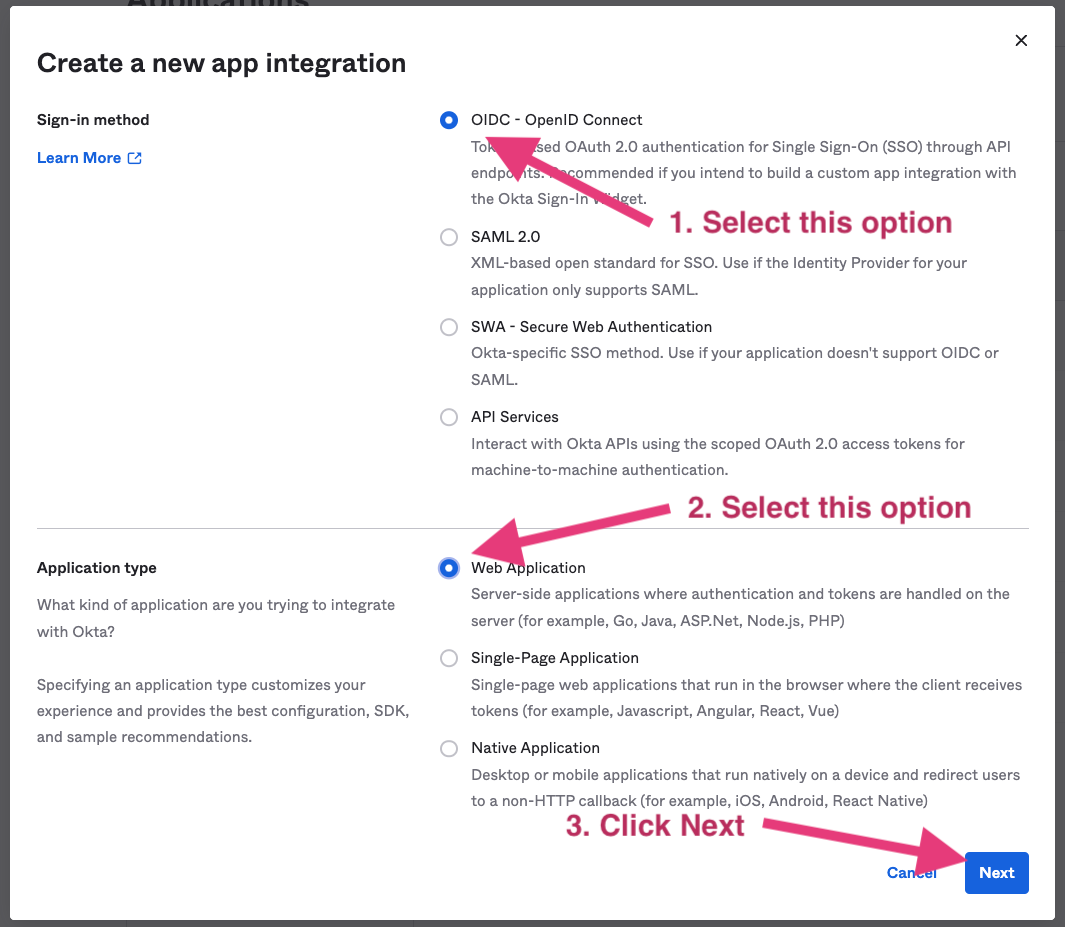
3. Select **OIDC - OpenID Connect** in the next screen.
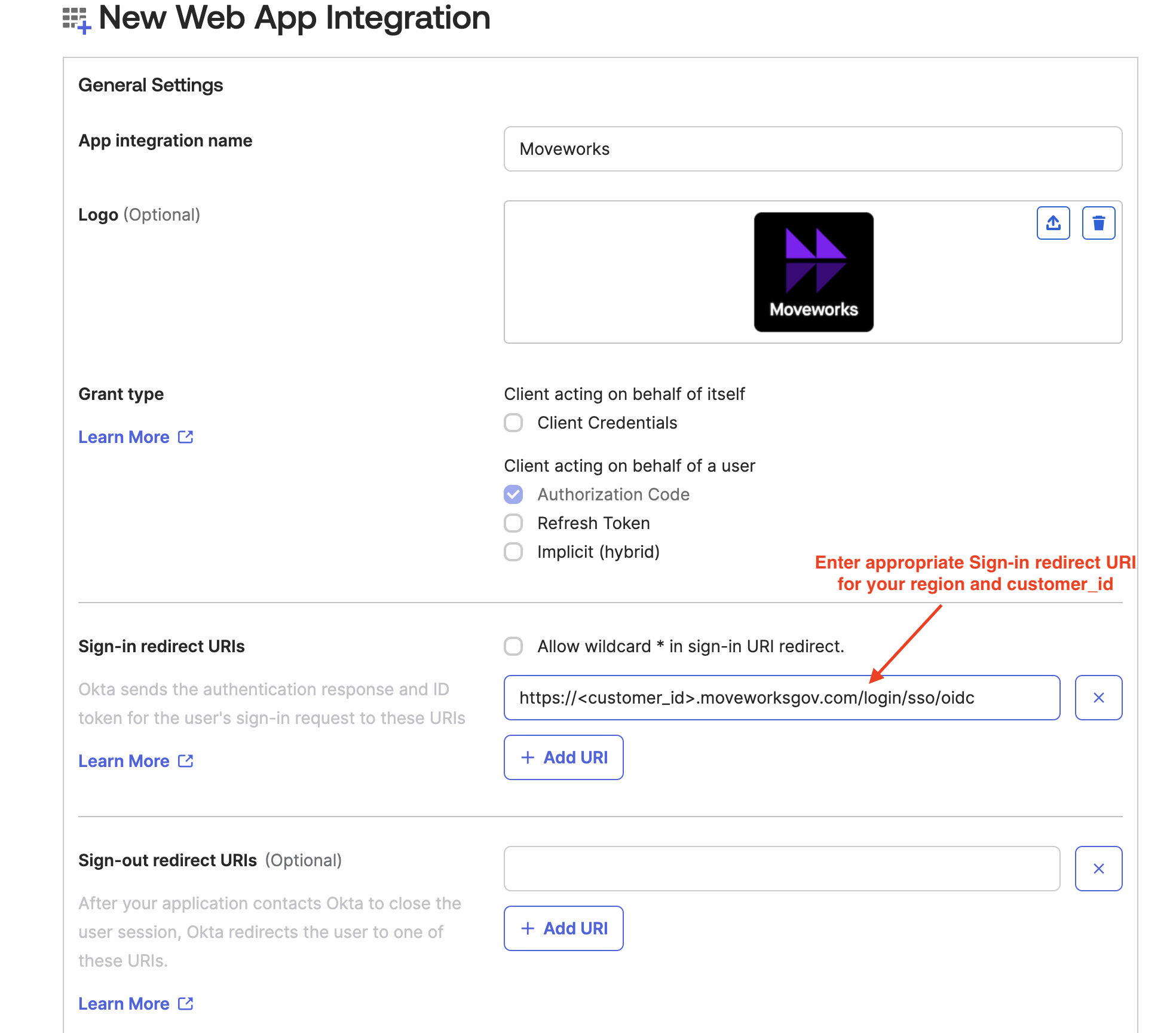
4. Specify a name for the application.
5. Add the logo for Moveworks application

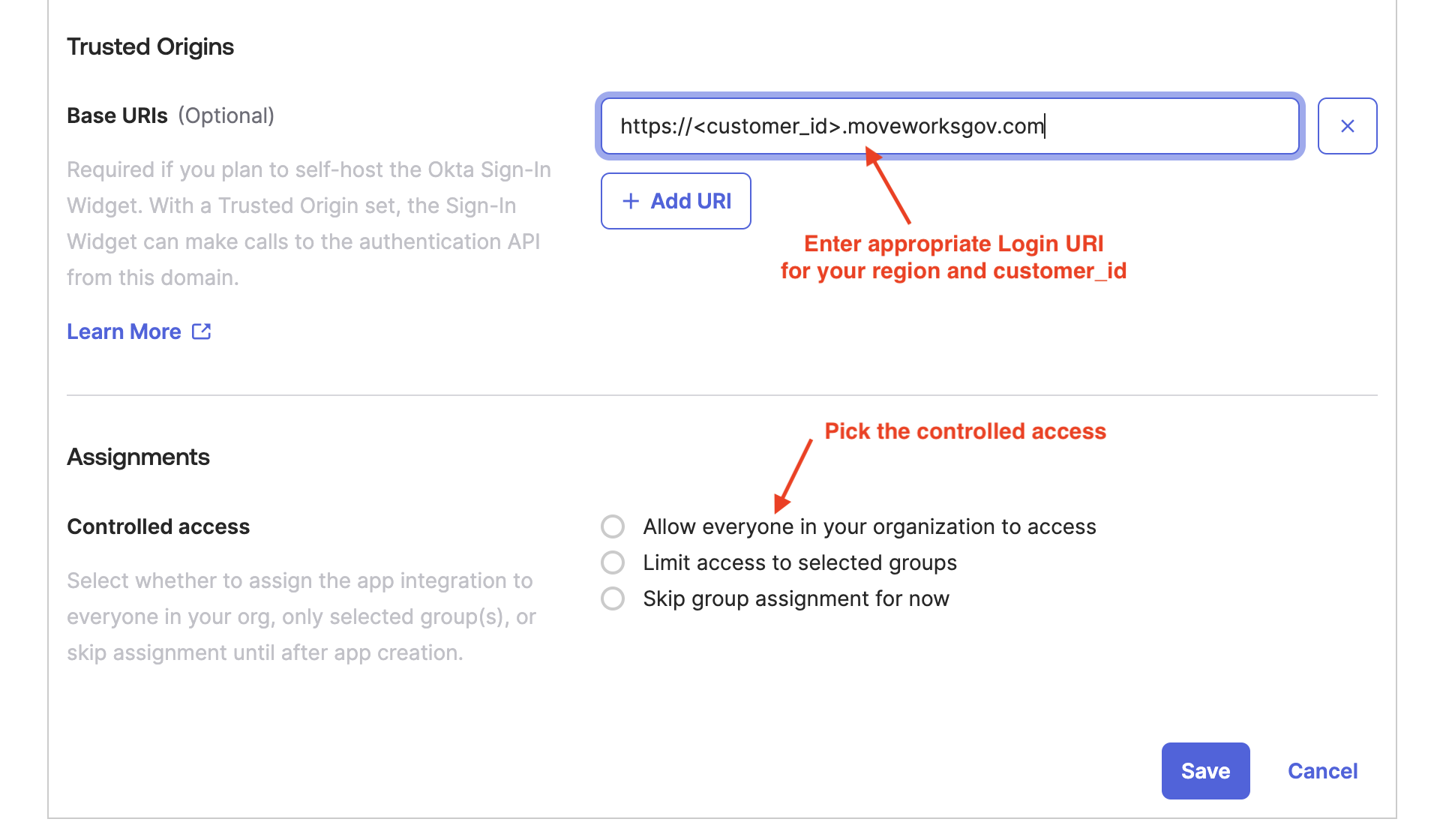
6. Identify the appropriate Sign-in Redirect URI and Login URI for your environment from the table below, replacing the `CUSTOMER_ID` with the value for your org which was collected as part of the Prerequisites.
| Region | Sign-in Redirect URI | Login URI |
| :----------------------- | :------------------------------------------------------------------------------------------------------------------------------------ | :------------------------------------------------------------------------------------------------------ |
| United States (default) | [https://CUSTOMER\_ID.moveworks.com/login/sso/oidc](https://CUSTOMER_ID.moveworks.com/login/sso/oidc) | [https://CUSTOMER\_ID.moveworks.com](https://CUSTOMER_ID.moveworks.com) |
| Canada | [https://CUSTOMER\_ID.am-ca-central.moveworks.com/login/sso/oidc](https://CUSTOMER_ID.am-ca-central.moveworks.com/login/sso/oidc) | [https://CUSTOMER\_ID.am-ca-central.moveworks.com](https://CUSTOMER_ID.am-ca-central.moveworks.com) |
| EU | [https://CUSTOMER\_ID.am-eu-central.moveworks.com/login/sso/oidc](https://CUSTOMER_ID.am-eu-central.moveworks.com/login/sso/oidc) | [https://CUSTOMER\_ID.am-eu-central.moveworks.com](https://CUSTOMER_ID.am-eu-central.moveworks.com) |
| Australia / Asia Pacific | [https://CUSTOMER\_ID.am-ap-southeast.moveworks.com/login/sso/oidc](https://CUSTOMER_ID.am-ap-southeast.moveworks.com/login/sso/oidc) | [https://CUSTOMER\_ID.am-ap-southeast.moveworks.com](https://CUSTOMER_ID.am-ap-southeast.moveworks.com) |
| Government Secure Cloud | [https://CUSTOMER\_ID.moveworksgov.com/login/sso/oidc](https://CUSTOMER_ID.moveworksgov.com/login/sso/oidc) | [https://CUSTOMER\_ID.moveworksgov.com](https://CUSTOMER_ID.moveworksgov.com) |
7. Enter the values as shown below and hit Save.
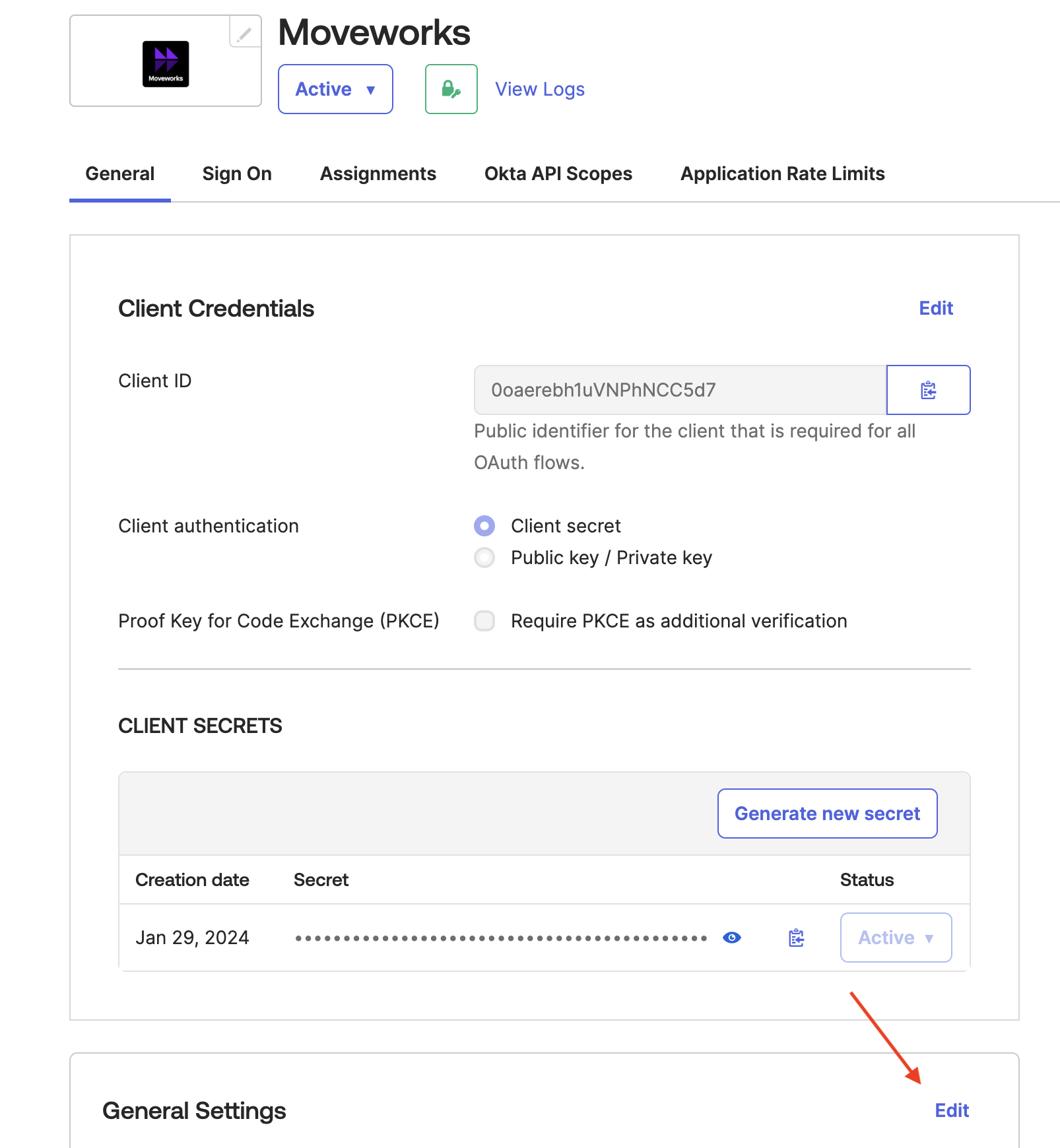
8. Go back to General Settings and uncheck **Require consent**.
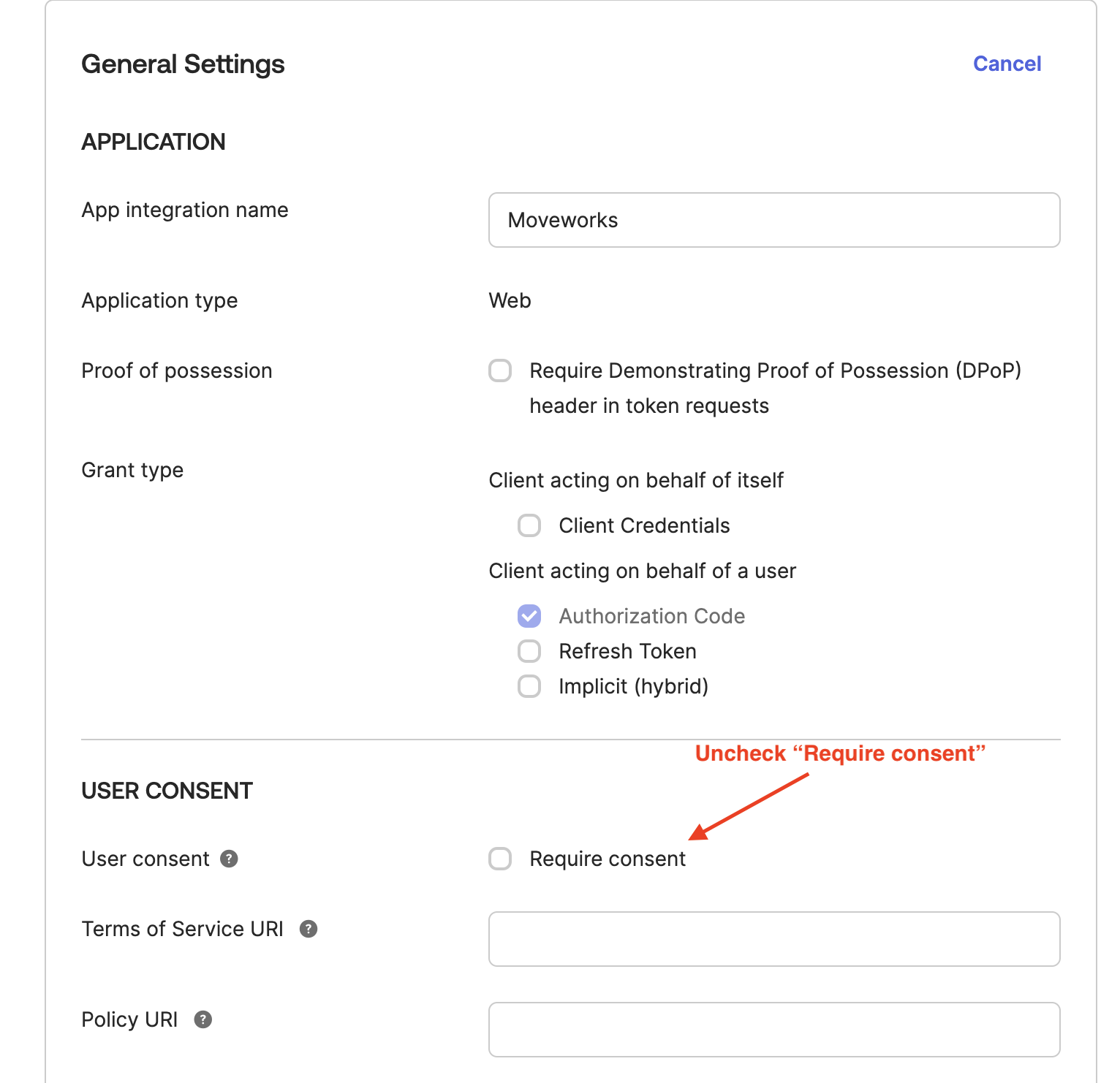
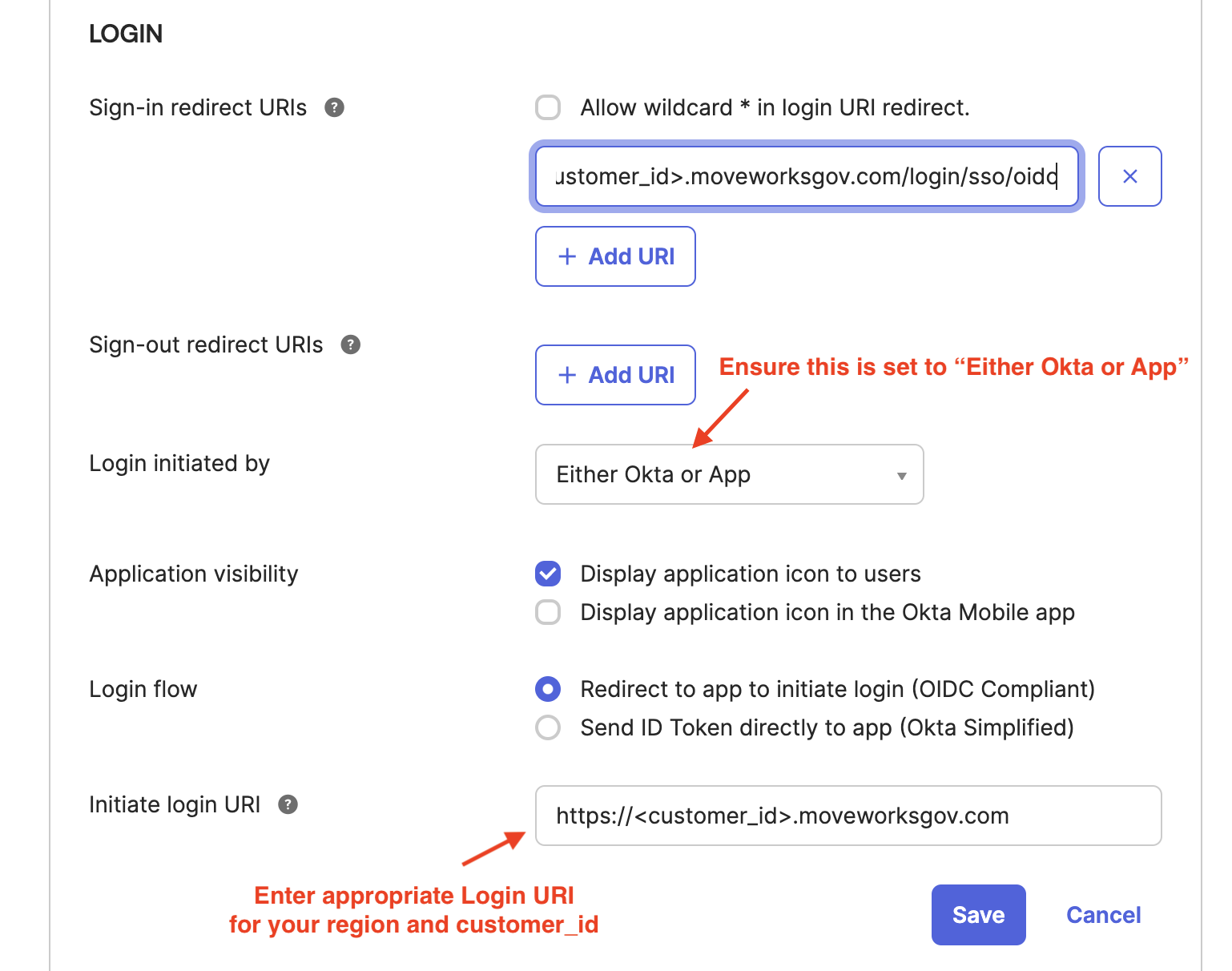
9. In order to allow customer users to login without manually inputting email, set a **Initiate login URI** from the table below based on the Region you are setup in. Replacing the `CUSTOMER_ID` with the value for your org which was collected as part of the **Prerequisites**.
| Region | Sign-in Redirect URI | Login URI |
| :----------------------- | :------------------------------------------------------------------------------------------------------------------------------------ | :------------------------------------------------------------------------------------------------------ |
| United States (default) | [https://CUSTOMER\_ID.moveworks.com/login/sso/oidc](https://CUSTOMER_ID.moveworks.com/login/sso/oidc) | [https://CUSTOMER\_ID.moveworks.com](https://CUSTOMER_ID.moveworks.com) |
| Canada | [https://CUSTOMER\_ID.am-ca-central.moveworks.com/login/sso/oidc](https://CUSTOMER_ID.am-ca-central.moveworks.com/login/sso/oidc) | [https://CUSTOMER\_ID.am-ca-central.moveworks.com](https://CUSTOMER_ID.am-ca-central.moveworks.com) |
| EU | [https://CUSTOMER\_ID.am-eu-central.moveworks.com/login/sso/oidc](https://CUSTOMER_ID.am-eu-central.moveworks.com/login/sso/oidc) | [https://CUSTOMER\_ID.am-eu-central.moveworks.com](https://CUSTOMER_ID.am-eu-central.moveworks.com) |
| Australia / Asia Pacific | [https://CUSTOMER\_ID.am-ap-southeast.moveworks.com/login/sso/oidc](https://CUSTOMER_ID.am-ap-southeast.moveworks.com/login/sso/oidc) | [https://CUSTOMER\_ID.am-ap-southeast.moveworks.com](https://CUSTOMER_ID.am-ap-southeast.moveworks.com) |
| Government Secure Cloud | [https://CUSTOMER\_ID.moveworksgov.com/login/sso/oidc](https://CUSTOMER_ID.moveworksgov.com/login/sso/oidc) | [https://CUSTOMER\_ID.moveworksgov.com](https://CUSTOMER_ID.moveworksgov.com) |
## Finish the Moveworks side of the integration
After setup is complete, provide the following information to your Customer Success team.
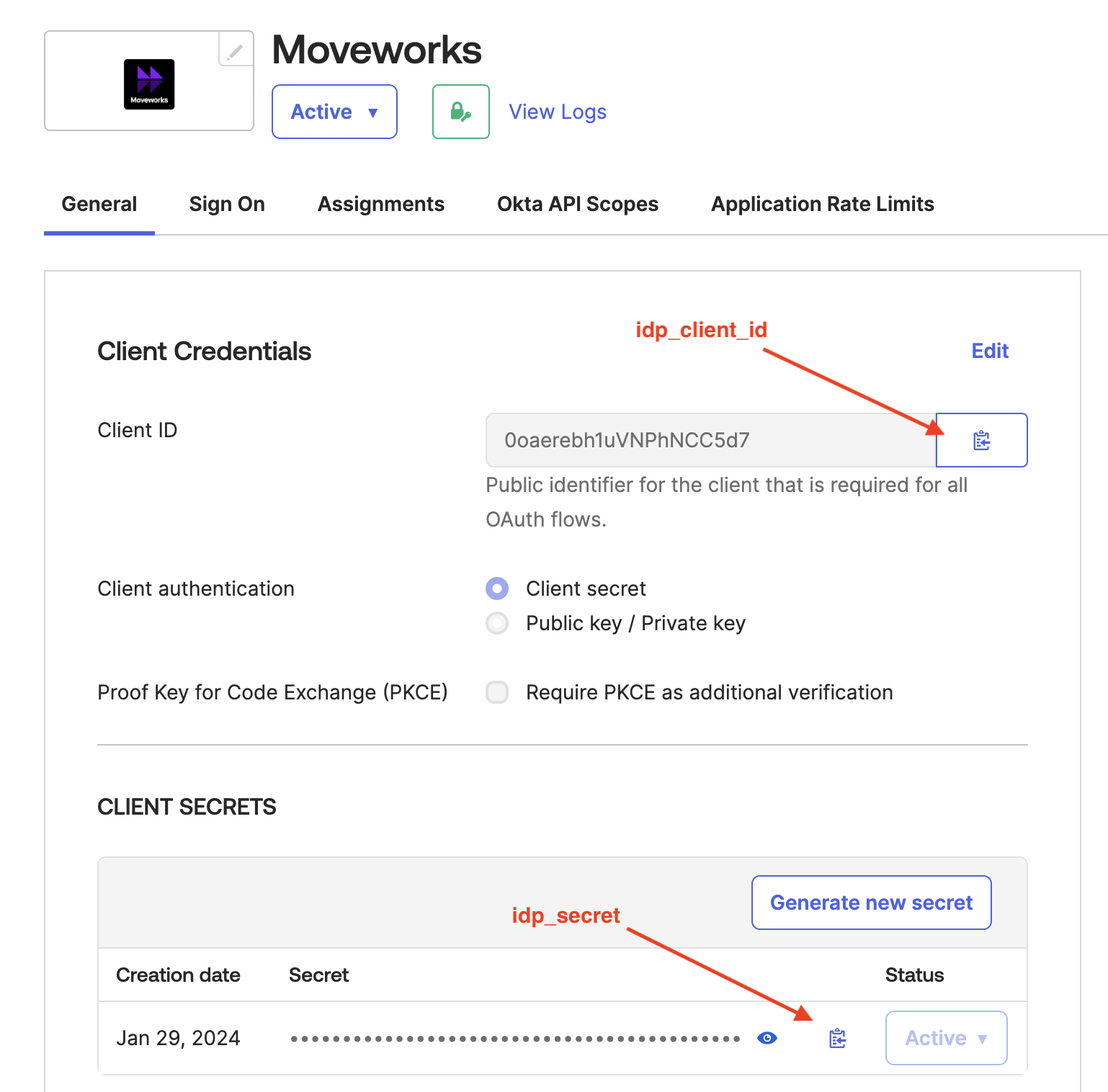
1. Go to the General tab.

2. Share the `idp_client_id` , `idp_secret` , and `idp_issuer` with your Customer Success team. The `idp_issuer` is not in the Okta settings, but it should be based on your Okta instance name (e.g. If you login at [https://example.okta.com](https://example.okta.com) , then share that value for your `idp_issuer` ).\
1.