***
title: In-Bot Alerts (Opt-In based)
excerpt: ''
deprecated: false
hidden: false
metadata:
title: ''
description: ''
robots: index
next:
description: ''
---------------
Note
This capability is currently in open preview. Customers who are interested to enable this functionality, please reach out to your CSM or support team.
Caveats: This feature is still in Beta.
* Enabling this feature will send alerts to configured recipients.
* Only Super-admins of the org can modify the recipients.
* Subscription is for all alerts and is not alert specific.
* You might encounter scenarios where an Alert is triggered multiple times, even if the issue is persisting.
In-Bot Alerts functionality within Alerts modules allows key stakeholders and admins of an org to receive proactive notifications whenever a critical alert is generated or resolved.
This functionality enables the admins and key stakeholders within an org to get proactively notified on scenarios like:
* Connection failures scenarios between Moveworks and your systems\*
* On-premise agents health
* Large drop in ingested knowledge articles
This also removes the dependency to keep checking Alerts module within Moveworks Setup.
## Steps to configure In-Bot Alerts?
1. Log in to **MyMoveworks** using your org's SSO and navigate to **Moveworks Setup**
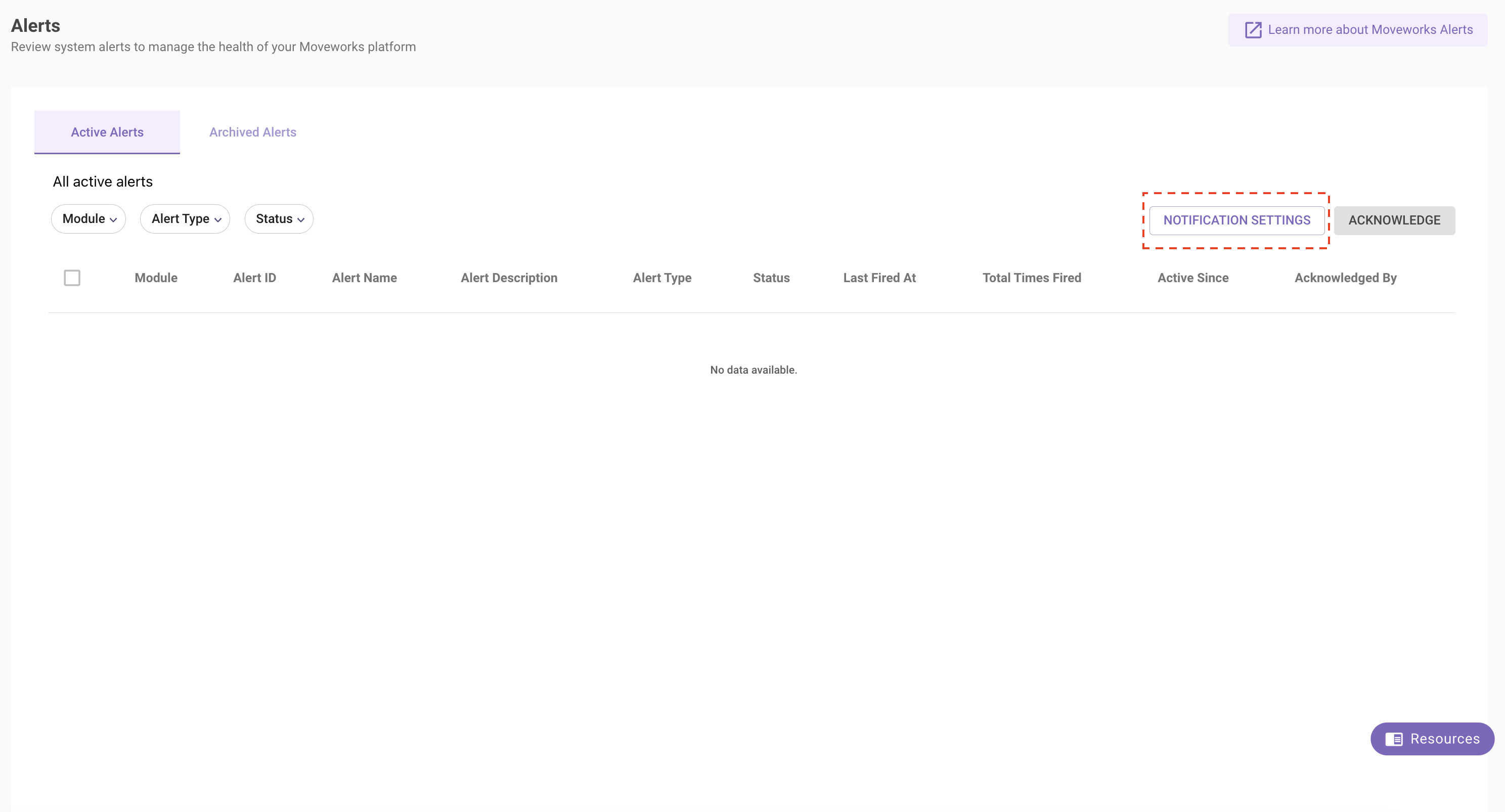
2. Navigate to **Alerts** module in the left navigation bar
3. Click on **Notifications Settings**. **Note: If this functionality is not turned ON for your org, this option will not show up.**
4. Configure the recipients for in-bot alerts. **Note: For appropriate governance, only super-admins of an org can modify the recipients of in-bot alerts**. If you are Moveworks Setup Admin and not a super-admin, then you might not be able to configure this.
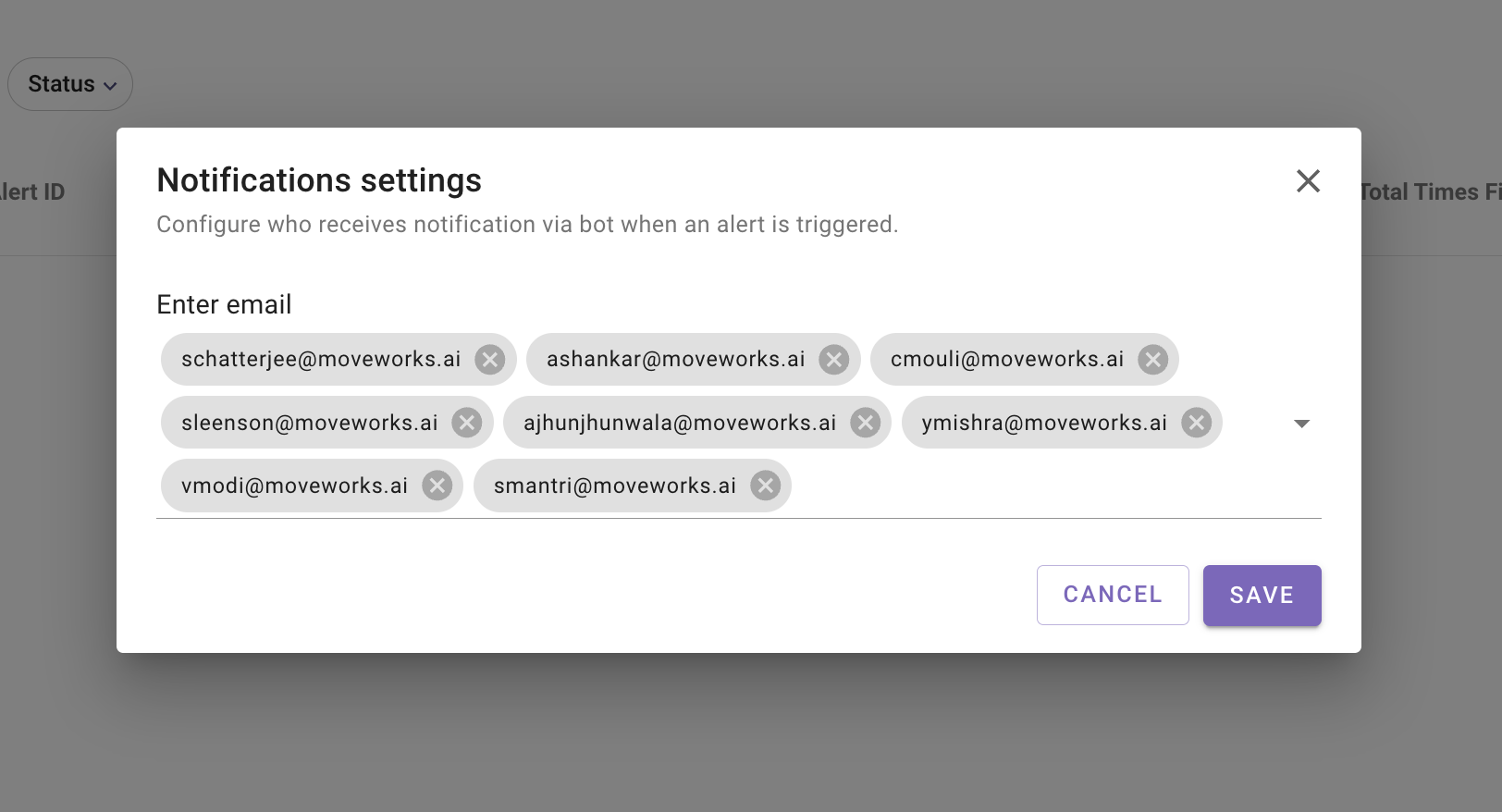
5. Click on **Save**
## Alert Format
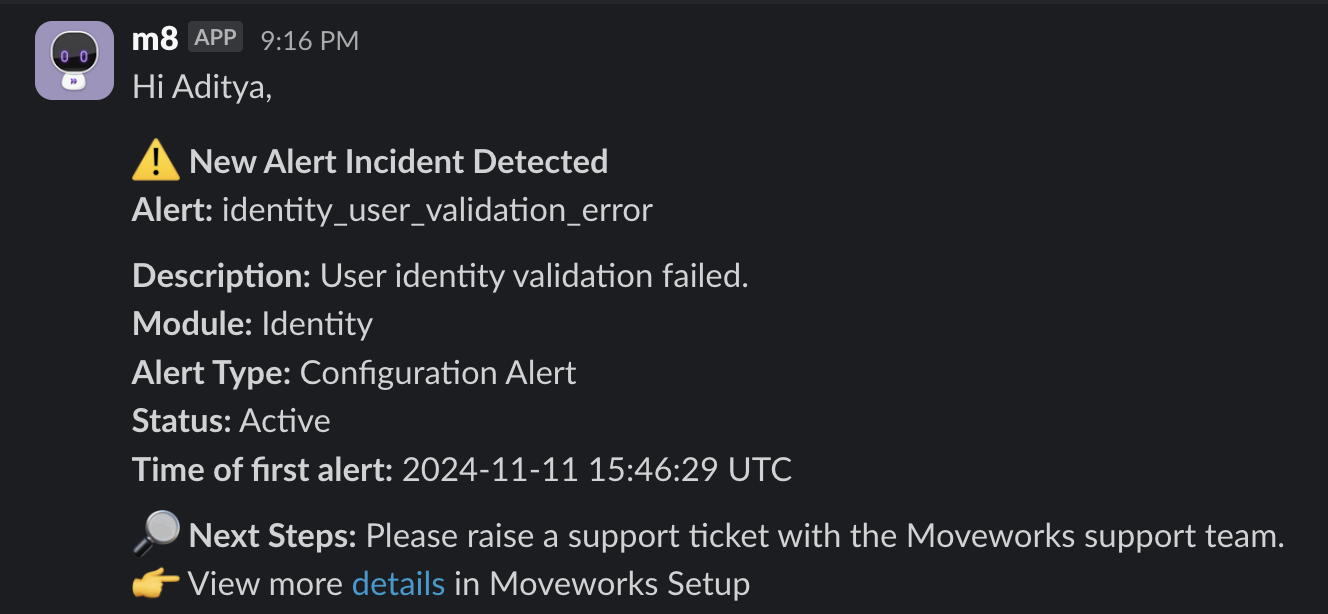
Whenever a new Alert is triggered, the recipients will receive notification in the following format.
## FAQs
**Q:** **Which Alerts are considered as part of In-Bot Alerts functionality?**
**A:** You can view the full list of [supported alert types here](/service-management/moveworks-setup/monitor-alerts/overview?isFramePreview=true#supported-alert-types).
**Q:** **I am not a super-admin - how can I configure the recipients of this functionality?**
**A:** To ensure strict governance, the notifications settings can only be modified by Super-Admins. For other Moveworks Setup users or admins, they will only be able to view the recipient configuration.
**Q:** **I am unable to see the Notifications Settings option within Alerts menu?**
**A:** This means the functionality has not been turned on for your org. Reach out to your CSM in you wish to be included as part of limited preview.
**Q:** **Can recipients mute or unsubscribe from certain alerts?**
**A:** No, this is currently not supported.