
Return
Overview
The Return expression signals the end of a compound action’s execution, streaming mapped data back to the chat for user-layer runs. In system-layer runs, it will stop quietly, and any returned data is sent to the caller. The expression also works as an early-return expression, you can place it at the end of the flow or in a Switch case to simplify logic.
Unlike an error-based exit (handled by a raise expression), the return expression exits gracefully, providing a way to output data in a structured format using the output_mapper, which follows the Moveworks Data Mapping Syntax.
Returning from inside a loop
A return placed inside a for loop breaks out of the loop. The current iteration stops at the return, no further iterations run, and the compound action ends with the data you mapped. This lets you stop a loop as soon as you find what you are looking for, instead of iterating through the whole list.
Different behaviors based on content
- Be mindful of our token limits.
- Return statements have some reserved keywords for Citations (
results&result). Please do not use the keyword “result” unless you plan to include an “id” and “friendly_id” (optional) which will create a citation.
Low-Code Editor
Add the Return step and map the data to be returned.
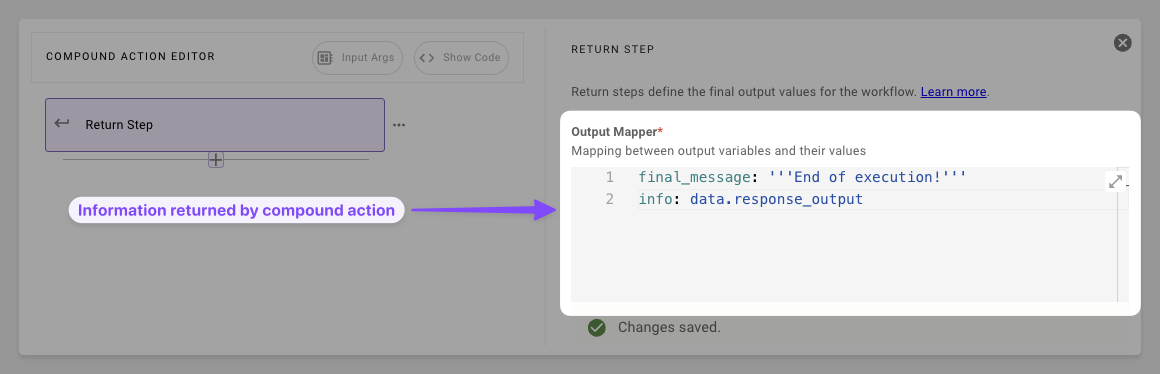
- Map the Data: Build the output mapper with keys and DSL, pull from the data bank and transform on the fly.
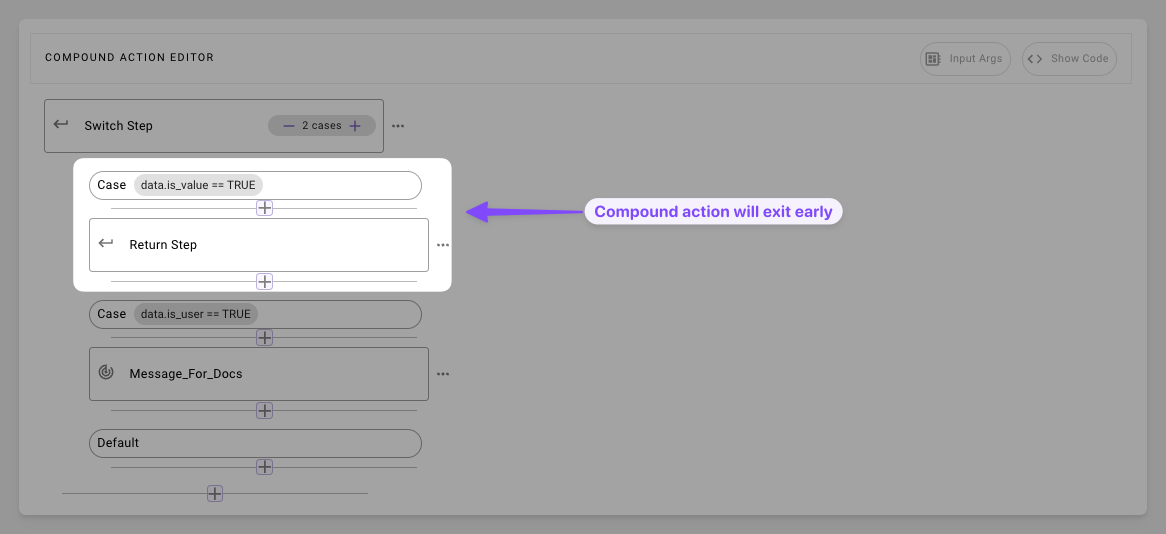
- Leave Early: Stop execution early when condition is triggered in switch cases
Syntax Reference
Schema
Fields
Practical Examples
Example 1: Basic Action Handoff
Return the aggregated result of two actions
Compound action
Result Expectation
Example 2: Filtered User List
Transform a list of users
Compound action
Data bank
Result Expectation
Example 3: Early return in Switch
Skip approval process if user is admin
Example 4: Early return from a for loop
Stop looping as soon as a matching ticket is found
The loop checks one ticket per iteration. The first time a ticket is open, the return exits both the loop and the compound action, so the remaining ticket IDs are never fetched and notify_no_open_tickets never runs. If no ticket matches, the loop completes normally and execution continues with the step after the loop.