
Parallel
Overview
The Parallel expression allows you to run sets of expressions at the same time concurrently. It is able to spawn branches or use a for expression within it.
There are two types of parallel expressions:
- Parallel with Branches
- Parallel with For Loop
Parallel with Branches
A parallel with branches is useful when you need to run a specific number of expressions simultaneously, each with their own set of actions. The number of branches for this type of parallel does not change dynamically, it’s fixed.
Parallel with For Loop
A parallel with for loop will run every expression, similar to a regular For Loop expression. However, it will run all iterations at the same time for every item in the list.
Low-Code Editor
Add a Parallel Step, select the type of parallel you need. If you select branches, you will add as many branches as you need for parallel executions of expressions. If you select for loop, bind the iterable, define loops variables, and execute iterations in parallel.
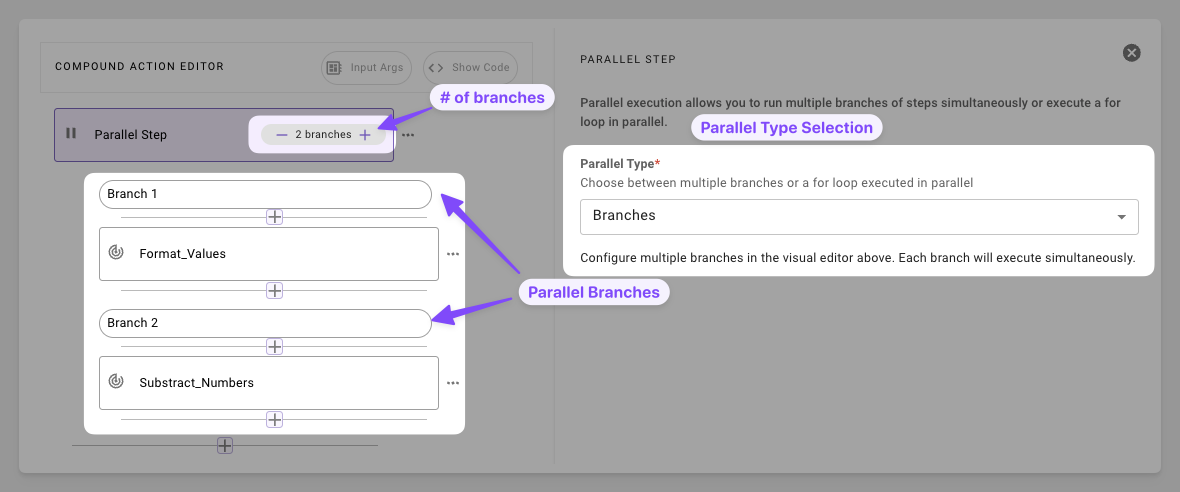
- Select Branches: For static execution of paths
- Set the amount of branches: Define how many tasks to run in parallel
- Define expressions: Add expressions under each branch
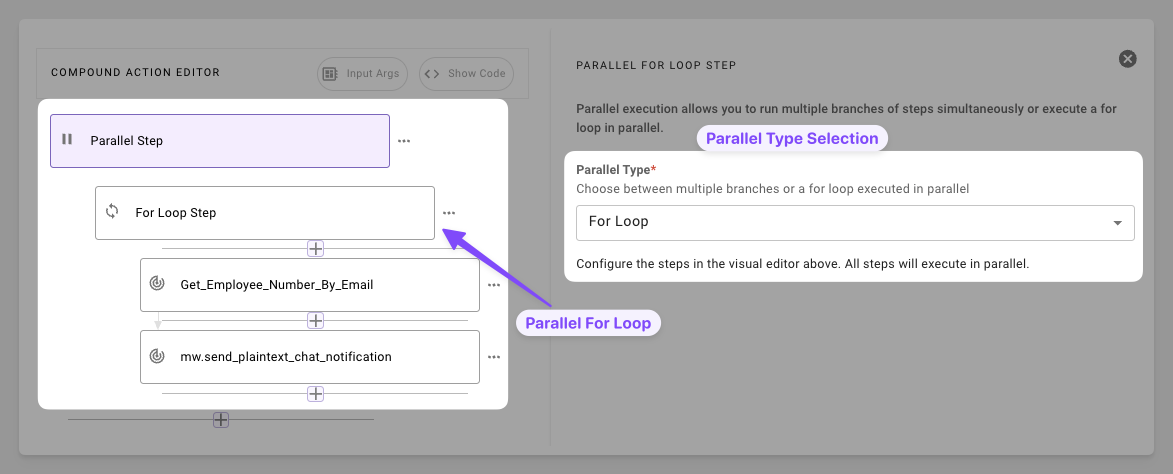
- Select For Loop: To iterate over a list of items in parallel
- Set up For variables: Set up all bindings as shown in For Loop
- Define expressions: Add expressions under the For Loop.
Syntax Reference
Schema
Parallel with Branches
Parallel with For Loop
Fields
Practical Examples
Parallel with Branches
Example 1: Independent Notifications (Basic Fan-Out)
Log an event and send an email concurrently
Example 2: Multi-Service Sync
Update a CRM and Slack concurrently
Parallel with For Loop
Send Messages in Parallel
Run actions for each in a list in parallel