
Notify
Overview
Notify pulls compound actions into the chat spotlight, sending messages to specific users with embedded actions, shown as buttons, that can perform various actions when clicked.
Action Types
Buttons generated by a Notify step follow the same TTL as other AI Assistant buttons — they should be clickable for 30 days after delivery (pending confirmation). See URL Hyperlink & Button Expiry Specs for the full breakdown.
️ IMPORTANT NOTE:
Requirements for Calling a Conversation Action
To ensure your action is triggered correctly, please note the following:
- Use the Conversational Process Name: When calling the action, specify the name of the conversational process itself, not the name of the plugin.
- Conversational Action input_args: These must be declared as slots in the conversational process in order to reference the data passed in as input args.
Low-Code Editor
Add a Notify step, define the recipient, the content of the message they are receiving, and what actions they’ll be provided with.
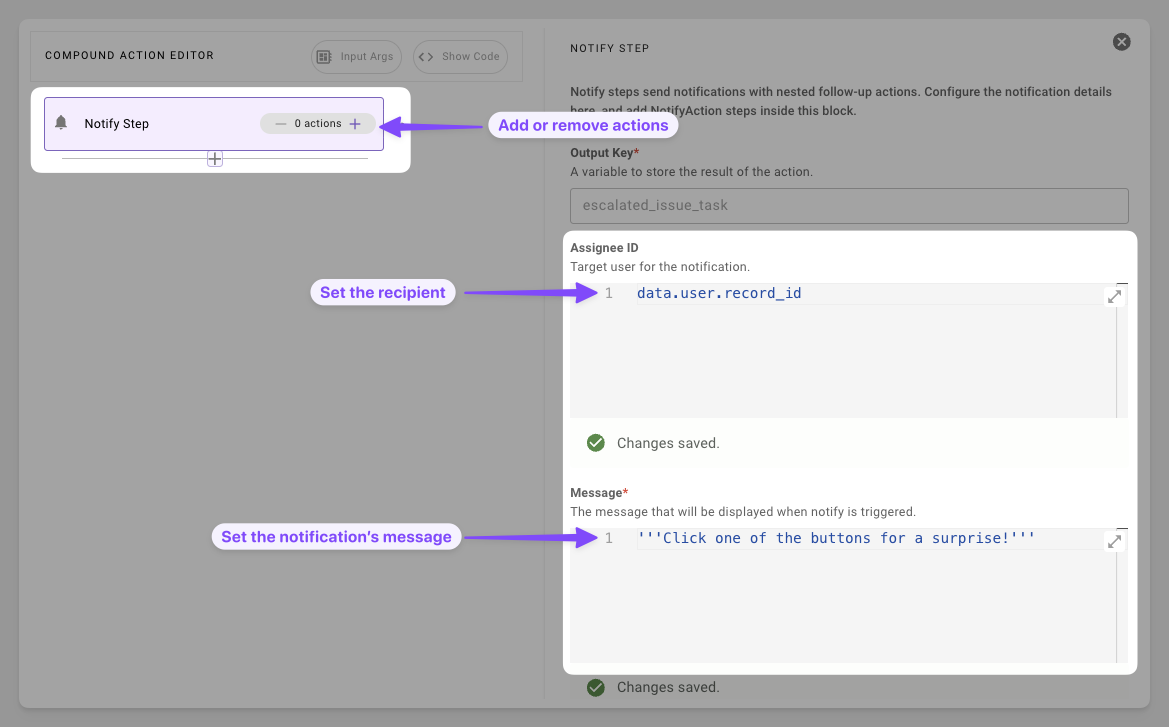
- Prepare Essentials: Set the notification’s recipient, informational message, and optionally provide image URLs to display in the notification.
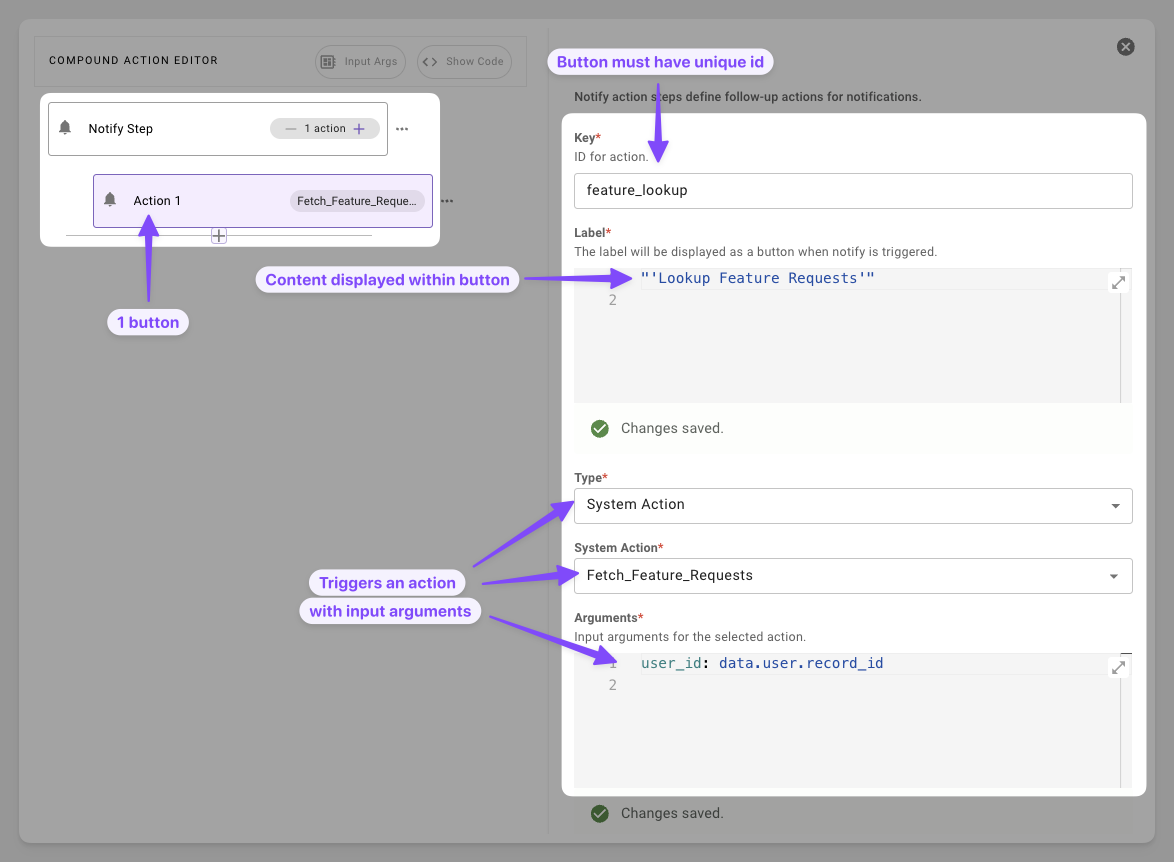
- Add Actionable Task: Add a button that can trigger an HTTP, compound, or script action.
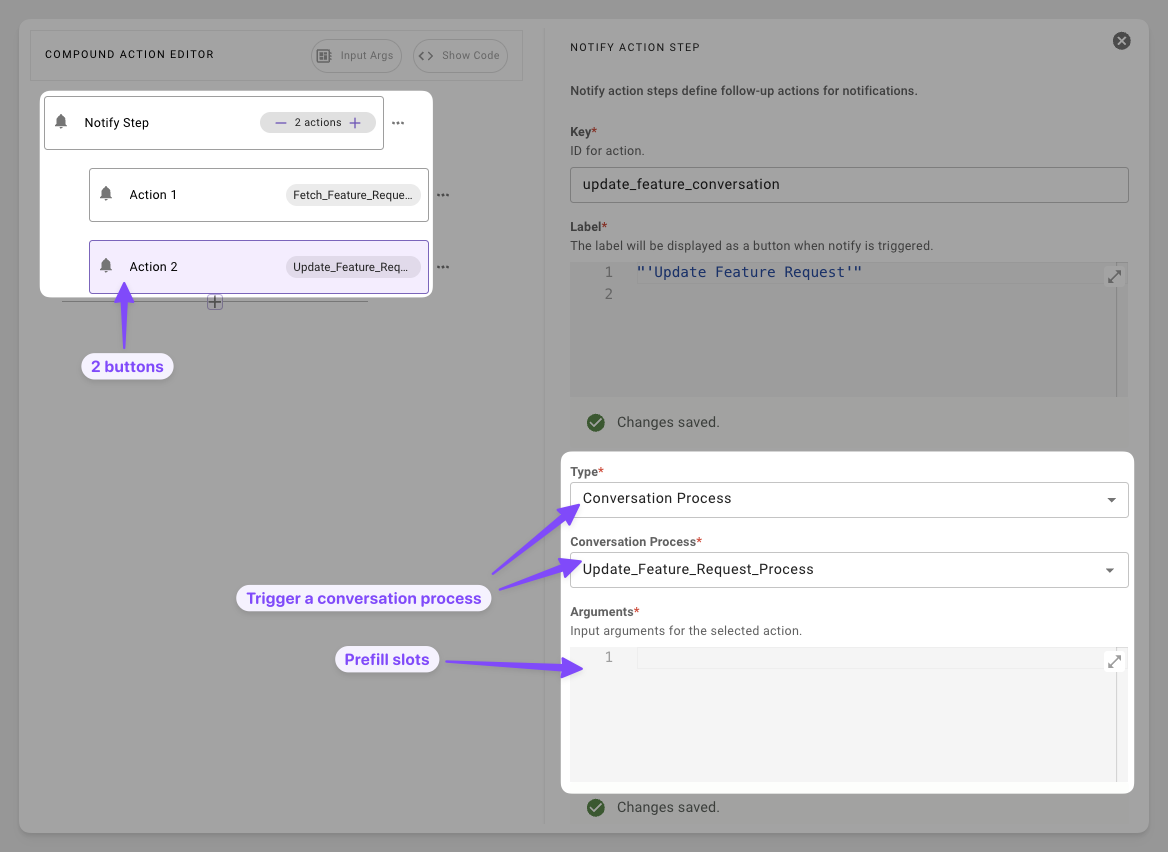
- Start a Conversation: Add a button that invokes a conversational flow with the user.
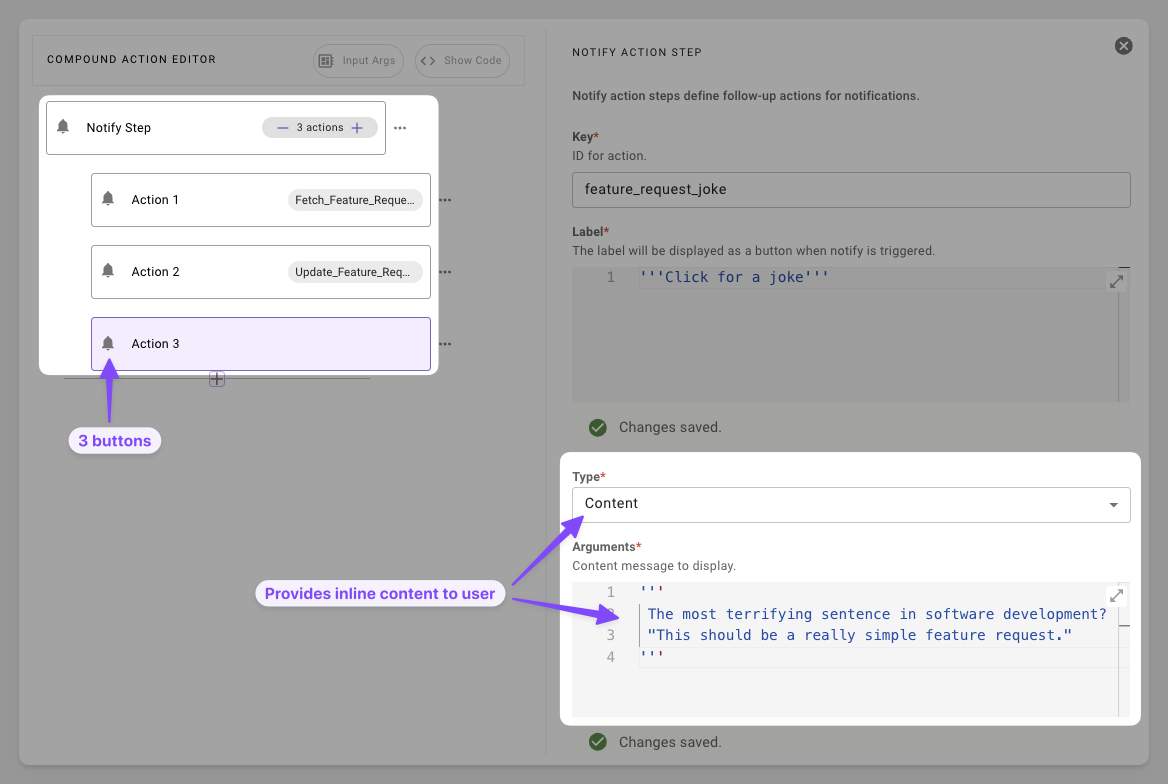
- Add More Content: Provide a button that provides inline content that doesn’t require fetching or starting a conversation.
Syntax Reference
Schema
Fields
Resources Schema
Action Types
Resources
Resources are an optional field that can be used in the pro-code syntax. These are used for passing additional data as context for the LLM. These can be used situationally for giving the llm additional data to reference when using a follow up action such as passing a string to the LLM for SDA reasoning.
"instructions": "Analyze the data for the top commented on tickets"
Example 1: Enforcing specific analysis on an action button click
Practical Examples
Example 1: Simple Ticket Alert
Notify assignee with a link
Expectation: User will receive a simple notification message with the ID of the ticket they were assigned
Example 2: Multi-Option Response
Offer multiple options to the user
Expectation: User will receive a notification about a ticket that was assigned to them. They will be provided two buttons, one to look at the ticket and one to convert the ticket.
Example 3: Handoff to Conversation
Alert the user and collection more information
Expectation: User receives the notification and are prompted to start a conversational process to send back the ticket for more information.
Example 4: Notification with Images
Include images in a notification using the image_urls field.
Expectation: User receives a notification with the message and the referenced images rendered inline.
Troubleshooting
Notify actions not appearing in Agent Studio logs
Notify actions may not appear in Agent Studio execution logs, even when the notification is successfully delivered. This is a known limitation that affects troubleshooting.
When a notify step fails silently or does not send as expected, Agent Studio logs may not show any invocation record for the notify action — neither a success nor a failure entry. This applies regardless of your role, including Super Admin and Elevated Agent Studio Logs Viewer.
Workarounds:
- Verify the
recipient_idresolves to a valid user by logging it in a prior step. - Test with a minimal compound action containing only the notify step to isolate the issue.
- If using notify inside a
forloop, test with a small iteration count first to rule out timeout or memory limits. - Confirm the recipient has an active chat platform connection (e.g., Slack, Teams) — notify requires a reachable messaging channel.