
Entity Catalog
Overview
Moveworks entities help AI assistant in detecting key elements of user utterances (eg. software apps, hardware devices, locations, events & more), thereby powering downstream skills such as software provisioning, topics in EXI & AI assistant analytics, and more.
Entities are of two types:
- Global entities: Predefined, commonly used entities that are available across all customers. Eg.
Figma,Salesforce,Zoom, and more - Custom entities: Organization-specific entities configured by admins for internal use – these represent internal applications and tools specific to your enterprise. Eg.
ExpenseIQ(expense management system),TimeOff(PTO request tool),EmployeeConnect(HR self-service portal) and more
What is Entity Catalog?
Entity Catalog serves as the repository of the custom entities within MW Setup. It enables admins to independently configure and manage their organizations’ entities.
Note: Currently, the Entity Catalog in Moveworks Setup supports only software application entities.
How to access Entity Catalog in Moveworks Setup?
Navigate to MW Setup > Core Platform section > Entity Catalog to access custom software entities. Admins can view, create, and modify these entities.
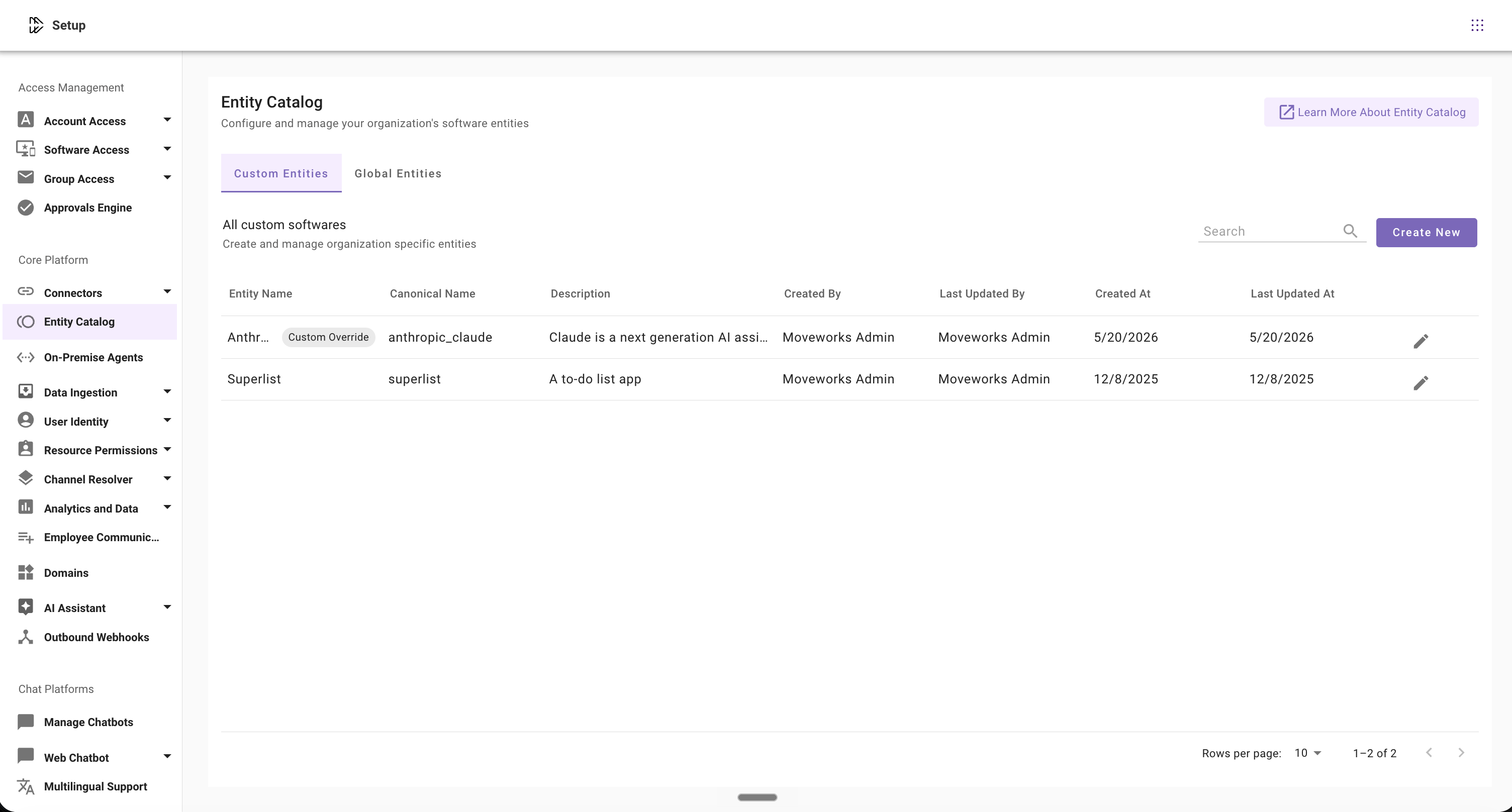
Read about configuring entities in this guide: Configuring Entities
FAQs
Q: What entity types are supported in Entity Catalog?
A: Currently, only software entities can be configured and managed in Entity Catalog. More entity types will be supported in the future.
Q: I want to delete entities I no longer use. How to do that?
A: We do not support deleting entities at the moment, but it’ll be available in the future.
Q: Are my custom entities available to other Moveworks customers as well?
A: No, the custom software entities created by admins are only available to them, and not to any other Moveworks customer.
Q: Can I immediately start using software entities after creating them?
A: Yes, software entities are available for use immediately after creation.
Q: What is canonical name in Entity Catalog?
A: Canonical name is the Moveworks ID created automatically to recognize entities in the backend.
Q: What are Moveworks pre-defined entities?
A: Moveworks creates and manages a comprehensive library of commonly used software to help admins get started with Entity Catalog. This curated collection receives regular updates to ensure optimal performance.
Q: Can I add entities to the Moveworks pre-defined entities?
A: No, admins cannot add new entities to the predefined global list, as these are fully managed by Moveworks. However, admins can select and customize existing entities as per organization’s requirements. Read Configuring Entities guide for details.