
On-Prem Agent Operations and Health
Common Commands
Commands shown with sudo apply to Docker deployments. Omit sudo when using Podman — see the Installation Guide for details.
Monitoring and Health
Navigate to Moveworks Setup > Core Platform > On-Premise Agents to see all deployed and reachable agents.
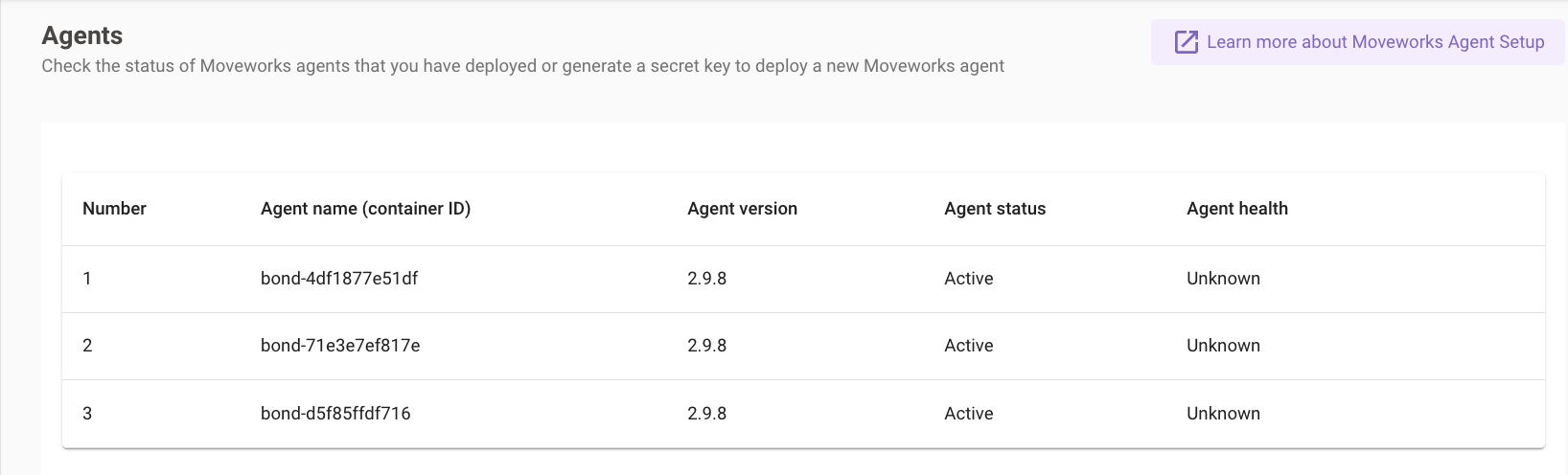
Agent Health
Agent health reflects the agent’s ability to serve requests from the Moveworks platform.
Agent health reflects the ability to serve requests, not the health of the Docker container itself. A running container can show as Unknown if it has not yet received any requests.
Agent Status
Credential Rotation
Rotating the Moveworks Org Access Secret
If the org access secret expires or needs to be rotated:
- Navigate to Moveworks Setup > Core Platform > On-Premise Agents
- Click Generate Secret and save the new secret
- Reconfigure the agent with the new secret:
- When prompted for
access_secret, enter the new value
The org access secret expires if not used within 30 days of generation. If the agent shows as Inactive or logs a 401 error, rotate the secret first.
Rotating the LDAP / AD Service Account Password
When the Active Directory service account password changes, update it in the agent config:
- Log into the agent VM and navigate to the Moveworks folder
- Stop the agent:
- Open the config file:
- Under
ldap_service_password, changeencrypted_valuetovalueand replace the old value with the new password: - Save and exit (
:wqin vi) - Start the agent:
- Verify the config — the agent automatically re-encrypts
valueback toencrypted_valueon start:
Rotating a REST Service Account Password
Follow the same steps as above, locating the relevant password field under rest_configs in agent_config.yml:
Start the agent after saving — it will encrypt the value automatically.
See Also
- Troubleshooting — known errors, LDAP and TLS issues, connectivity diagnostics