
Installing AI Agents
Installation Help Documentation
Step 1: Start the installation Process
-
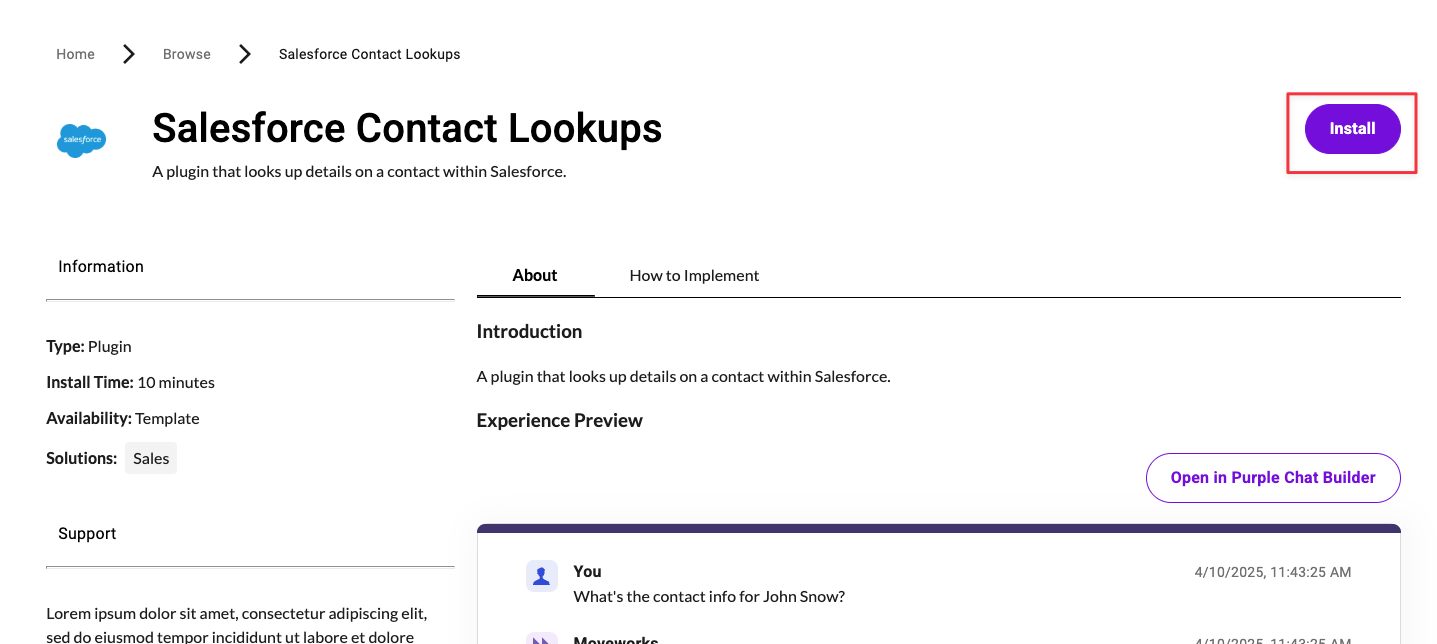
Click the “Install Button” at the top of the marketplace listing.
-
You will prompted to log into your Moveworks tenant. Select the instance that suits your needs
-
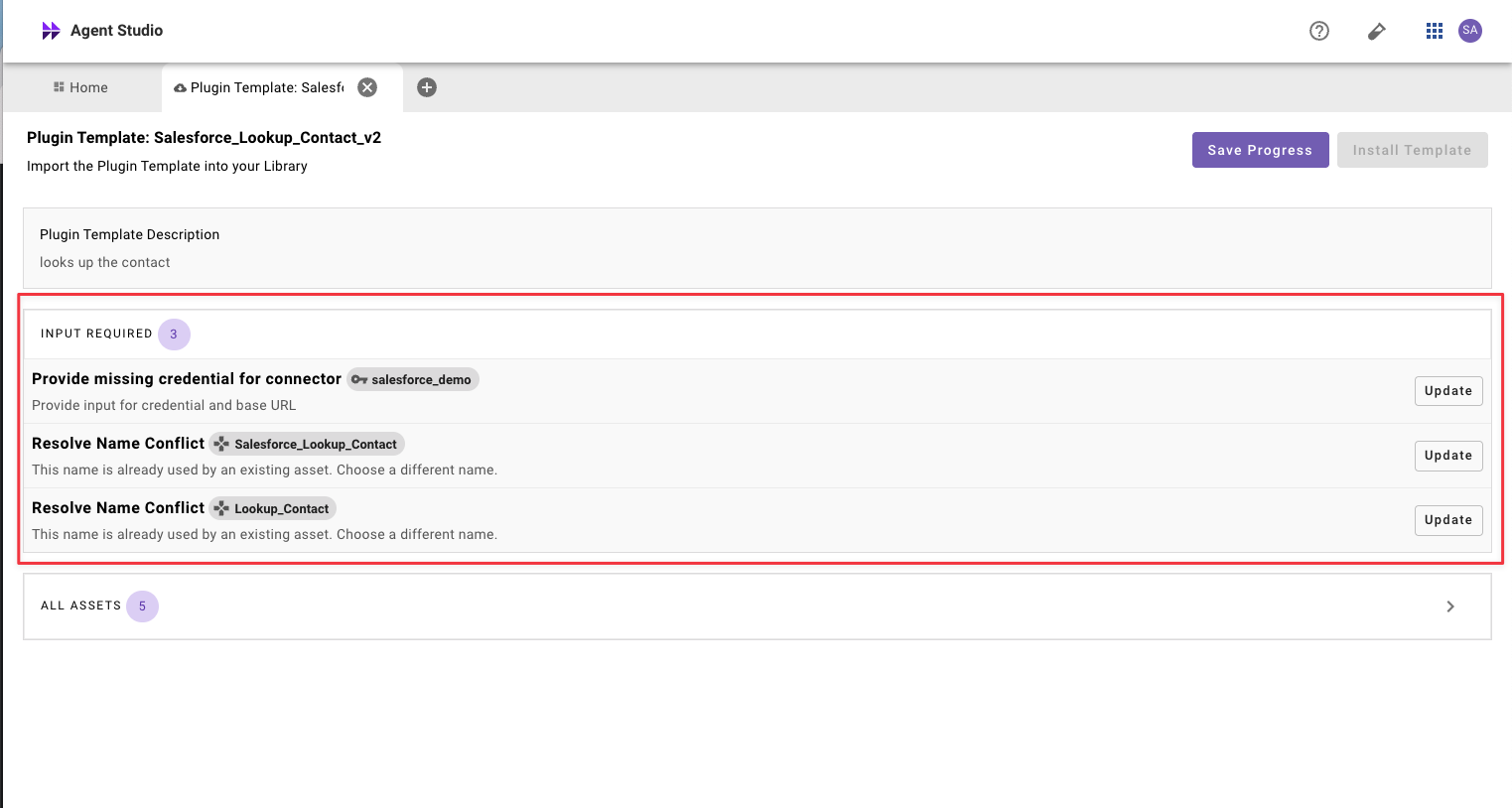
You will now see that this plugin has 1 or more installation steps.
Step 2: Installation Steps
- For each installation step, please click on the “update” button
- There are two types of installation steps: Update Connector or Update Name
Step 3: Confirm Installation
-
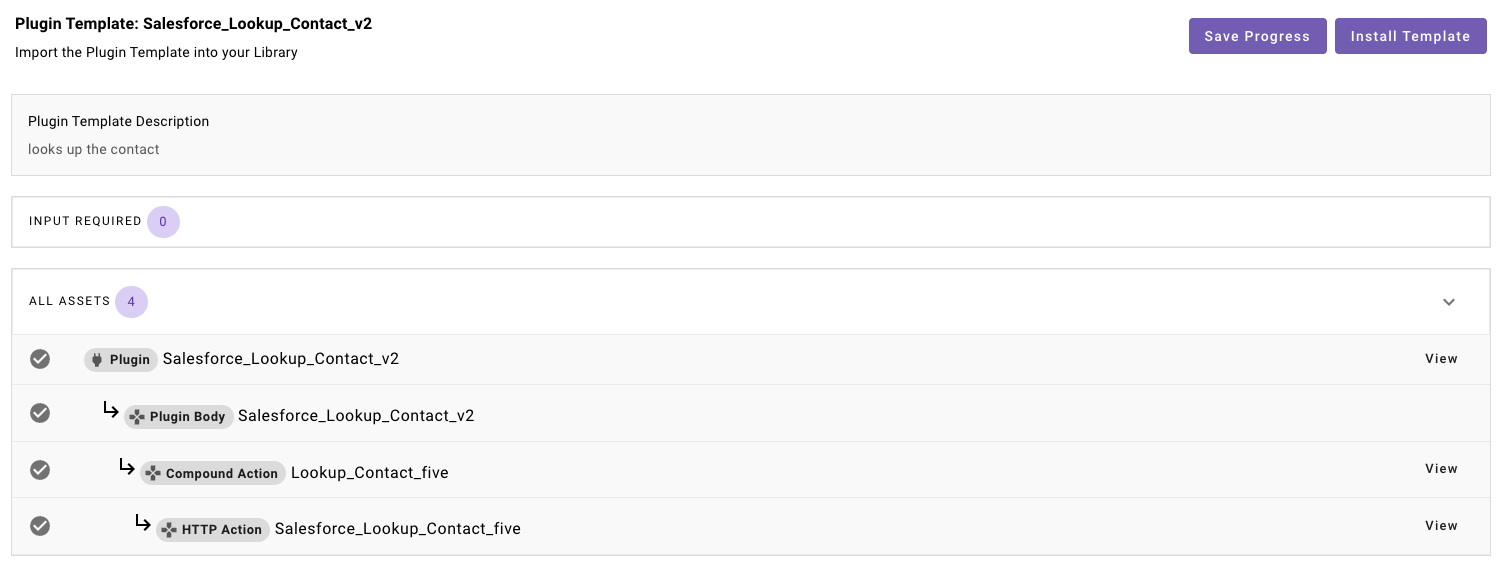
Please review all of the components being installed.
-
After you have reviewed the components, proceed with installation by clicking the “Install Template” button.
Step 4: Launch your plugin!
- After the installation is complete, you will be redirected to plugin workspace and can view or edit any of the assets that have been installed.
- You will now have to launch your plugin and to test its functionality. See our guide on Launch Rules.
- If you wish, feel free to customize any descriptions and triggering examples. However, these should work out of the box.
- If you run into any issues:
- Check our troubleshooting guides
- Understand your issue using Logs
- Reach out to Support.