
Multi-Plugin Response
Multi-Plugin Response
Overview
The Moveworks Assistant calls multiple plugins in parallel, reviews the responses from them, and combine their individual responses into a single, summarized response.
This feature is called multi-plugin response and it enhances the user experience and utility from the Moveworks Assistant by
- Surfacing all the relevant plugins to the user for every request
- Providing a concise and easy to scan response
- Enabling the user to quickly understand what their options are and allow them to follow up on the one they want to pursue
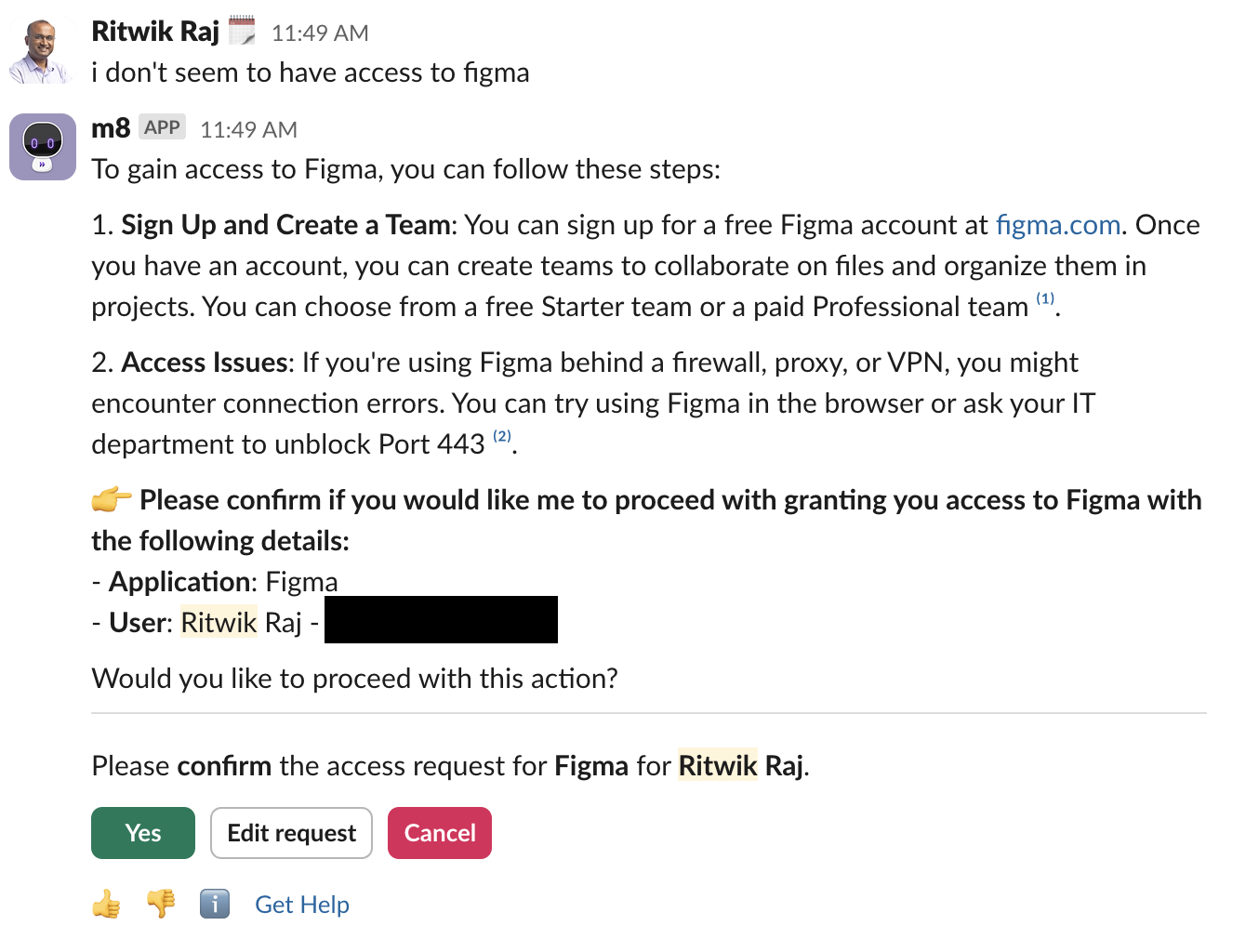
Here is an example of a multi-plugin response that combines information from Knowledge Search with Software Provisioning for Figma:
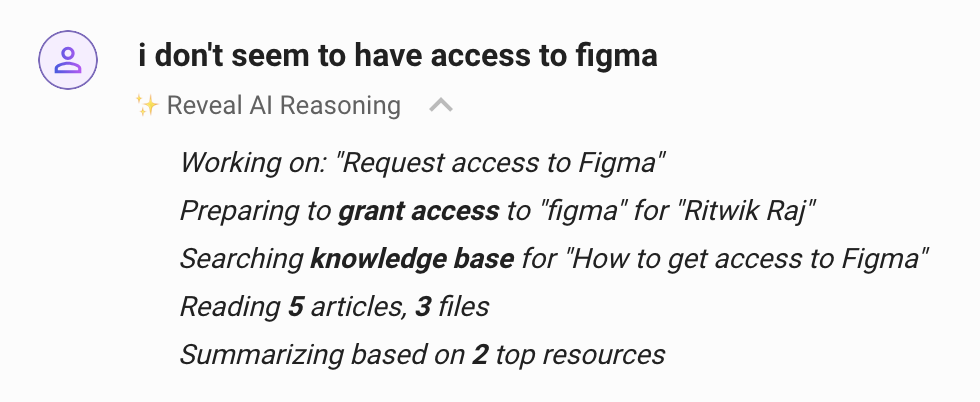
You can see from the AI reasoning what plugins were accessed:
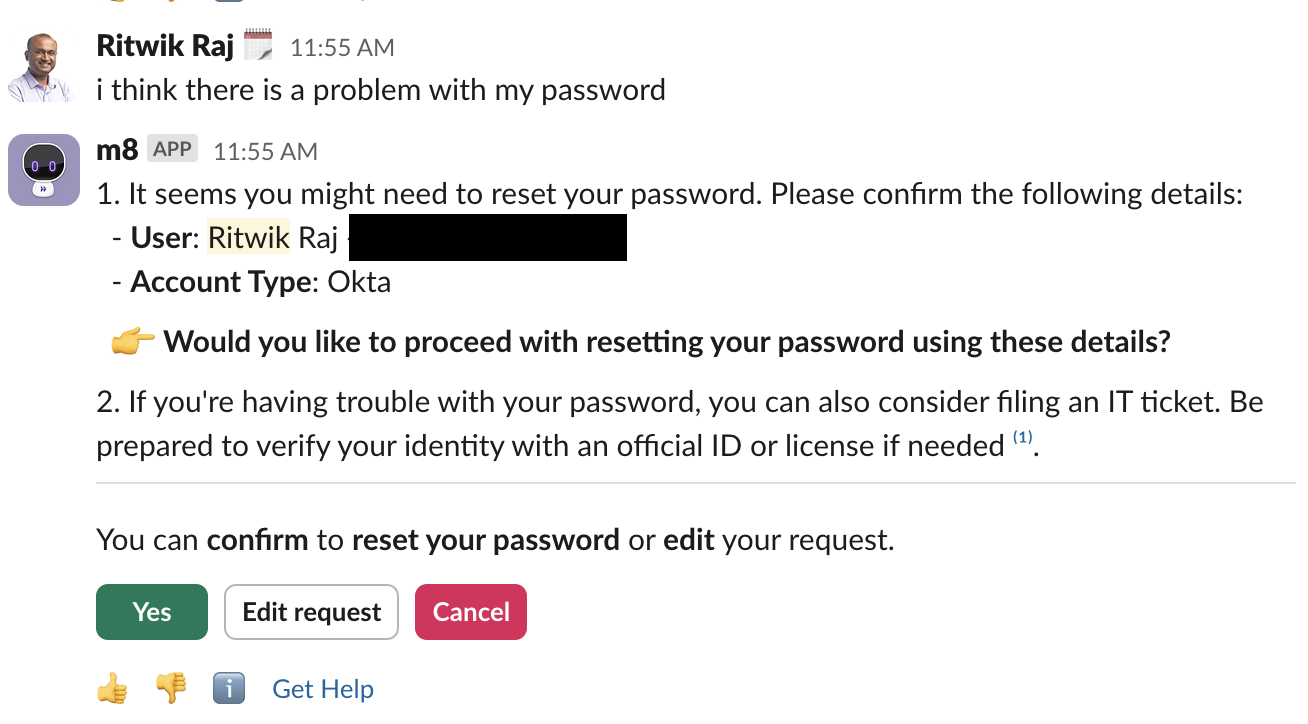
What does a multi-plugin response look like?
Here are the key characteristics:
-
The top part of the response will be a summarized response that lists available options
-
If there are any buttons the user can click to execute the actions offered, they will be provided at the bottom of the response
-
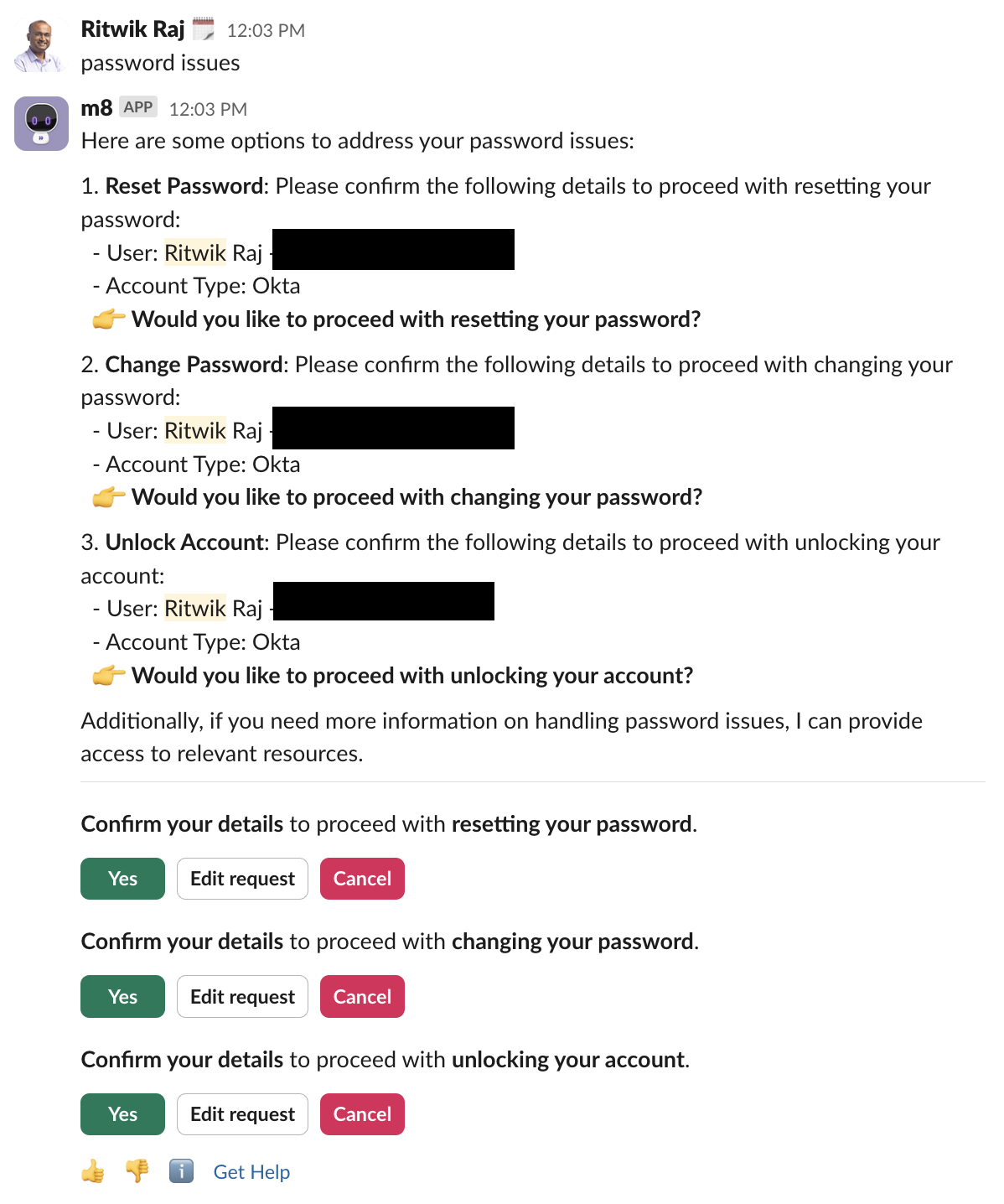
If there are multiple calls to action, you can see them at the bottom:
-
When you take action, e.g. clicking on
Yesfor Unlock Account, it proceeds with the selected action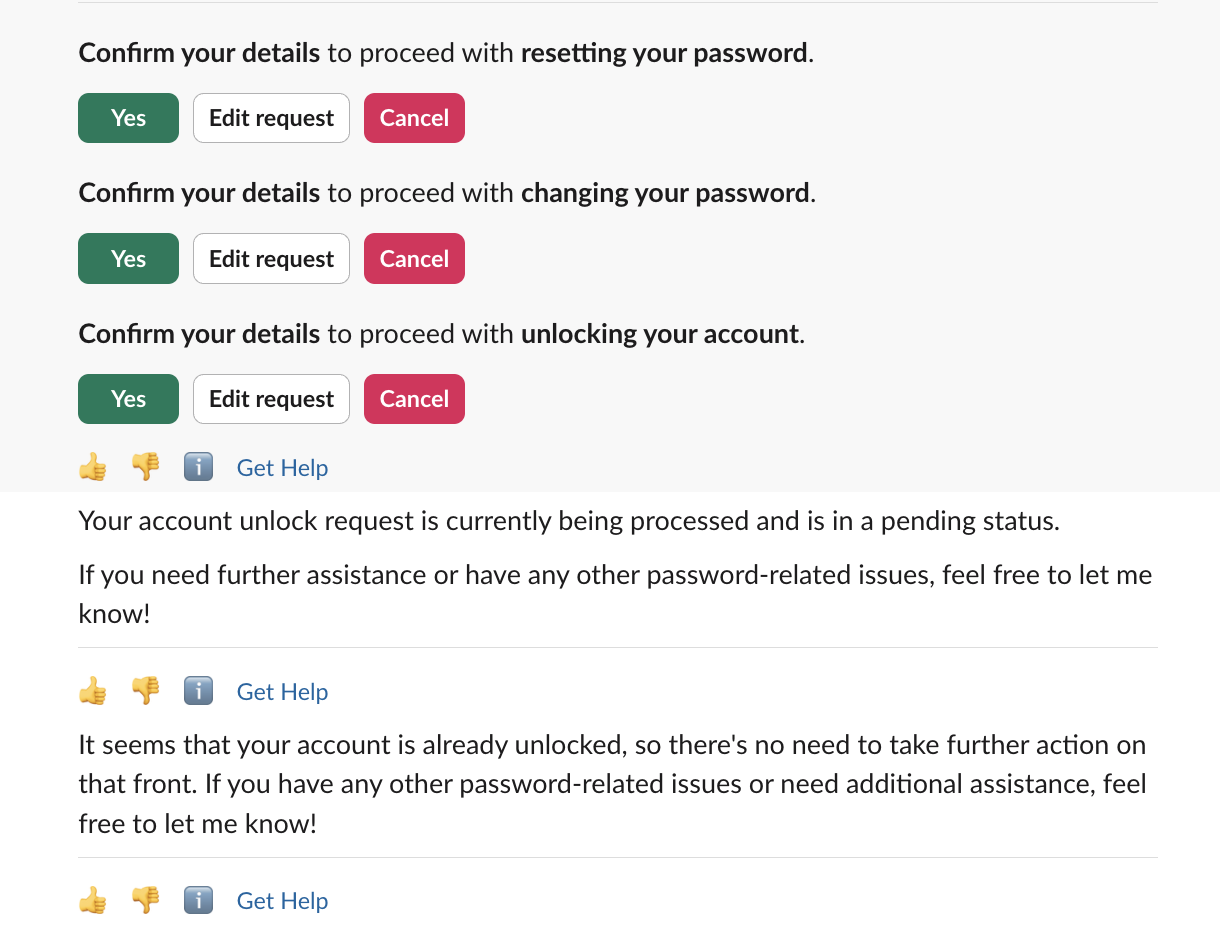
How does this feature work?
Multi-plugin response comes with three key changes:
- tuning Moveworks Assistant to call all relevant plugins simultaneously,
- executing plugins in parallel, and
- enhancing the response UX for calls to action (buttons).
(1) Simultaneous Plugin Calls
Before multi-plugin, Moveworks Assistant almost always called one plugin to help with a request. The primary exception was multi-intent requests like “Do X AND help with Y,” which led to sequential plugin calls. Now, the Moveworks Assistant identifies and uses all helpful plugins.
(2) Parallel Execution
MultiPlugin executes plugins in parallel. For single intent requests, this ensures MultiPlugin latency is comparable to current performance; for multi-intent requests, this decreases latency as the Moveworks Assistant executes on all intents at the same time.
(3) Improved Buttons UX
With more plugins in use, calls to action have become more frequent. To improve this experience, we now include buttons for each separate call to action. Each group of buttons comes with a concise Moveworks Assistant -generated description for button context.
Expected behavior across Reasoning Engine versions
Multi-plugin response is intentional design, not a side effect. The AI Assistant is tuned to maximize the probability that a user resolves their request on the first turn. When a query is relevant to more than one plugin (for example, a custom Agent Studio plugin and an existing knowledge article or form), the Assistant will surface them together so the user can pick the fastest path forward.
This behavior may become more pronounced as you adopt newer Reasoning Engine versions. As plugin selection improves, the Assistant becomes better at recognizing when multiple plugins are relevant to a single query. The result can be richer, multi-path responses compared to earlier versions.
If a newer Reasoning Engine version surfaces a relevant knowledge article or form alongside a triggered custom plugin, that is the harness working as intended. It is not a quality drop relative to a previous version that surfaced only one path.
What to expect
- Relevant knowledge articles, forms, or native plugins may appear alongside a triggered custom plugin when they match the user’s intent.
- Multiple plugins can execute in parallel when more than one is relevant to the query.
- The response is summarized into a single message with grouped calls to action, so the user is never asked to read multiple separate replies.
- Plugin matches are driven by plugin descriptions and example utterances. See Plugin Selection for how the Assistant decides which plugins are relevant.
For more context on how newer Reasoning Engine versions are rolled out, see the Reasoning Engine Upgrade Program.
When you need a narrower response
If you have a specific intent where surfacing additional plugins is genuinely undesirable (for example, a sensitive workflow where only one path should be offered), use Steerability Tools to scope behavior for that intent.
A Situational Instruction is the right tool here. Example:
“When a user asks to submit PTO, only call the PTO Submission plugin. Do not surface related knowledge articles or forms.”
Situational Instructions apply only when their trigger condition is met, so they let you narrow specific high-stakes flows without changing the Assistant’s default multi-plugin behavior across the rest of the experience.
Suppressing co-surfaced plugins reduces the breadth of help offered on the first turn. Only steer when the intent is genuinely exclusive. Most user queries benefit from seeing multiple relevant options.