
Configure Multilingual Support
What is Multilingual Support?
Moveworks supports 100+ languages for user interaction and 30+ languages for native multilingual search. This document outlines how to:
- Configure the languages enabled for your AI Assistant.
- Enable / disable multilingual support for your AI Assistant.
- Enable / disable on-the-fly translations for KBAs, notifications, and other surfaces.
- Sync language preferences from an external system (e.g., ServiceNow) via the
preferred_localeuser attribute.
Configuring Language Preferences
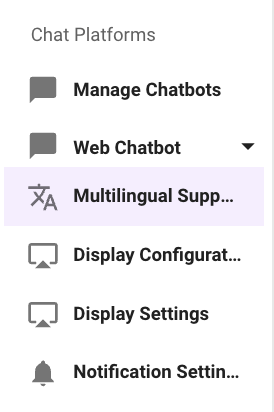
The controls for enabling multilingual support can be found in the Multilingual Support page under the Chat Platform section in Moveworks Setup. This can be enabled based on the below steps for the experience your Moveworks AI Assistant supports.
AI Assistant Experience
In the AI Assistant Experience you can enable any language instantly using Moveworks Setup.
- Start by navigating to Multilingual Support page under the Chat Platform Module.
- Here you will come across multiple fields on the page, but the below field is the only one which is required for configuring and enabling new languages in the AI Assistant.
- Enabled locales (instantly available): This field provides a list of languages, which if selected, will be instantly available in the AI Assistant experience.
- To view the list of languages supported by Moveworks, see this article.
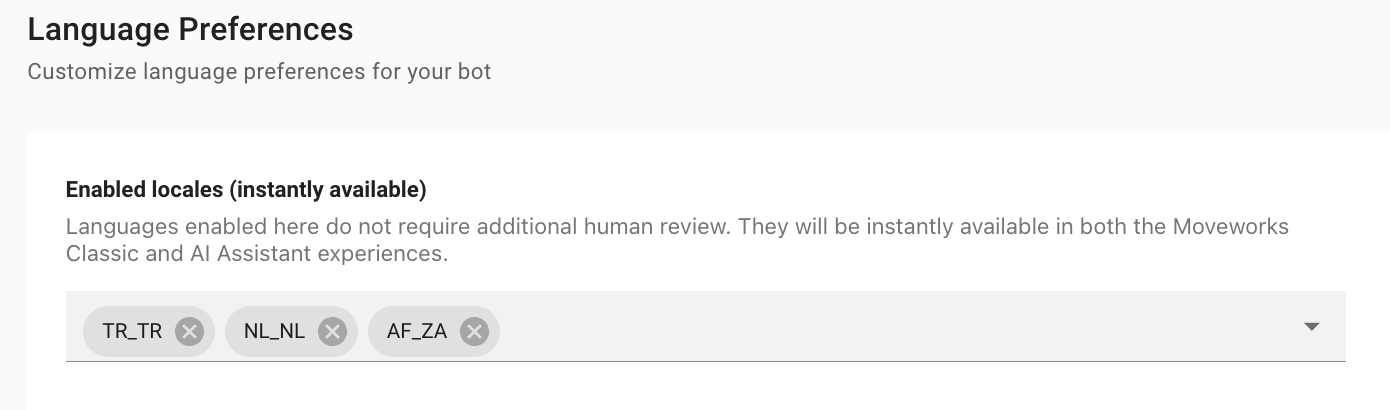
Next, we need to enable the plugin that allows end-users to change their language to one of the options selected in the previous step.
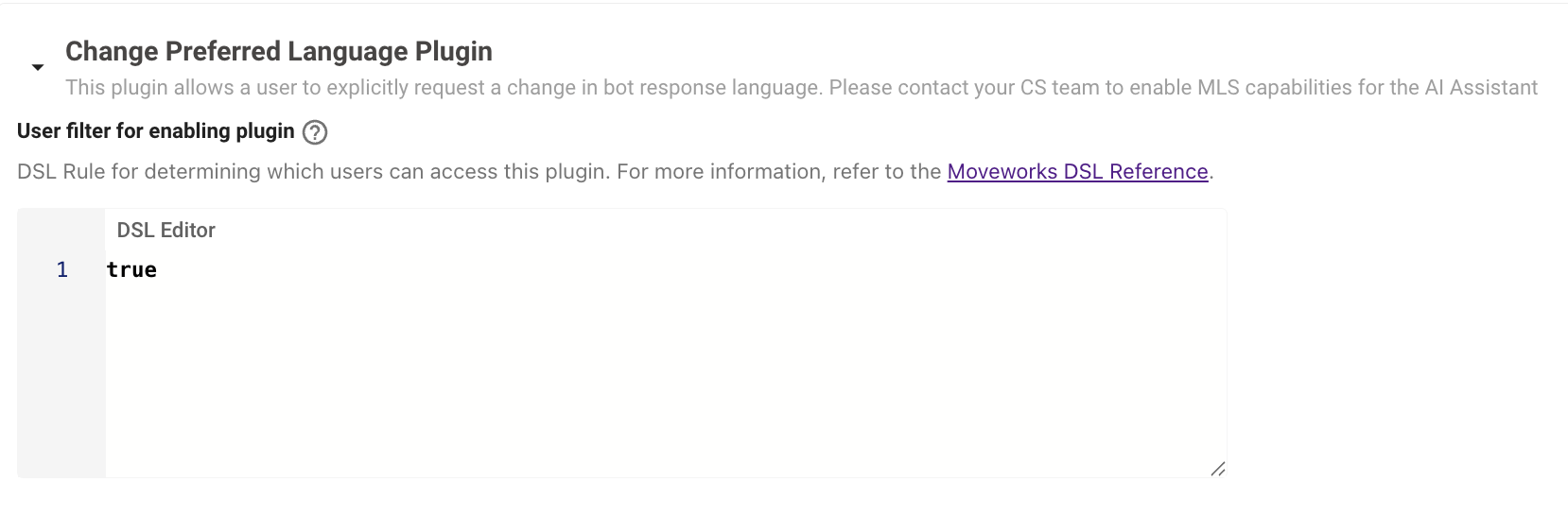
- Under the Core Platform section of Moveworks Setup, navigate to AI Assistant > Plugin Management page.
- Set the Change Preferred Language Plugin DSL Editor value to TRUE (case insensitive). This will enable the plugin in the AI Assistant.
For the AI Assistant to support non-English users but English-only agents, then Add comment to Ticket Plugin (MLS) should be used to ensure that the agents are seeing English tickets. This control can be found in Moveworks Setup under AI Assistant > Plugin Management.
Note: If Add comment to Ticket Plugin (MLS) is incorrectly enabled in lieu of Add Comment To Ticket Plugin, then non-English users at the org will be adding comments to a ticket that get translated to English even though the agent speaks their language, potentially leading to friction due to the unnecessary translation.
Customizing the Moveworks AI assistant’s behavior for a specific language
While most instructions apply globally, some, like enforcing gender neutrality, are only effective or correctly interpreted in specific languages. For example, a gender-neutrality instruction is often structured differently for English (using singular “they”) than for a language with gendered nouns and pronouns.
To solve for this, Moveworks injects locale-based prompts into the LLM based on the user’s preferred locale to ensure appropriate behavior and language. These prompts are configured for two purposes:
- Formality Prompts: Control the level of register (e.g., formal “vous” in French) for languages that require it. (English has an empty formality prompt).
- Gender Prompts: Enforce gender neutrality, accounting for the grammatical limitations of different languages.
Default Configuration:
Default Formality and Gender prompts are pre-configured for 15 core and extended locales (including EN_US, ES_ES, FR_FR, JA_JP, etc.) to immediately improve the quality of non-English responses.
Configuring Language Preference Sync from External Source to Moveworks
Most enterprises store the user preferred languages on their source systems. Moveworks can ingest this information via the Identity Configuration and then leverage that to auto set the User language in the Assistant without requiring a prompt from the user. This is ideal for the onboarding experience to the Assistant. Once the language is set within the AI Assistant, then Moveworks does not use use the external source as reference.
Here are the steps which can be followed to setup the same.
Ingest the Language Attribute from External System.
These steps will walk you through how a user’s preferred language can be indicated from external systems. This tutorial will uses ServiceNow as the external system only for example purposes, but this information can pulled from any system used to build your organizations user roster.
Moveworks can ingest Preferred Language information from any system. We just require that the details are mapped to the preferred_locale attribute in the User Attribute Mapping (see step below).
- Navigate to User Identity > Import Users under Core Platform.
- Here we need to define the User Attribute Mapping for the Source system where the Language info is going to be ingested from. In this case we are doing this under ServiceNow.
- Here we will need to define a custom attribute (guide ) which will store the information.
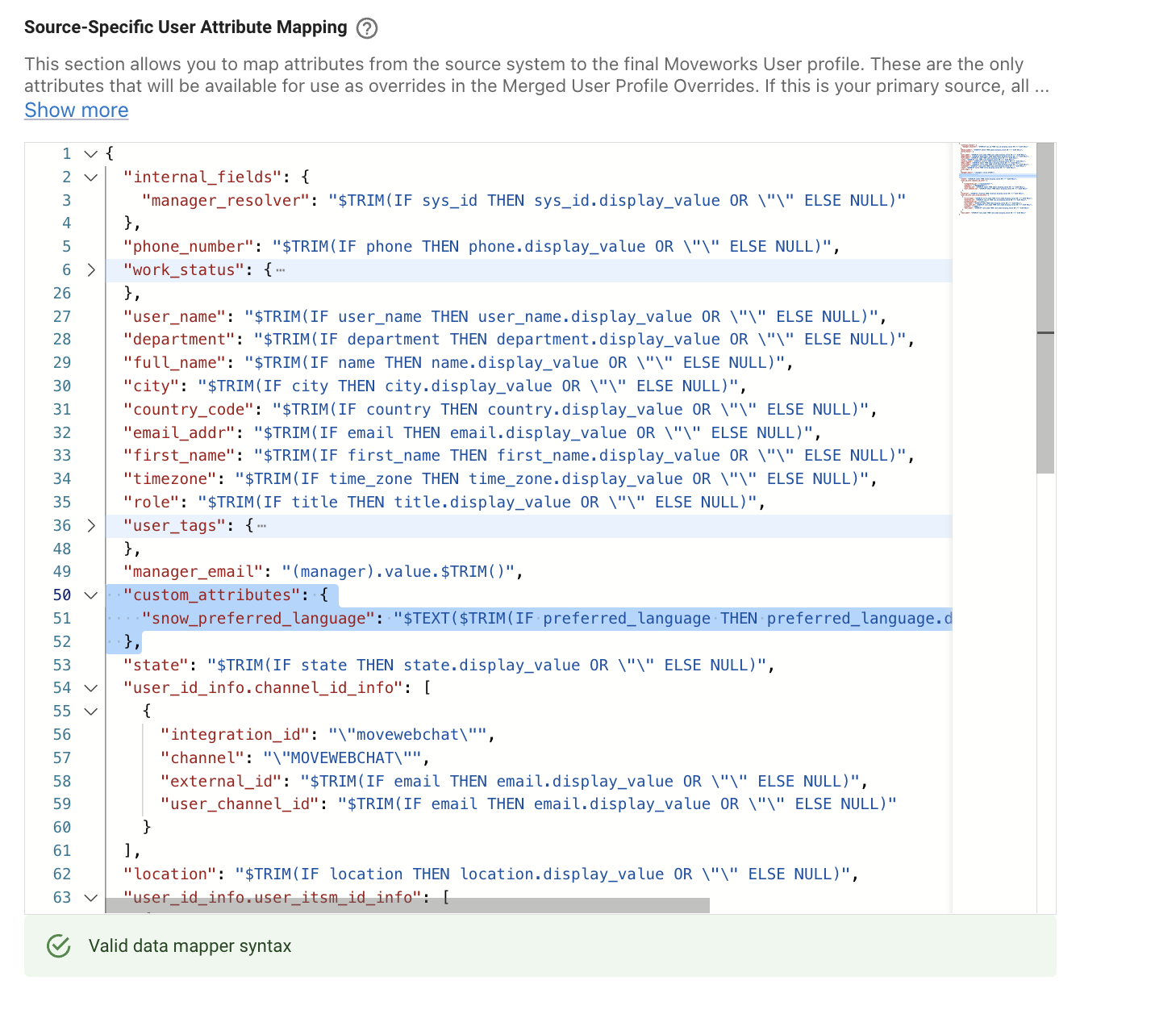
- Once the Mapping is complete we can view the Ingested content under the Imported Users View by looking into a user profile. Here we can see the Attribute Snow Preferred Language having been ingested
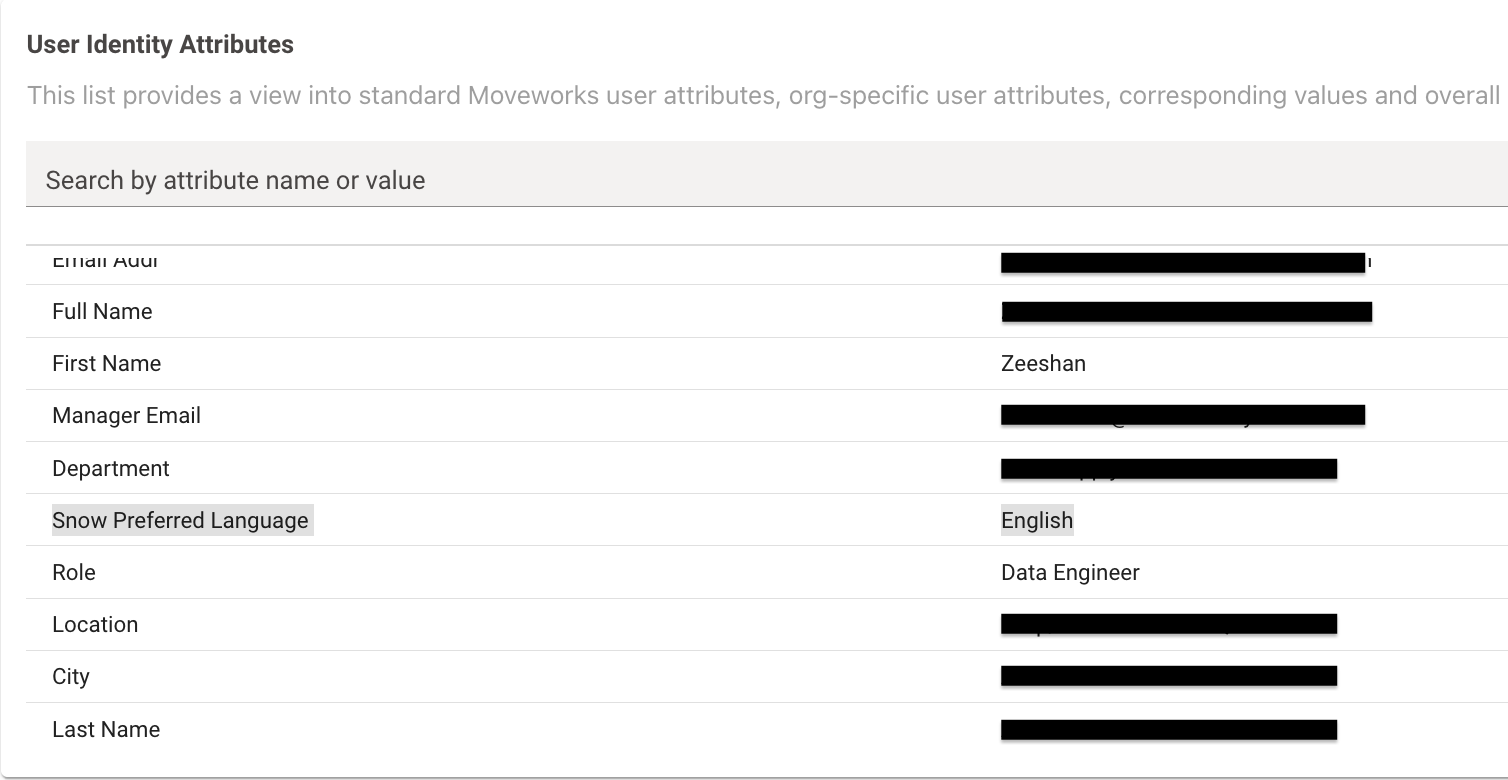
- Now that the Language Data is available, we can navigate to Multilingual Support under Chat Platform Module.
- Here you will find the check box - Set default locale for each user based on ingested user records when this is checked, it ensures the Assistant uses the ingested language from Identity as the default language in the Assistant Automatically.

When this setting is enabled, the ingested preferred_locale from Moveworks User Identity is used as the default language for users who have not yet set a language preference themselves. If a user explicitly changes their language through the AI Assistant, that choice takes precedence over the ingested value.
Note that the Preferred Language field shown on the user profile in Moveworks Setup reflects the user’s explicit language preference, not the ingested value used in Moveworks Identity. For users who have never set their language manually, this field may display EN_US even though the Assistant is responding in the ingested locale configured in User Identity.
- You can further validate this by sending out an Employee Comms Campaign to users with Non-English Language set in their source system.