
Response Sizes
How does the Reasoning Engine handle large responses?
The Reasoning Engine uses a graduated approach to process plugin responses depending on their size.
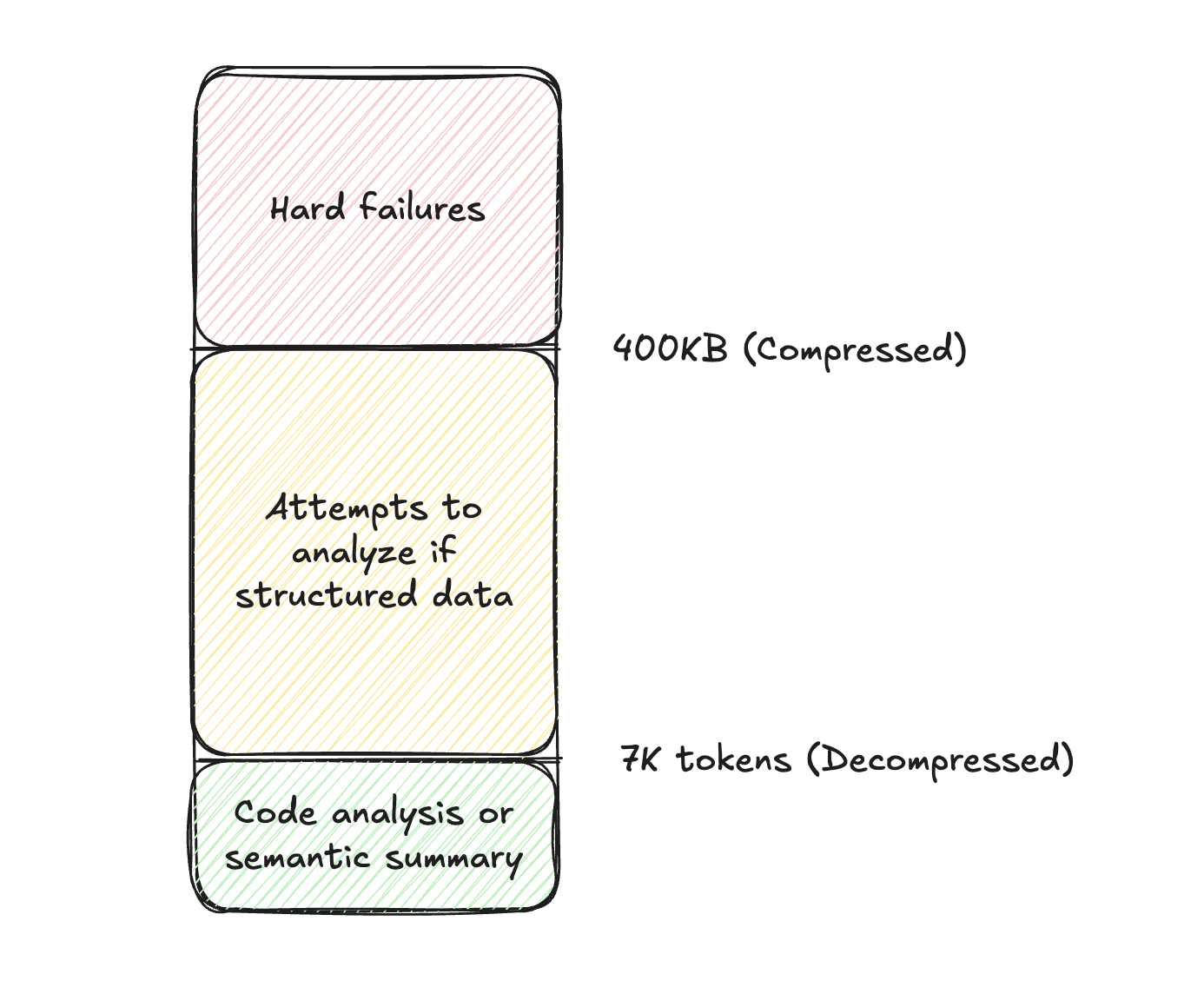
Small responses (under ~7K tokens)
When a plugin response is small enough, the Reasoning Engine processes it directly in its context window. It can semantically understand, summarize, and reason over the data without any additional processing.
Large responses (~7K tokens and above, up to 100MB)
When a plugin response exceeds approximately 7K tokens, the Reasoning Engine automatically routes the data to Structured Data Analysis (SDA), which is built on the Code Interpreter. The response is stored as a variable, and the Reasoning Engine writes and runs code to analyze, filter, and extract the information the user needs.
This means plugins can return large datasets (up to 100MB) and the Reasoning Engine will still be able to work with the data.
SDA works best with structured, tabular data. If your plugin response contains semi-structured data, the Reasoning Engine may not be able to analyze it programmatically. See Common Pitfalls for details.
Final response storage limits
Separately from plugin response processing, the system compresses conversation records when storing them. The final rendered bot response (text and cards) is compressed and stored in the chat history, which has an internal limit of approximately 400KB post-compression. In practice, this is rarely an issue because the Reasoning Engine’s final response to the user is typically much smaller than the raw plugin data it processed. This limit does not apply to plugin input sizes and is orthogonal to SDA’s 100MB payload support.
Recommendations
If you’re building a plugin that will return a lot of data, we recommend the following.
Plugin Selection
-
Describe the response schema: Always mention all fields from the returned data in the plugin description.
- ❌ GetSalesforceCustomers: returns data from customers in Salesforce.
- ✅ GetSalesforceCustomers: returns account name, owner, and renewal data for customers in Salesforce.
This will ensure more reliable plugin selection for all the different use cases the data may support.
-
One plugin, one data source: Multiple overlapping plugins on the same dataset can create inconsistent experiences.
- ❌ GetOpenAccountsPlugin, GetEnterpriseAccountsPlugin, GetProspectAccountsPlugin
- ✅ GetSalesforceAccountsPlugin, GetSalesforceOpportunitiesPlugin
Response Structure
- Use friendly names. Drop the business system default names, and rename fields to friendly, intuitive names that are easy for the model to understand. This will also make the data more friendly when it is exposed back to the user in a message, citation, or future medium.
- Flatten your data. When possible, flatten your data into tabular fields, avoiding a nested JSON structure. This makes the data easier to work with resulting in higher model reliability.
- Bad Example
- Good Example
- Bad Example
UX Recommendations
- Disable the Activity Confirmation Policy. Given the goal is to simply fetch data, unless it is computationally expensive or you have tight rate limits, we don’t recommend getting user confirmation first. This creates needless friction for your users.
- Add a URL field. This allows the model to link the specific business system record in the response.
- Avoid Analysis Instructions. Unless you see plugin-specific behavior that is not intended, avoid adding instructions about how the model should analyze data (e.g. “please fuzzy match
TelecamtoTelecom”). This will likely be ignored and could negatively impact performance. - Configure Citations: if you want business records to be cited, you need to add
idorfriendly_idso that each record can be individually cited (instructions).
Reducing the original size
If you’re still running into issues with the size of your plugin response, consider the following
- Schema Pruning. Eliminate fields from a data structure using the MERGE statement from our Data Mapper.
- Attribute Compression. Reduce the length of a text field using the summarize text action
- Record Filtering. Remove records from your list.
- Pre-filtering. You can collect slots or use meta info to reduce the number of records you fetch from an external system.
- Retrieve time series between a
start_date&end_date - Constrain records that are
assigned_tothe current user - Fetch records where a numeric attribute is greater than some value (e.g. accounts above 500 users)
You can define multiple of these inputs on the same plugin & mark the inputs as optional.
- Retrieve time series between a
- Post-filtering. If the system doesn’t support API-based filtering, you can also filter the data inside your plugin’s process with DSL FILTER expressions
- Pre-filtering. You can collect slots or use meta info to reduce the number of records you fetch from an external system.