
How To Guide for Entity Catalog
How to create a custom software entity
- Navigate to Moveworks Setup > Core Platform section > Entity Catalog screen
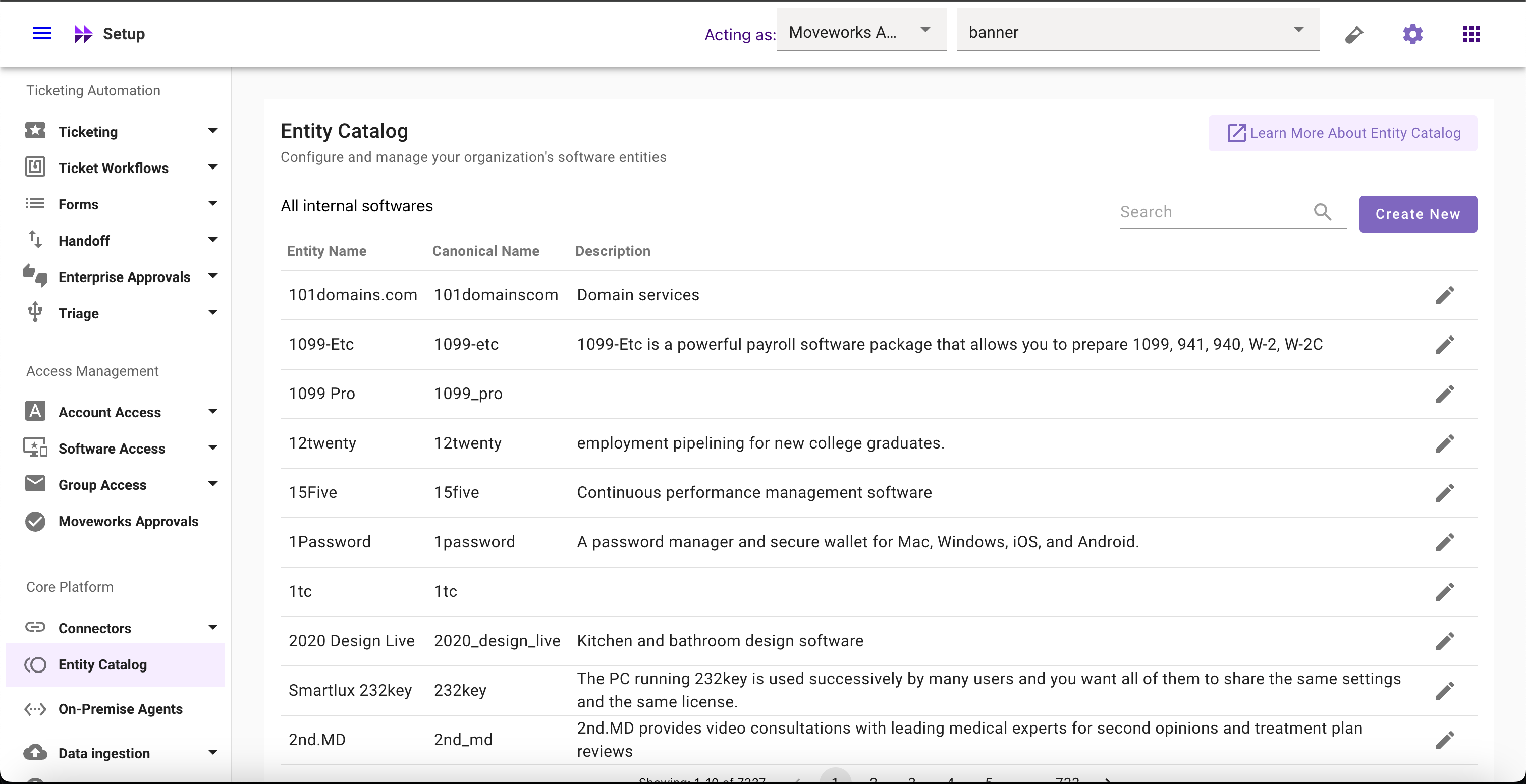
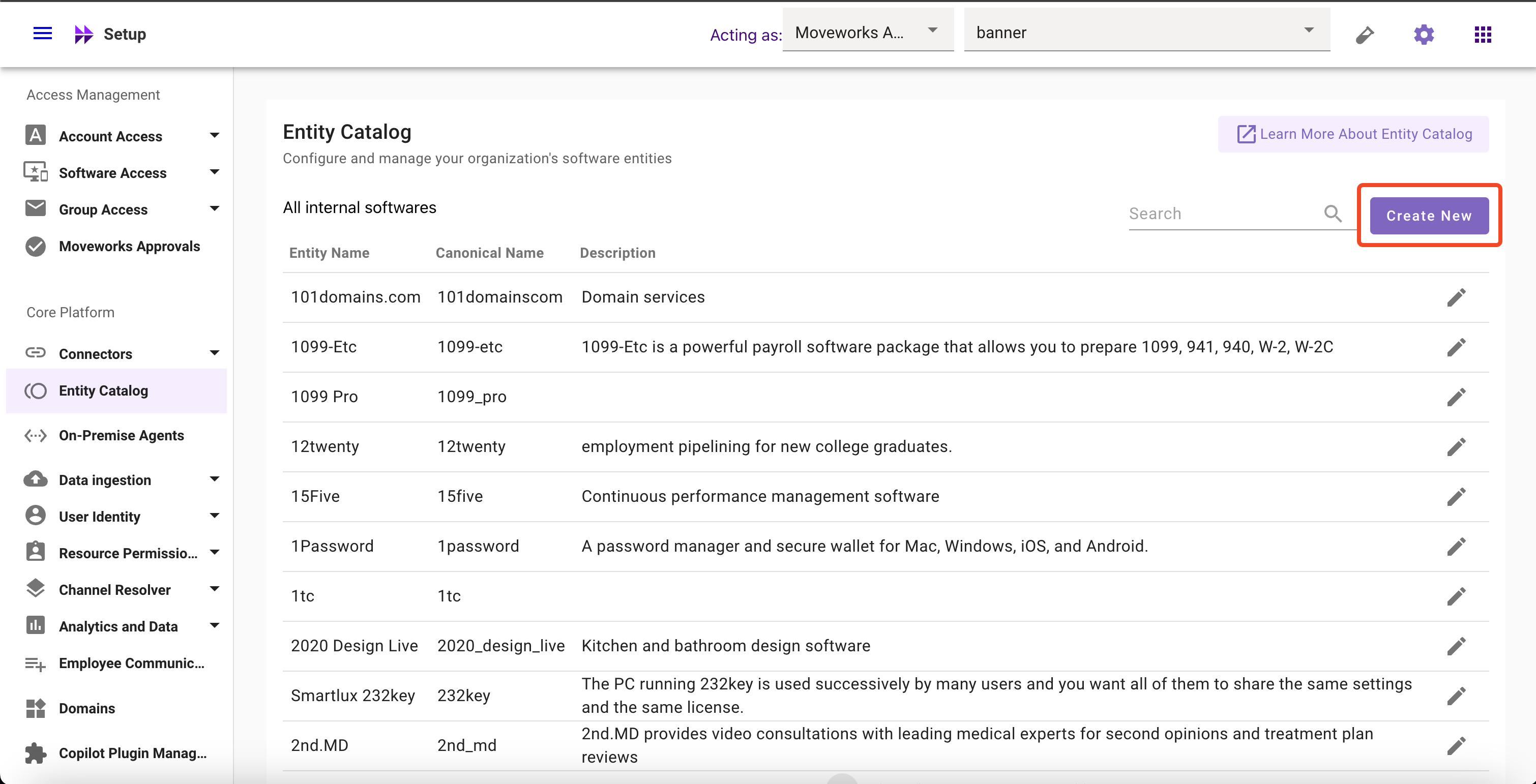
- Click on Create New button
- Input all the required config fields
- Title (Not editable once created) (E.g.
Zoom) - Short Description (E.g. Zoom unifies cloud video conferencing, simple online meetings, and cross platform group chat into one easy-to-use platform.)
- Entity Type (Selected by default and not editable)
- Entity Aliases and their respective matching logic (E.g.
zoomas fuzzy,zoom videoas exact,zoom proas fuzzy) - Negative Aliases (E.g.
loom,moom,room, and more)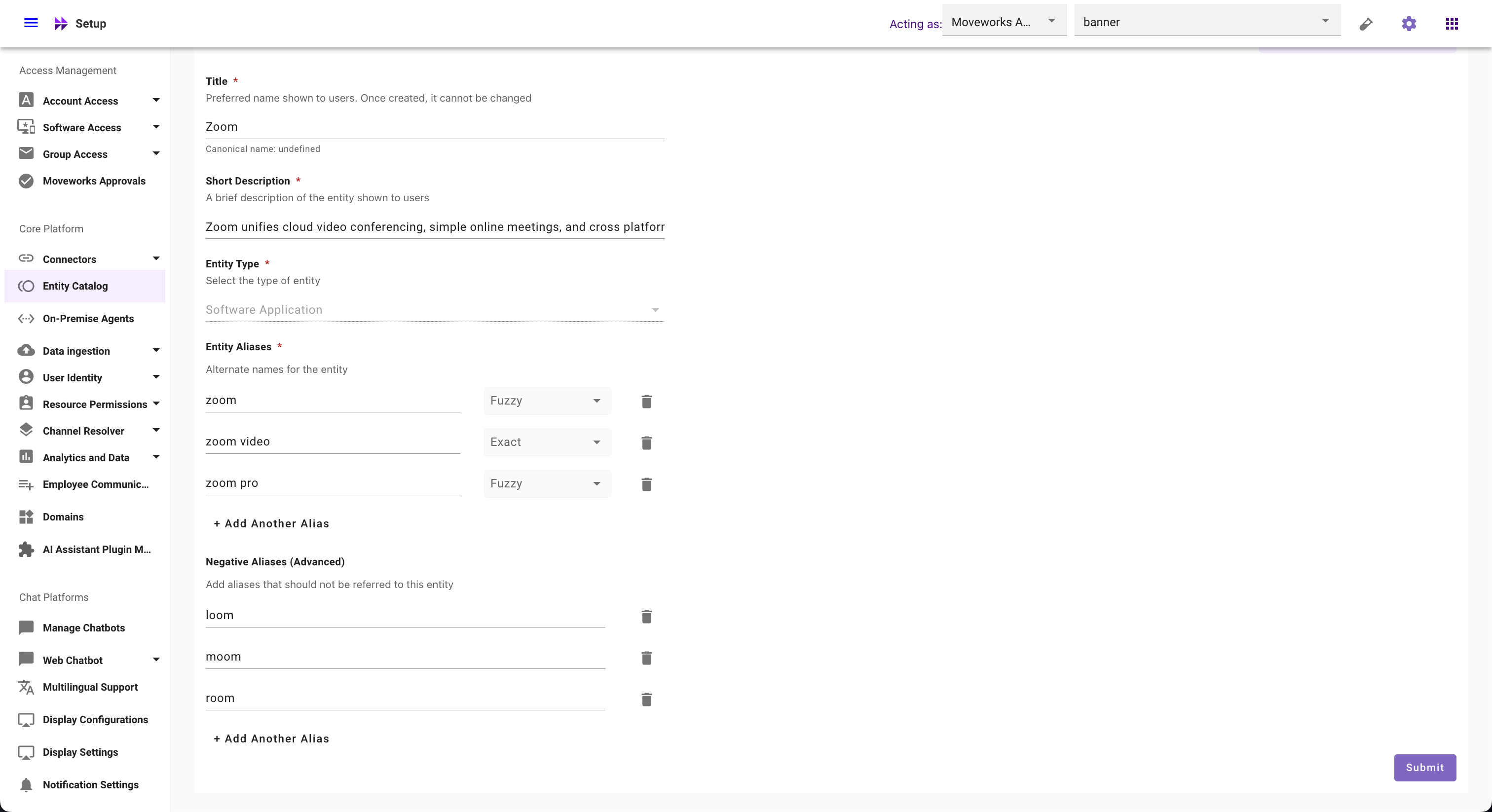
- Title (Not editable once created) (E.g.
- Click on Submit button
How to override a global software entity
-
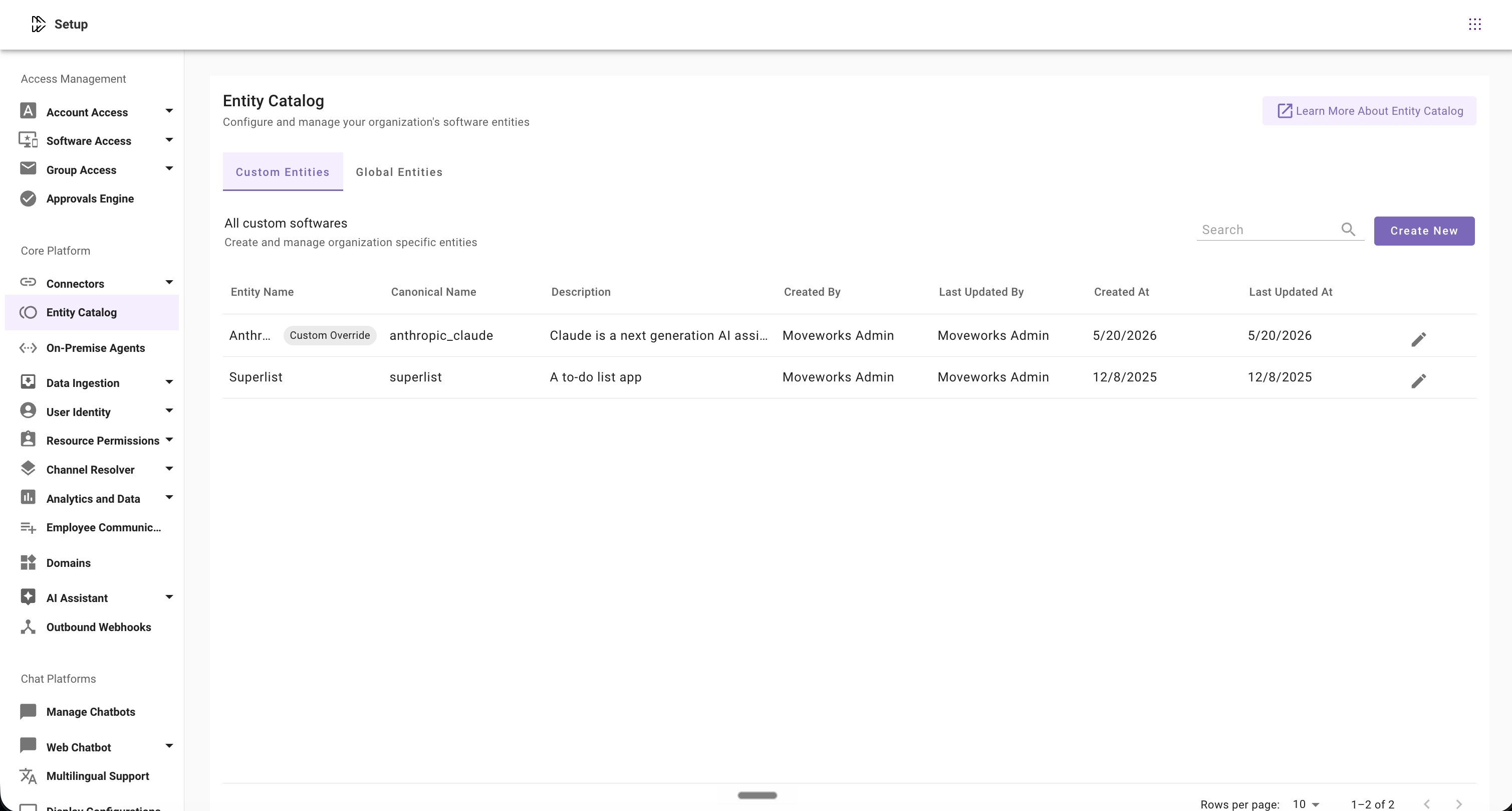
Navigate to Moveworks Setup → Core Platform → Entity Catalog.
-
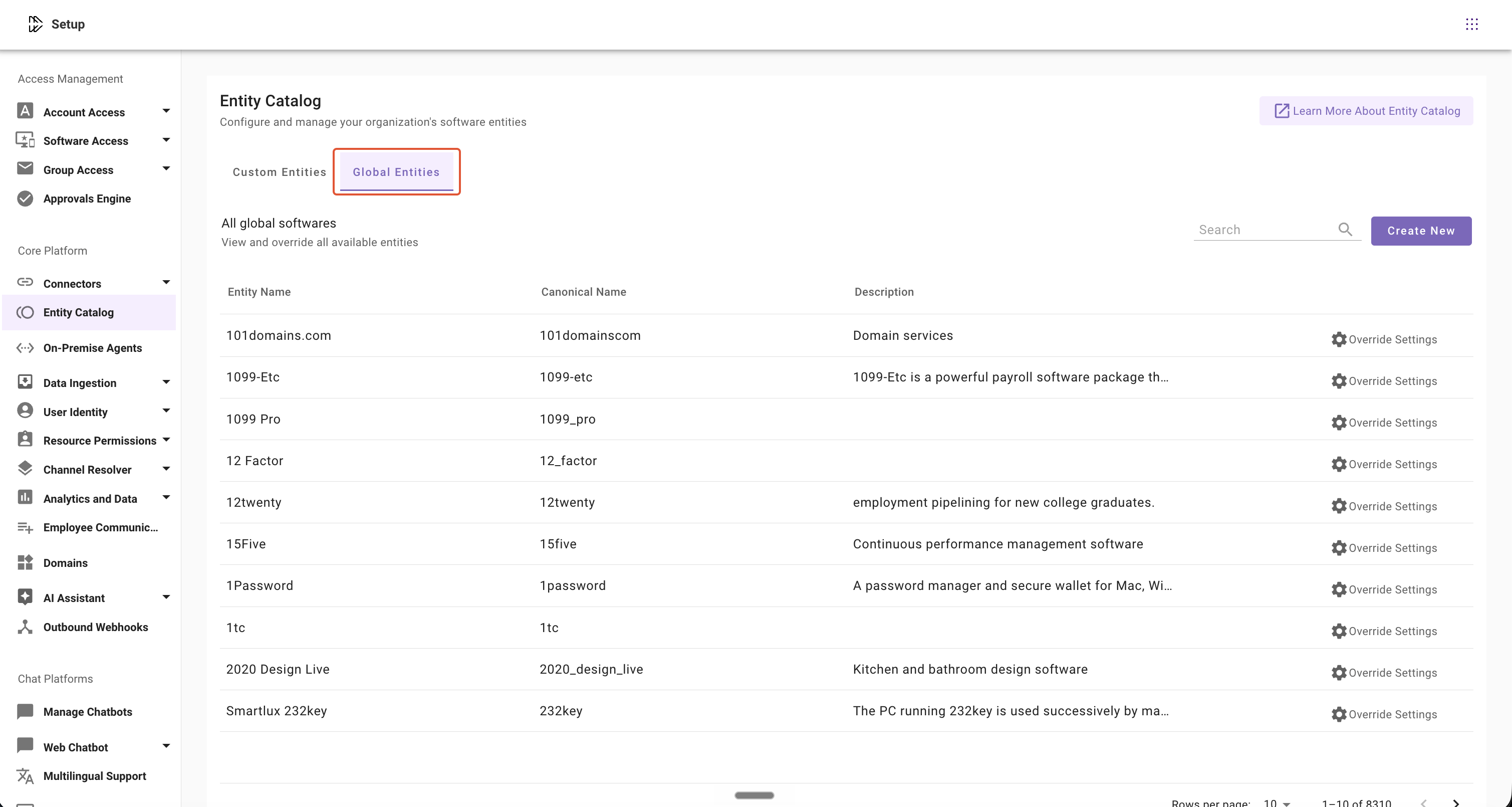
Click on the Global Entities tab.
-
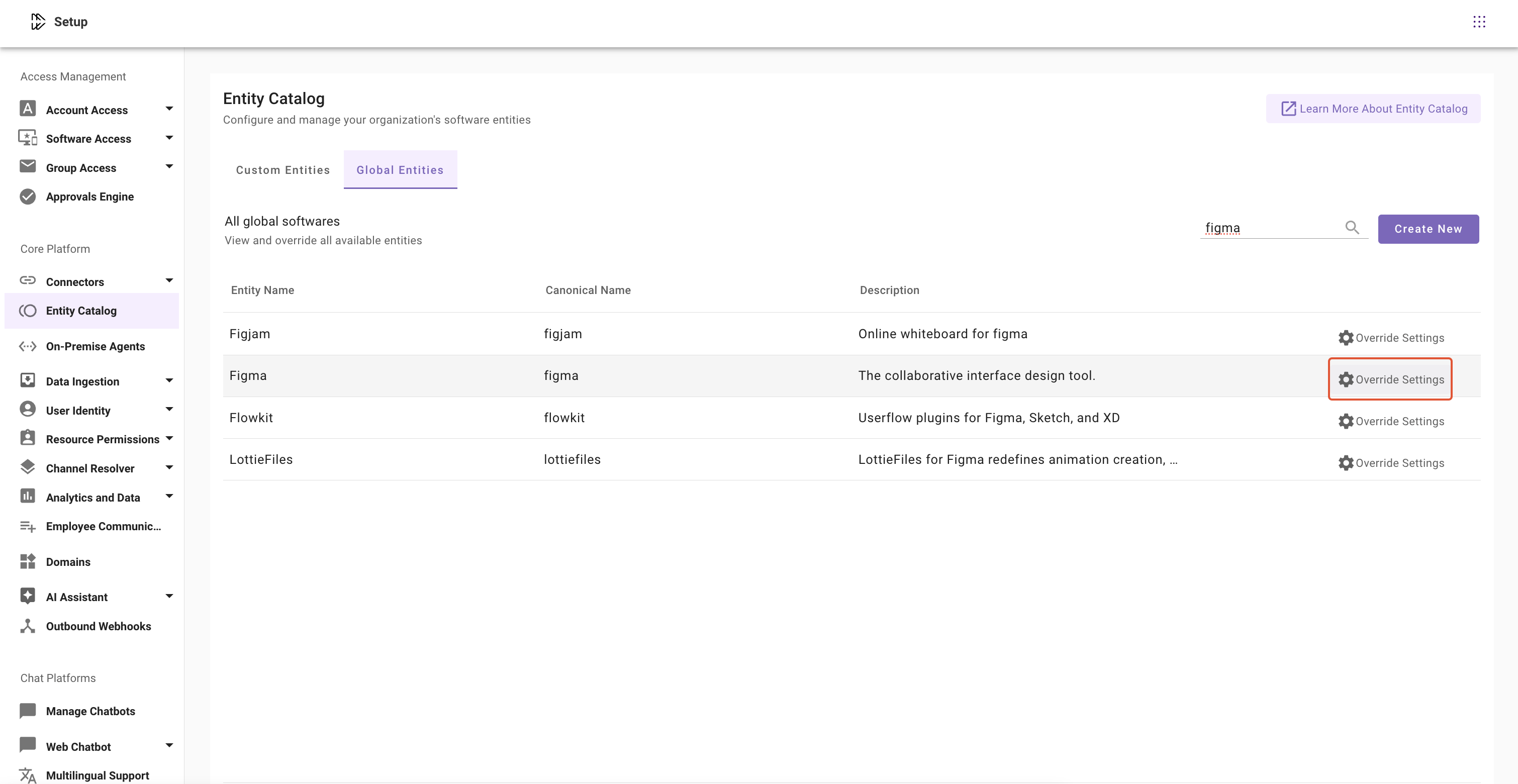
Select the entity and click Override Settings.
-
Update the required entity configuration fields:
- Description: Modify the entity description based on your organization’s terminology or usage
- Entity Aliases and Matching Logic: Add organization-specific aliases and configure their matching behavior. For e.g.
figjamas fuzzy,figma design toolas exact. - Negative Aliases: Add terms that should not be matched to the entity. E.g.
sigma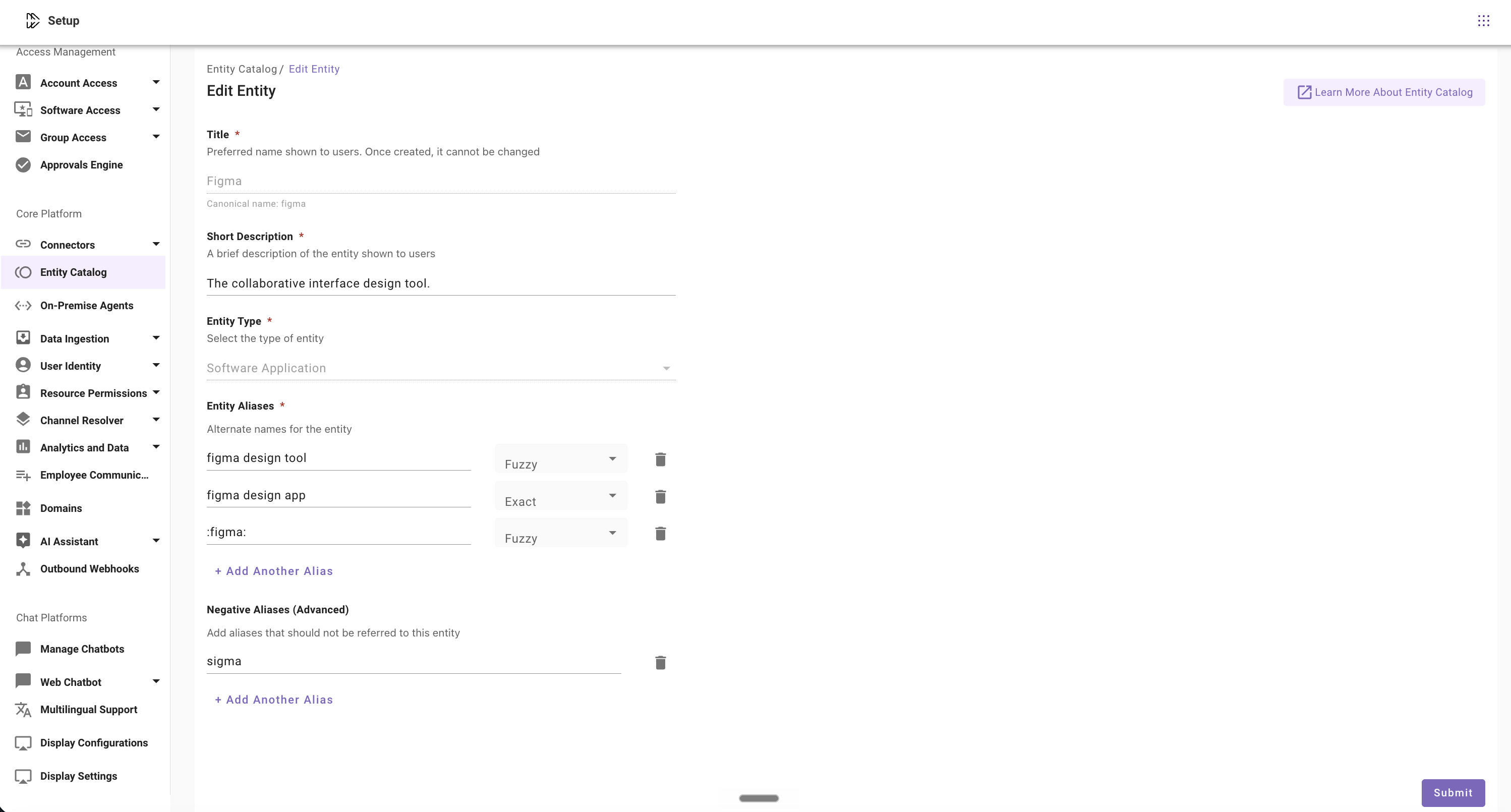
-
Click Submit to save the override configuration.
Note: Once a global entity is overridden, the customized version will also appear in the Custom Entities tab, indicating that the entity has organization-specific configurations applied.
How to modify custom and overridden software entities
How to update Description
- Navigate to Moveworks Setup > Core Platform section > Entity Catalog screen
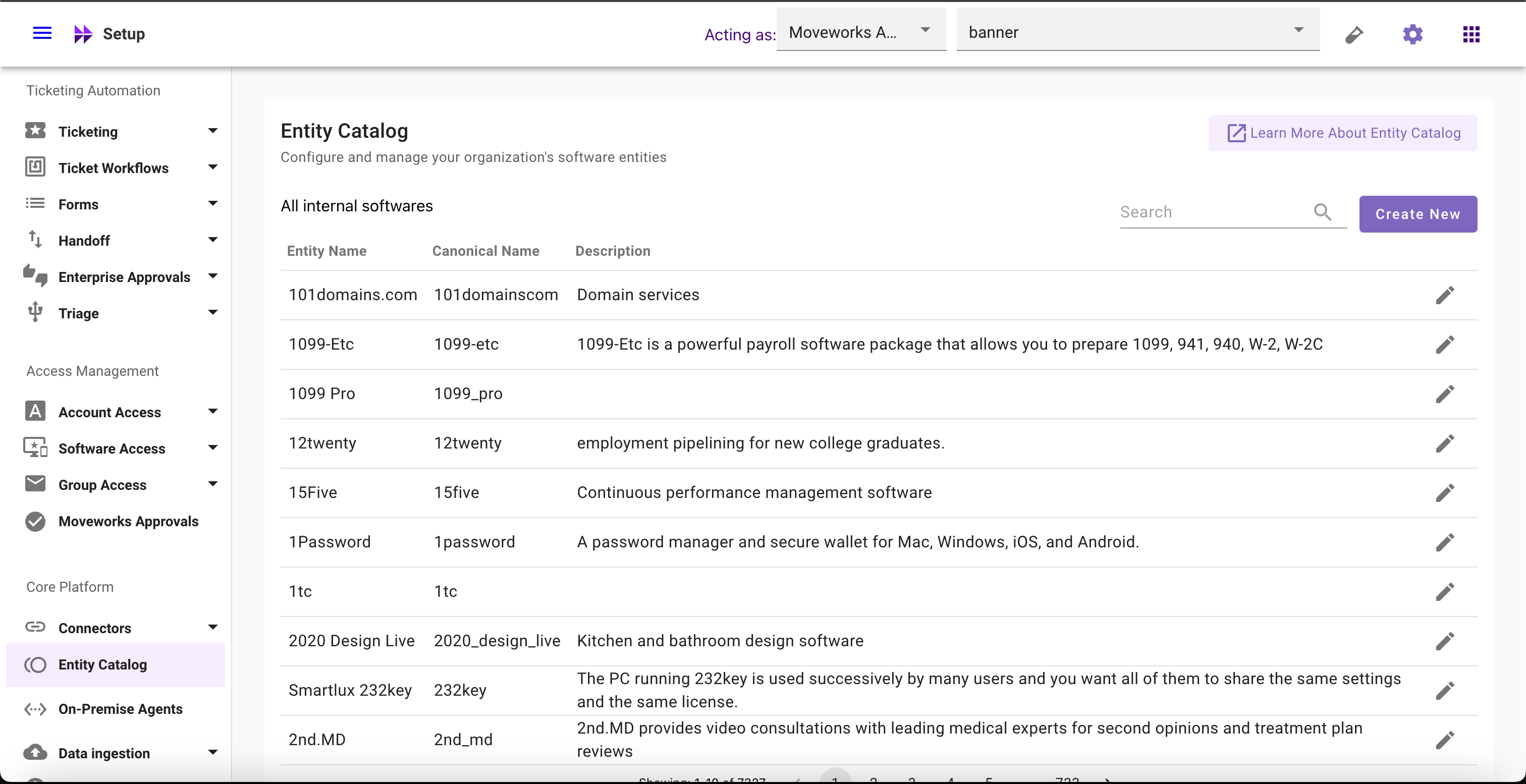
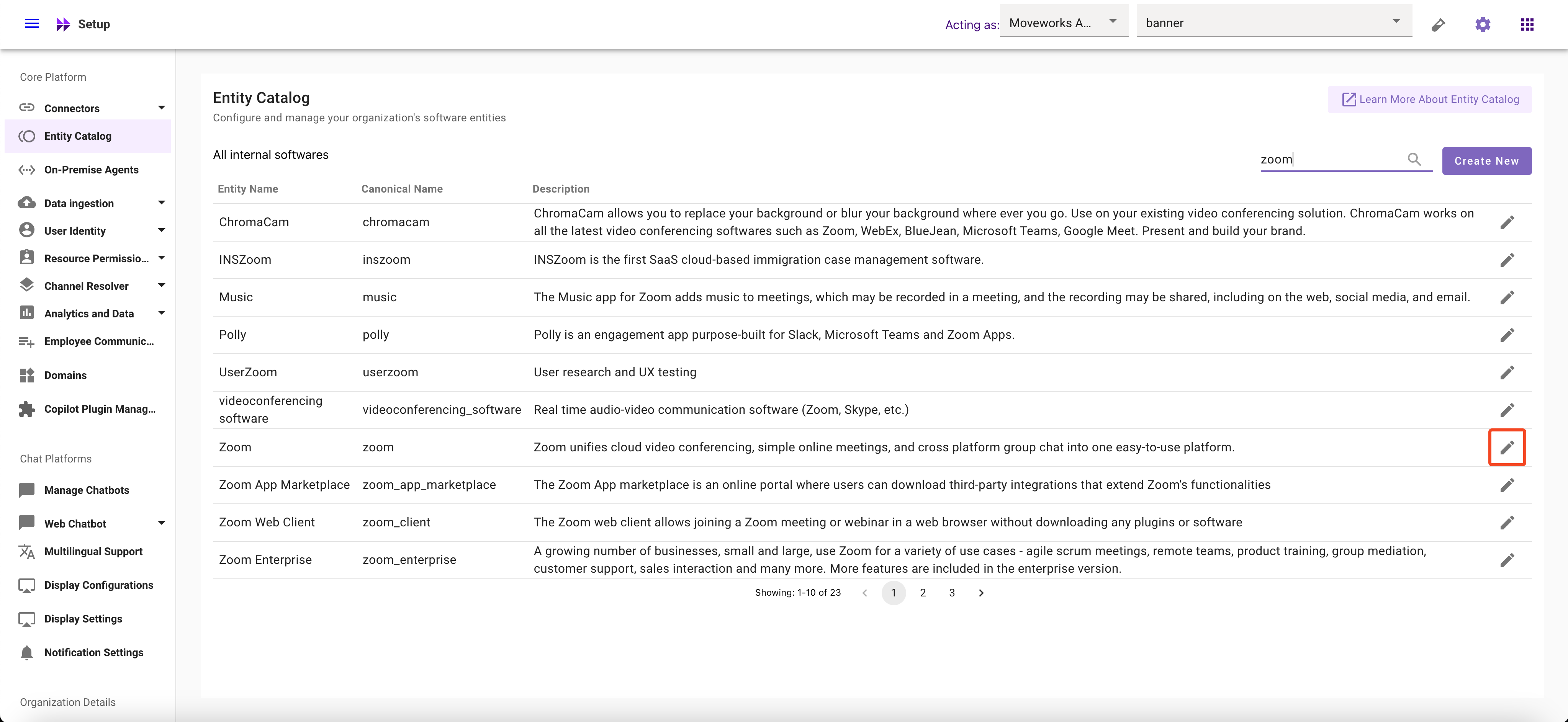
- Select the Entity whose description you want to modify
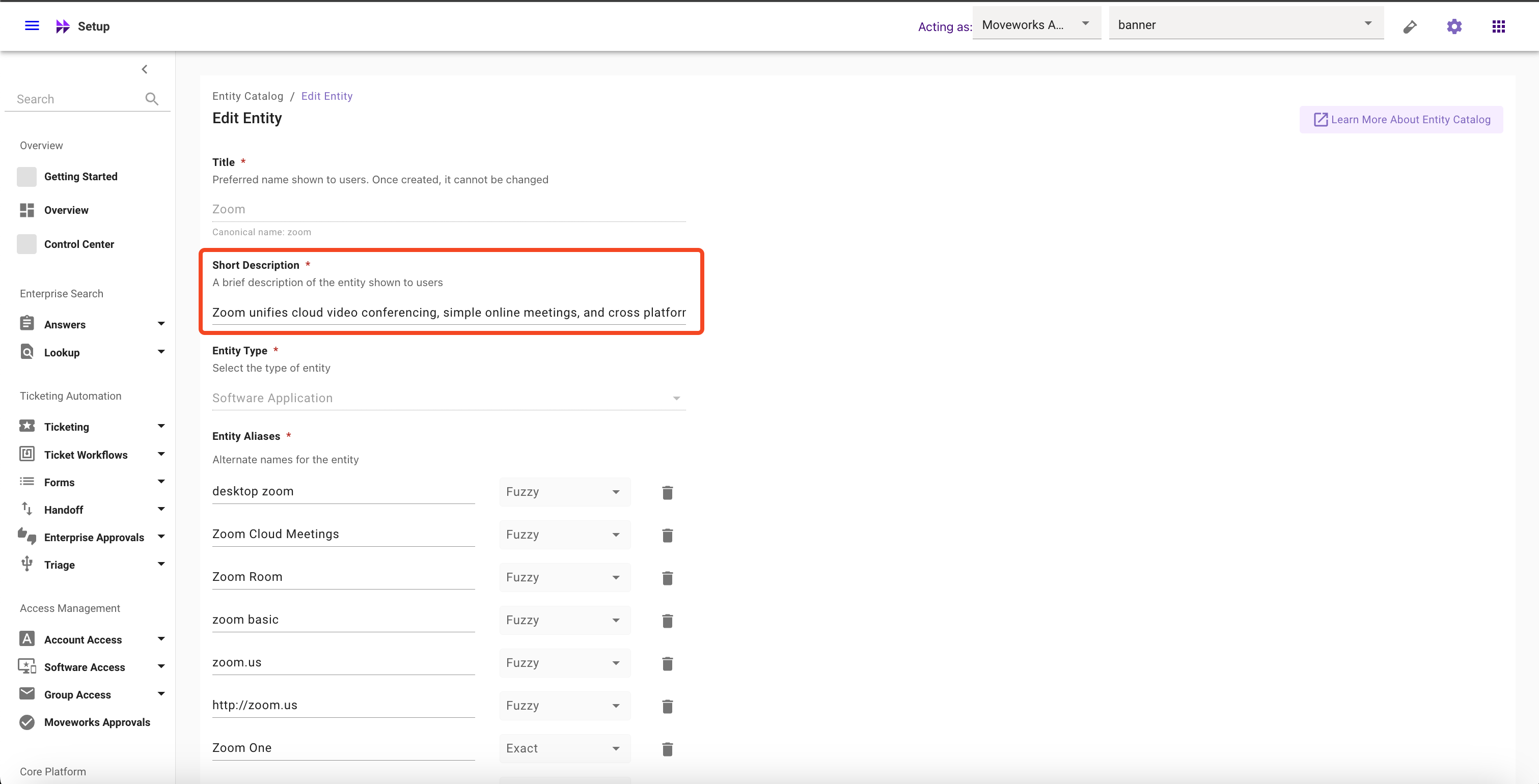
- Edit the Description for the Entity
- Click on Submit button
How to add Aliases
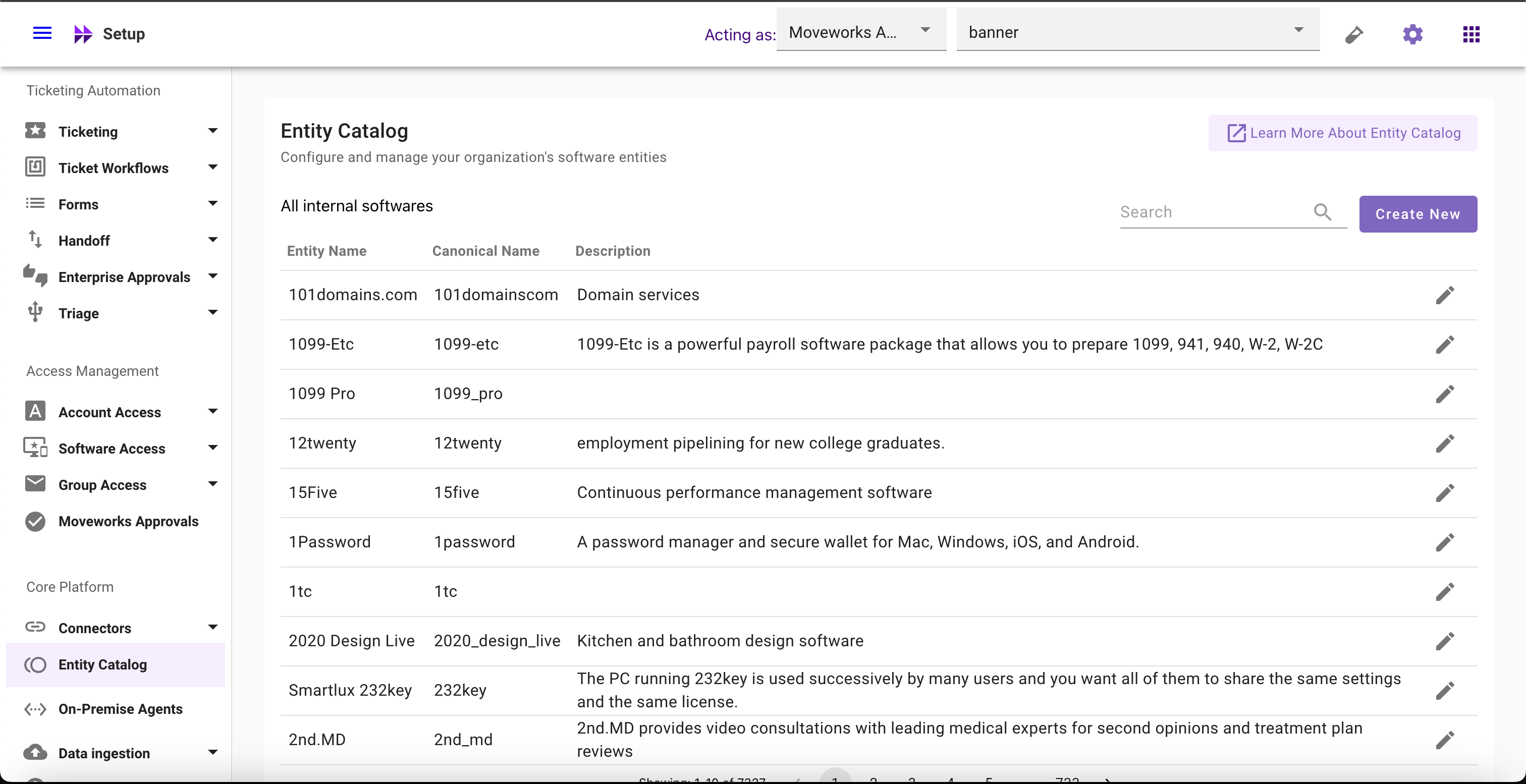
- Navigate to Moveworks Setup > Core Platform section > Entity Catalog screen
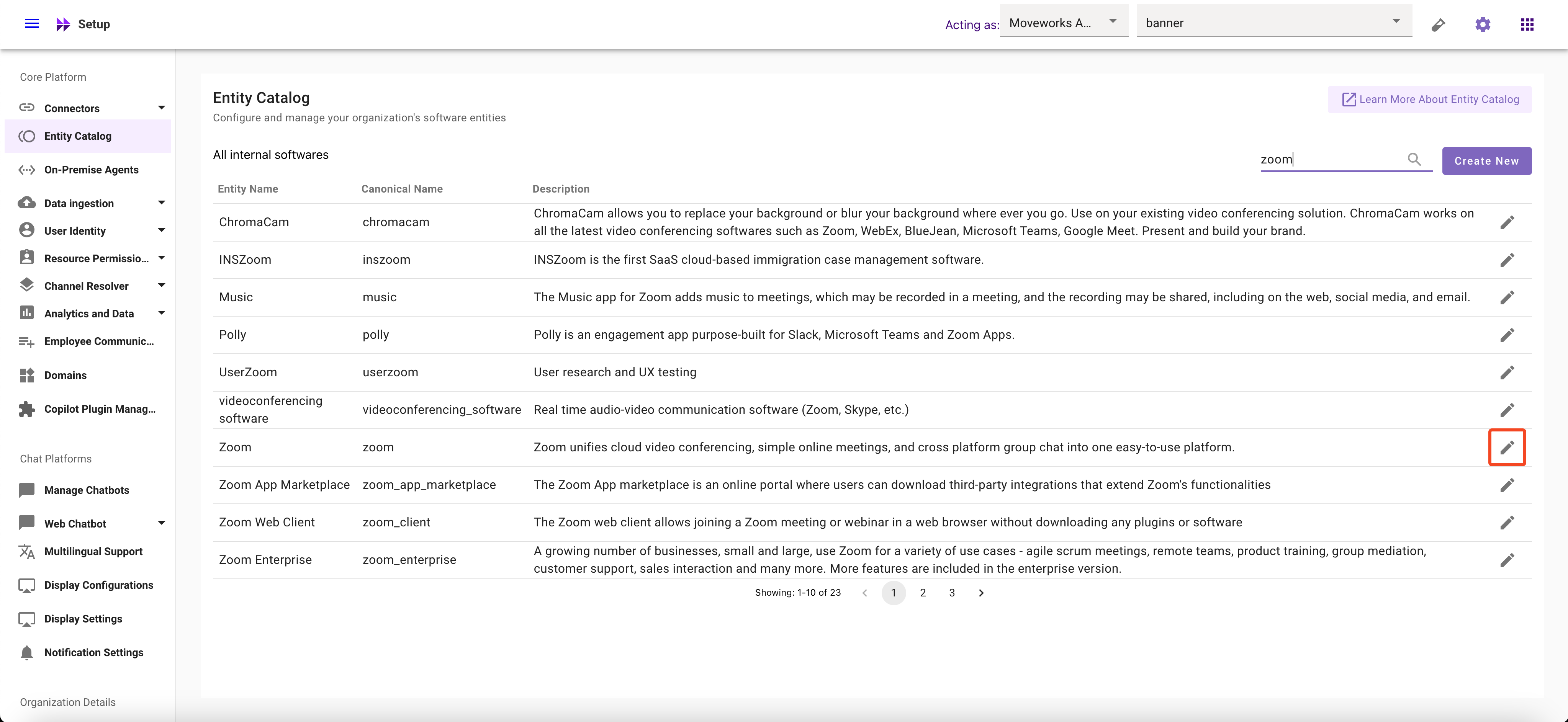
- Select the Entity for which you want to add aliases
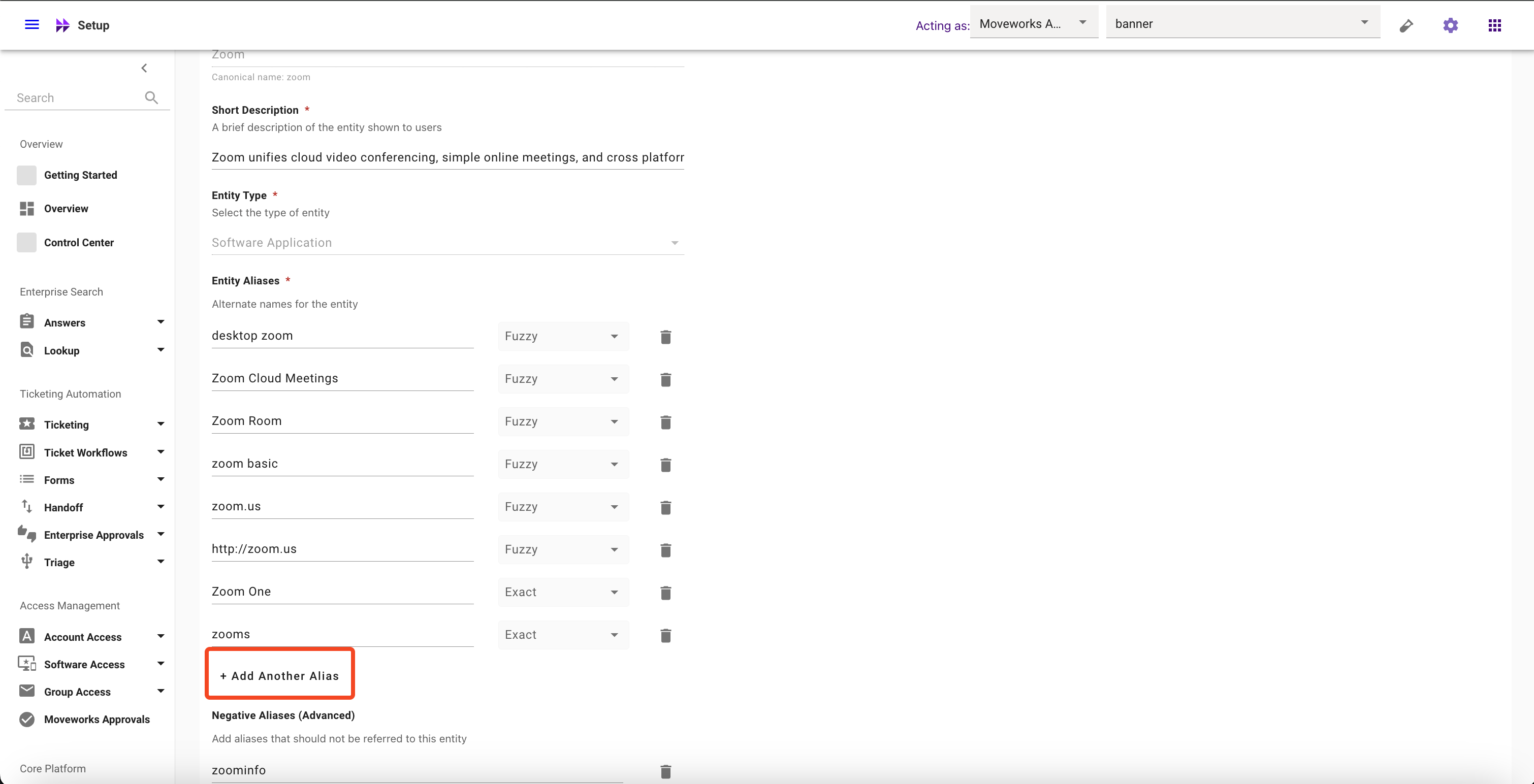
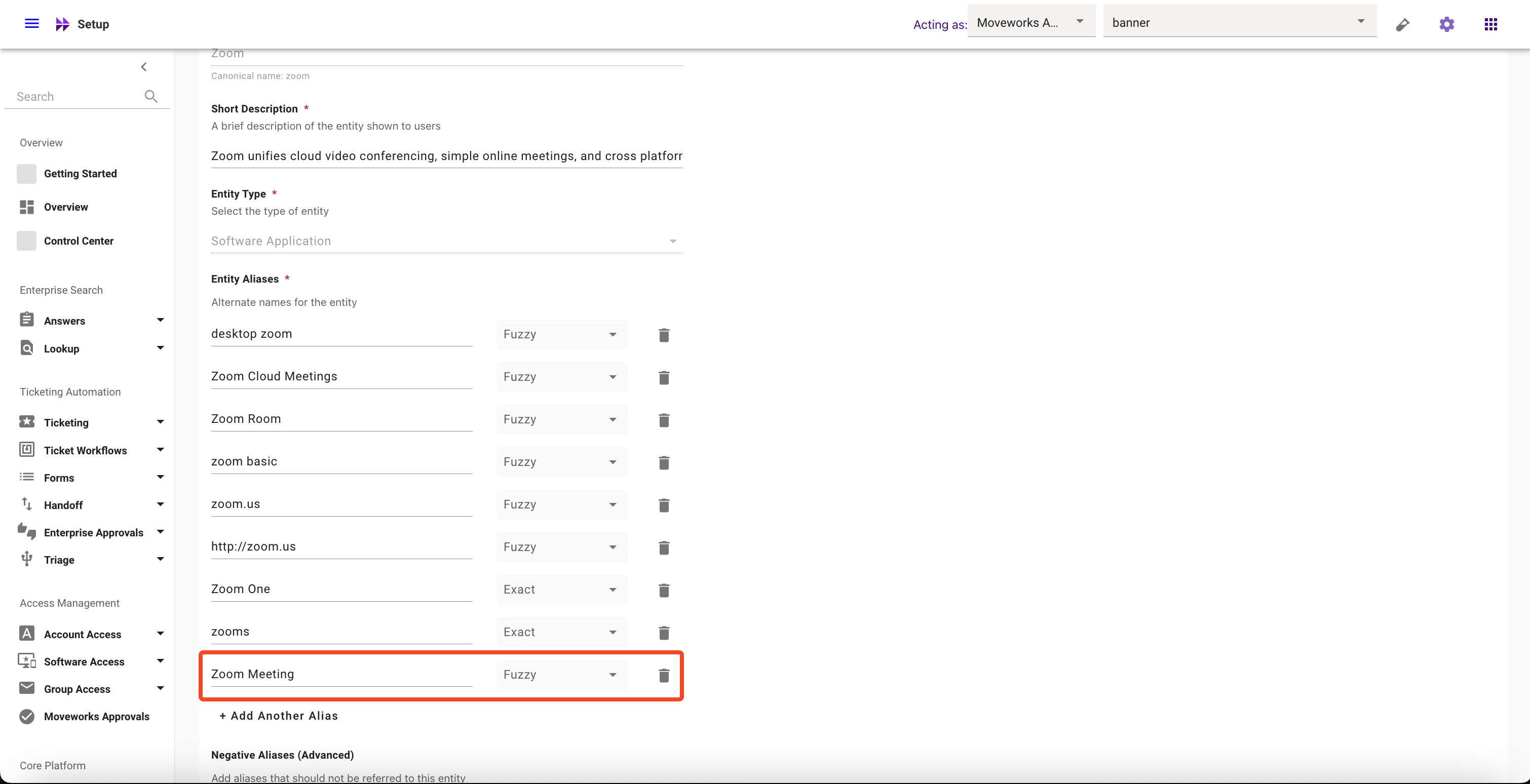
- Click on Add Another Aliases and configure their matching logic
- Click on Submit button
How to modify Aliases
- Navigate to Moveworks Setup > Core Platform section > Entity Catalog screen
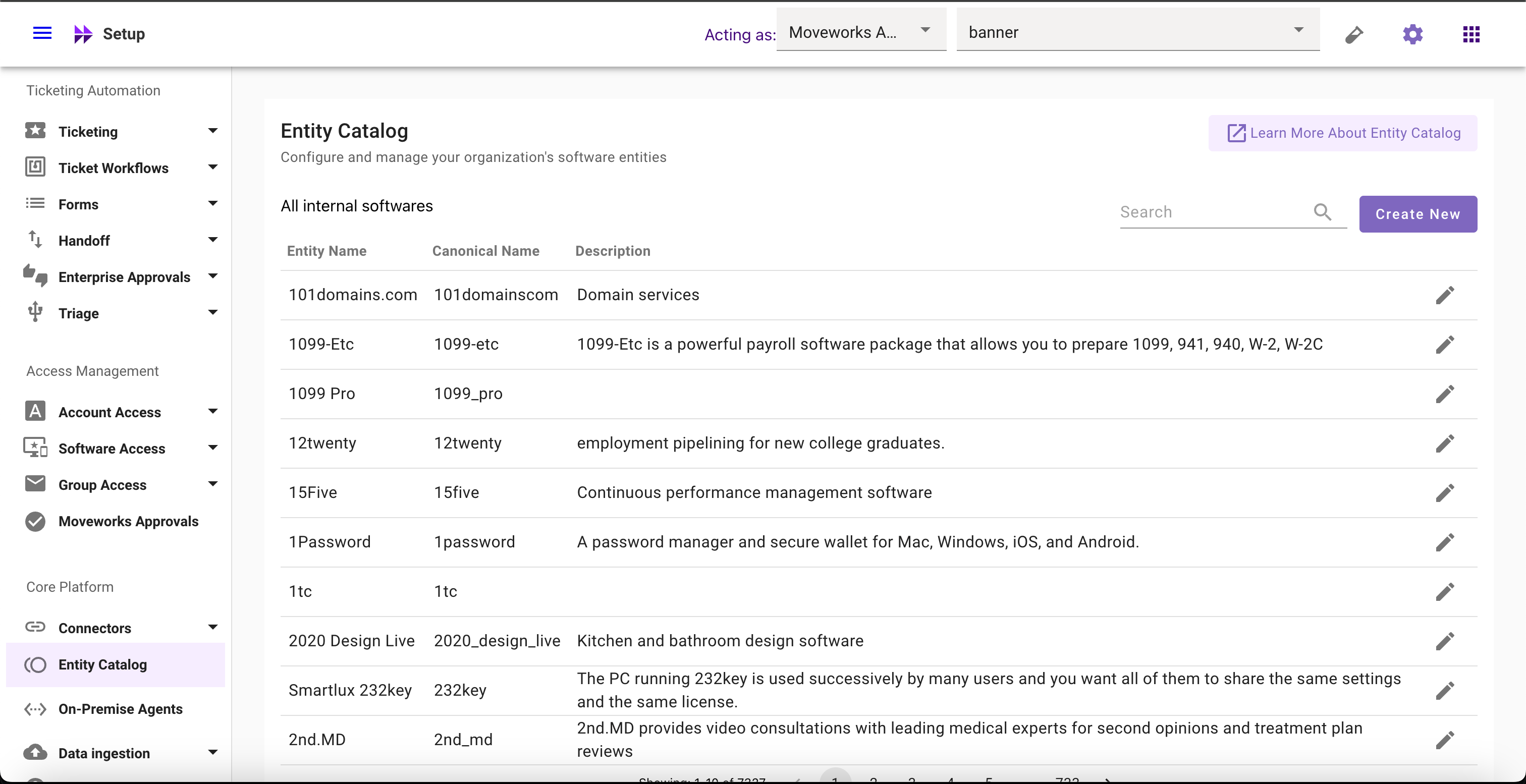
- Select the Entity whose Aliases you want to modify
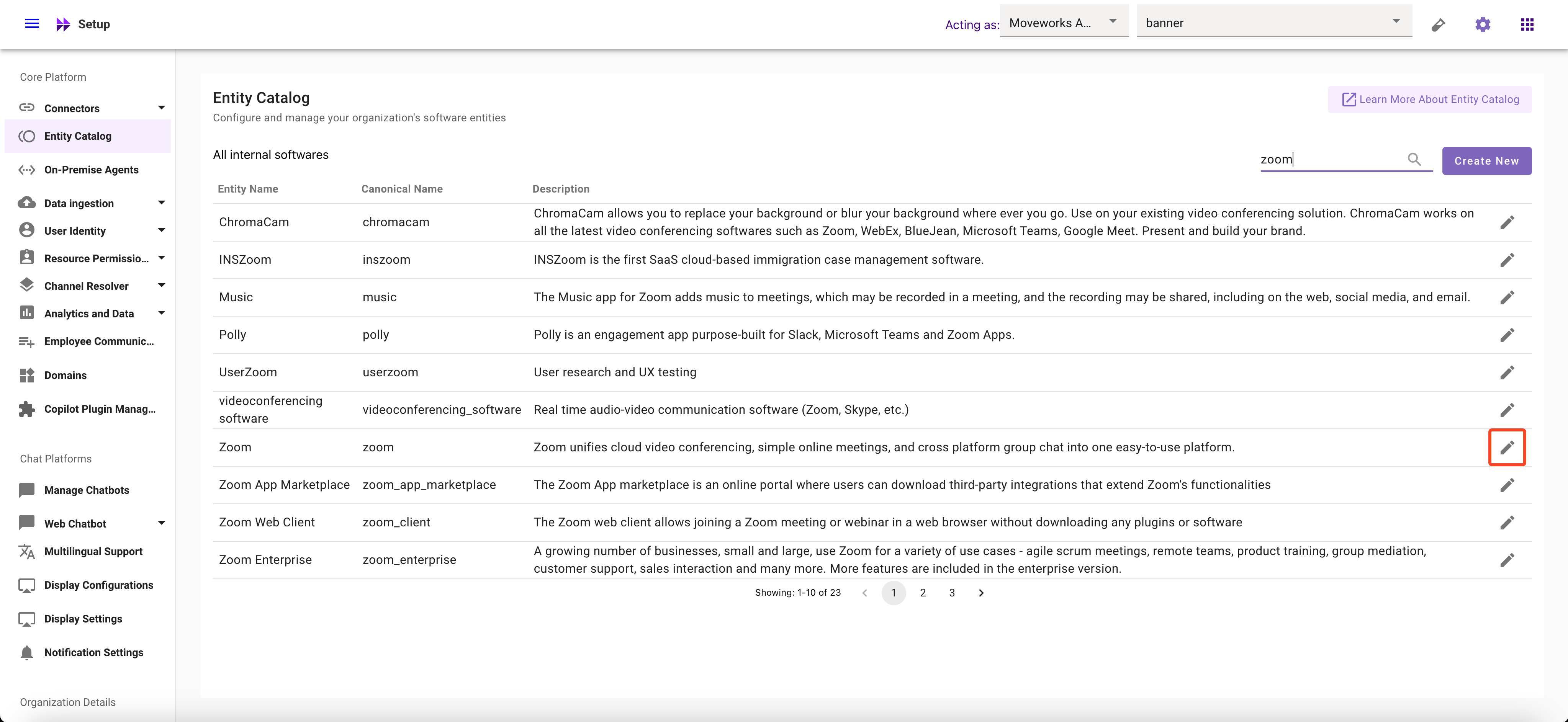
- Click on Aliases field and Modify it
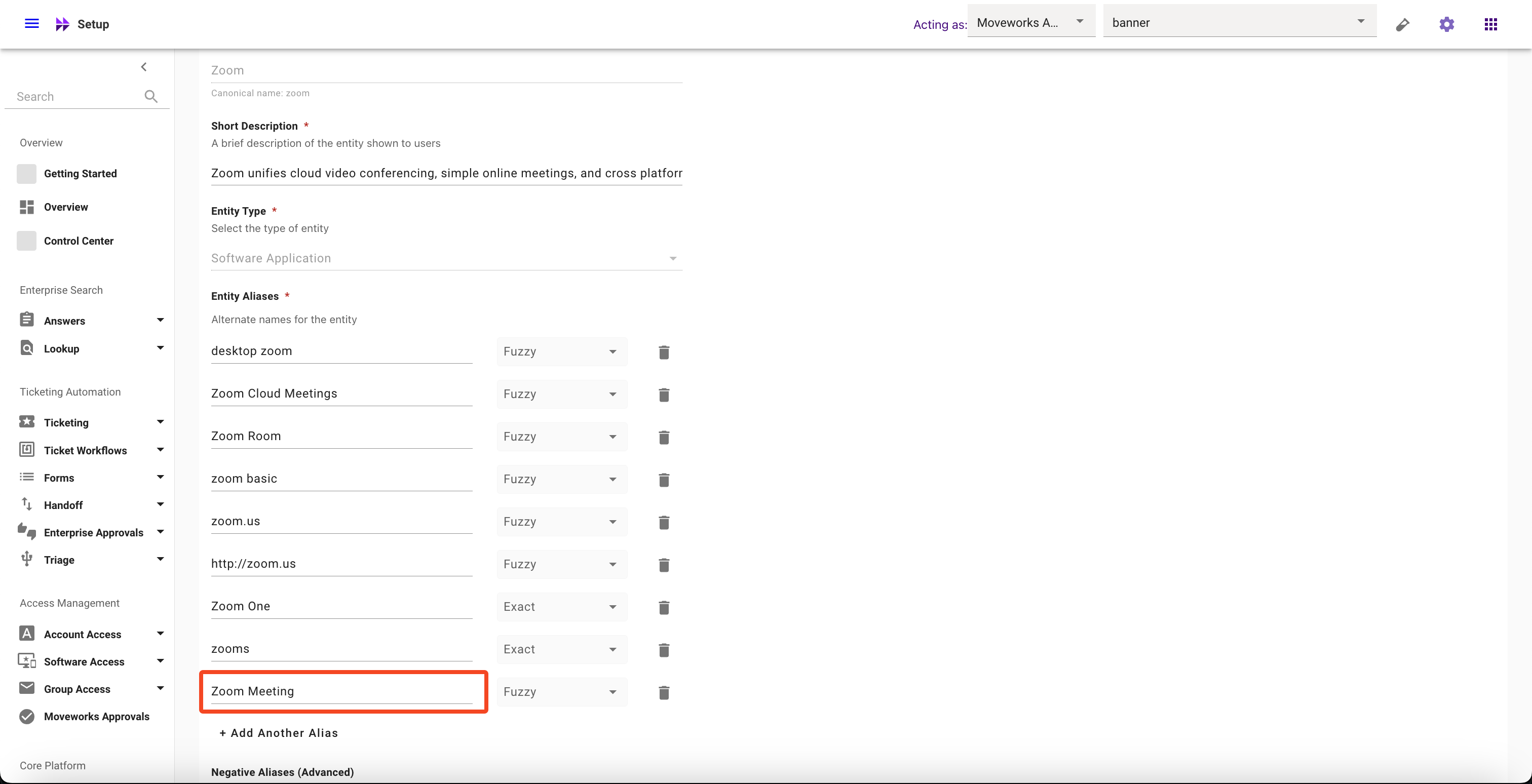
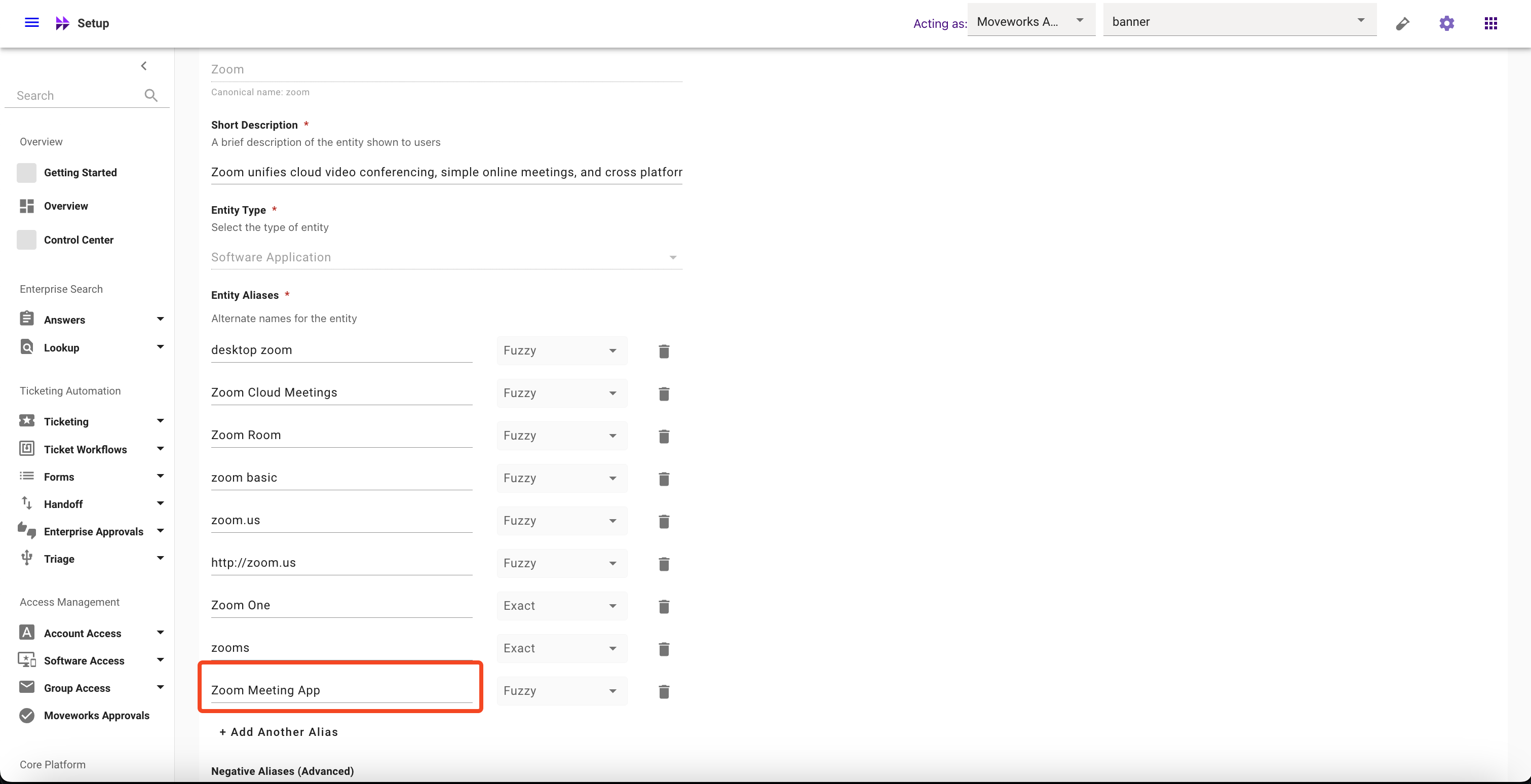
- Click on Submit button
How to delete Aliases
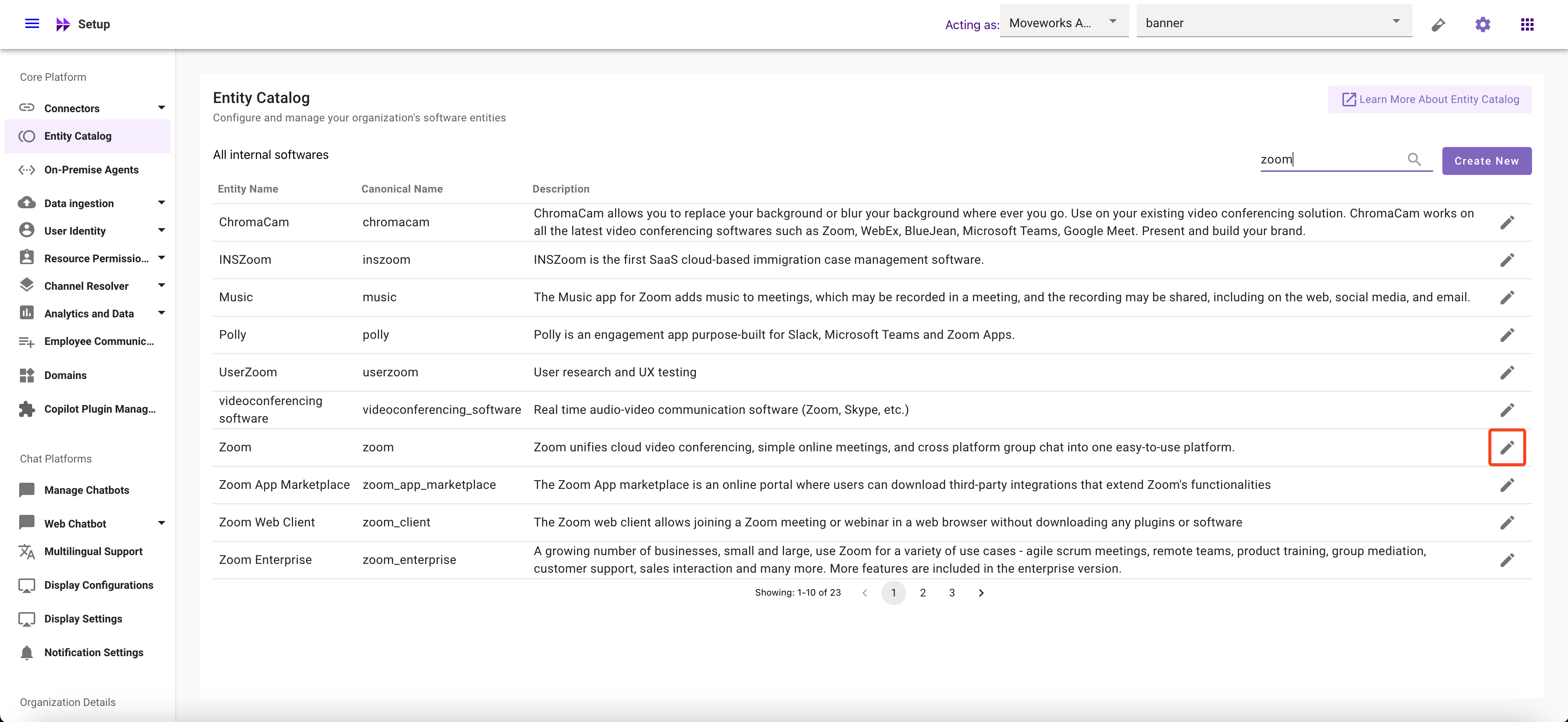
- Navigate to Moveworks Setup > Core Platform section > Entity Catalog screen
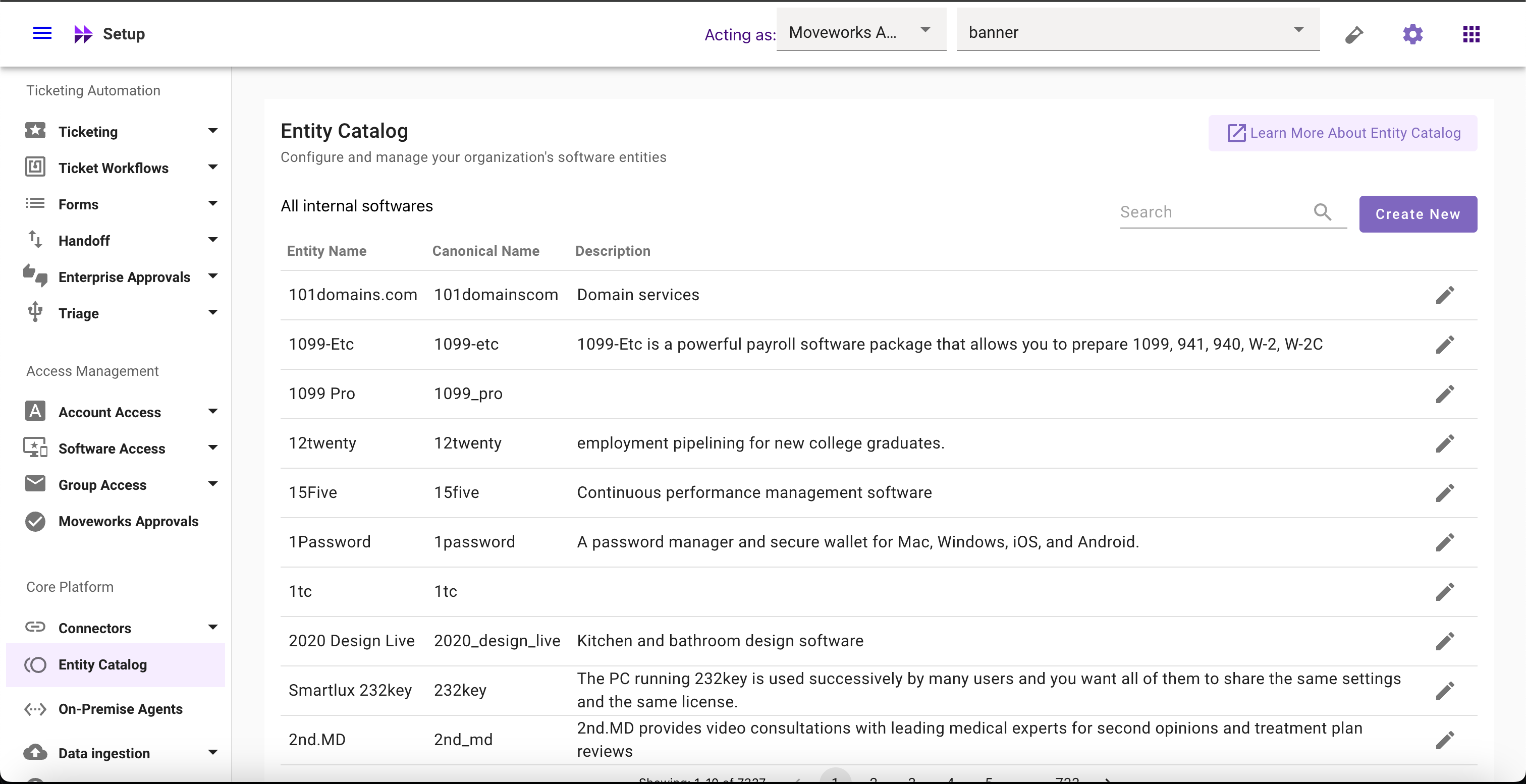
- Select the Entity whose Aliases you want to delete
- Click on the Delete button
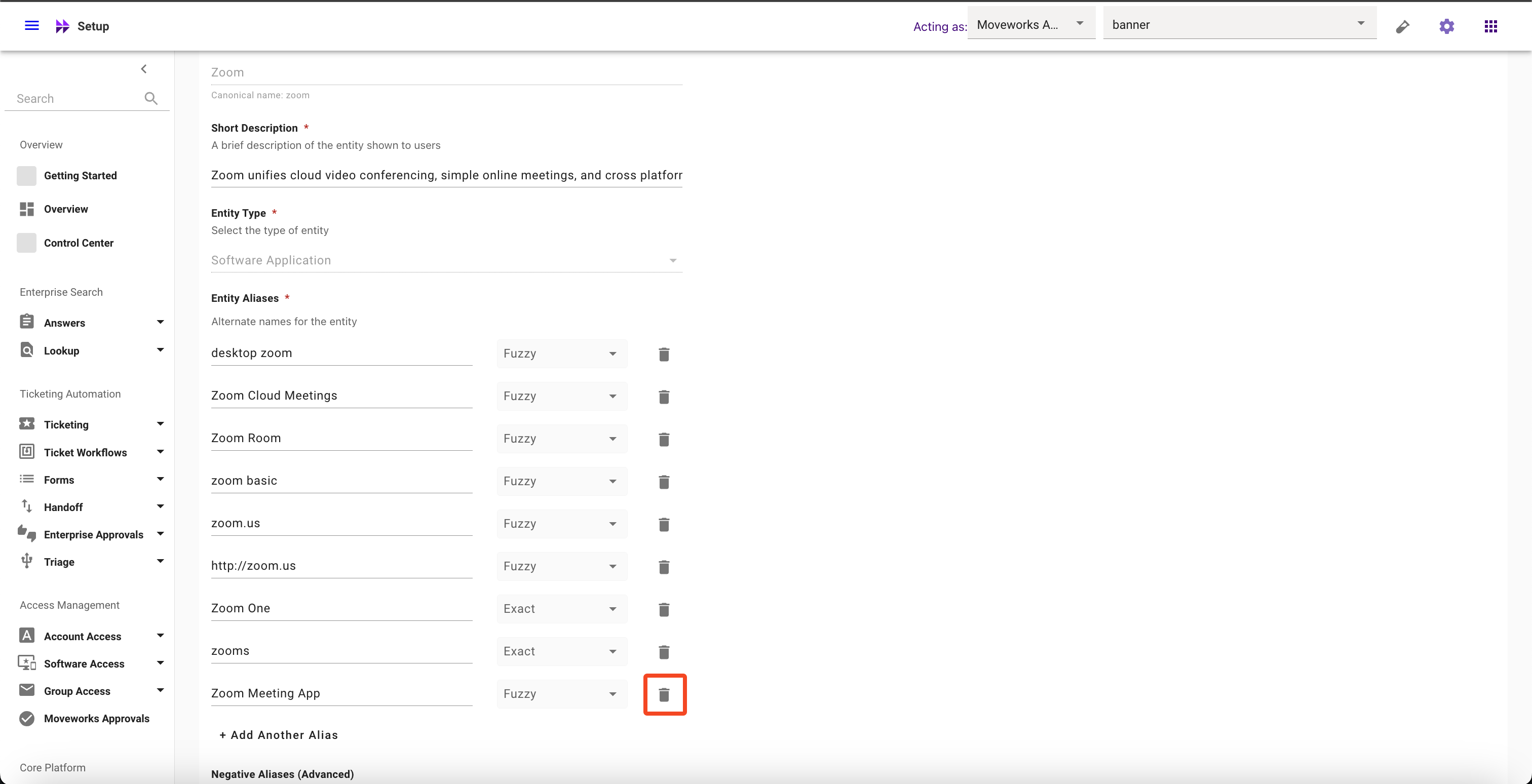
- Click on Submit button
How to update Matching Logic
- Navigate to Moveworks Setup > Core Platform section > Entity Catalog screen
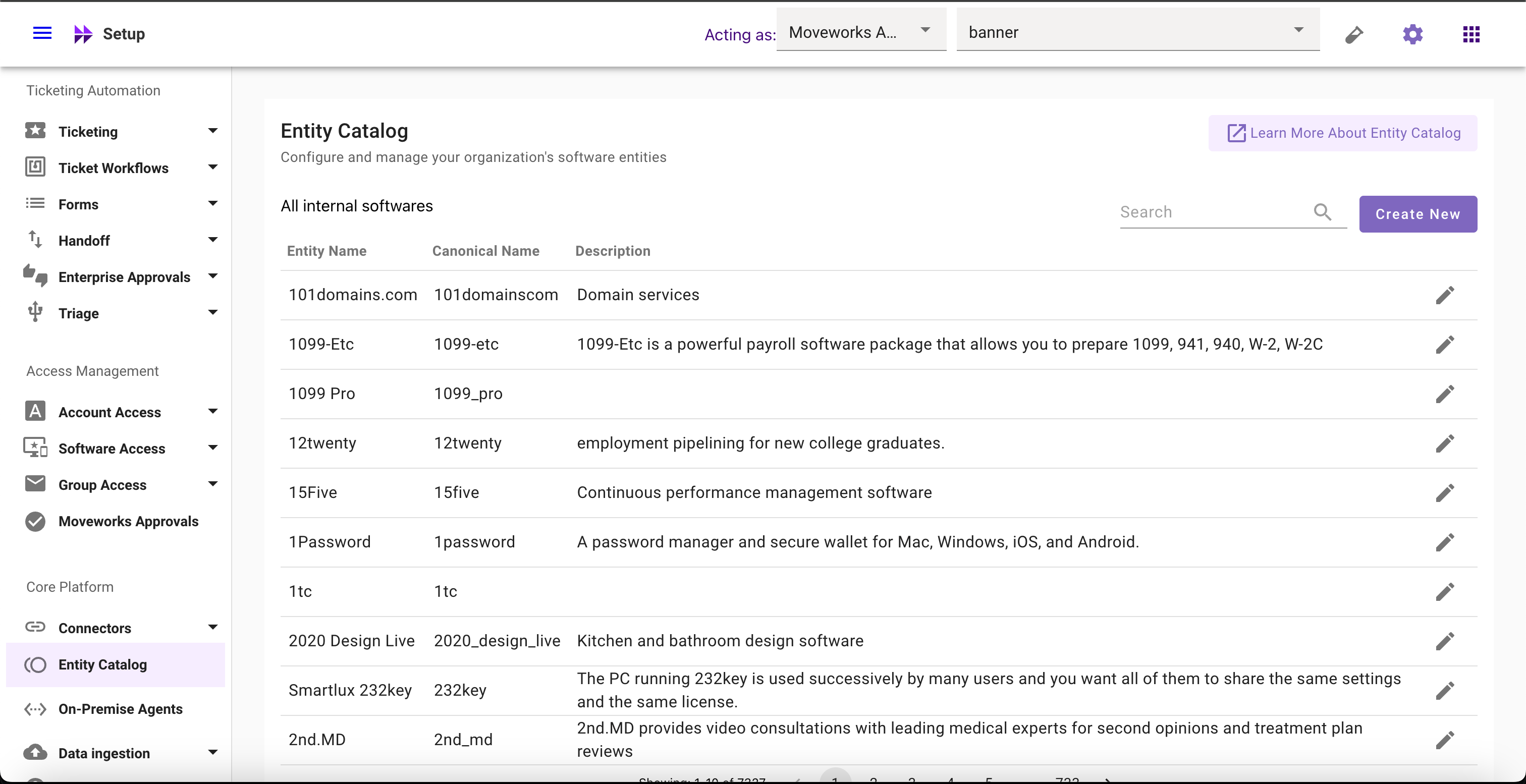
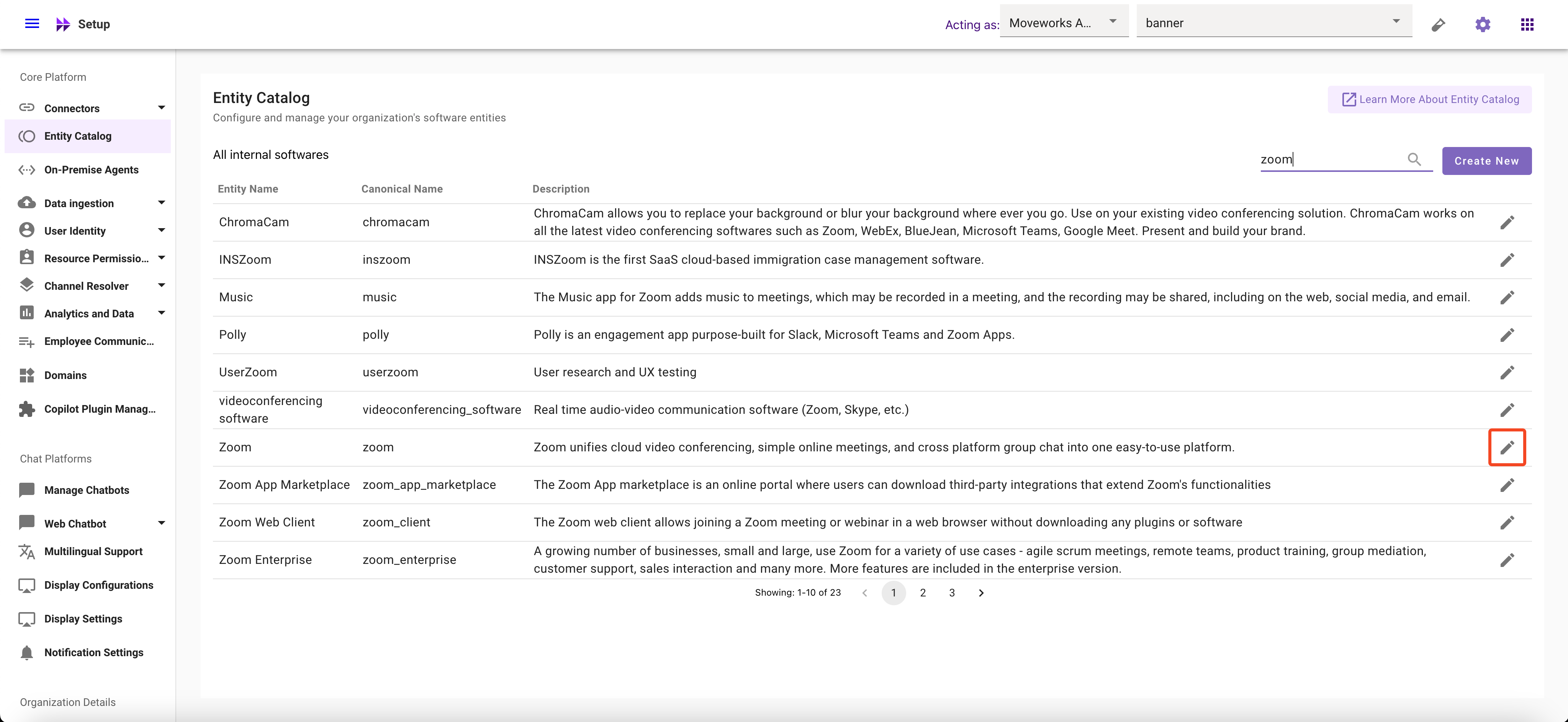
- Select the Entity whose Aliases you want to modify
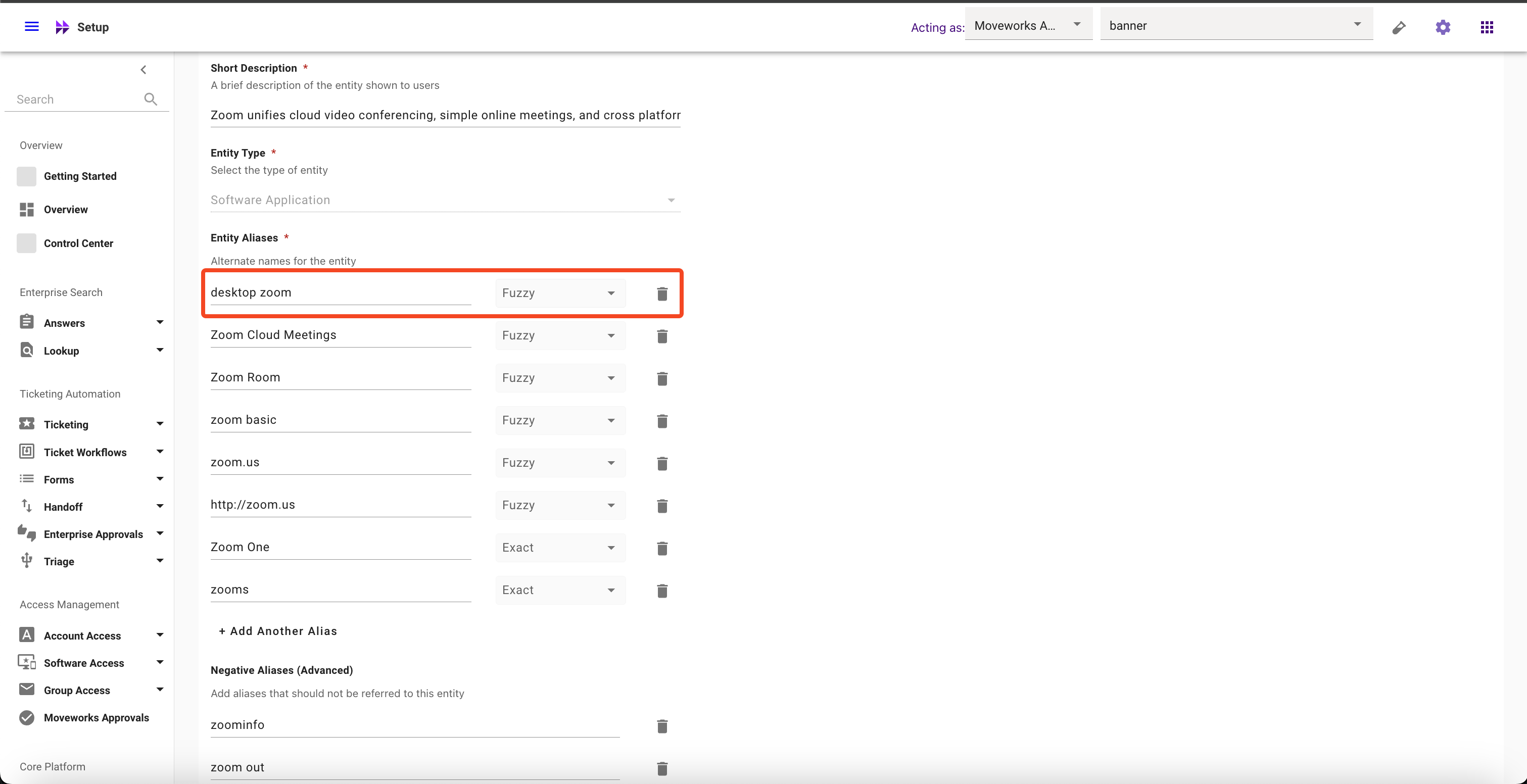
- Click on the Matching Logic dropdown and Select your preferred option
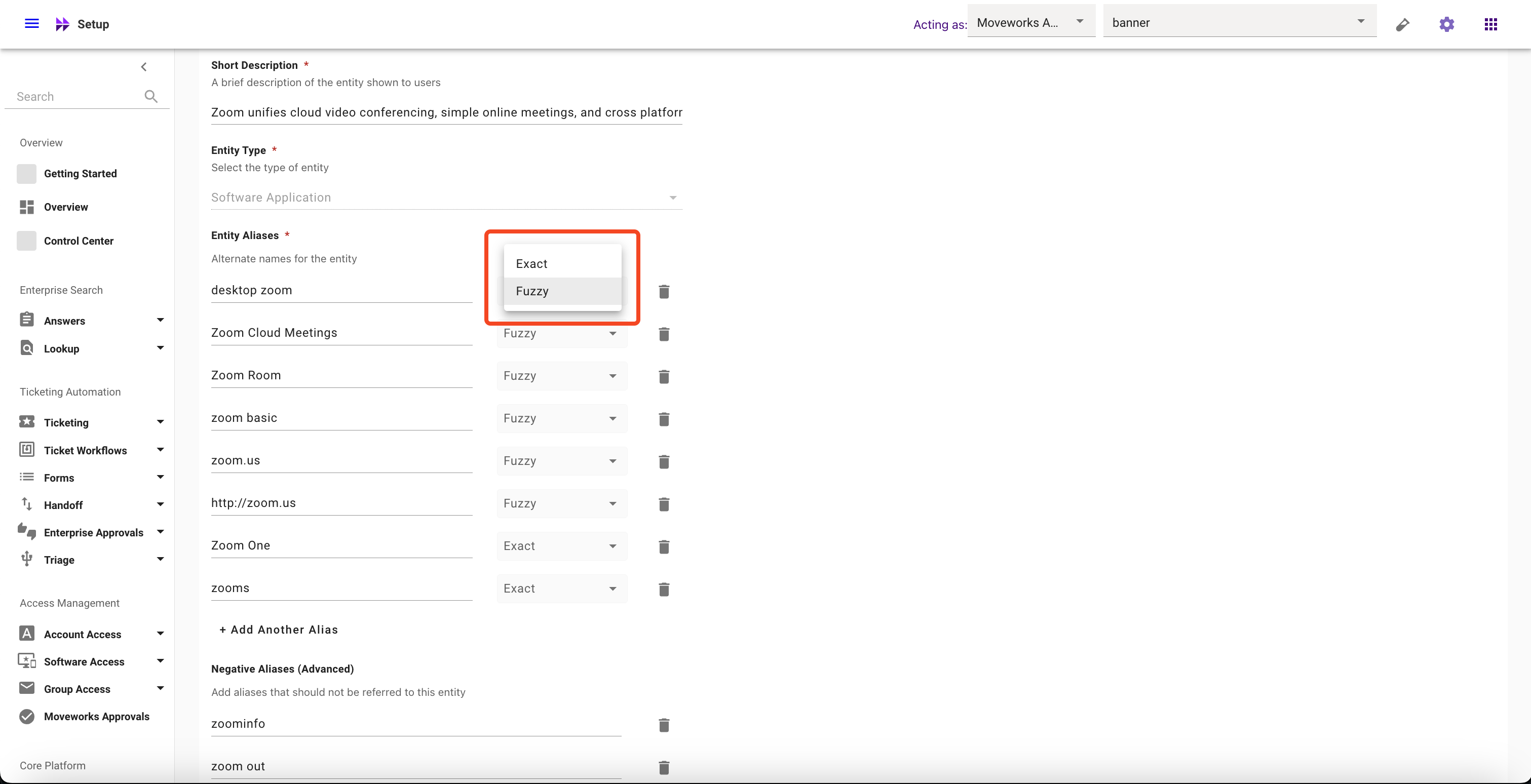
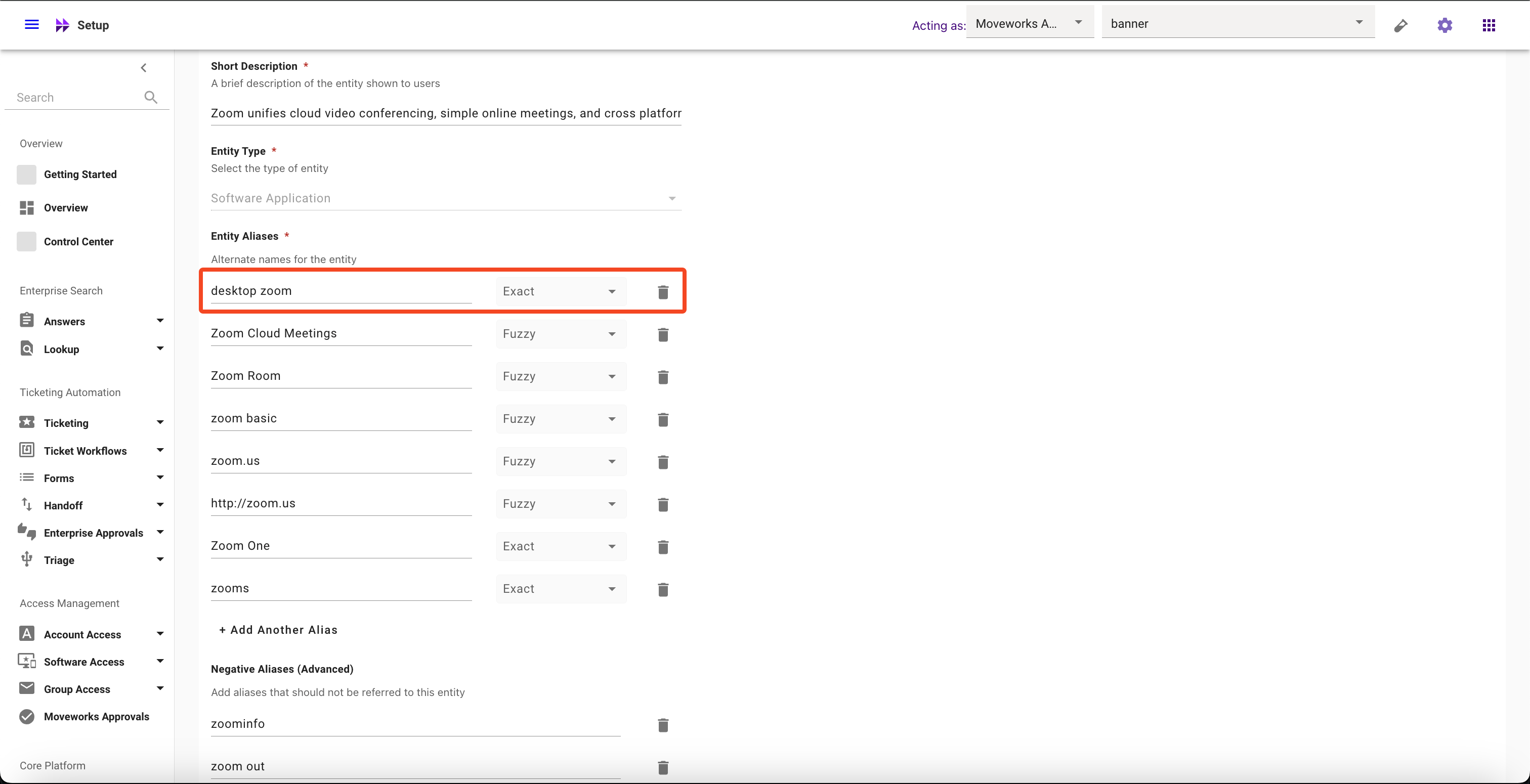
- Click on Submit button
How to add Negative Aliases
- Navigate to Moveworks Setup > Core Platform section > Entity Catalog screen
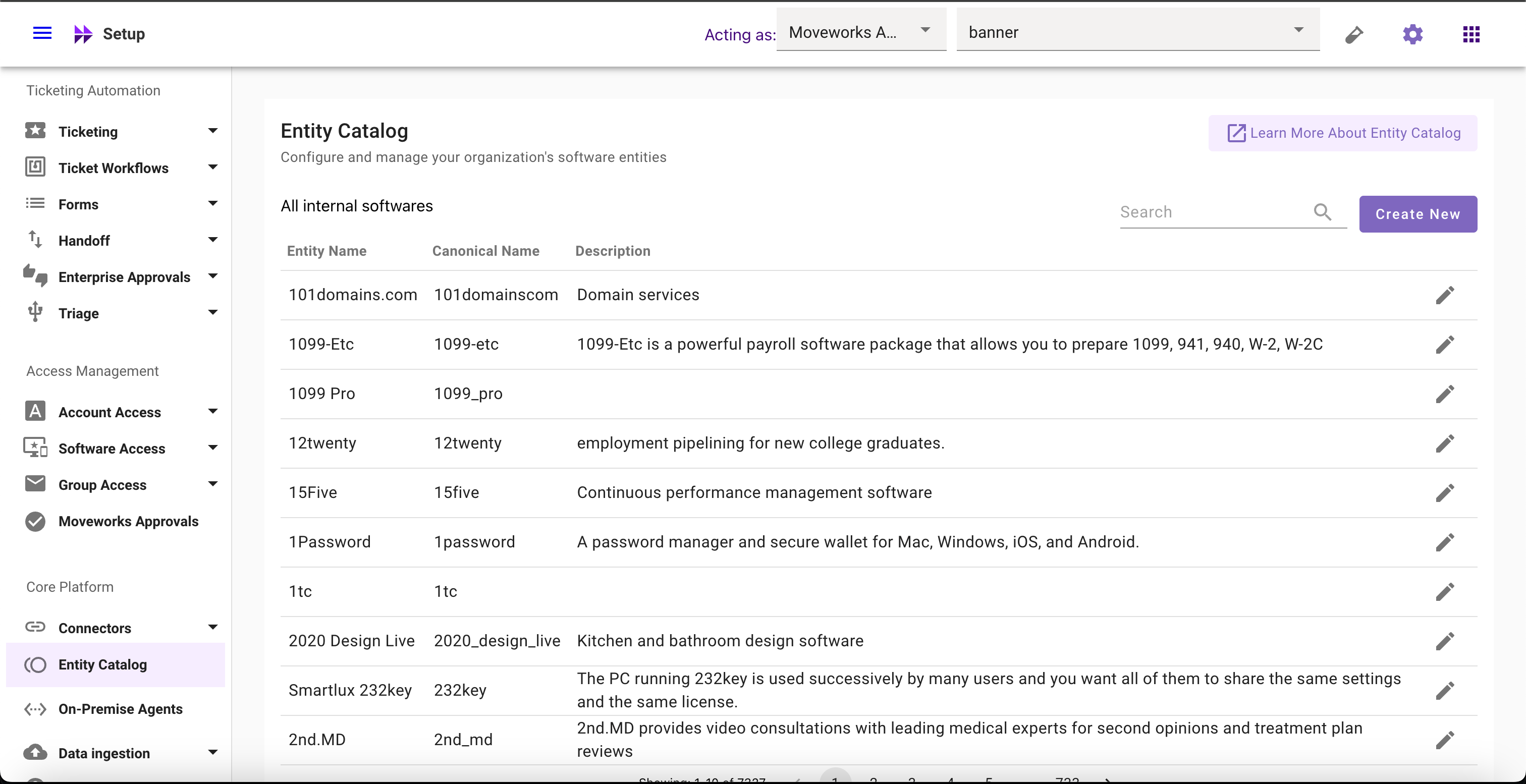
- Select the Entity for which you want to add Negative Aliases
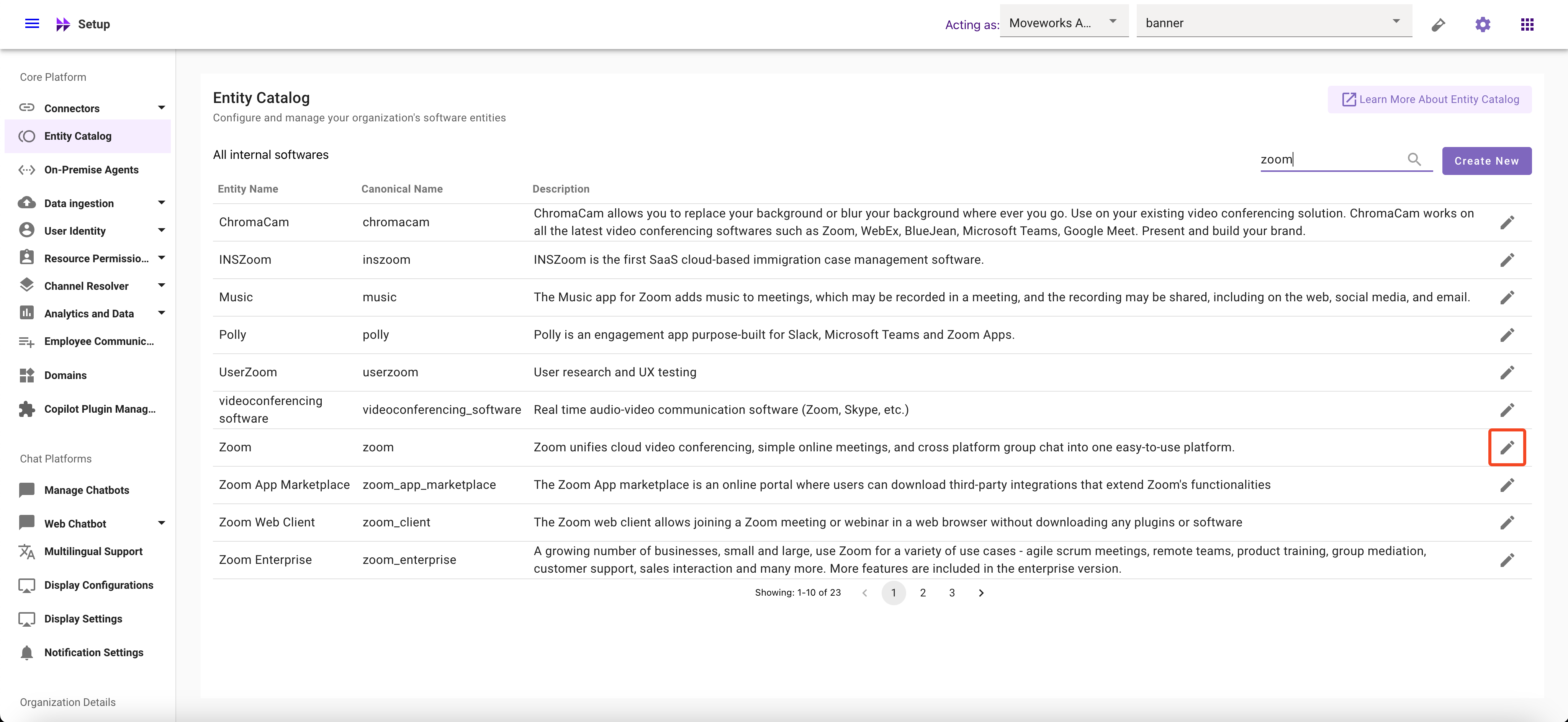
- Click on Add Another Alias
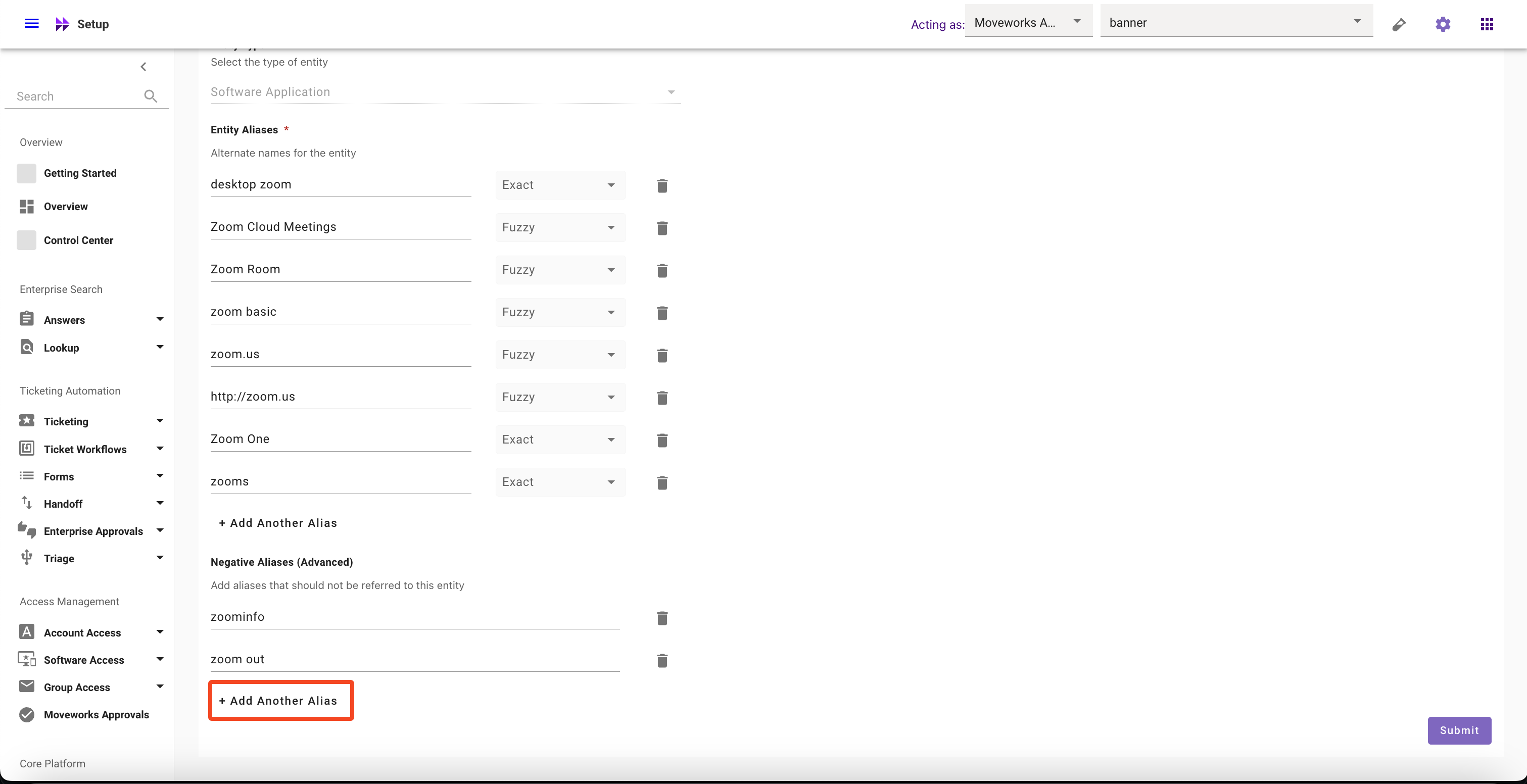
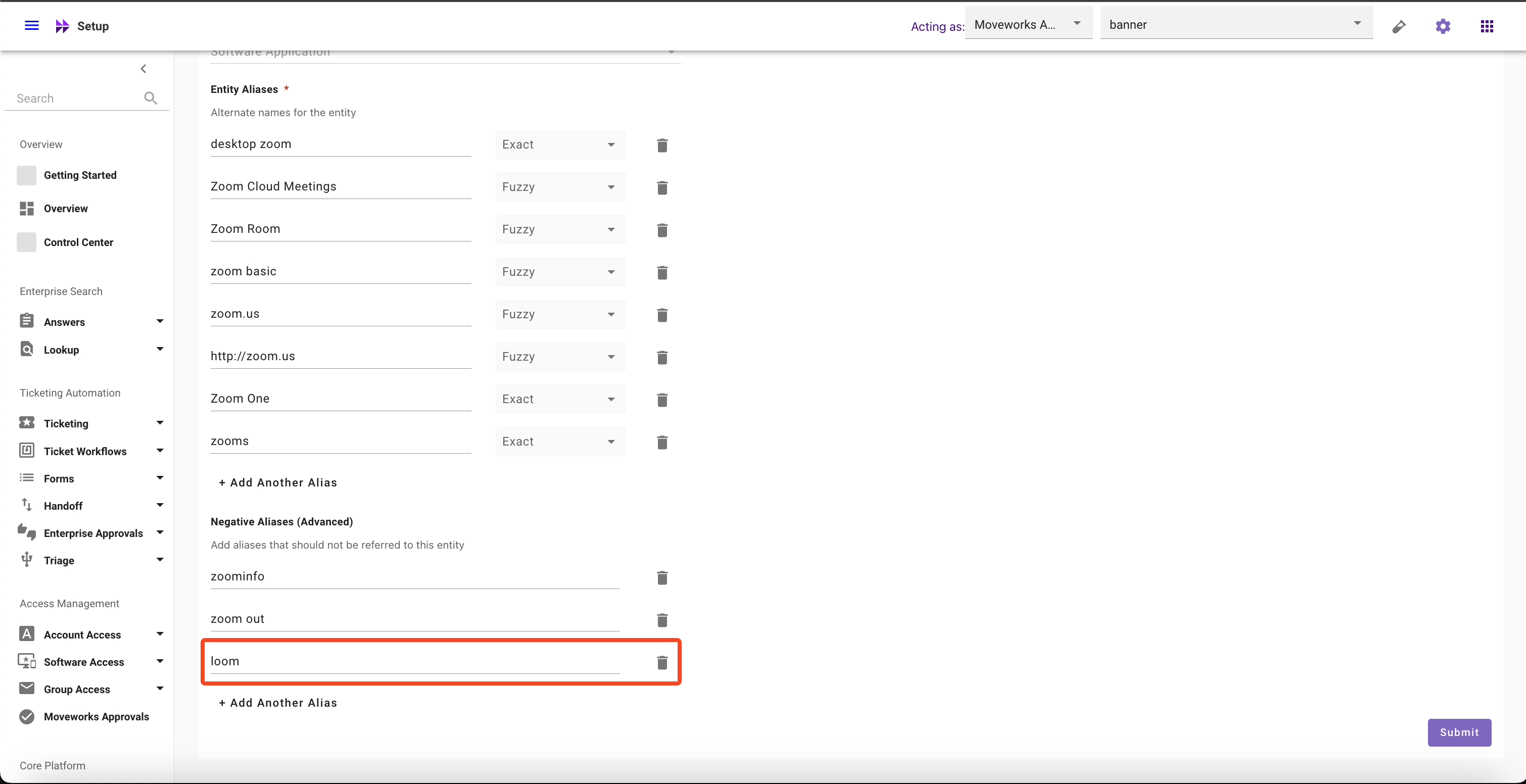
- Click on Submit button
How to modify Negative Aliases
- Navigate to Moveworks Setup > Core Platform section > Entity Catalog screen
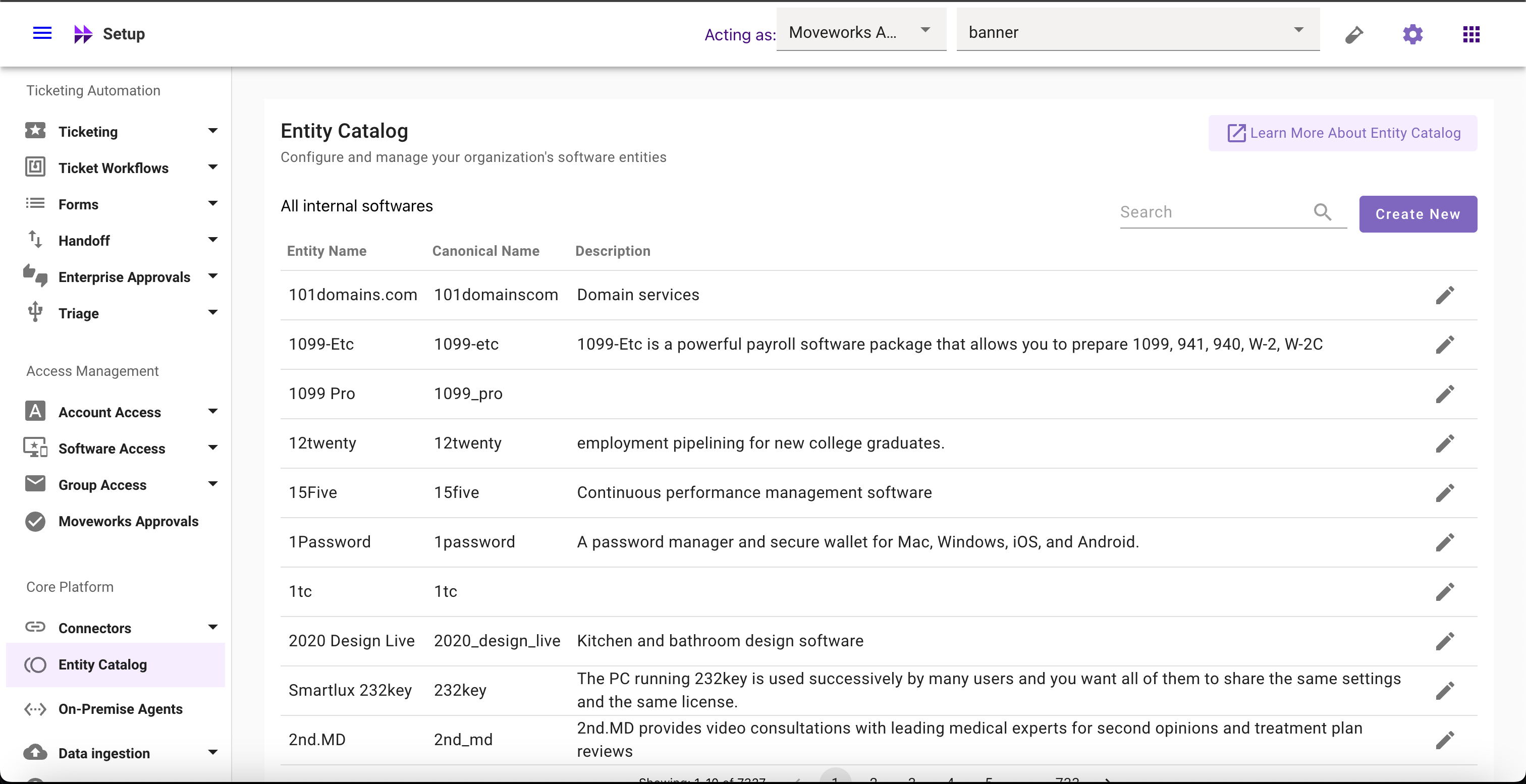
- Select the Entity whose Negative Aliases you want to modify
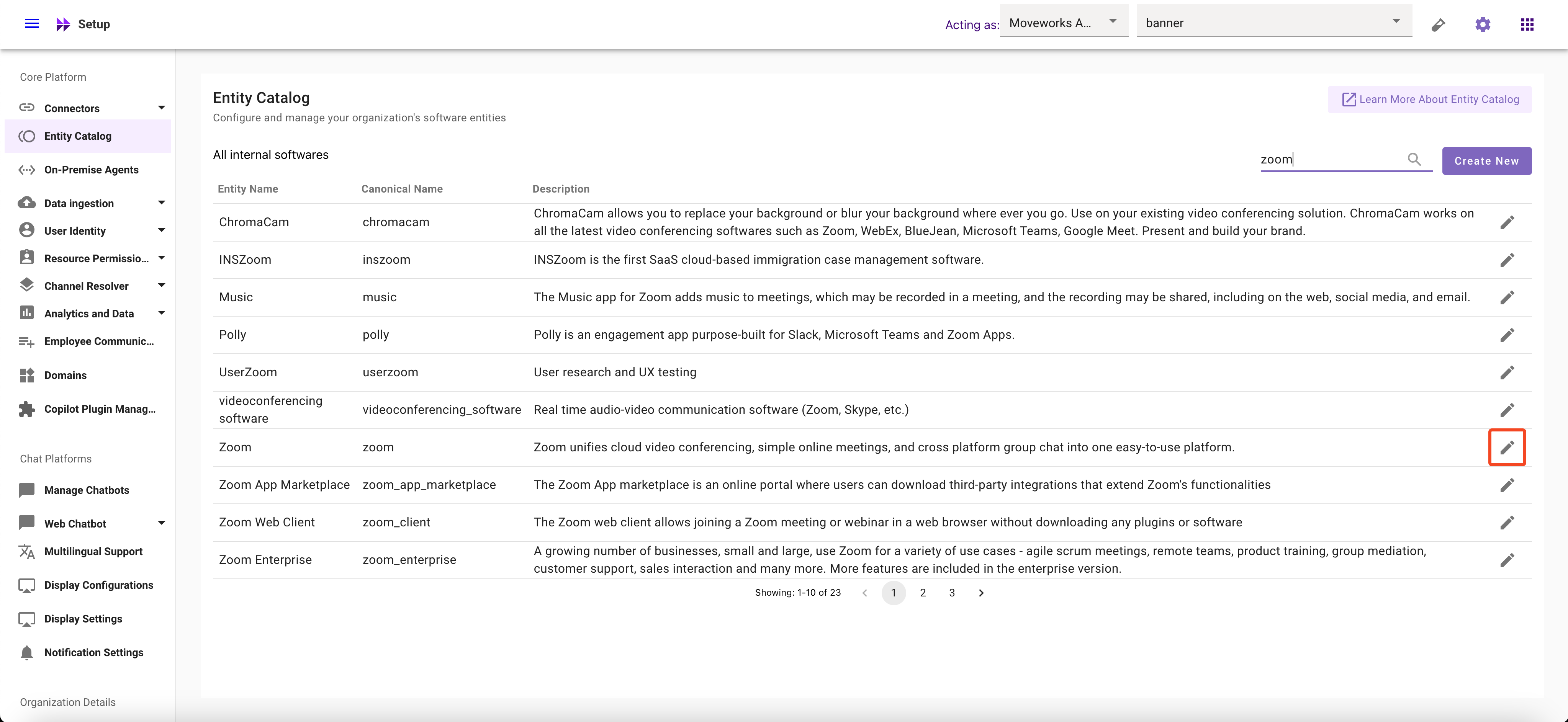
- Click on Aliases field and Modify it
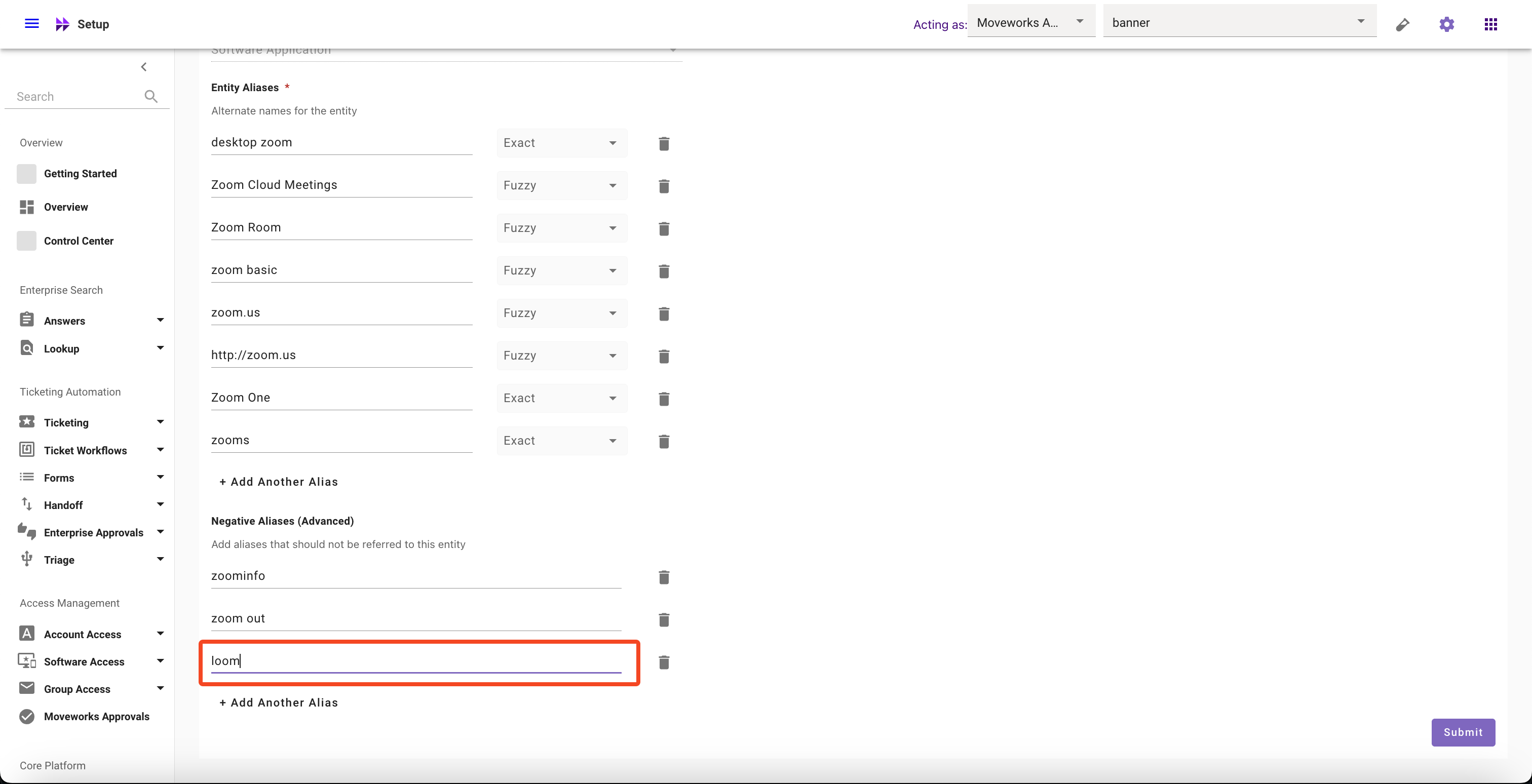
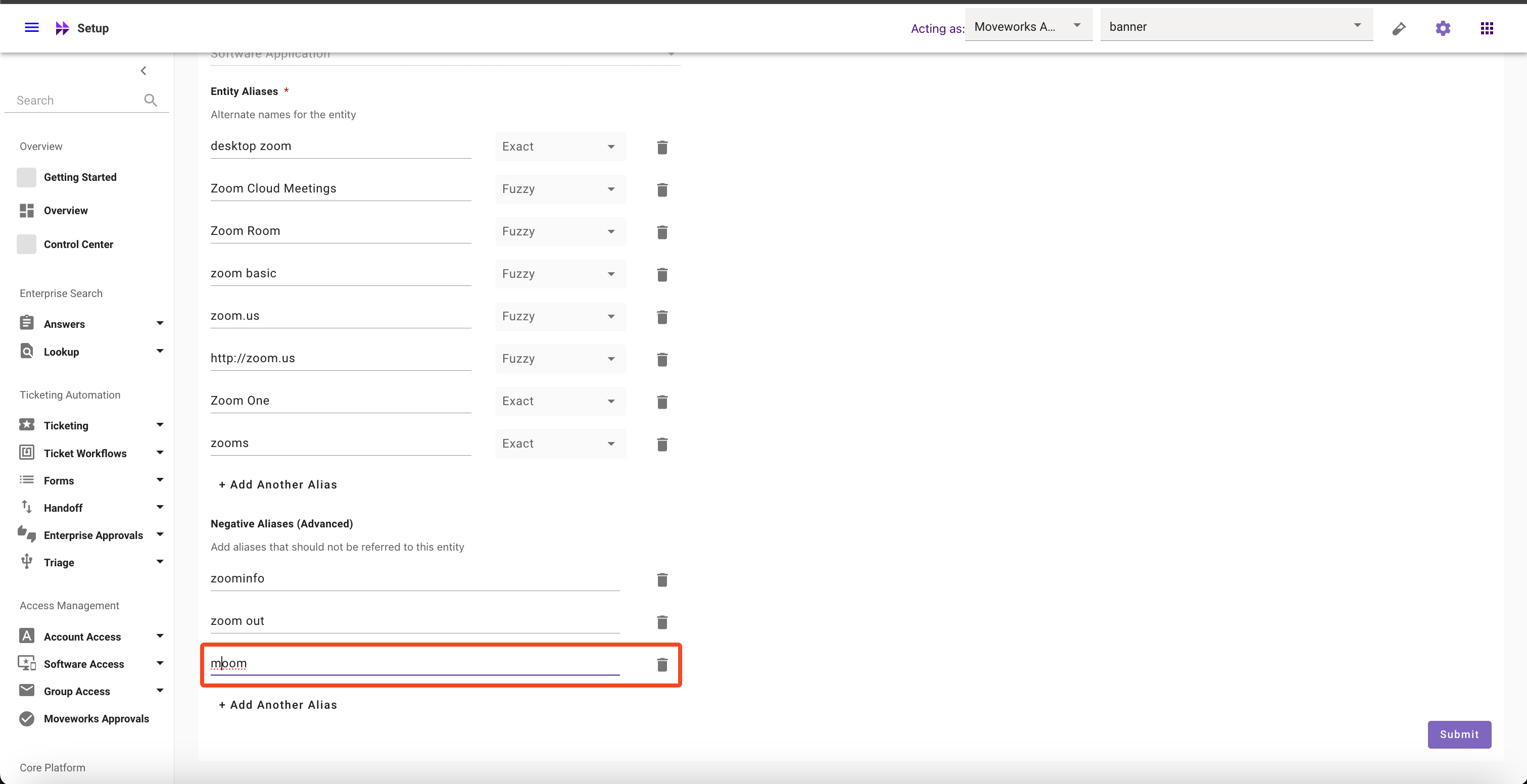
- Click on Submit button
How to delete Negative Aliases
- Navigate to Moveworks Setup > Core Platform section > Entity Catalog screen
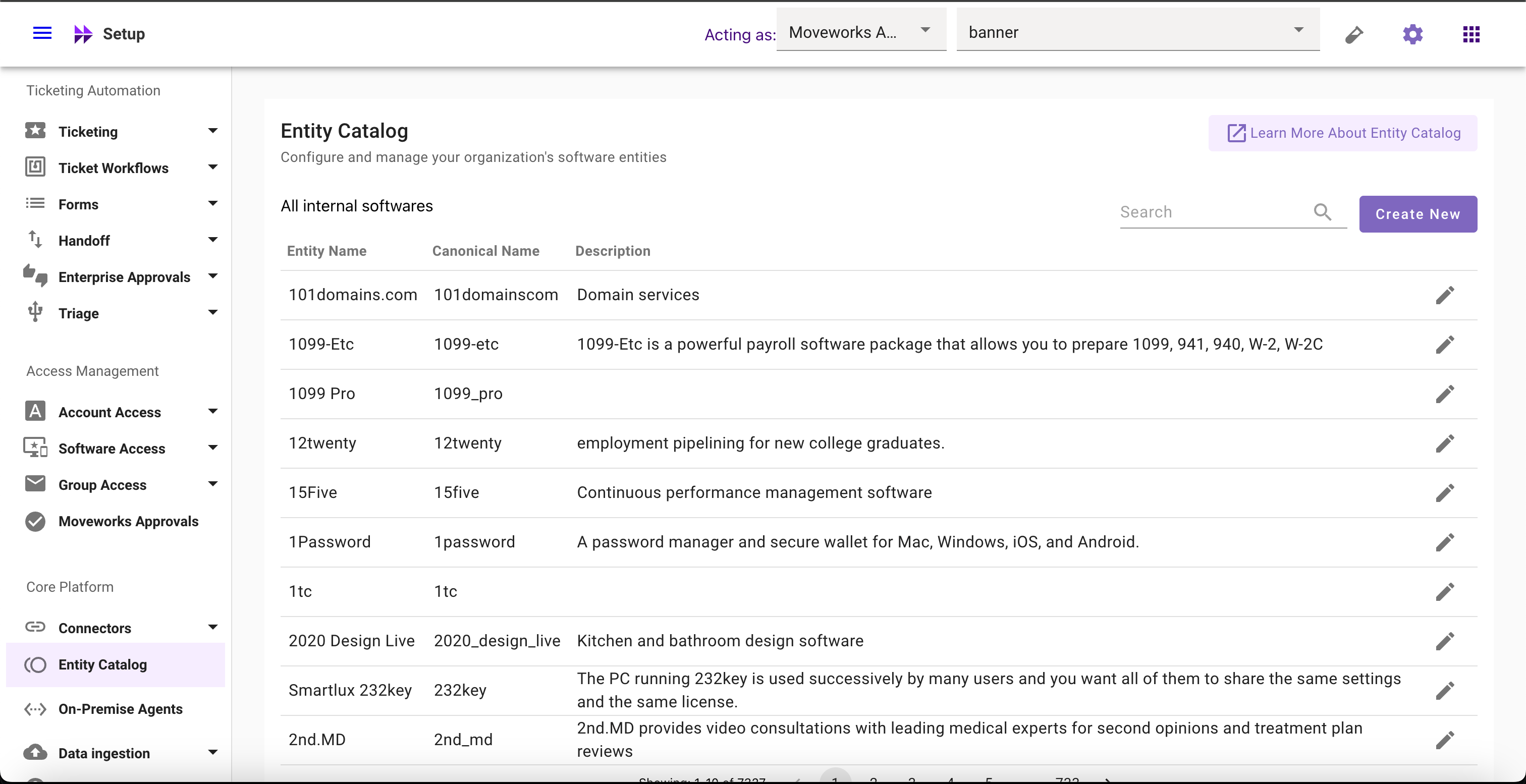
- Select the Entity whose Negative Aliases you want to delete
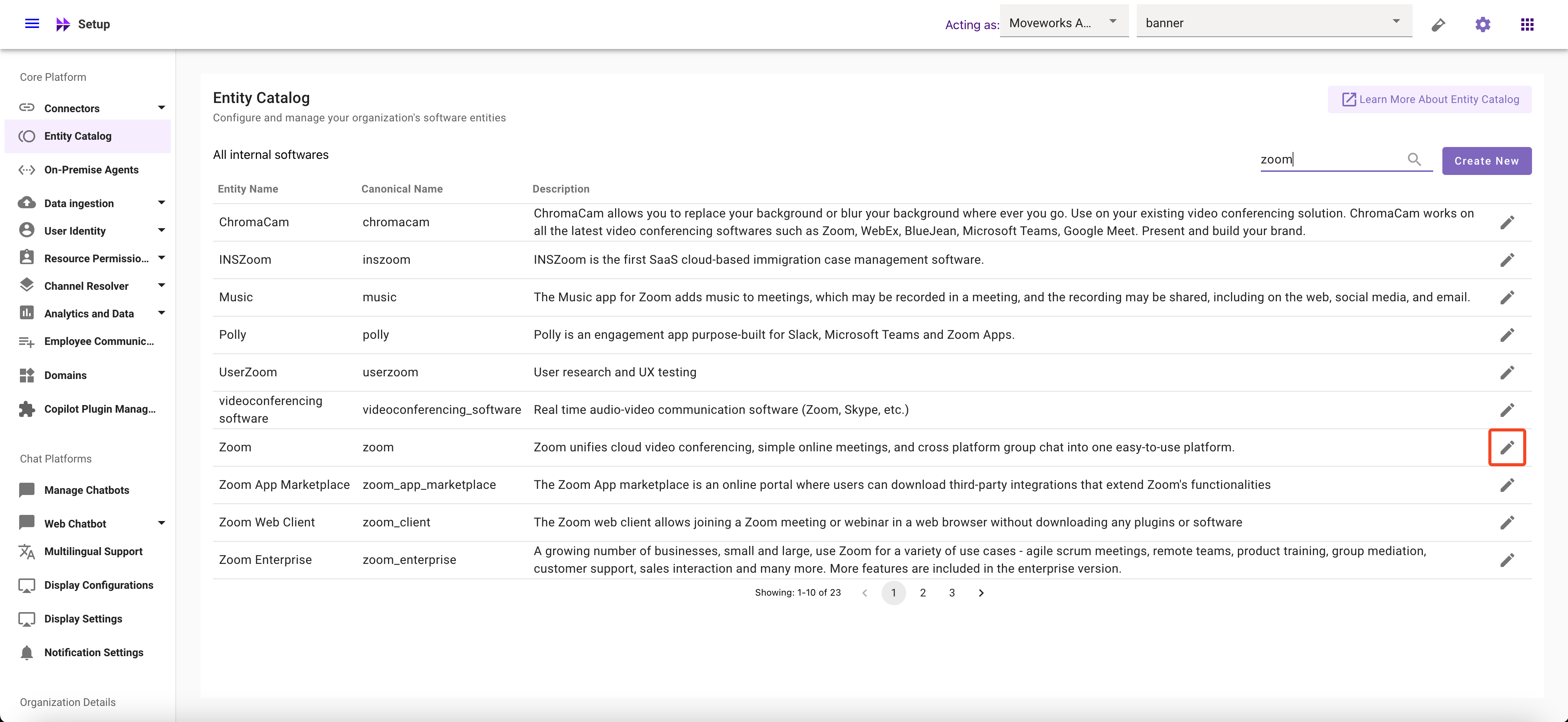
- Click on the Delete button
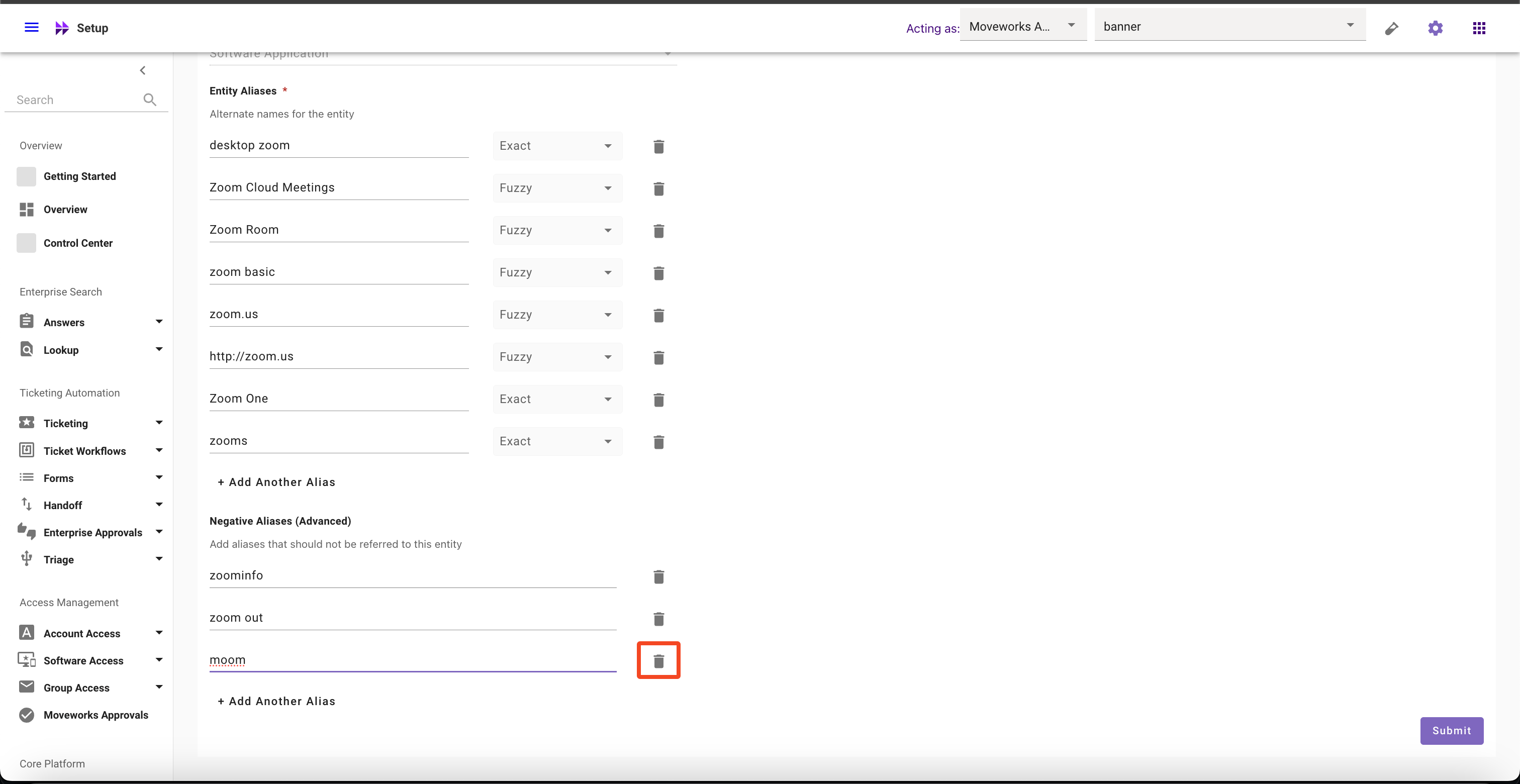
- Click on Submit button