
Natural Language Triggers
Overview
There are two main parts of a natural language trigger
- Triggering Examples – these help your Conversational AI agent shortlist which plugins are most relevant
- Triggering Instructions - these help your Conversational AI agent choose the right plugin from a shortlist
Triggering Examples
To activate your plugin, the Assistant must understand when a user wants to use it. This is where triggering examples come in—specific phrases or sentences that users might say to trigger your plugin.
For a PTO plugin, examples of utterances could include:
- “I want to check my PTO balance”
- “Can I take time off next week?”
- “How many vacation days do I have left?”
These phrases act as cues for the AI Assistant to recognize the user’s intent and launch your plugin.
How are triggering examples generated?
Our conversational triggers are built based on fully understanding the plugin’s contents. During configuration, the Agentic Reasoning Engine analyzes the plugin and confirms its understanding with the developer through a contrastive learning experience.
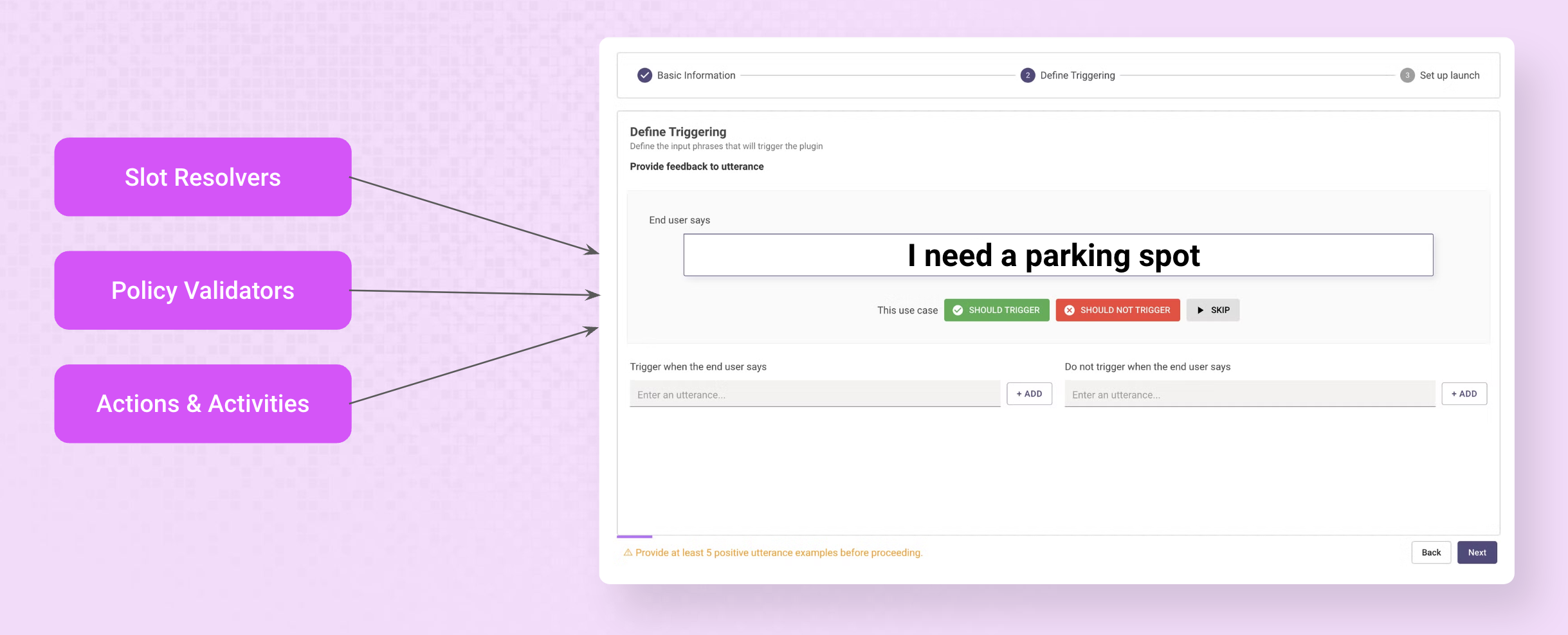
For each generated utterance, choose one of three options:
- ✅ Trigger (green checkmark) - Select if this utterance should activate your plugin
- ❌ Do Not Trigger (red X) - Choose if this utterance should not activate your plugin
- ⏭️ Skip (gray play symbol) - Use when you’re uncertain about classification
You must collect at least 5 positive examples before you can activate your plugin.
Adding your own triggering examples
You should:
- Add triggering examples that span a few diverse examples.
- Never add the same / semantically identical triggering examples as both positive or negative examples for the same plugin.
- Do not add positive examples for vague or generic utterances such as “ticket” or “comment”.
- Think about natural language—include questions, statements, or commands to make triggering more intuitive_
Additionally, depending on your situation you should either add positive or negative triggering examples.
Triggering Instructions
Along with triggering examples, you can add triggering instructions to your plugin descriptions. Here are examples:
- Clarify when to use the plugin (e.g.
You can only search and query meetings, you cannot do any other read, update, or write actions such as cancel, edit, update, delete.) - Clarify when to not use the plugin (e.g.
Do NOT use this plugin for checking common availability between multiple users, use the "find_availability_between_users" plugin for that purpose. DO NOT attempt to look up someone else's calendar.) - Clarify how the plugin displays information (e.g.
Order records by created date and always use the unique ID as the record key. Please order the sub-fields as: Amount, Created Date, Approver)

Troubleshooting
My plugin is not triggering
There are a number of reasons why your plugin may not trigger.
To isolate the issue, first try to trigger your plugin with one of your configured utterances
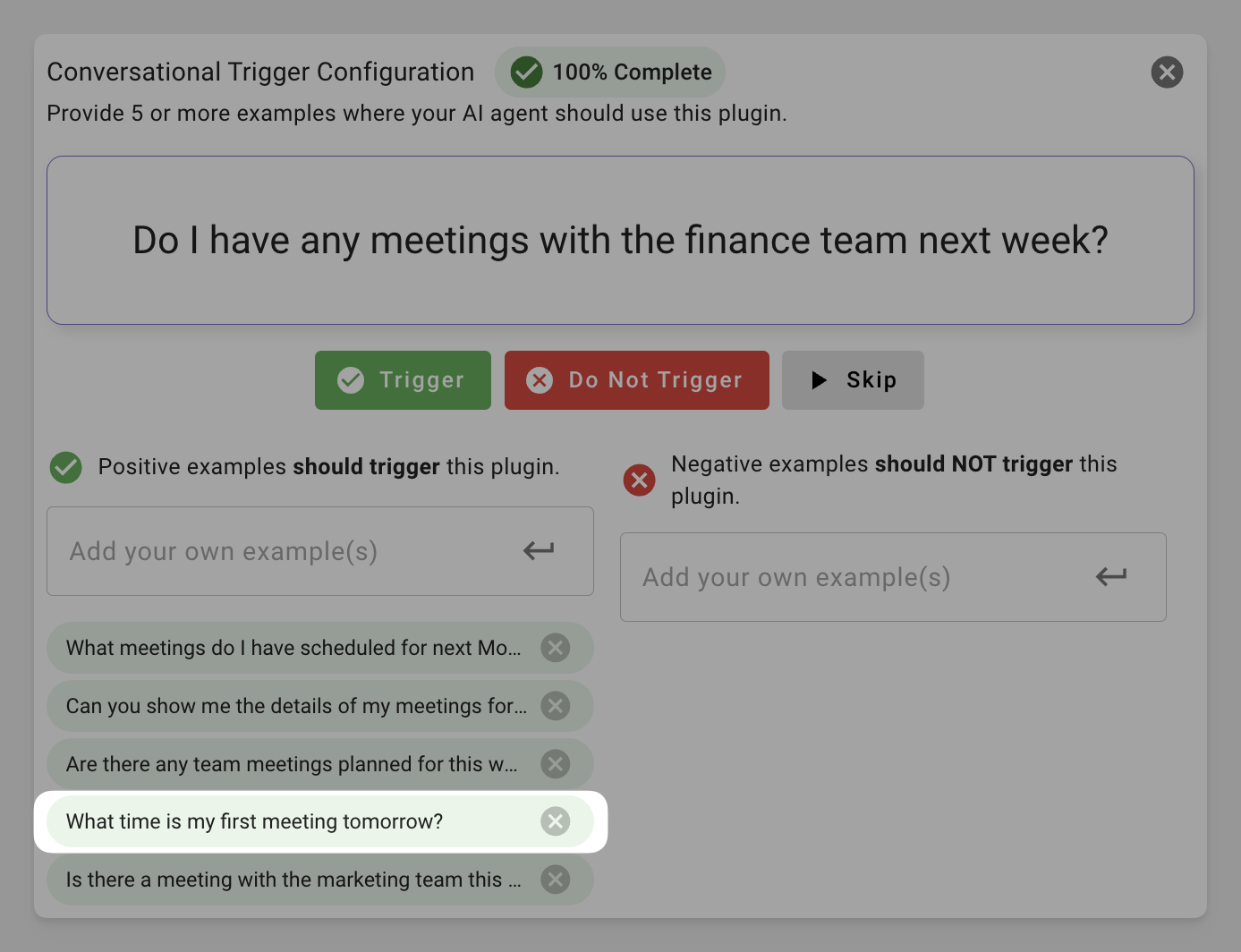
Exact match doesn’t trigger
If it still doesn’t trigger even with the exact match, there are a few reasons why:
- Plugin not deployed - Plugins take ~10 seconds to deploy to your AI agent. Retry in a minute.
- Access control failed - Your user might not have access to the plugin. Please double check your Launch Configuration.
- Conflicting triggering configuration - Your example utterance might be also configured as a negative example, which would prevent it from triggering. Remove it from the Do not trigger list.
Exact match triggers
If the exact match does not trigger, it is likely that your AI agent doesn’t believe your plugin is relevant to the user. There are a few options you have
- Add more triggering examples.
- Update your triggering instructions.