
Lab Resources
Compound action workflow syntax
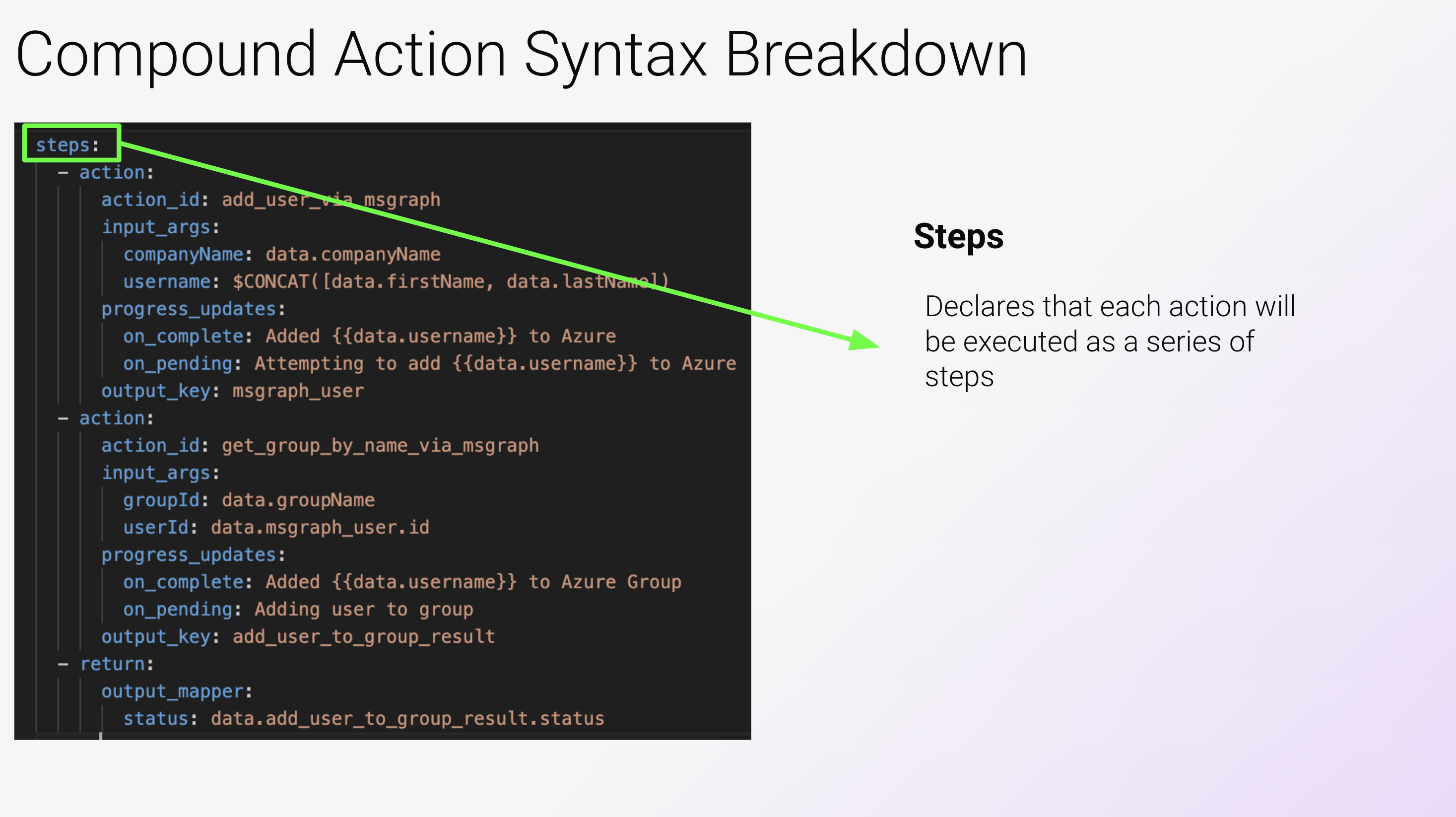
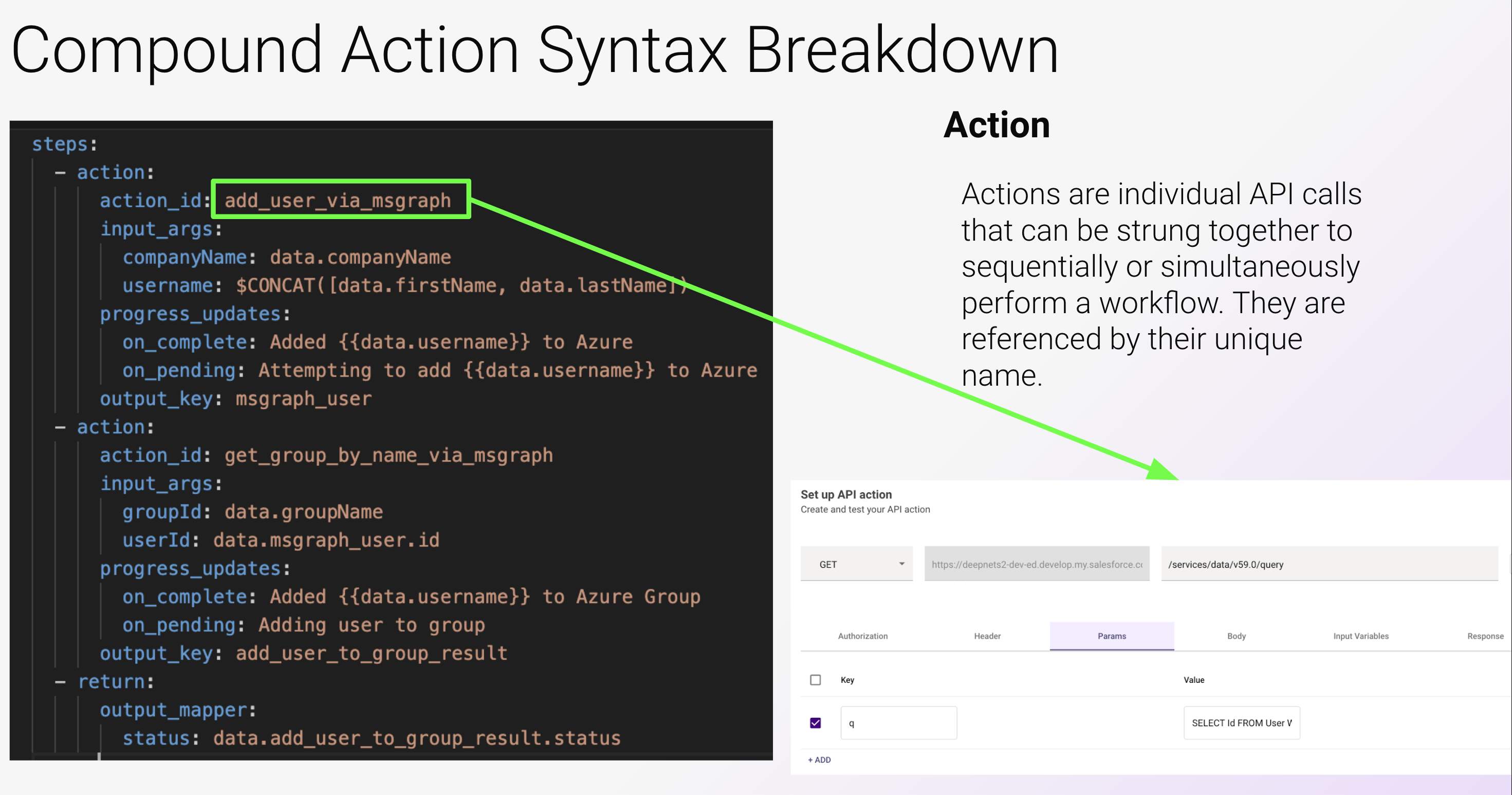
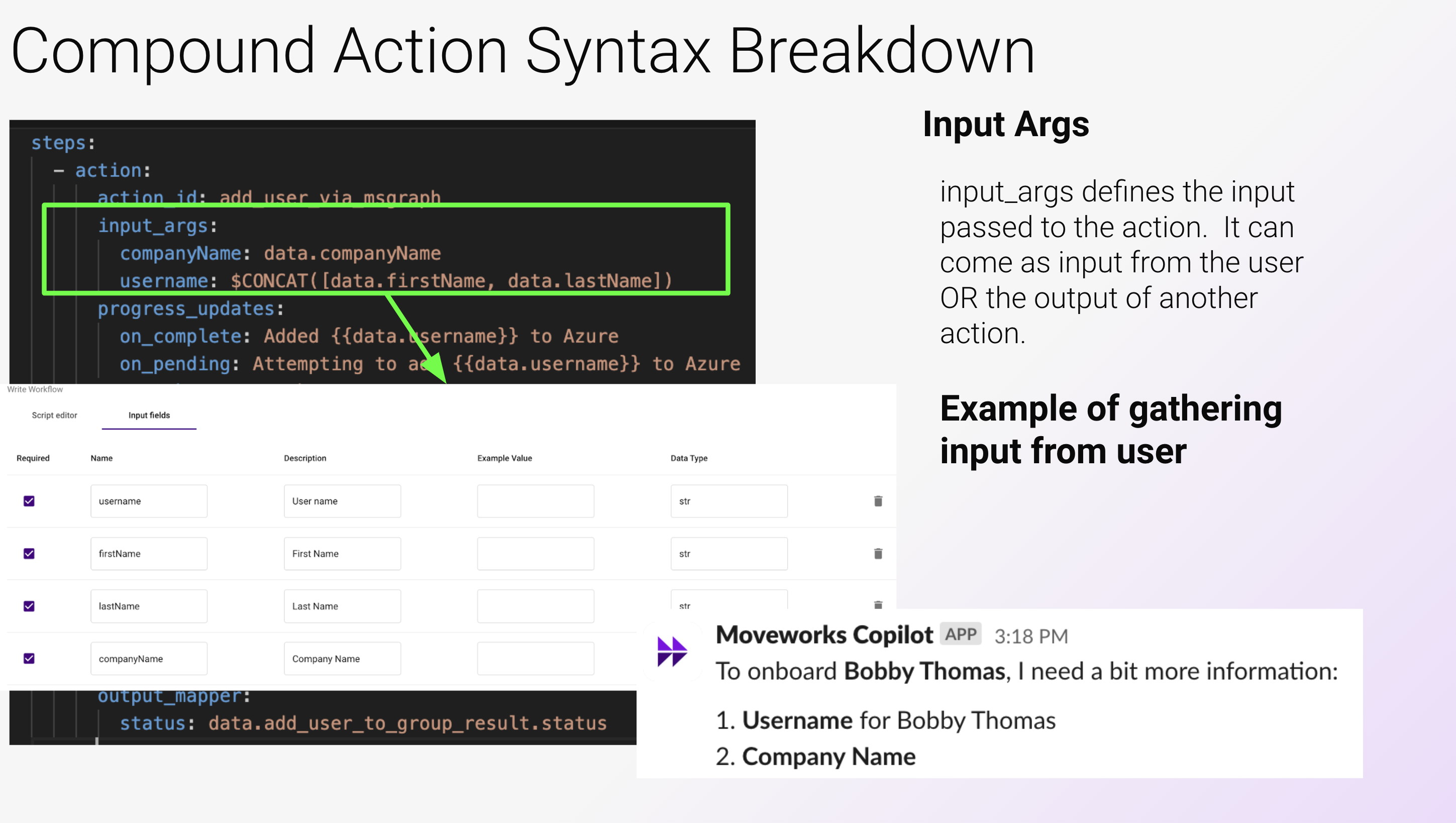
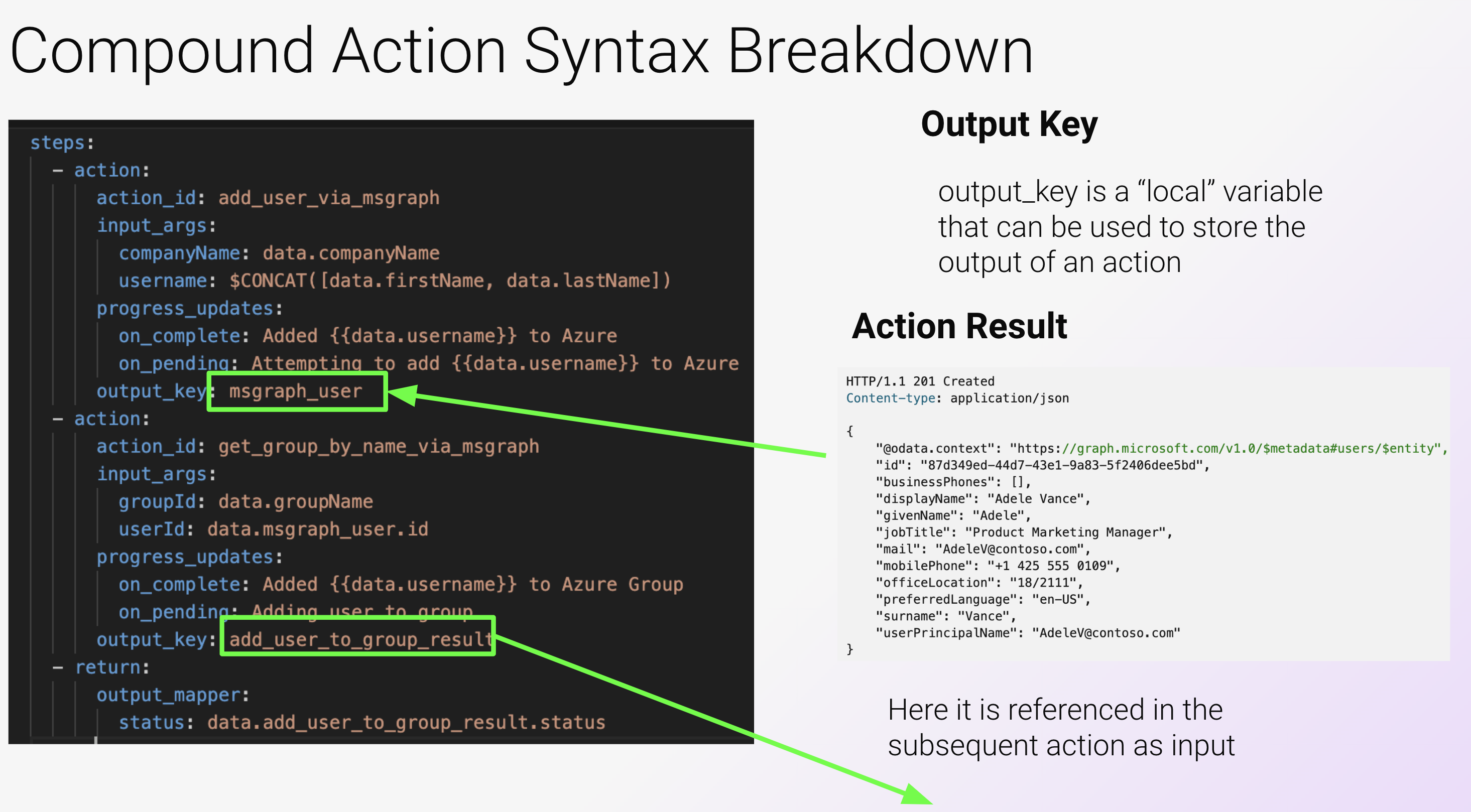
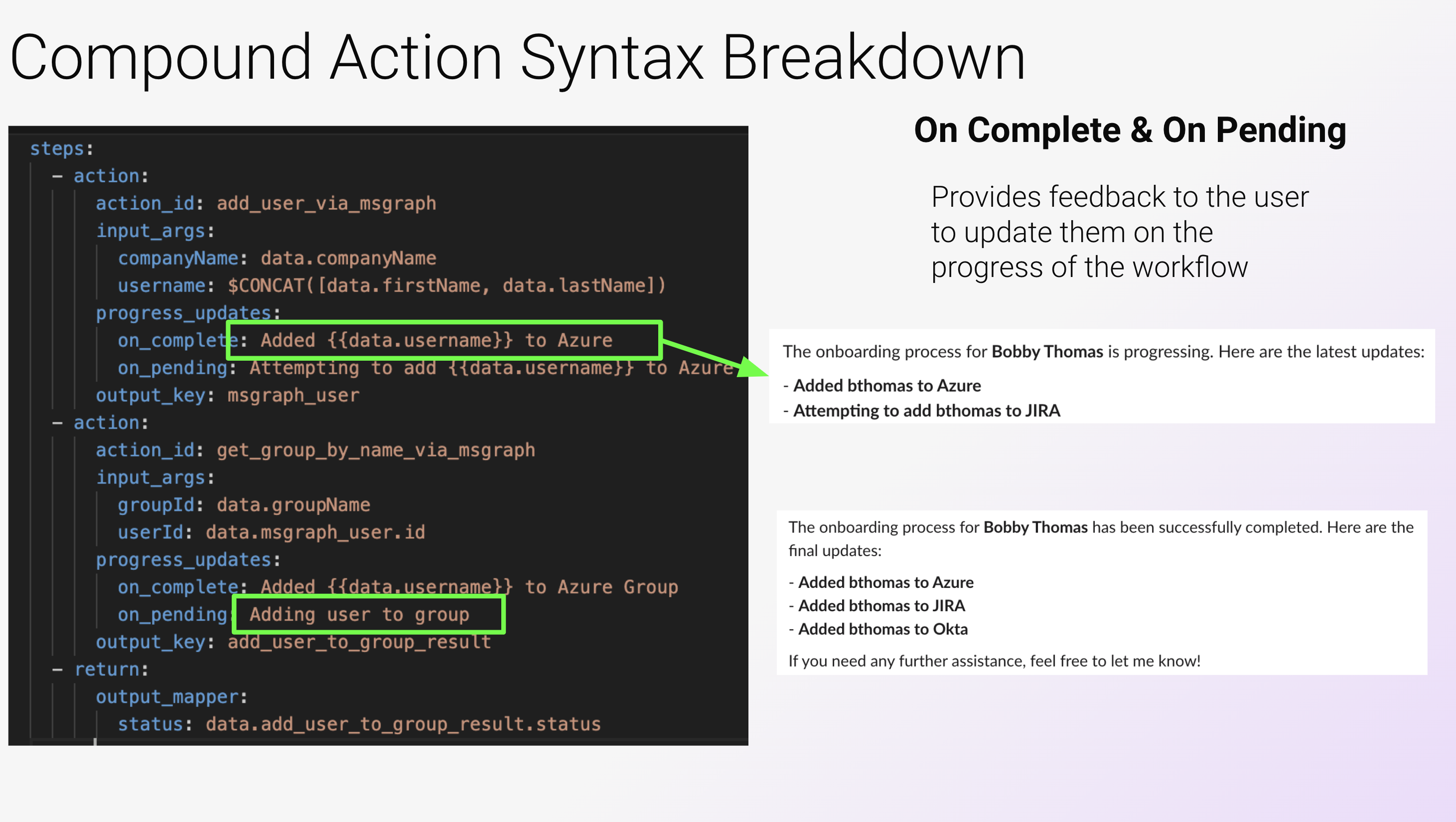
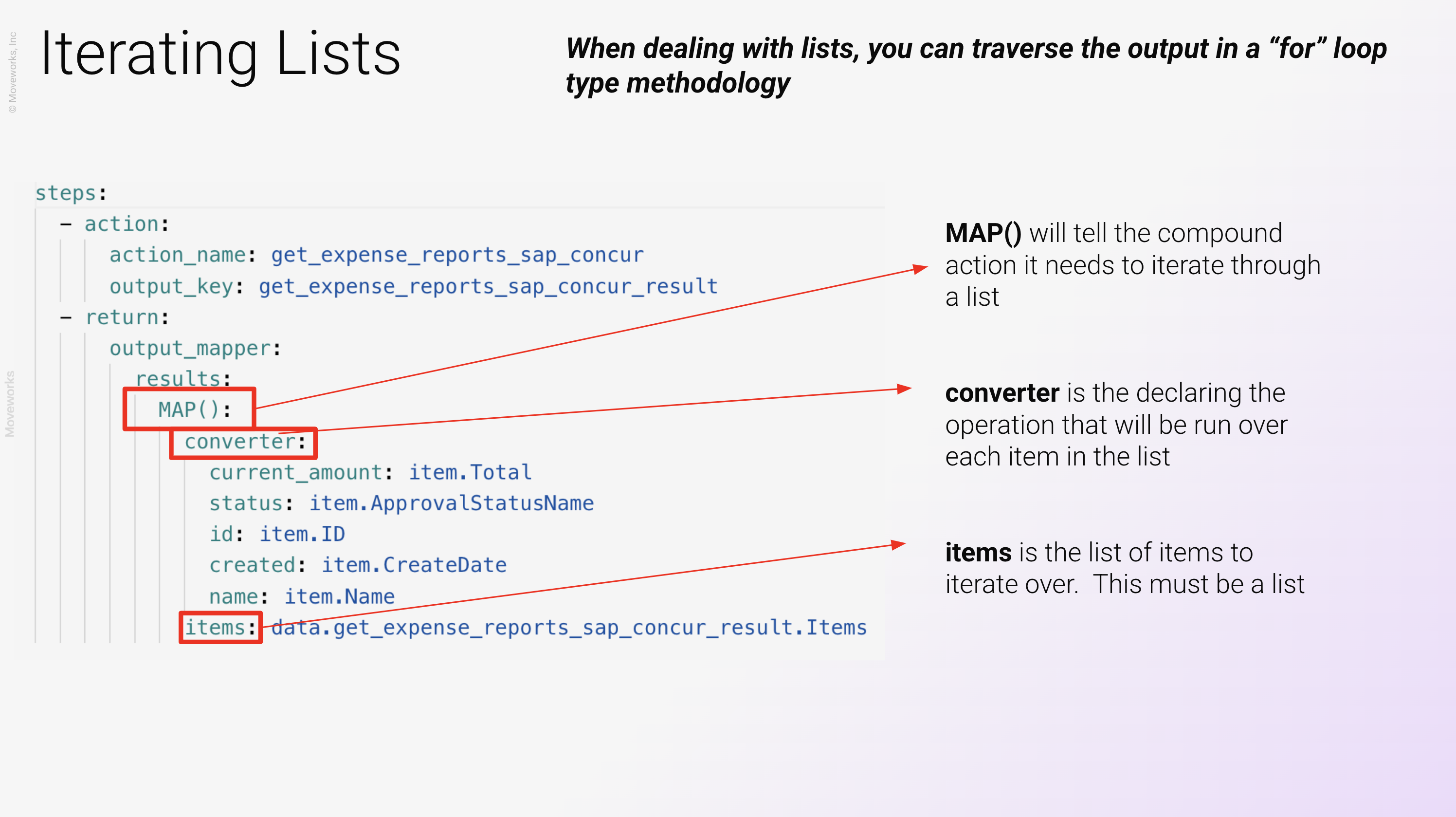
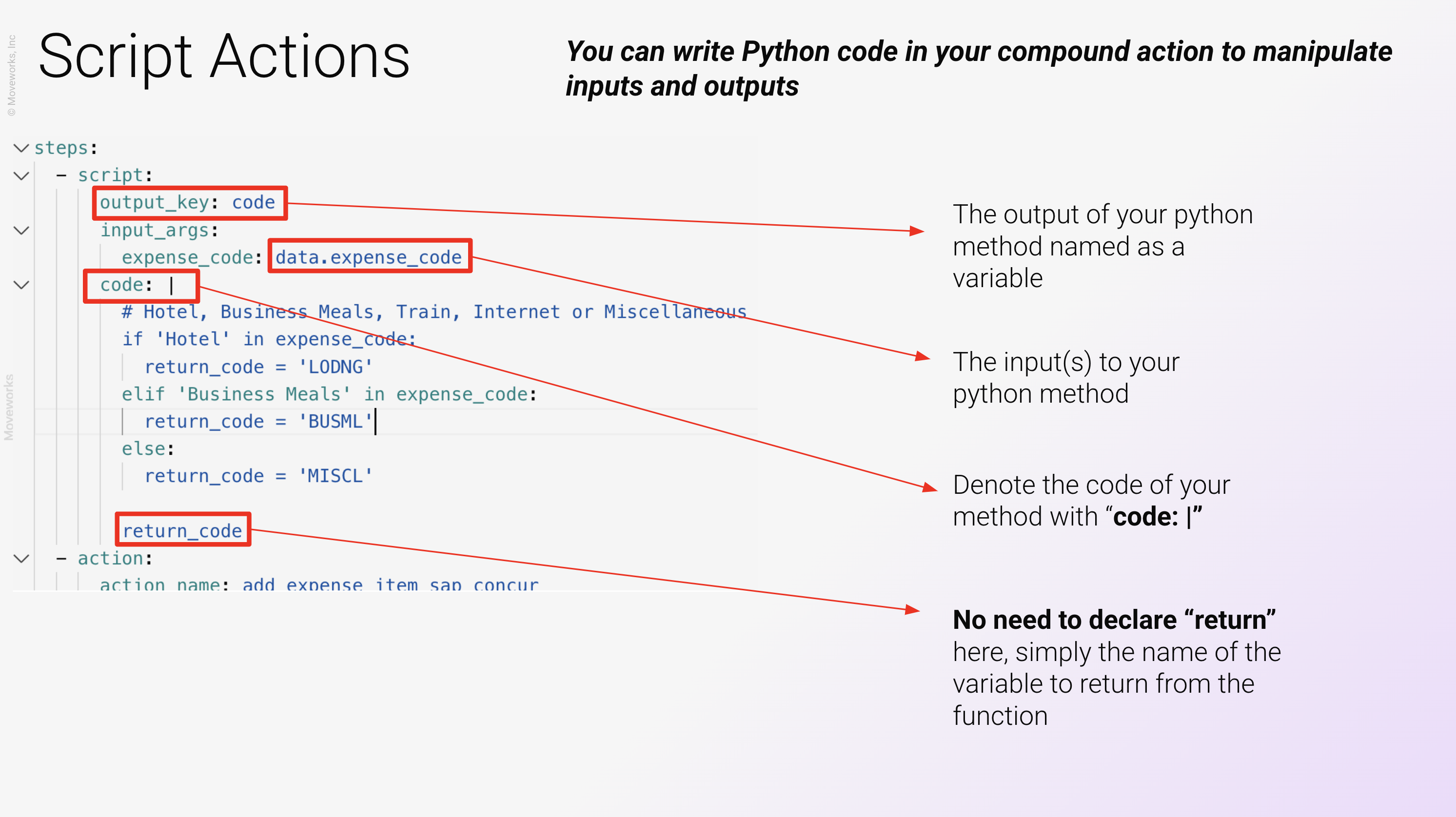
You can see more about API Script actions and APIThon here
Accessing data payloads in workflows
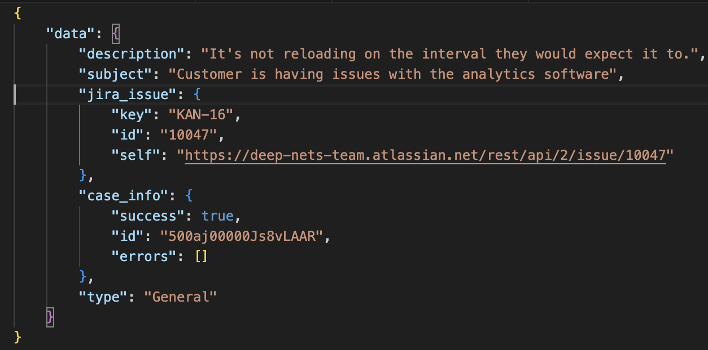
All data is accessible under the root field “data” as seen below in the JSON example.
Fields at the “data” level (description, subject, and type) can be accessed by referencing the next level using a “.”
Examples:
- To access description the syntax would be: data.description
- To access the jira issue key the syntax would be: data.jira_issue.key
API calls
Salesforce
Create case
Update case
Jira
JIRA - Create issue
Hint: JIRA uses Basic Authentication. The username will be your JIRA username from your trial instance and the password will be the token you generated earlier in the exercise.
Azure
Get groups
Filter groups
Add user to group
Get groups for a user
SAP Concur
Get user id from email
NOTE: You can pass the current user’s email dynamically to any API using “user.email_addr”
Create Expense Report
NOTE: Notice the policy ID is hardcoded. This is intended in order to work with the current policy in the Concur Sandbox instance
Get Expense Reports for a User
Create an Expense Item in an Expense Report
NOTE: Expense Code Types can be LODNG, BUSML, TRAIN, ONLIN, MISCL - representing Lodging, Meals, Train, Internet or Miscellaneous respectively. Transaction Date must be in the format of YYYY-MM-DD. PaymentTypeID can remain hardcoded as the value below since that is the only payment method in the SAP Concur Sandbox
Advanced concepts
Error handling
Error handling documentation can be found here: Error Handling
Try-catch
If you are familiar with try-catch statements, you can utilize the below skeleton