
Moveworks Setup Homepage
About
The Moveworks Setup Homepage provides a comprehensive overview of all available AI Assistant capabilities in Moveworks Setup in one centralized view. It offers visibility into which capabilities are configured or not configured, their current status, and helps you understand your entire Moveworks Setup configuration at a glance.
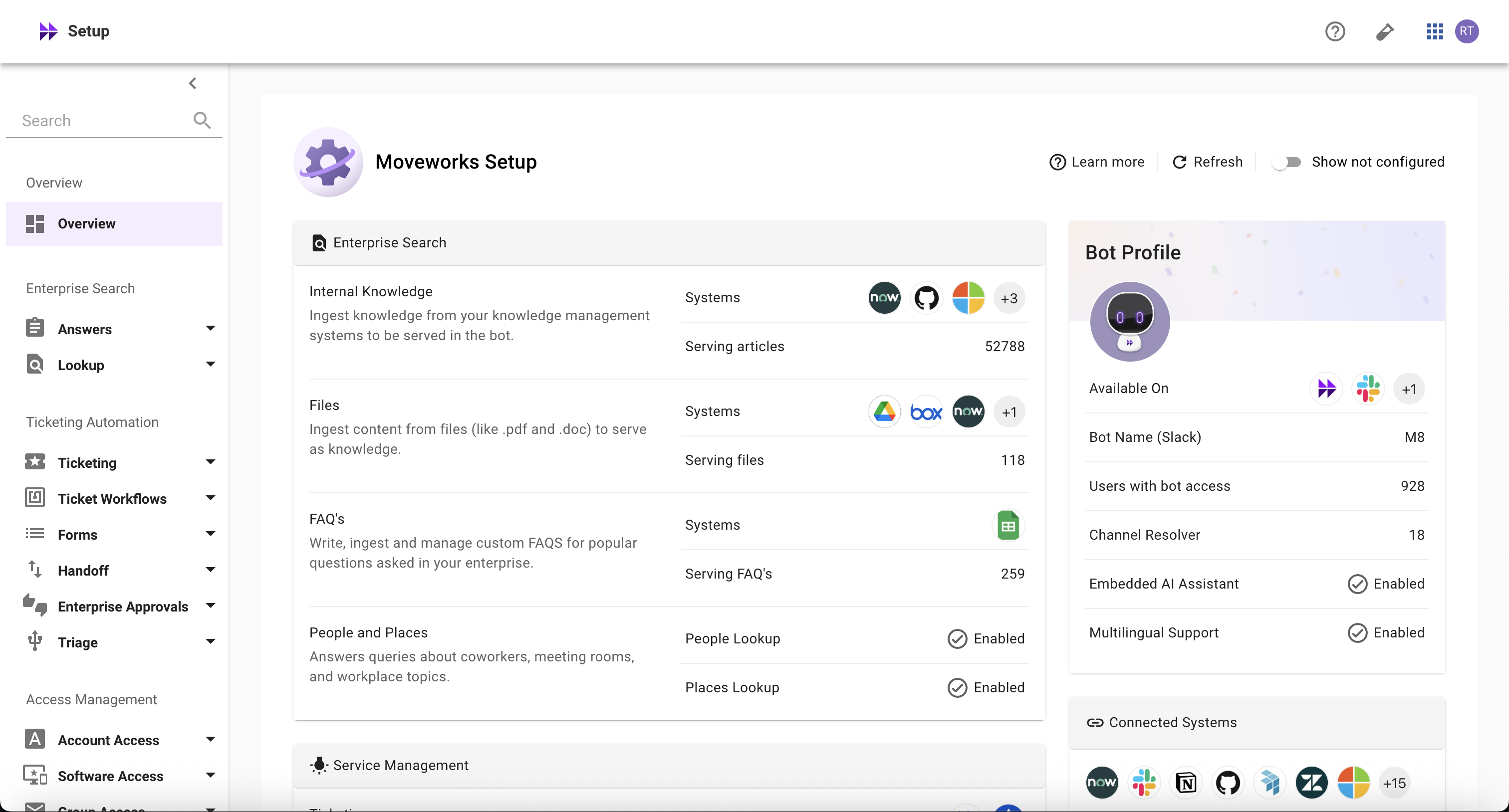
How is it helpful?
Here’s how it helps you manage your AI Assistant capabilities more effectively and get the most value from them:
- The Homepage allows you to quickly understand which AI Assistant capabilities are configured
- It keeps you informed and helps you stay on top of things that matter, with everything in one place:
- Know details about your AI Assistant
- Monitor core skills including Knowledge, Ticketing, Provisioning, and others
- See which connectors are configured
- View recent system alerts that need your attention
- It empowers you to understand the latest overall configuration status and utilization of Moveworks AI Assistant capabilities without having to contact Moveworks teams
- It helps you quickly navigate to the right configuration areas to take prompt actions
Understanding Homepage Data Points
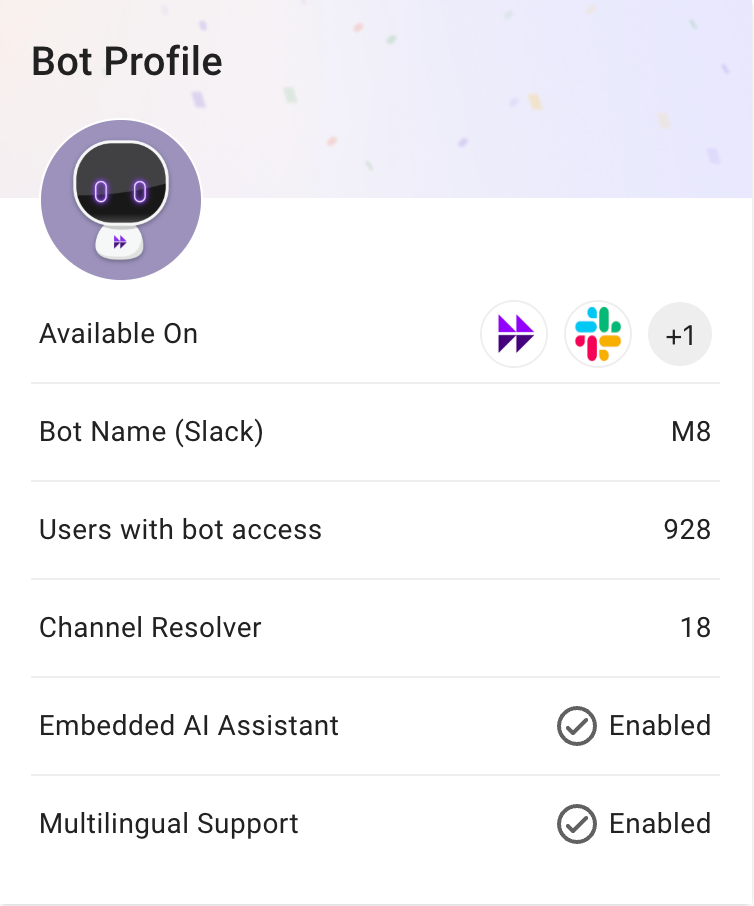
Bot Profile Section
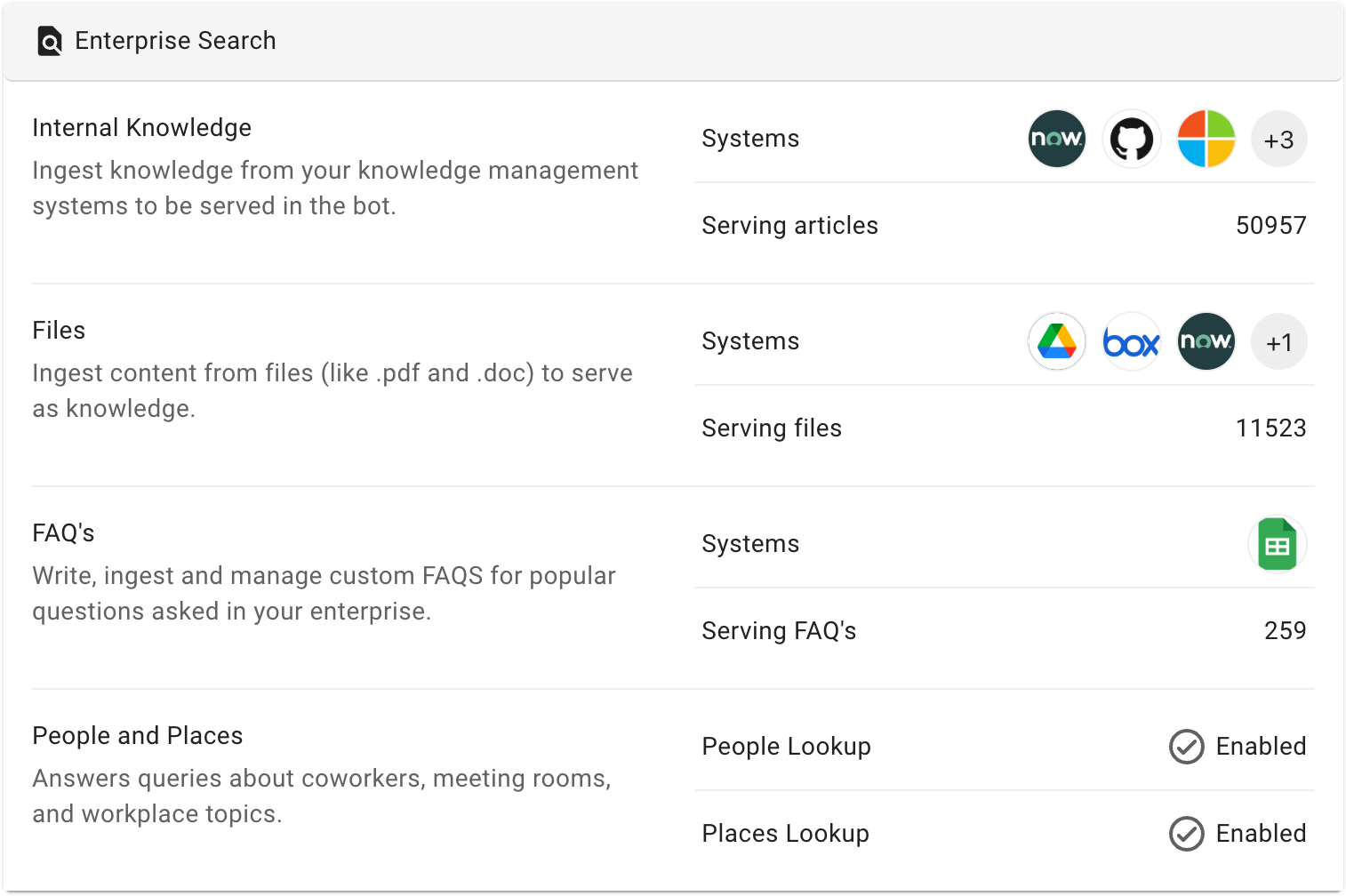
Enterprise Search Section
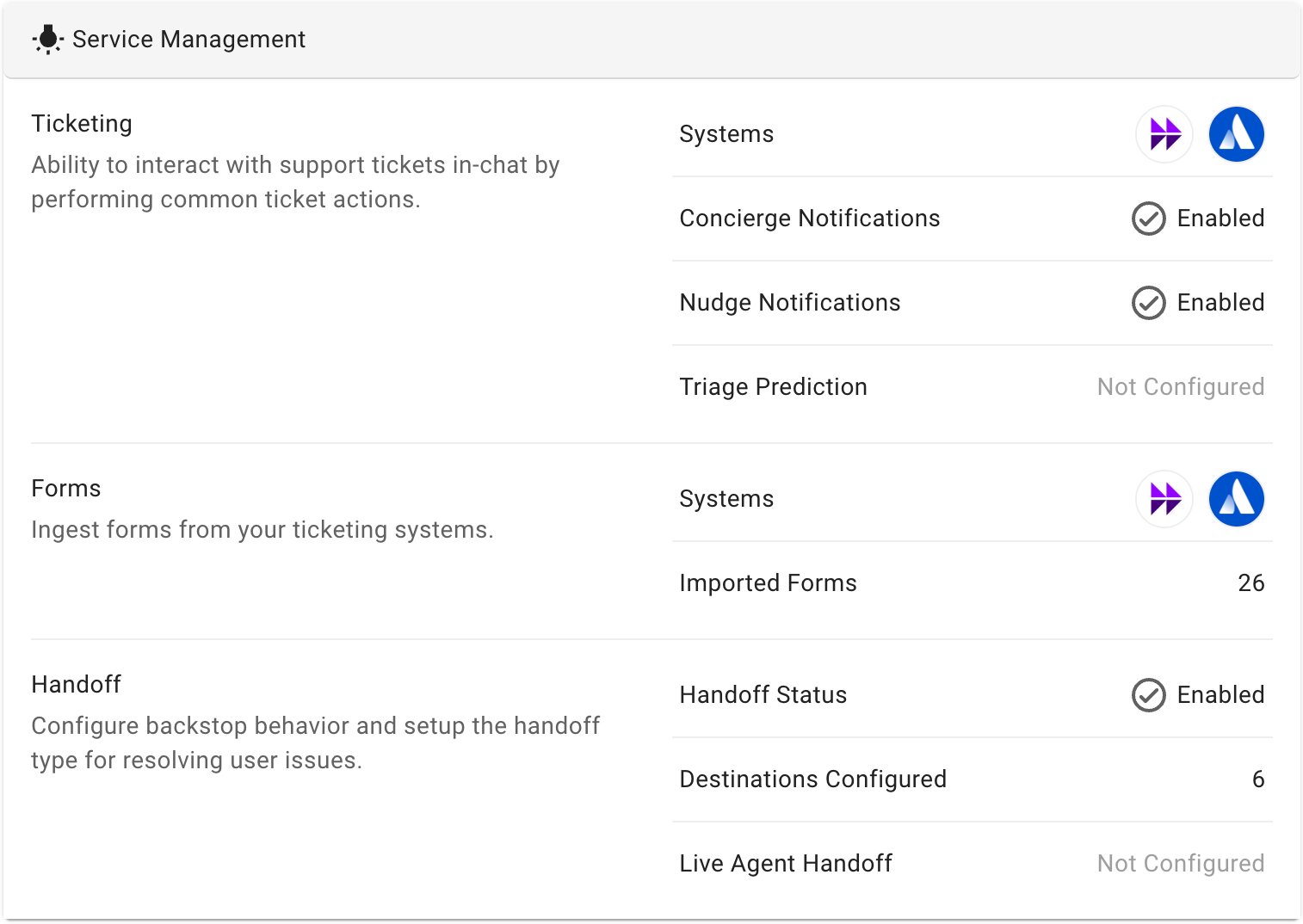
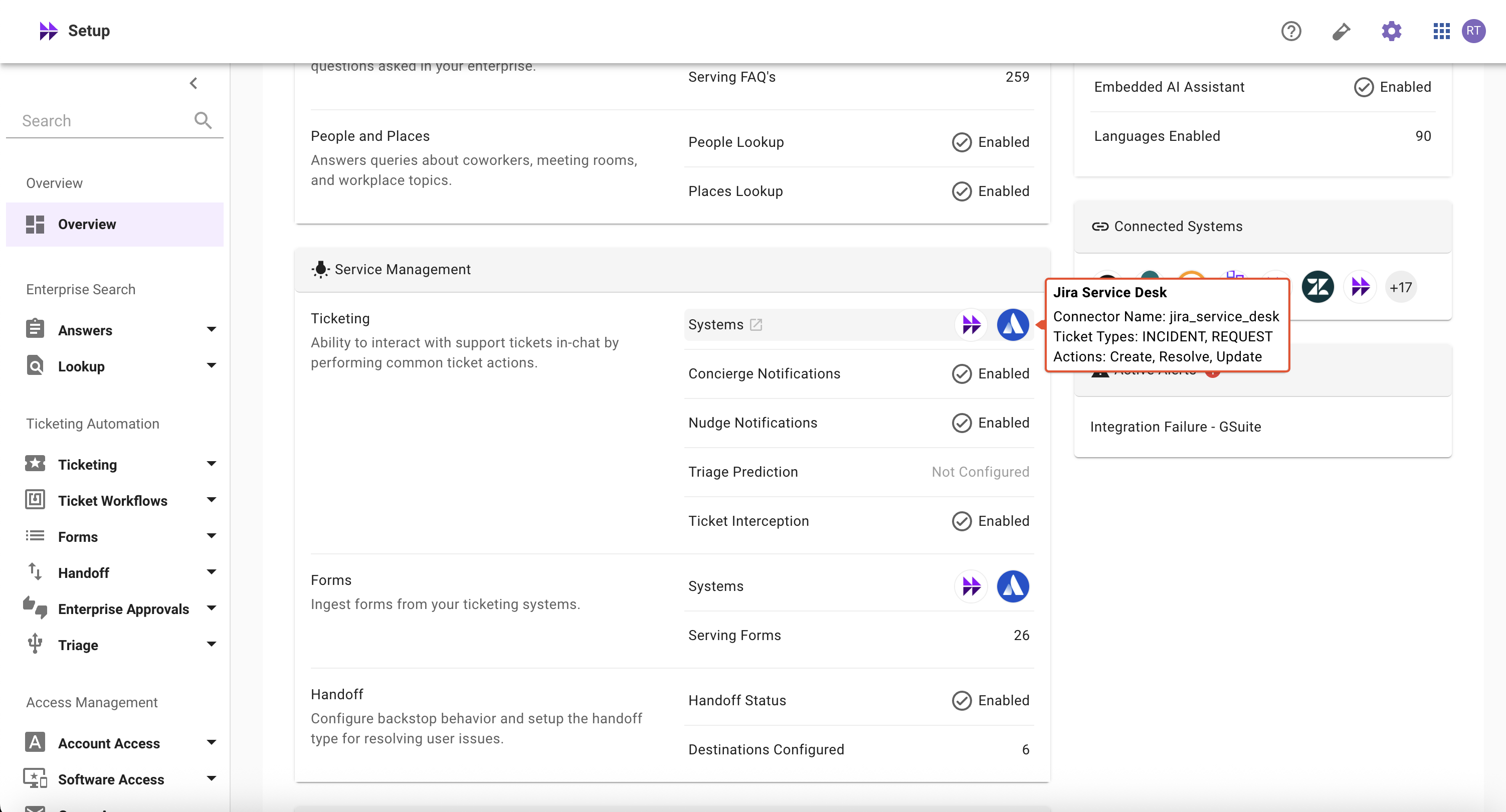
Service Management Section
👉🏻 Note
When you hover over a system in the Ticketing Section’s > Systems, it displays all the ticket types and actions configured for the respective system.
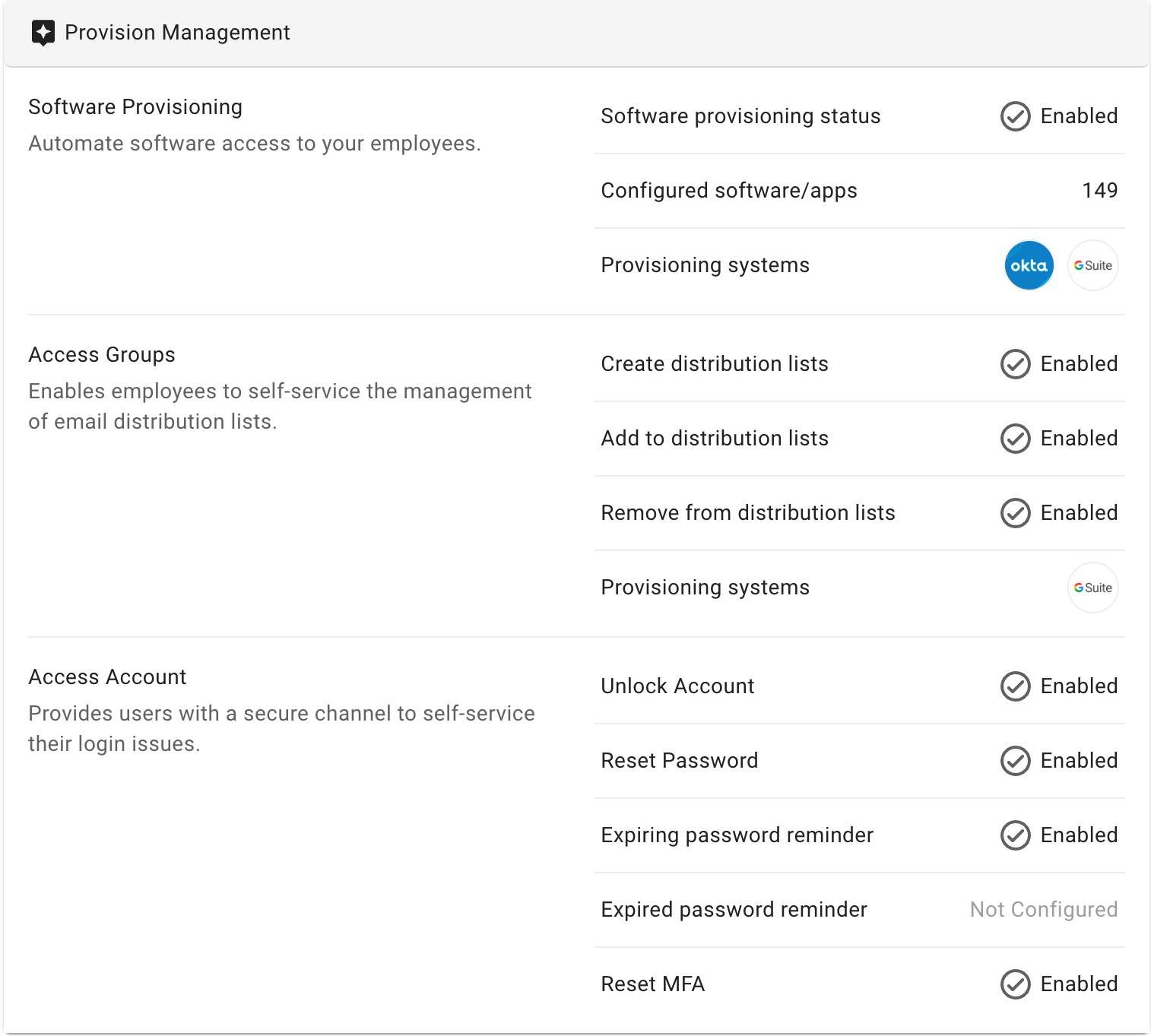
Provision Management Section
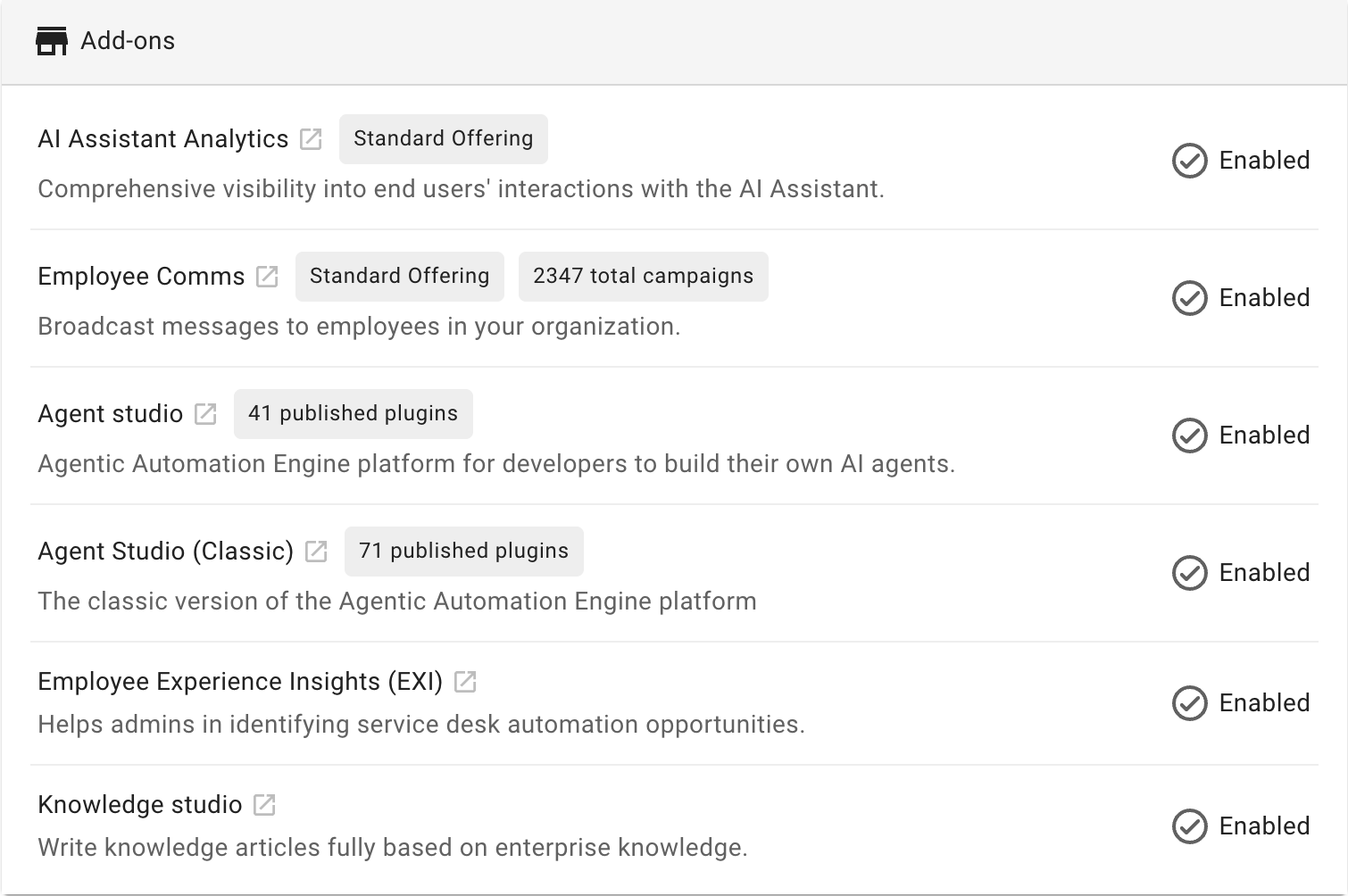
Add-Ons Section
Connected Systems Section
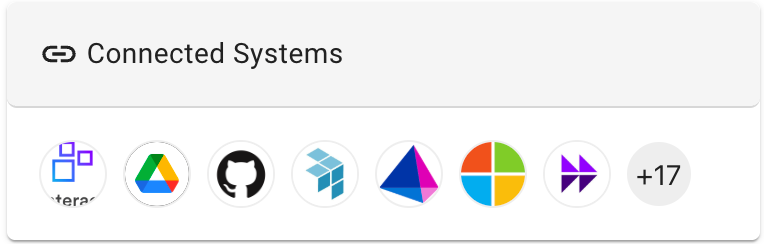
- Definition: The total number of built-in connectors configured in your org
- Derived from: Moveworks Setup > Core Platform > Connectors > Built-in Connectors
Active Alerts Section
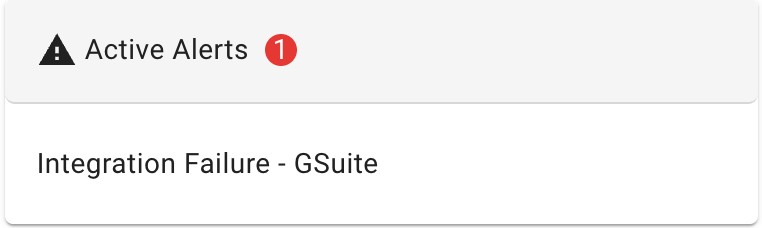
- Definition: Recently triggered system alerts with their names and total count
- Derived from: Moveworks Setup > Organization Details > Alerts > Active Alerts Page
FAQs
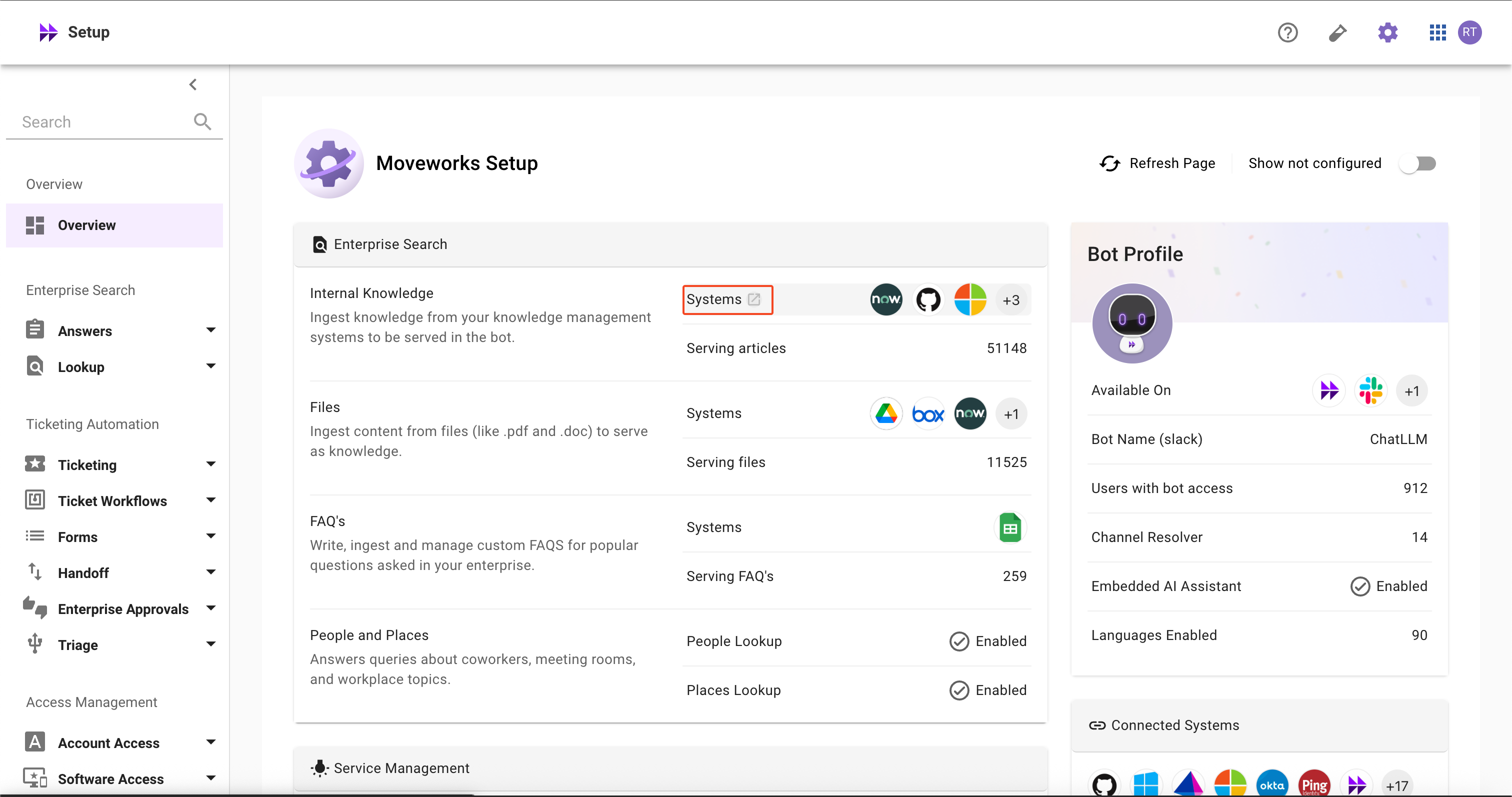
- How can I quickly learn about configurations in detail?
-
Hover over the item and click the redirect button to navigate to the configuration details
-
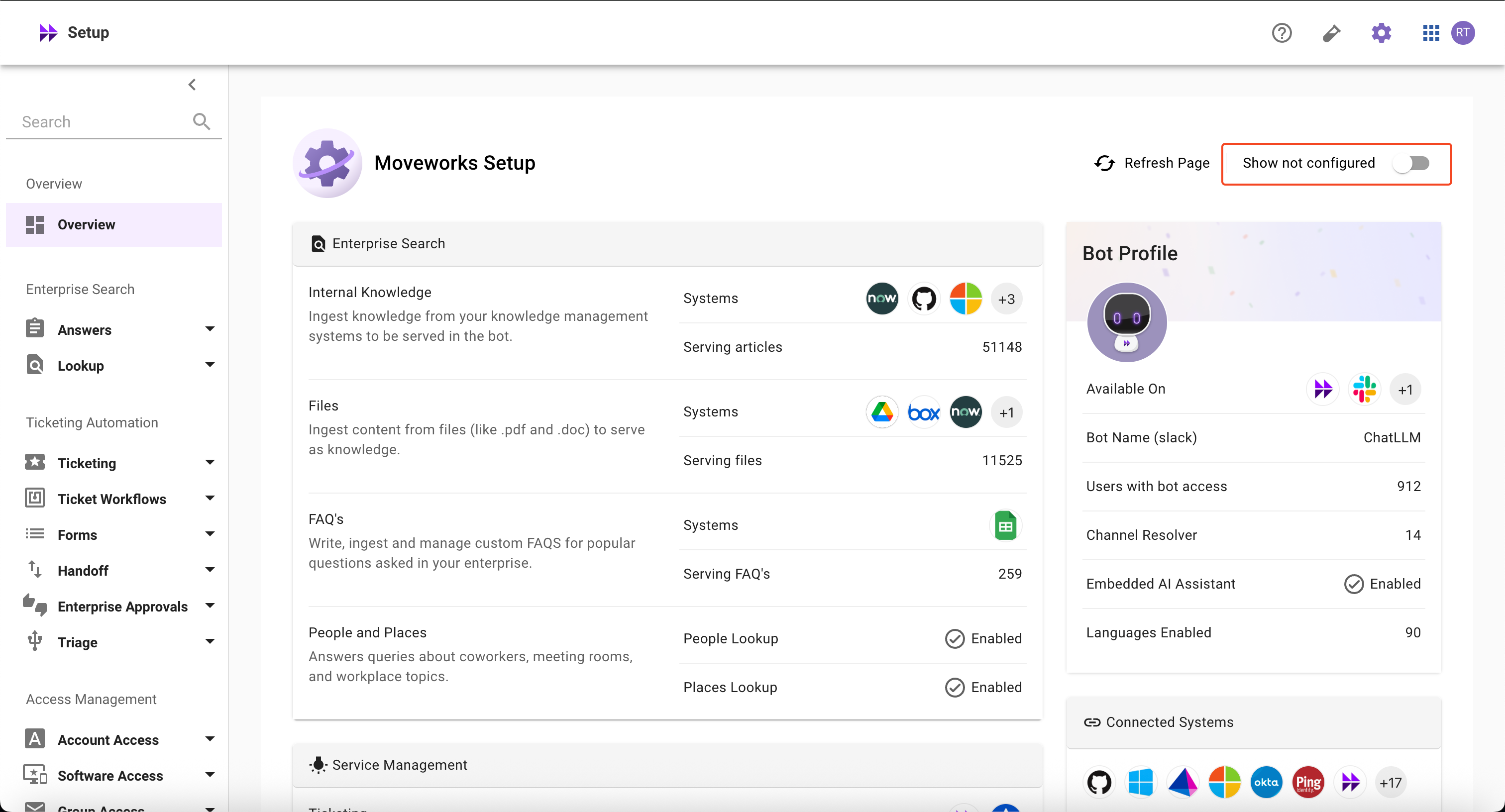
- How can I view skills that I haven’t configured yet?
-
Use the ‘Show Not Configured’ toggle button in the top-right section to filter and display skills that are not yet configured
-
- Why aren’t my skills working even though some configurations are enabled?
- The homepage only shows whether a skill is configured, not the operational status or health of the skills
- How can I enable skills that are marked as not configured?
- The homepage displays all AI Assistant capabilities, whether licensed or not. Please contact the Customer Success team for the next steps in configuring these skills
- How can I enable Add-ons SKUs?
- Please contact the Customer Success (CS) team to have additional SKUs enabled
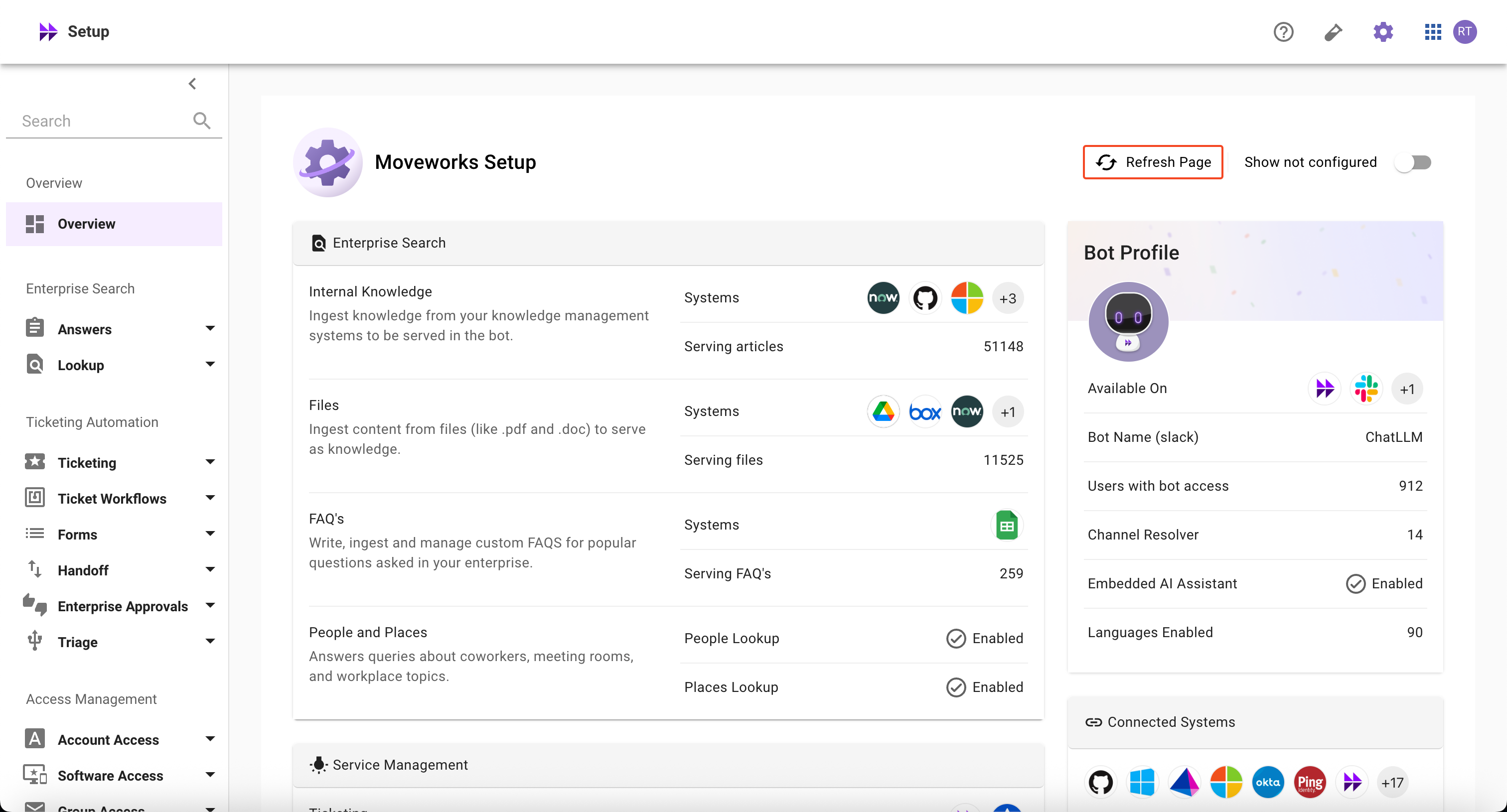
- How can I refresh and access the latest information?
-
Use the ‘Refresh Page’ toggle button in the top-right section to access the latest information
-