
MyMoveworks First-Time Login
To access MyMoveworks for the first time, you may use a temporary login link sent by the Moveworks team.
Steps to Login via Temporary Link
-
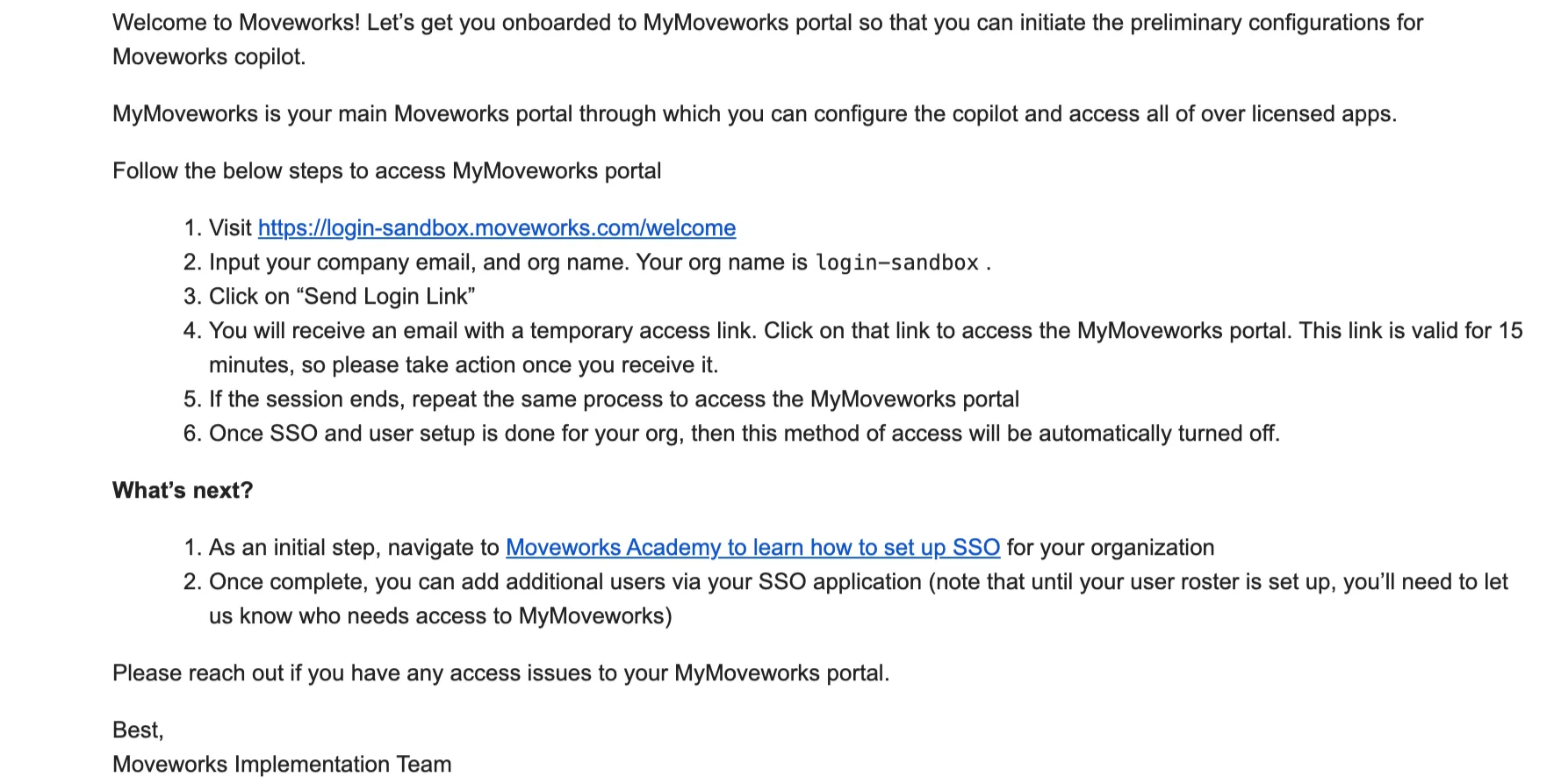
You will receive a welcome email from the Moveworks team with your login link.
-
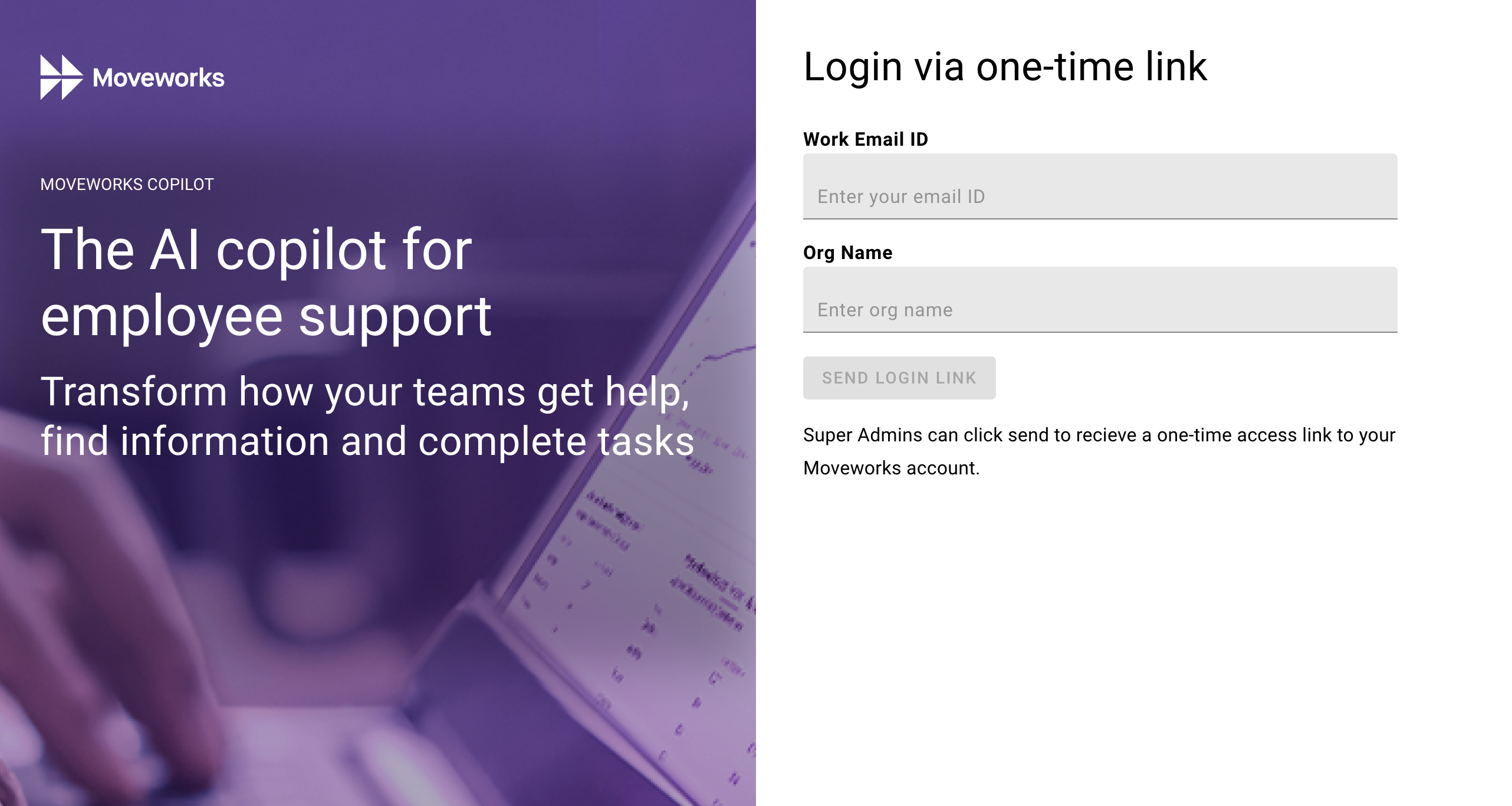
Click on the link in Step 1 of the email above and input your company email and org name provided, then hit “Send Login Link”
- NOTE: Please make sure to include your “org name” in the URL provided in Step 1 of the email.
-
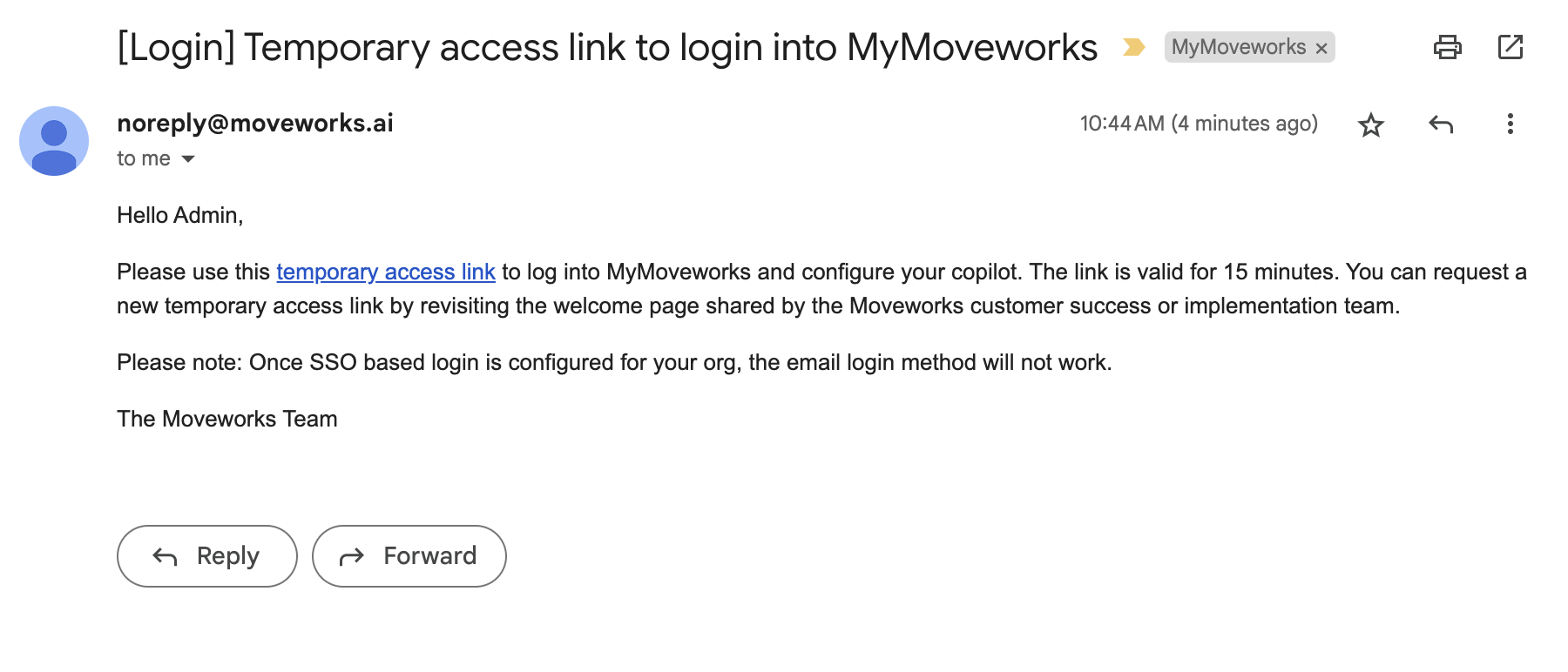
You will receive an email with a temporary access link. Click the link to access the MyMoveworks portal.
- NOTE: This link will be valid for 15 minutes. Should you need to access after 15 minutes, please use the original link (https://org-name.moveworks.com/welcome) to resend a temporary access link.
Frequently-Asked Questions:
- Q: My temporary access link has expired, how can I access the MyMoveworks portal?
- A: You may repeat step 2 again to receive another access link.
- Q: Will this method of access be possible indefinitely?
- A: No, if you set up Single Sign-On for MyMoveworks, this method will no longer be possible. Therefore this is meant for first-time users only, and it is recommended to set up SSO as soon as possible, so you may add more users to access the portal.