
Monitor Alerts
What are Moveworks Alerts?
Moveworks Alerts inform administrators of critical events within the customer instance that may impact skill functionality. These notifications enable rapid detection and response to potential issues, helping you maintain system health and resolve problems efficiently.
Alerts are by default available in Moveworks Setup Alerts module. To enable in-bot alert notifications (Beta), please reach out to your Customer Success Manager or support team.
How to navigate in Moveworks Setup?
- Open Moveworks Setup.
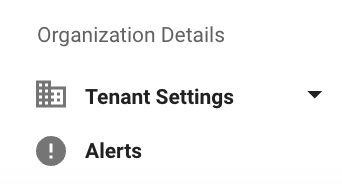
- Navigate to Organization Details > Alerts
Columns in Alerts home screen
- Module: The segment of the system where the alert originates.
- Alert ID: A unique identifier assigned to each alert.
- Alert Name: The title that describes the essence of the alert.
- Alert Description: A brief explanation providing context to the alert.
- Alert Type: The category that the alert falls into
- System Alert: Integration specific alerts
- Configuration Alert: Alerts generating from configuration changes
- External Alert: Alerts originating from external chat system
- Last Fired at: The most recent time and date when the alert was last triggered.
- Total Times fired: Count of times the same alert was fired.
- Active Since: Time from which a specific alert is active.
- Acknowledged By: User who is acknowledging an active alert in the UI.
There are 2 states a alert can be present in
- Active - Active alerts signifying that the issue is possibly still persisting
- Archived - Historical alerts that were triggered and resolved.
- An Alert gets moved to the Archived section if alert expression criteria is resolved internally.
- The archived alerts section contains a history of the last 2 months of alerts.
Supported Alert Types
Moveworks Alerts infrastructure is evolving. Currently Moveworks support a limited number of alerts covering few scenarios that impacts a skill functioning.