
How to guides for Handoff
I want to add a new category and item to handoff
-
I want to add a new category to handoff
-
Navigate to Handoff > Handoff Settings
-
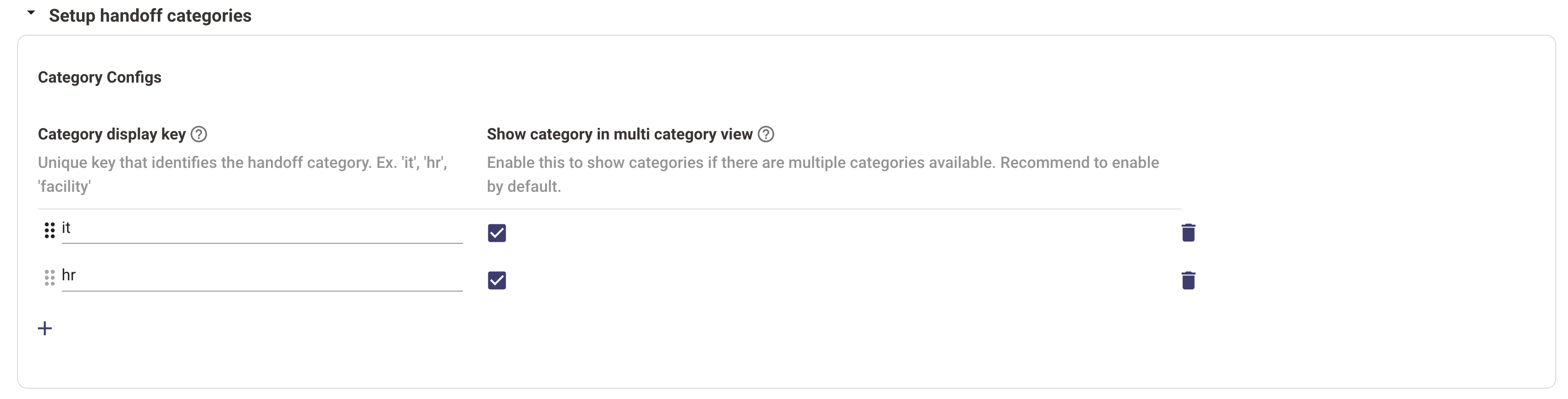
Find Setup handoff categories
-
Click on the + to add a new category.
-
Enter an appropriate category display key eg: it, hr, finance and click on the checkbox
-
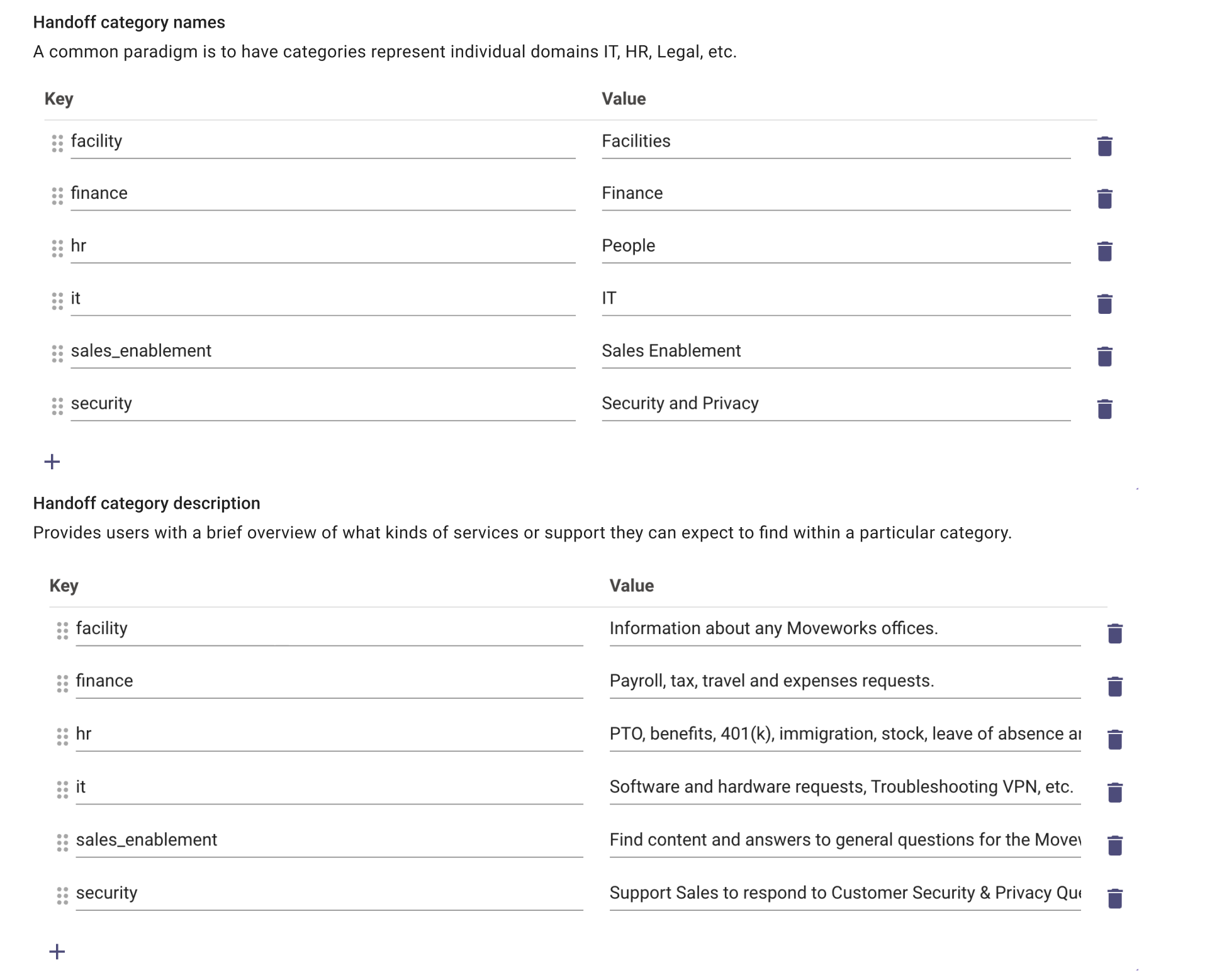
Find Setup handoff categories display configurations
-
Enter the same category display key and their corresponding values.
-
Submit the changes
-
Once you submit the changes, a new category will be added.
-
-
I want to add a new item
-
Navigate to Handoff > Handoff Settings
-
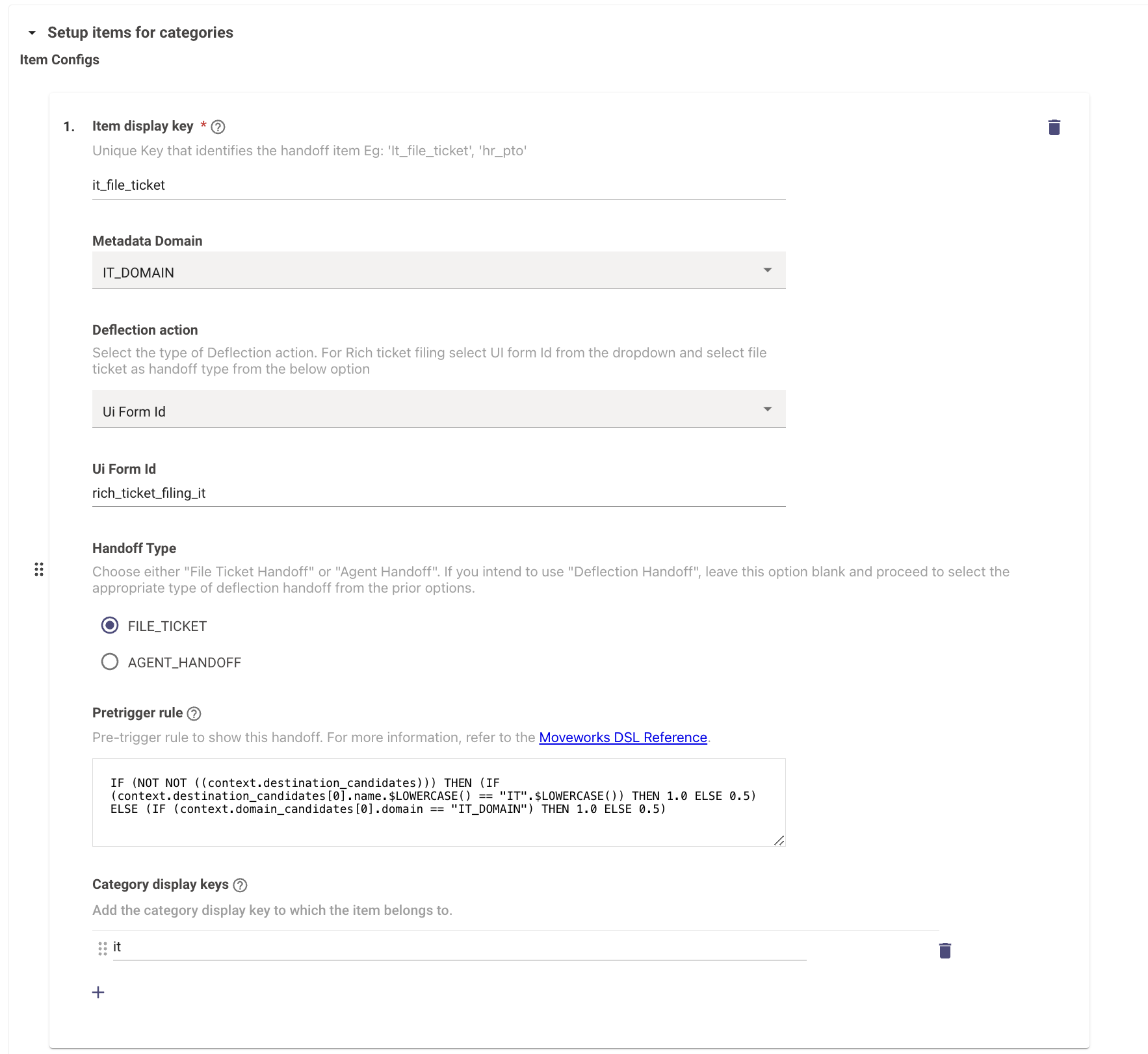
Find Setup items for categories
-
Click on the + to add a new item.
-
Enter an appropriate Item display key eg: it_file_ticket, hr_pto, finance_reimbursement.
-
Configure your item based on the documentation here.
-
Submit the changes
-
Find Setup items for categories display configurations
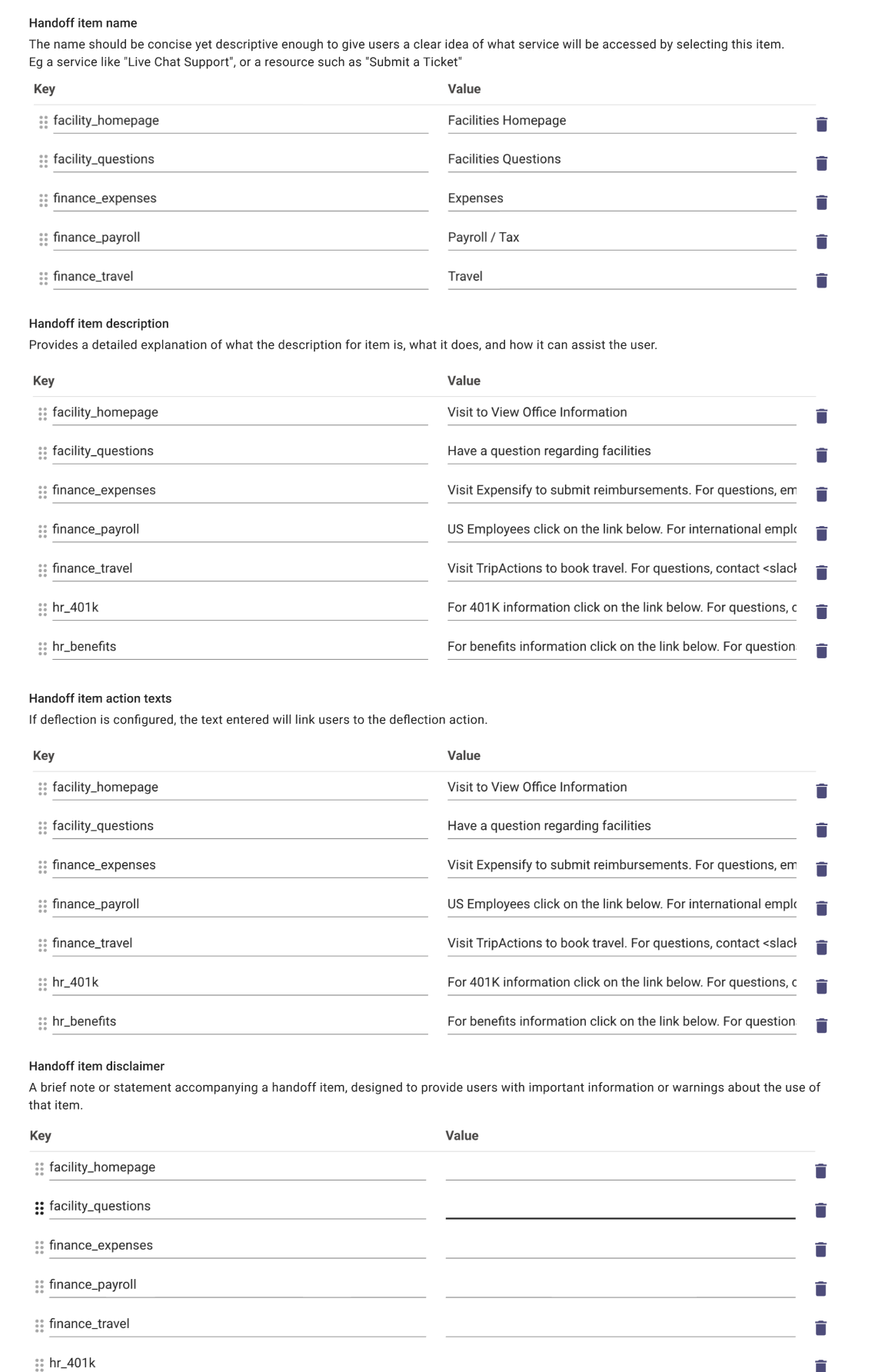
- Enter the same Item display key and their corresponding values.
- Once you submit the changes, a new category will be added.
-
I want to customize handoff behaviour
-
I want to update domain
- Navigate to Handoff > Handoff Settings
- Find Setup items for categories
- Update domain : The backstop card that is returned is dependent on the Answers and FAQs returned to the user. If all of the answers returned have the same domain then we will return that domain’s backstop. For example, if the utterance is “I need help with my PTO request” and 7 articles are returned that all have the HR domain, then the HR backstop will be returned
- Choose Deflection Action: If you wish to enable deflection handoff, select a deflection action from the following options:
- URL
- Chat channel ID
- Rich ticket filing form
- Specify Handoff Type: Exclude this step if you’ve already activated URL/Email/Chat Channel Deflection handoff. Choose one of the following depending on your preference:
- File Ticket Handoff: Opt for this if you desire ticket creation through the usual route or if you’ve previously selected Rich Ticket Filing.
- Agent Handoff: Choose this to enable agent handoff.
- Pre trigger rule: We recommend you update this with the help of a CSE. Items rated at 1.0 are immediately shown to the user, those rated at 0.5 require the user to manually find them, and items rated at 0.0 are completely hidden and inaccessible throughout the user’s session.
-
I want to customize display values of item
-
Navigate to Handoff > Handoff Settings
-
Find Setup items for categories display configurations
-