
What Goes Into a Turn
If you’ve read LLM Fundamentals, you know the basics: LLMs predict the next token, context windows have hard limits, and attention is U-shaped, so the middle of a long input gets less focus. This page covers what the reasoning engine reads on each turn and how it works through a request. For how to design tools around those limits, see The Golden Rule.
What Goes Into the Context Window
Every time the reasoning engine makes a prediction, it reads a single assembled input. That input holds everything the engine needs to decide what to do next: system instructions, your tool’s configuration, slot descriptions, user messages, action outputs, and the conversation history. For the detailed breakdown, see Context Windows.
The platform serializes all of this into tokens and feeds it to the engine as one sequence. The engine doesn’t pick which parts to read. It reads everything, every turn.
The context window is assembled fresh on each turn. As the conversation goes on and actions fire, the window fills with more data. Tool configuration and slot descriptions are always present as a baseline cost. Each action response stays in the window for the rest of the conversation.
This is why what you put into descriptions, how many actions you chain, and how much data your APIs return all affect reasoning quality. Every token competes for the same finite attention.
The Four Kinds of Context
The assembled input draws on four kinds of context. Together they tell the engine what the user means, what it can do, what has already been said, and what is still in progress.
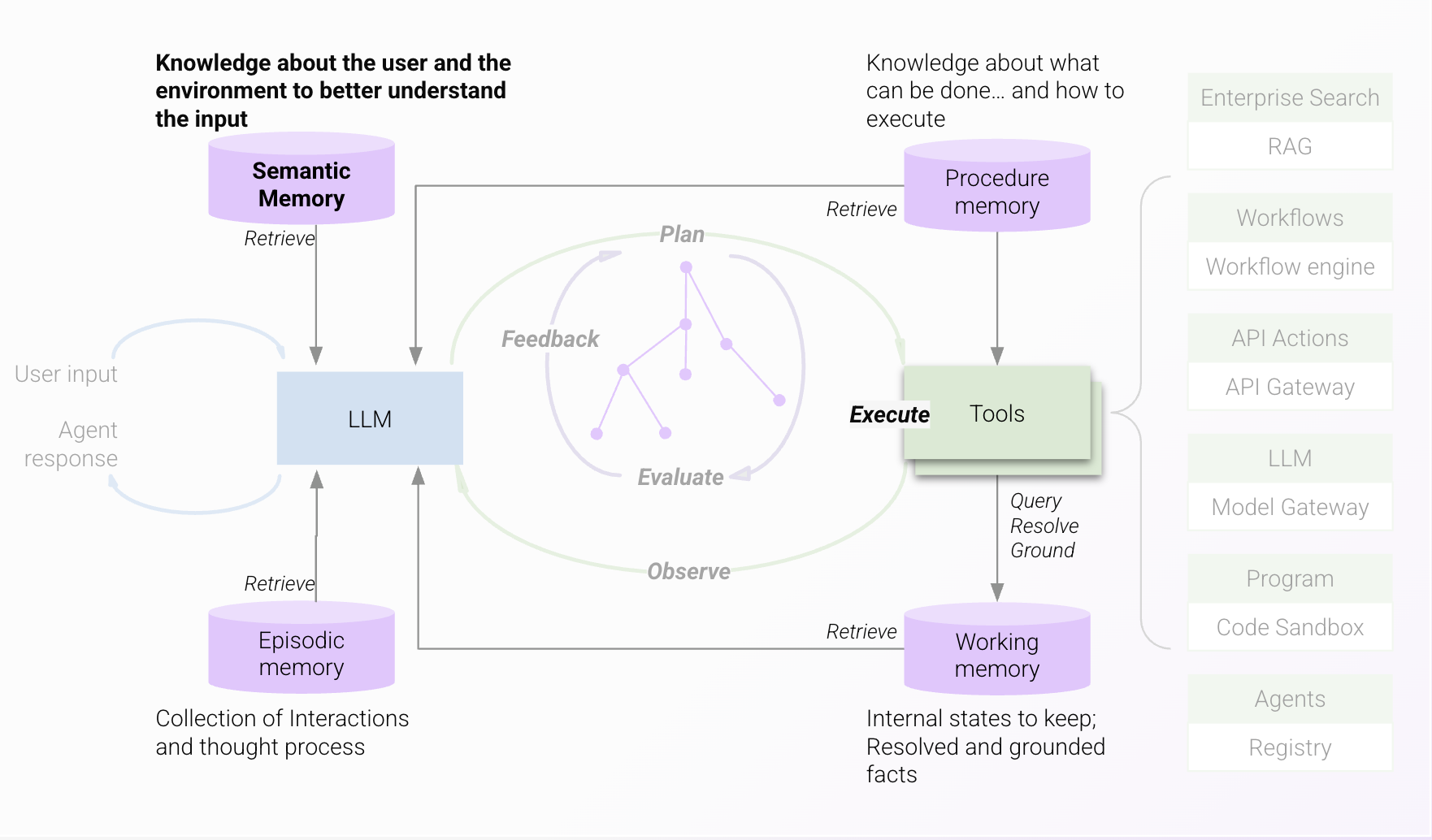
Your organization’s knowledge
The content, entities, and terminology your organization uses. The engine needs this to understand what the user’s words mean in your company. See Domains and Entity Catalog.
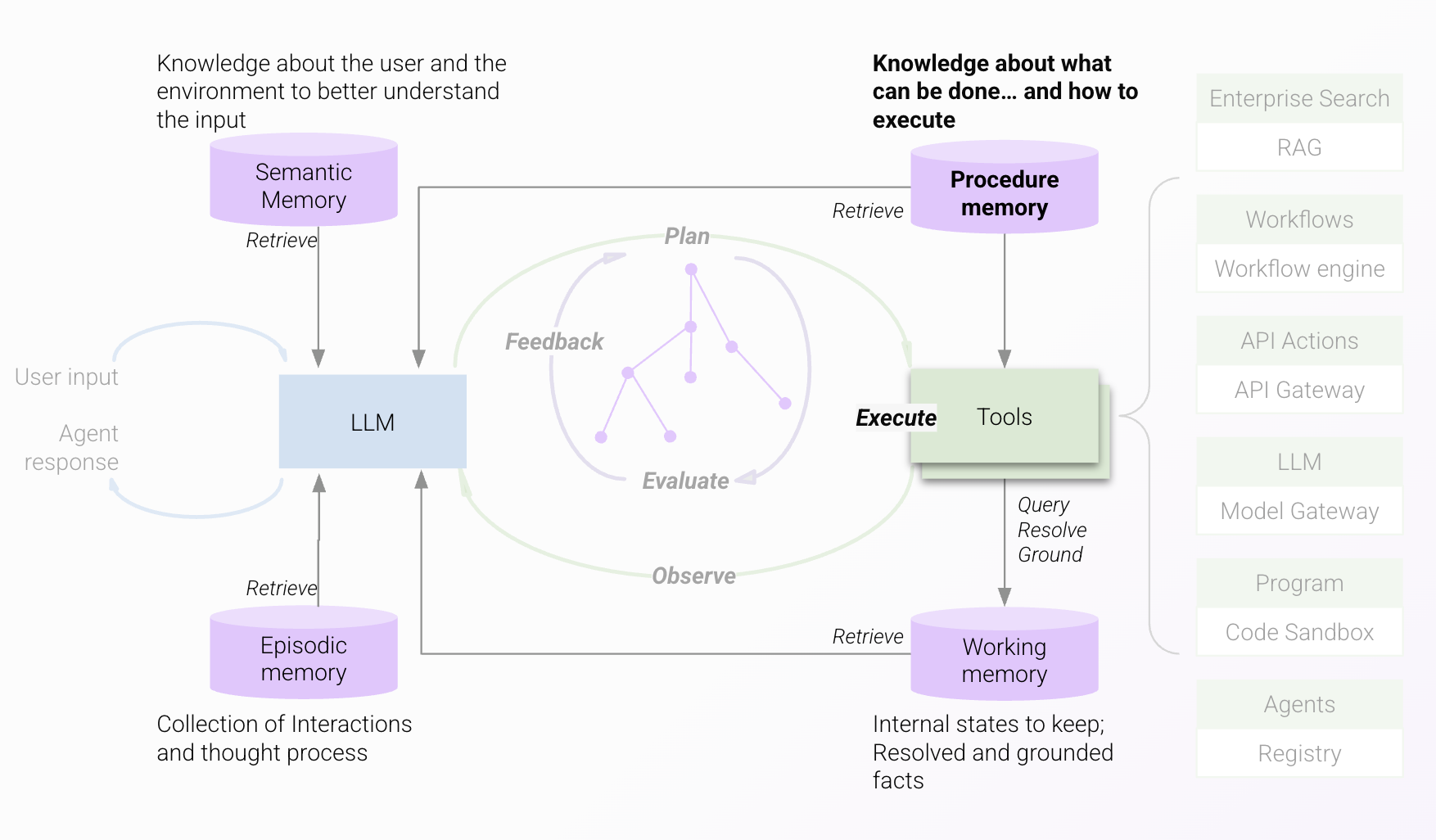
The available tools
The tasks the engine can perform for this user, and the business processes or rules it should follow. The engine needs this to pick the right tools for the request and know how to apply them. See Tool Selection.
This conversation
The messages, tool calls, and results from the current conversation: which questions were asked, what was answered, and what was already decided. This lets every reply fit what came before it. Only messages inside the lookback window your admin sets (24 hours by default) are included, and older messages drop out. The assistant has no long-term memory of past conversations. See Conversation History.
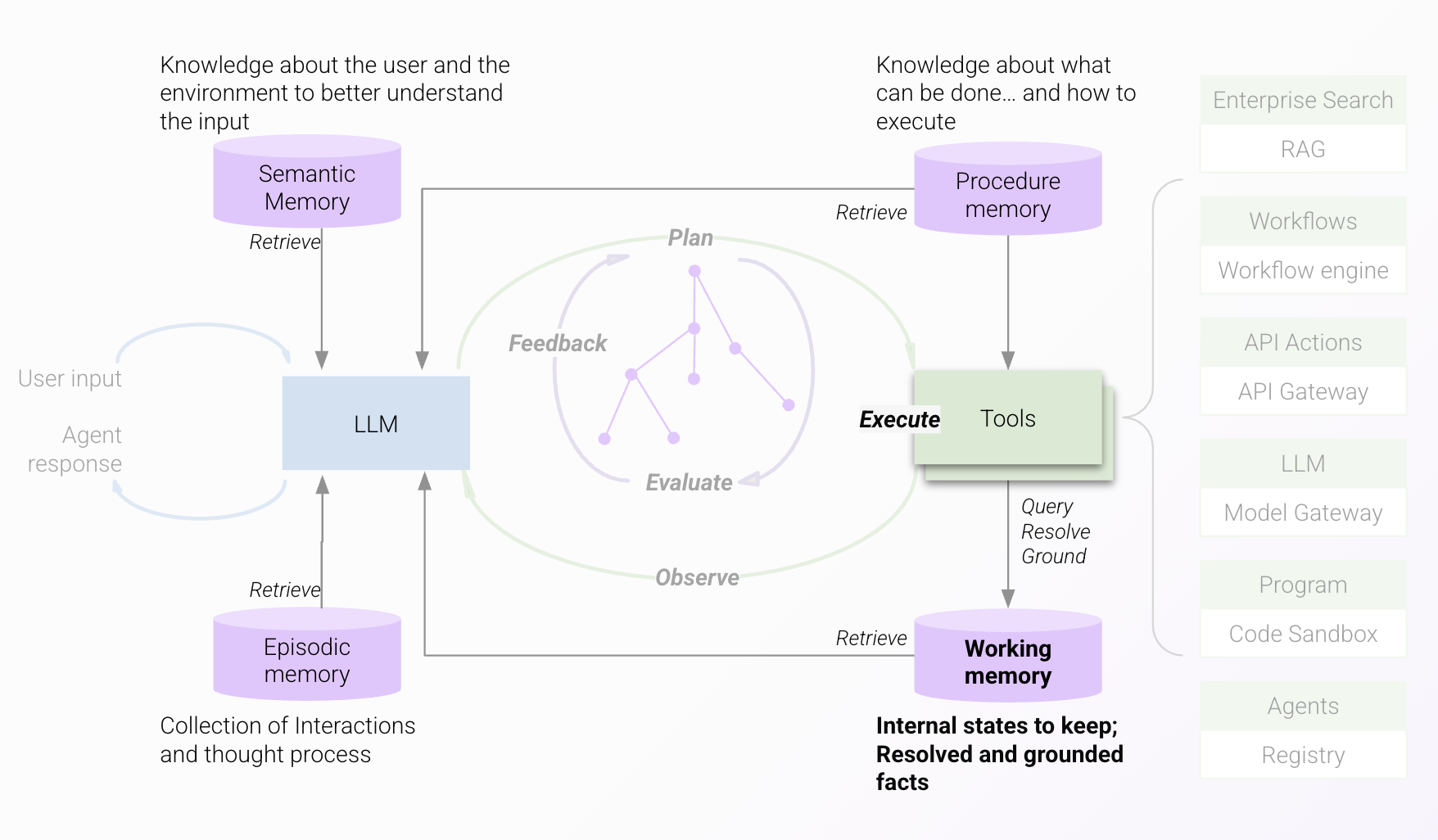
Results so far
The operations in flight for this request and how far along each one is, so multi-step processes, synchronous or asynchronous, are tracked and finished. This state also holds the sources behind each answer, so responses carry references the user can check. Large tool results are stored as named variables here rather than pasted into the window. See Processing Tool Responses.
How the Engine Reasons
The engine works in a loop. The LLM plans, checks the plan, runs tools, looks at what came back, and plans again, up to 10 times per request, until it can answer or needs something from you.
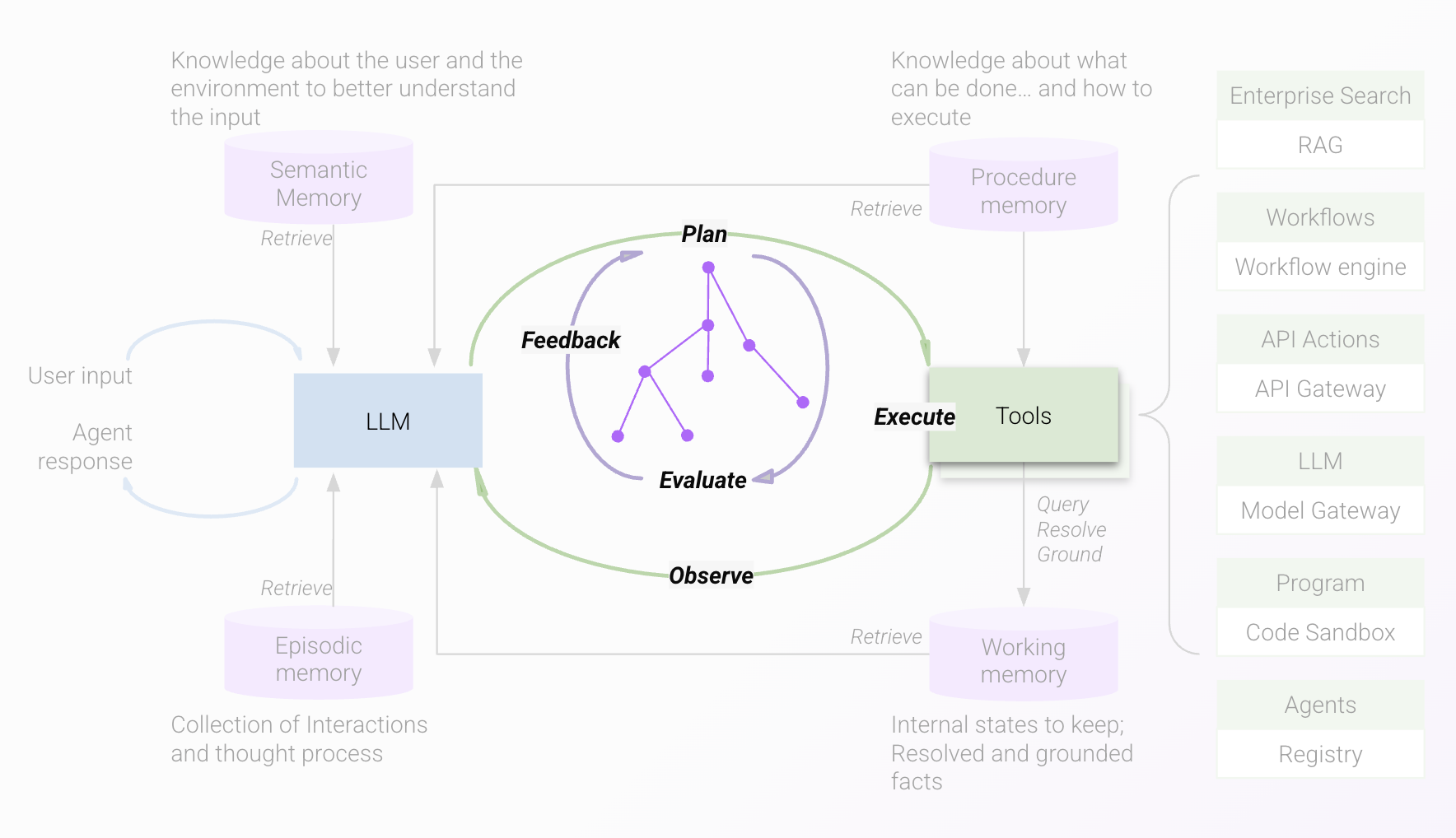
For how planning, execution, and your feedback fit together, see The Reasoning Loop.
Processing Tool Responses
Small tool responses go into the context window as-is. Large structured responses are stored as a named variable, and the engine sees a truncated preview instead. See Processing Tool Responses for the thresholds and how to shape your output.