
Tool Selection
Tool selection is how the AI Assistant decides which tools to call to carry out a user’s request, and what to pass to each one. The Assistant makes this decision on its own, on every request.
Where tool selection happens
Tool selection is part of the two inner loops of the reasoning loop: the planning iteration loop and the execution iteration loop.
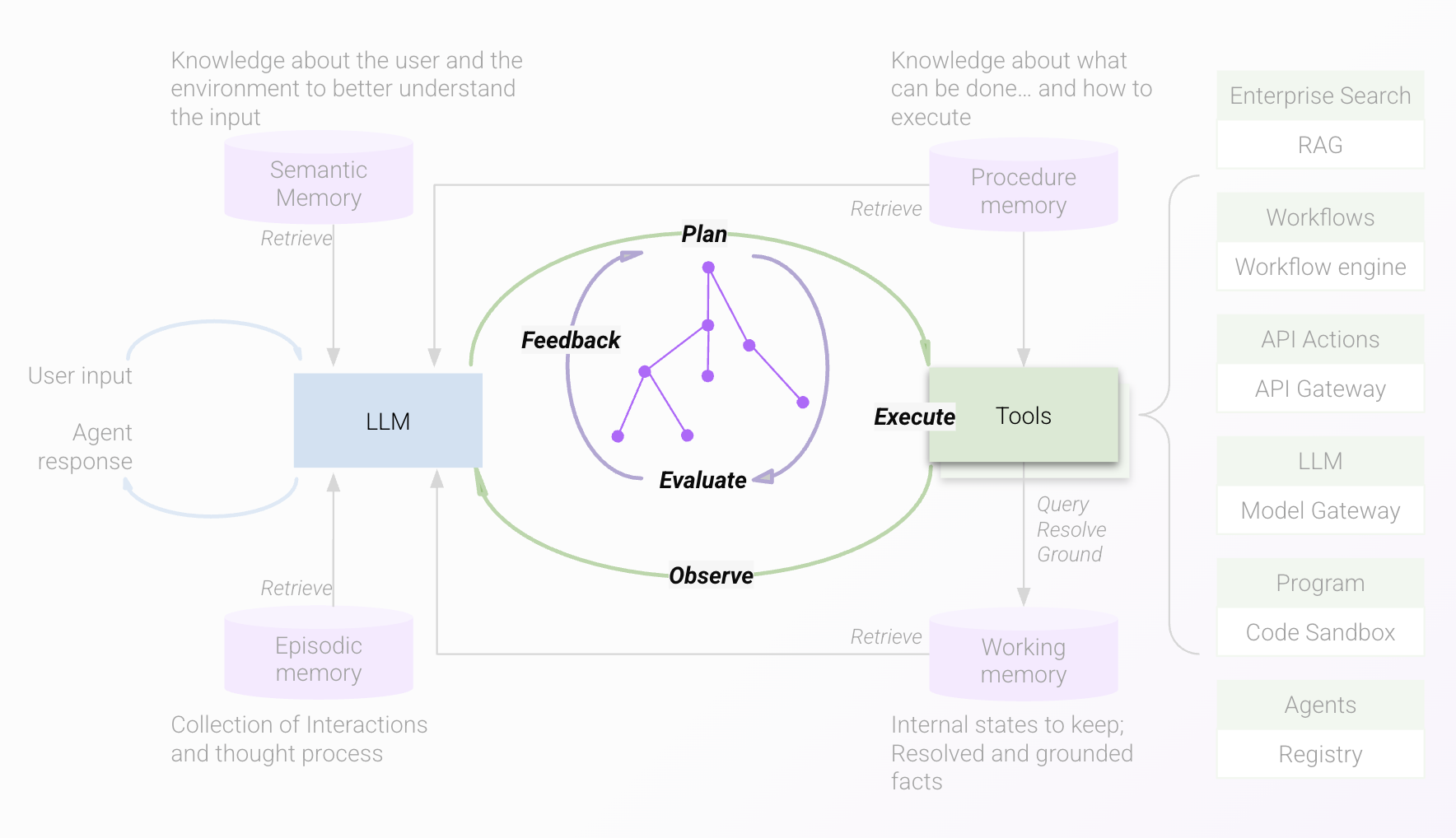
In the planning iteration loop, the engine builds a plan that names:
- The tools to call
- The arguments to pass to each selected tool
The execution iteration loop then carries out that plan. It calls the chosen tools and observes the outcome. Based on what comes back, it can call more tools, respond to the user, or ask the user for input.
The Assistant can pick more than one tool for a single request and run them in parallel. See Multi-Tool Responses.
What the engine uses to choose
The engine can only choose from the tools available to the user in your environment, so the candidate set differs from customer to customer. For each candidate, it reads:
- The tool’s description
- The positive and negative example utterances provided for the tool
These are what decide whether a tool is a good match for the request. Clear descriptions and well-chosen examples are the main lever you have over tool selection.
Does the Assistant treat native and custom tools differently?
No. The engine reasons over native and custom tools the same way, and descriptions and examples matter equally for both.
You can’t change the description or examples of a native tool. When a native tool and a custom tool compete for the same requests, you have four options:
- Offer both to the user.
- Change the examples on the custom tool so it covers a different set of utterances from the native tool.
- Keep the native tool active and use Steerability Tools to guide the engine toward one or the other for specific requests.
- Disable the native tool if the custom tool fully covers its functionality.