
Multi-Tool Responses
The AI Assistant can call several tools in parallel for one request, review what each returns, and combine the results into a single summarized reply. This is called a multi-tool response.
Multi-tool responses help users in three ways:
- Every relevant tool is surfaced for the request.
- The reply is short and easy to scan.
- Users see their options at a glance and can follow up on the one they want.
Here is a multi-tool response that combines Knowledge Search results with Software Provisioning for Figma:
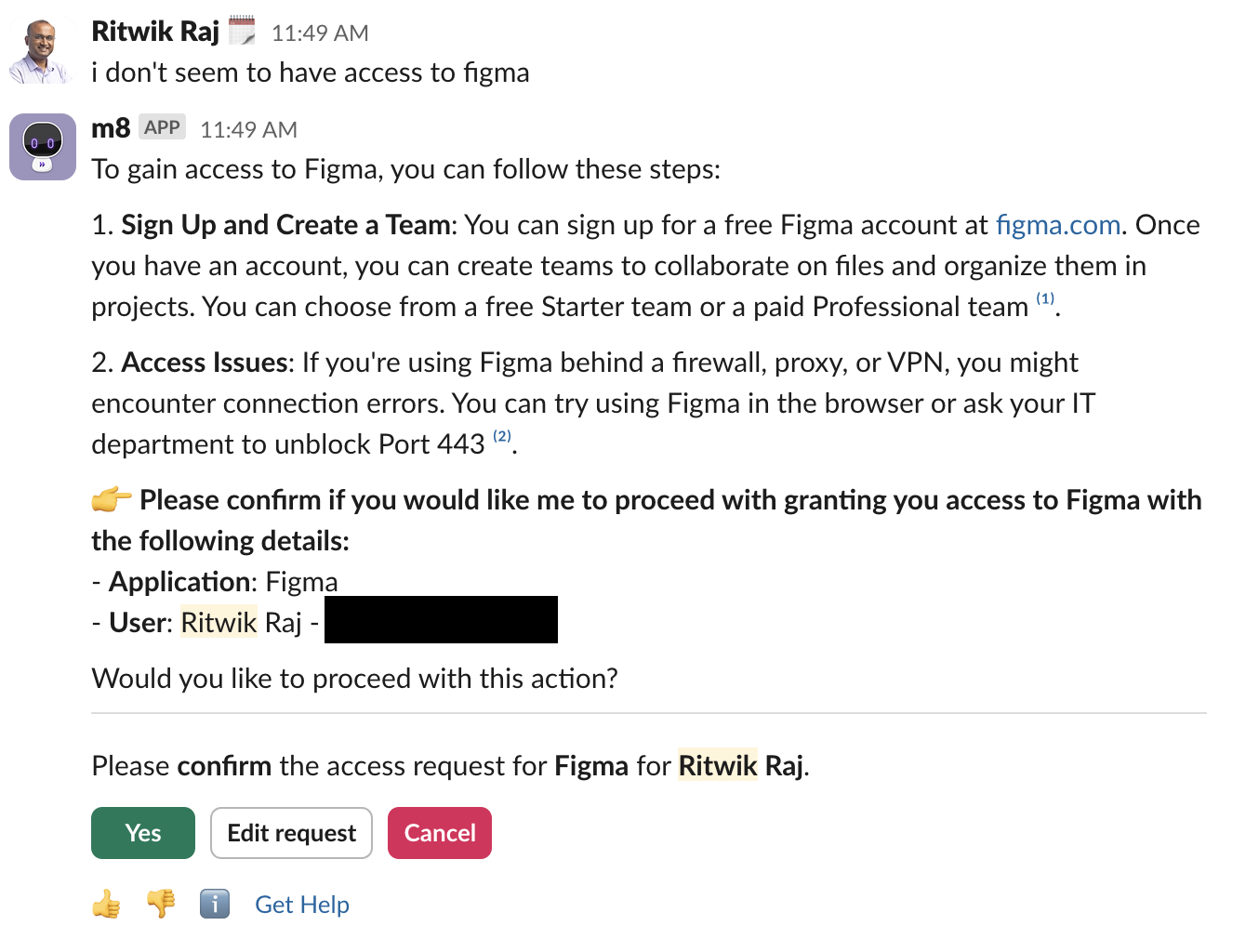
The AI reasoning shows which tools were called:
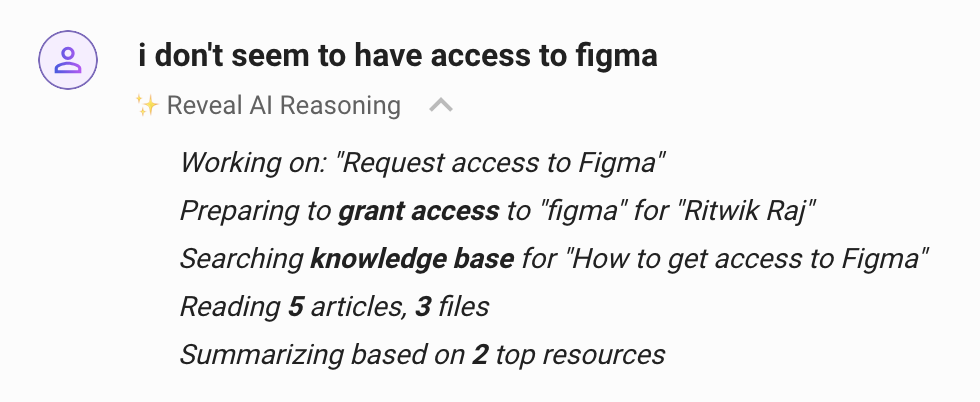
What a multi-tool response looks like
-
The top of the reply is a summary that lists the available options.
-
If the user can act on an option, the buttons appear at the bottom of the reply.
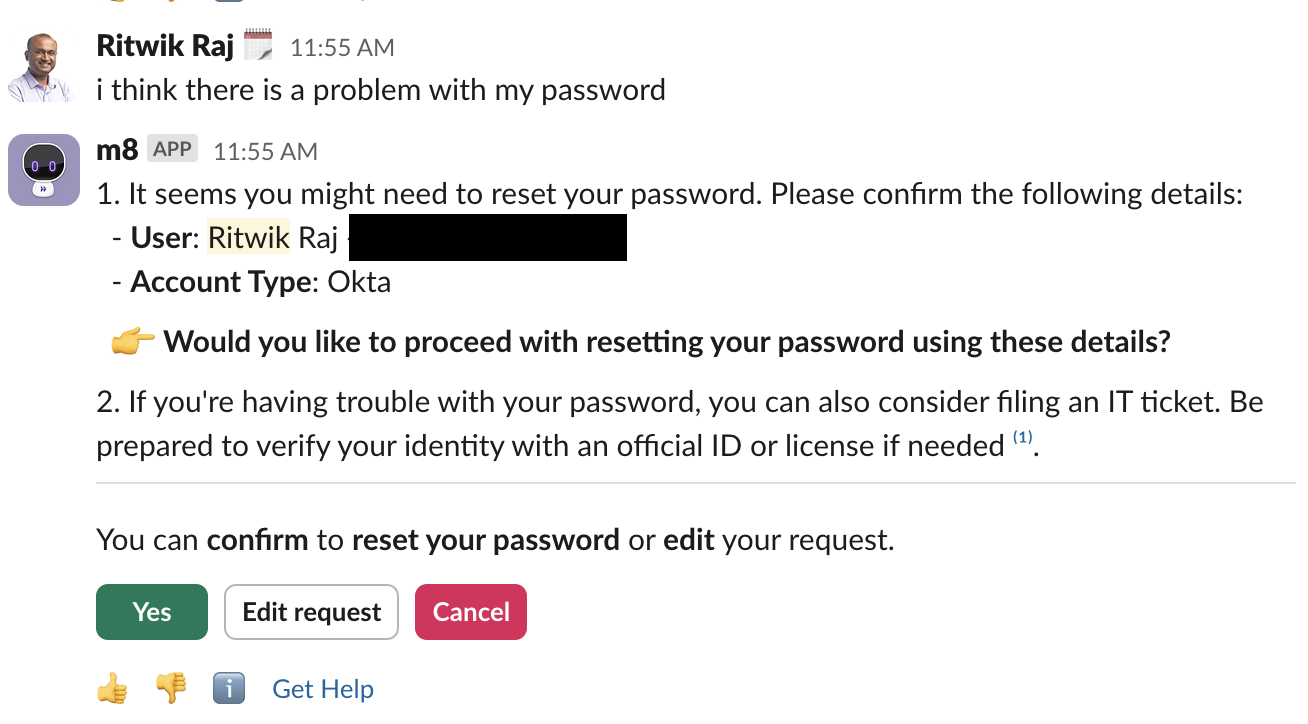
-
If there is more than one call to action, each one gets its own group of buttons at the bottom.
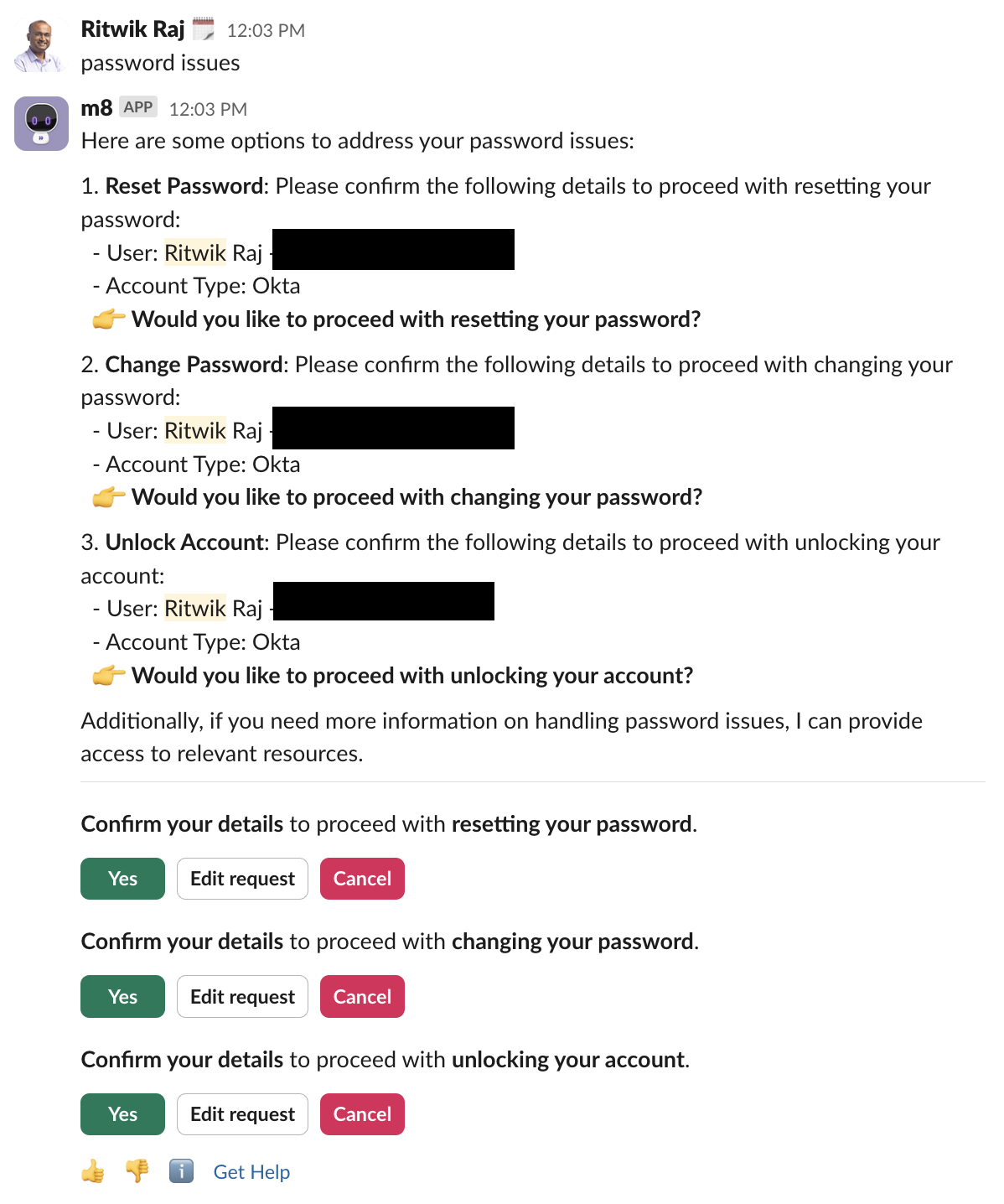
-
When the user picks an action, for example
Yesunder Unlock Account, the Assistant carries out that action.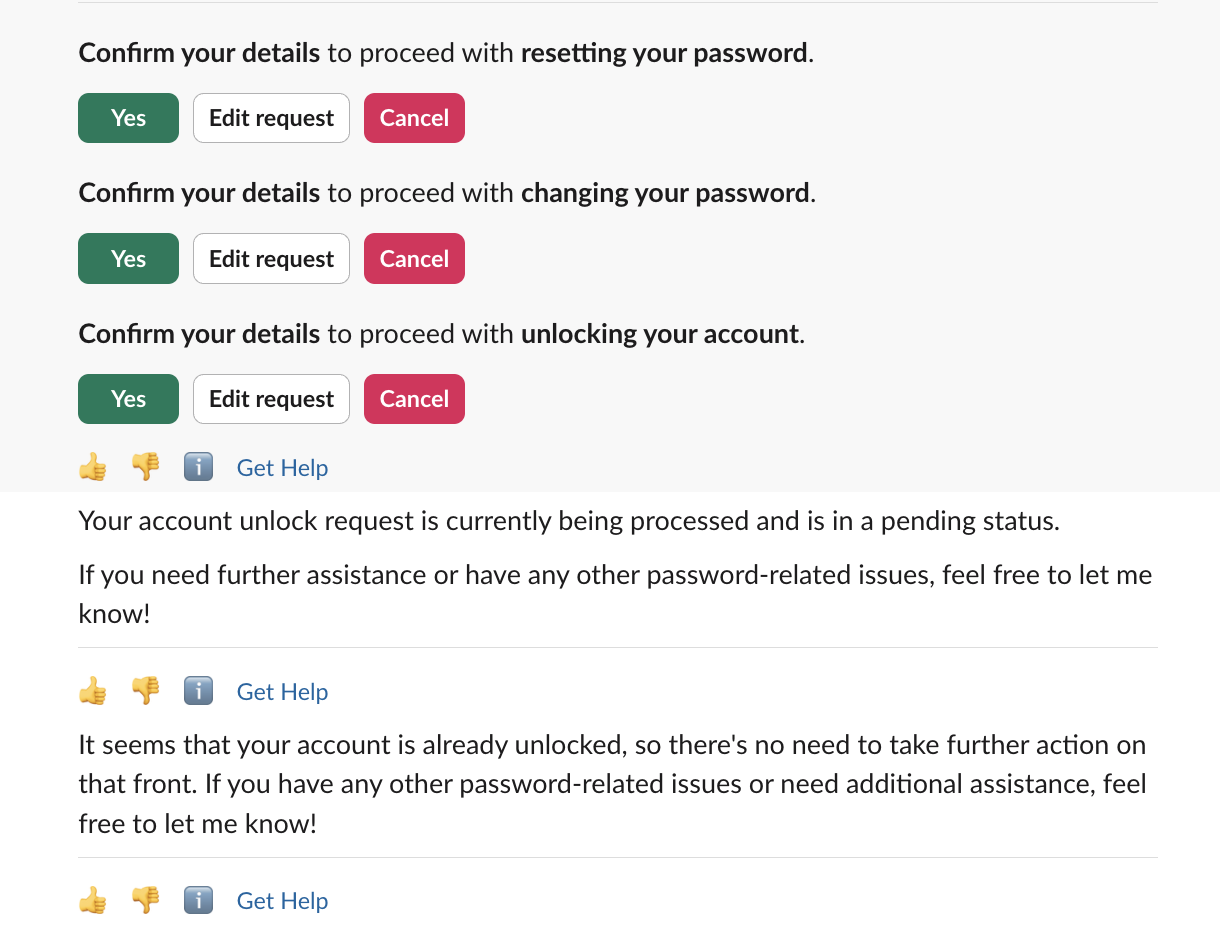
How it works
Multi-tool responses rely on three behaviors.
1. Calling every relevant tool. Earlier versions of the Assistant almost always called one tool per request. The main exception was a multi-intent request such as “Do X and help with Y,” which produced sequential calls. The Assistant now identifies and calls every tool that can help. How it decides which tools are relevant is covered in Tool Selection.
2. Running tools in parallel. Selected tools run at the same time. For a single-intent request, latency stays about the same as calling one tool. For a multi-intent request, latency goes down, because the Assistant works on every intent at once.
3. Grouped buttons. More tools per request means more calls to action. Each call to action gets its own group of buttons, with a short description the Assistant writes so the user knows what each group does.
Expected behavior across Reasoning Engine versions
Multi-tool responses are intentional, not a side effect. The Assistant is tuned to maximize the chance that a user resolves their request on the first turn. When a request matches more than one tool, for example a custom tool you built in Tool Studio and an existing knowledge article or form, the Assistant shows them together so the user can take the fastest path.
You may see this more often on newer Reasoning Engine versions. As tool selection improves, the Assistant gets better at recognizing when several tools are relevant to one request, so replies can offer more paths than they did on earlier versions.
If a newer Reasoning Engine version shows a relevant knowledge article or form next to a custom tool that was triggered, the harness is working as intended. It is not a quality drop compared with an earlier version that showed only one path.
What to expect
- Relevant knowledge articles, forms, or native tools can appear next to a triggered custom tool when they match the user’s intent.
- When more than one tool is relevant, they can run in parallel.
- The results come back as one message with grouped calls to action, so the user never has to read several separate replies.
- Tool matches depend on tool descriptions and example utterances. See Tool Selection.
For how newer Reasoning Engine versions roll out, see the Reasoning Engine Upgrade Program.
When you need a narrower response
If showing extra tools is genuinely wrong for a specific intent, such as a sensitive workflow where only one path should be offered, use Steerability Tools to scope the behavior for that intent.
A Situational Instruction fits this case. For example:
“When a user asks to submit PTO, only call the PTO Submission tool. Do not surface related knowledge articles or forms.”
A Situational Instruction applies only when its trigger condition is met. That lets you narrow a few high-stakes flows without changing the Assistant’s default behavior everywhere else.
Suppressing other relevant tools reduces how much help the user gets on the first turn. Only steer when the intent is truly exclusive. Most requests benefit from seeing several relevant options.