
Data Types
What are data types?
Data types define the structure and format of values that variables can hold. They ensure type-aware behavior, enabling the AI agents to handle data consistently, such as collecting inputs in conversational slots, passing values between actions, or rendering them in citations.
For a complete walkthrough that creates a custom Data Type from scratch, attaches a dynamic resolver strategy, and uses it in a conversation process, see Quickstart #2: Slots & Resolvers.
Available Data Types
Data types vary by context:
- Actions: Currently limited to a fixed set of primitive and built-in types.
- Slots: Include the same types as Actions, plus support for custom data types.
Data Types for Actions
Actions currently support the following built-in data types.
Usage Notes:
- Use these types when defining inputs for actions.
- For lists, specify the inner type (e.g.,
List[string]for a list of strings). GroupandRoomappear in the data type list only for organizations where they are enabled. See Group and Room.
Group and Room
The Group and Room data types are being enabled for organizations individually. If they do not appear in your data type list, contact your Moveworks account team.
Group and Room are built-in data types, like User. Before they were available, a plugin that needed a group or a room had to collect a string and look the record up itself, or define a custom data type with its own resolver. Now you select the type directly, and the assistant resolves what the user said against your organization’s data with a built-in resolver strategy. You do not create or maintain the type, its schema, or its resolver.
Where you can use them:
- Slots in a conversation process. The assistant resolves the user’s description to a
GrouporRoomrecord before the process continues, and asks the user to choose when several records match. - Input arguments on compound actions. Pass a resolved record from a slot, or from an upstream step, into the compound action.
- Resolver strategies for custom data types that return one of these types.
Once a slot or input argument uses one of these types, its fields appear in the Data Bank and in DSL autocomplete, so you can map them into later steps, for example data.room.building_info.floor.
Group
Represents a group or distribution list ingested from your identity systems, the same records the assistant uses for group access requests. The built-in resolver matches on the group’s name, email, or ID.
Room
Represents a conference room from your organization’s room data, the same records behind People & Places Lookups. The built-in resolver matches on the room’s name.
Fields are present only when your source data provides them. Room images are not included.
Data Types for Slots
Slots, used in conversational processes, support all the data types available in Actions, plus custom data types. Custom types allow integration with business systems, enabling slots to handle complex, system-specific objects.
- Built-in Types: Identical to those in Actions (see table above).
- Custom Data Types: User-defined types representing objects from external systems, such as
SalesforceAccountorJiraIssue.
Key Differences
- Custom types are exclusive to slots for advanced data collection in conversations.
- They enable natural language resolution (e.g., converting “my latest ticket” to a
JiraIssueobject). - Do not merge custom types across systems—create separate types for similar objects in different systems (e.g.,
SalesforceAccountandNetsuiteAccount).
How do I configure Custom Data Types?
Custom data types are configured exclusively for use in slots. Follow these steps to create and set them up in the Tool Studio.
Prerequisites
- A JSON example of the data object from your business system (e.g., a sample API response).
Step-by-Step Configuration
-
Navigate to Data Types
-
Create a New Custom Data Type
- Click Create
-
Set Name and Description:
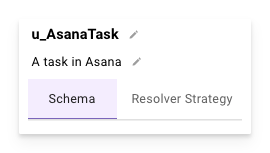
- Name: Must follow the convention
u_<DataTypeName>(e.g.,u_SalesforceAccount). This serves as a unique identifier. - Description: Provide a detailed explanation of the type, including its purpose and key fields.
- Name: Must follow the convention
-
Define the Data Type Schema
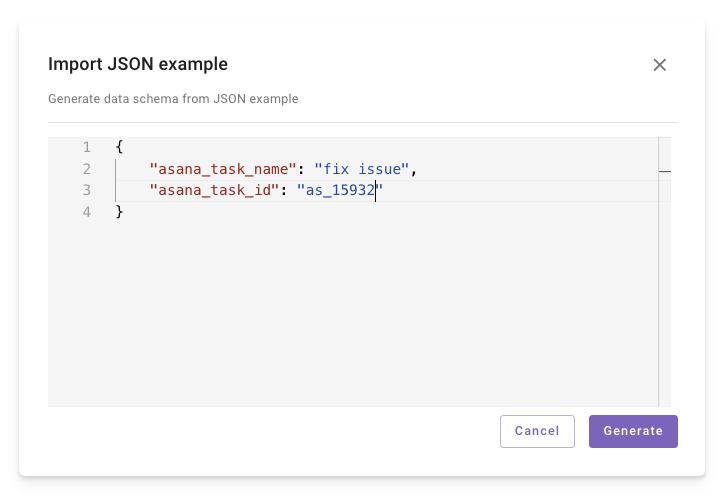
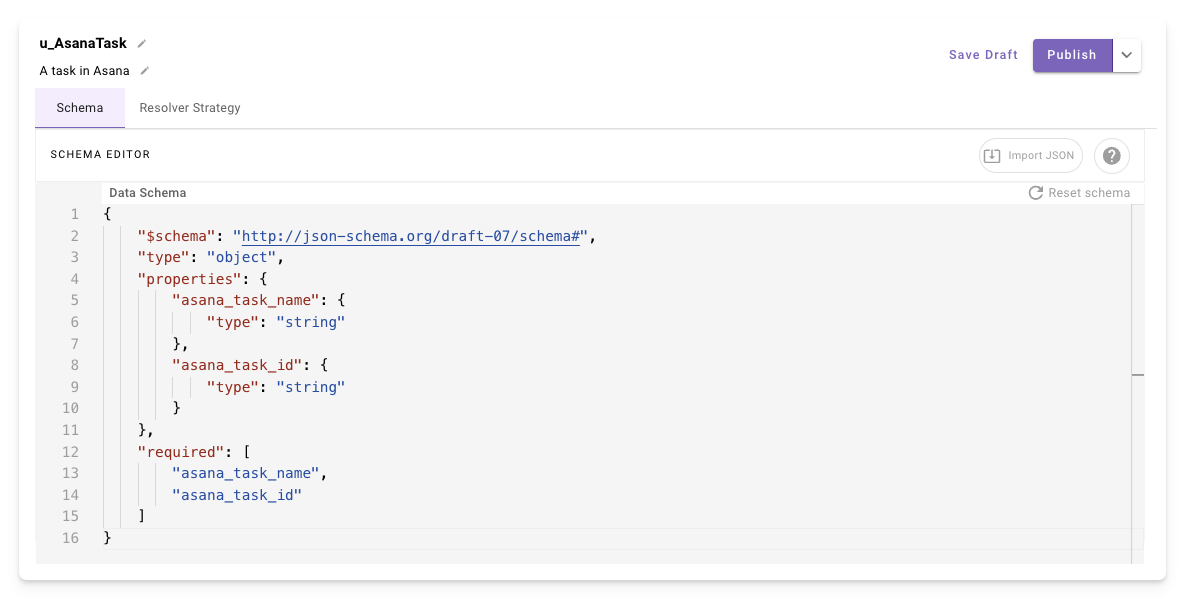
- Use the Import JSON button in the top-right to paste a sample JSON object from your system.
- A schema will be auto-generated based on the JSON structure.
- Review and edit fields as needed (e.g., mark required fields or add validations).
-
Add Resolver Strategies
- Resolver strategies convert natural language inputs to custom data type objects.
- A single data type can have multiple resolver strategies — for example, a
JiraIssuetype might have resolvers for searching by issue key, by title, or by assignee. The AI agent picks the best method based on conversation context. - Defining resolvers here makes them reusable — every slot that uses this data type inherits these resolvers automatically.
- For details on configuring static and dynamic resolver methods, see Resolver Strategies.
- You can also configure resolvers inline on individual slots. See how slot resolvers work for the conceptual overview.
Example Use Case: For a
JiraIssuetype, a resolver might map “this week’s most important bug” to a specific issue object.