
Ticket Interception Analytics
Overview
The AI Assistant is capable of intercepting tickets filed through channels outside of the chat interface, such as email, service portal websites, and more, with the use of ticket interception.
Learn about the adoption and performance of this feature through this report, and gain insights into how the AI Assistant reduces the volume of tickets at the service desk, enables users to self-solve issues, and educates them about its capabilities.
How to access this report
Ticket interception insights is a new report present under AI Assistant insights. You can access this report by clicking on the “Ticket insights” tab on the left navigation.
Users with a “Bot analytics admin” or “Bot analytics viewer” role for the analytics application can access this report. Please add the users using the Roles and Permissions tool if they cannot see this report under the AI Assistant Insights tab
Key terms used in this report
Deep dive into widgets
The ticket interception insights provided insights incorporated into the following sections.
Performance of ticket interception
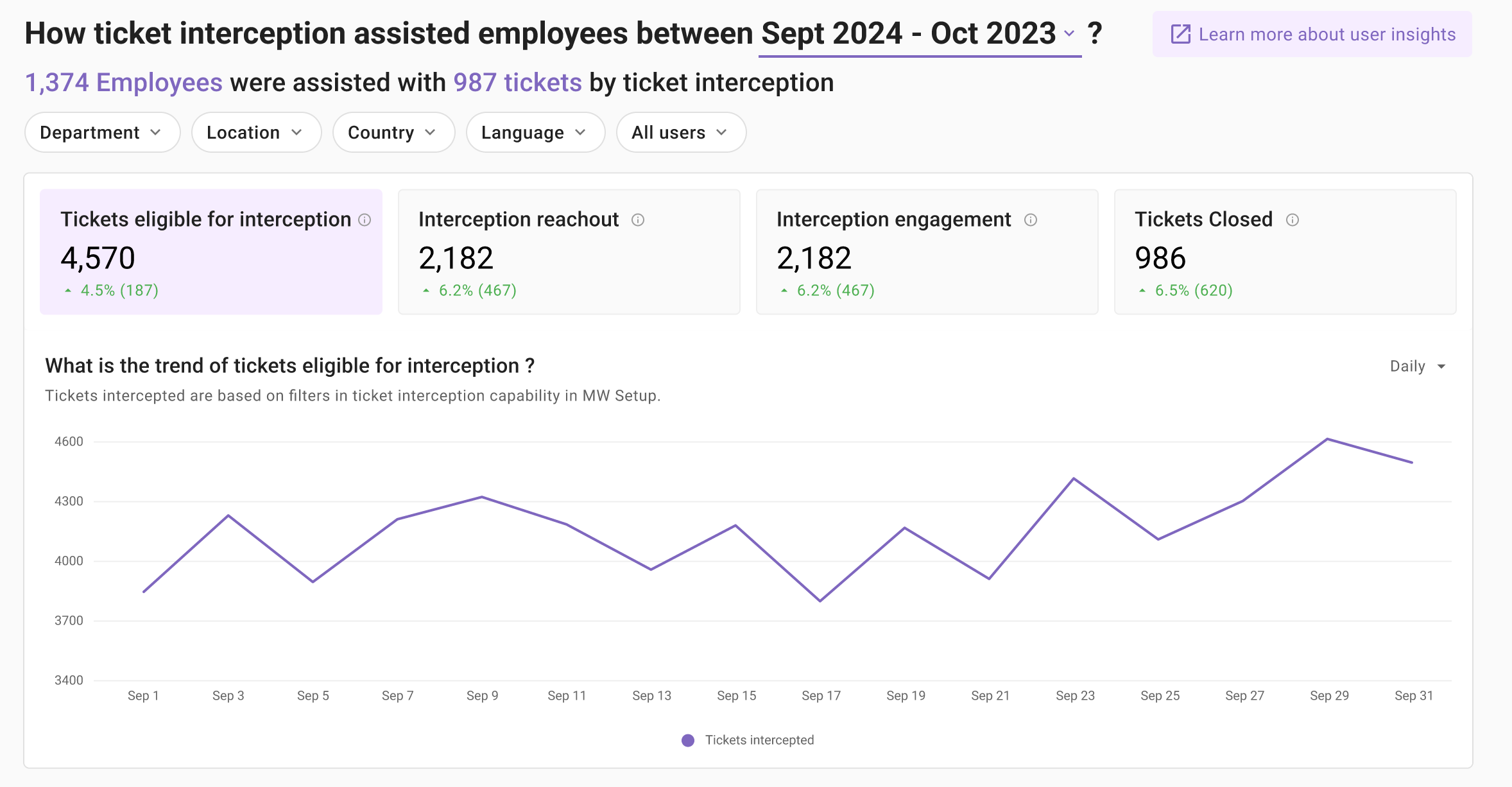
Learn about the ticket funnel and volume ticket being intercepted by the AI Assistant. This section provides insights on the trend of ticket interception performance and how it has been able to deflect tickets from service desk.
Ticket funnel
- Ticket eligible for interception : AI Assistant goes through all tickets filed through other routes and selects the tickets which are eligible for interception after passing them through the Universal ticket filter.
- Interception reachout : Once a eligible ticket is fetched from end system, AI Assistant goes through the ticket details and calls relevant plugins to find relevant solutions. Once AI Assistant has found a solution it reaches out to the end user in chat offering the solution in a summarized response. In this step, if the AI Assistant is not able to find relevant solution for a intercepted ticket it will not reachout to the end user in chat.
- Interception engagement : End users see the ticket interception reachout as a bot notification and can choose to engage. This step shows the efficacy of the reachout in terms of end user engagement. Engagement is only accounted if the end user is clicking on the CTA buttons provided in the ticket interception reachout.
- Ticket closed : This is the last step of the funnel where in a ticket is closed once the user has marked the resolution has helpful and asked to close the ticket. This step reflects the exact number of tickets deflected from the service desk.
In which cases are users reaching out to the service desk outside of the AI Assistant?
Gain insights into why end users went directly to service desk instead of reaching out to the AI Assistant. These insights are powered by two main widgets
- Topic insights : Topics are primary entities detected from the ticket description and short description. Topics provide insights into what end users are asking in tickets. For example : if the ticket short description contains “I need help with troubleshooting salesforce” the topic is detected as Salesforce.
- Issue type insights : Issue types reflect the intent of the end user, the motivation behind filing a ticket to a service desk. For example : If the ticket short description contains “My laptop screen is broken and needs a repair” the intent behind the ticket would be FIX HARDWARE. Intent is a combination of a action <> resource pair. FIX reflects the action user wanted to take and HARDWARE reflects the resource.
Topic and Issue types are detected by the Moveworks LLM after parsing through the ticket description and short description.
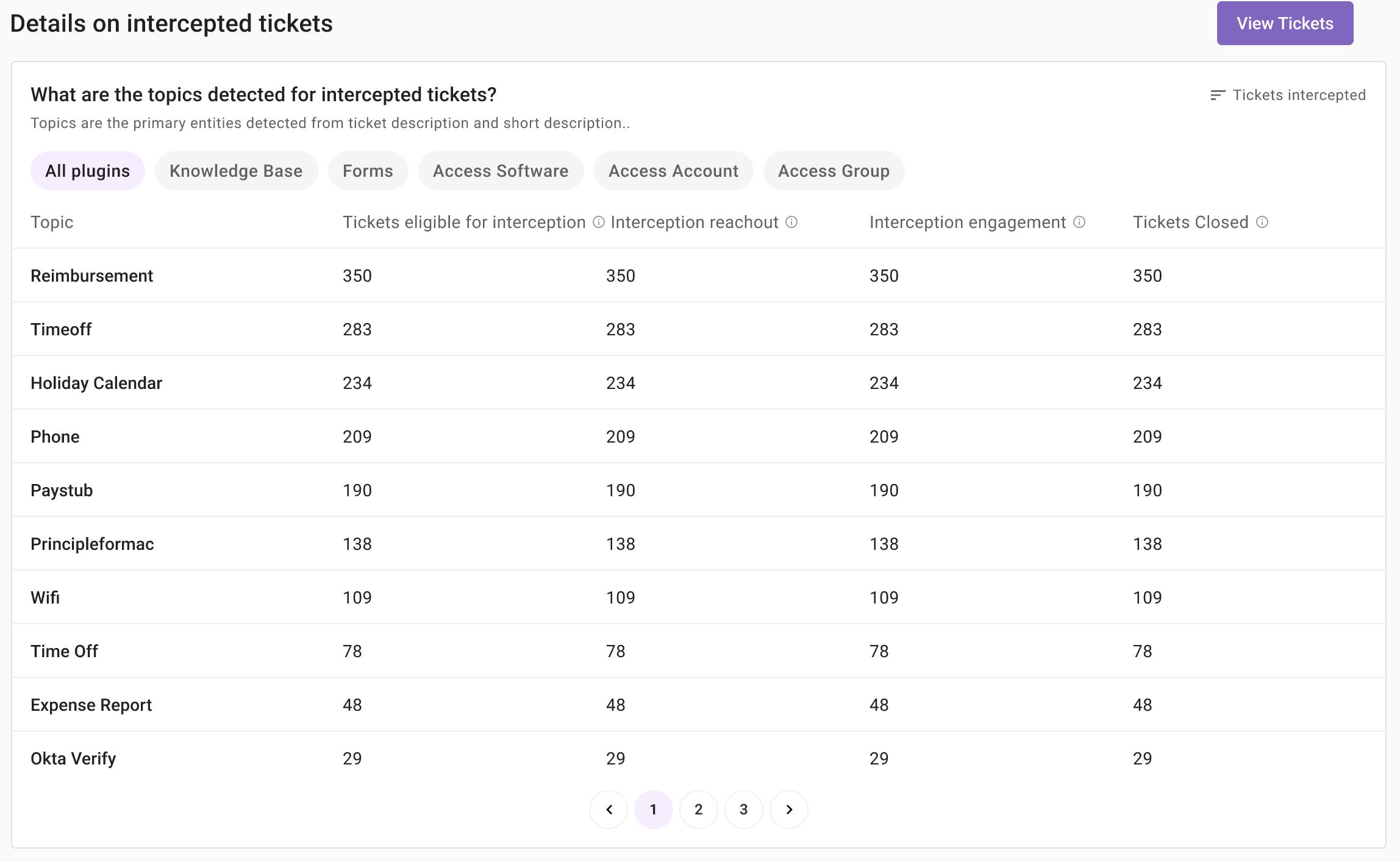
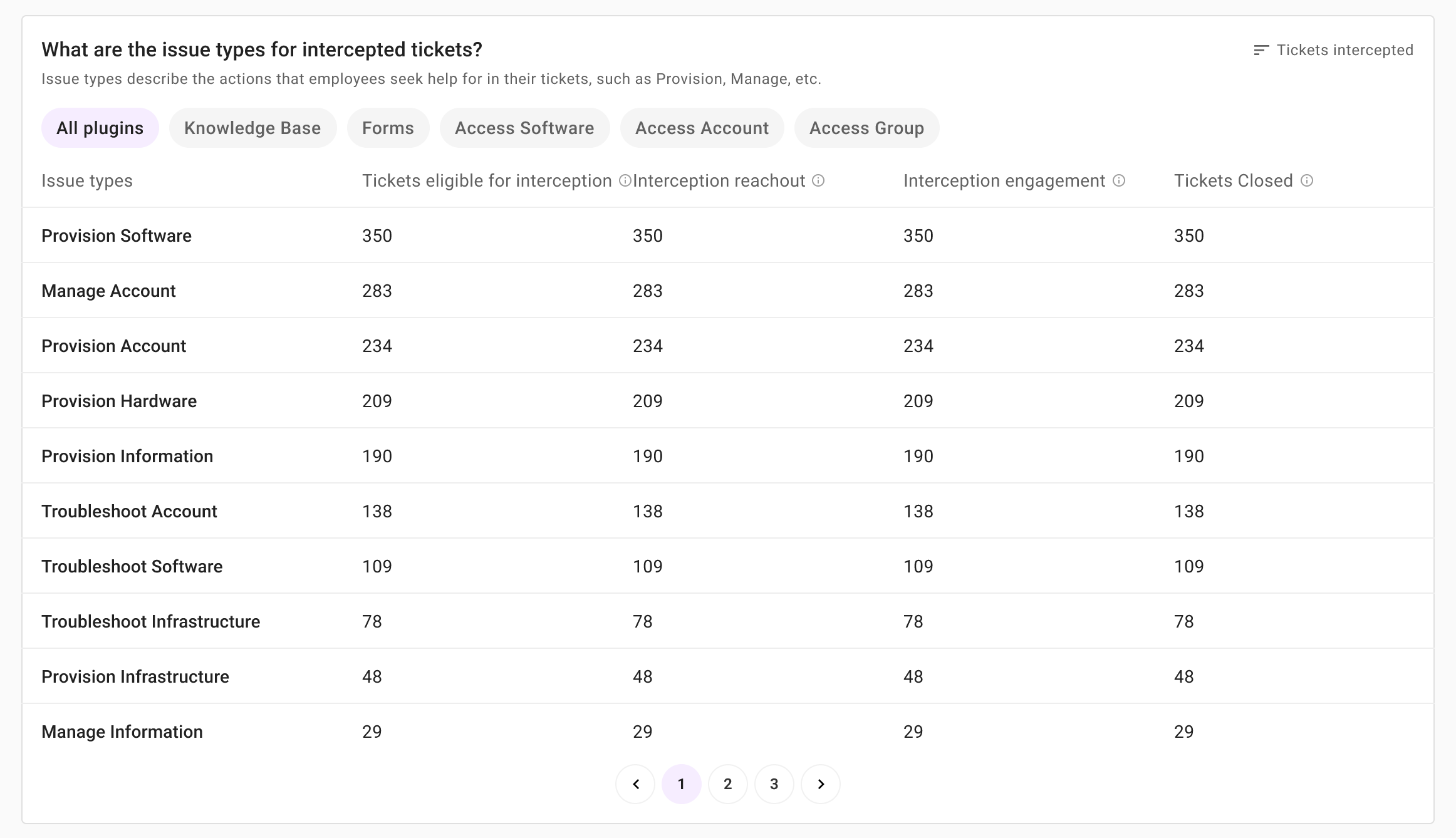
This view also offers different tabs to learn about the topic and intent detected when the following plugins were used to serve the summarized response.
- Knowledge Base
- Forms
- Access software
- Access Account
- Access Group
What was served to the end users as part of the ticket interception reachout
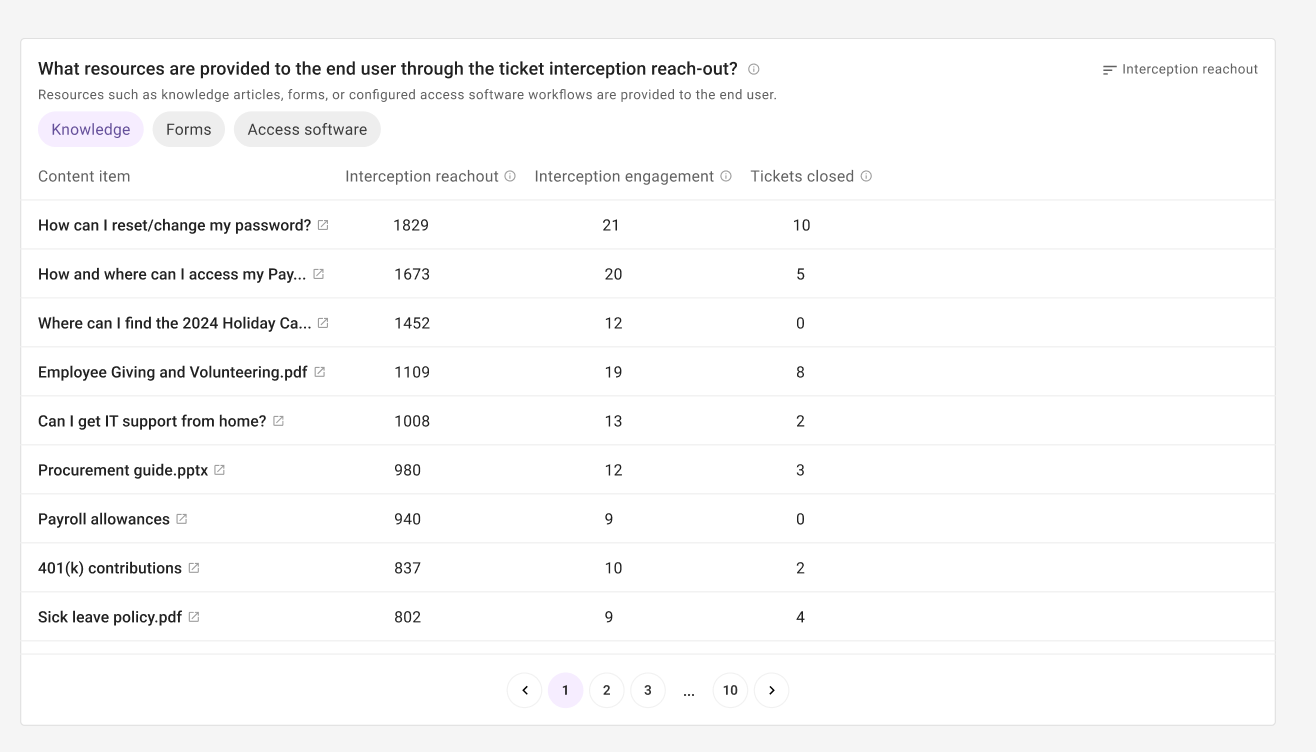
Every interception reachout contains resources used by a plugin to provide a summarized response. These resources enables in empowering the end users to self-serve their issues and deflect the ticket from the service desk.
Learn about the Knowledge articles, Forms & Software provisioning workflows being served to the end user and the resources helpful in closing tickets in your service desk.
Deep dive into ticket records
The dashboard also enable you get deeper insights into all ticket intercepted by the AI Assistant. Head over to the intercepted tickets section. This table view provides details on
- User who filed a ticket
- Ticket details and funnel details for ticket interception
- Plugins that were served to the end user and their feedback
Refer to the below table to understand the details provided by each column