
For AI agents: a documentation index is available at the root level at /llms.txt and /llms-full.txt. Append /llms.txt to any URL for a page-level index, or .md for the markdown version of any page.
Logo
DeveloperAcademyCommunityStatus
  • Getting Started
    • Welcome to Moveworks
    • Roadmap & Release Notes
    • Moveworks Best Practices
    • Labs
    • Professional Services
    • Support
  • AI Assistant
    • AI Assistant Overview
    • Capabilities
      • AI Disclaimers
      • Configure Disclaimers & Labels
      • Approvals Queue
      • Channel Resolver
      • Code Interpreter
      • Display Configurations
      • Domains
      • Email Composer
      • Employee Communications
      • Notifications Settings
      • People & Places Lookups
      • Self Knowledge
      • Smart Handoff
      • Text Translator
      • Personalized Responses
      • World Knowledge App
    • Web Experiences
    • Analytics & Performance
  • Enterprise Search
    • Overview
    • Agentic RAG Overview
    • Content Ingestion Platform
    • Profile Boosting
    • Retrieval
    • Permissions Platform
    • Built-in Content Connectors
    • Build your own Content Connectors
    • Configure Search
    • Configure Enterprise Search
    • Vetted Content
    • Writing AI-Ready KB Articles
    • Document Chunking and Snippetization Overview
  • Productivity Boost
    • Overview
    • Configure Productivity Boost
    • Quick GPT
    • Calendar Management
    • Brief Me
DeveloperAcademyCommunityStatus
On this page
  • Translating Text
  • FAQ
AI AssistantCapabilities

Text Translator

||View as Markdown|
Was this page helpful?
Edit this page
Previous

Personalized Responses

Next
Built with

Translating Text

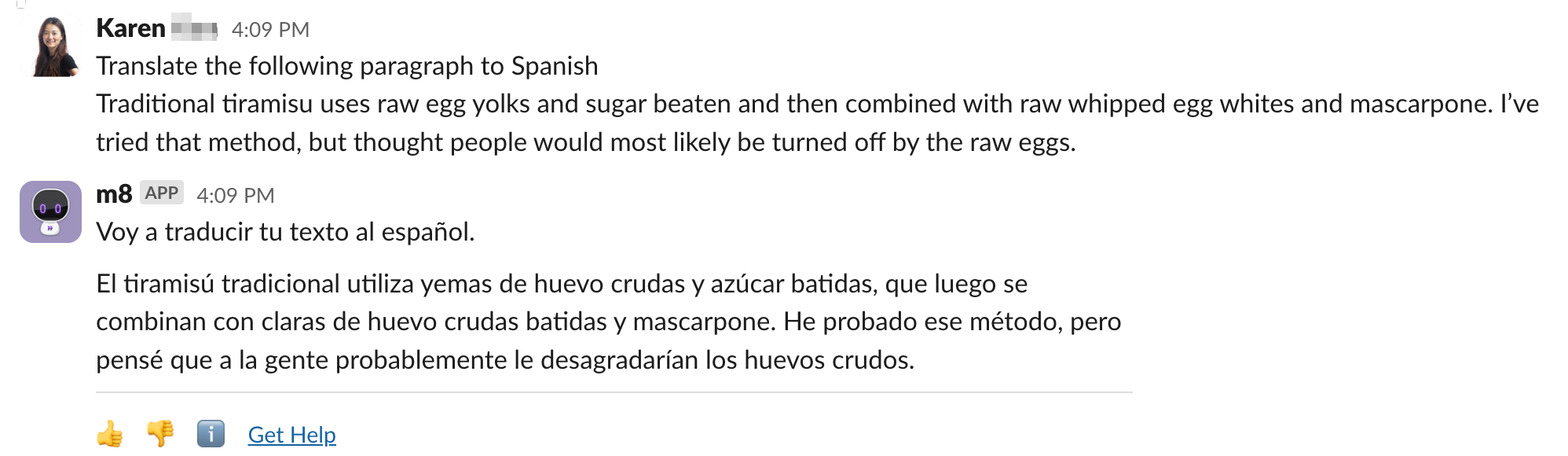
Moveworks Assistant can translate any text provided by the user into a specified language. Simply supply the text and the target language, such as:

“Translate ‘It’s a pleasure to meet you’ into Spanish.”
FAQ

Is the text translation feature the same as multilingual support?

A: No. Multilingual support enables Moveworks Assistant to fully switch its interface to another language, allowing it to both receive and respond in the target language. The translate text feature, on the other hand, only translates a specific piece of text in a single interaction, without altering Moveworks Assistant’s default language settings, which will remain in English after the translation.