Unily
Overview
Unily is an enterprise intranet platform that centralizes news, pages, and knowledge content for employees. The Classic Ingestion connector indexes published content across multiple document types and makes them searchable in the Moveworks AI Assistant.
Access Requirements
See Unily Access Setup Guide for instructions on how to connect Moveworks to your Unily instance.
Permissions
The Classic Ingestion connector for Unily does not mirror source permissions. All indexed content is visible to all employees in the AI Assistant search experience.
The knowledge content are stored under different Document Types all together. We have seen the following structure in Unily’s Knowledge Management Solutions page:

Architecture
The following diagram shows the high level architecture of how Moveworks integrates with Unily.
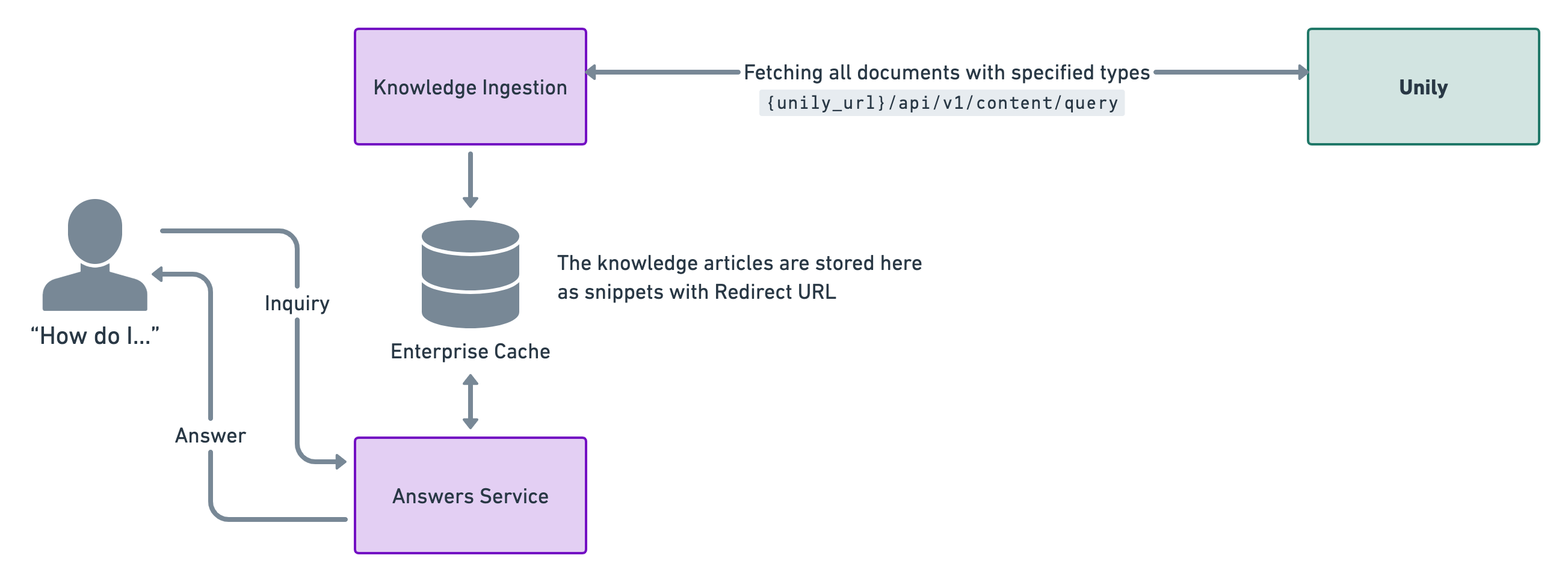
This is a live integration where we poll knowledge articles every four hours. This is done so that the enterprise cache is updated with relevant snippets for answers.
Our enterprise cache stores the knowledge documents and generates relevant knowledge snippets by understanding the content. We also store the redirect urls to direct users to where the document is stored and can be read.
Authentication
The authentication in Unily platforms is performed by passing an Access Token created by sending a POST request to an OAuth API using the Client ID and Secret.
This token has an expiry time of 3600s and has to be re-generated after the speculated time is over.
Ingestion
Unily’s Content API is used to fetch and ingest knowledge articles.
Traversal
Unily doesn’t have any knowledge hierarchy, all documents can be found under All Content. But these documents are categorized by types and we ingest only the following types of documents:
"Event"→ Event"Insight"→ Insight Posts"News"→ News Articles"Video"→ Video Story Posts"ufsFAQ"→ FAQ Posts"SitePageModern"→ Site Pages
Supported widgets: Rich Text Editor, Sortable Accordion, Content Card, Links Rollup, Apps Rollup"app"→ Apps, Tools & Resources“ufslocation"→ Location Posts“ufsNewsAdvocacy"→ News Advocacy Posts“ufsEventAdvocacy"→ Events Advocacy Posts“ufsVideoAdvocacy"→ Video Advocacy Posts
How we fetch knowledge articles from Unily
We use the following APIs to fetch the different kinds of content that you want to ingest.
1. Fetch all knowledge articles
2. Fetch the content from a knowledge articles
In the response, document type is shown as:
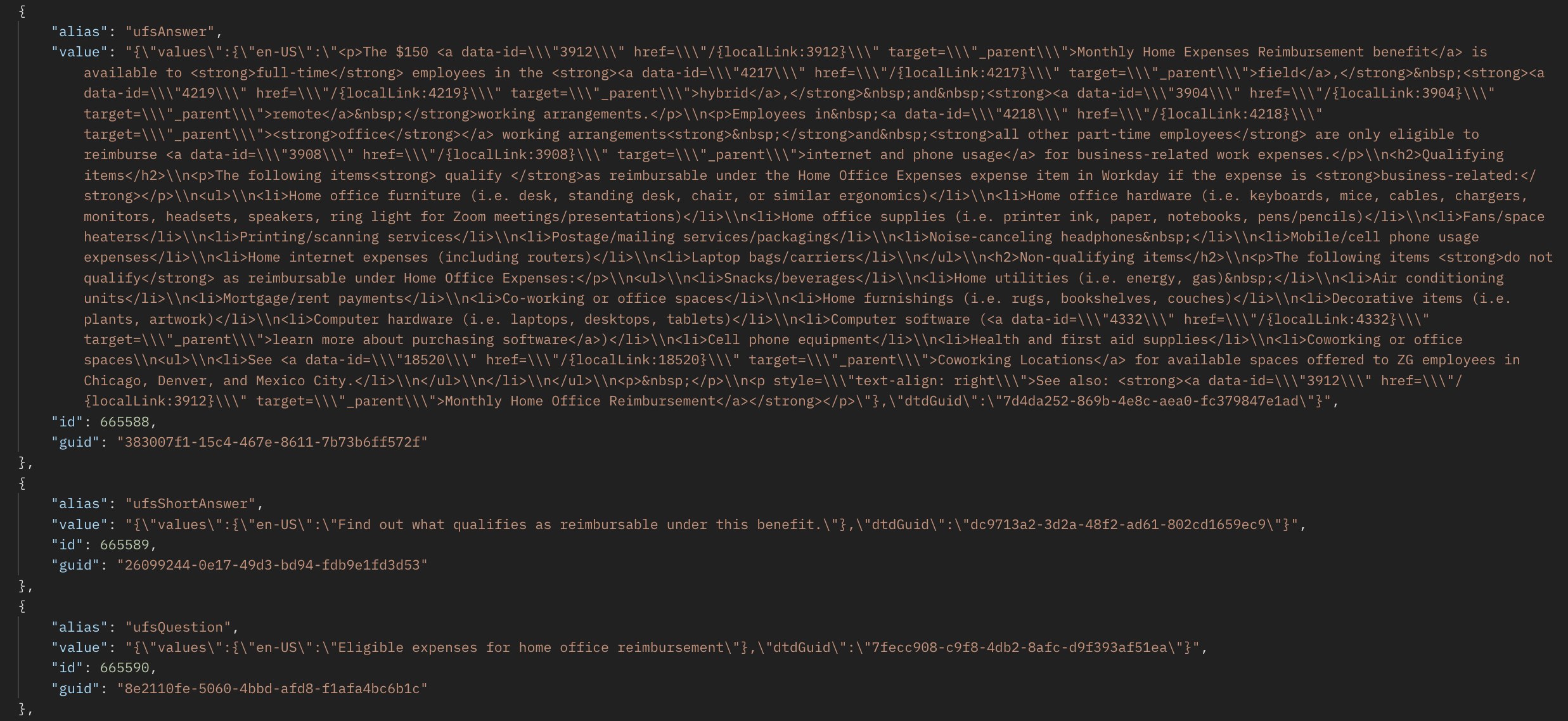
We retrieve the content and present in them in an HTML format in the value of different keys depending on the type of document ingested.
Integration Scope
Content
Our knowledge ingestion engine works on ingesting “HTML” tags and thus breaking the page into smaller sections. This process is known as Snippetization.
The key user experience in resolving a user query is to provide the most relevant snippet to that question.
After analyzing the response we will be able to ingest the documents.
Our knowledge engine uses the following tags to make snippets.
- All the heading tags for eg <h1>, <h2> etc
- Paragraph <p>
- Title <title>
- Ordered/Unordered lists <ol>, <ul>, <li>
The other tags as<img>, <video>, <iframe> are not supported while ingesting.
Access Control
Moveworks will ingest Documents which are available to all user.
Since Unily allows all documents to be visible to users, Moveworks will also be able to ingest all those documents.
End user experience
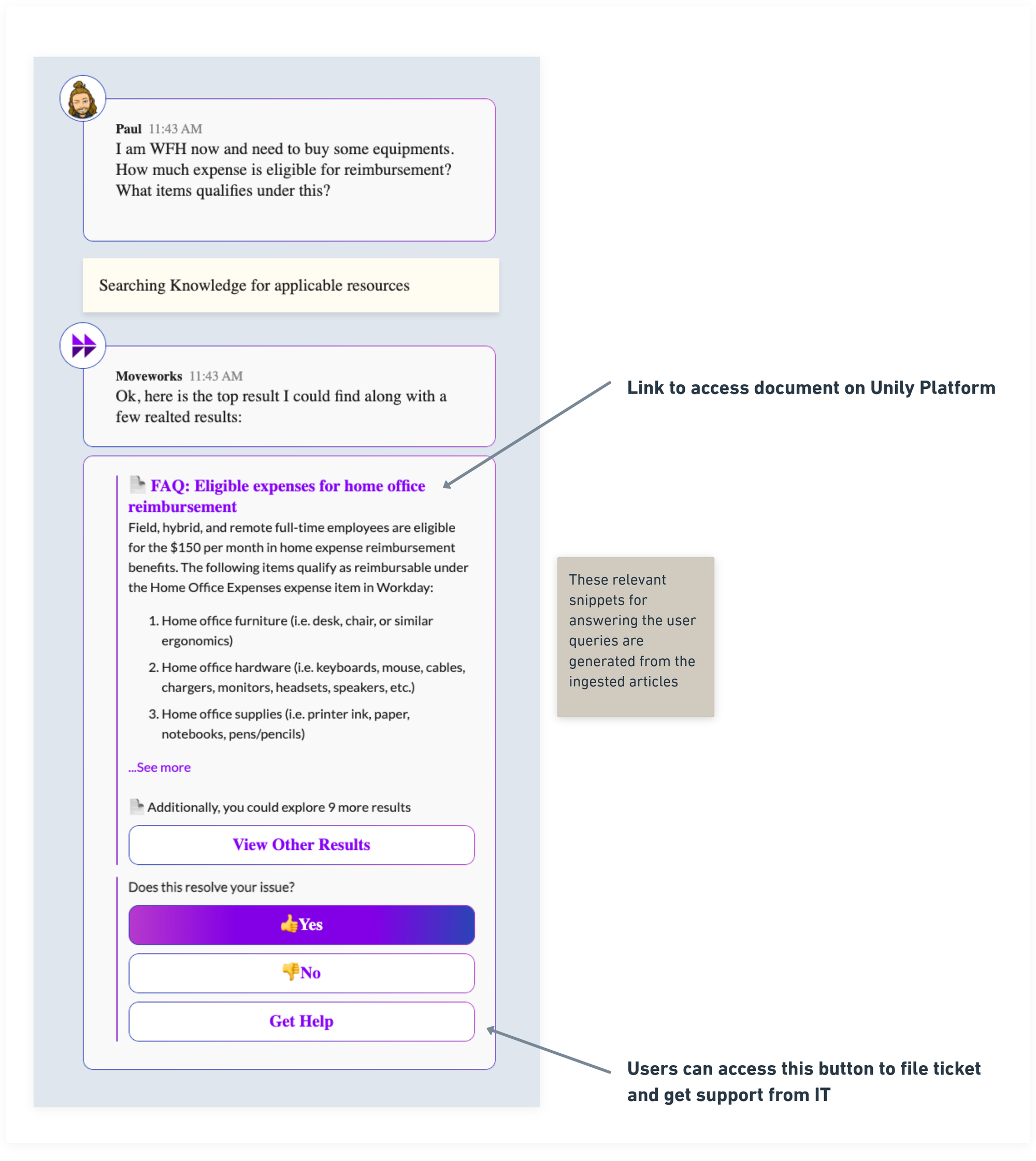
Case 1 : When bot gets relevant documents for the user inquiry (Success Case)
If there is any document which can solve the User’s query, the bot will present the answer in the following format with a redirect heading and a relevant knowledge snippet.
Case 2 : When bot doesn’t have any relevant answers to user inquiry (Backstop Case)
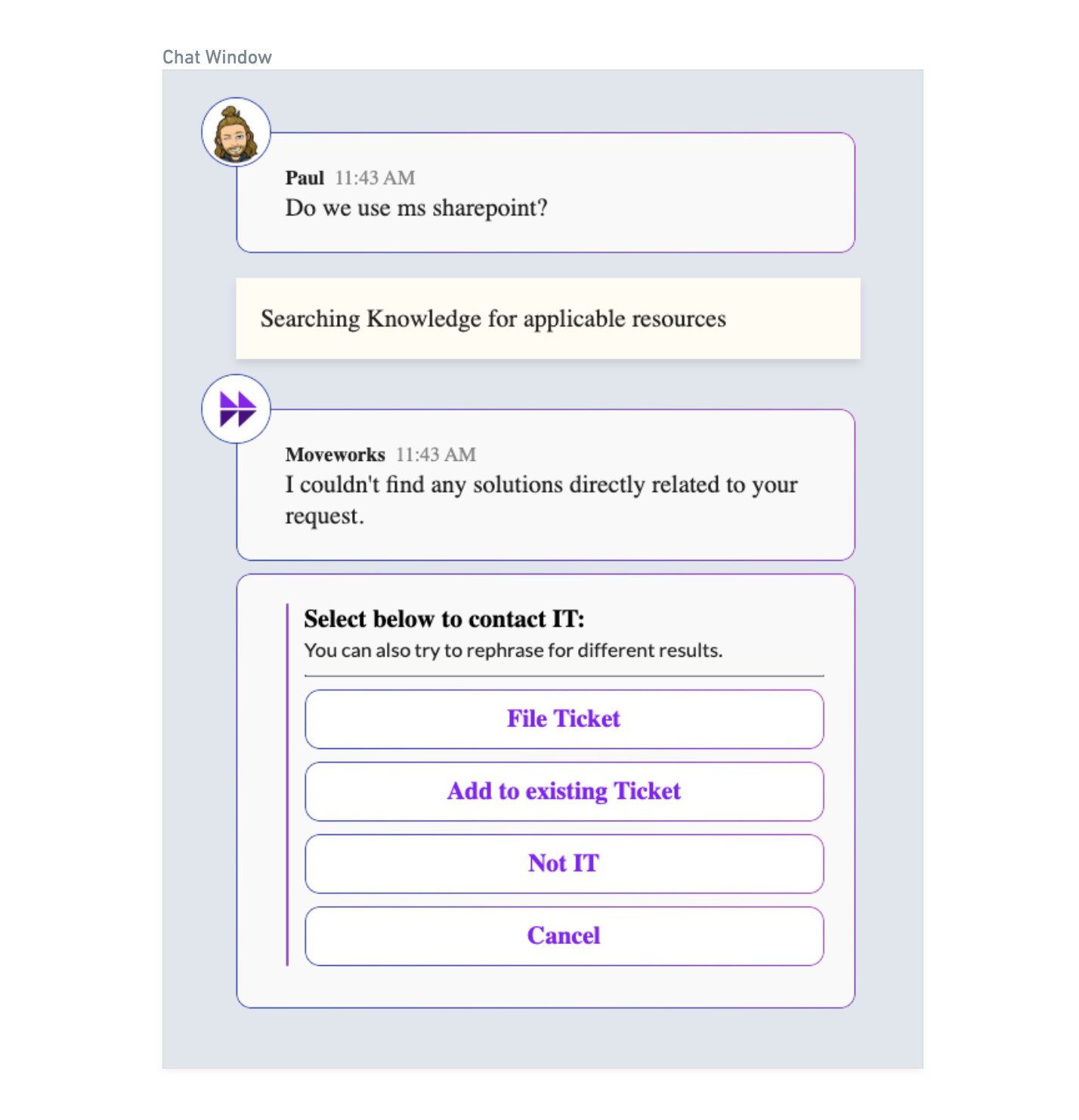
This would be the answer provided to the user if the bot doesn’t find any relevant answers from the available documents.