
Configure Channel Resolver
What is Channel Resolver?
Moveworks Channel Resolver allows the Moveworks bot to detect and help resolve users’ requests for assistance that are posted to support Slack channels such as #it-support, #tech-help, etc.
When the Moveworks bot detects that a user is submitting a request it is confident it can resolve, the bot will intercept the channel message, post in the thread, and send the user a direct message (DM) with a solution, keeping confidential information within DMs.
For learning more about this please visit this page: Channel Resolver.
What can we do in the Channel Resolver module?
This module allows you to configure
- Setup channel information where the bot will be active .
- Setup emoji’s the bot will be using for different use-cases
- To indicate a ticket was filed.
- To indicate a response was provided.
- Setup ticket creation behavior from the channel on user queries.
Prerequisites
The Channel Resolver skill is enabled on a per-channel basis, which means that the way the skill operates within each enabled channel can be customized to meet the needs of that channel. Channels may be private or public. Once a channel has been enabled with Channel Resolver, the skill can be configured differently.
As a security measure, if the bot gets added to a channel that is not enabled for Channel Resolver, it will automatically leave the channel. Note: the following scopes are required for this functionality to work.
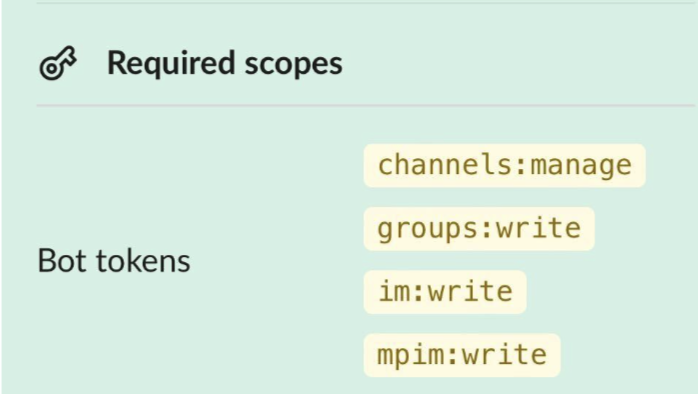
- Ensure you have the bot added to the required slack channel where it will be active and can read and reply to messages that are being sent in the channel.
- It generally takes around 10 minutes for the app to be enabled in the slack channel once it is added.
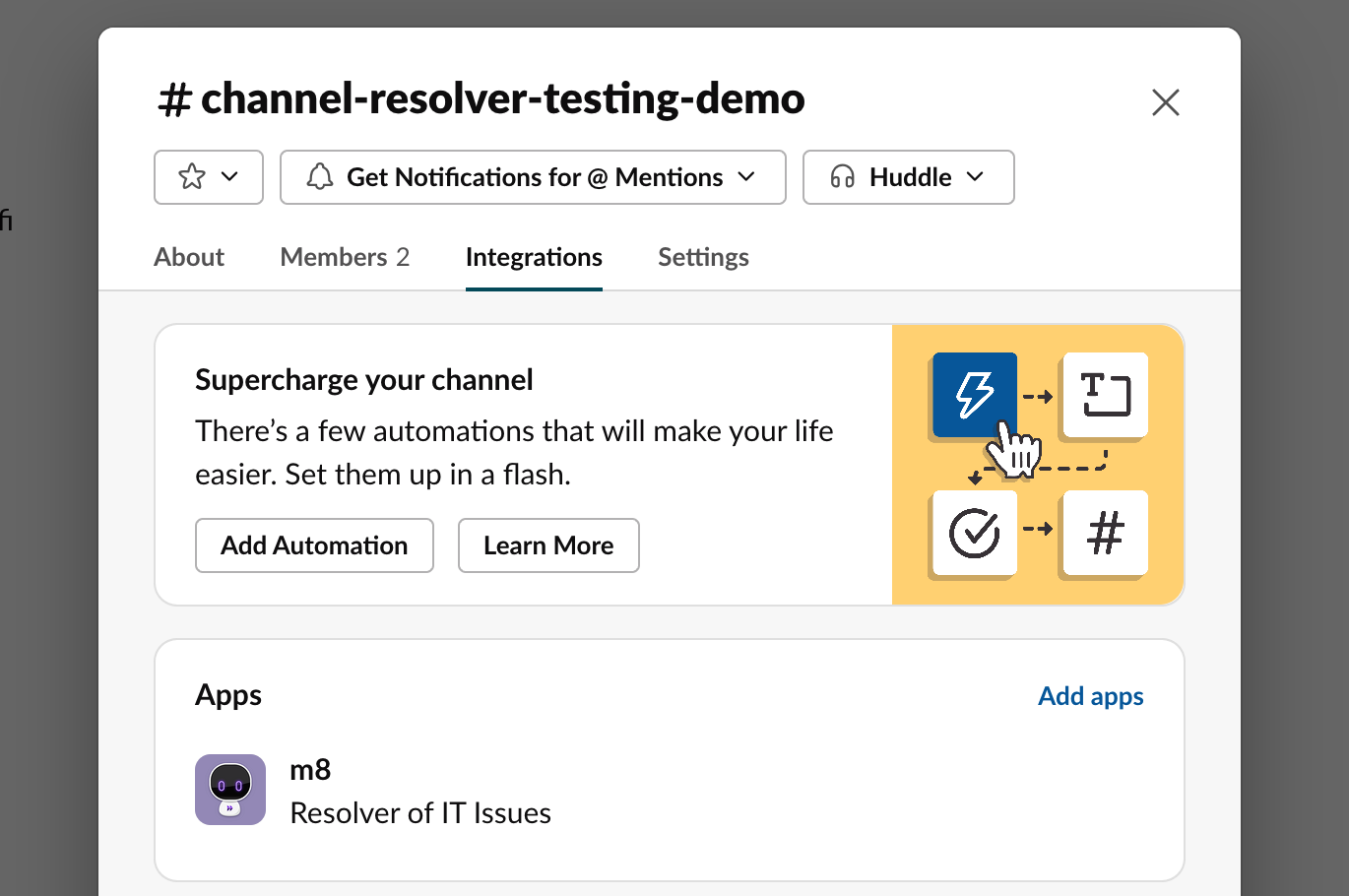
- It generally takes around 10 minutes for the app to be enabled in the slack channel once it is added.
Overview of module
This module allows setting up the bot inside the channel and define the behaviour in the following steps
- Channel information → input channel details and enabled domain on which the bot can action on
- Emoji customization → Add emoji values for bot actions
- Ticket Syncing → Define the ticketing behaviour for the bot in the channel
- Channel workflows → Define your slack workflows enabled within the channel which the bot can act on
Advanced Settings
Enable channel resolver feature params to control the bot behaviour in the channel
I am ready to configure !
Reach out to Support or Customer Success to turn ON Assistant Channel Resolver
Channel Information
Start adding the channel related information in this section.
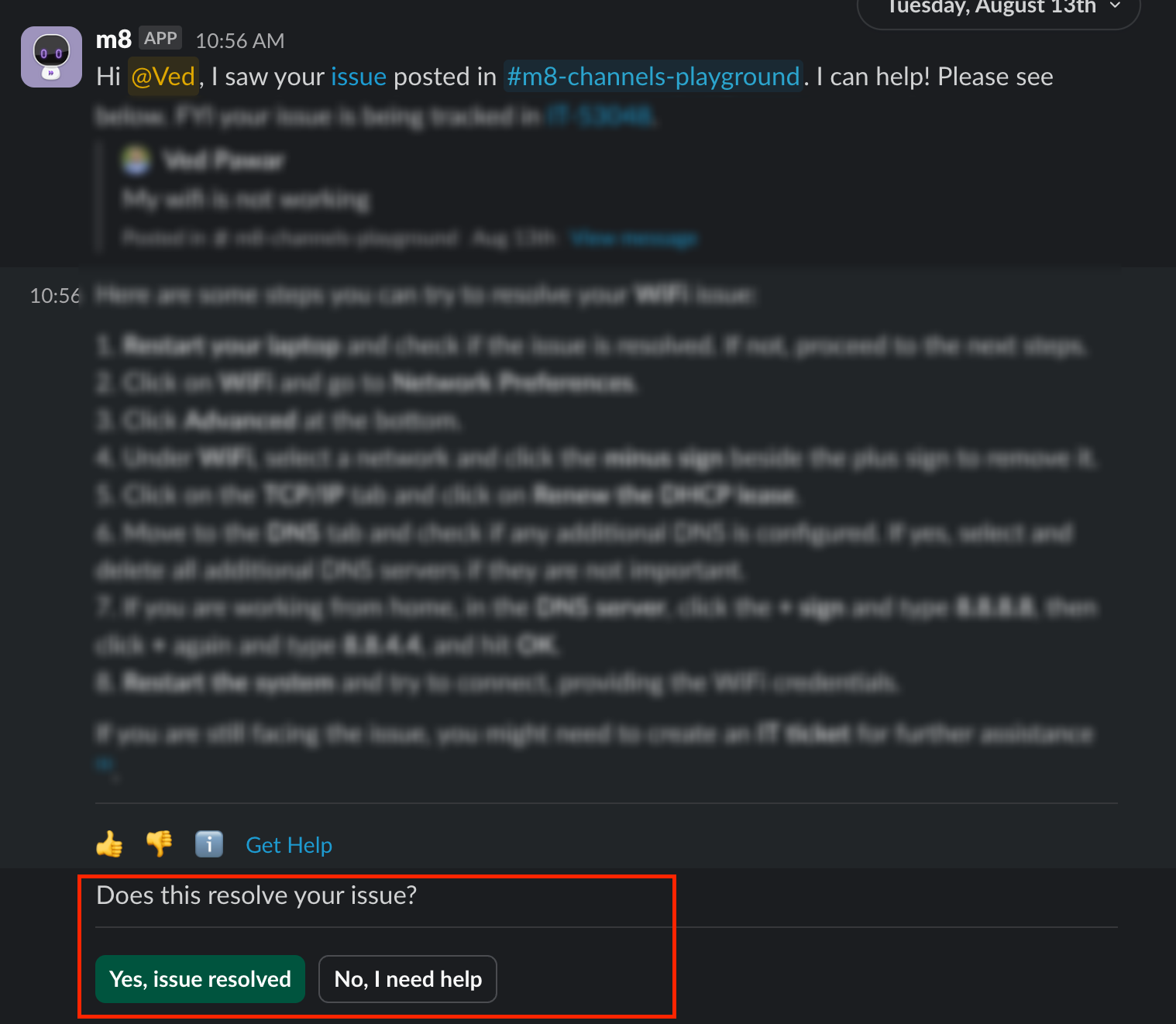
Enable post-back buttons
This feature is available only in the assistant version. You can choose specific skills to add post-back buttons for in your channel outreach. With these buttons, end-users can mark their issues as resolved or unresolved, and then the assistant updates the status in the channel conversation.
This function is always active for the knowledge plugin. Additionally, the assistant tracks user actions in forms, software plugins, or access workflows. Even if the user completes the workflow without clicking the buttons, the assistant will still update the issue’s resolution status in the channel conversation.
Emoji Customization
Add emoji values for the configs in this section. Moveworks bot always adds a 👀 emoji if the bot has reached out to the user through a direct message.
Channel resolver supports all of the standard slack emoji plus it can support any custom emoji used by your org. While entering these values we need text input so if you want to enable this emoji : 🎫. Enter the value as “ticket” in the text input without the semicolons
Ticket Syncing (Advanced)
- Enable ticket syncing
- The bot is able to sync the comments being made on the ticket and bring them into the channel thread, Also the bot is able to update the thread if the ticket is marked resolved
- Enable this flag to start ticket syncing
- Follow this config for additional configurations required which is done in your ticketing system :/ai-assistant/capabilities/channel-resolver-assistant - Click on the dropdown and select your ticketing systems
- Ticket creation criteria
- Select the ticket creation criteria that is applicable for the bot within the channel
- Create a synced ticket when an agent uses the manual ticket creation emoji ↔ The bot will only create a ticket when a agent adds a ticket emoji on the user query.
- In case of manual ticket you also need to enable ticket syncing so the bot can create tickets when user has added an emoji. The bi-direction comment syncing won’t be enabled till you have implemented the suggested steps here. Click on the drop-down in the left nav to access the sub-pages for the channel resolver skill page and refer to your system configuration.
- Automatically create synced tickets from all Slack posts made by non-agents ↔ The bot will automatically create tickets on all slack posts made by non-agents
- Assign ticket to bot if reach-out occurs
- Enable this to assign the ticket to bot so the ticket is identifiable as coming from the channel route. If the resolution is not helpful, the ticket will be unassigned to the agent’s can pick it up for further triage
Enable smart handoff through channel resolver
The smart handoff reachout can be enabled via enabling the following check-box under the “Channel configuration” section. Please ensure to enable the no-response emoji through the emoji options available

Channel workflows (Advanced)
This is used when you have slack workflows posting in the same channel where the bot is present in. The bot will use this information to create a ticket.
- Workflows
Click on +Add button to add new workflows and enter the following details
- Slack workflow App ID (This app ID can be located by a Slack admin and begins with the letter A)
- User ID Identifier
- Short Description Identifier
Default Domain
Select the domain that will be used for tickets that are filed through slack channel workflows
Once this configuration is completed it takes around five minutes for the config to sync and the bot will start replying to user queries in the slack channel.
FAQ
Q: Does Moveworks Support Slack 2.0 workflows?
A: Yes, by default both original and Slack 2.0 workflows are supported.