
People & Places Lookups
Overview
Moveworks Lookups enables the Moveworks AI Assistant to answer questions from users regarding coworkers, org charts, conference rooms, and other topics related to the workplace.
An example of some questions users can have answered by the Lookups skill include:
- “Who is Alex?”
- “Who is Drew’s manager?”
- “Who are my direct reports?”
- “Where does Chris sit?”
- “Where’s the main conference room?”
How does Lookups work?
Lookups imports users from your business systems of record such as IDAM, ITSM, and Chat Platforms. These integrations allows the data from your systems of record to be ingested into Moveworks. Once this data has been ingested, Moveworks uses deep learning to construct a knowledge graph from this data.
This knowledge graph encodes relationships and context between different people or rooms, and allows users to ask a variety of questions about this data. With this knowledge graph in place, you can easily understand people, places, and the relationships between these different entities using the chat interface provided by Moveworks. This allows you to quickly and easily access important information about your business, without having to search through multiple systems of record.
How does Moveworks import data leveraged in Lookups?
To get personnel data, Moveworks leverages a User Import to connects to your ITSM, or identity and access management system (IDAM), such as an Active Directory or Okta, and retrieves the latest personnel data every 4 hours. Data collected includes employee name, contact information, and organizational reporting structure. For more information on User Identity, you can read the User Identity Overview here.
To get conference room and facilities information, Moveworks can import conference room data from your workplace management system such as SpaceIQ, or OfficeSpace.
Configuration Overview
This configuration is primarily divided into two major components:
- Lookups Settings: In this section, you’ll find more details on the configuration options available for People and Places Lookups, including ways to personalize how users can access and utilize the Lookups skill, as well as options for customizing the appearance of the Lookups result cards.
- Conference Room Settings: This section will offer guidance on how to set up the conference room details for your organization.
- How to Guides: This section will provide step-by-step, easy-to-follow instructions on how to configure People and Places Lookup Options.
People Lookup
Our Moveworks People Lookup supports lookups based on the following attributes:
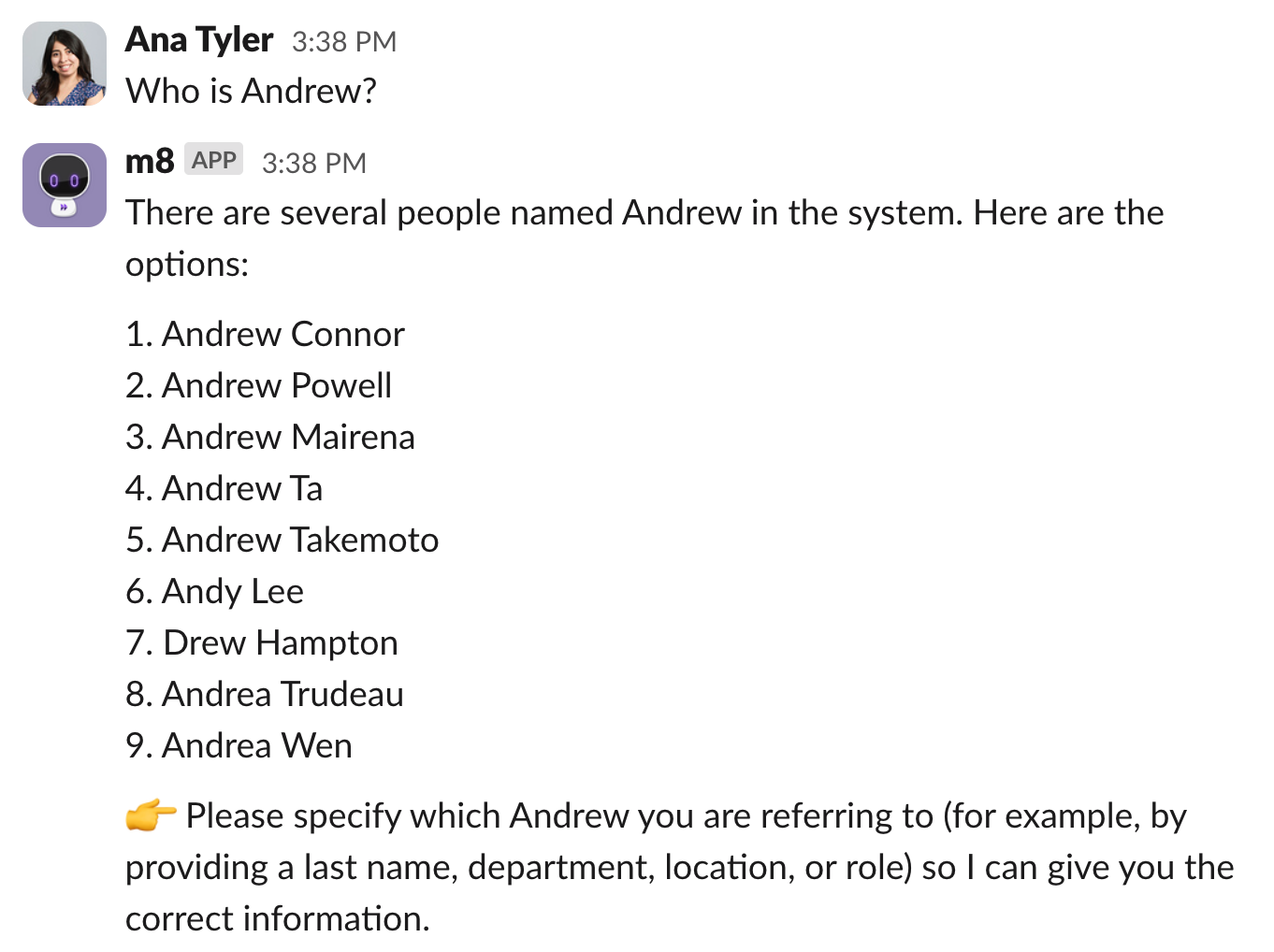
1. Name
Look up a colleague by their name
“Who is John Smith?”
“Where does Lucas sit?”
“What is Ana’s email?”
2. Manager
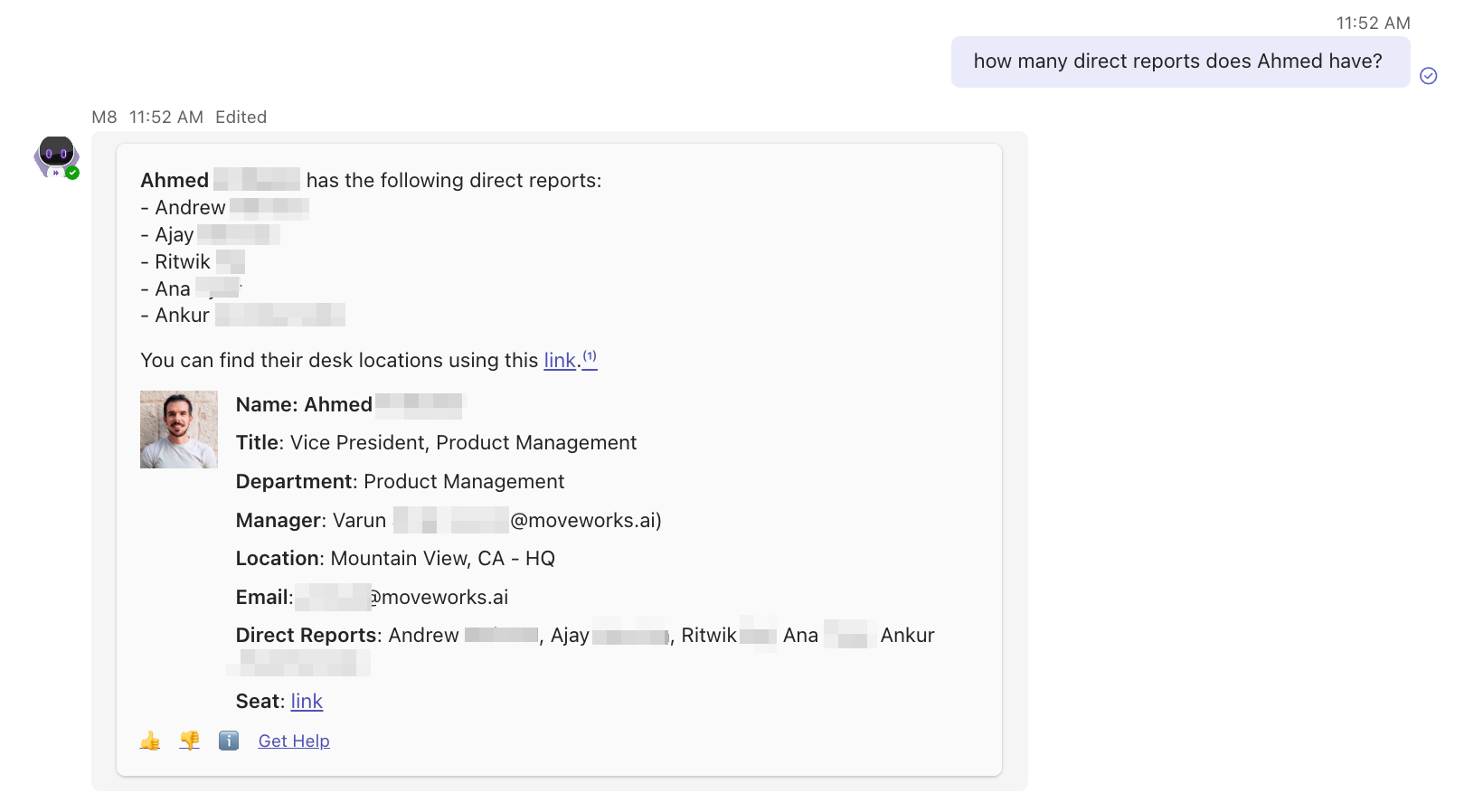
Look up a manager or direct reports of a manager
“Who is John Smith’s manager?”
“How many direct reports does my manager have?”
3. Department
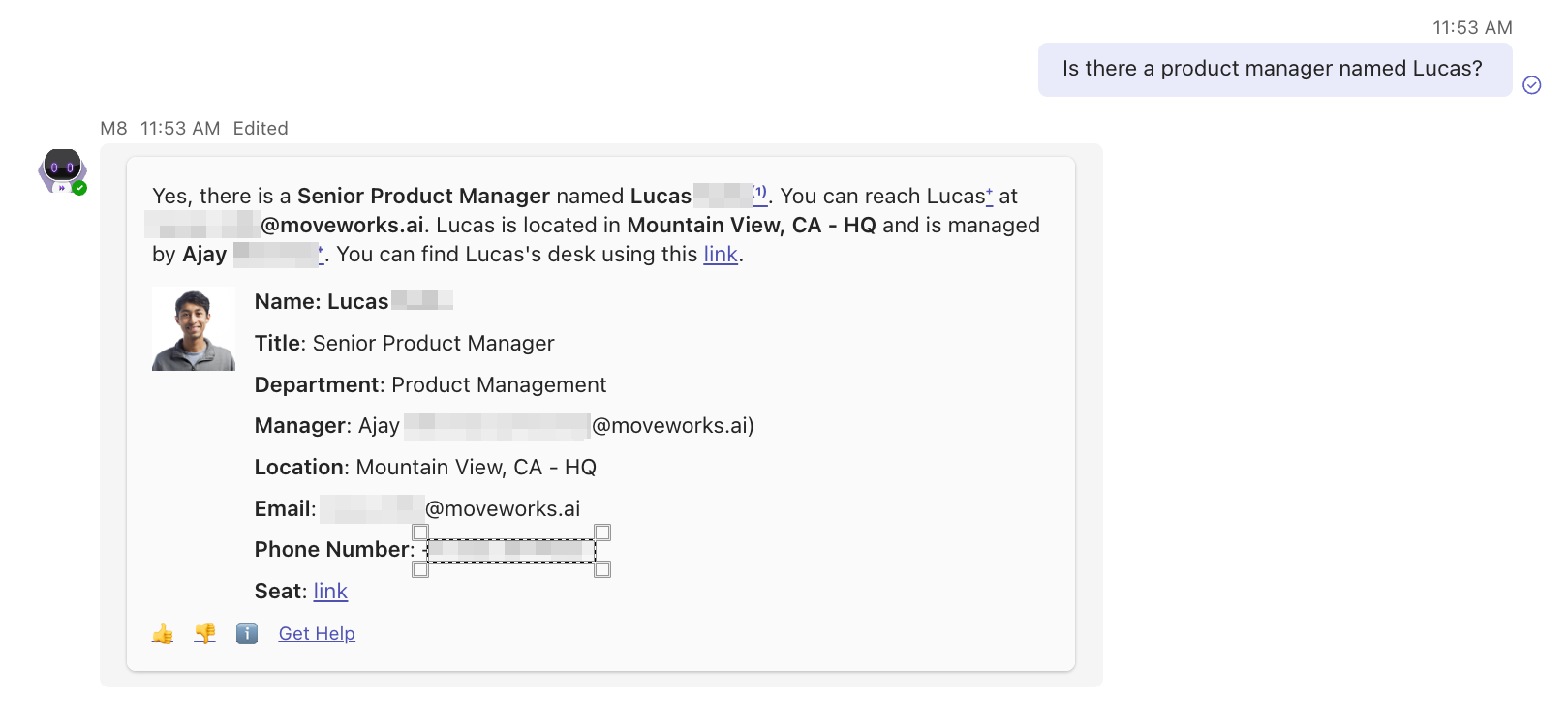
Look up people within a specific department
“Who is John from the sales team?”
“How many people are in the Product Management department?”
“Is there a product manager named Lucas?”
4. Email
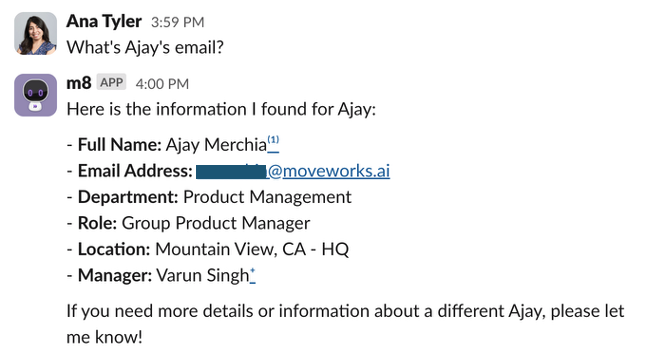
Look up your colleague email
“What’s Ana’s email?”
“What is John Smith’s email?”
Note: Lookups based on additional attributes (ex. role, phone number) can be build as an Agent Studio Plugin
Supported lookup fields
- Name
- Fuzzy match enabled. No character mistake is allowed for names less than 5 characters, 1 character mistake is allowed for names between 5-7 characters. 2 character mistake is allowed for names more than 7 characters.
- Synonyms search enabled (e.g. Mike→Michael).
- Manager name
- Fuzzy match enabled. No character mistake is allowed for names less than 5 characters, 1 character mistake is allowed for names between 5-7 characters. 2 character mistake is allowed for names more than 7 characters.
- Synonyms search enabled (e.g. Mike→Michael).
- Department
- Fuzzy match enabled. No character mistake is allowed for names less than 5 characters, 1 character mistake is allowed for names between 5-8 characters. 2 character mistake is allowed for names more than 8 characters.
- Entity match enabled.
- Synonym matches enabled (e.g. IT → Information Technology).
- Email
- Exact match enabled. No character mistakes is allowed.
Room Lookup
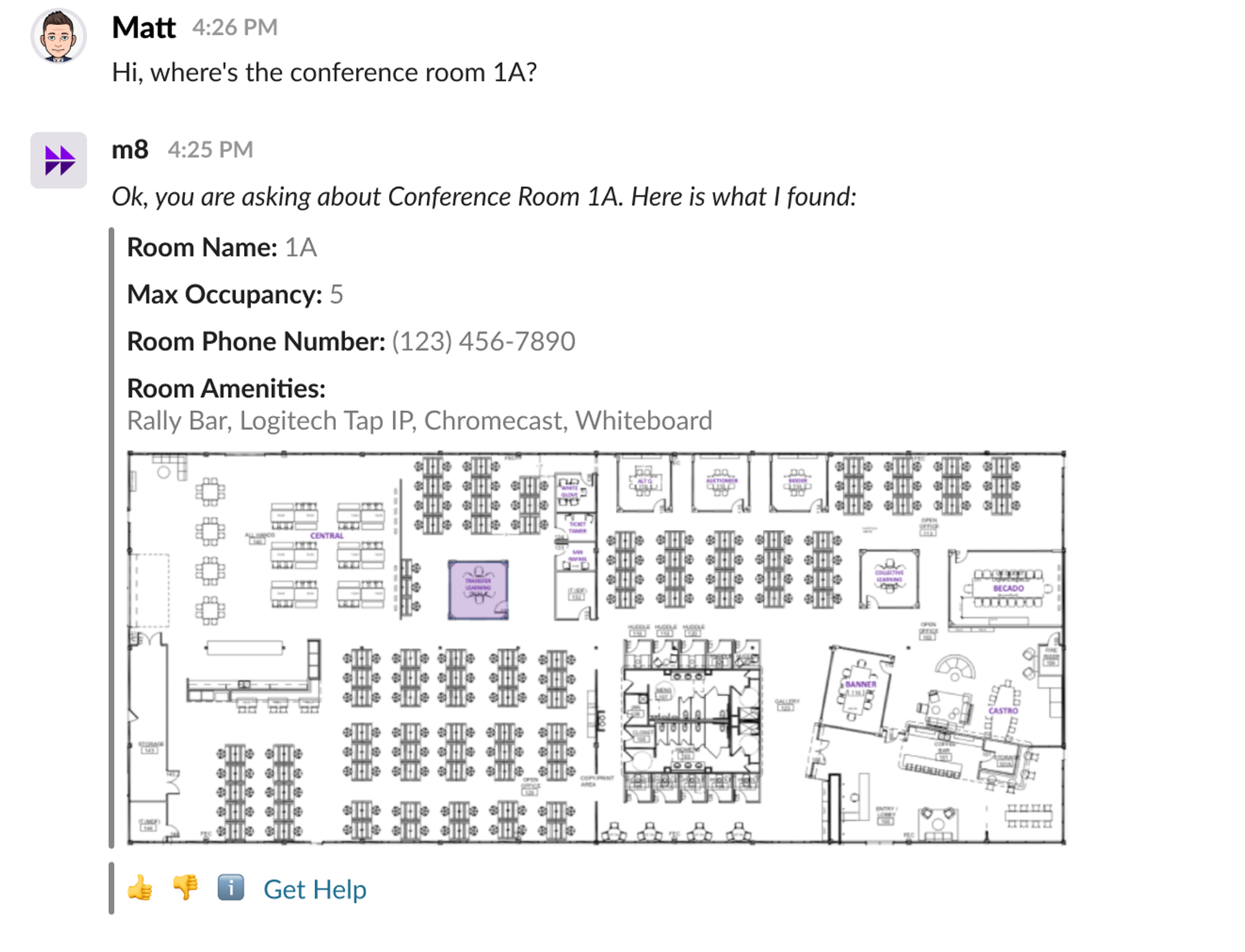
When users ask the Moveworks AI Assistant a question about a specific location, such as a conference room, in their workplace, the Moveworks AI Assistant can respond with a card in chat that displays a map and provides information about the location, such as the room’s number and maximum number of occupants.
To view all integrations related to Room Lookups, please view our native integrations.
FAQs
-
Can the People Lookup plugin find information on celebrities?
- The People Lookup plugin can only lookup people within your organization. It is not designed to have world knowledge about people outside your company (e.g. celebrities).
-
What if there are multiple people with the same name?
- If the People Lookup plugin found multiple records that matches your query, it will ask you for more details to narrow down the search results.
-
How do verify the lookup results?
- The People Lookup plugin provides a citation for each employee record it finds. You can find the citation by clicking on the ℹ️ emoji at the bottom of the message, or the superscripts next to the person’s name.
-
My query didn’t work but I know the person exists. Why can’t the AI Assistant find the person?
- The result and performance of the People Lookup varies depends on the user’s input query, the AI Assistant’s conversation context, as well as the available information stored in the roster. For example, if you ask “Is there an engineer named Lucas?” and Lucas’s title is “Manager, Engineering”, the AI Assistant might not be able to connect the dots. We are working to continuously improve the AI Assistant’s ability to fuzzy match.
-
Is there citations available for the aggregation questions?
- Citations are not supported for the aggregation queries yet. We are working on adding them so you can verify the AI Assistant’s responses.
-
The People Lookup response shows employee’s phone number (or any other attributes) which I do not want my end users to see. What do I do?
-
AI Assistant presents the Lookup results in 2 parts:
- A summarization of key information that answers the user’s question directly.
- A structured card that shows the customized employee details.
In all circumstances, the AI Assistant only shows key information proactively (name, email, manager, department, seat, location). However, additional employee attributes in the People Lookup metadata are accessible to the LLM and may be displayed if explicitly requested by the user. To ensure certain fields are never shown, the most reliable solution is to remove those fields from the user roster ingestion.
-