
Configure Forms
Ingest your ServiceNow catalog items into Moveworks so the AI Assistant can surface the right form when a user asks, and fill it conversationally in chat.
For administrators. This page covers the minimum forms configuration. Form finding and filling work after this page; form submission also requires ticketing, because a submitted form creates a Request (sc_request) and Request Item (sc_req_item) in ServiceNow.
Before You Begin
- Connect ServiceNow is complete, including the
moveworks.aclupdate set (form permissions cannot ingest without it). - You know which ServiceNow catalogs you want to ingest and their
sys_ids (open the catalog in ServiceNow and copy itssys_id). - Plan for the ingestion window: forms and their access controls can take up to 48 hours to fully ingest and index. See the Moveworks Ingestion Schedule.
Procedure
1. Create the Forms Ingestion
-
In Moveworks Setup, go to Forms > Import > Import Settings and click New Ingestion.
-
Select Connector: choose the connector you created when connecting ServiceNow (the name must match exactly).
-
Name the ingestion descriptively, for example
servicenow_forms_IT.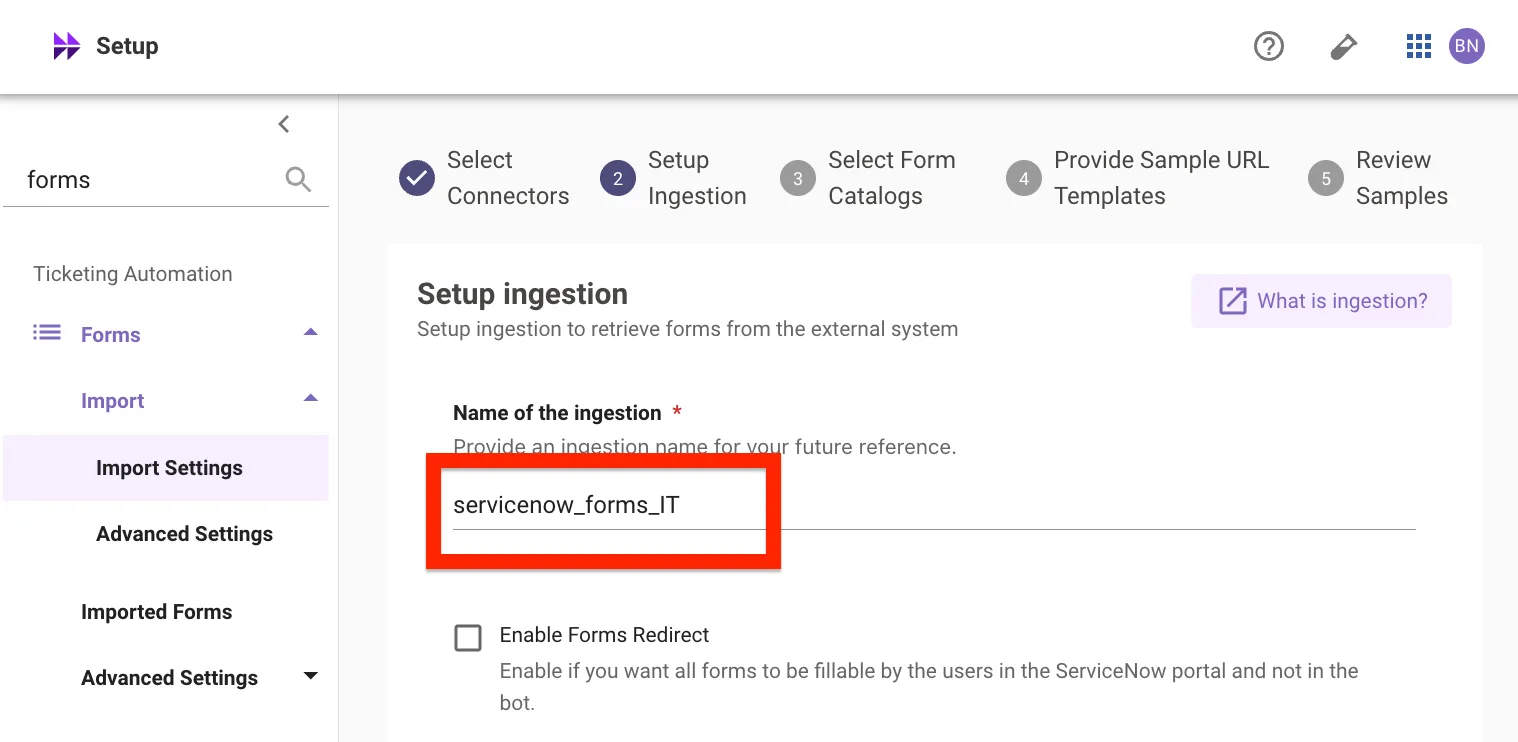
-
Select Form Catalogs: check each catalog you want to ingest and assign it a domain (for example, your IT catalogs to the
ITdomain, an HR catalog toHR).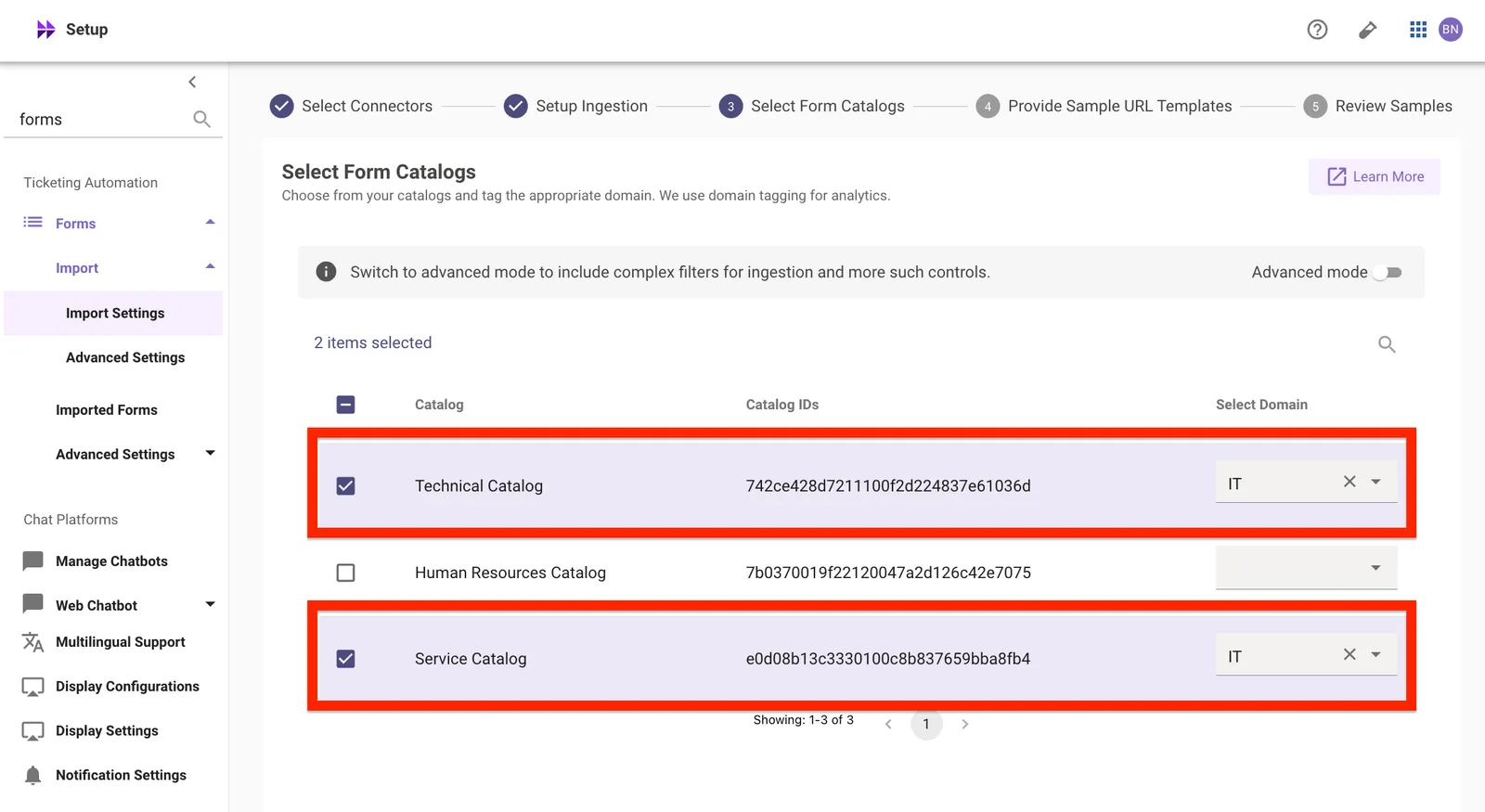
-
Provide a Sample URL Template so ticket and chat links open the form in your portal. The template must include
{form_id}:Substitute your portal path if you use a custom portal.
-
Review Samples: Moveworks previews the forms found in your selected catalogs. Confirm the count is greater than zero, then click Confirm Ingestion.
If no forms appear in the preview: verify the connector is valid and tested, the catalogs are checked with a domain assigned, and the URL template includes {form_id} with your correct instance name.
2. Configure Form Permissions
-
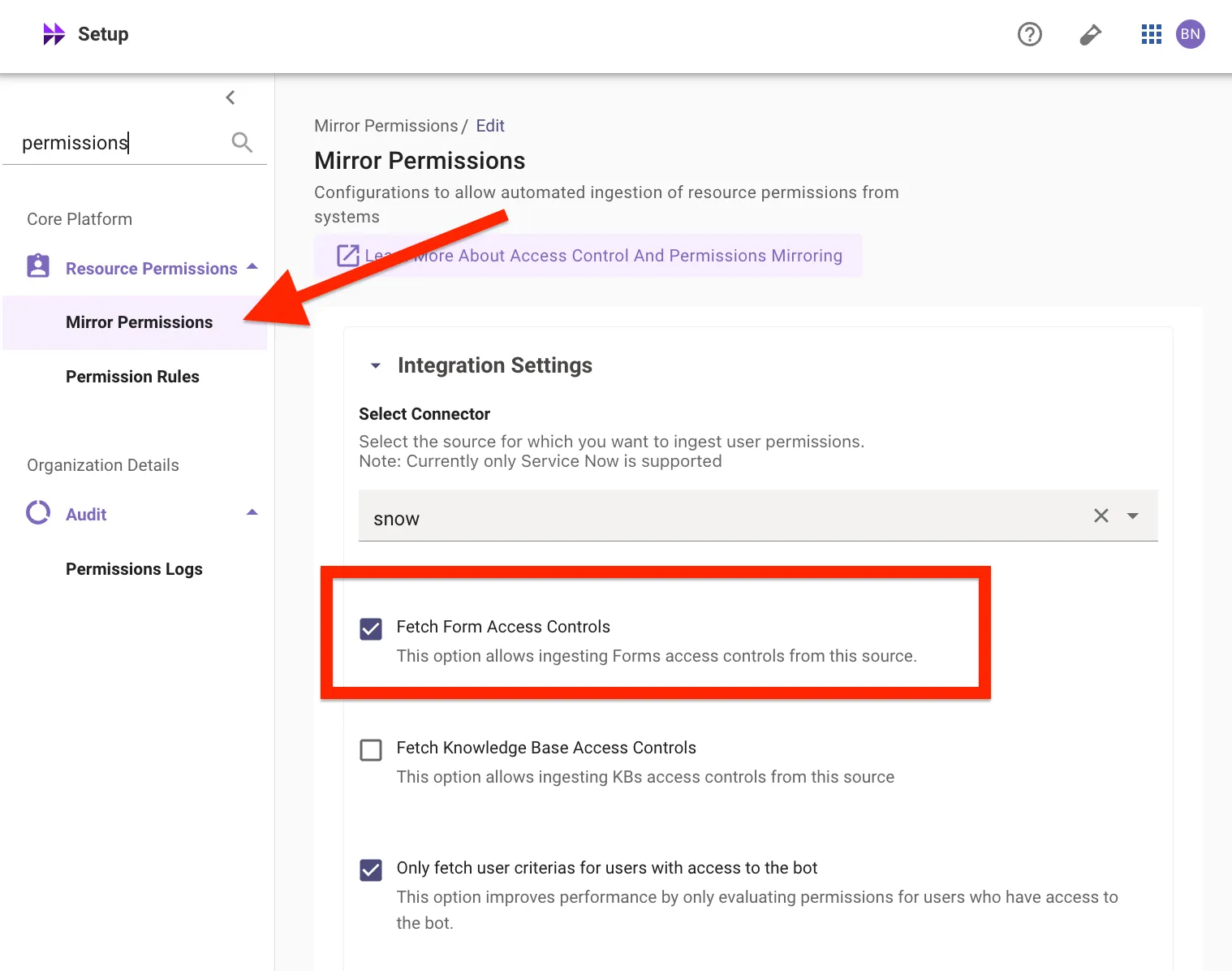
Go to Resource Permissions > Mirror Permissions, confirm your connector is selected, and check Fetch Form Access Controls (alongside Fetch Knowledge Base Access Controls if you configured Enterprise Search). Save.
-
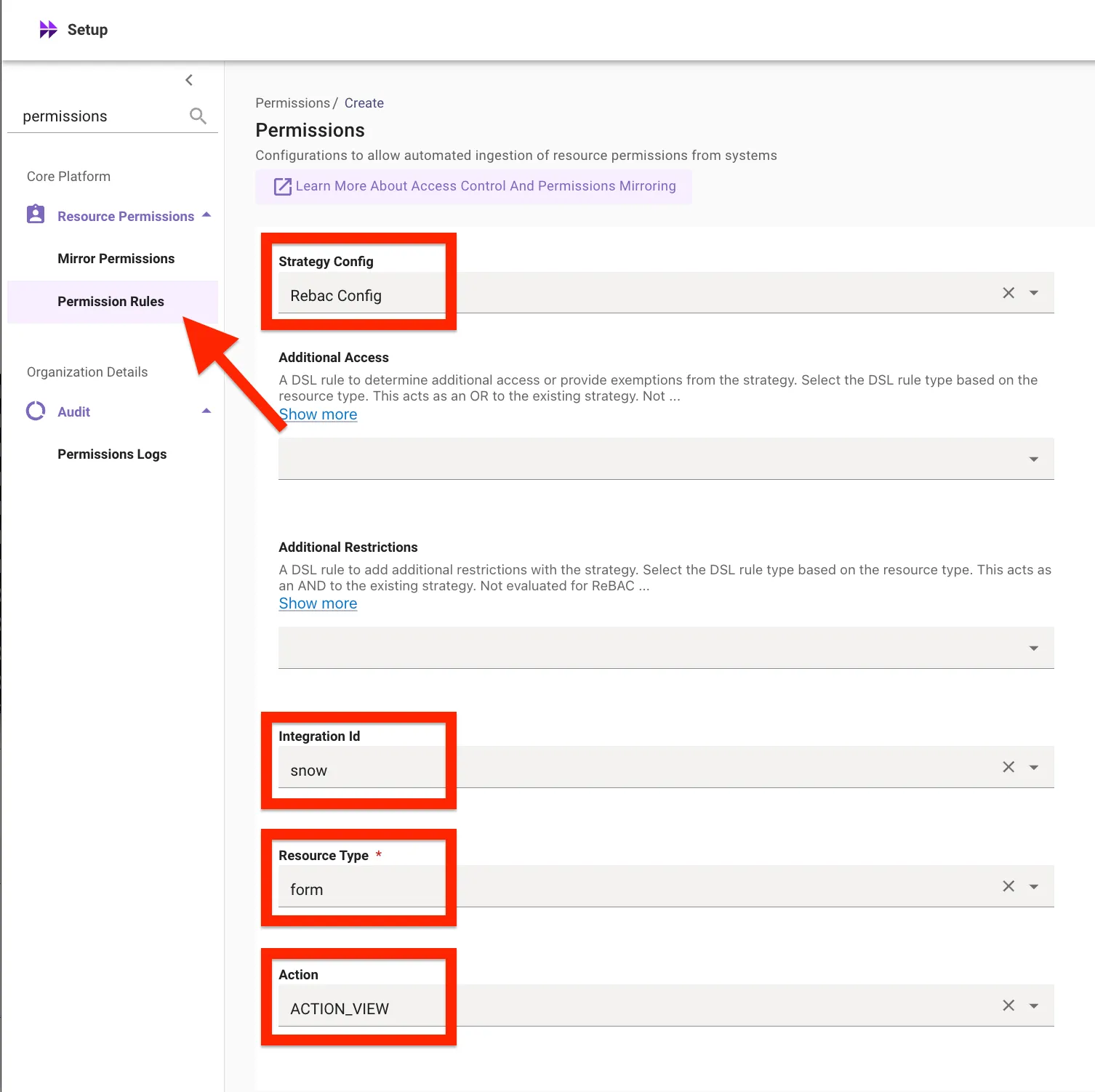
Go to Resource Permissions > Permission Rules and add a rule:
Leave all other fields blank. This tells Moveworks to evaluate who can see each form using the user criteria mirrored from ServiceNow.
Form ingestion will not run without Fetch Form Access Controls enabled. Permissions must be configured before Moveworks can index your catalog items.
3. Enable the Plugin
Go to AI Assistant > Plugin Management and set the Forms plugin to TRUE. Leave the DSL rule empty to grant access to all users, or scope it later.
Result
After ingestion and indexing complete, the Ingested Forms page shows the total forms imported, how many are fillable in chat, and the last/next import times - and asking the AI Assistant for something a catalog item covers (for example, a hardware request) surfaces the matching form.
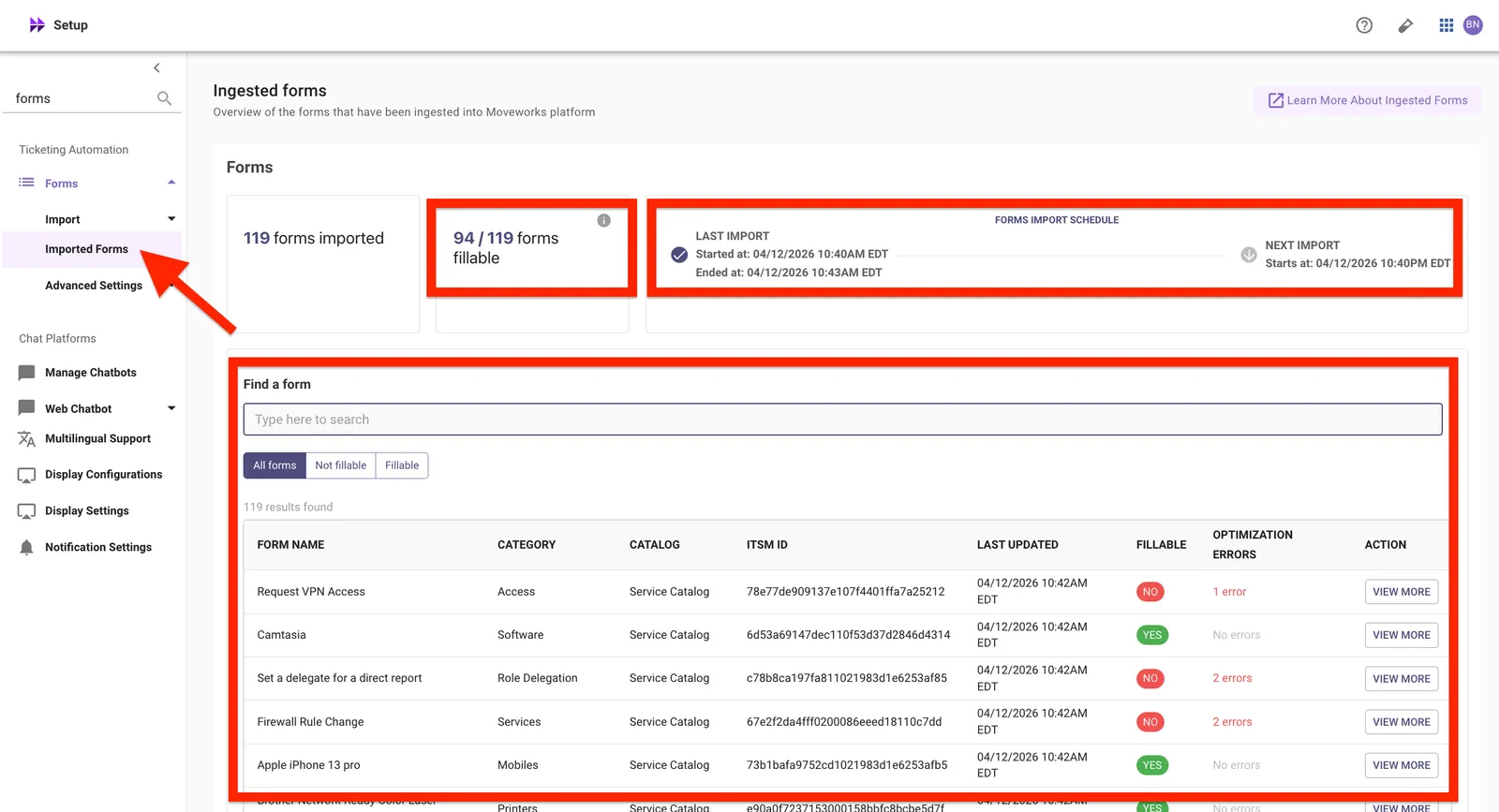
Not all forms are fillable in chat - some render as a link to the portal instead. Fillability depends on the form’s field types; the form’s detail page shows any optimization errors.
What to Do Next
- Configure Ticketing - required before form submissions can complete, since submissions create Request records in ServiceNow.