
API Credentials : Generate and Manage Credentials
Moveworks API Credentials Management
Welcome to the Credentials page, where you can generate credentials for the Moveworks Data API and manage them by updating or deleting.
Data Governance
This page is only visible to Super Admins because it allows the generation of API credentials for analytics data.
If you require new credentials or need to edit/remove existing ones, please contact your Super Admin.
How to navigate to this page
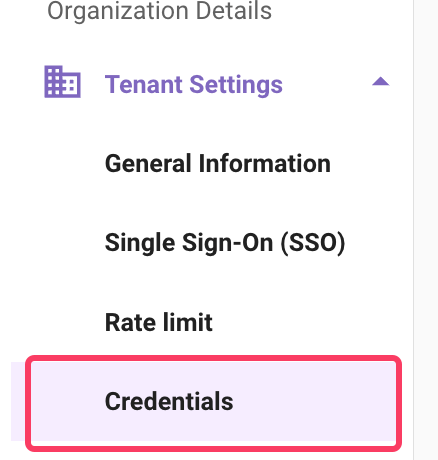
The Credentials page is located under Moveworks Setup → Organization Details → Tenant Settings → Credentials.
What are API Credentials?
API credentials are authentication details that enable your organization to access Moveworks APIs.
Each credential provides access to API products based on the permissions and scopes assigned to it.
What Credentials Are Visible to Me?
The Credentials tab in Moveworks Setup displays all Data API credentials.
For each credential, you can view the authentication type and the assigned scopes.
How Do I Create New Credentials?
If you participated in the limited preview and already have credentials for the /v1beta2 version of the Data API, you do not need new credentials.
The /v1beta2 credentials will work seamlessly with the /v1 version.
Click the Create button on the Credentials page to start the flow. You will be asked to configure the following (this page only generates credentials for the Data API):
Step 1: Enter a Name
- Provide a name to identify your credential. This name is only used in the console — it is not shown to end users.
- Example:
Analytics-DataAPI-Credential
Step 2: Select an Authentication type
Moveworks supports two authentication methods. Select how you want to authenticate. The dropdown defaults to oAuth 2.0.
-
🔑 API Key
- Simplest method of authentication.
- Recommended for server-to-server integrations where a static key can be securely stored.
- After creation, an API key will be provided—store it in a secure secrets manager.
-
🔒 oAuth 2.0
- Secure, token-based authentication.
- Recommended for scenarios requiring delegated access or token refresh.
- After creation, you will receive a Client ID and Client Secret.
The authentication type is set when the credential is created and cannot be changed afterwards. To switch from API Key to oAuth 2.0 (or vice versa), create a new credential.
Step 3: Define the Scope
Scopes determine what data the credential can access. The Credentials page surfaces these under a collapsible Data APIs (X/5 selected) group; you must select at least one.
Available scopes:
- Interactions — Interaction-level data (user messages and AI Assistant responses).
- Conversations — Conversation-level data spanning multiple interactions.
- Plugin calls — Plugin execution data.
- Plugin resources — Metadata about plugins available in your tenant.
- Users — User details (IDs, emails, attributes).
Use the All checkbox at the top of the list to select every scope at once, or pick individual scopes.
Best practice: Enable only the scopes required for your use case to follow the principle of least privilege.
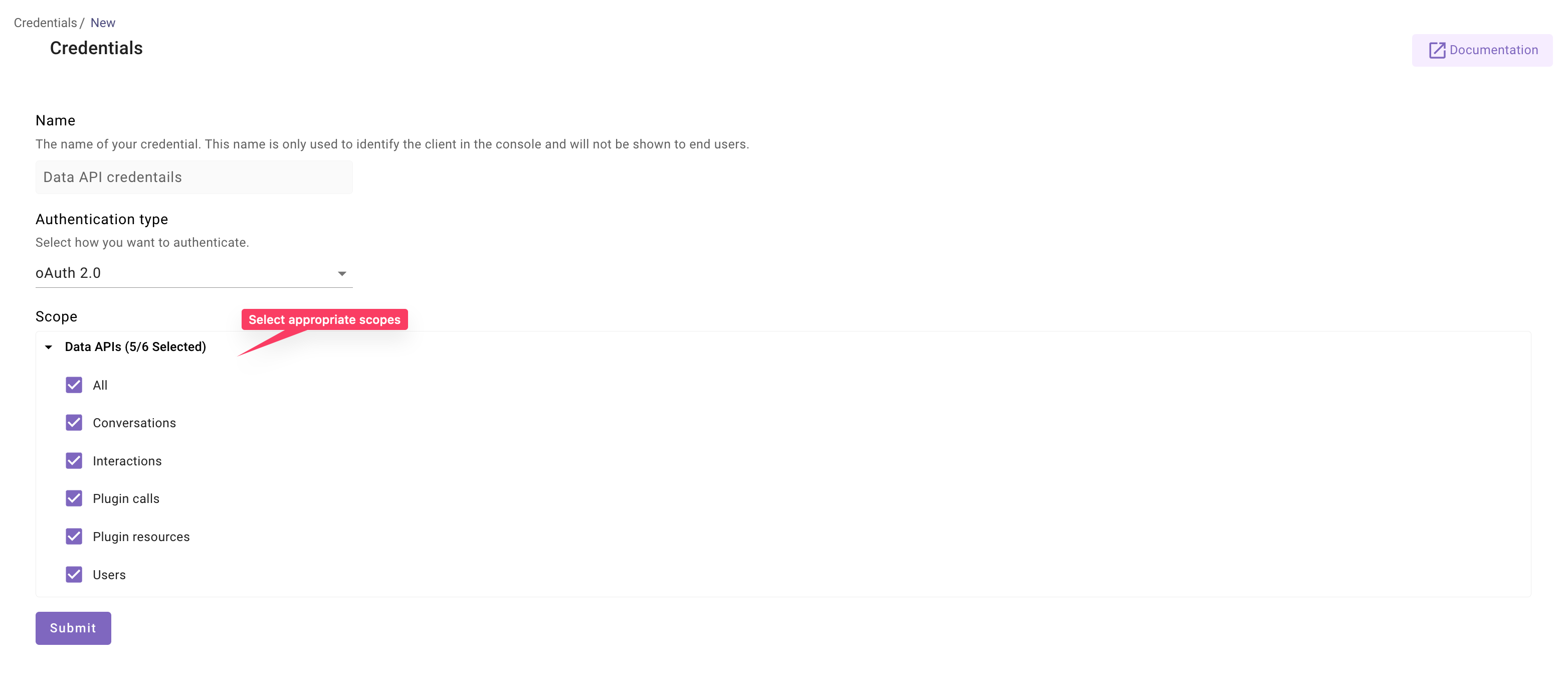
Once scopes are selected, click Submit.
A pop-up will display your API Key (for API Key auth) or Client ID & Client Secret (for oAuth 2.0).
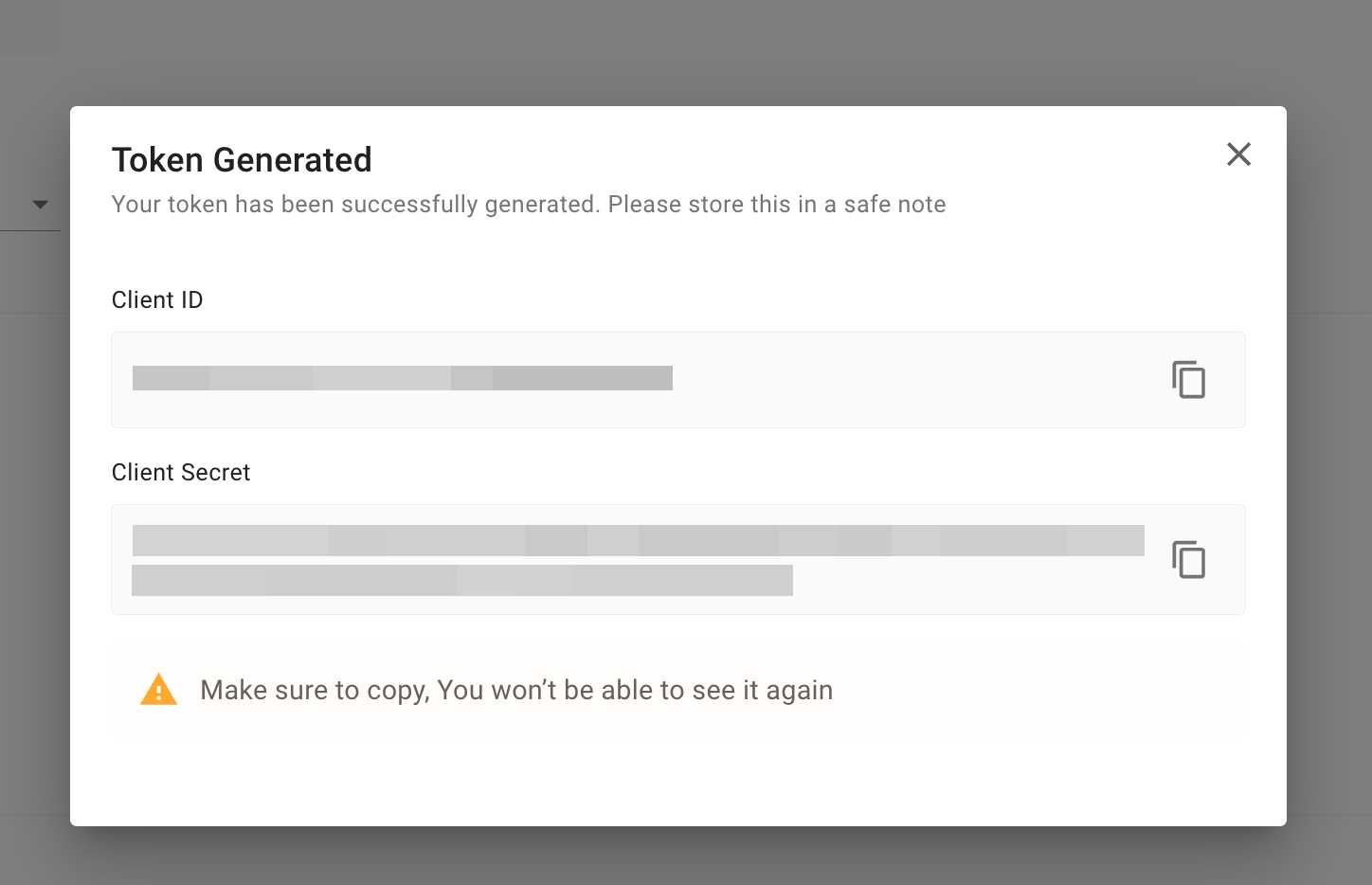
⚠️ Important: Credentials are shown only once in this pop-up.
Be sure to store them securely before closing it—after that, they cannot be retrieved.
Editing Credentials
Open an existing credential from the Credentials list and update:
- Credential name
- Assigned scopes
The authentication type cannot be changed after a credential is created.
Deleting Credentials
- Deleted credentials cannot be restored.
- If a deleted credential is being used in your data pipelines, those requests will fail with a
401 Unauthorizederror.
Credentials Expiry
- Data API credentials themselves do not expire. There is no TTL on API Keys or on the oAuth 2.0 Client ID and Client Secret.
- However, the access token generated using oAuth 2.0 client credentials expires after 3600 seconds (1 hour).
- A new token must be generated to continue calling the APIs.
For more details on authentication and authorization, please refer to the Data API Documentation.