
Configure ServiceNow Mirrored Permissions
This guide applies to ServiceNow only. ServiceNow is currently the only connector that supports ReBAC mirroring via user criteria.
- Classic Ingestion (ServiceNow) — You must follow every step on this page manually. Admins configure the Mirror Permissions ingestion, Permission Rules, and validation flow in Moveworks Setup themselves before knowledge is served.
- Max Capacity Ingestion (ServiceNow) — These configurations are initialized automatically when you save the Max Capacity ServiceNow configuration. You do not need to walk through the steps below to enable serving. Review this page only if you need to inspect or override the auto-initialized configs (for example, to swap permission strategies during a phased rollout or to add Additional Restrictions / Additional Access DSL rules).
Pre-Requisites
In order to Mirror Permissions from ServiceNow for the associated Knowledge, Moveworks also needs to ingest the User Criteria linked to the Knowledge Articles. This is currently only supported for ServiceNow
- To ingest the user criteria for knowledge, users need to install some update sets on the ServiceNow side which are defined in the Guide here.
- Admins need to ensure the BASE and ACL update steps has been installed for the appropriate permissions to be set.
- If you want to learn more about how this is setup, the steps are covered in the ServiceNow User Criteria Guide.
Terminology
ABAC (Attribute-Based Access Control) and ReBAC (Relationship-Based Access Control) are both fine-grained permission strategies, but they define access in different ways. ABAC uses attributes to define policies, while ReBAC focuses on the relationships between entities.
ABAC (Attribute-Based Access Control)
ABAC grants or denies access based on a set of attributes associated with the user, the resource, the action, and the environment. Think of these attributes as descriptive tags. For example, a policy might state: “A user with the attribute department=finance can access a resource with the attribute classification=confidential” This approach is highly flexible and dynamic, as access decisions are made in real-time by evaluating these attributes against the policy. Moveworks supports ABAC by configuring Moveworks DSL rules.
ReBAC (Relationship-Based Access Control)
ReBAC, which can be thought of as “mirroring” your data’s connections, grants or denies access based on the relationships between entities. It models your system as a graph, where nodes are users and resources, and edges are the relationships between them. For example, a policy might state: “A user can access a document if they are the owner of the document, or if they are a member of the group that owns the document’s parent folder.” ReBAC is particularly effective for systems with complex hierarchies or social connections.
Moveworks normalizes the data from different permission models, including ServiceNow’s available for / not available for user criteria into a Relationship-Based Access Control (ReBAC), across all the content systems for fast processing during evaluation.
You can read more about how Moveworks handles permissions here: https://www.moveworks.com/us/en/resources/blog/secure-permissions-enterprise-search
Configure Permissions Mirroring (RebAC)
Step 1: Create a Resource Permissions > Mirror Permissions configuration
Start by creating the User Criteria Ingestion Config which is under Core Platform > Resource Permissions > Mirror Permissions
Select Create on the top right to create the Mirror Permissions configuration.
Step 3: Configure Mirror Permissions
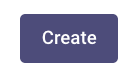
For ServiceNow, select the following settings to enable permissions for Knowledge Articles & Catalog Items (referred to as Forms in the Moveworks world)
- Select Connector - Choose the ServiceNow Connector for ingesting User Criteria from. Note: Be sure to select the appropriate ServiceNow connector, which will be the integration id you named it when creating the connector.
- Fetch Form Access Controls - Enabling this ingests user criteria associated with Catalog Items or Forms in ServiceNow.
- Fetch Knowledge Base Access Controls - Enabling this ingests user criteria associated with Knowledge Articles in ServiceNow.
- Evaluate User Criteria - Enabling this ensures, that once the user criteria has been ingested, it can then be evaluated on the Moveworks end before serving to the user.
Step 4: Create the Resource Permissions > Permission Rules configuration
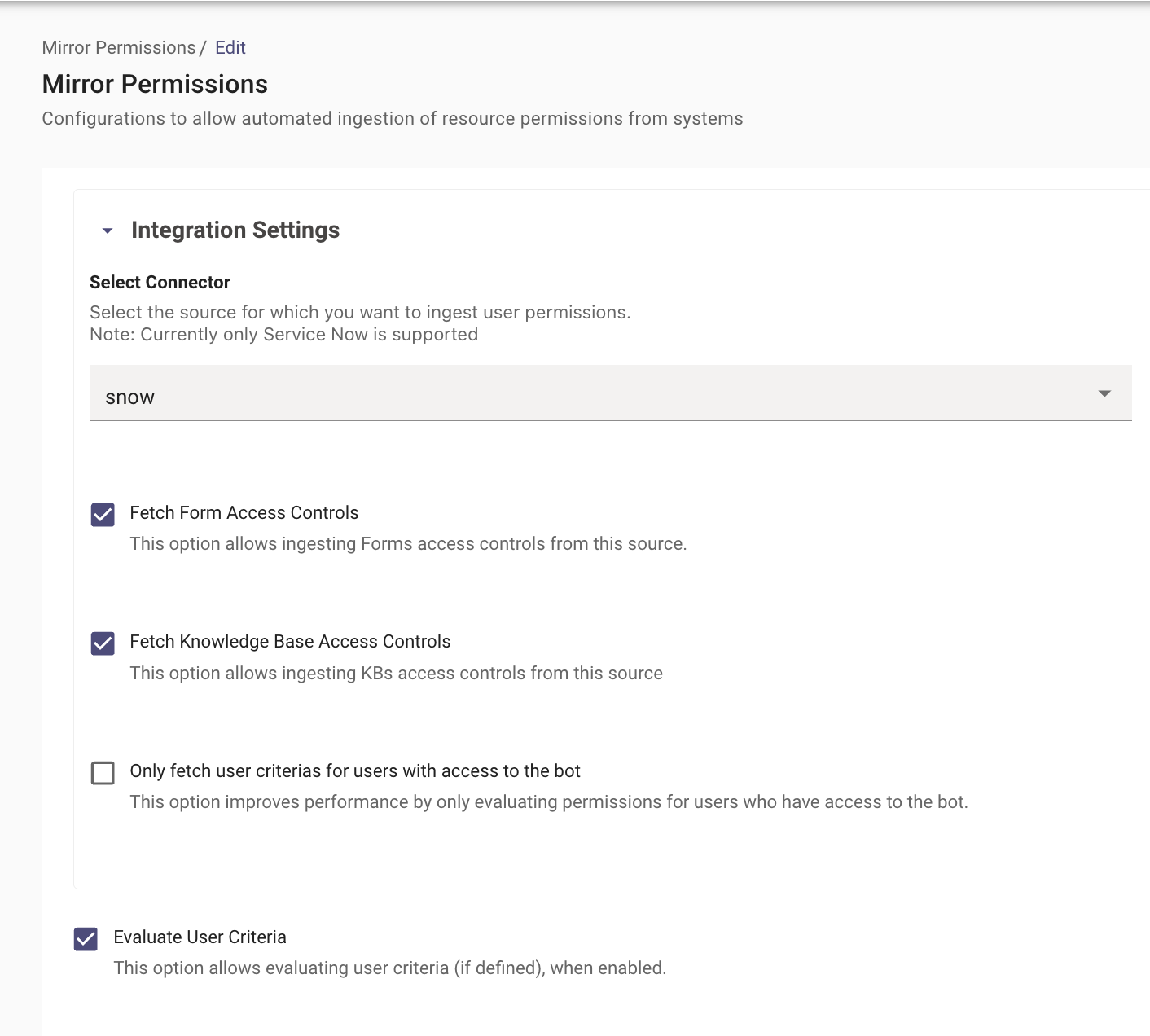
Navigate to Resource Permissions > Mirror Permissions
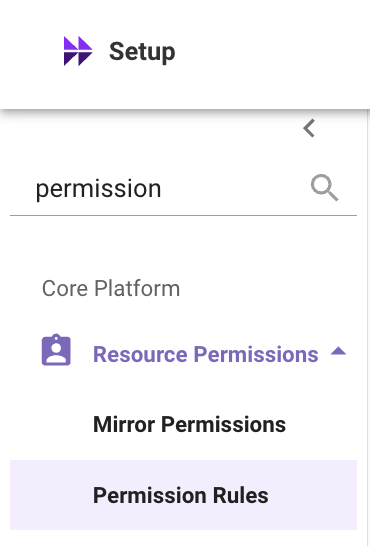
Here you will create a new Permission Rule that describes which permission strategy to follow per integration when serving content ingested from that integration.
Select Create on the top right to create the permission rules configuration.
Step 5: Configure Permission Rules
For ServiceNow, select the following settings to enable permissions for Knowledge Articles & Catalog Items (Forms in the Moveworks world)
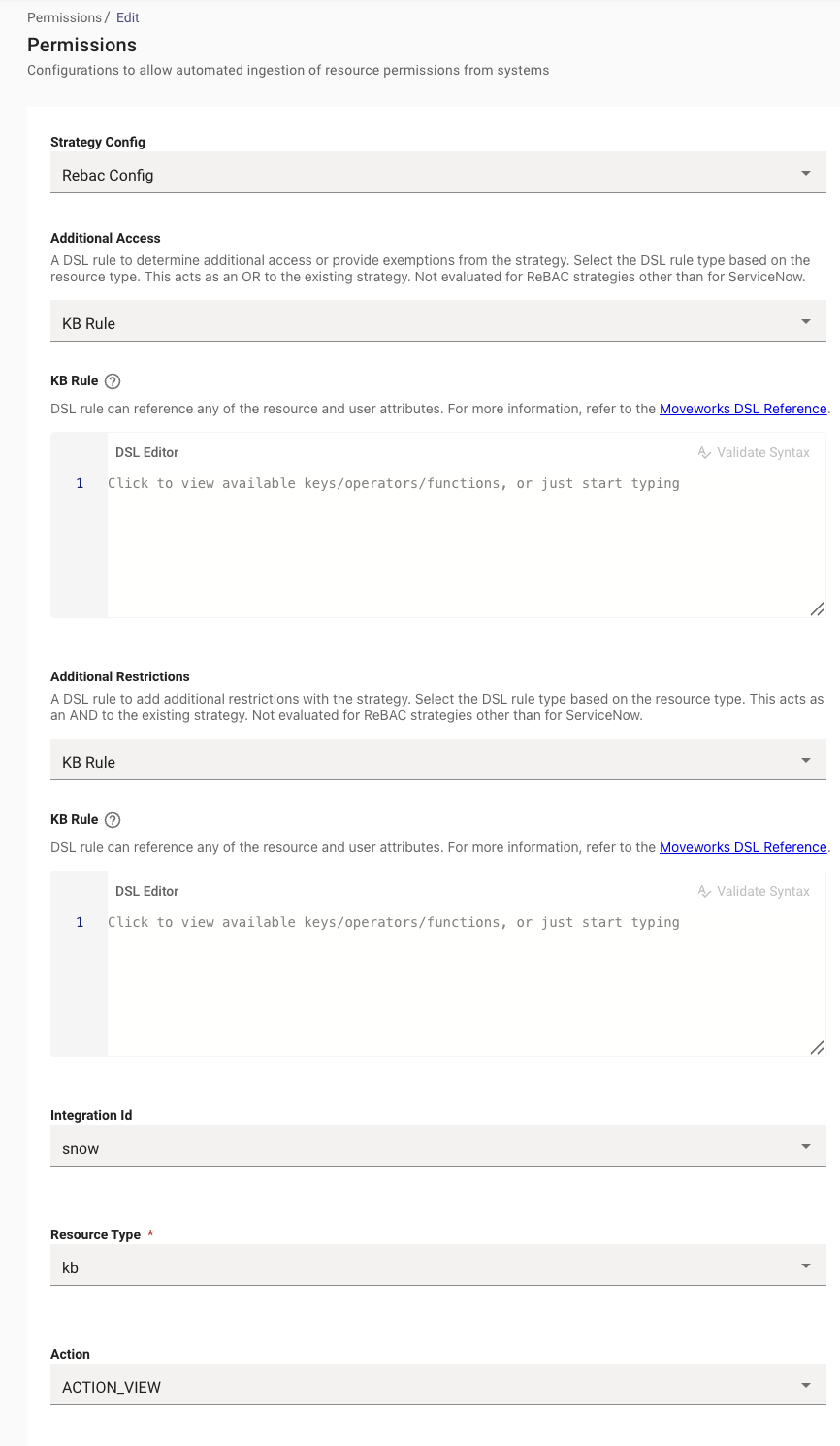
- For Knowledge Permissions, create
snow_kb_ACTION_VIEWwith the following settings. EnablingRebac Configwill ensure that Moveworks mirrors the User Criteria defined in ServiceNow.
- For Catalog Item Permissions, create
snow_form_ACTION_VIEWwith the following settings.
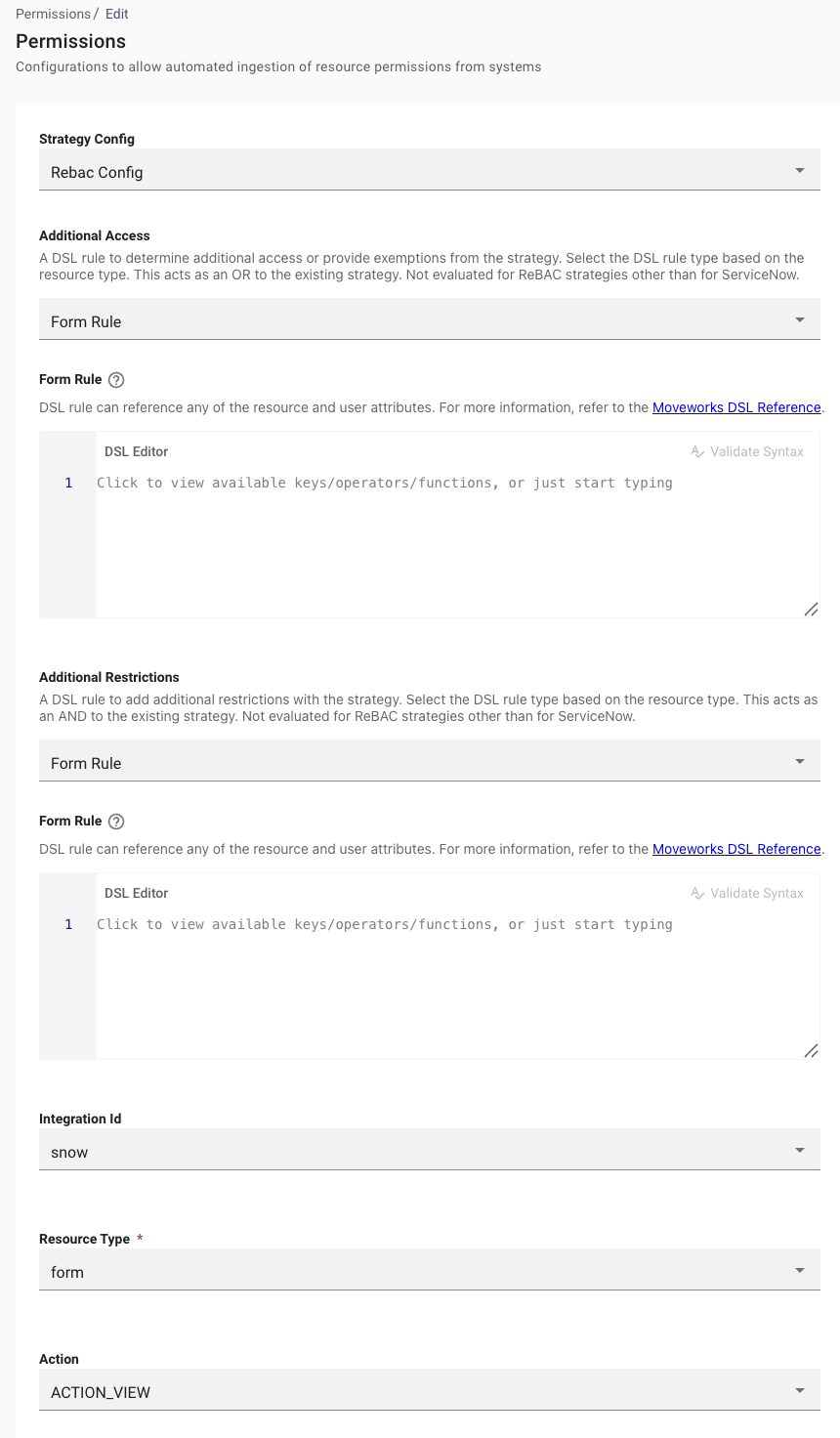
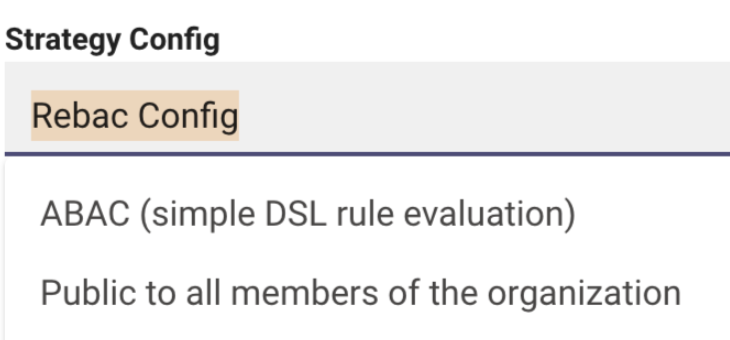
Note: Before setting REBAC as the strategy, you may want to set it to “Available to all Members in your organization” to ensure the integration works first.
You can also write a DSL Rule here utilizing user attributes to enable it for subset of users. Example here. This allows you to test it without permissions first.
Note: Writing a rule with ABAC true is disallowed, as it is against security best practices.
Step 6: Validate the configuration works as expected
Validation
Once you have submitted the Resource Permissions ingestion configuration, it will kick off the Ingestion pipeline in the background, the details of the Ingestion times is present in the Moveworks Ingestion Schedule. It is recommended to wait at least 24 hours before testing this out to give the platform time for the permissions to ingest.
Note: if you have a large ServiceNow instance, you may need to wait 2 days.
In order to validate the Permissions users would need to change the Permission Rules which were set to ABAC earlier to now use the Mirroring Strategy which is ReBac.
ReBac- Mirroring External System Permissions - This strategy mirrors the permission rules on the External Knowledge source by ingesting them on the Moveworks end. This is currently only supported for ServiceNow
-
Additional Access
-
In this drop down, Moveworks requires the user to select the Resource Type, on which the rule will apply.
Ex. KB Rule -
KB Rule - There are is where the user will write the DSL rules in the MWDSL Syntax. If the Rule is left empty it will default to TRUE.

-
-
Additional Restrictions
-
In this drop down Moveworks requires the user to select the Resource Type, on which the rule will apply.
Ex. KB Rule -
KB Rule - There are is where users will write the DSL rules in the MWDSL Syntax. If the Rule is left empty it will default to TRUE. You can also write rules utilising internal Attributes which allow knowledge from a specific knowledge base to be served and not others.

-
Integration ID - The connector which is being used to ingest the knowledge content.
-
Resource Type - Resource Type for which the Rule will apply. Ex. kb, file etc.
-
Action - ACTION_VIEW
-
You have now completed configuring permissions and should be able to test serving answers based on this content following permissions in your Moveworks AI Assistant. ✅
Configure Rule Based Permissions (ABAC)
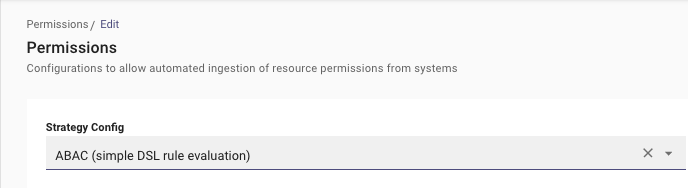
This strategy evaluates the permission rules with an a ABAC strategy leveraging rules written in Moveworks DSL Language. You can learn more about the DSL Syntax in the Guide here .
Step 1: Create Permissions Rule Config
Navigate to Resource Permissions > Mirror Permissions
Here you will create a new Permission Rule that describes which permission strategy to follow per integration when serving content ingested from that integration.
Select Create on the top right to create the permission rules configuration.
Step 2: Select Permissions Strategy
Step 3: Select the type of rule you are leveraging.
Based on the resource you are writing a rule against, you will need to select one of the following rules. E.g. KB Rule
-
Resource Rule - In this drop down users are required to select the Resource Type, on which the rule will apply.
-
KB Rule - This is where users will write the DSL rules in the MWDSL Syntax against a Knowledge Object.
-
Boolean Rule
- Ex. TRUE / FALSE
- ⚠️ This acts as the master control here where it enables or disables the serving of content for this integration completely. Note: It is not allowed to set a boolean ABAC Rule to
TRUEas that beaches security restrictions. The expectation is to use “Public to all members of the organization”
-
Attribute Rule
-
Allowing Knowledge to be served for a subset of user object. E.g.
user.email_addr IN ["zeeyousuf@moveworks.ai"]
-
Allowing only certain Articles to be served within the Bot. E.g.
resource.article_id IN ["12345","5678"]
-
Allowing users who have a specific user-tag associated with their Record, access to the Articles in the Bot. E.g.
(("HAS_ACCESS_TO_BOT" IN user.user_tags) OR ("MOVEWORKS_INTERNAL_USER" IN user.user_tags))
-
-
Note: When Writing a rule, the DSL auto-complete feature of the editor will populate what attributes you have in context to write your rule against.
- Integration ID - The integration_id of your knowledge connector which is being used to ingest the knowledge content. e.g:
snow - Resource Type - Resource Type for which the Rule will apply. Ex. kb, file etc.
- Action -
ACTION_VIEW
Step 4: Test and Save your Configuration
Please ensure to click on the “Validate Syntax” button on the top right of your editor before saving your configuration

️ Ignoring to do this can result in a syntactically wrong rule being saved which could cause issues in serving knowledge.