Personalized Responses
Personalized Responses requires that the AI Assistant Reasoner is at GPT-5; GPT-4.1 is not supported.
Overview
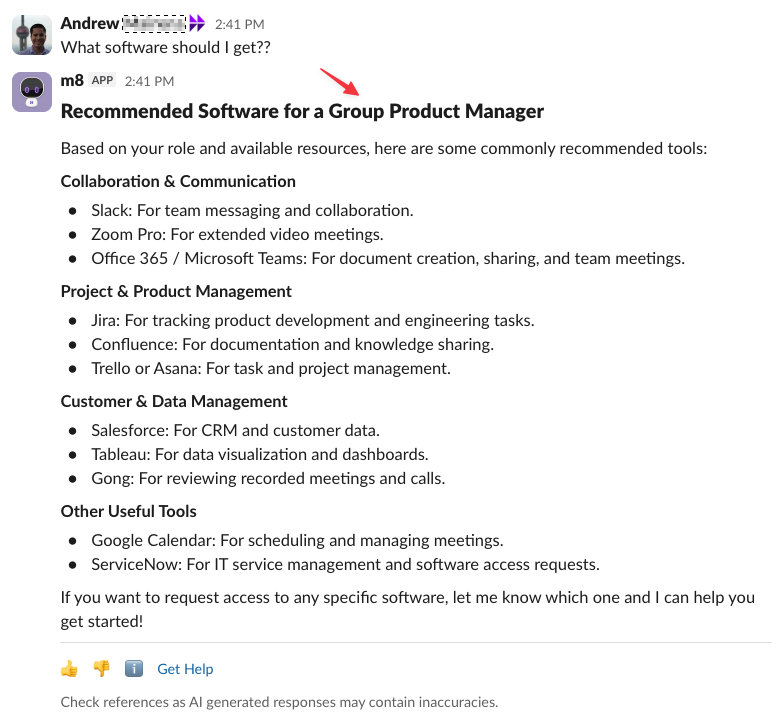
Personalized Responses tailors answers from the AI Assistant to each employee—improving relevance, clarity, and trust - based on the content (Files, KBAs, etc) retrieved. By bringing key user attributes, including any custom attributes, into working memory, the AI Assistant can provide a more tailored response.
Limitations
- Only impacts the Knowledge Search / Enterprise Search Plugin within the AI Assistant
- Personalization uses attributes to tailor the response it gets from knowledge and file search
- Resource queries can be rewritten using information from personalization attributes
How does it work?
By default, the Moveworks AI Assistant will leverage some of the native attributes that are already part of the identity integration to create a Personalized Response:
- Location
- Country code
- Role
- Department
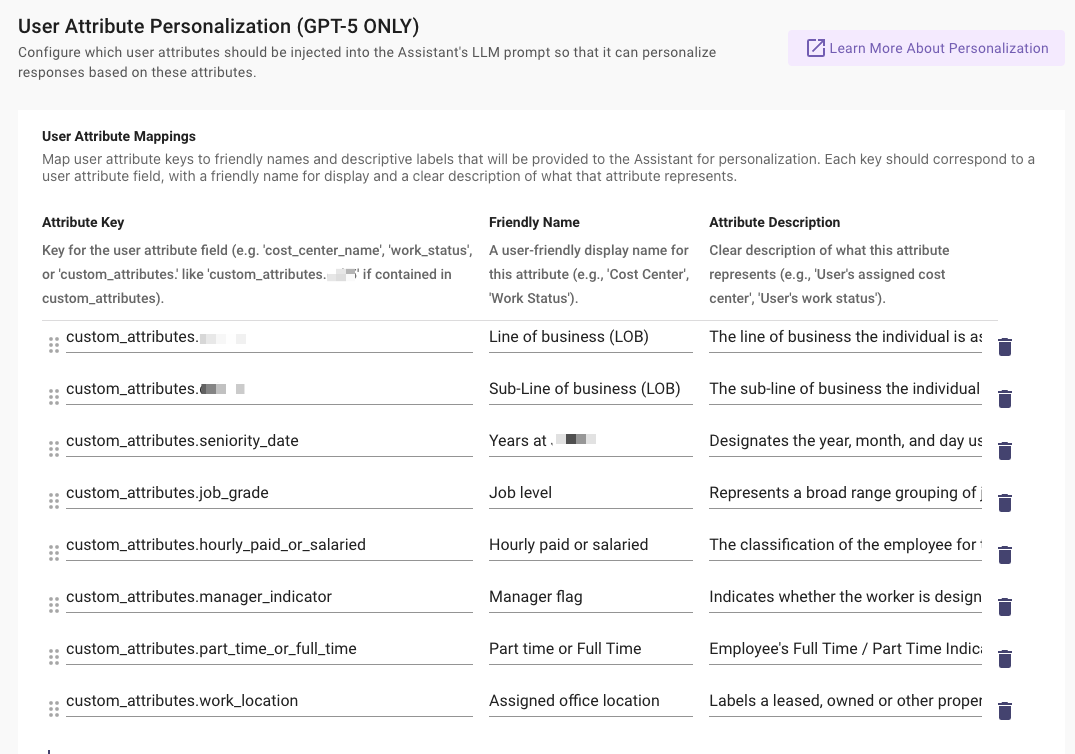
In addition, admins can configure custom attributes to also be leveraged as part of Personalized Responses. Here are example categories of custom attributes that can be helpful.
The combination of both native and custom attributes are injected to the system prompt, which is part of the working memory. When the AI Assistant provides a summary, based on retrieved content, it will tailor the response with these attributes.
How to Configure it?
-
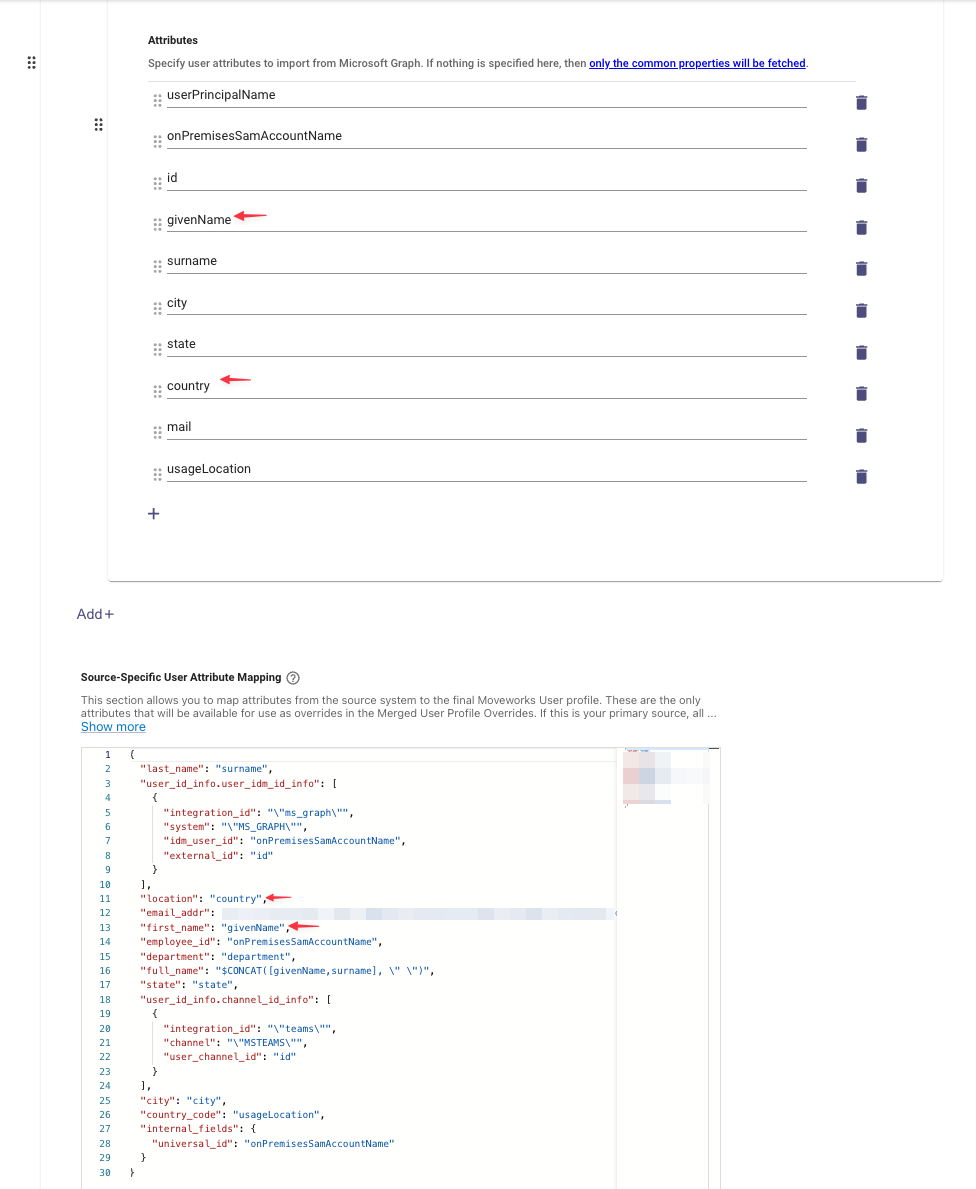
Ensure that the desired native and custom user attributes are mapped into the user proto (In
Moveworks Setup>User Identity>Import Users)Ensure user attributes are mapped to the user proto will be automatically used for personalization, as part of GPT-5. See /agent-studio/core-platform/user-identity/user-attribute-reference#/ for full list of attributes that should be mapped. If the admin would like to leverage location or any general attribute from a non-primary source, they will have to do an override the native attribute.
Additionally, custom attributes can be ingested via Content Gateway. See
/userswithin the API Spec.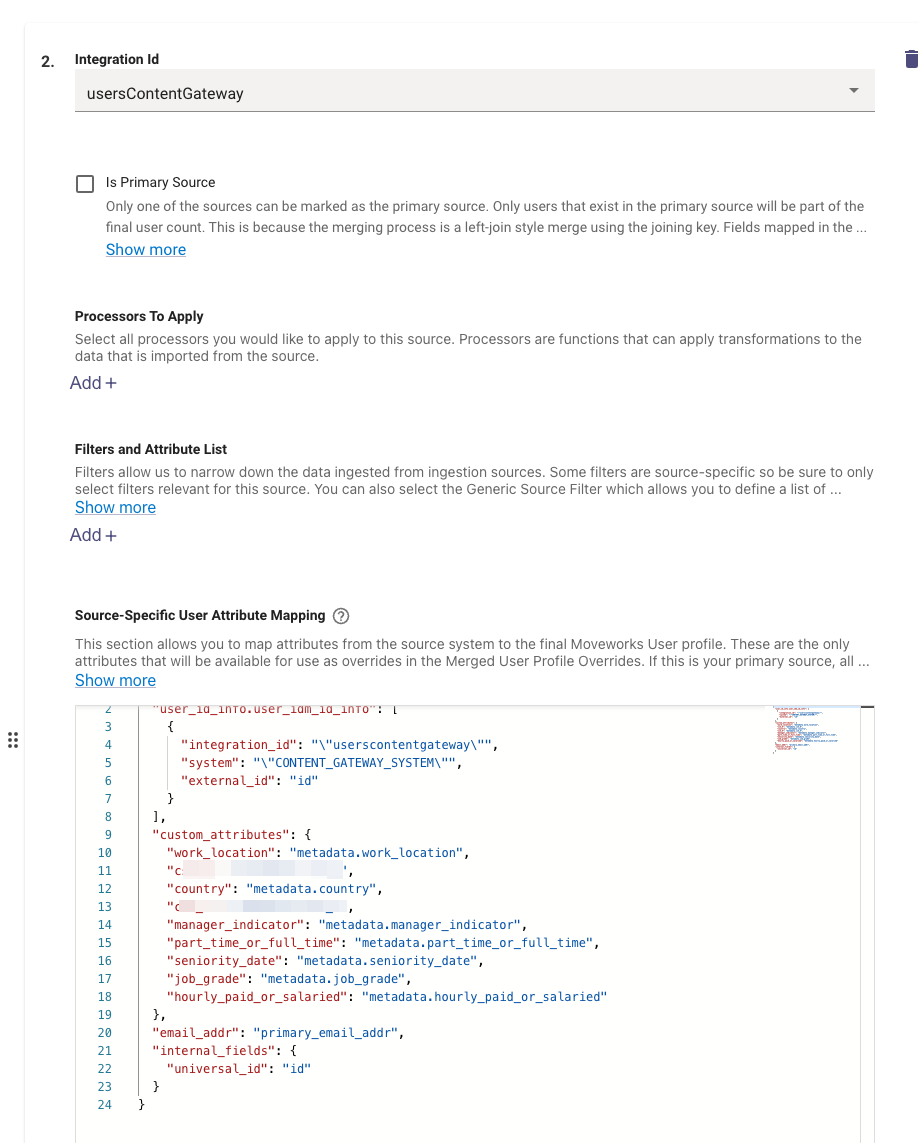
-
Map the desired user attribute keys to friendly names and descriptive labels that will be provided to the Assistant (In
Moveworks Setup>AI Assistant>Advanced Setting>User Attribute Personalization)Identify a subset of attributes that will be most beneficial for personalization
-
-
To confirm the attributes have been ingested, visit
Moveworks Setup>Core Platform>Imported Usersto validate that the attribute has been ingested in the “All Users” view.