
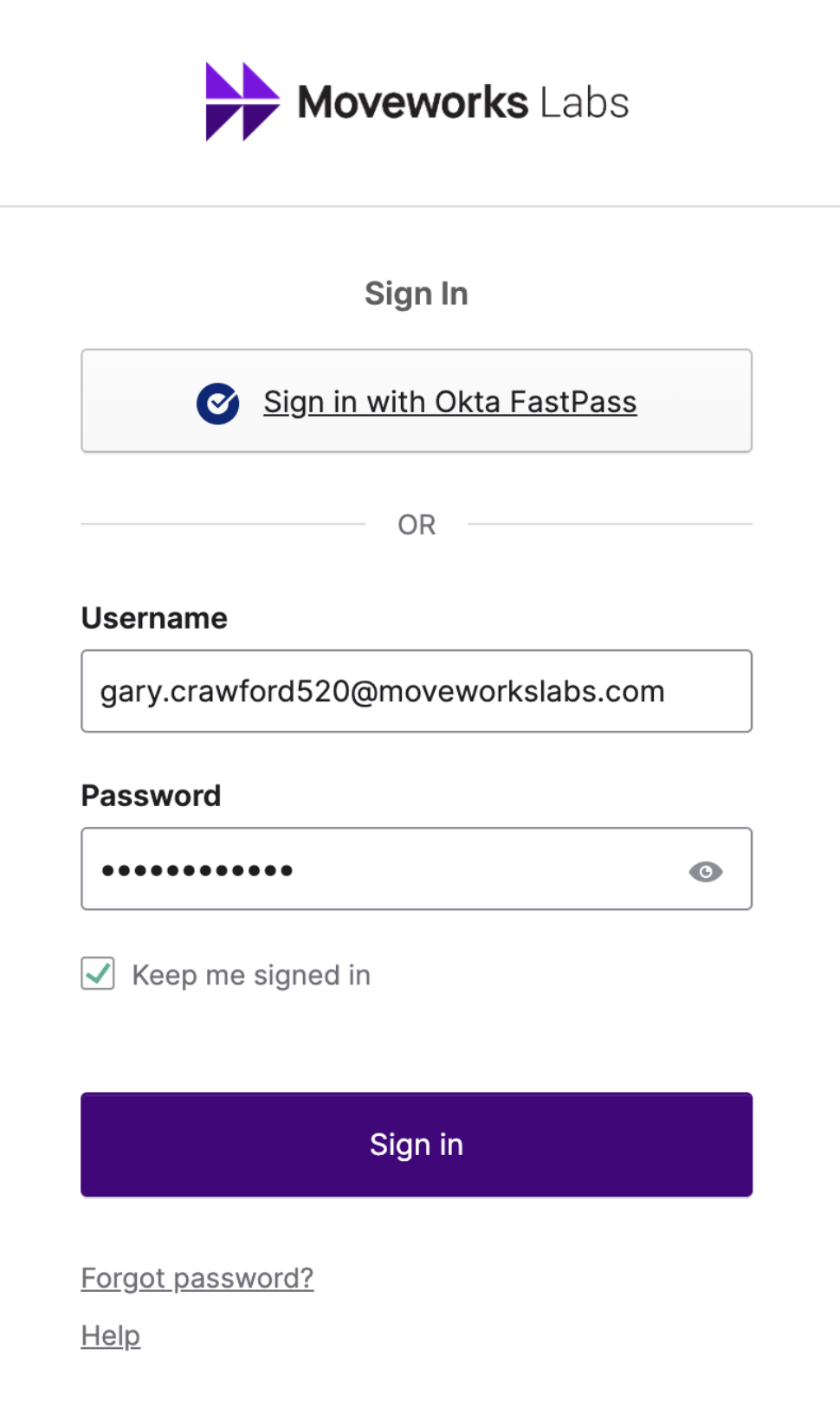
Open your preferred browser to https://labs.moveworks.com
Sign in using your assigned credentials
Example: first.last123@moveworkslabs.com
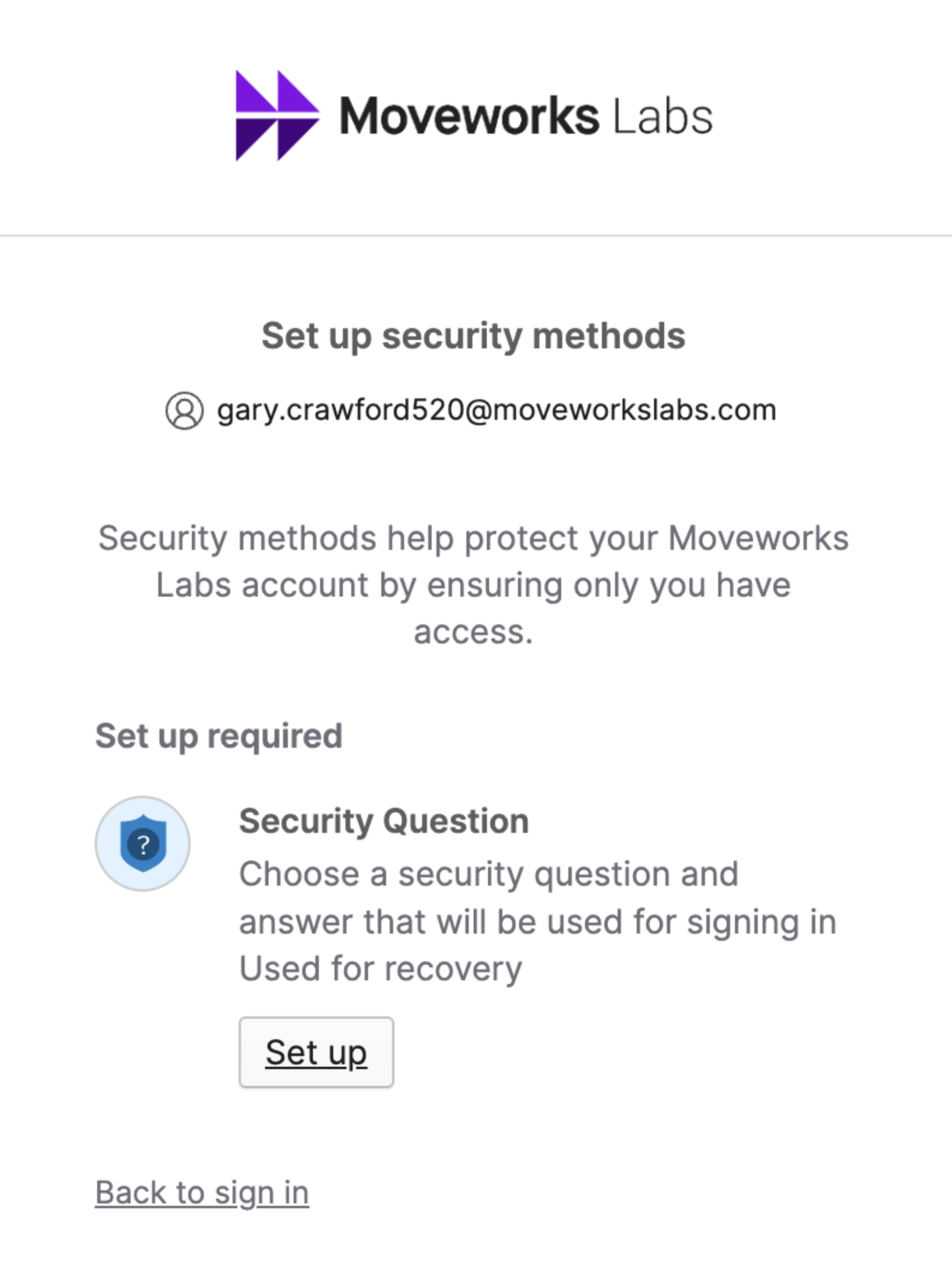
Setup a Security Question
Select Your Collaboration Platform
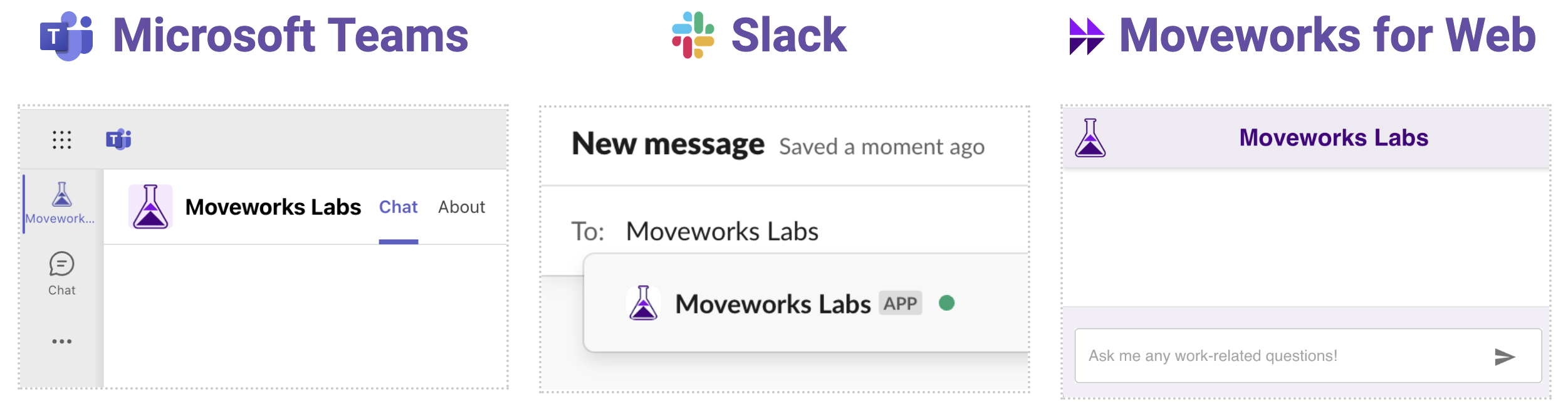
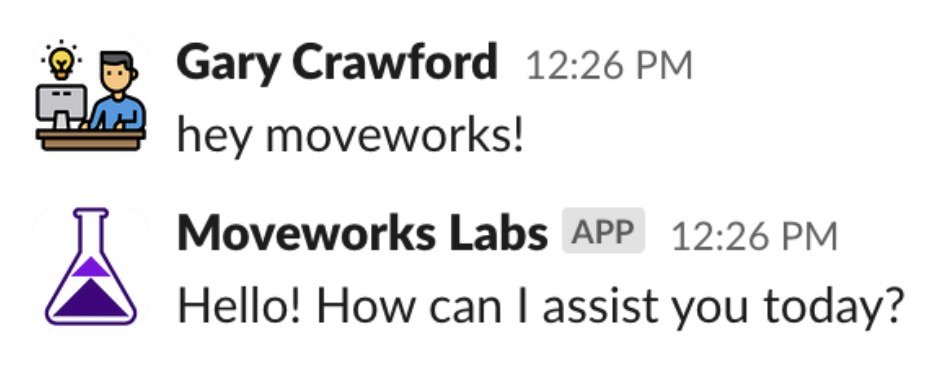
Message the Moveworks Labs App
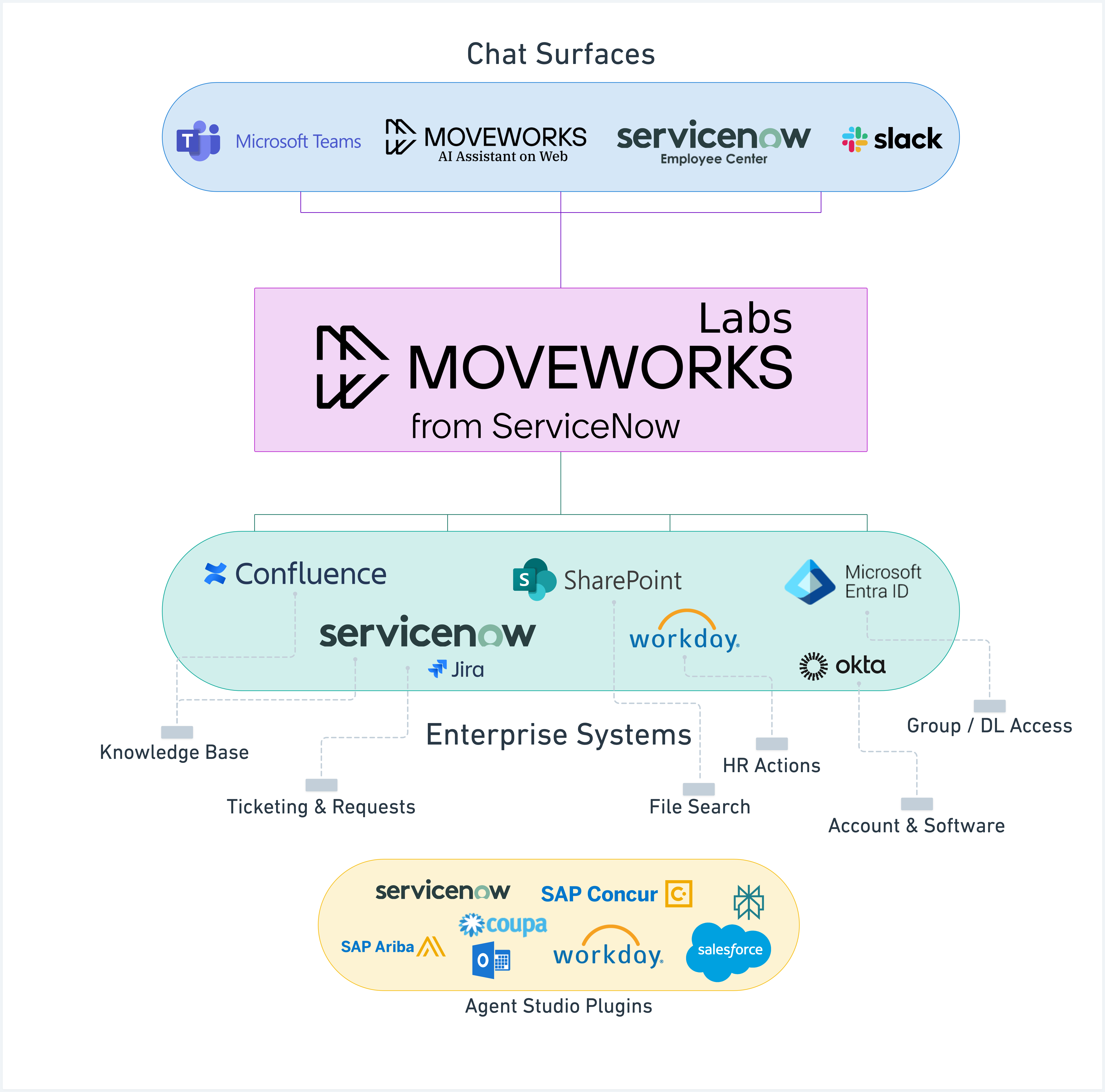
The following will guide you through
/ai-assistant/getting-started/labs/ai-assistant-lab/moveworks-labs-example-queries#knowledge-search
Moveworks AI Assistant is equipped to search for knowledge across multiple sources and produce a summarized response grounded in your enterprise knowledge. Start by asking a broad question before moving to more specific queries. For example: “What is the company expense policy?”
And as a subsequent question, you can inquire: “If I have a meal costing $300, would it be covered?”
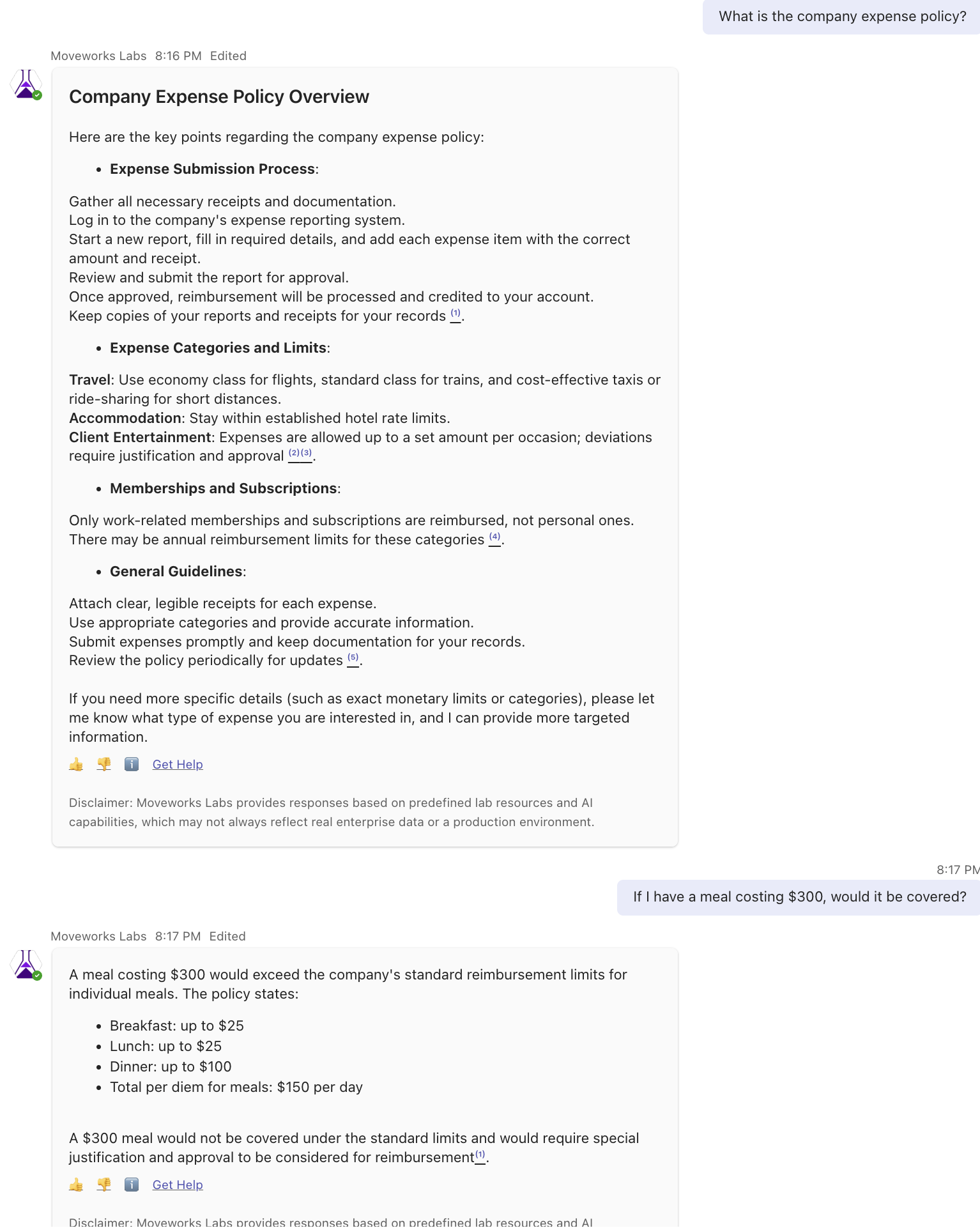
To observe the AI reasoning and sources, click the ℹ️ emoji at the bottom of the message. The details of a citation can also be reviewed by clicking on each number (colored dot) in the response.
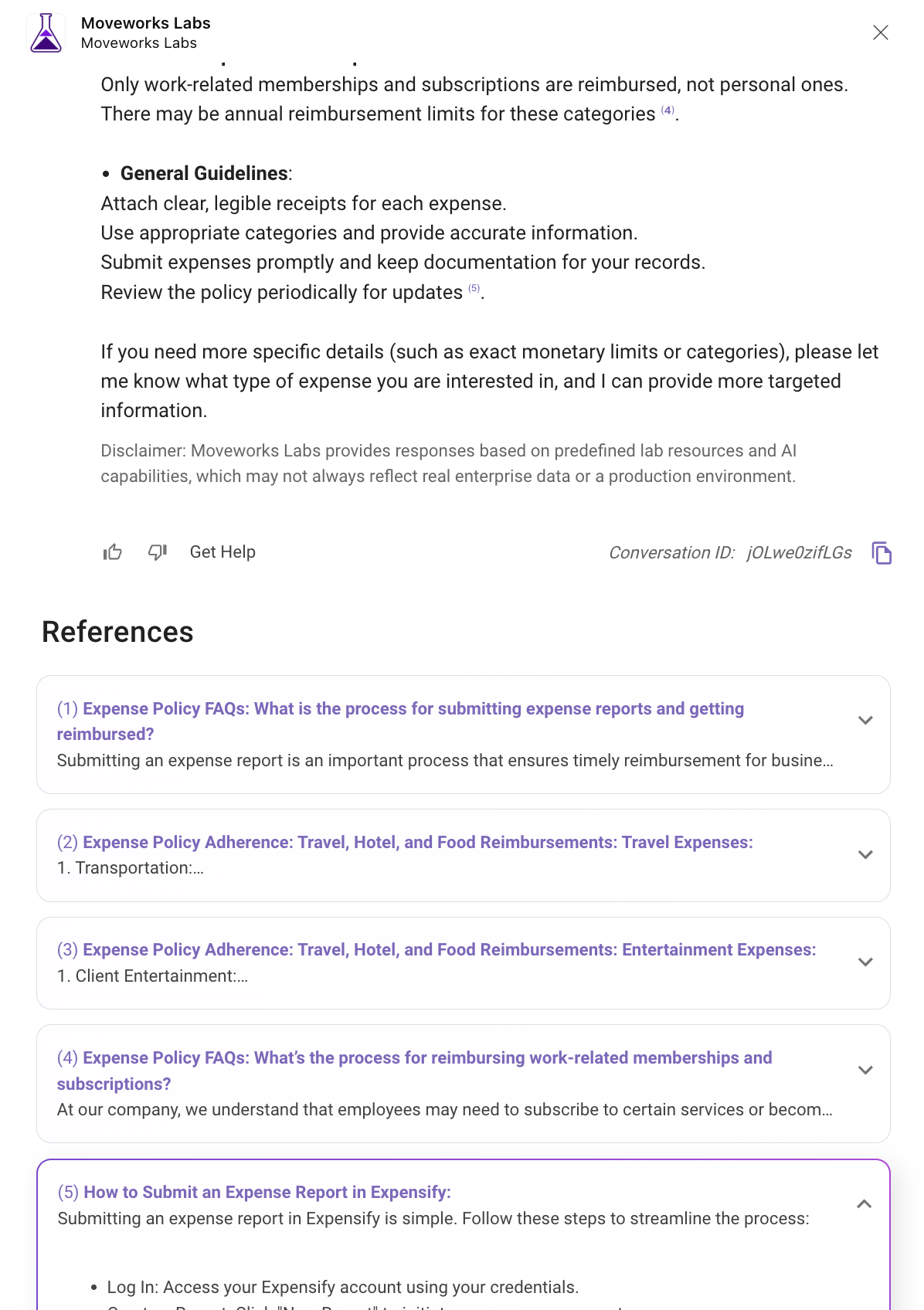
Moveworks AI Assistant can manage multiple knowledge-seeking requests within a single question. For example:
“My computer is running slow, what can I do to speed it up? And why can’t I connect to the company VPN?”
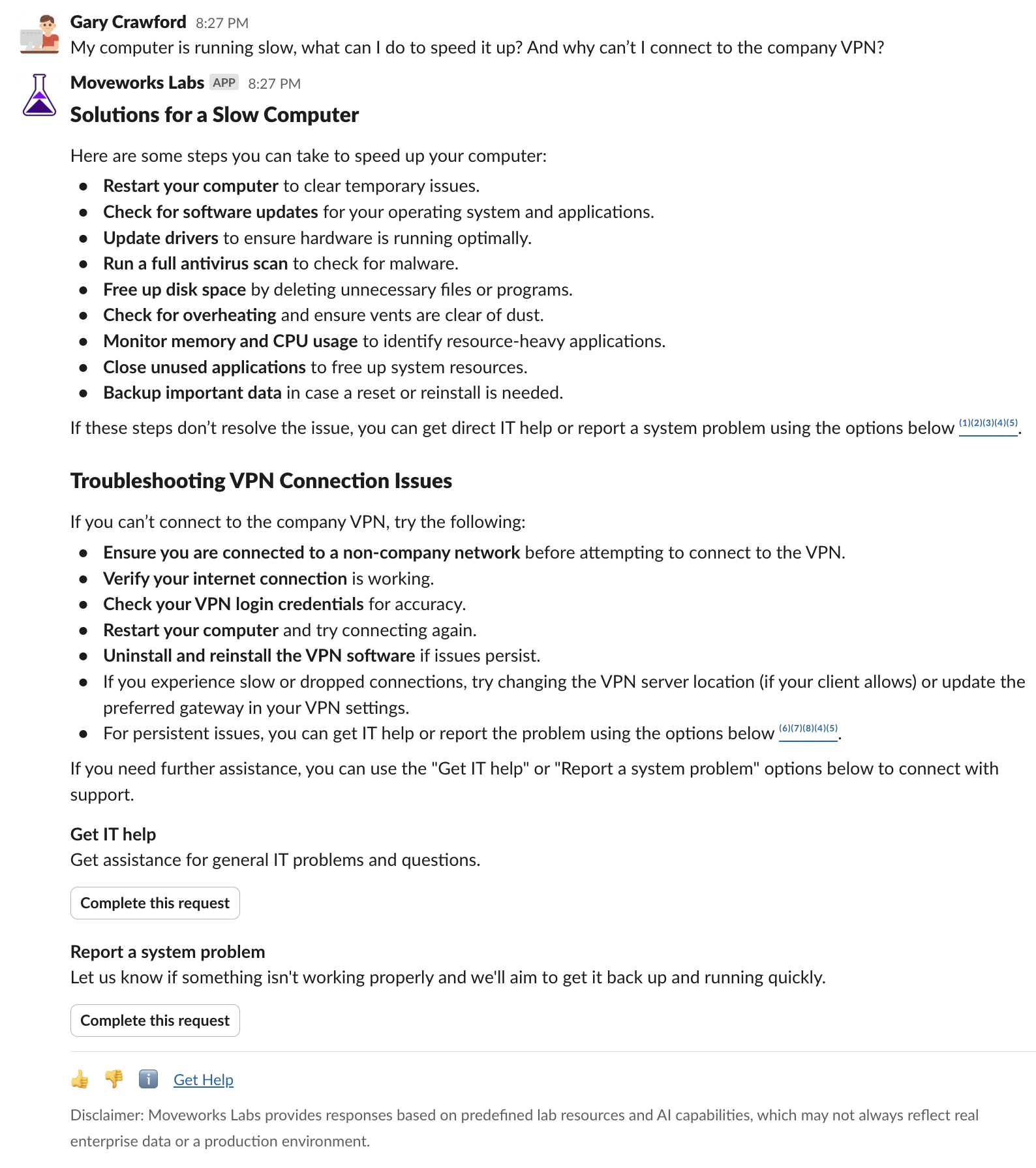
Moveworks AI Assistant can not only read from traditional HTML Knowledge Bases, it can also ingest files such as PDFs, Word documents, and PowerPoint presentations. These files are hosted in file sharing platforms and can be utilized to provide relevant answers to common end-user questions.
The files referenced the response can also be verified as citations by clicking the ℹ️emoji at the bottom of the message
Brief Me is a Moveworks AI Assistant feature that unlocks document knowledge, extracts key insights, and generates new content by chatting directly with your files. It helps users quickly get relevant information without manually searching through lengthy documents. Employees simply upload their documents into chat, and we take care of the rest.
Get started with Brief Me:
Upload up to 5 files (they don’t have to be related)
Select “Ask questions about file(s)”
Ask your questions or generate a summary
Leave the mode by typing “exit”
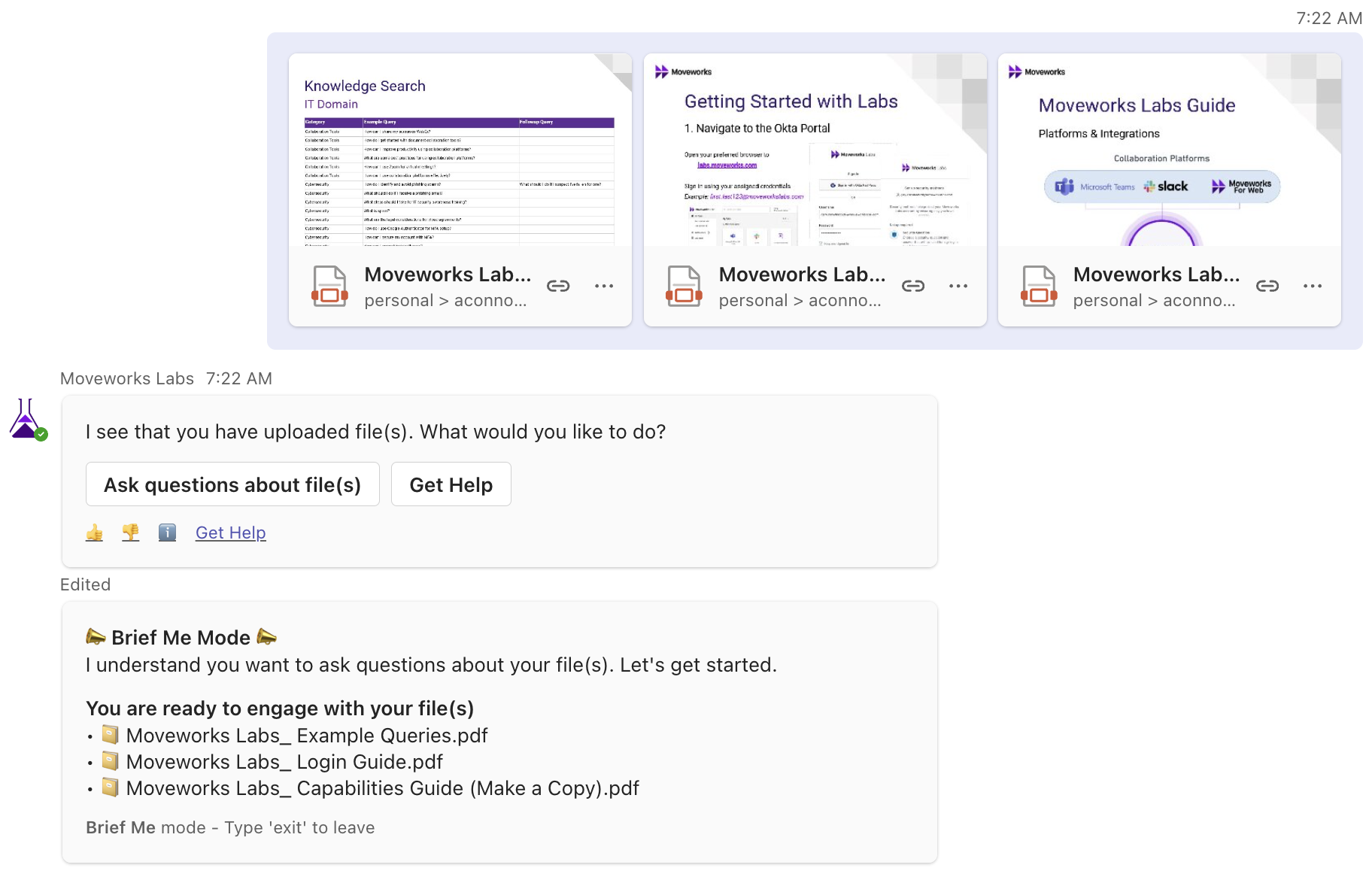
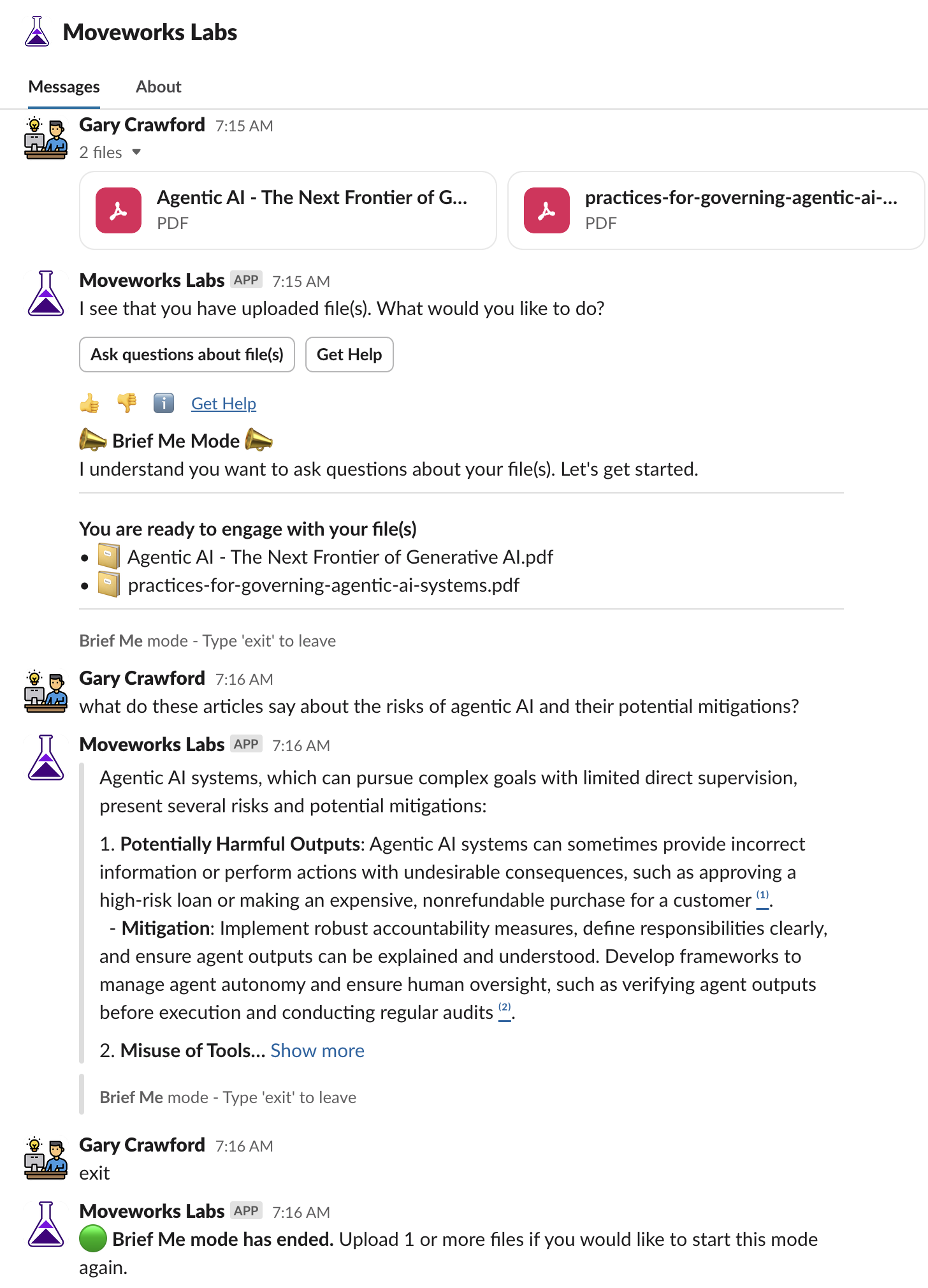
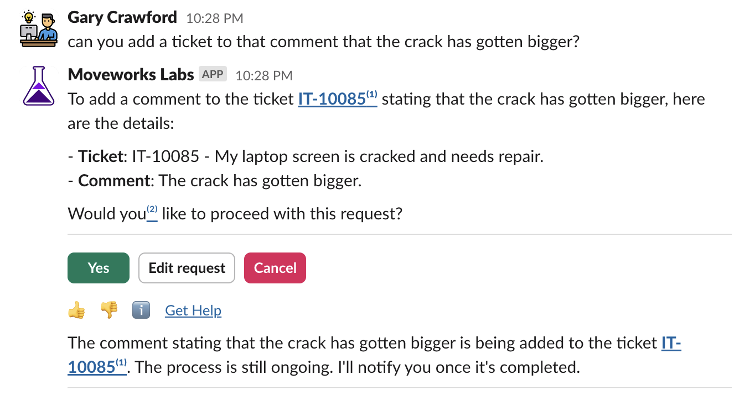
Moveworks AI Assistant enhances the employee experience when creating and updating support tickets by referencing the description of the issue/comment, time frame, or other details associated with a ticket, thereby providing a streamlined conversational experience.
For example, try saying something like:
“Create a ticket for my cracked computer screen.”
And click the “File ticket” button:
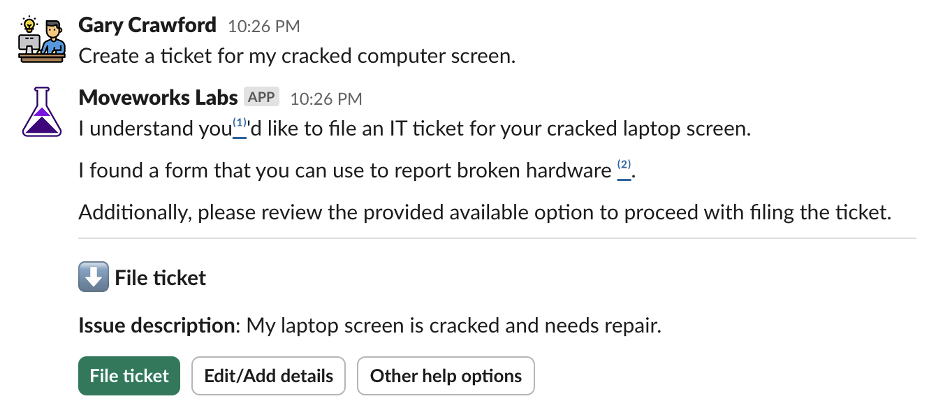
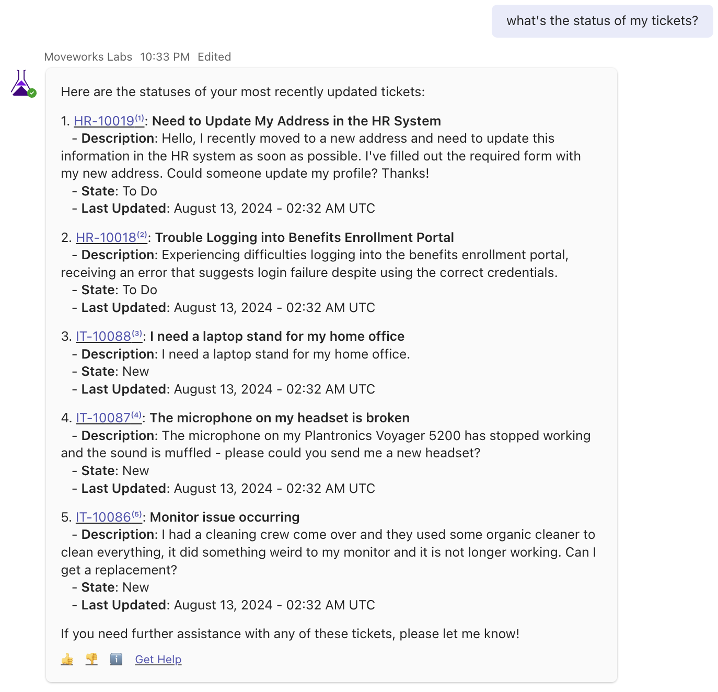
With follow-ups like: “Can you update that ticket? I have resolved the issue” “Show me all of my tickets” “Add a comment to Ticket # that the issue is occurring again”
Alternatively, click Get Help at any point to view all help options:
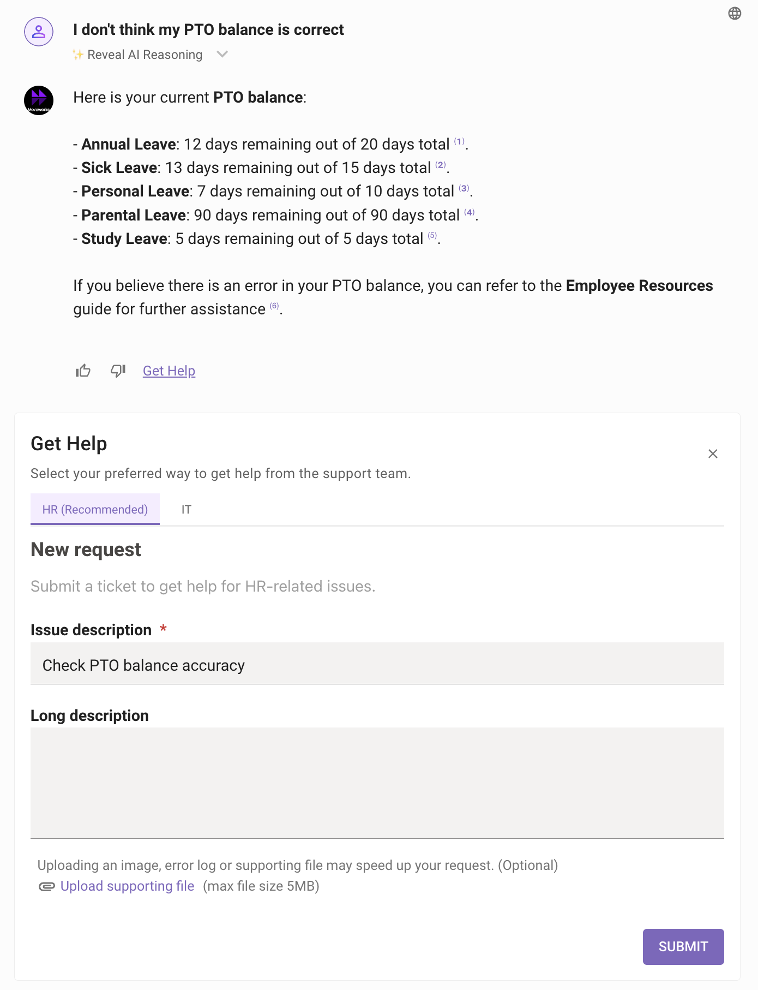
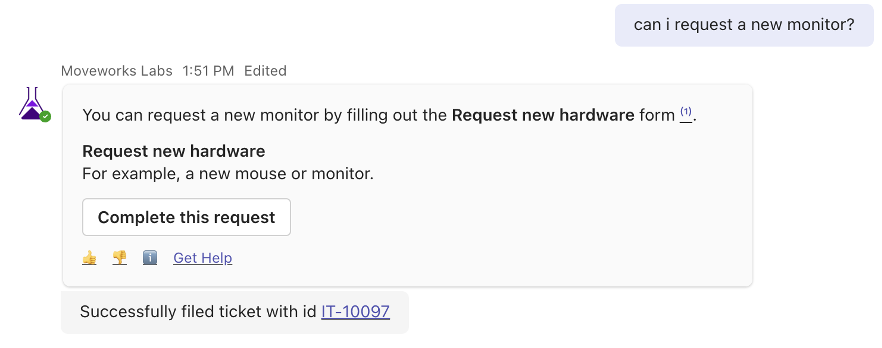
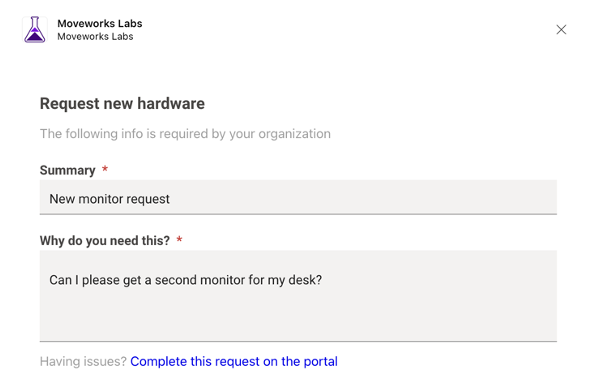
Moveworks will find existing forms within your enterprise systems, such as the ServiceNow Service Catalog or JIRA Request Items. These forms are transformed into a native experience so that the employee can quickly submit what they need without leaving the collaboration tool.
IT Forms available include:
HR Forms available include:
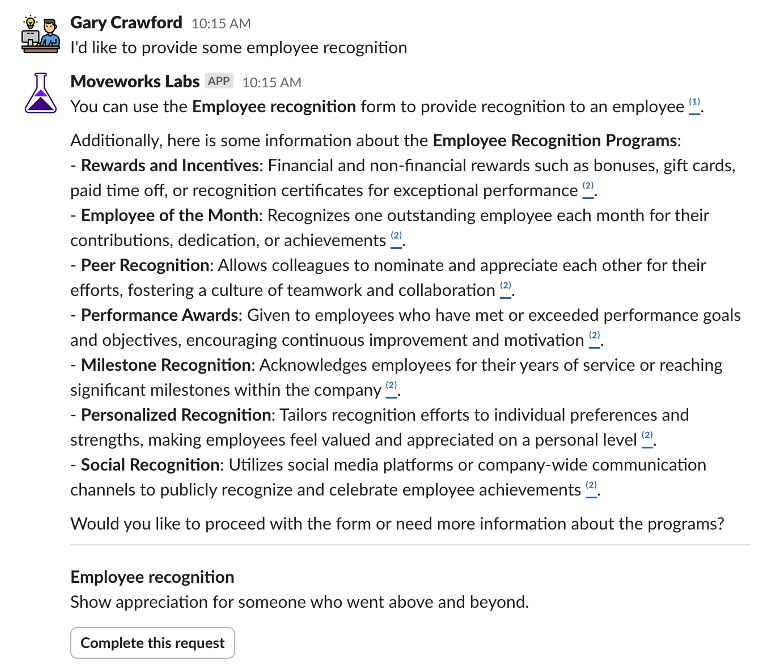
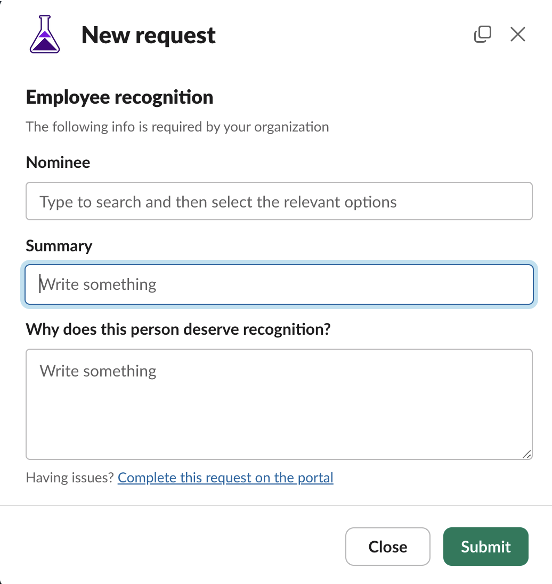
Moveworks Labs provides HR capabilities that allow users to look up and update their personal information, track PTO balances, manage time-off requests, and enroll in learning courses, all within the AI Assistant. These capabilities function like an integrated enterprise HR platform, enabling seamless access to key HR actions.
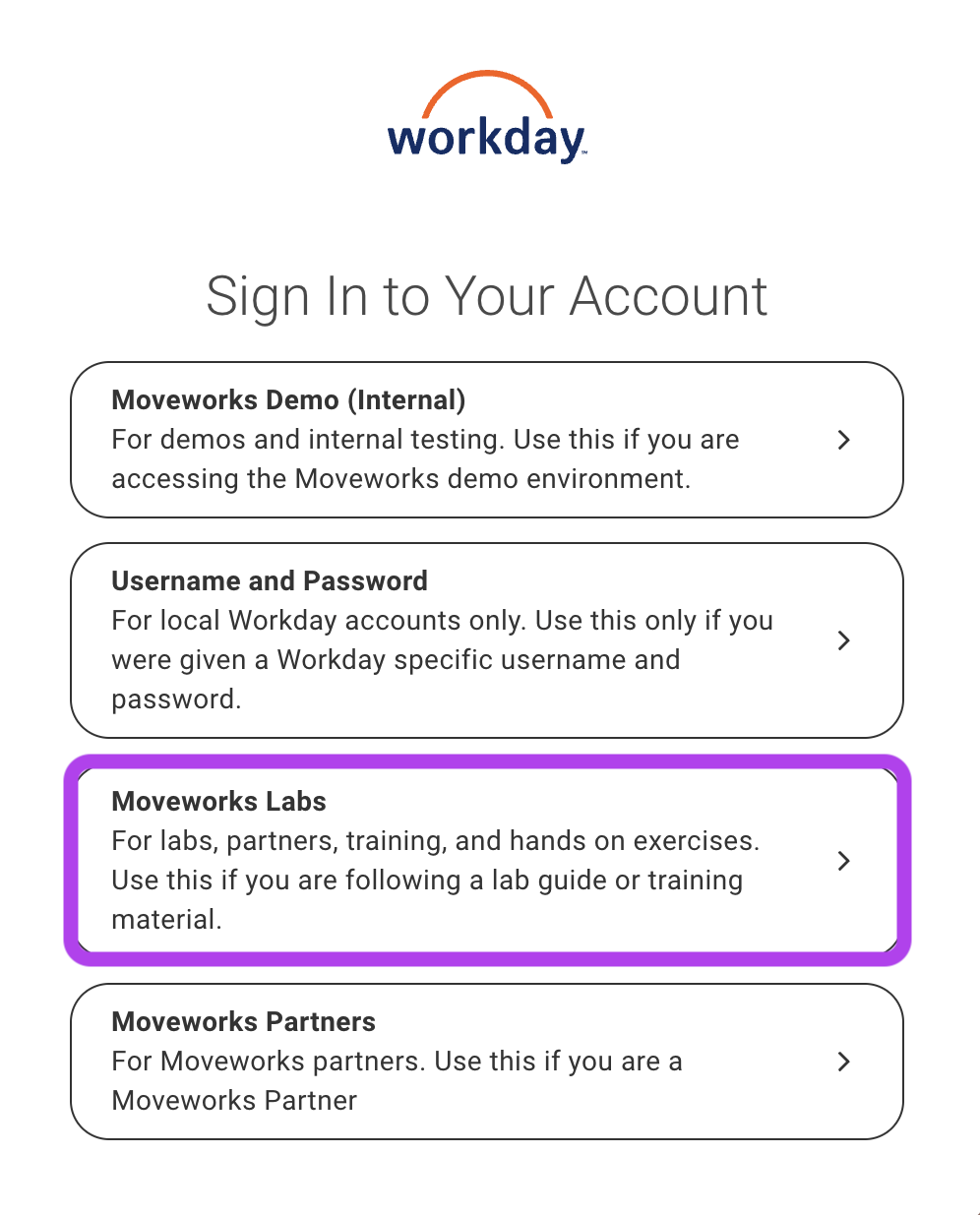
User Consent Authorization ensures HR actions are securely performed using the employee’s own Workday identity. Employees explicitly approve access at the time of each request, no credentials are stored, and all actions are fully auditable in Workday, reducing risk while maintaining strong security controls.
Make sure you select the “Moveworks Labs” option when redirected to Workday
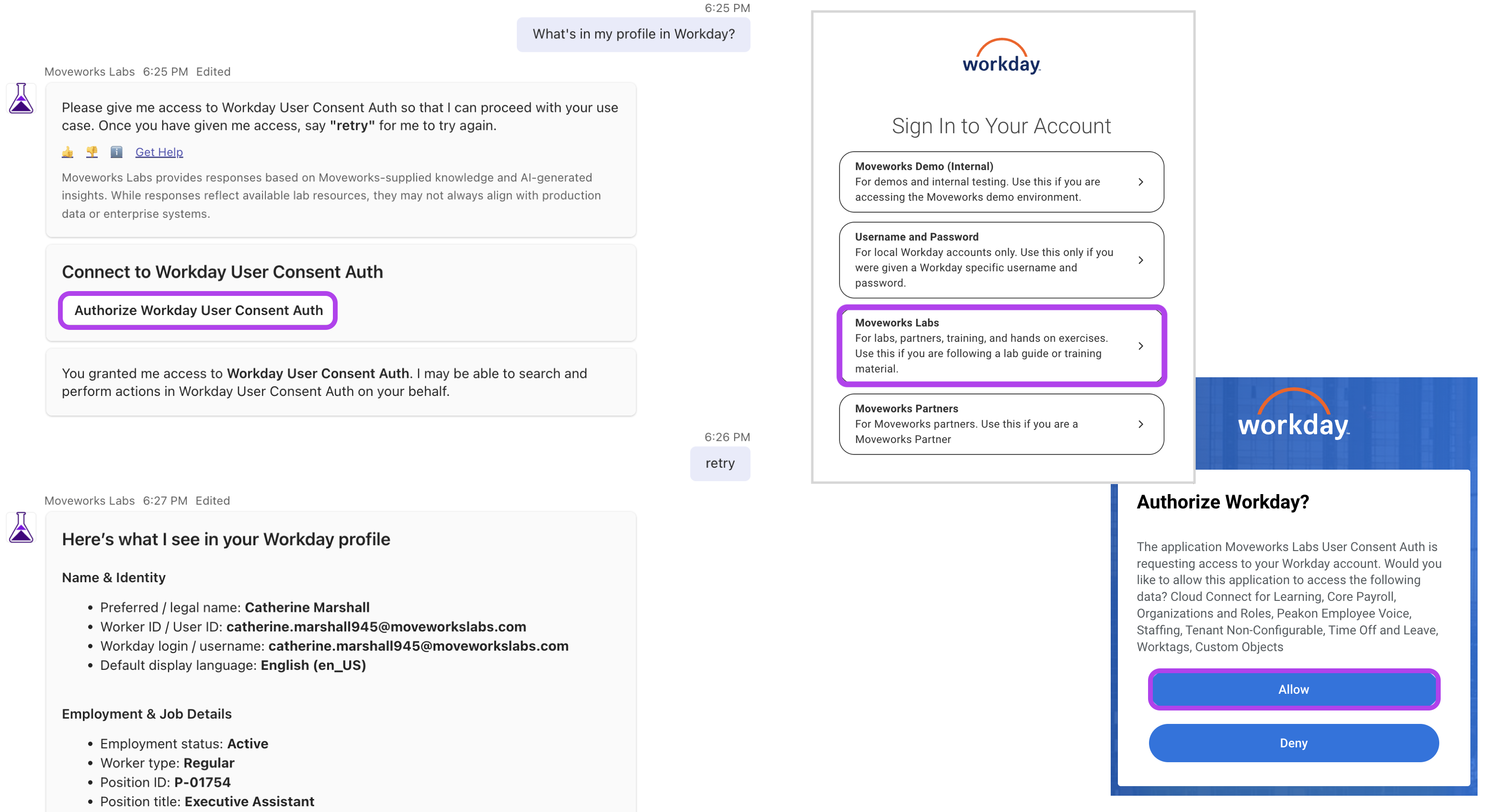
Employees can view and modify their personal details without navigating a separate system.
To view your Workday profile information, ask something like:
“What’s in my profile in Workday?”
The following fields are supported for updates:
Example queries:
“Update my email address to cathy@example.com.”
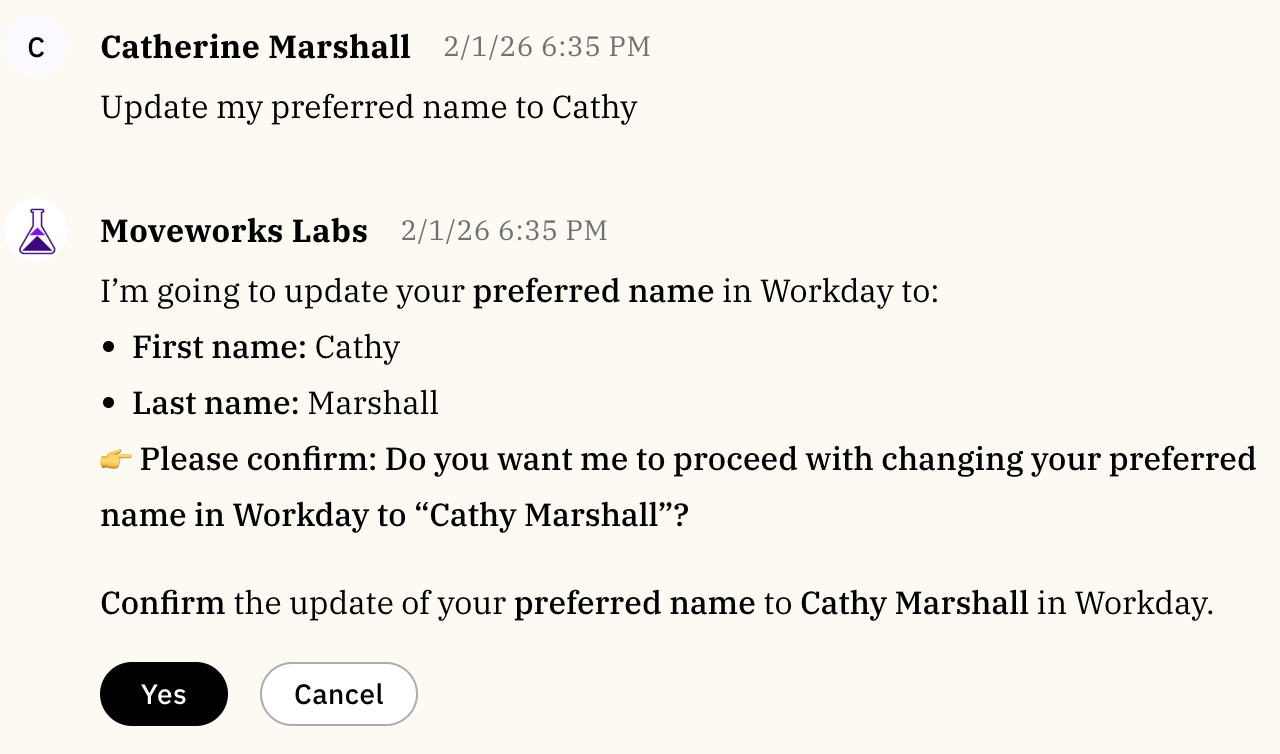
“Update my preferred name to Cathy.”
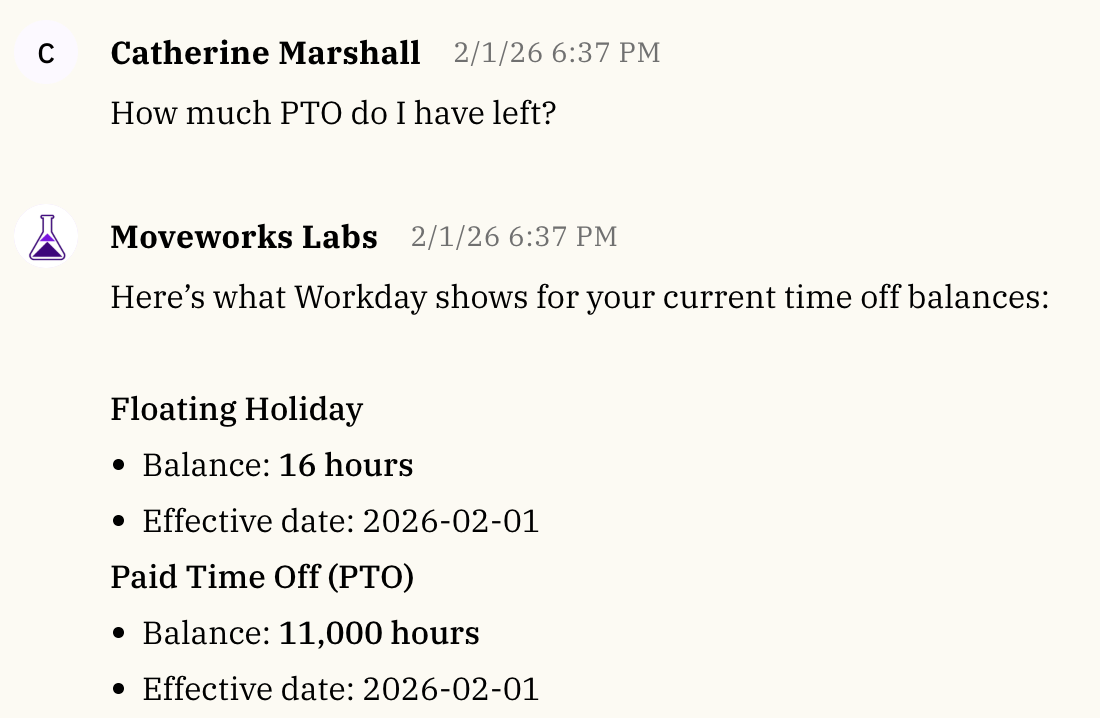
“How much PTO do I have left?”
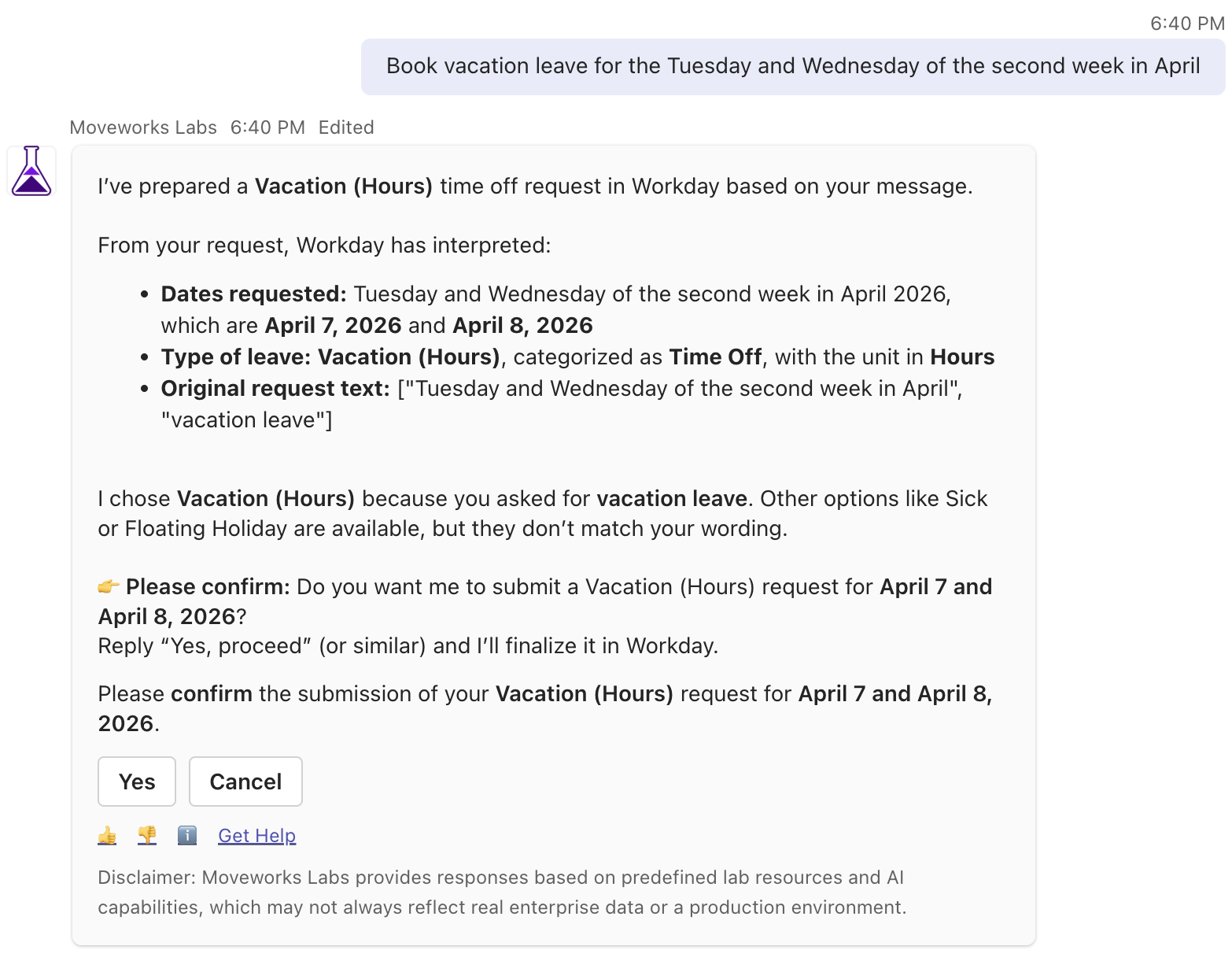
“Book vacation leave for the Tuesday and Wednesday of the second week in April.” “I want to take Friday off.”
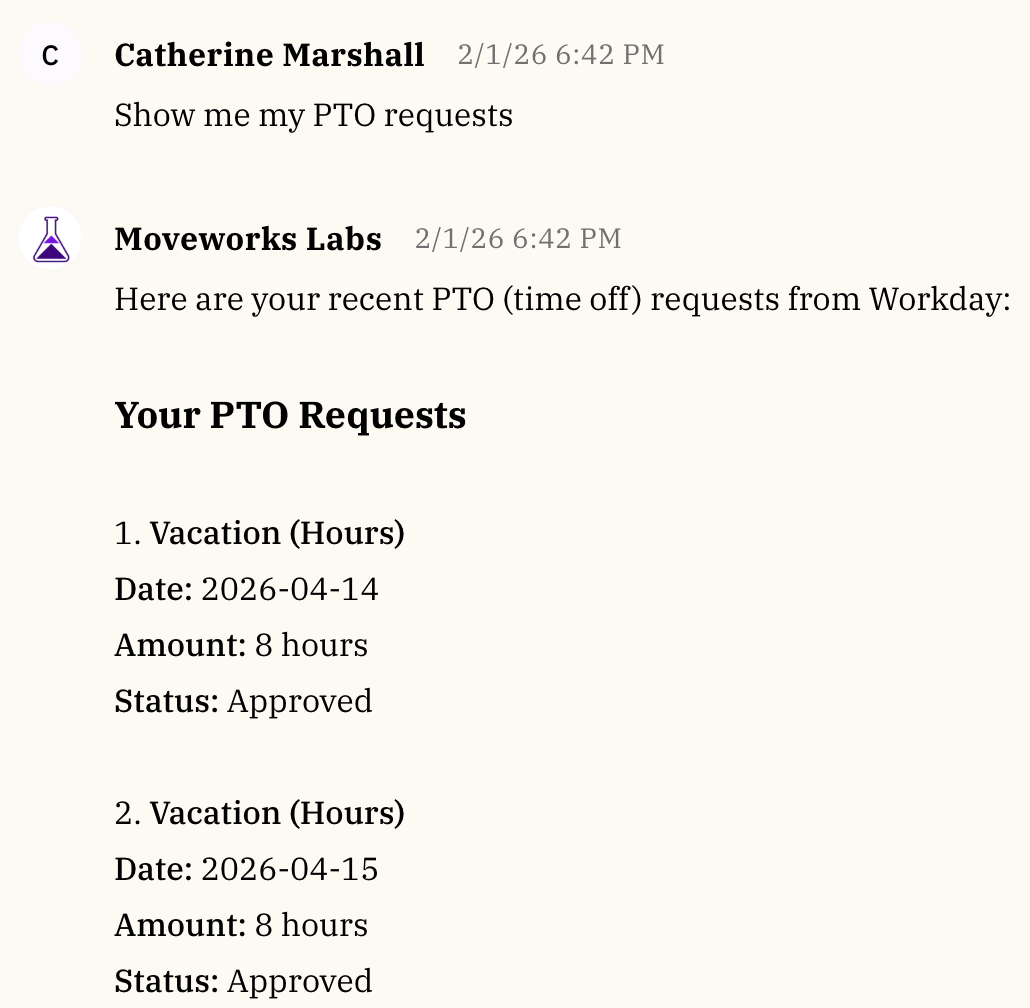
“Show my PTO requests.”
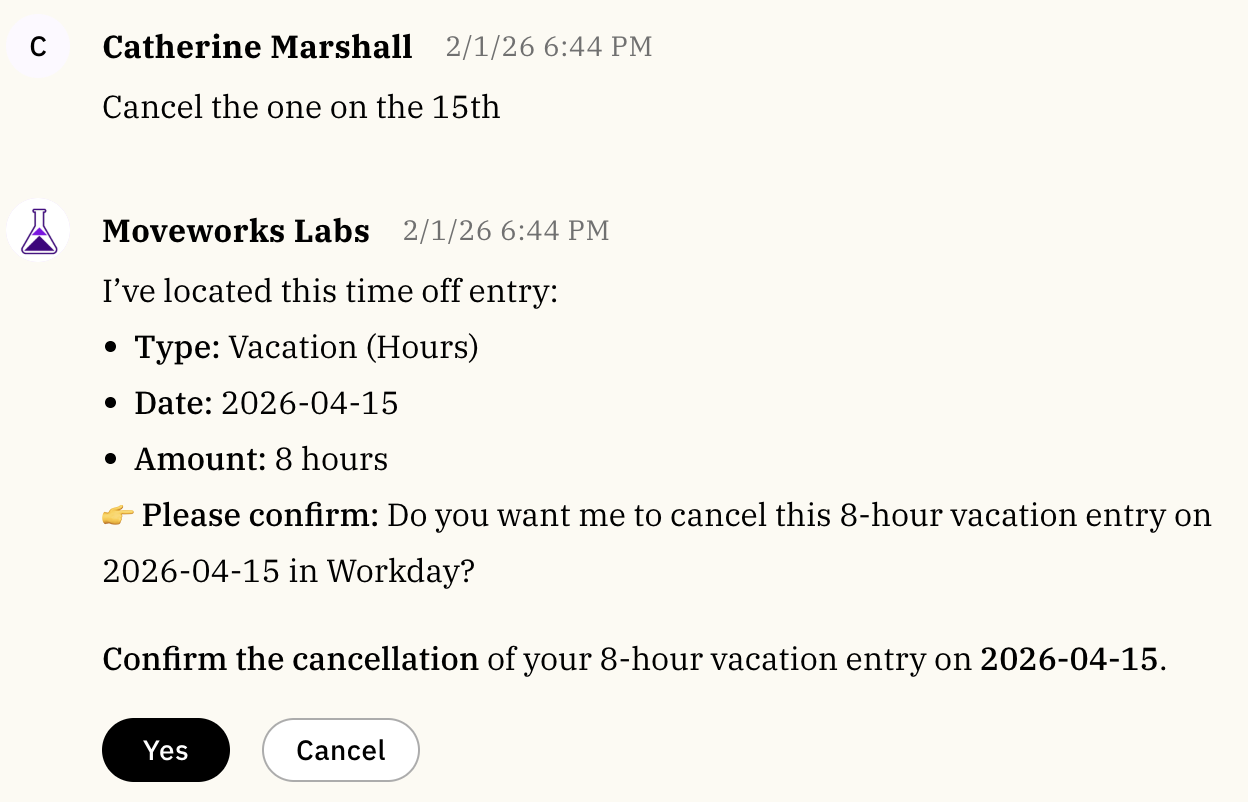
“Cancel the one on the 15th.”
“I want to enroll in a new online course”
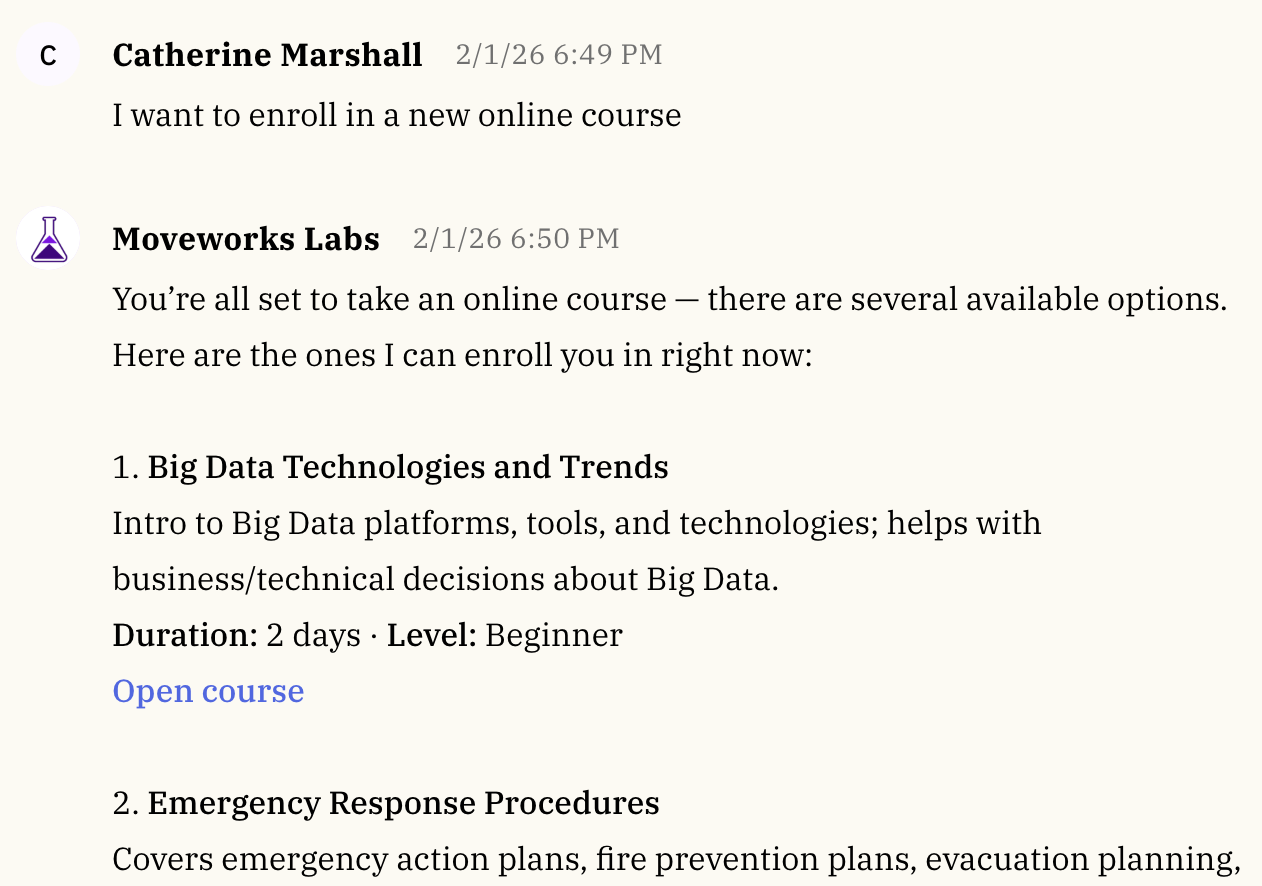
With followup examples like:
“Are there any for Professional Development?”
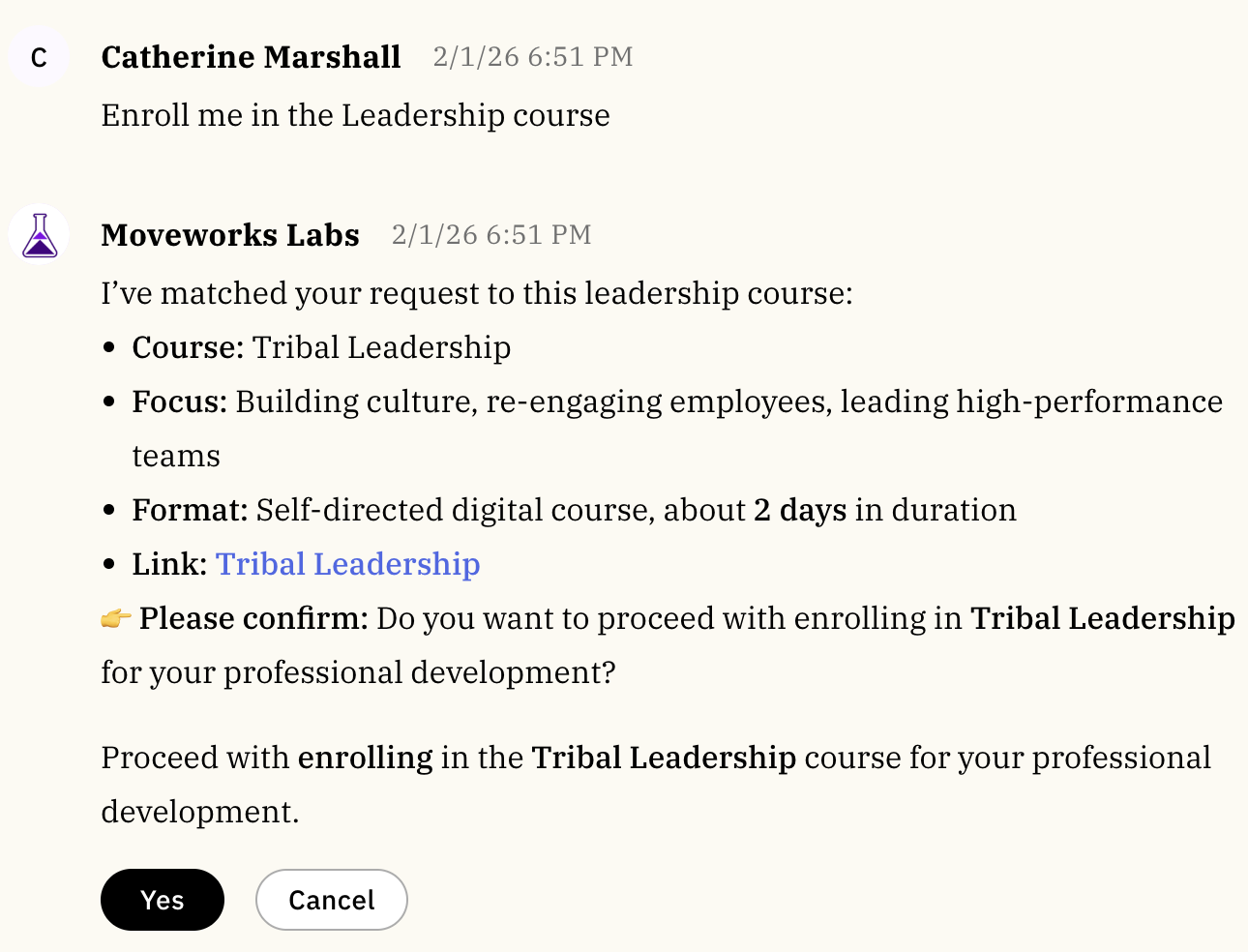
“Enroll me in the Leadership course.”
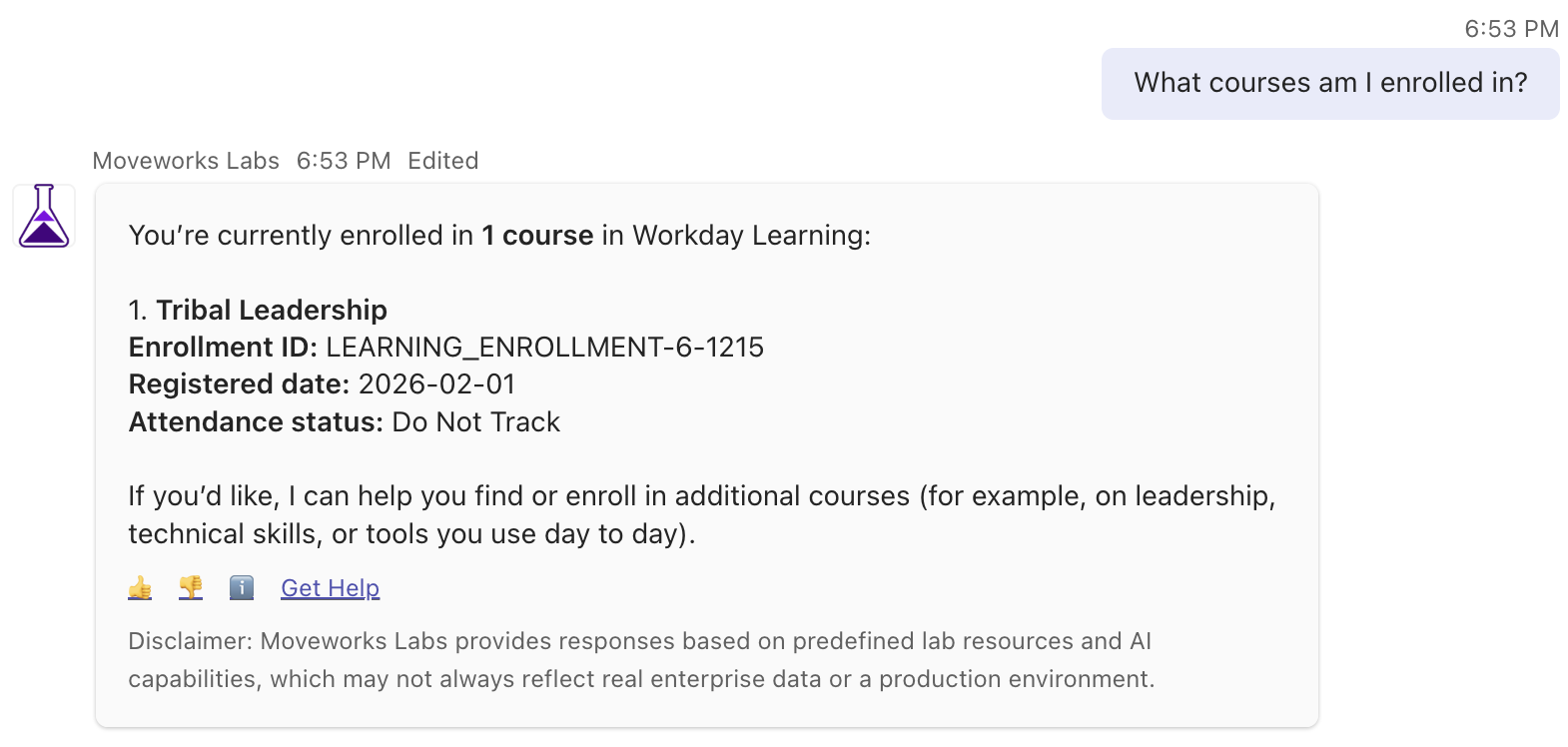
“What courses am I enrolled in?”
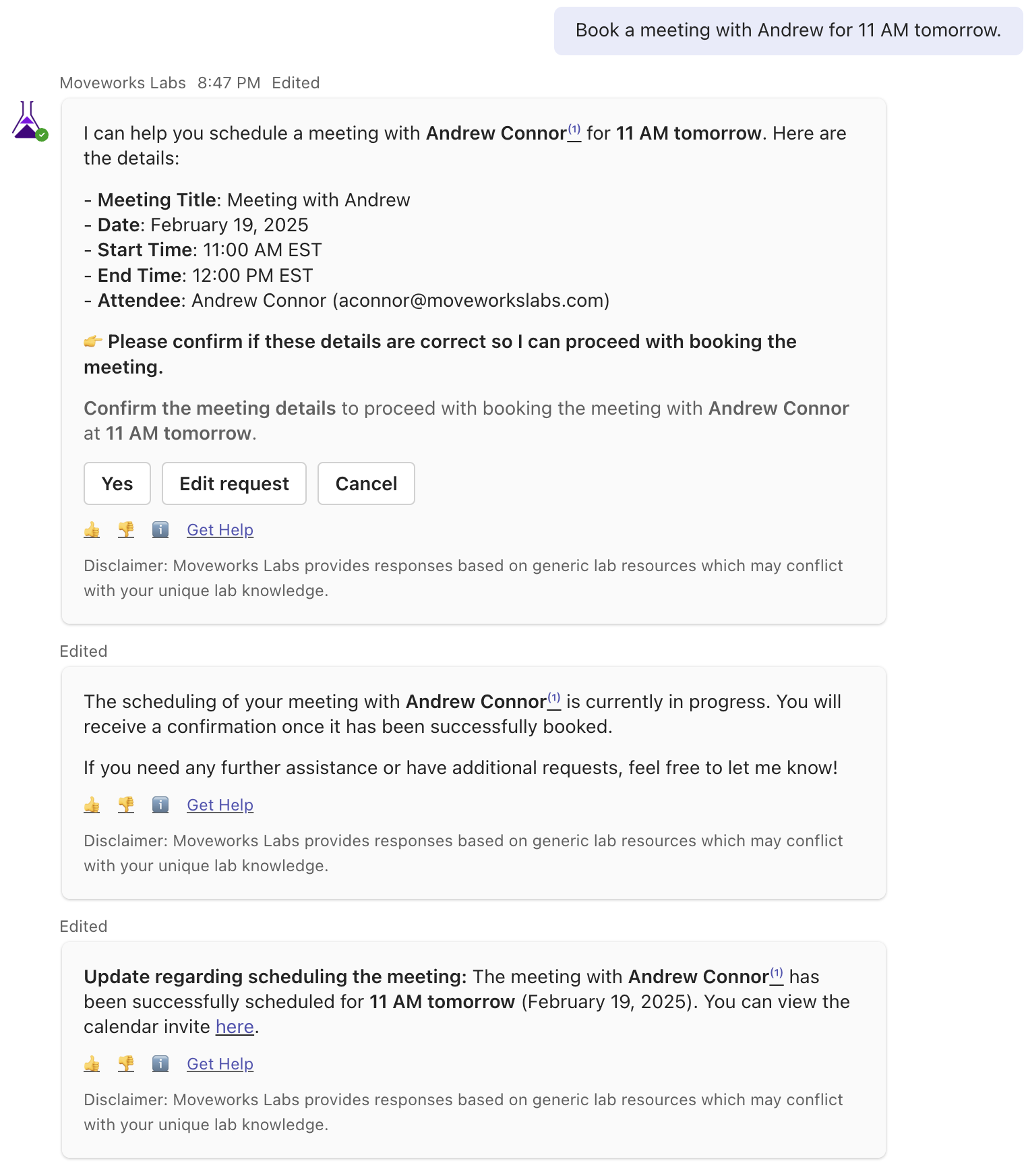
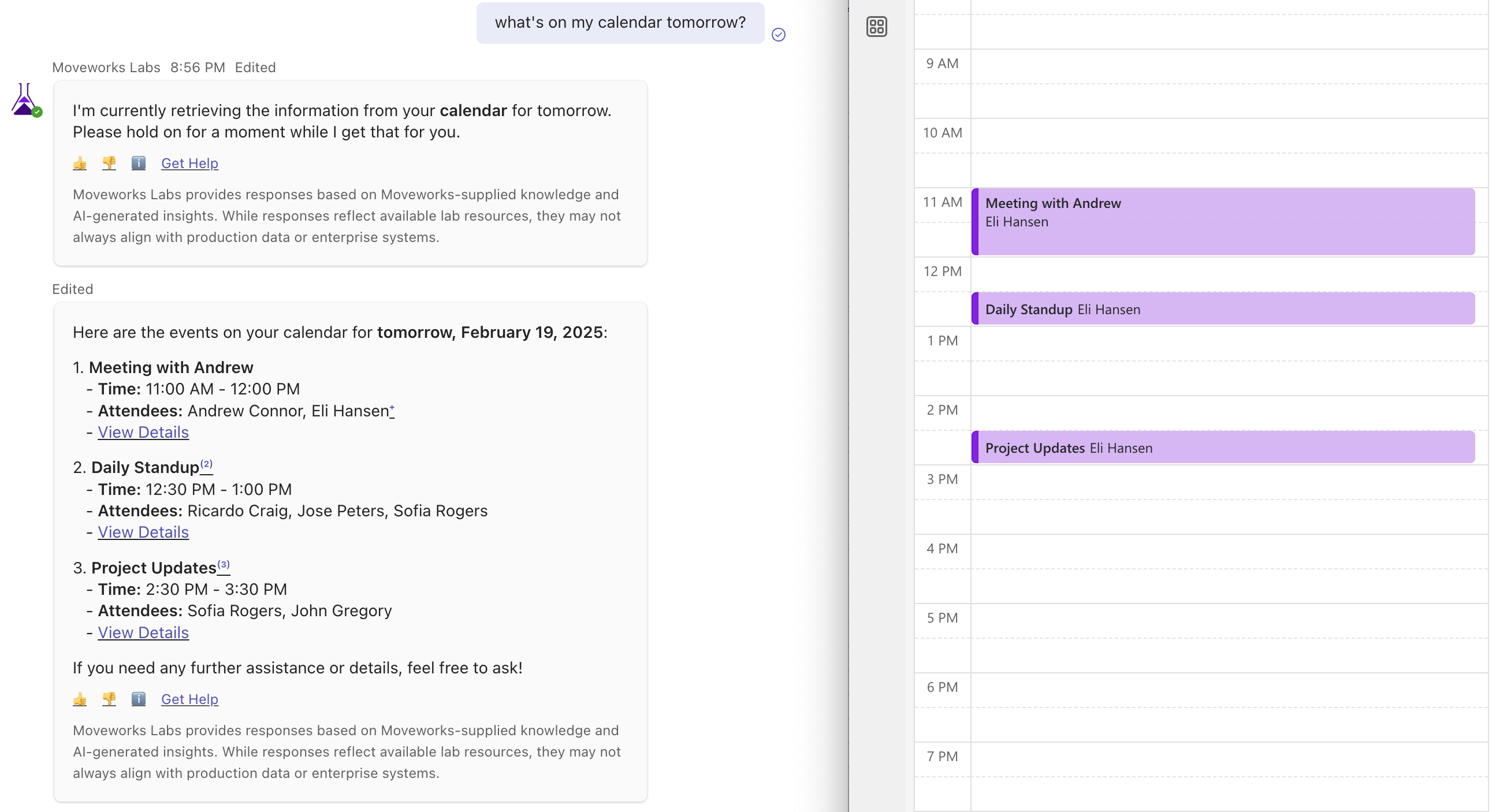
Moveworks AI Assistant now integrates with Outlook Calendar, allowing users to efficiently manage their schedules and meetings. With seamless calendar management, users can schedule meetings and retrieve upcoming events within the AI Assistant experience.
Users can quickly schedule meetings with or without additional attendees. “Schedule a Focus Time for me on Tuesday at 2 PM.” “Book a meeting with Andrew Connor for 11 AM tomorrow.”
Retrieve upcoming meetings and appointments directly within chat. “What’s on my calendar tomorrow?” “Show me my meetings next week.”
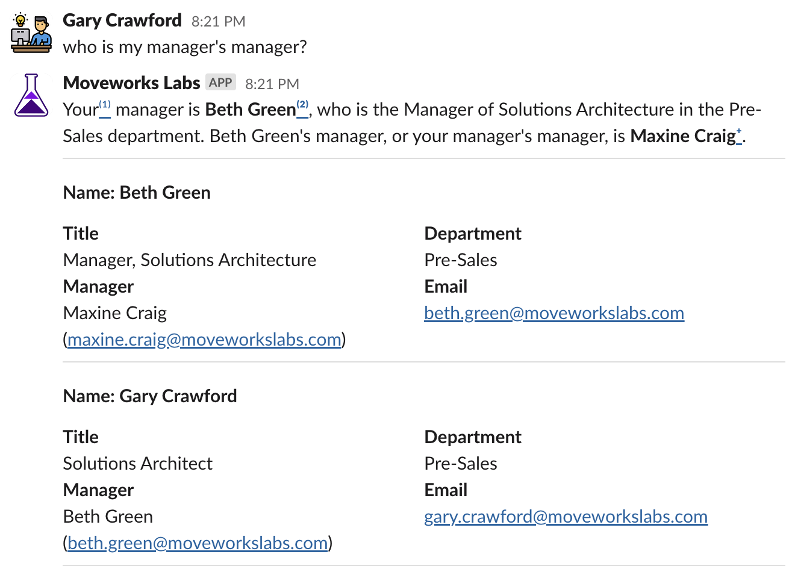
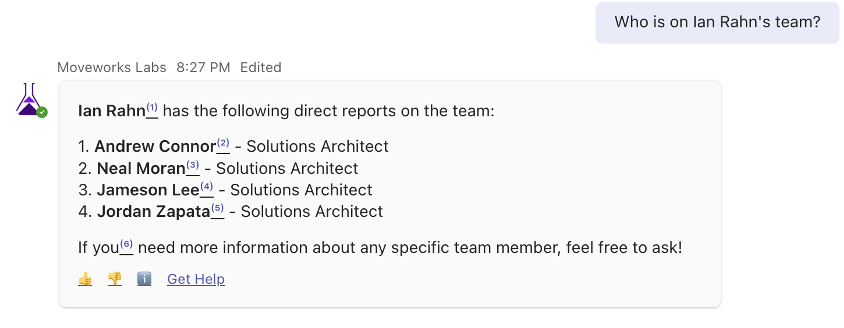
Moveworks AI Assistant enhances organizational transparency with its People Lookup feature, enabling users to search for colleagues’ details such as manager, department, and contact info. This tool fosters easier collaboration and connectivity by providing instant access to essential personnel information. “Who is my manager’s manager?”
“Who is on Ian Rahn’s team?”
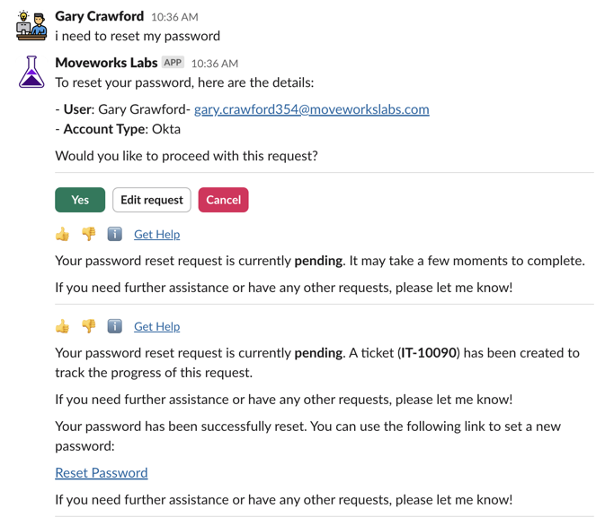
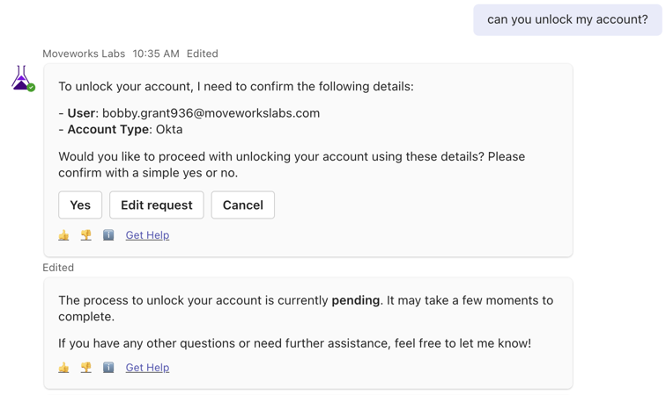
Moveworks AI Assistant automates account unlock and password reset, enabling swift self-service for employees without direct IT help. By integrating secure, automated workflows for identity verification and reset execution, Moveworks reduces downtime and boosts productivity. “I need to reset my password”
“Can you unlock my account?”
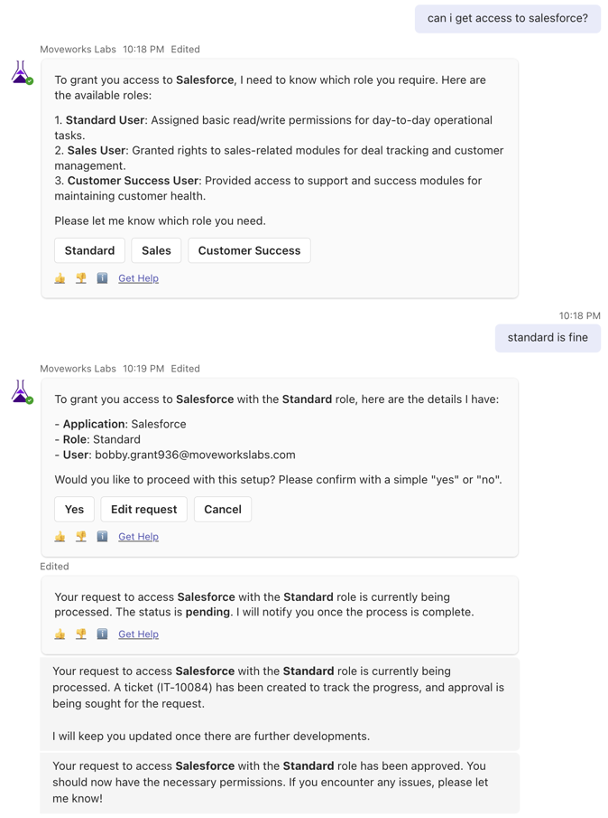
Moveworks AI Assistant lets employees request software and applications. Some application setups require manager approvals prior to provisioning. This environment illustrates how Moveworks can autoflow business processes that involve multiple teams and systems, which can drastically reduce fulfillment times.
For example, simply ask:
“Can I get access to Salesforce?”
Or even request several at once:
“Can I also get Trello and Zoom?”
Software applications provisionable in this environment include:
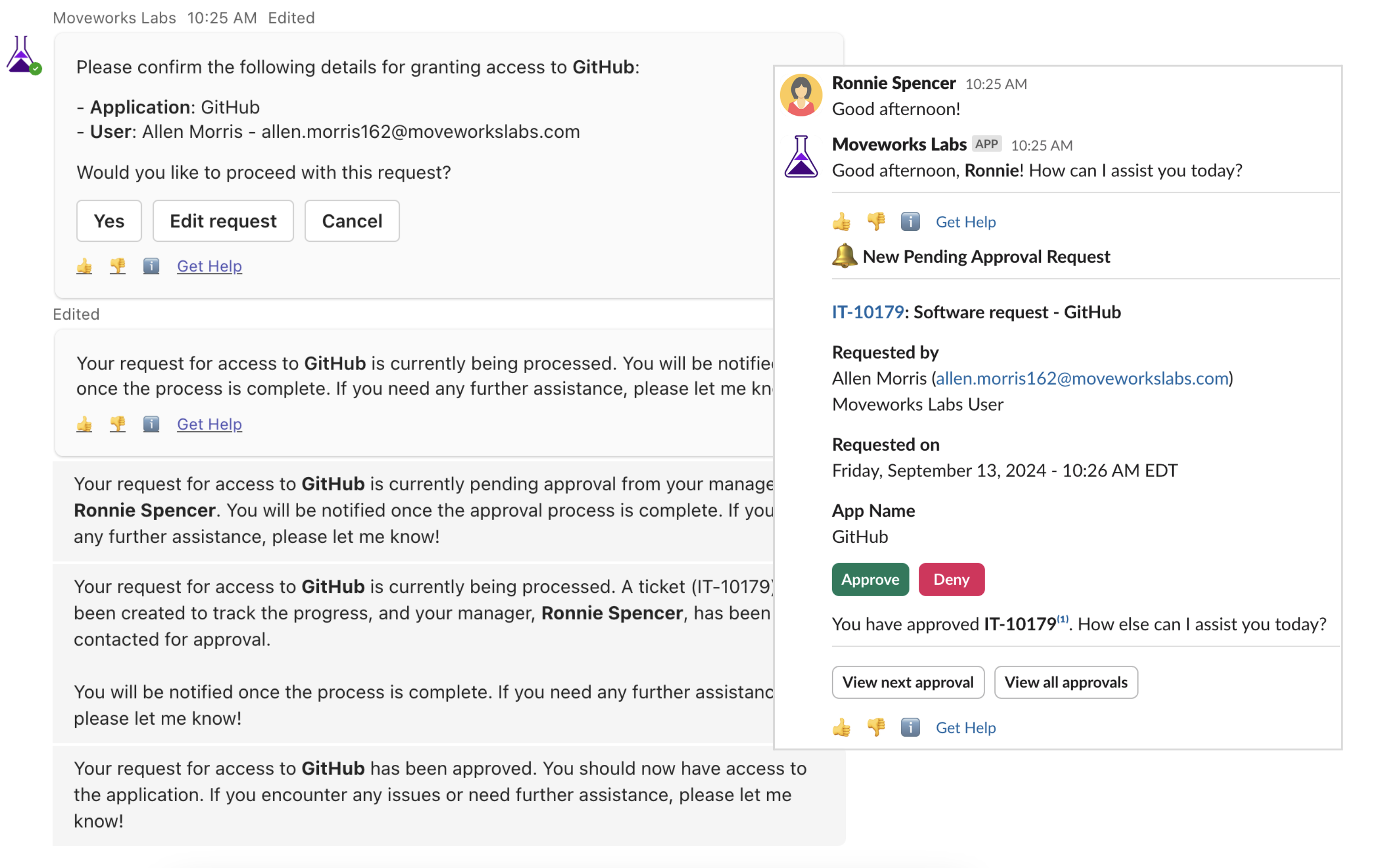
Moveworks Approvals streamlines the decision-making process, enabling swift, automated approval workflows directly within the platform. This feature allows for efficient handling of requests, ensuring that necessary approvals don’t delay projects or tasks.
Manager approval flows have been enabled in the Labs environment for requesting access to Oracle, Github, and Asana.
“I’d like to request access to Github”
Moveworks AI Assistant simplifies group and distribution list management, allowing users to easily add themselves or others to lists. This feature streamlines communication workflows, ensuring that the right people receive the right information quickly and efficiently.
“Please add myself and Andrew Connor to the HR announcements email group” “Can you add me to the Tech Updates DL?”
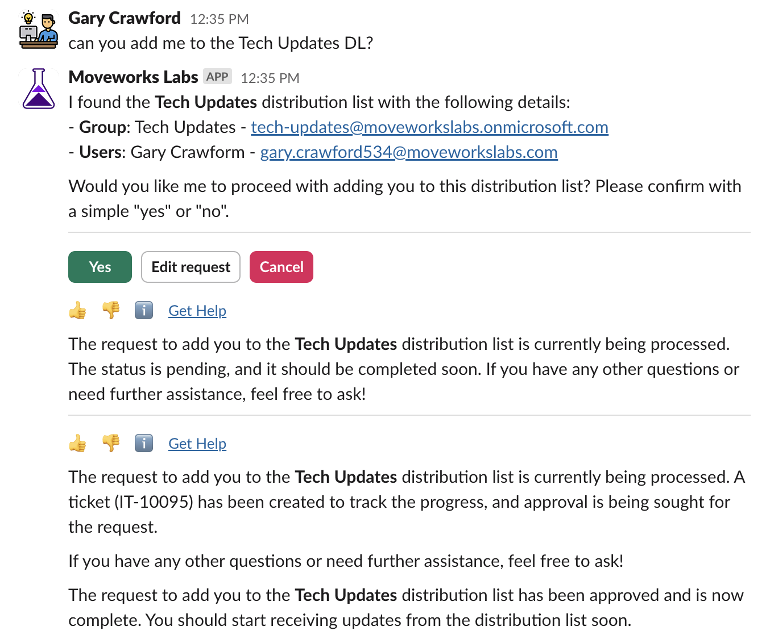
Groups available in this environment include:
Moveworks Quick GPT enhances employee productivity by integrating generative AI directly into the AI assistant. It ensures that enterprise-verified knowledge is always prioritized while allowing users to leverage AI-powered insights when needed.
Note: Quick GPT does not perform live internet searches, and its responses are generated from a large language model, which may change over time. Since these responses are AI-generated, they do not include citations.
Quick GPT is available in two ways:
quickgpt <query>) to get AI-generated content.Moveworks first searches enterprise sources such as IT, HR, and other business systems. If no relevant enterprise data is found, users are given the option to invoke Quick GPT. This ensures that AI-generated responses are never provided automatically, maintaining trust in enterprise-curated answers.
“Explain the rules of chess in a simple way” “What are some fun facts about deep-sea creatures?”
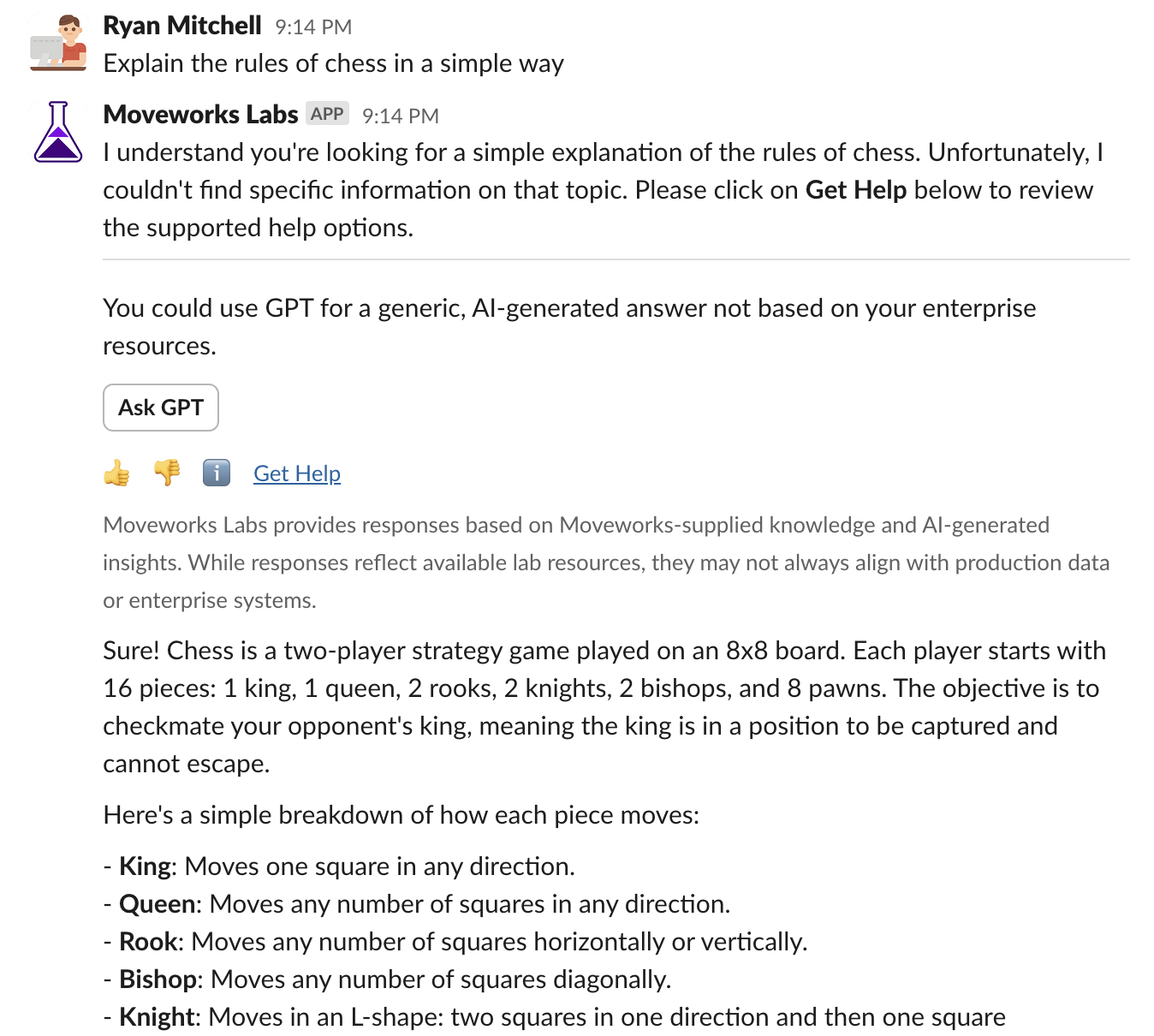
In this mode, users can explicitly request a GPT-generated response without consulting enterprise sources. This is useful for general knowledge, brainstorming, or content creation.
“quickgpt, can you suggest a unique weekend road trip itinerary?” “quickgpt, can you give me tips for improving my email writing skills?”
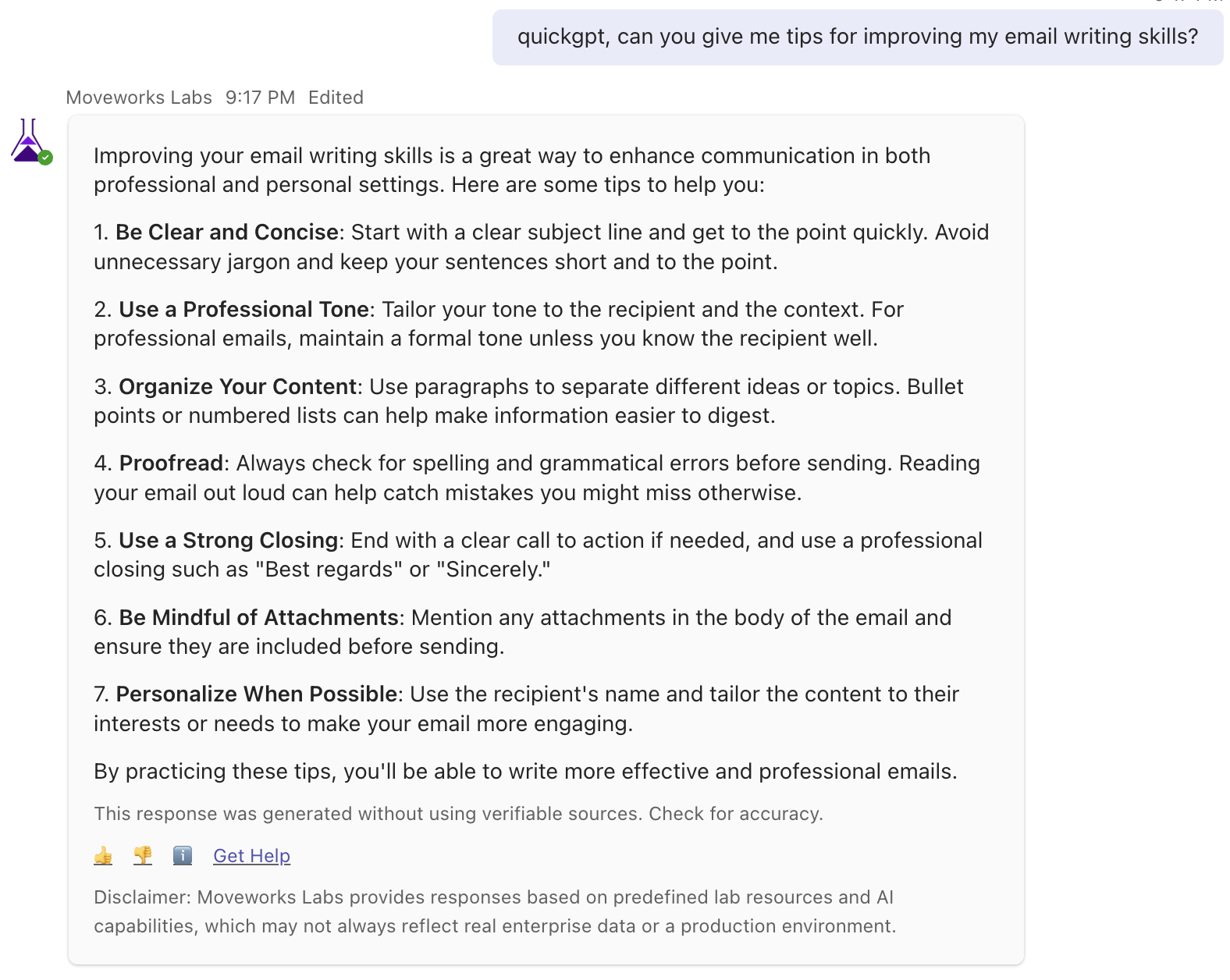
Moveworks Quick GPT includes the ability to retrieve real-time information from the internet using OpenAI’s web search capabilities. When applicable, responses will include links to cited sources used to generate the answer.
You’ll know a web search was triggered when citations appear at the bottom of the message.
This happens automatically, there’s no need to ask for a web search explicitly. Quick GPT will determine when external information is needed. “quick gpt, how are enterprises using AI to improve supply chain efficiency?”
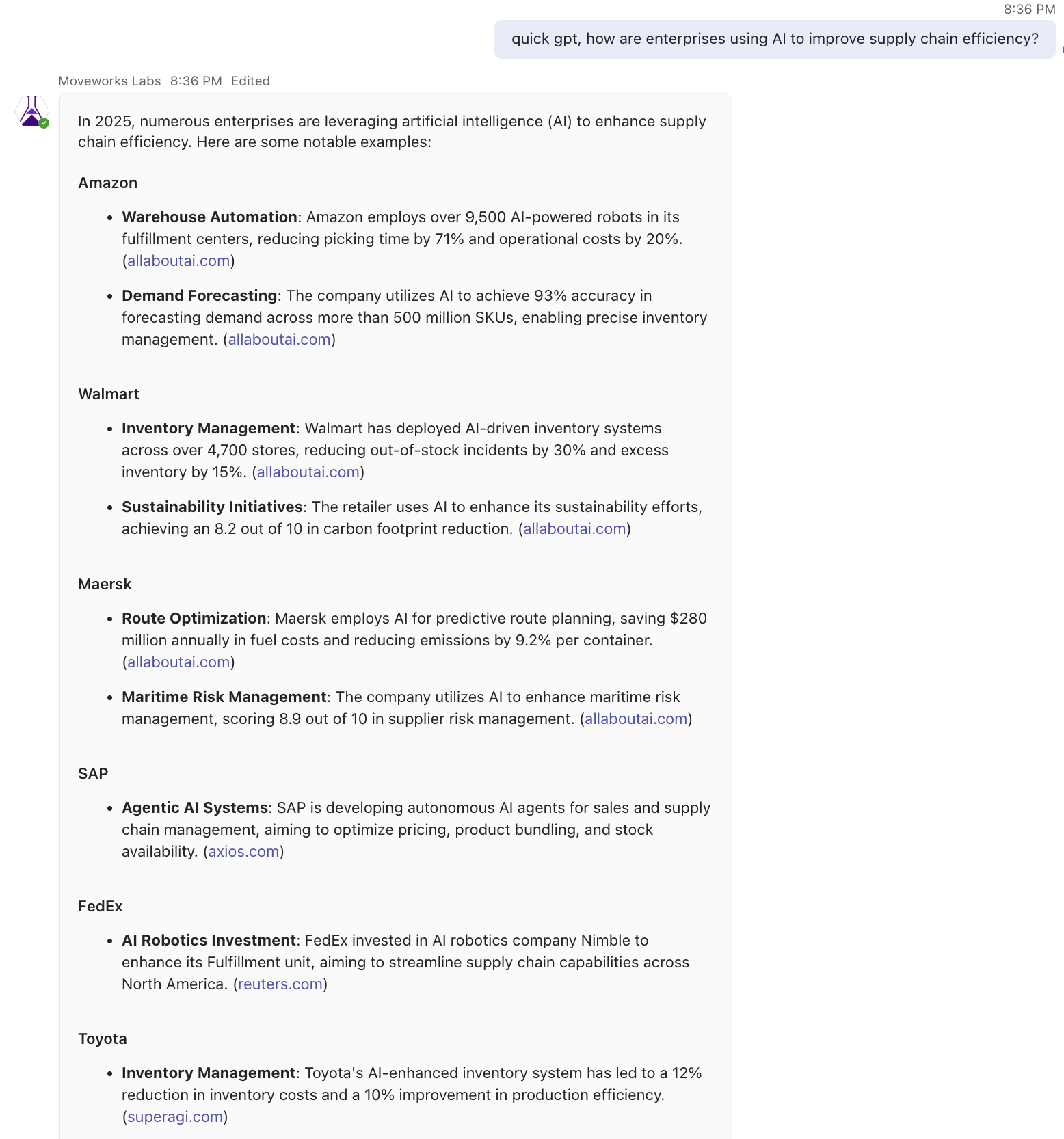
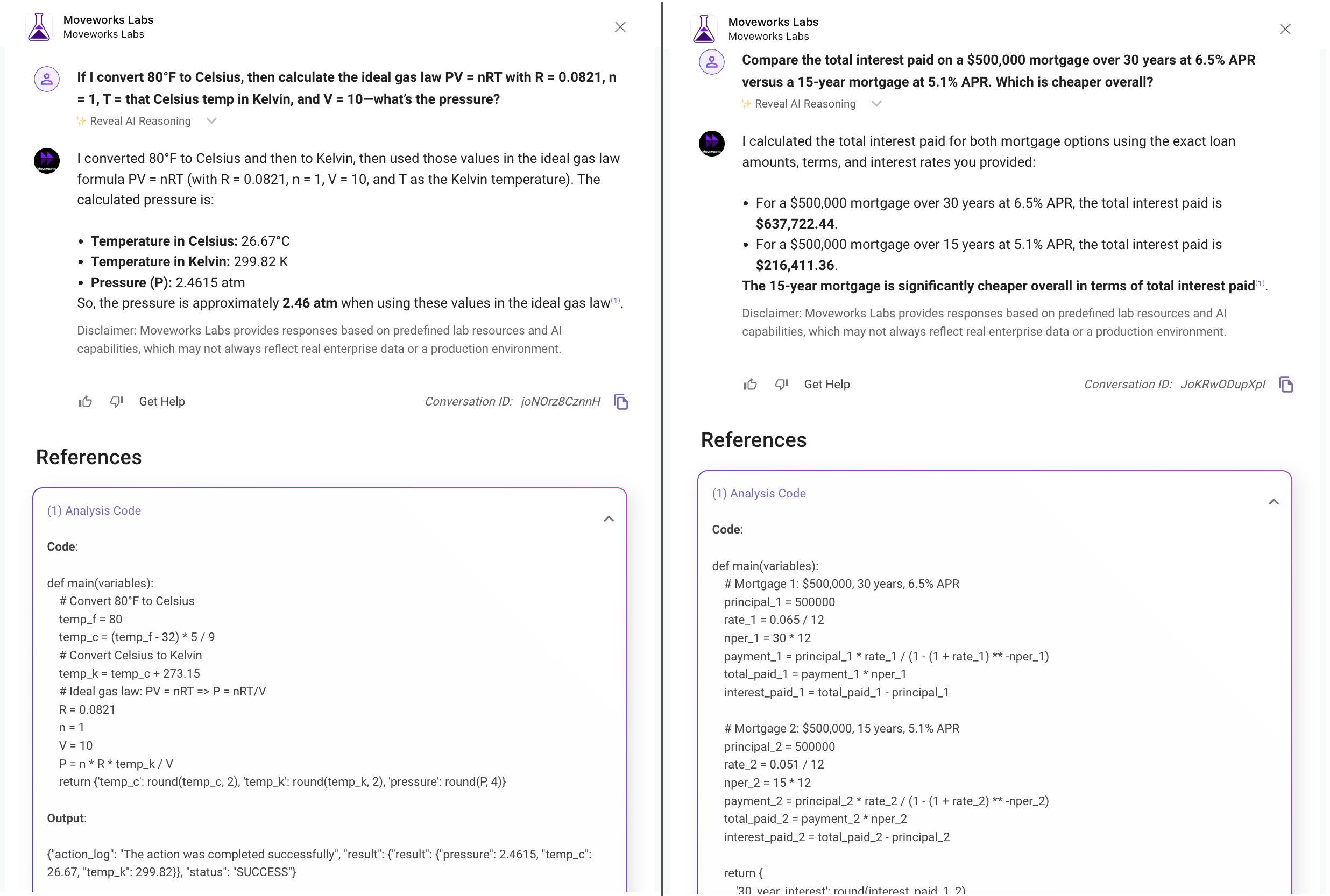
Structured Data Analysis (SDA) equips the Moveworks AI Assistant with the ability to generate and run code behind the scenes to answer complex questions, especially those that require precise logic, calculations, or structured reasoning, including situations where a response contains a large dataset.
Rather than relying solely on language prediction, SDA produces real-time Python code to interpret inputs, perform computations, and return accurate results. Every SDA response includes a citation so users can inspect how the answer was generated.
“Compare the total interest paid on a $500,000 mortgage over 30 years at 6.5% APR versus a 15-year mortgage at 5.1% APR. Which is cheaper overall?”
“If I convert 80°F to Celsius, then calculate the ideal gas law PV = nRT with R = 0.0821, n = 1, T = that Celsius temp in Kelvin, and V = 10—what’s the pressure?”
Agent Studio by Moveworks empowers developers to expand the capabilities of Moveworks AI Assistant, enabling the creation of custom AI use cases with a natural language interface. This focus on extensibility enriches the AI Assistant platform, facilitating tailored enhancements that streamline and elevate organizational workflows.
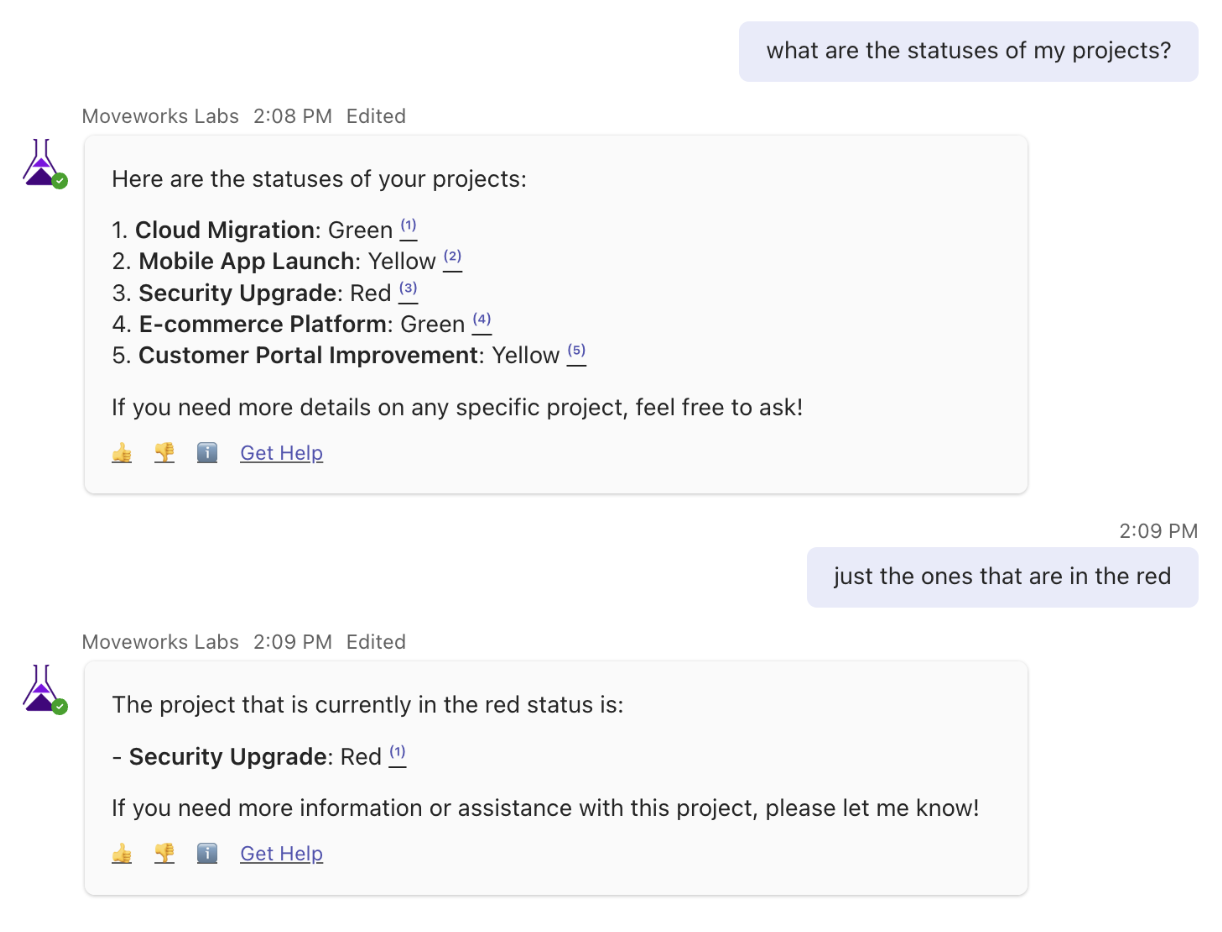
Available fields: Project ID, Name, Description, Status, Manager
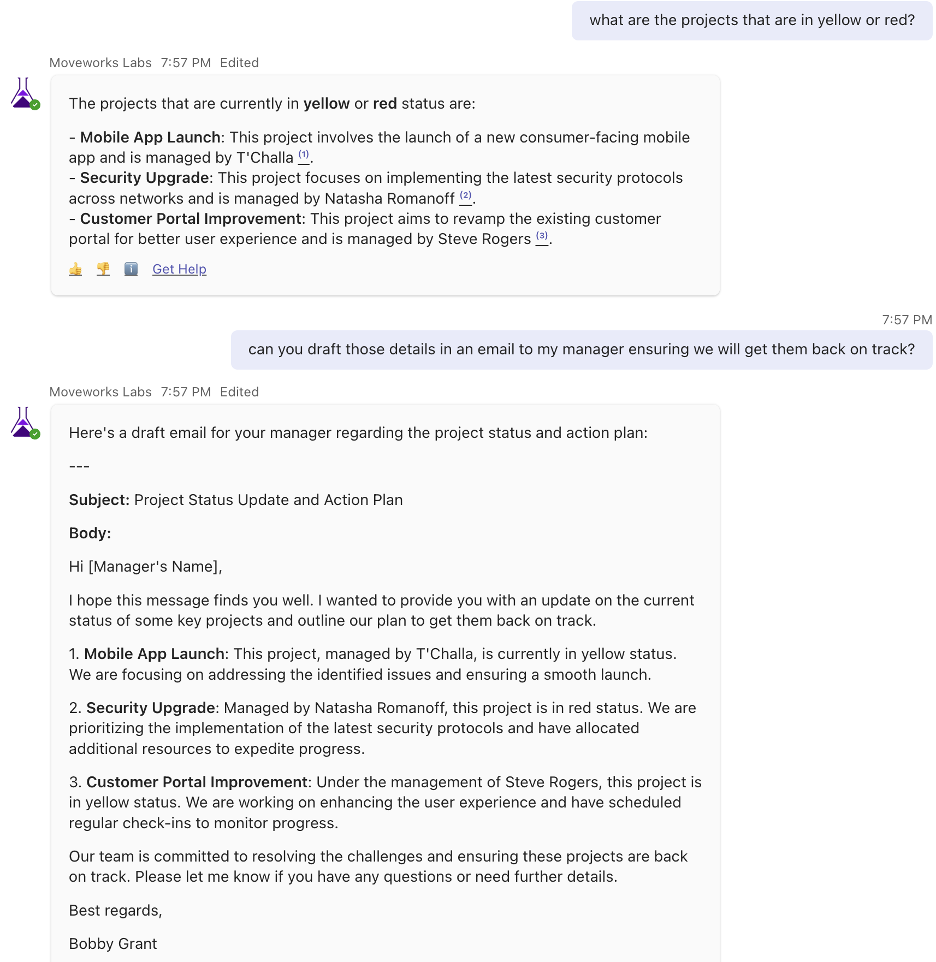
“What are the statuses of my projects?” “Just the ones that are in the red”
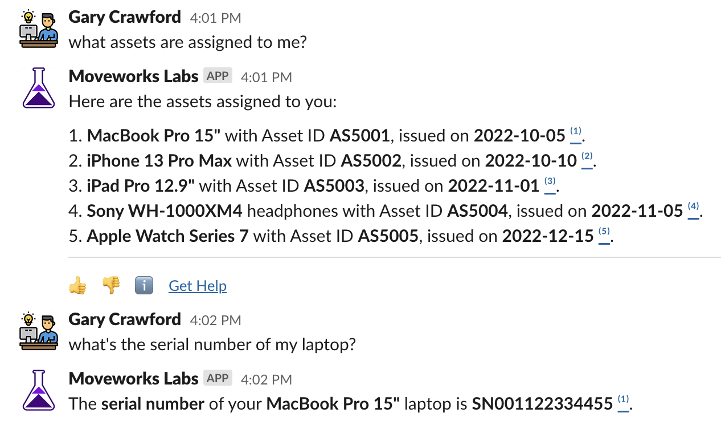
Available fields: Asset ID/Tag, Issue Date, Model, Serial Number, Status, Type
“What assets are assigned to me?” “What’s the serial number of my laptop?”
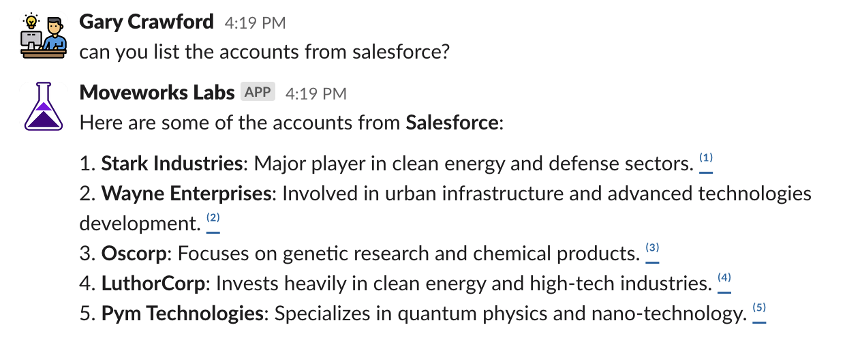
Account fields: Account ID, Name, Industry, Account Owner, Tech Stack, Notes, Meeting Notes
Opportunity fields: Opportunity ID, Name, Account, Amount, Status
“Can you list the accounts from Salesforce?” “What are the details of the Oscorp account?” “Are there any opportunities with that account?”

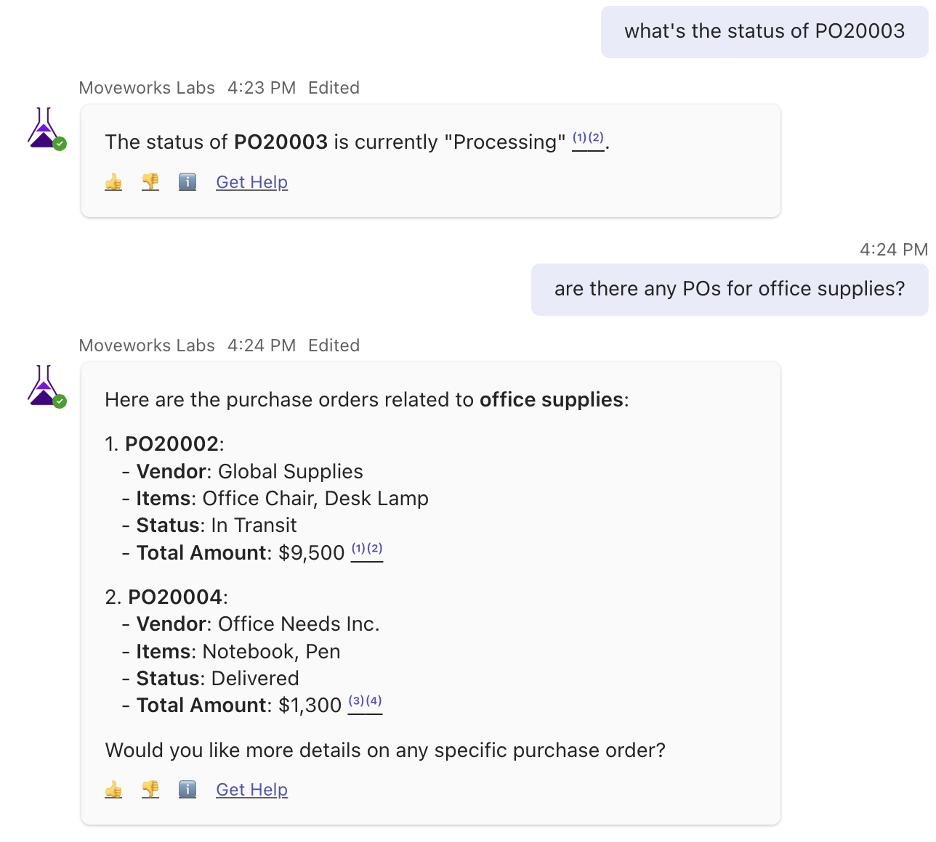
Available fields: PO Number, Vendor, Purchase Date, Item, Quantity, Unit Price, Item Total, Total Amount, Status
Available POs: PO20001, PO20002, PO20003, PO20004, PO20005
“What’s the status of PO20003” “Are there any POs for office supplies?”
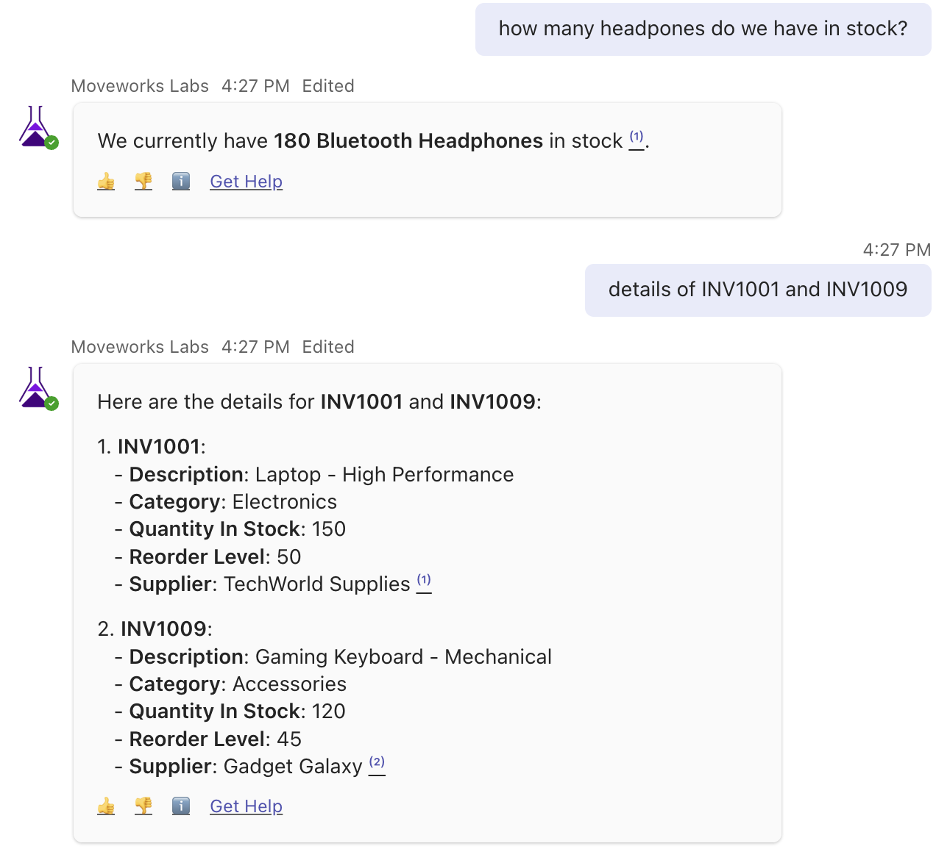
Available fields: Item ID, Description, Category, Quantity in Stock, Reorder Level, Supplier
Available items: INV1001, INV1002, INV1003, INV1004, INV1005, INV1006, INV1007, INV1008, INV1009, INV1010
“How many headphones do we have in stock?” “Details of INV1001 and INV1009”
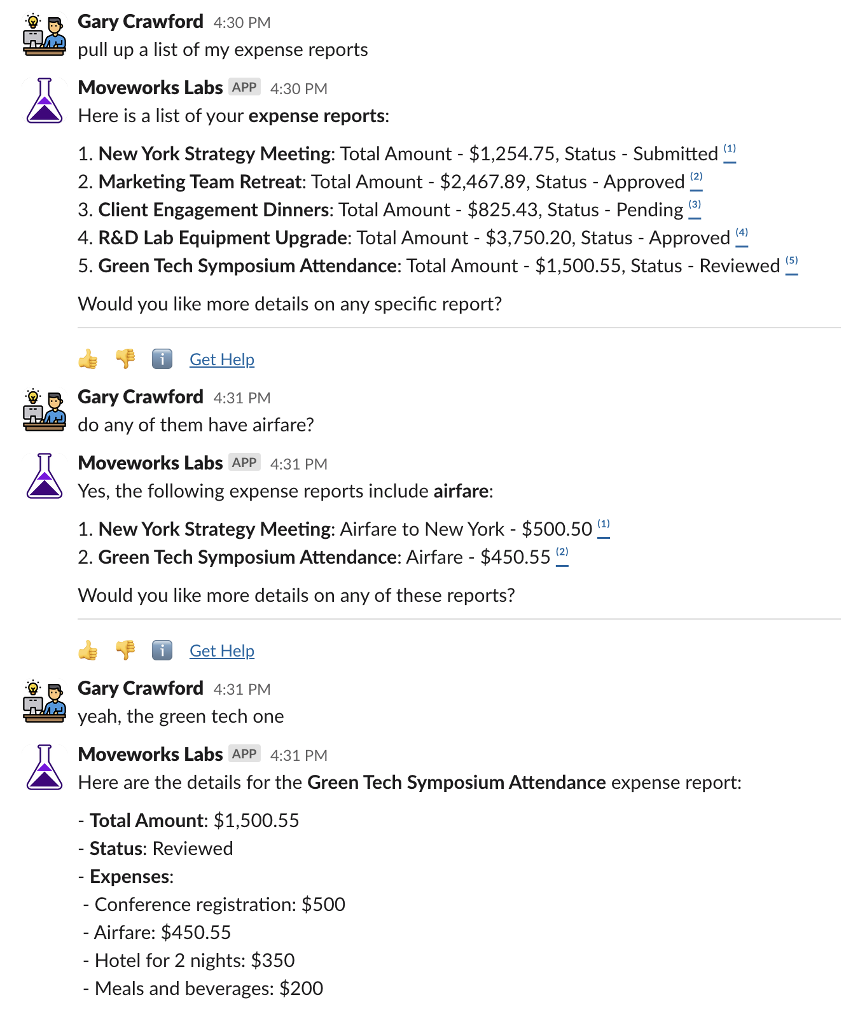
Available fields: Report ID, Name, Total Amount, Expense Details, Status
“Pull up a list of my expense reports” “Do any of them have airfare?”
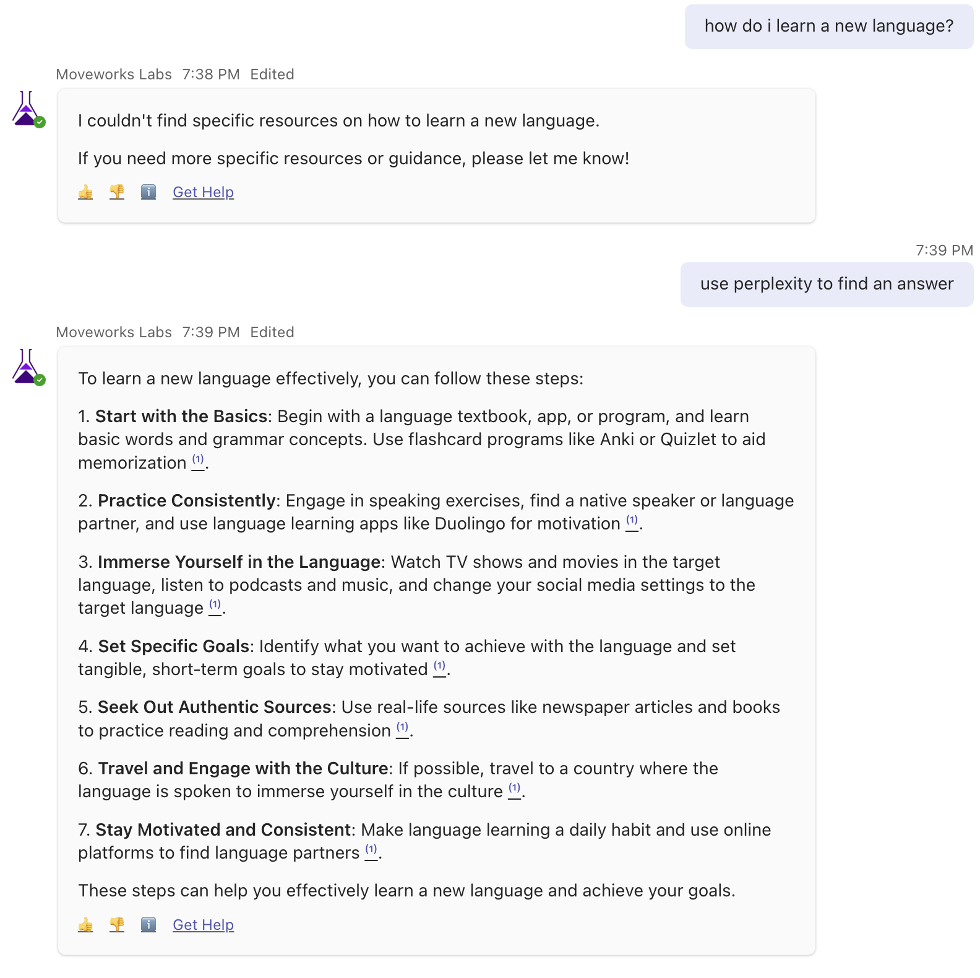
The Perplexity AI use case broadens Moveworks AI Assistant’s capabilities, providing a diverse knowledge base for inquiries beyond enterprise support. It aims to deliver accurate, up-to-date information on a range of topics, acting as an intelligent extension that enhances user interactions with information beyond the scope of organizational support.
Here are a few examples of queries you can use to trigger the Perplexity plugin:
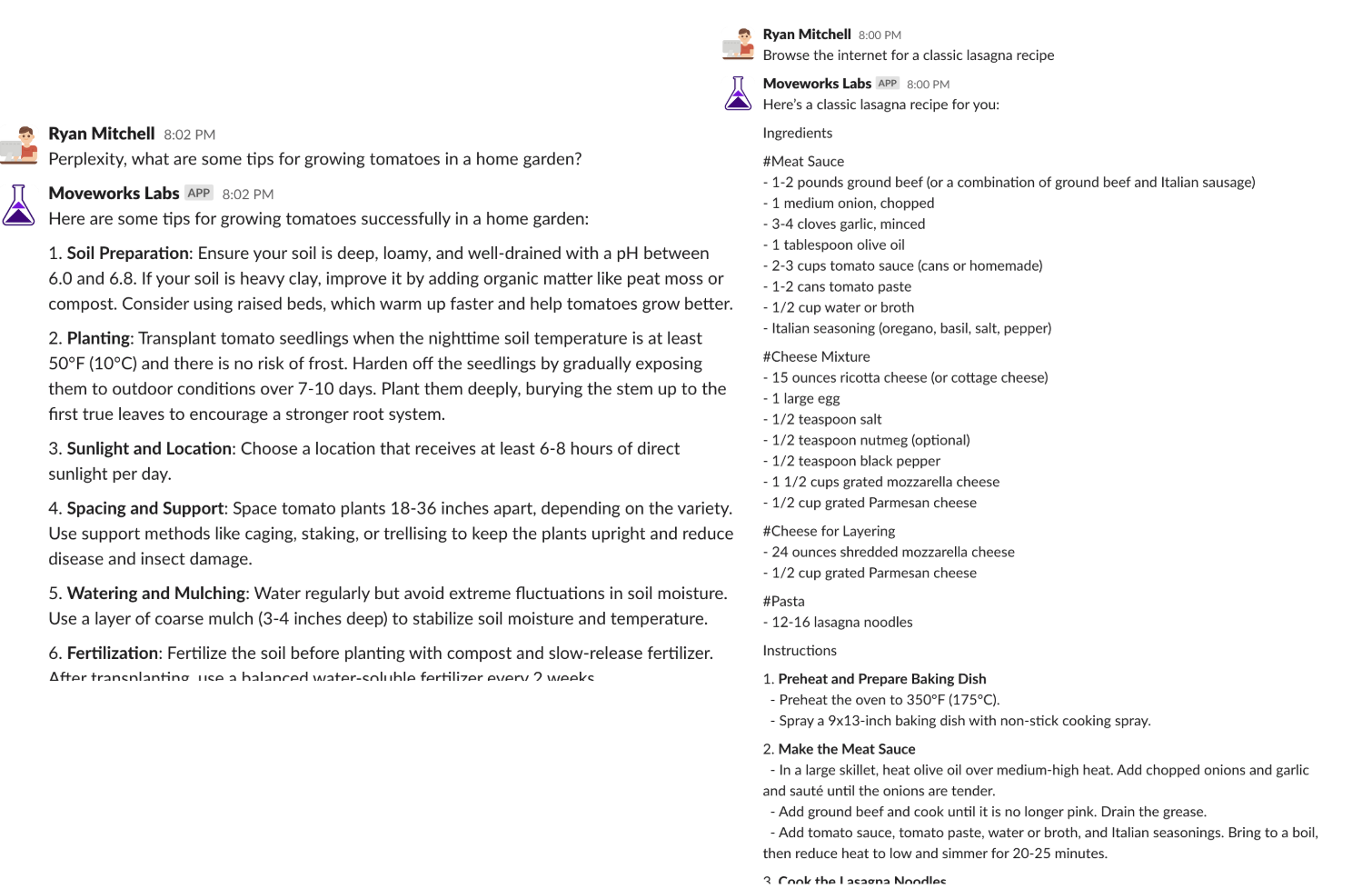
“Use Perplexity to find an answer”
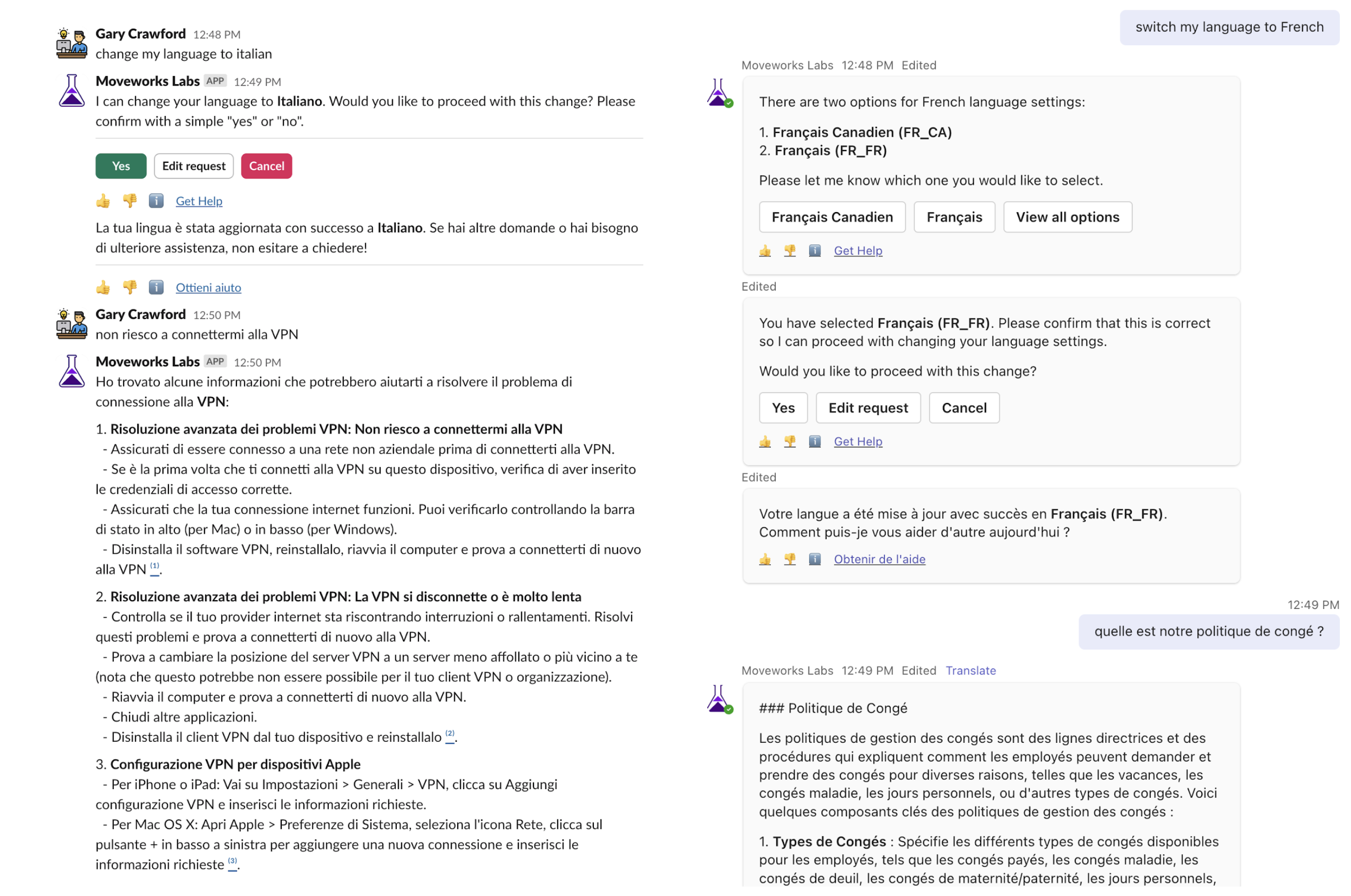
Moveworks AI Assistant can understand, respond, and translate in over 100 languages, optimized for NLU, search, and a coherent bot voice.
French (fr_FR), French Canadian (fr_CA), Italian (it_IT), German (de_DE), Mexican Spanish (es_MX), European Spanish (es_ES), Brazilian Portuguese (pt_BR), European Portuguese (pt_PT), Chinese Simplified (zh_CN), Chinese Traditional (zh_TW), Japanese (ja_JP), Korean (ko_KR), Russian (ru_RU), Romanian (ro_RO), Bulgarian (bg_BG)
“Switch my language to French” “Switch my language to Italian”
Moveworks AI Assistant simplifies email writing, helping users craft clear and professional emails quickly, improving communication and productivity.
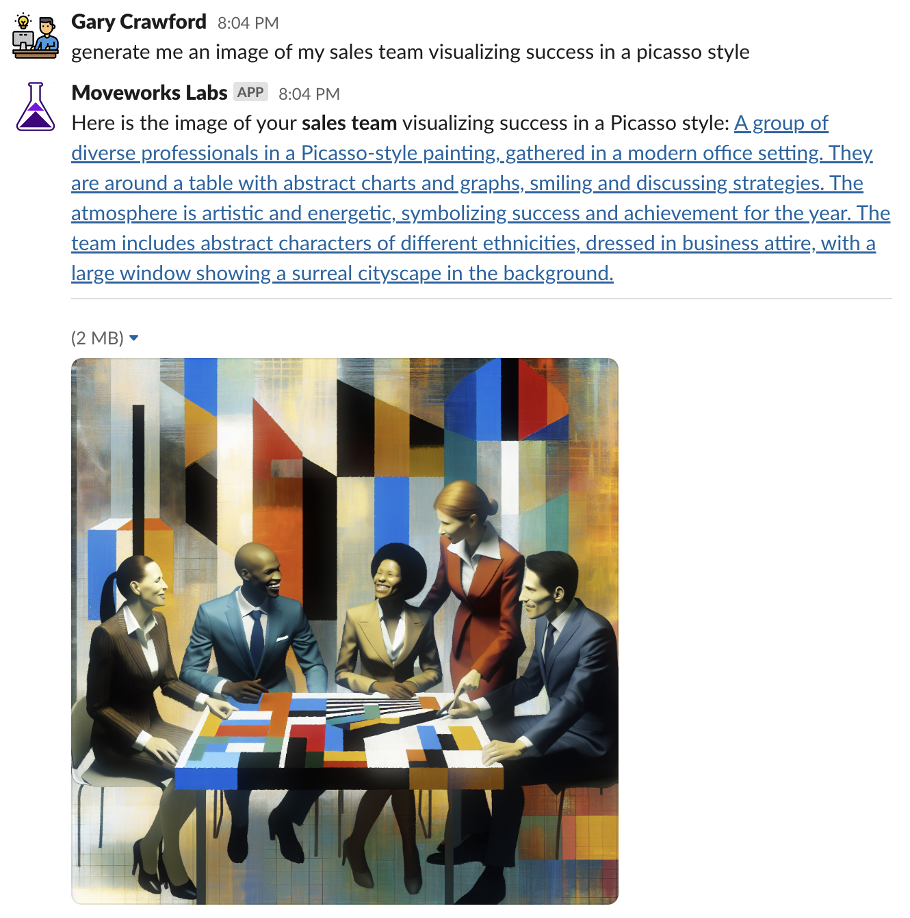
Moveworks AI Assistant streamlines image creation, enabling users to easily generate visual content that aligns with their needs, boosting creativity and efficiency.
“Generate me an image of my sales team visualizing success in a Picasso style”
When interacting with a generative AI model, users might request a variety of formatting styles or specific tones to suit different contexts or preferences.
Some common requests include: