Moveworks Setup Homepage

View as Markdown

About

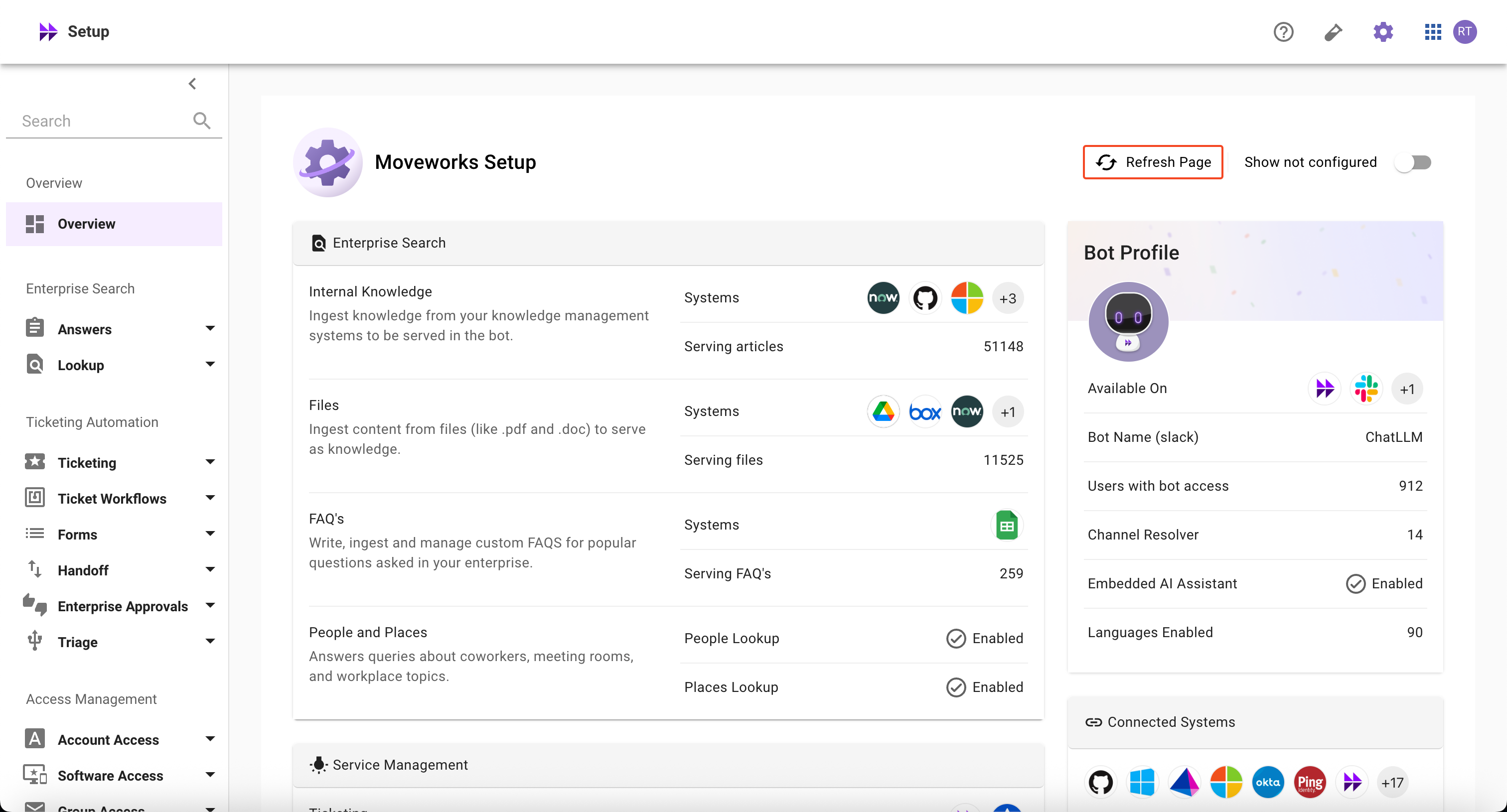
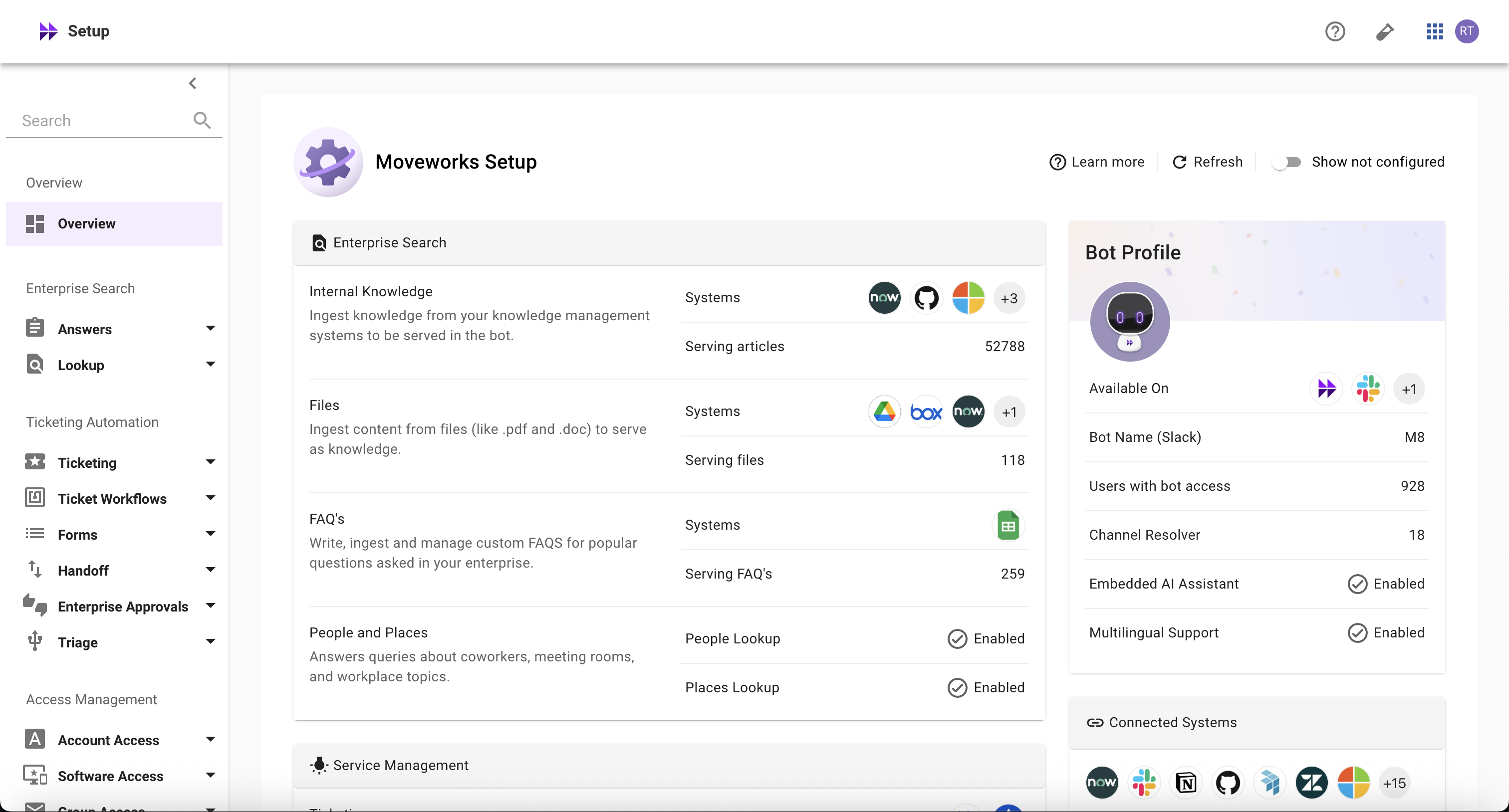
The Moveworks Setup Homepage provides a comprehensive overview of all available AI Assistant capabilities in Moveworks Setup in one centralized view. It offers visibility into which capabilities are configured or not configured, their current status, and helps you understand your entire Moveworks Setup configuration at a glance.
How is it helpful?

Here’s how it helps you manage your AI Assistant capabilities more effectively and get the most value from them:

  • The Homepage allows you to quickly understand which AI Assistant capabilities are configured
  • It keeps you informed and helps you stay on top of things that matter, with everything in one place:
    • Know details about your AI Assistant
    • Monitor core skills including Knowledge, Ticketing, Provisioning, and others
    • See which connectors are configured
    • View recent system alerts that need your attention
  • It empowers you to understand the latest overall configuration status and utilization of Moveworks AI Assistant capabilities without having to contact Moveworks teams
  • It helps you quickly navigate to the right configuration areas to take prompt actions

Understanding Homepage Data Points

Bot Profile Section
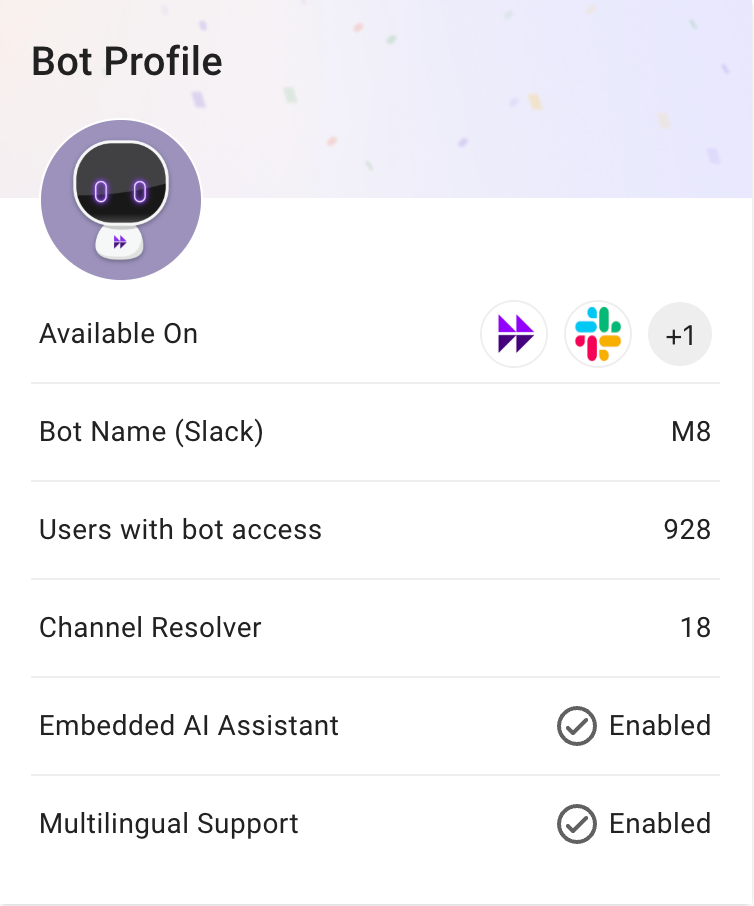

Data PointDefinitionDerived fromExample
Available onThe chat platforms where the AI assistant is currently deployed and available to usersMoveworks Setup > Chat Platforms > Manage ChatbotsMS Teams, Slack, etc
Bot NameThe name of the AI assistant and its primary chat platform Note: This is generally the same across all Assistants in your organizationMoveworks Setup > Chat Platforms > Chatbot config > Bot Friendly Name configM8 (Slack)
Users with bot accessThe number of enabled users who can interact with the Assistant on at least one chat platform Note: This excludes service accounts, conference rooms and other user accounts which may be present in ITSM systems but not in the chat platformsMoveworks Setup > Core Platform > Imported Users > Bot Reachable Users widget916
Channel ResolverThe number of Slack channels where the Assistant is deployed to detect and help resolve users’ requests Note: This is only available for SlackMoveworks Setup > Core Platform > Channel Resolver > Channel Settings13
Embedded AI AssistantWhether at least one Embedded AI Assistant is configured for your orgMoveworks Setup > Chat Platforms > Manage Chatbots > Embedded AI Assistant ConfigEnabled or Not Configured
Multilingual SupportWhether multilingual support is configured for your orgChat Platforms > Multilingual Support > Enable multilingual support (MLS)Enabled or Not Configured

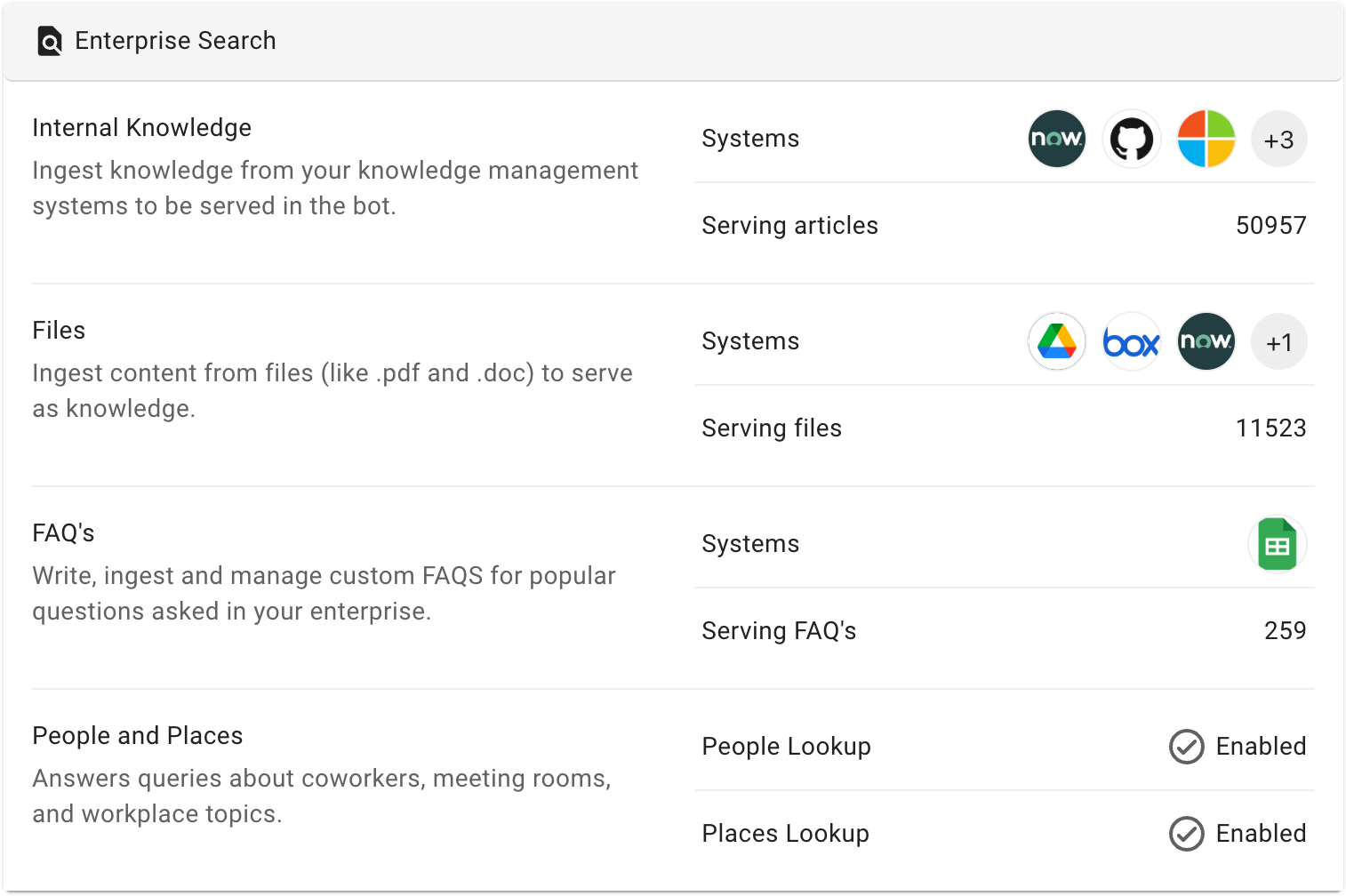
Enterprise Search Section

SectionData PointDefinitionDerived fromExample
Internal KnowledgeSystemsThe knowledge management systems configured to ingest knowledge articlesMoveworks Setup > Enterprise Search > Ingestion > Internal KnowledgeServiceNow, Google Drive, etc
Serving ArticlesThe total number of articles currently served by the AI AssistantMoveworks Setup > Enterprise Search > Answers > Ingested Knowledge > Files > Total Enabled Knowledge widget50966
FilesSystemsThe knowledge management systems configured to ingest filesMoveworks Setup > Enterprise Search > Answers > Ingestion > Files SettingsGoogle Drive, Box, MS Graph, etc
Serving FilesThe total number of files currently served by the AI AssistantMoveworks Setup > Enterprise Search > Answers > Ingested Knowledge > Files > Total Files Serving widget11512
FAQsSystemsFAQs imported via Google SheetsMoveworks Setup > Enterprise Search > Answers > Ingestion > FAQs SettingsGoogle Sheets or Not Configured
Serving FAQsThe total number of FAQs currently served by the AI AssistantMoveworks Setup > Enterprise Search > Answers > Ingested Knowledge > FAQs > Total Enabled FAQs widget260

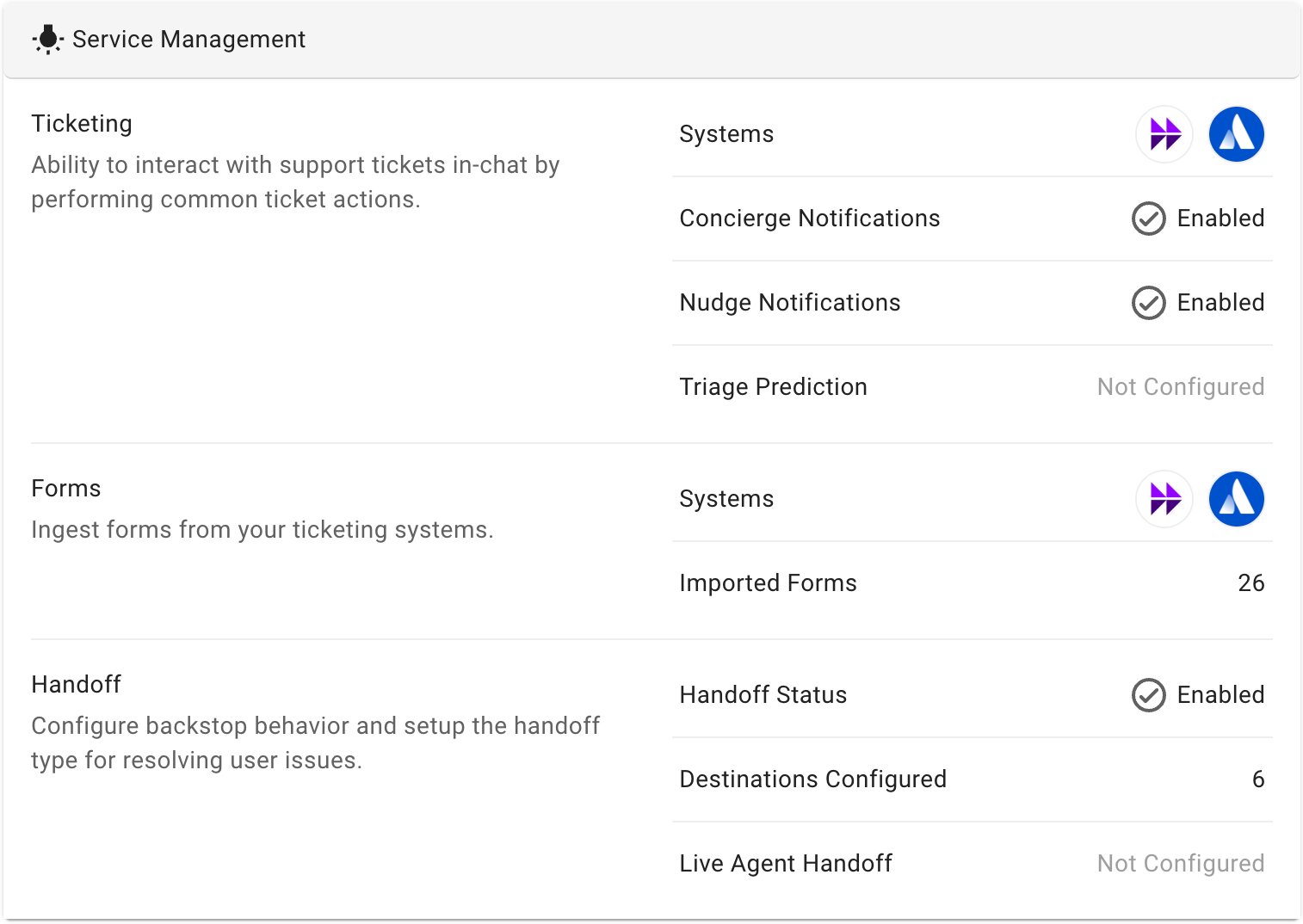
Service Management Section

SectionData PointDefinitionDerived fromExample
TicketingSystemsThe ticketing platforms configured for creating, updating, and quering information about ticketsMoveworks Setup > Ticketing Automation > Ticketing Settings > Ticket MappingServiceNow, Jira, etc
Concierge NotificationsWhether the Assistant is configured to send notifications for ticket state updates and commentsMoveworks Setup > Ticketing Automation > Concierge Settings > Notification Settings > Enable concierge notifications configEnabled or Not Configured
Nudge NotificationsWhether the Assistant is configured to send notifications to agents when their tickets do not have any user facing comments in a period of timeMoveworks Setup > Ticketing Automation > Ticket Nudge Setup > Enable Nudge Reminders configEnabled or Not Configured
Triage PredictionWhether a triage model is trained and deployed in your orgMoveworks Setup > Ticketing Automation > Triage > Model ConfigurationEnabled or Not Configured
FormsSystemsThe ticketing platforms configured to ingest formsMoveworks Setup > Ticketing Automation > Forms > Import > Import SettingsServiceNow, Jira, etc
Imported FormsThe total number of imported formsMoveworks Setup > Ticketing Automation > Forms > Imported Forms24
HandoffHandoff StatusWhether the handoff is configured to route users to the correct destination when no resolution is providedMoveworks Setup > Ticketing Automation > Handoff > Handoff Settings > Setup handoff categories configEnabled or Not Configured
Destinations ConfiguredThe total number of handoff items configuredMoveworks Setup > Ticketing Automation > Handoff > Handoff Settings > Setup items for categories config6
Live Agent HandoffWhether at least one Live Agent Handoff config is created for your org Note: This also requires at least one Handoff type to be AGENT_HANDOFF in Moveworks Setup > Ticketing Automation > Handoff > Handoff SettingsMoveworks Setup > Ticketing Automation > Handoff > Live Agent HandoffEnabled or Not Configured

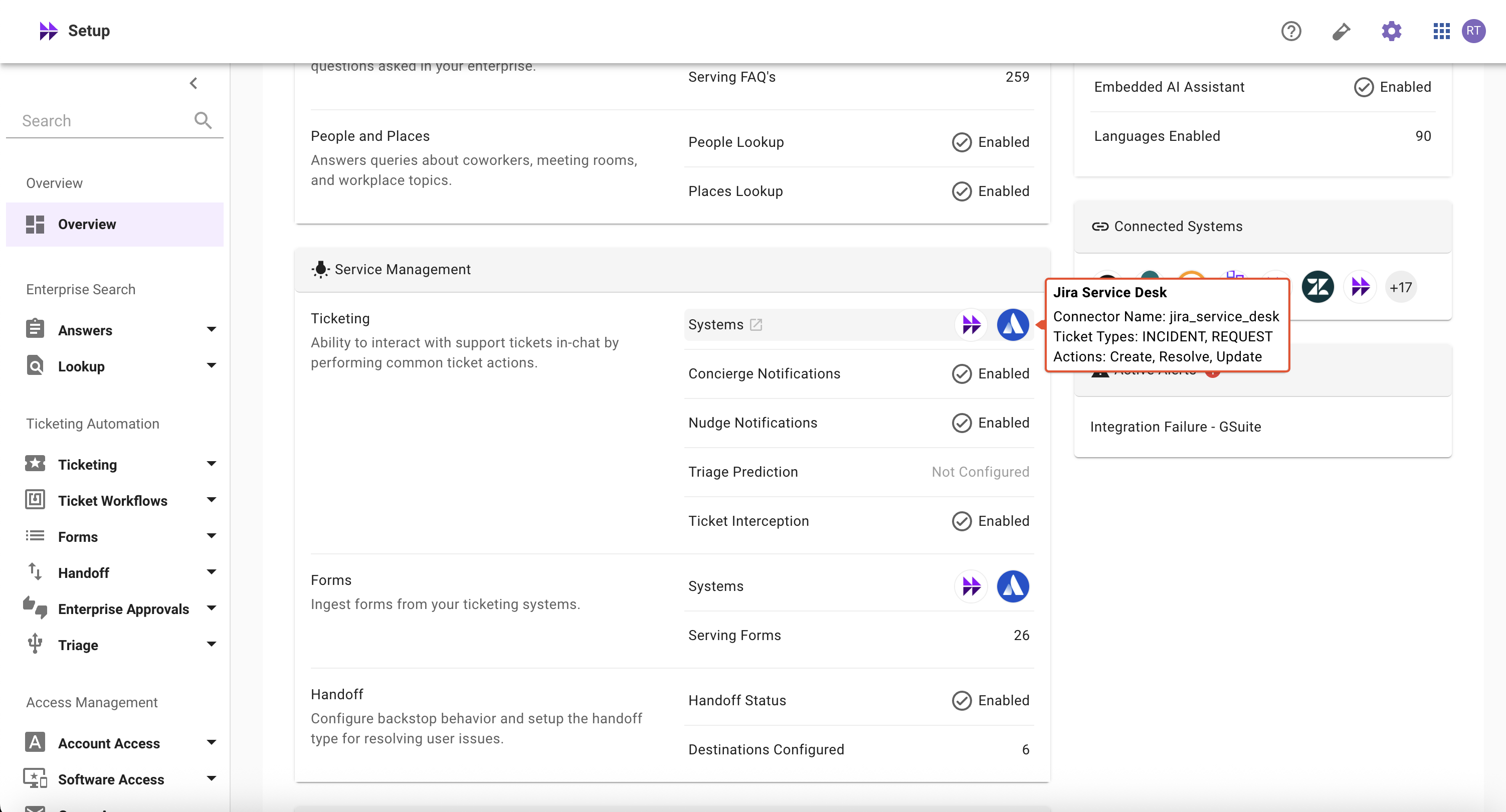
👉🏻 Note

When you hover over a system in the Ticketing Section’s > Systems, it displays all the ticket types and actions configured for the respective system.

Provision Management Section
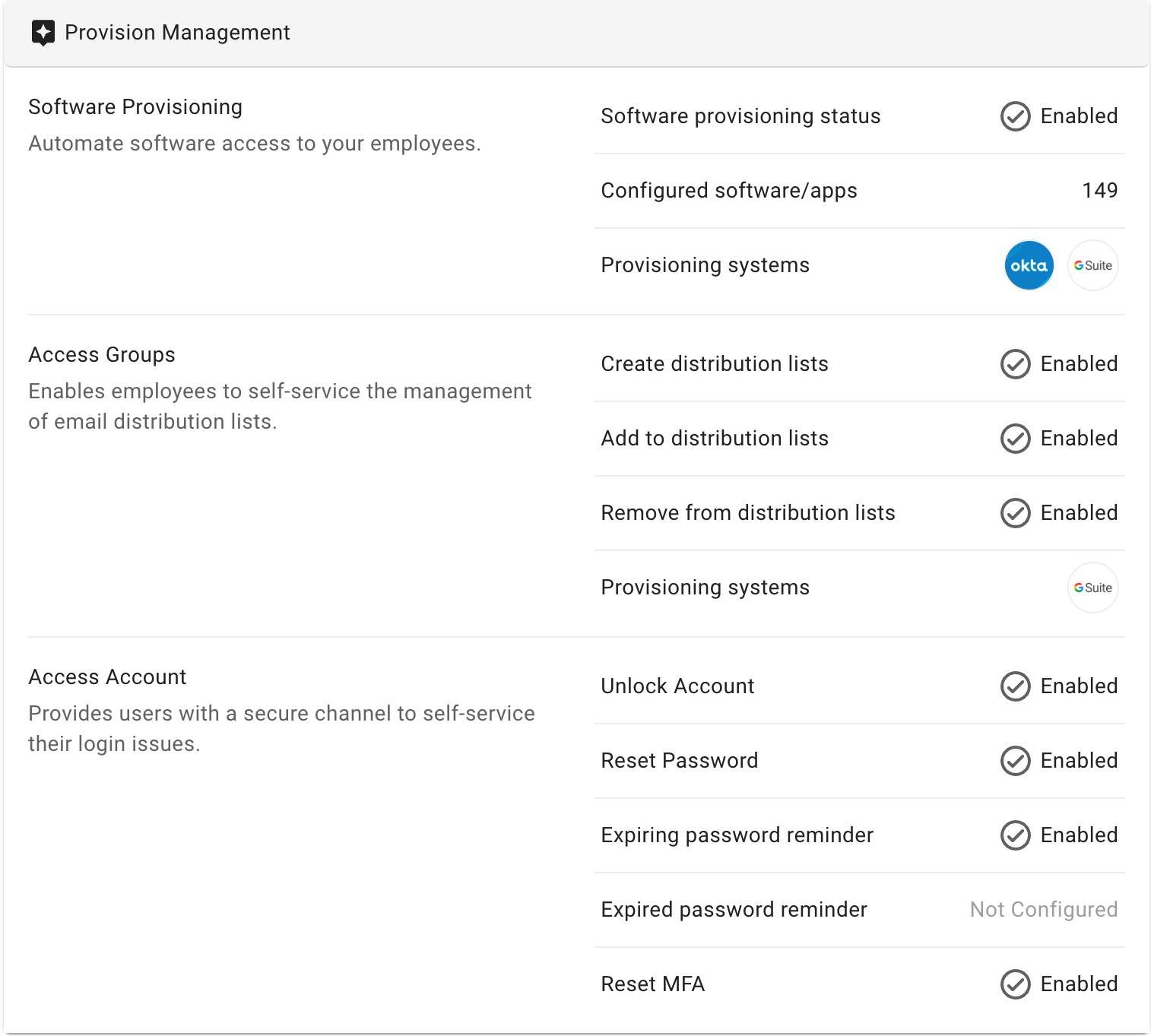
SectionData PointDefinitionDerived fromExample
Software ProvisioningSoftware provisioning statusWhether the software provisioning skill is configuredMoveworks Setup > Access Management > Software Access > Software CatalogEnabled or Not Configured
Configured software/appsThe total number of software applications configured for provisioningMoveworks Setup > Access Management > Software Access > Software Catalog149
Provisioning systemsThe IDAM systems configured to provision software applicationsMoveworks Setup > Access Management > Software Access > Connector Settings > Setup provisioning systemsOkta, Gsuite, etc
Access GroupsCreate distribution listsWhether users can create new email distribution lists directly through chatMoveworks Setup > Access Management > Group Access > Plugin Settings > Group Creation Settings > Enable group creation configEnabled or Not Configured
Add to distribution listsWhether users can add themselves or others to email distribution lists (groups) directly through chatMoveworks Setup > Access Management > Group Access > Plugin Settings > Group Member Addition Settings > Enable group addition configEnabled or Not Configured
Remove from distribution listsWhether users can remove themselves or others from email distribution lists (groups) directly through chatMoveworks Setup > Access Management > Group Access > Plugin Settings > Group Member Removal Settings > Enable group removal configEnabled or Not Configured
Provisioning systemsThe IDAM systems configured to create, add, and remove users from email distribution listsMoveworks Setup > Access Management > Group Access > Ingestion > Setup systems for group ingestionOkta, Gsuite, etc
Access AccountUnlock AccountWhether the Assistant can notify users when they’re locked out of accounts and help them regain accessMoveworks Setup > Access Management > Account Access > Plugin Settings > Unlock Account > Enable account unlock configEnabled or Not Configured
Reset PasswordWhether the Assistant can help users with self-service password resetsMoveworks Setup > Access Management > Account Access > Plugin Settings > Reset Password > Enable password reset configEnabled or Not Configured
Expiring password reminderWhether the Assistant can remind users that their password is expiring soonMoveworks Setup > Access Management > Account Access > Plugin Settings > Change Password > Enable password expiry notifications configEnabled or Not Configured
Expired password reminderWhether the Assistant can remind users that their password has expiredMoveworks Setup > Access Management > Account Access > Plugin Settings > Expired Password > Enable password expired notifications configEnabled or Not Configured
Reset MFAWhether the Assistant can help users initiate MFA resetsMoveworks Setup > Access Management > Account Access > Plugin Settings > Reset MFA > Enable MFA reset configEnabled or Not Configured

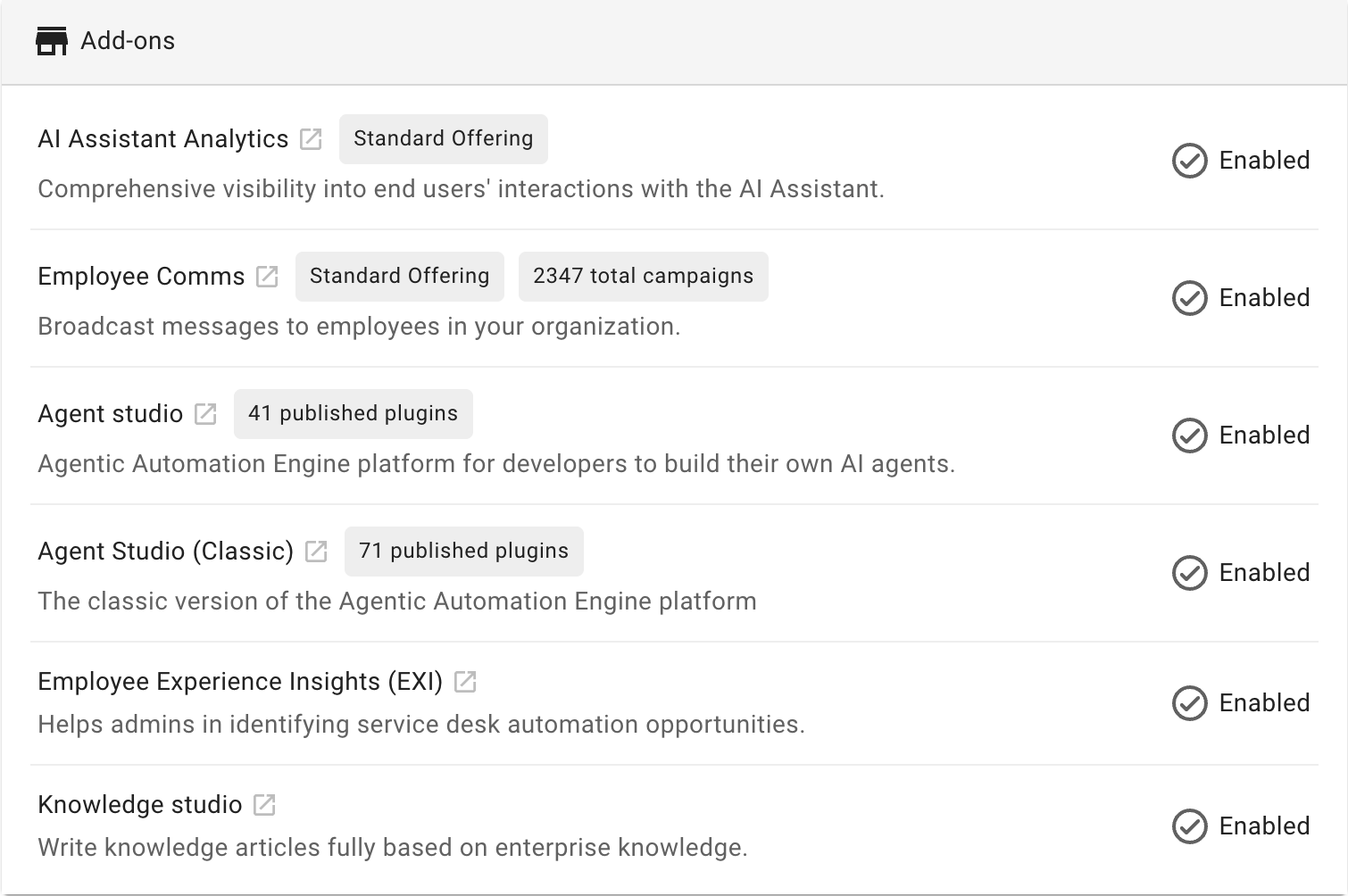
Add-Ons Section

Data PointDefinitionExample
AI Assistant AnalyticsWhether AI Assistant Analytics is enabled for your org Note: It’s enabled by default for all orgs as it’s a standard offeringEnabled
Employee CommsWhether Employee Comms is enabled for your org, with the count of total campaigns Note: It’s enabled by default for all orgs as it’s a standard offeringEnabled
Agent StudioWhether Agent Studio is enabled for your org, with the count of published pluginsEnabled or Not Configured
Agent Studio (Classic)Whether Agent Studio (Classic) is enabled for your org, with the count of published pluginsEnabled or Not Configured
Employee Experience InsightsWhether Employee Experience Insights is enabled for your orgEnabled or Not Configured
Knowledge StudioWhether Knowledge Studio is enabled for your orgEnabled or Not Configured

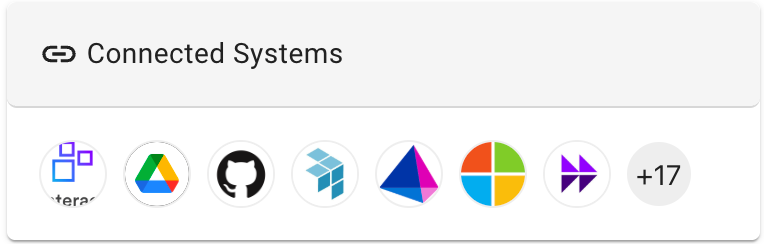
Connected Systems Section

  • Definition: The total number of built-in connectors configured in your org
  • Derived from: Moveworks Setup > Core Platform > Connectors > Built-in Connectors

Active Alerts Section
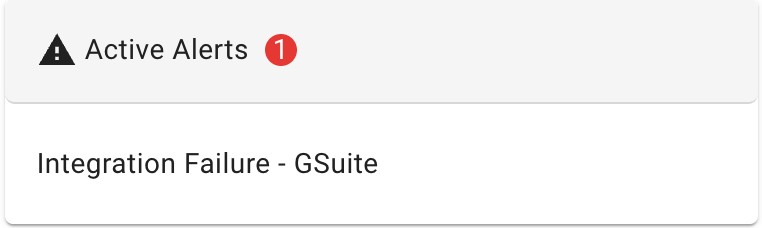
  • Definition: Recently triggered system alerts with their names and total count
  • Derived from: Moveworks Setup > Organization Details > Alerts > Active Alerts Page

FAQs

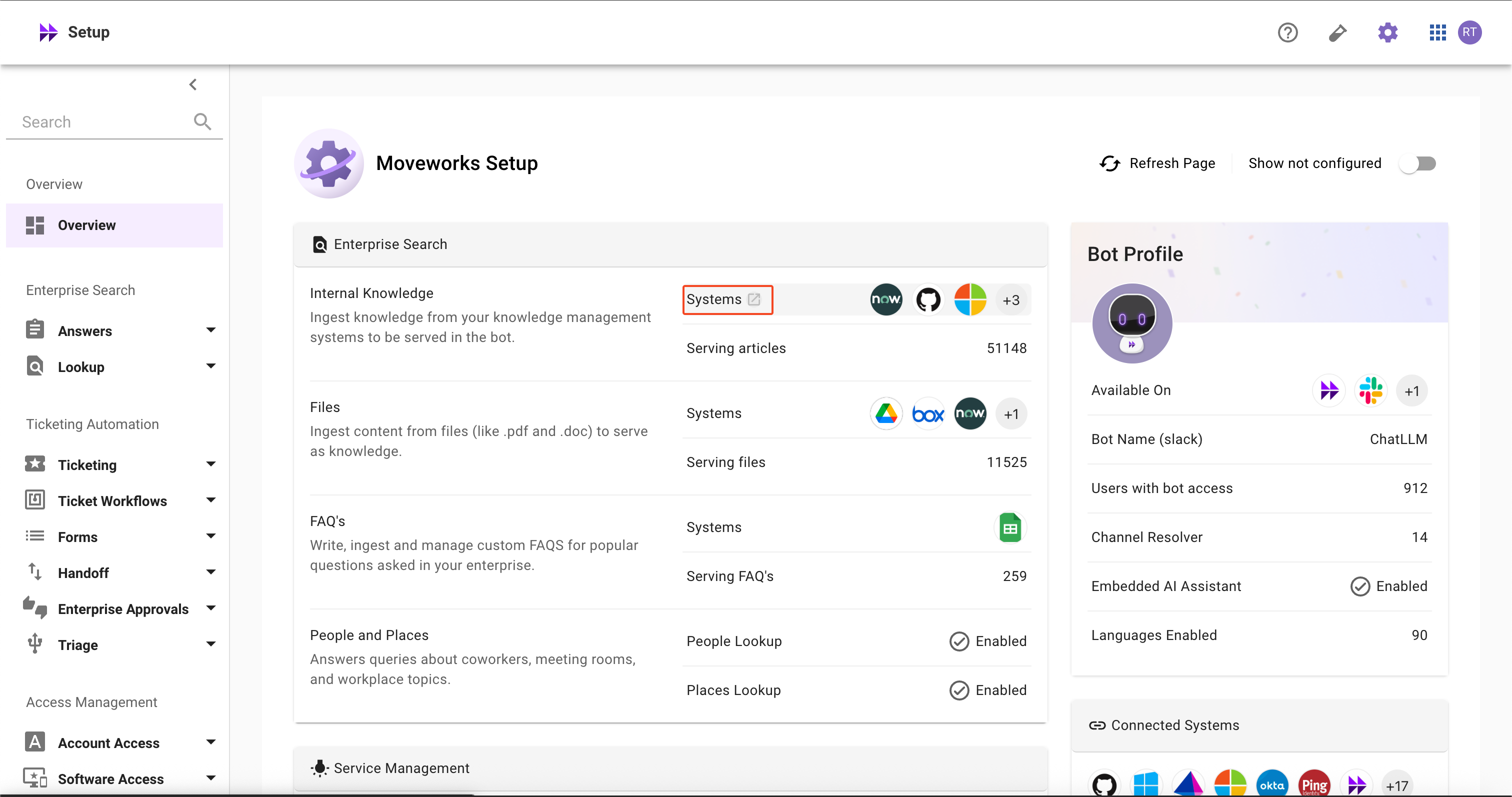
  • How can I quickly learn about configurations in detail?
    • Hover over the item and click the redirect button to navigate to the configuration details


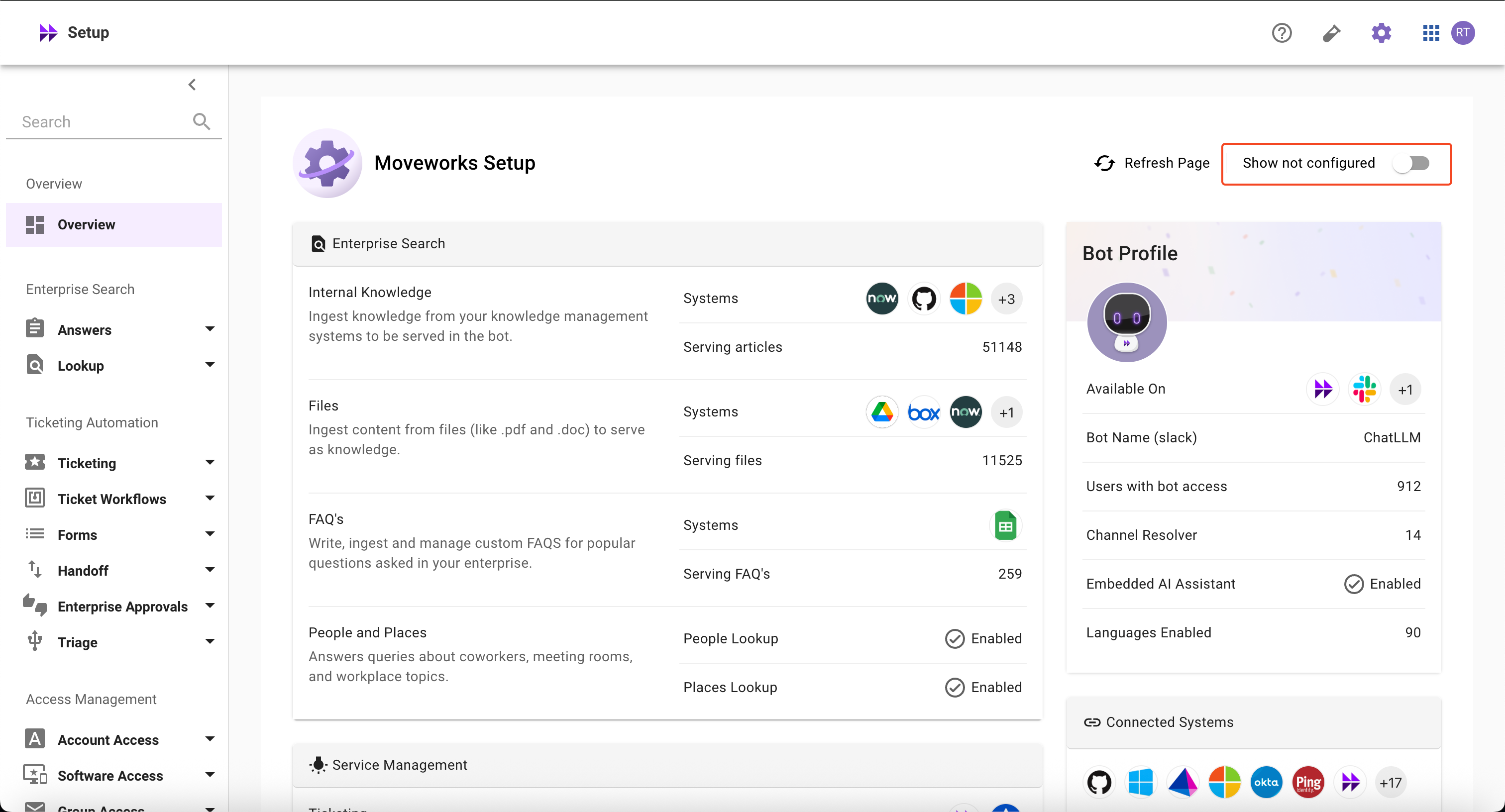
  • How can I view skills that I haven’t configured yet?
    • Use the ‘Show Not Configured’ toggle button in the top-right section to filter and display skills that are not yet configured

  • Why aren’t my skills working even though some configurations are enabled?
    • The homepage only shows whether a skill is configured, not the operational status or health of the skills
  • How can I enable skills that are marked as not configured?
    • The homepage displays all AI Assistant capabilities, whether licensed or not. Please contact the Customer Success team for the next steps in configuring these skills
  • How can I enable Add-ons SKUs?
    • Please contact the Customer Success (CS) team to have additional SKUs enabled
  • How can I refresh and access the latest information?
    • Use the ‘Refresh Page’ toggle button in the top-right section to access the latest information