
Channel Handoff
With channel handoff, the AI Assistant posts the user’s request in a chat channel that your agents monitor. An agent picks it up and contacts the user. The screenshots show Google Chat; Microsoft Teams and Slack work the same way.
User Experience
When the AI Assistant can’t resolve an issue, including during ticket filing, the user can request a live agent.
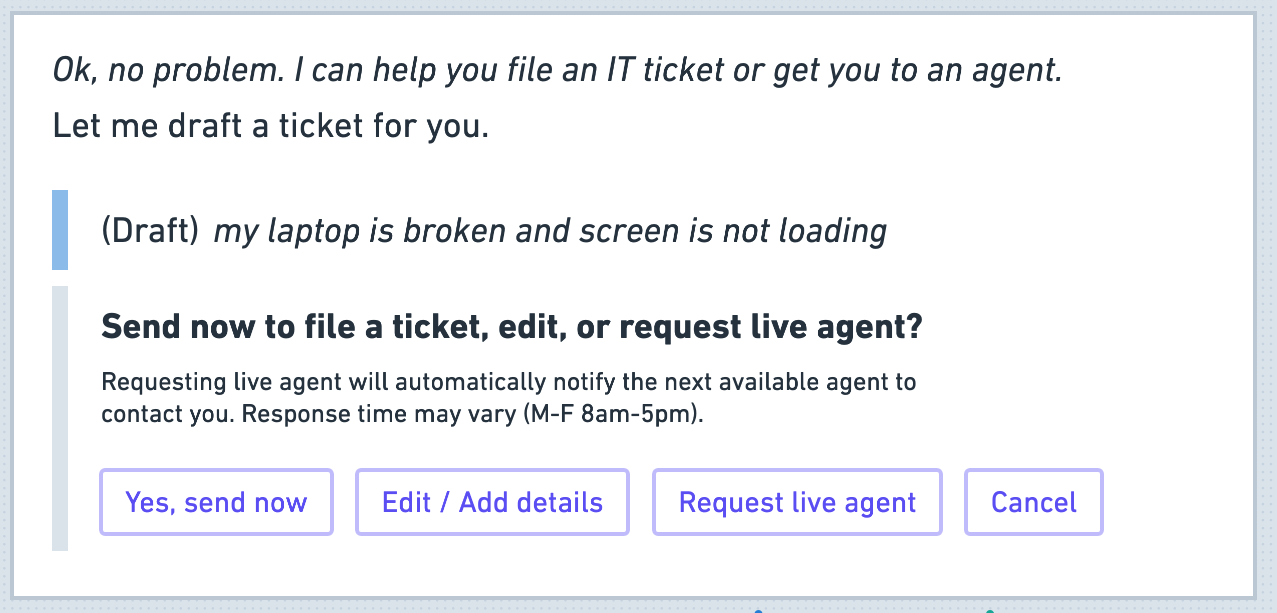
After the user selects the live agent option, the AI Assistant confirms that the request was sent.

Agent Experience
The AI Assistant posts the request in the agent channel. An agent picks it up and contacts the user by chat or through the ticket, as the message specifies.
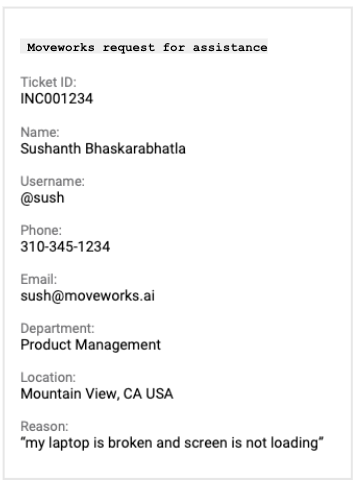
Ticket Created at Handoff
If Should File Ticket On Default is selected in Ticketing Automation > Handoff > Live Agent Handoff, a ticket is filed with these values:
- Assignment Group: your default assignment group
- Short Description: the user’s input
- Ticket Type: INC
- Created by: the AI Assistant
- Requested for: the user
- Contact Type: chat bot
- Assigned To: empty
Setup
- Create a private channel for agents.
- In Moveworks Setup, add the channel ID to a Supported Channel Route in Ticketing Automation > Handoff > Live Agent Handoff. For Microsoft Teams, see Configure Channel Handoff for Microsoft Teams.
- Train agents to pick up requests from the channel and mark them as done.