
Ticket Interception
Ticket Interception is a legacy plug-in for the Moveworks AI Assistant.
Overview
Moveworks continuously polls your information technology service management (ITSM) system for new unassigned tickets that it can resolve. When a user files a ticket through the self-service portal or via email, the AI Assistant can intercept these tickets and reach out in-chat with a solution the AI Assistant is confident can solve their issue. It also leaves a comment on the ticket describing its proposed solution.
If the AI Assistant is able to fully resolve the user’s issue, users can give acknowledgement in-chat by responding to the AI Assistant . Then, it will mark the ticket as resolved. If the solution by the AI Assistant does not solve the user’s issue, they have the option to rephrase their issue and add a clarifying comment to the ticket.
When does Moveworks intercept a ticket?
Not all tickets are eligible for ticket interception. Filters have been built into this feature to parse out tickets that do not meet the following criteria:
- Requestor has access to the Moveworks AI Assistant
- This ensures that the AI Assistant will only reach out to users who have access to Moveworks and are eligible for assistance from the AI Assistant .
- Is open/new
- This filters out tickets that are not in a NEW state at the time of initial polling. A ticket has to be freshly filed and untouched by any agent to be eligible for Ticket Interception. The AI Assistant does not reach out on tickets that were already worked on by an agent — this is done to minimize confusion and noise.
- Not created by an agent
- This allows the AI Assistant to filter out tickets created by an agent on behalf of the user, which means that an agent already looked at the issue and provided the first level of assistance. This also filters out any tickets created by an agent to log work they did (i.e. moving cables from one room to another) that did not directly help an end-user.
- Not created by the AI Assistant
- This filters out tickets that were created by the AI Assistant via reach outs. The AI Assistant does not take action on tickets created by itself because it has already resolved or had the chance to resolve them.
Beyond these default filters, other filters can be configured within the AI Assistant to prevent it from intercepting certain tickets types.
How Ticket Interception works
The Moveworks AI Assistant will only reach out about tickets it thinks it can resolve. When a user does not find the reach out helpful, the ticket remains in the queue so an agent can address it later.
Poll
The Moveworks AI Assistant polls the IT Service Management (ITSM) system for new tickets on a regular basis (typically every 30 seconds) through API requests. By doing so, the AI Assistant typically sees all new tickets before a service desk agent does.
Intercept
Once the AI Assistant detects a new ticket, it gets processed through Moveworks Agentic AI which will select different plugins that can put forth potential solutions. The AI Assistant will then present the user with the solution it thinks best solves the user’s issue. The following plugins can participate in ticket interception:
- Knowledge Search: Provides relevant answers taken from your organization’s knowledge base articles or FAQs to help the user with their issue
- Software Access: Assists the user with provisioning and/or installing a software application they requested
- Groups Access: Assists the user with creating distribution lists and adding members to distribution lists
- Account Access: Assist users who are locked out of their accounts by helping the user self-service a MFA reset
- Forms: Provides relevant forms that users can fill out to provide agents with the required information to fulfill the user’s request
Notify
After the AI Assistant processes the tickets, If one or more of the plugins listed above provides a solution to the user’s issue, the AI Assistant will notify the user of the solution(s):
- The AI Assistant leaves a comment on the ticket describing the solution(s) it has to offer.
- If your ITSM system is configured to send emails to users when comments are added to their tickets, this should result in an email sent to the user with the same information.
Note: It typically takes around 1.5 to 4 minutes for a AI Assistant to go through the process of polling, analyzing, and notifying the user of a solution.
Resolve
When the user receives solution(s) by the AI Assistant, they can proceed in a few ways:
- If a solution involves automated actions, such as an email group addition or software provisioning, the user can select the button provided by the AI Assistant and follow the prompt to confirm and complete their request. The workflow operates in the same way it would have if the user’s request originated from a chat message to the AI Assistant. Note: The AI Assistant will never proactively take action without the user’s explicit acknowledgement.
- If the user is provided with knowledge answers, they can view the provided snippets or select the provided links to view the entire text.
- If the user receives a form to fill out, they can submit the form (either through the service portal or the chat interface, if enabled). Once the form is submitted, the AI Assistant will close the original ticket and create a new one that it will link to in the comments of the original to avoid agent confusion.
The exact resolution can vary depending on the plugin and the channel from which the user takes action (i.e. from chat or the ticket comment). If the solution the user receives doesn’t solve their issue, the user can rephrase their problem or ask for more help from the Service Desk.
Audit Trail
When the Moveworks AI Assistant intercepts a ticket, it adds a comment to the ticket that identifies the solution it has for the user. Then, it adds another comment to the ticket saying it has reached out to the user in-chat. Internal note comments are also added — these summarize how the AI Assistant helped the user, and include other relevant pieces of information. Depending on the user response, more comments will be made by the AI Assistant to log interactions between itself and the user. And if the user chooses to get assistance from a service desk instead, the AI Assistant will leave an internal note to agents to help them resolve the user’s issue.
Configuration options
Ticket Filters
For more on ticket filters, read this guide.
Relevant Configurations in Moveworks Setup
- For selecting which plugins to offer in ticket interception (except Forms)
- Ticketing > Ticket Interception
- For enabling forms to be offered in ticket interception
- Forms > Advanced Settings > Plugin Settings
- For configuring ticket filters
- Ticketing > Ticketing Settings > Ticket Filters
User Experience
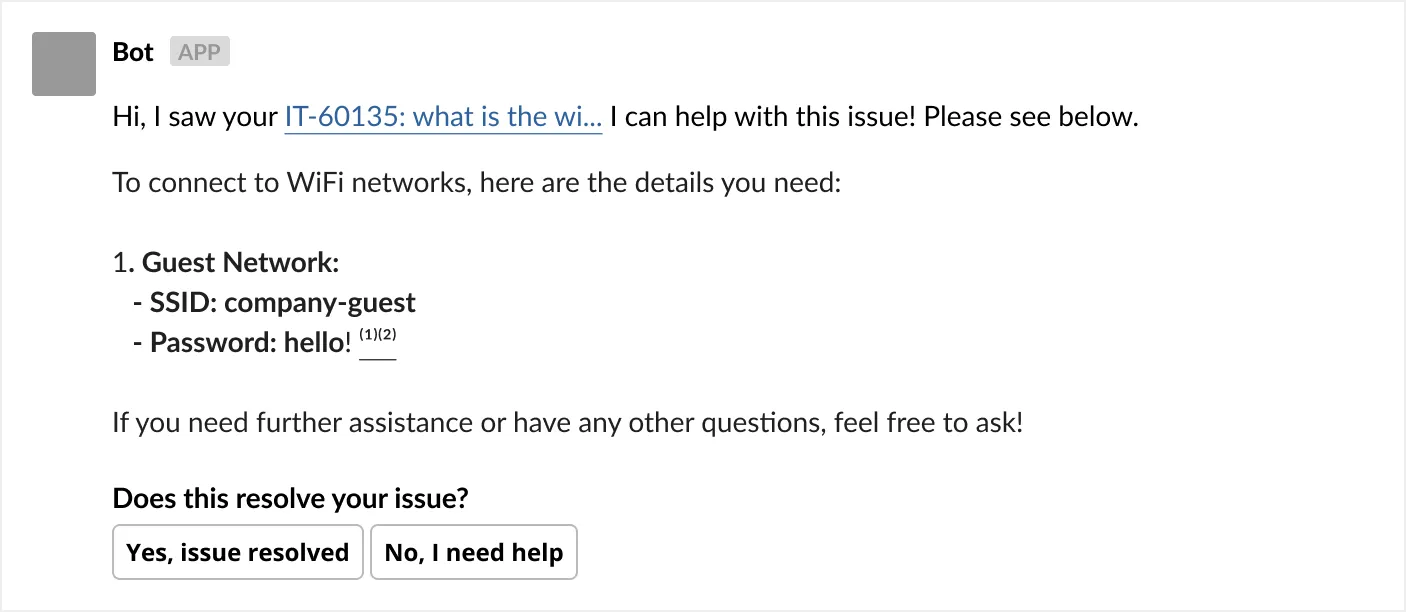
Let’s assume that the user filed a ticket with the subject: What is the Wi-fi password?
AI Assistant reach out in chat
Based on this, the AI Assistant may identify a knowledge article that answers the user’s question, and will reach out in AI Assistant with this answer:
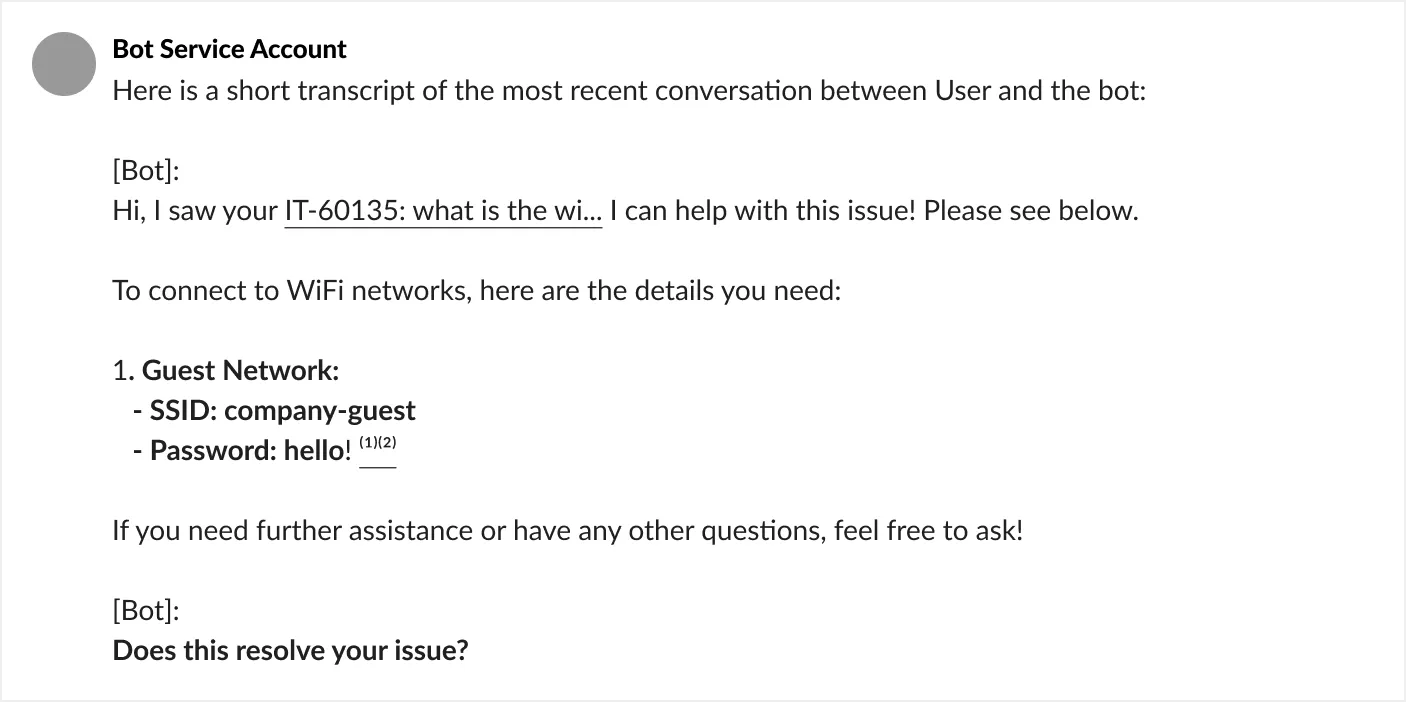
Comment added to ticket with details of the reach out:
The AI Assistant will also add the conversation snippet to the ticket as a comment
If the user marks the issue as resolved by clicking the “Yes, issue resolved” button in chat, the AI Assistant responds in chat:

In the ITSM, the ticket should be closed within a minute or so, with the following comment:

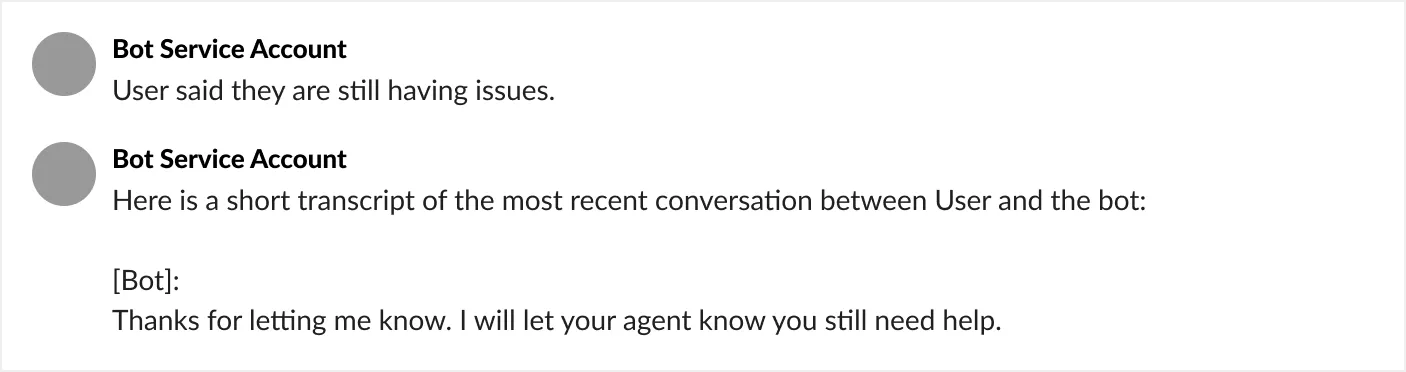
If the user marks the reach out as not helpful by clicking the “No, I need help” button in chat, the AI Assistant responds in chat:

This will also result in the following comment on the ticket in the ITSM:
A similar experience is available for all available plugins.
Experience with Forms:
Forms are a special case in some circumstances, where the form submission results in a new, structured ticket being created.
In this case, if the user fills out the form, the following occur:
- The original ticket is marked as closed
- A new ticket is created
AI Assistant experience callouts
- AI Assistant reach outs are similar to DM responses. A summarized response with citations will be presented and may have solutions from multiple plugins, if relevant.
- Similar to conversation context added to tickets filed from the AI Assistant, agents will see the summarized response presented to the user as a comment.
- There will not be an “add comment” option in the AI Assistant reach out.
- Users will not be offered the option to reopen a ticket after it is marked resolved based on the user’s feedback.
- When a new ticket is created from a form reach out, the old ticket will have information about the new ticket and the user will be informed about the new ticket created. However, the new ticket will not have information about the old ticket.
- If the user clicks on 👍🏼 👎🏼 , it will not reflect in the ticket, but will be captured in AI Assistant feedback.