
Optional Lab: Moveworks Bender
Overview
- Learning Objectives: Use Moveworks Bender to configure attribute mappings for users and tickets, and validate them in the DSL and Data Mapper Playground before applying them.
- Estimated Time: 15 minutes
- Prerequisites:
- Lab #4 complete (its user identity configuration is the Bender mapping you test)
Key Concepts
Bender is the transformation engine that sits between connected raw system data and the Moveworks UI. It is essential for formatting data correctly:
- Bender Mapping: The logic used to tell Moveworks how to display raw JSON values. For example, turning a technical “state” code into a human-readable word.
- Display Value: A ServiceNow-specific concept where
valueis a raw ID (e.g., a sys_id) anddisplay_valueis the actual text shown to the user. - Fallback Logic: The use of the
ORoperator (e.g.,phone.display_value OR "") to provide a default value and prevent the Moveworks AI Assistant from breaking if a field is empty. - DSL & Data Mapper Playground: A sandbox where you can paste raw JSON from the API Playground to test if your Bender mappings will work before applying them.
Relevant Documentation:
- Moveworks Help: Bender Data Mapping
- Moveworks Help: DSL & Data Mapper Playground
- Moveworks Agent Marketplace: Agent Architect
🛠️ 1: Walkthrough
1.1: Generate a Moveworks API Key via Tool Studio
-
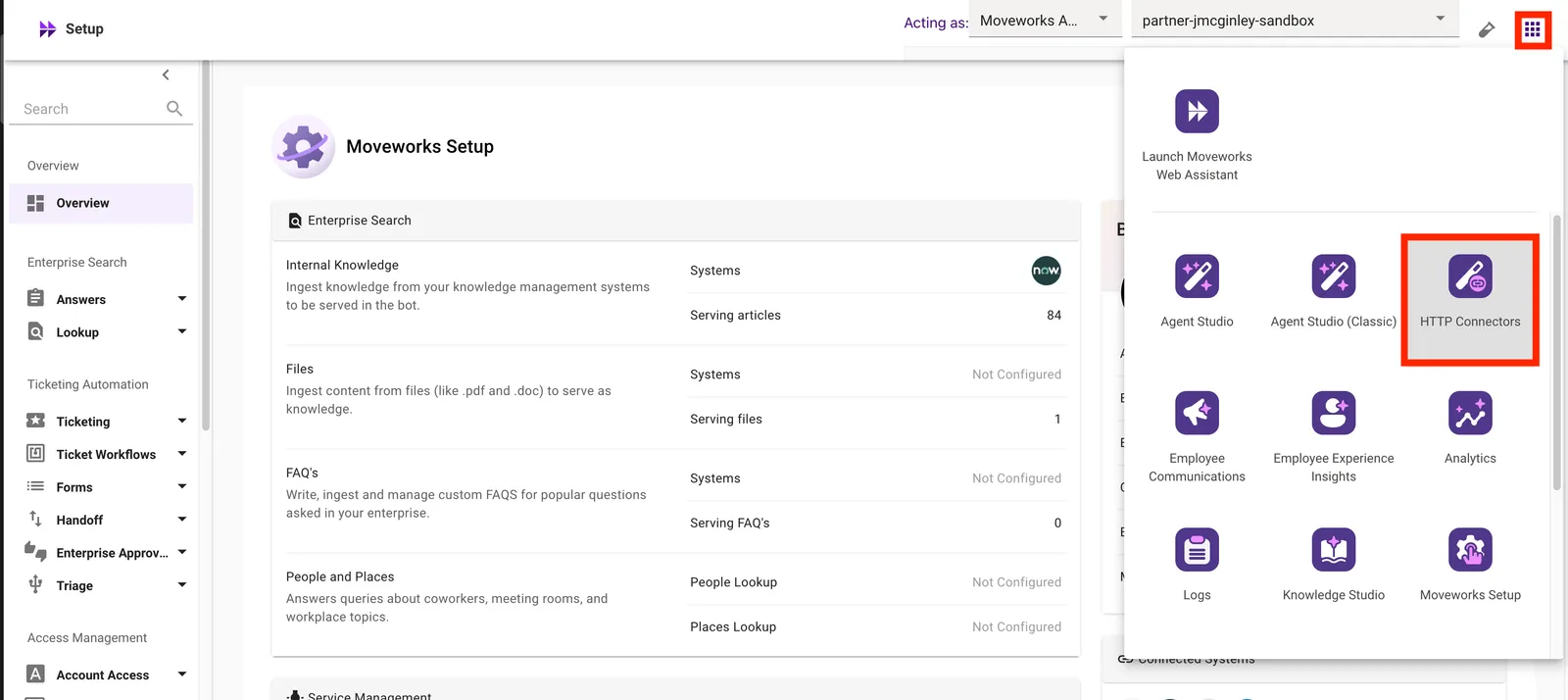
Open HTTP Connectors from the waffle menu.
-
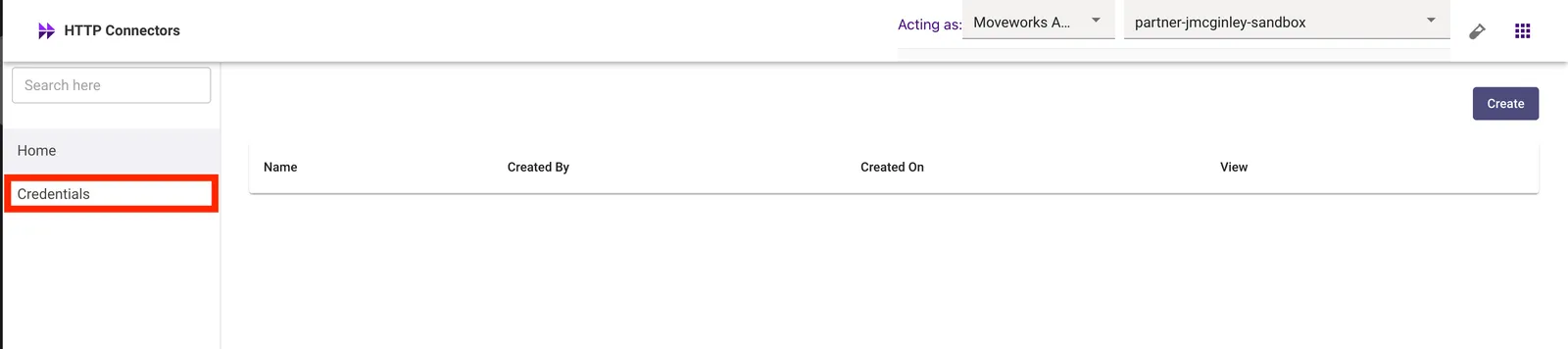
Select the Credentials module
-
Click Create

-
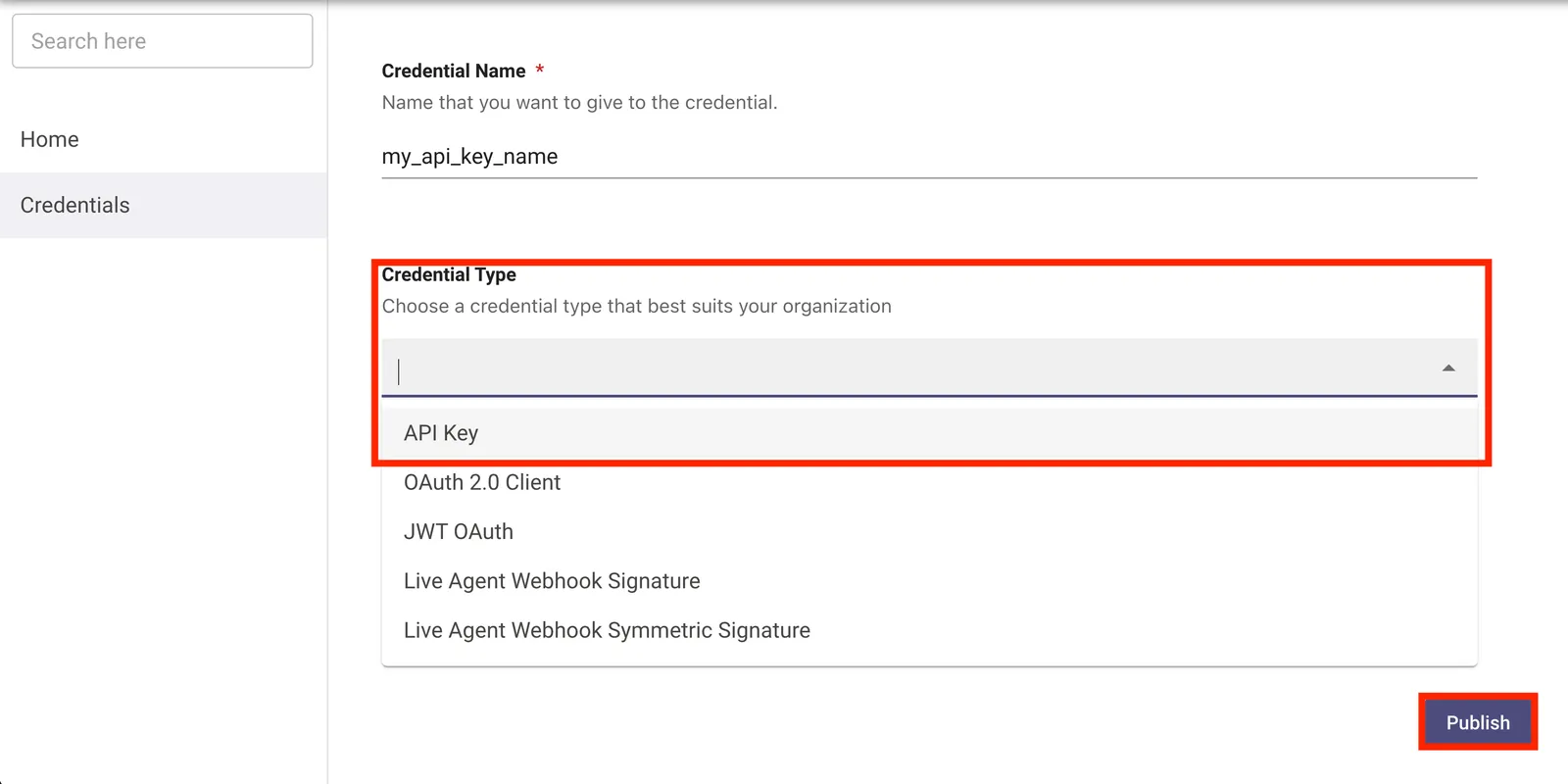
Give your credential a name, and generate it as an API Key and Publish it
-
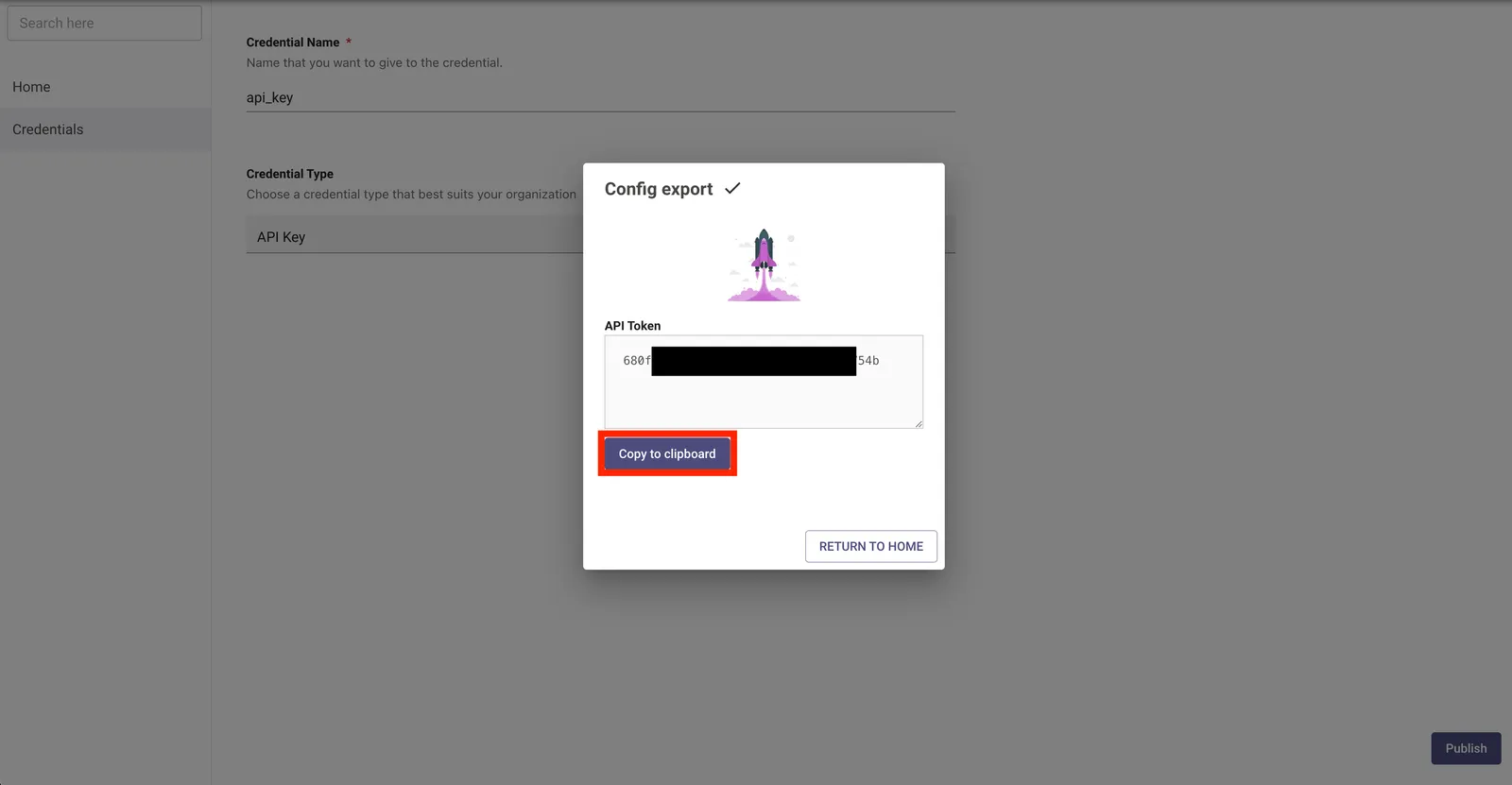
Select Copy to Clipboard, and store this API key on your machine.
-
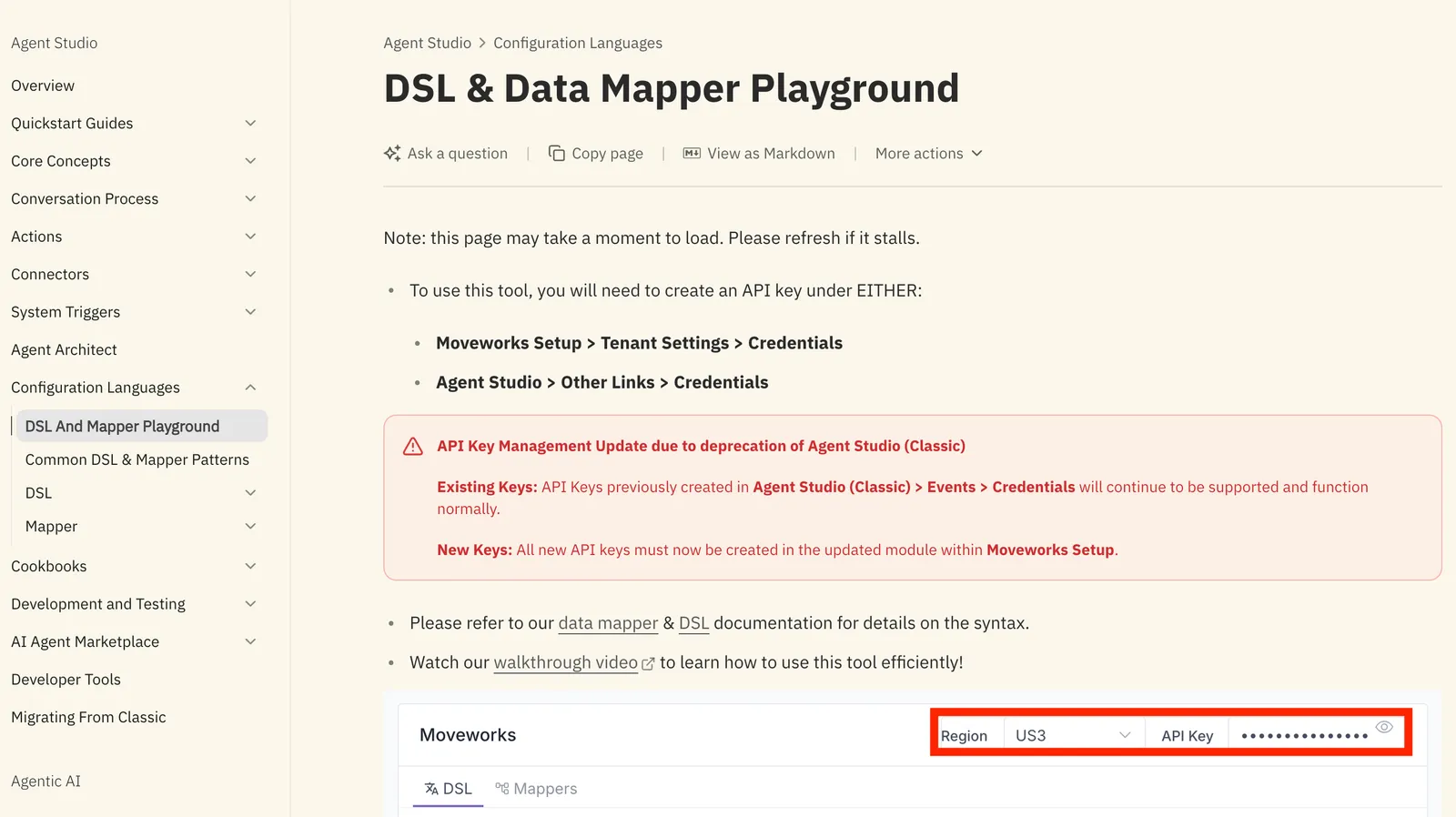
In a separate tab, navigate to the Moveworks DSL and Data Mapper Playground. Enter your API key in the
API Keysection.
Switch the region to match your Moveworks instance before entering your API key. The region selector is in the top-right corner of the page. Use the table below to find your region.
Which region should I use? Your region is determined by your Moveworks login URL. Find org_name in your URL and match it to the table below:
For example, if your instance URL is acme.moveworks.com, select US. If it is acme.us3.moveworks.com, select US3.
Note: If you receive an error that states that an on-prem agent cannot connect, try opening the page in an incognito browser window and try again
1.2: Get the Default Bender Mapping for Moveworks ServiceNow User Identity
-
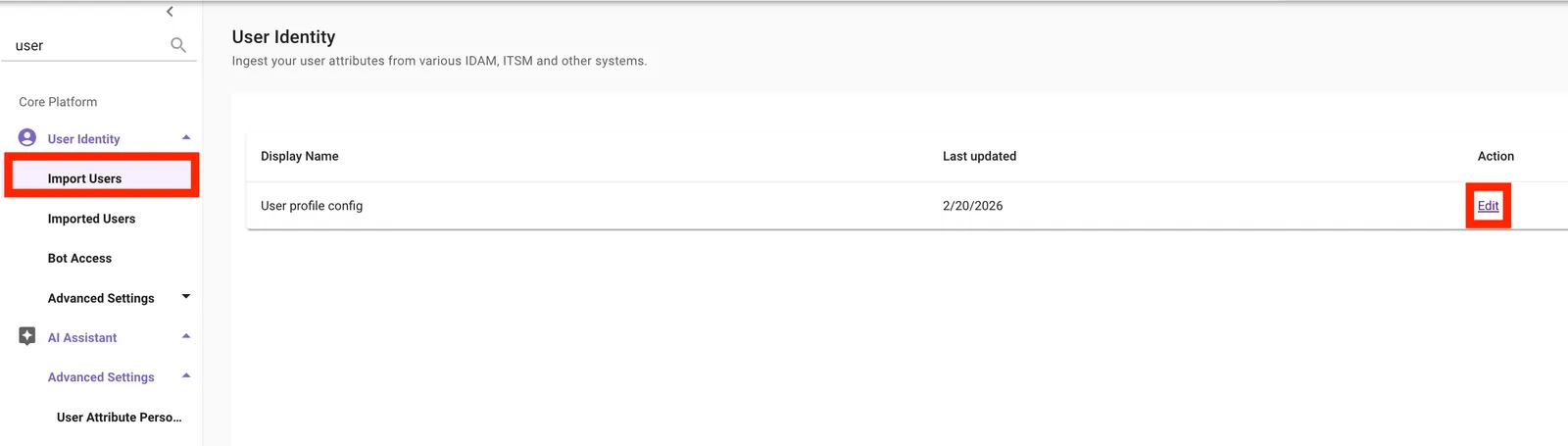
In Moveworks Setup, navigate to User Identity > Import Users > Edit
-
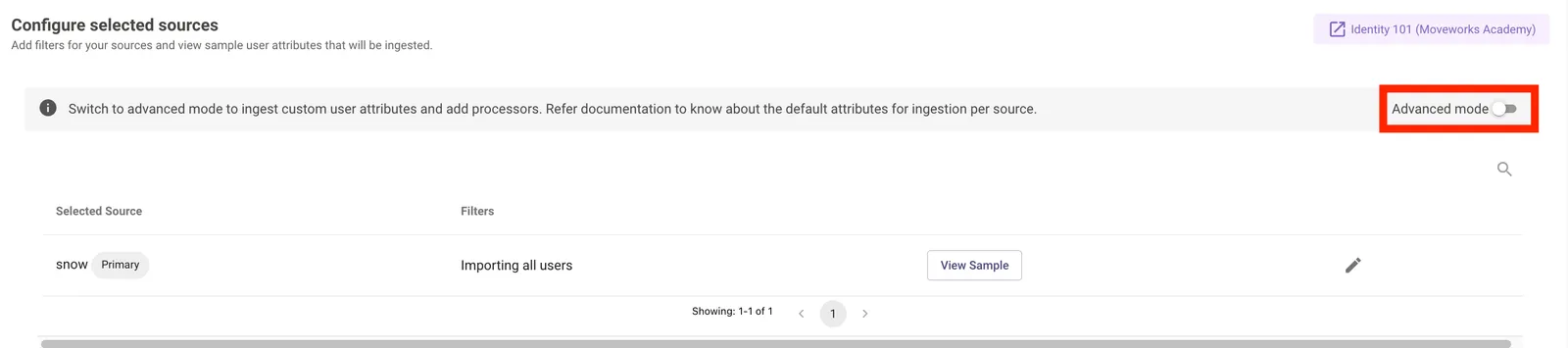
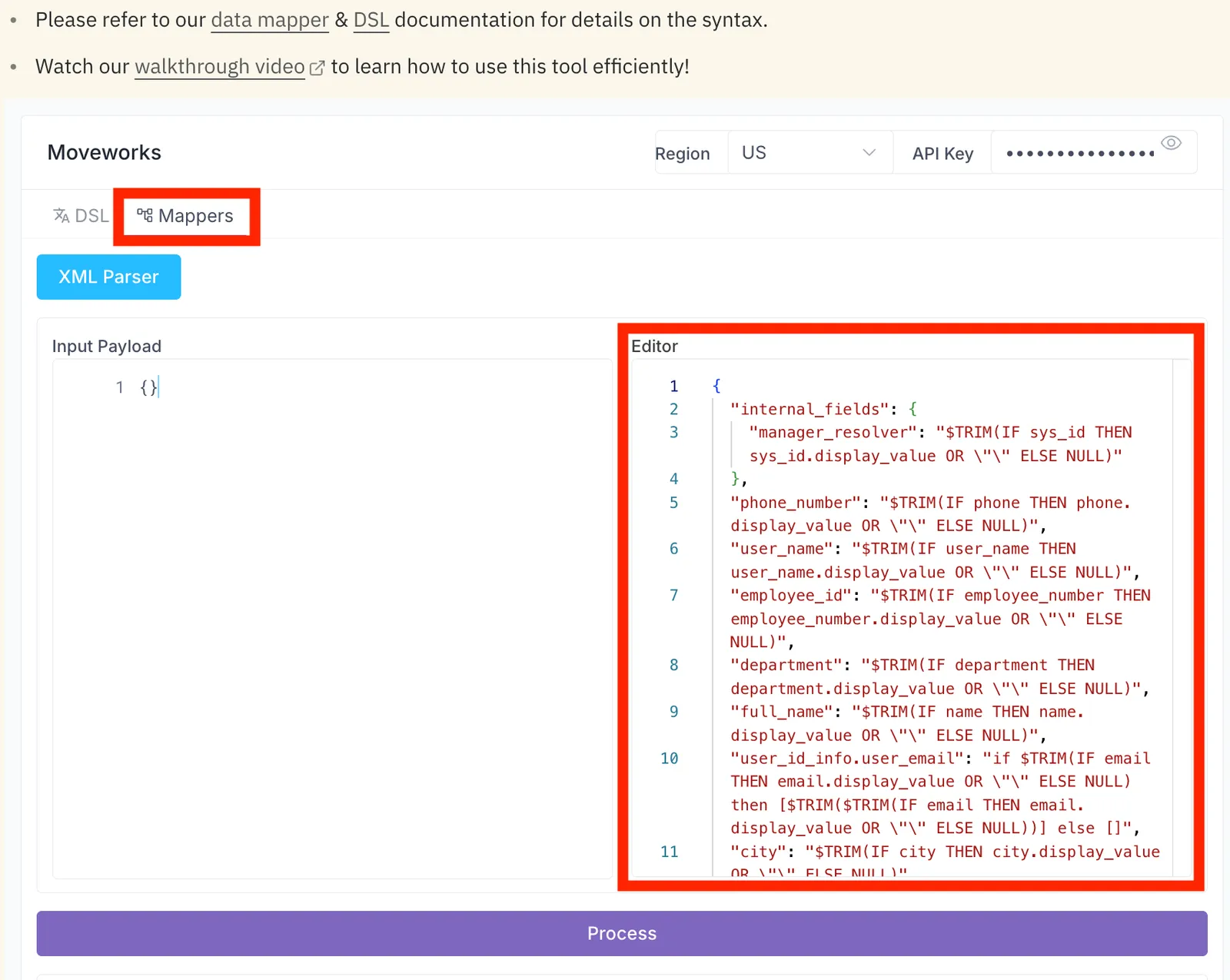
Switch to Advanced Mode to see the JSON configuration for ingesting users from ServiceNow.
-
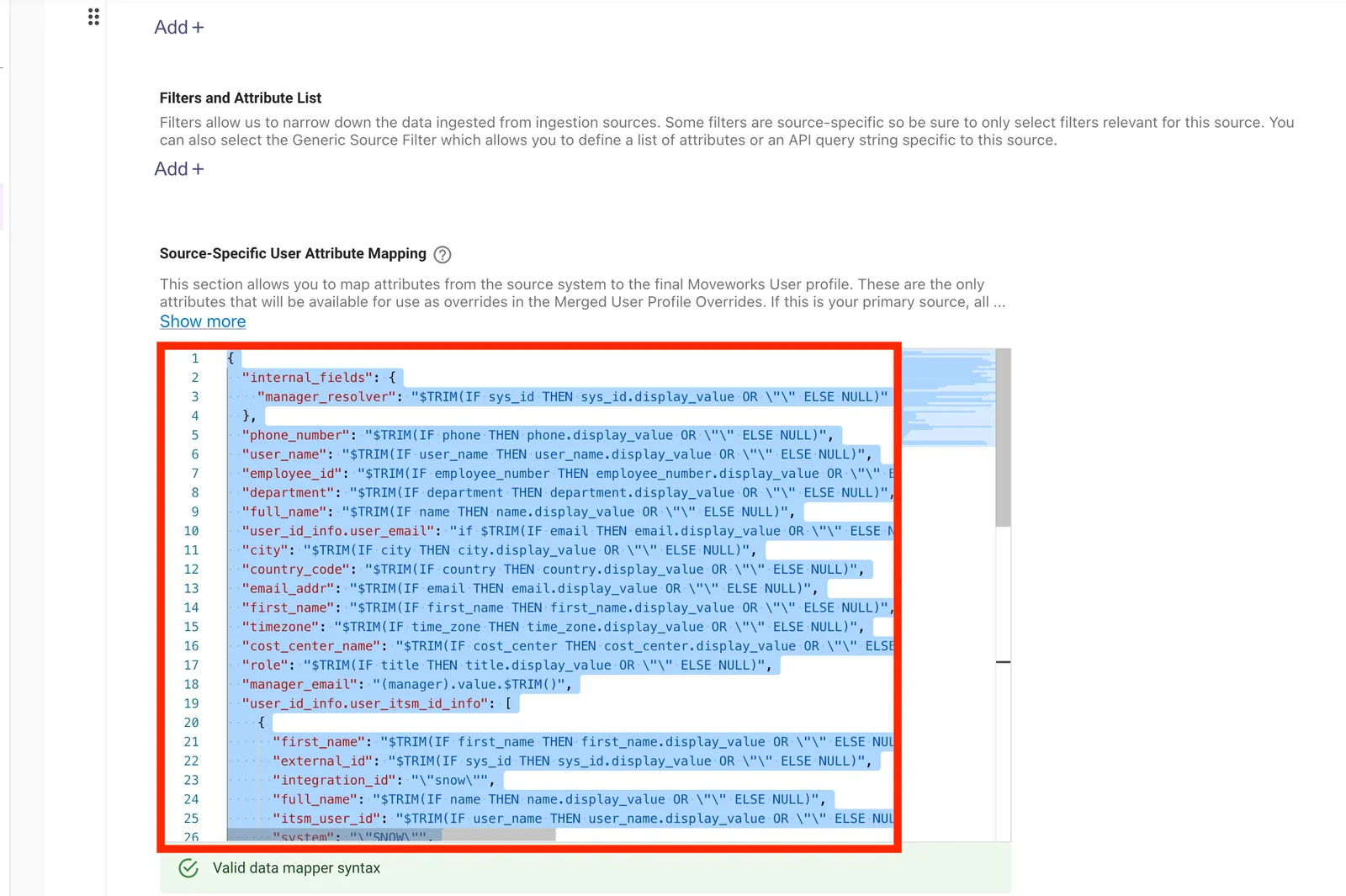
Copy the JSON block that defines the ServiceNow user ingestion logic (also shown below).
-
Paste it into the Editor section of the DSL and Data Mapper Playground
-
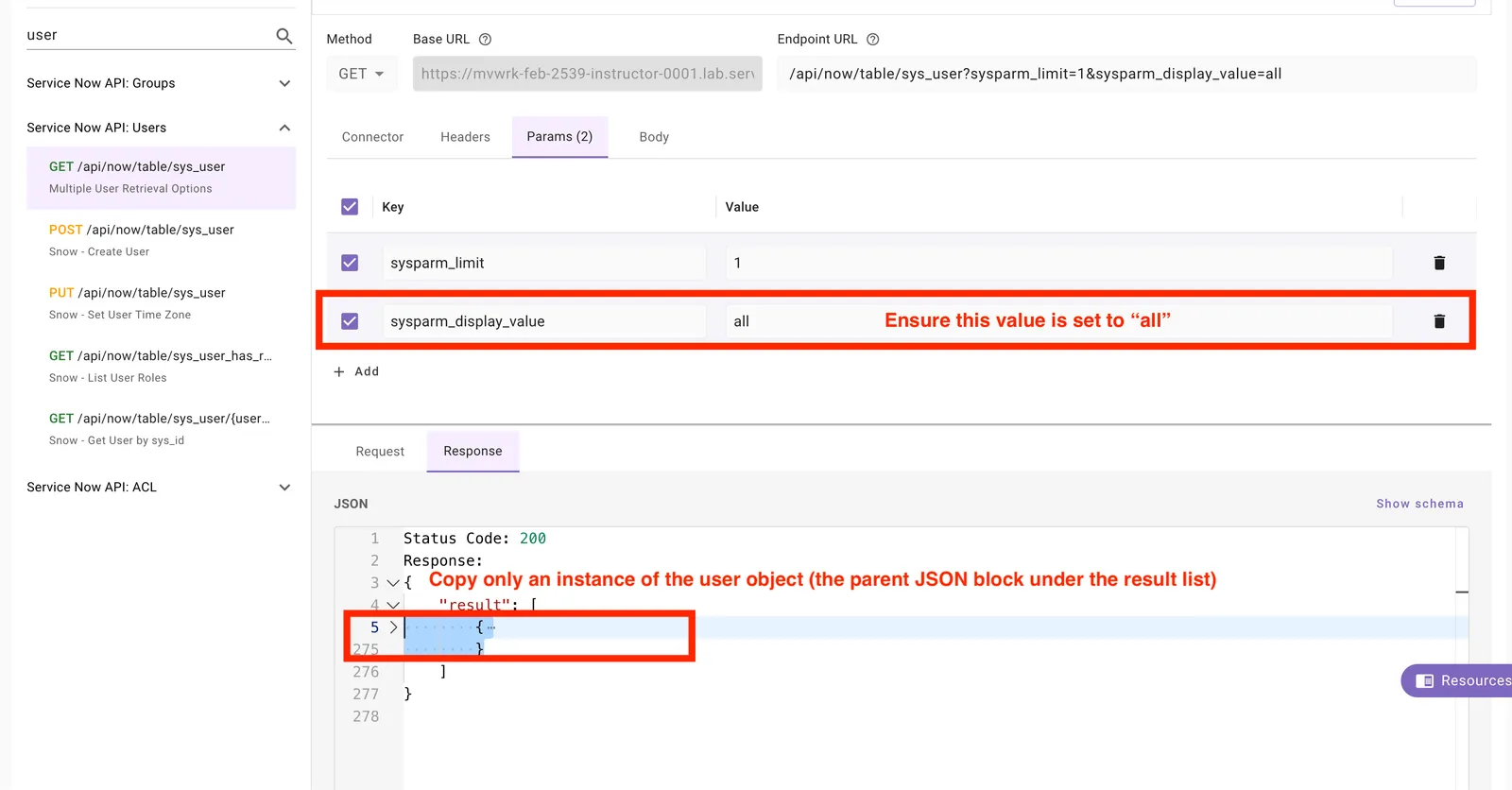
In API Playground, query the
sys_usertable and copy a single user record.
Moveworks maps records one at a time, so testing against a single record previews exactly how ingested data will look.
-
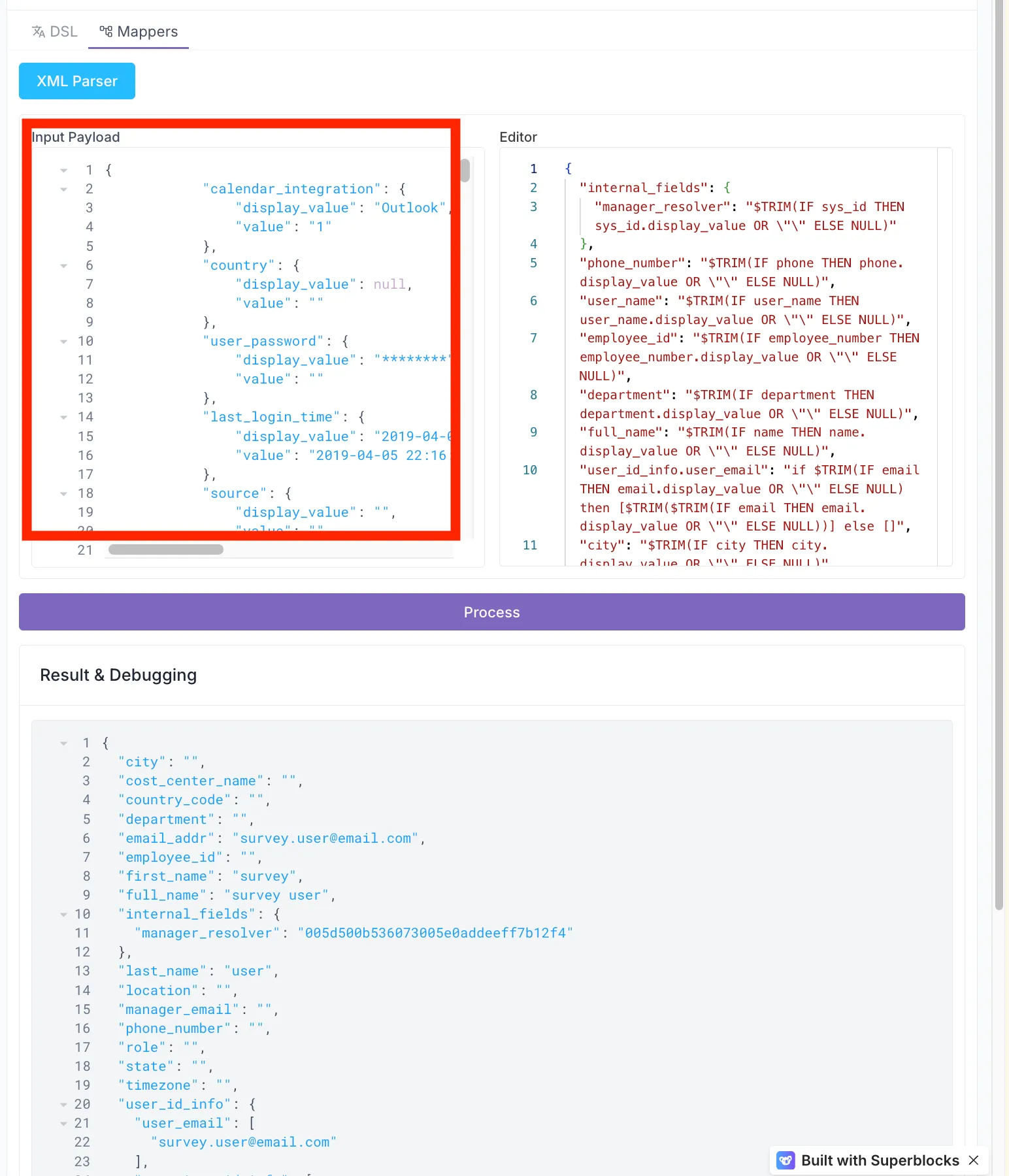
Copy this JSON into the Input Payload for the DSL and Mapper Playground
-
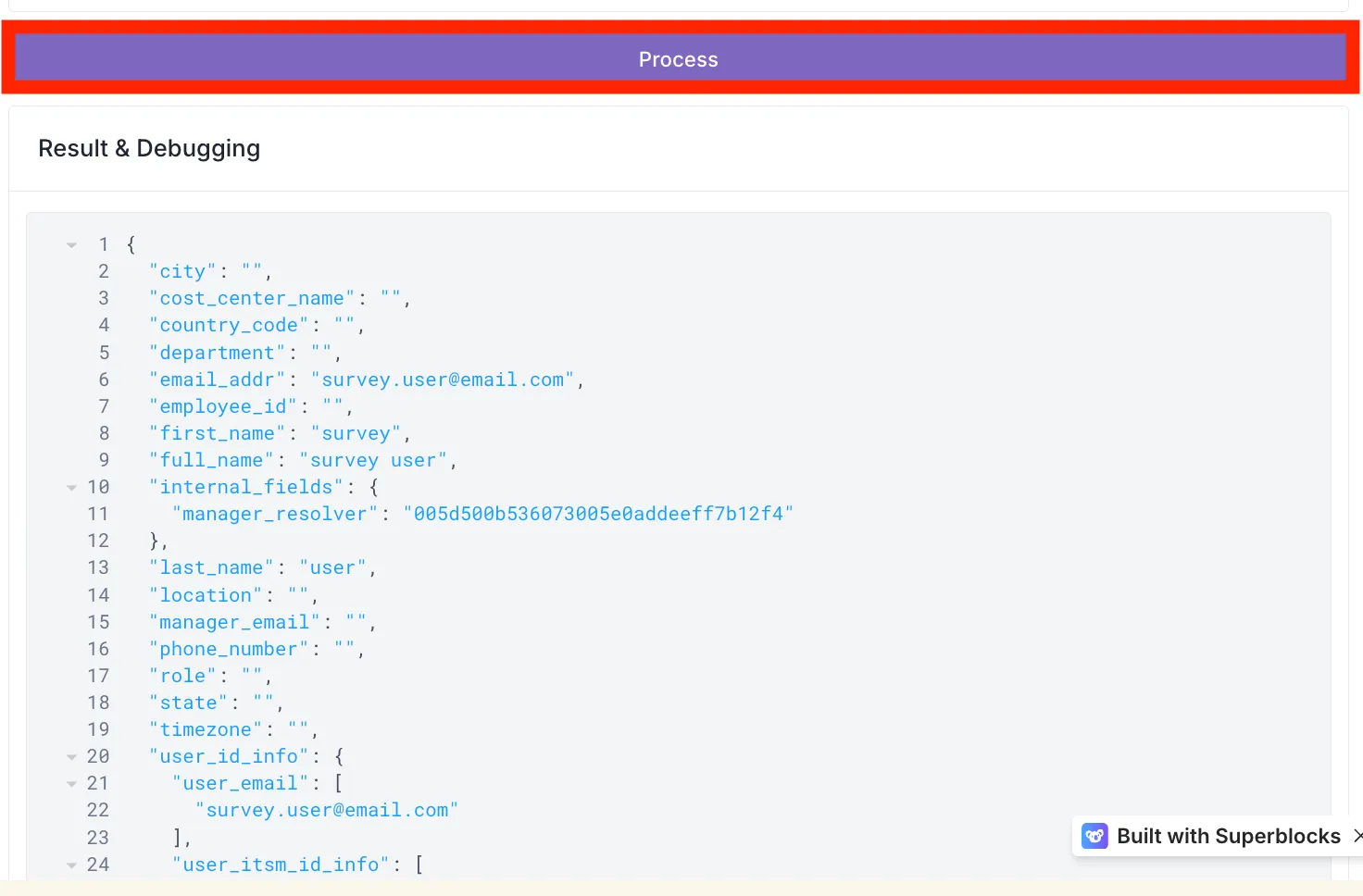
Click Process to see the Bender mapping applied to the input payload.
Use this loop during any build to confirm fields populate exactly as intended:
- Retrieve a sample record from your external system.
- Configure the Bender to map your required fields.
- Validate the mapping results within the DSL and Data Mapper tool.
1.3: Use the DSL Architect to Draft Bender Mappings
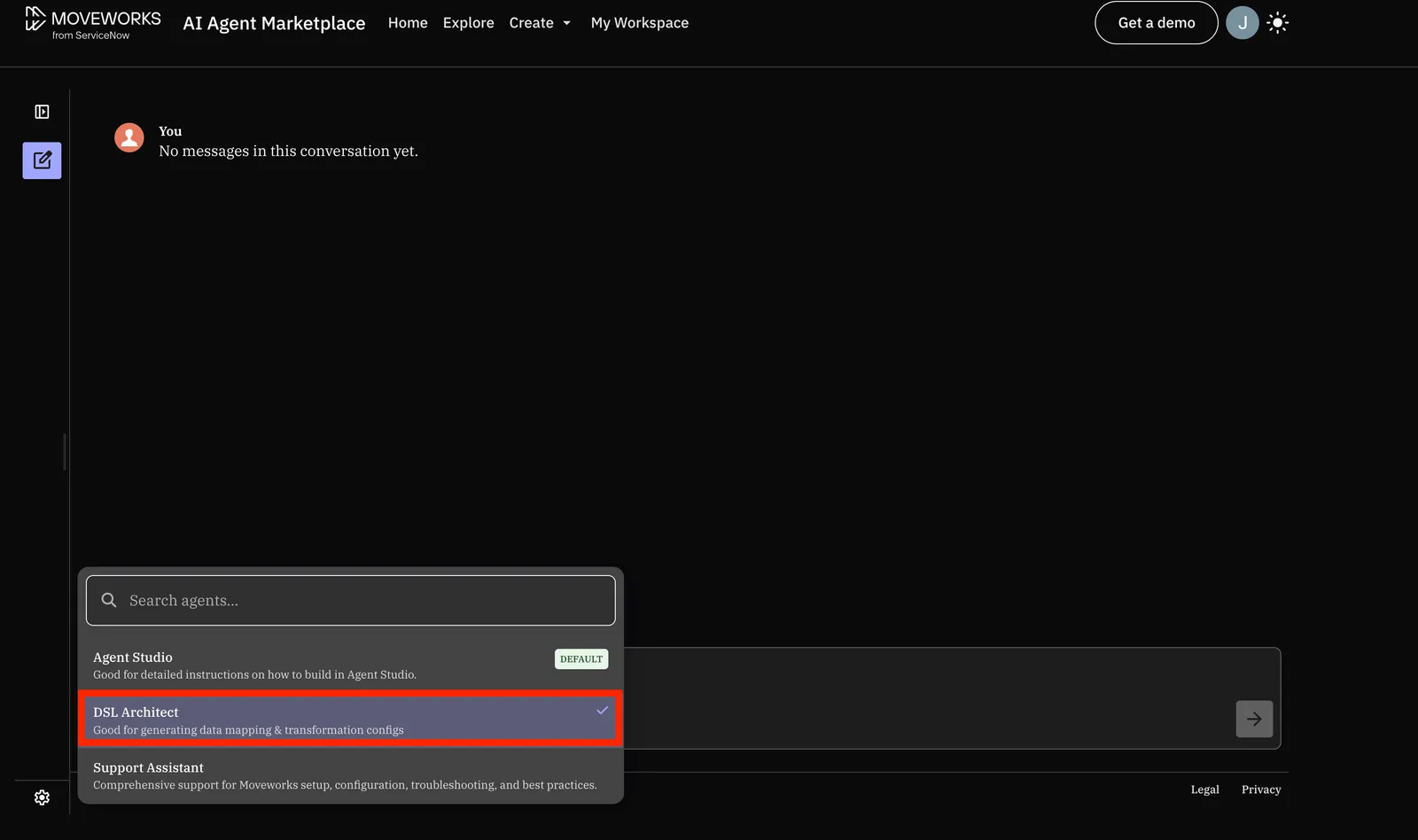
The Moveworks Agent Architect is an AI tool connected to Moveworks documentation. Its DSL Architect drafts DSL and Bender logic.
-
Open the Moveworks Agent Architect and select the DSL Architect.
-
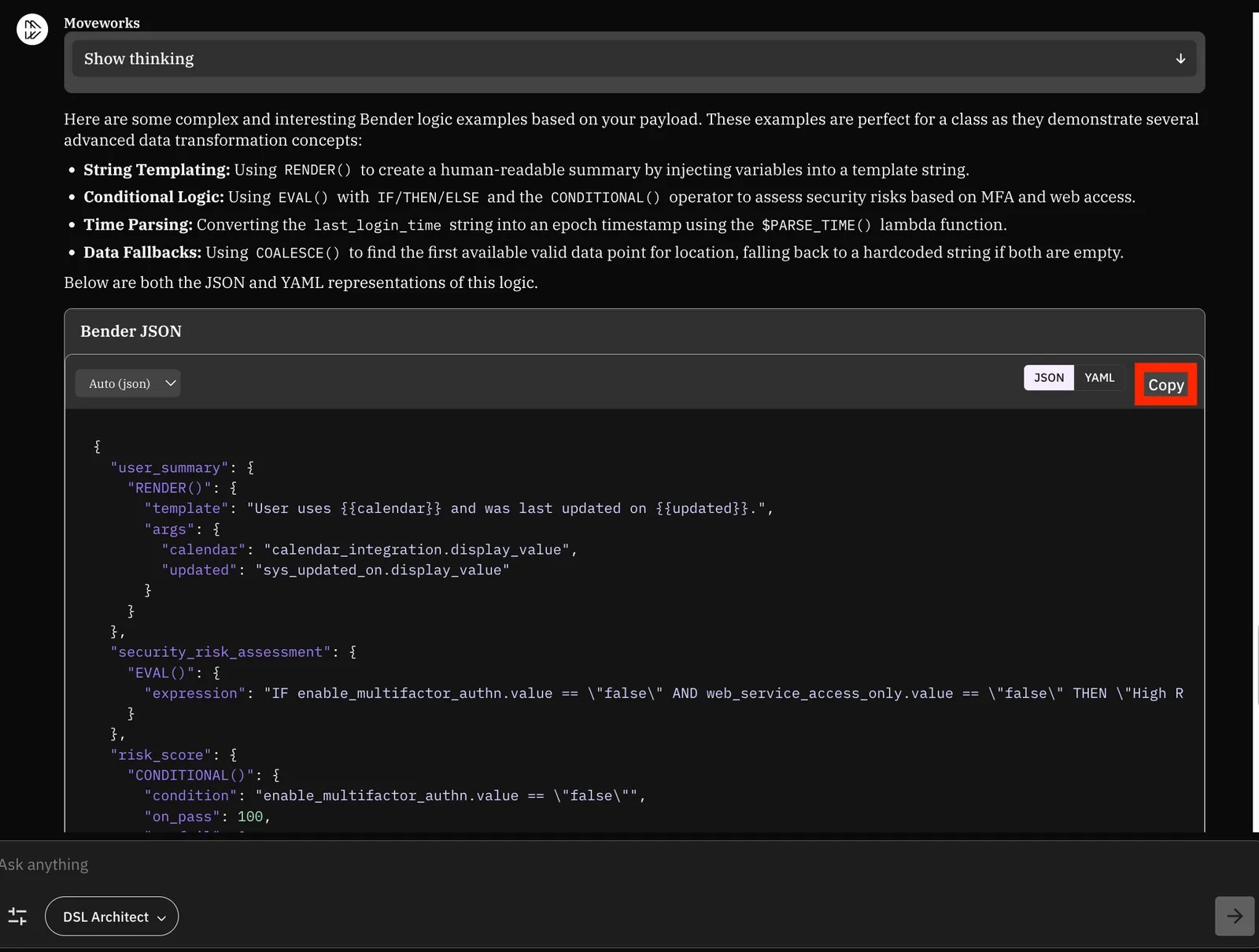
Give the DSL Architect the input payload and your goal. Use this example prompt:
-
The Architect returns a draft Bender mapping. Copy the Bender JSON.
-
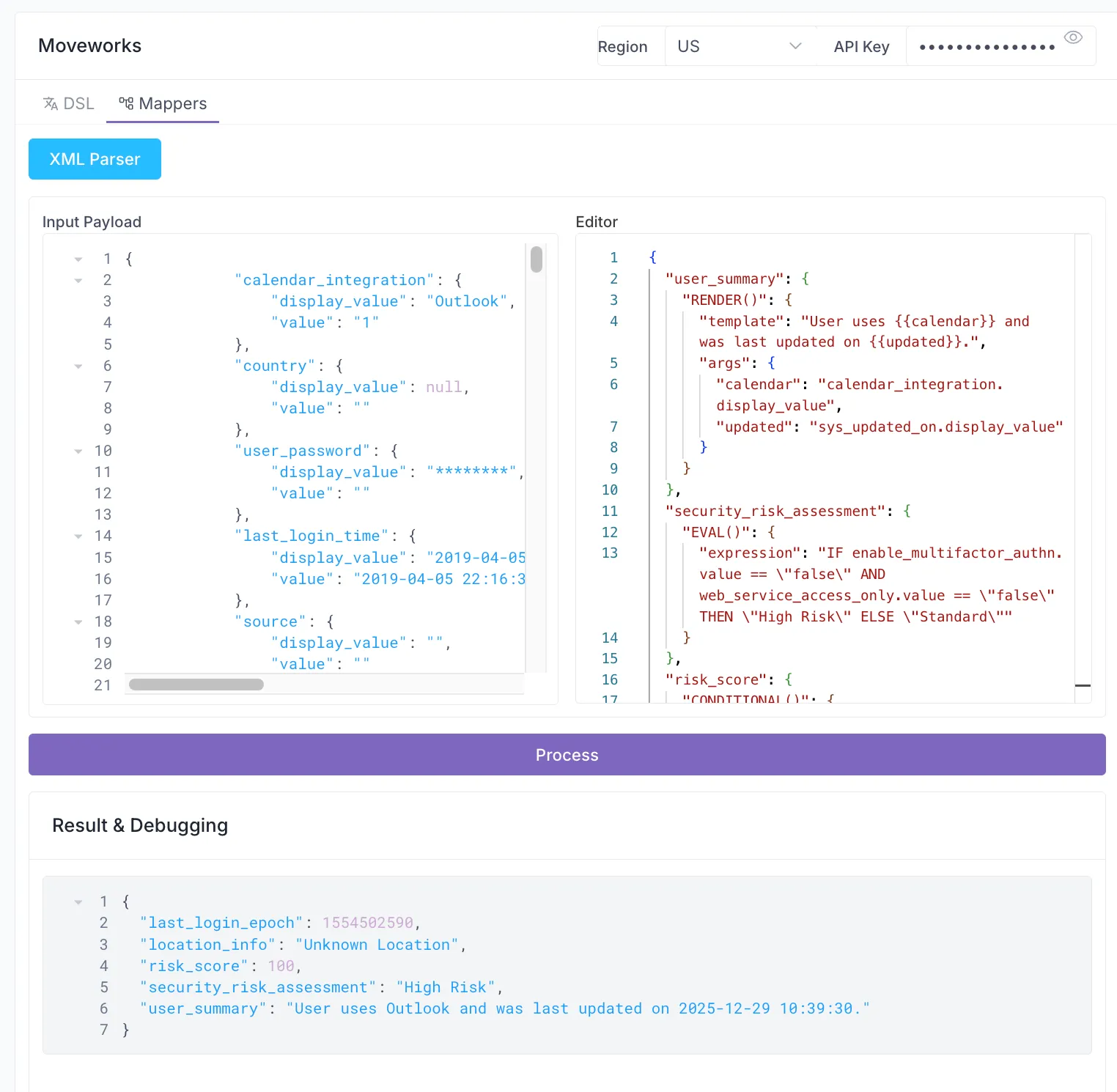
Paste it into the Editor section and click Process to see how it changes the mapped user.
✅ 2: Verification & Next Steps
- Finalize:
- Confirm that the JSON mapping processes successfully without errors.
- Inspect:
- Analyze the functions and dot-walking logic used in the Editor section of the Data Mapping Playground. Review how these functions transform the input and why the resulting output appears the way it does.
- Experiment:
- Modify the Input Payload and Editor values to see how the output changes. Try incorporating different logic or nested fields to test the limits of the mapping.
- Reference:
- Consult the Bender Guide on the Moveworks Help Site for a full list of available Bender Functions to expand your toolkit.
- Use the Moveworks DSL Architect for help with complex Bender configurations.
Next: Return to the Moveworks Setup labs to continue with the core labs or pick another optional lab.
🪞 3: Reflecting on This Configuration
Through this lab, you’ve learned the following:
- How to use the DSL and Data Mapper Playground
- Where to pull existing configuration JSON values from to test how the configuration will be applied
- API Playground (Resource)
- User Identity or Ticketing Configuration (Bender Mapping)
- Where to find additional examples of the Moveworks Bender language & associated functions
- How to use the Moveworks Agent Architect to help write complex bender mappings
🧠 4: Knowledge Check
1. Based on the ServiceNow JSON structure, why do we use .display_value in our Bender mappings instead of just the field name?
- Answer: ServiceNow stores data in objects where
valueis often a raw ID (like a sys_id) or a code, whiledisplay_valuecontains the human-readable string.
2. In the following Bender snippet from your lab, what is the purpose of the OR ""?
$TRIM(IF phone THEN phone.display_value OR "" ELSE NULL)
- Answer: It provides a fallback to an empty string to prevent the mapping from failing or returning an error if the
display_valueproperty is missing.
3. Which Moveworks tool should you use if you want to test how a specific user’s raw ServiceNow data will look after being processed by your Bender configuration?
- Answer: The DSL and Data Mapper Playground.
4. True or False: The RENDER() function is used for mathematical calculations like risk scores.
- Answer: False.
RENDER()is used for string templating to create human-readable sentences. (Bonus:CONDITIONAL()orEVAL()would be used for scores).
⚙️ 5: Configuration Details
Use the table below to fill in the required fields accurately.