
Lab #3: Connectors & API Playground
Overview
- Learning Objectives: Connect ServiceNow to Moveworks and validate that the connection works.
- Estimated Time: 30 minutes
- Prerequisites:
- Lab #2: ServiceNow Setup complete
- Your ServiceNow instance URL and the
machine_adminintegration account’s password (saved in Lab #2: ServiceNow Setup)
Key Concepts
Moveworks uses connectors to establish secure links with your enterprise systems. Validating these connections is the first step in any implementation:
- Connector Instance: A configuration that stores the authentication credentials (for example, Basic Auth or OAuth) and the base URL for an external system like ServiceNow.
- API Playground: A built-in testing environment for running API calls through a connector, to confirm Moveworks has the permissions it needs to fetch data.
- Response Payload: The raw JSON returned by the system. Reviewing it shows you the exact field names (for example,
sys_id,user_name) that later mapping steps use. - Status Codes: Standard HTTP indicators (200 for success, 401 for unauthorized) used to diagnose connection or permission issues.
Relevant Documentation:
🛠️ 1: Walkthrough
1.1: Create Your ServiceNow Connector
-
In Moveworks Setup, navigate to Connectors > Built-in Connectors.
-
Click Create New.

-
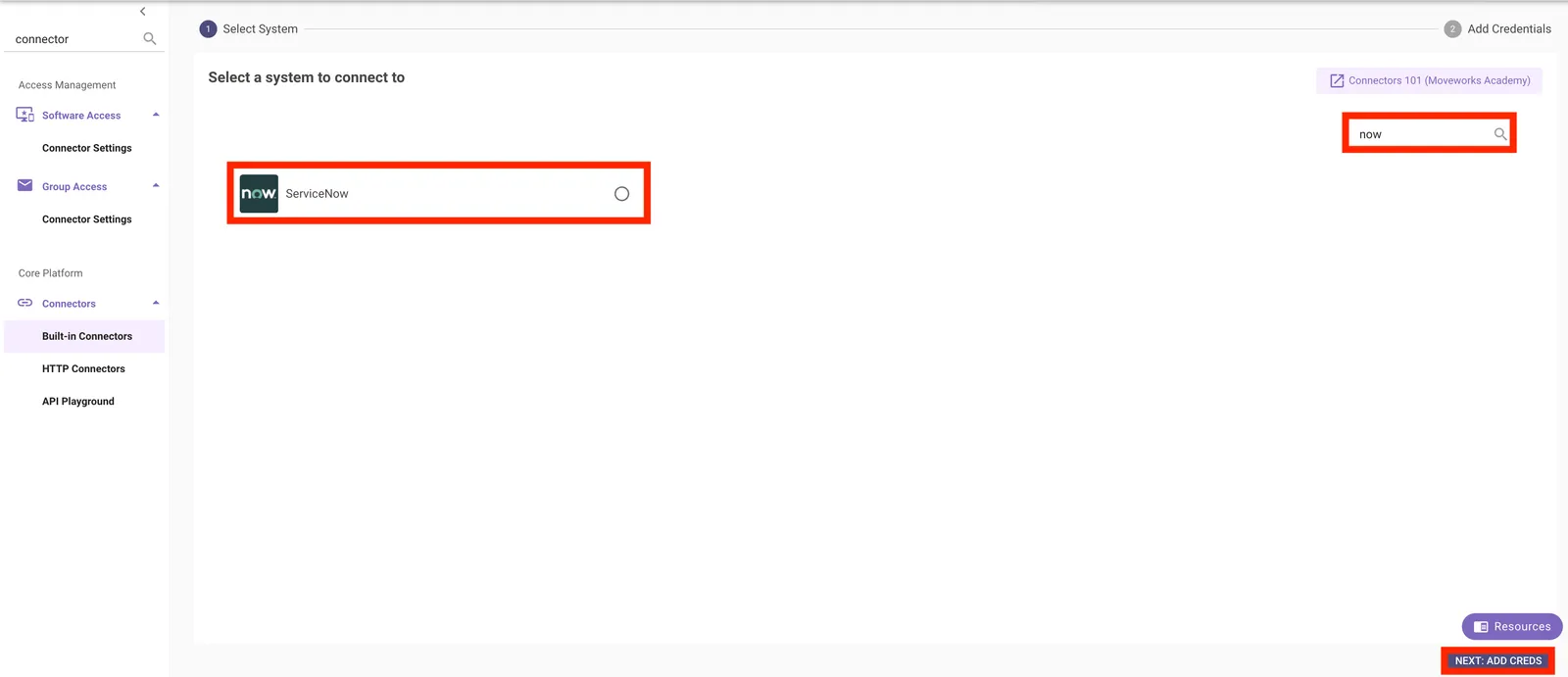
Use the search bar in the upper right to find the ServiceNow connector, and select it.
-
Enter the following values and leave everything else blank:
The connector name must be
snow. Later labs (User Identity, Enterprise Search, Forms, Ticketing) reference this exact value. If you use a different name, substitute it everywhere a lab showssnow.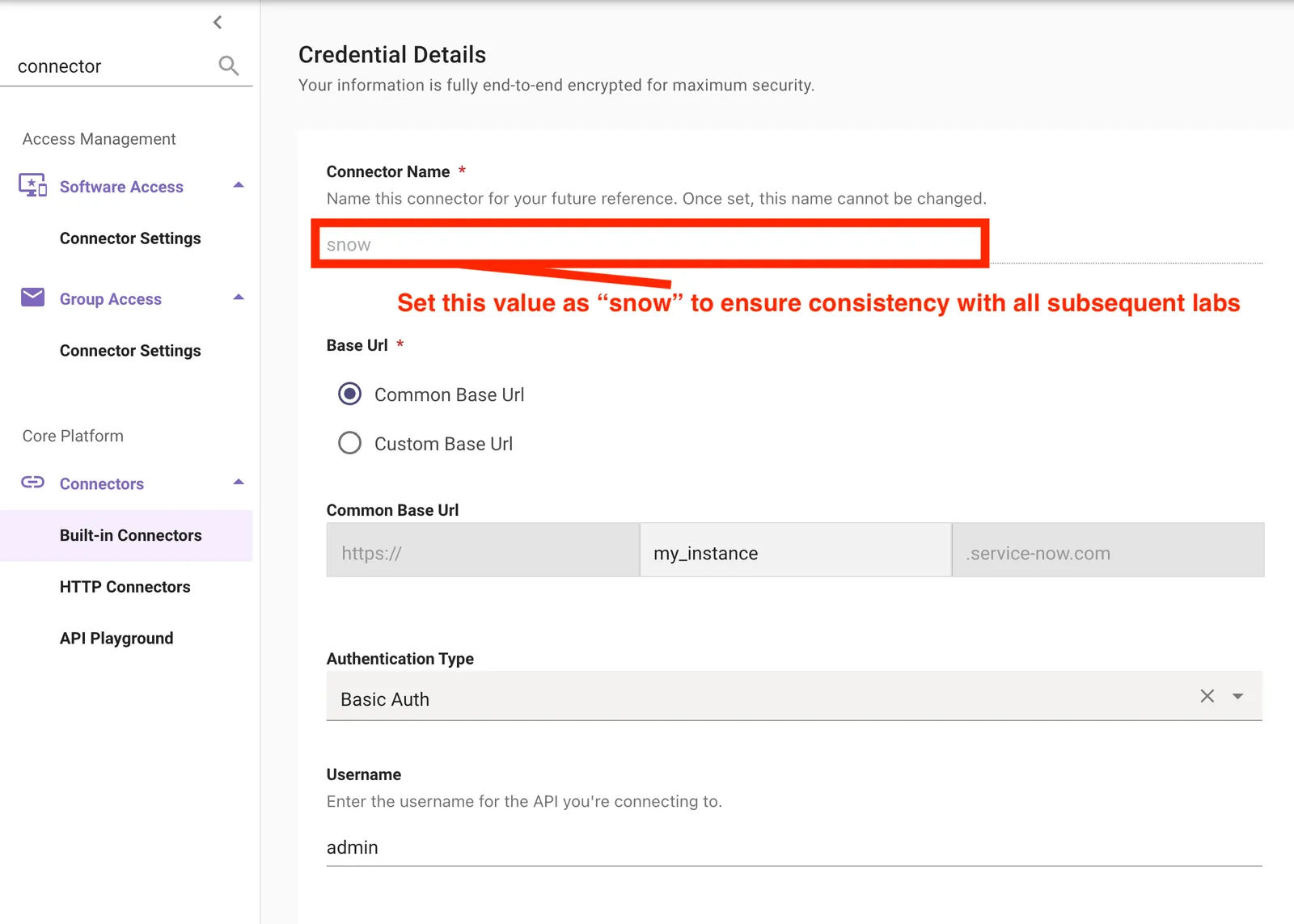
The screenshot shows
adminas the username. Entermachine_admin. -
Click Save.
1.2: Confirm the Connection in API Playground
-
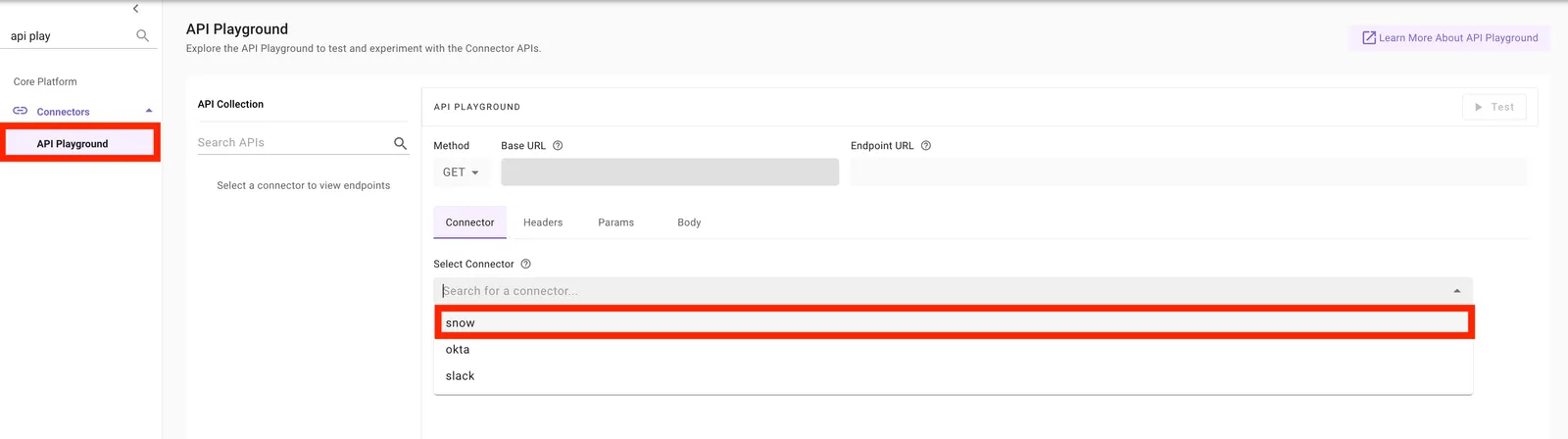
Navigate to Connectors > API Playground.
-
Click Select Connector and choose the snow connector you created in Section 1.1.
-
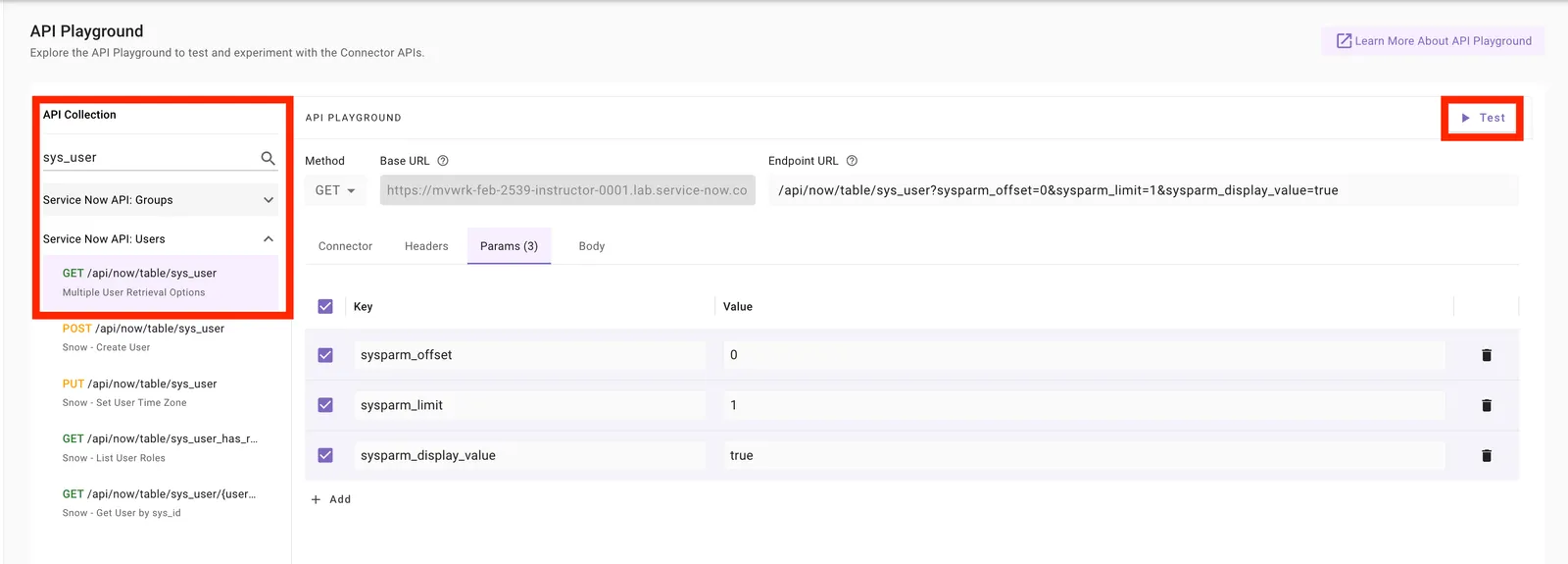
Click into the API Collection search bar on the left and search for
sys_user. -
Select the GET request, then click Test.
✅ 2: Verification & Next Steps
Confirm access:
- When you click Test, confirm you get a
200response. This shows the ServiceNow instance is connected to Moveworks.
Your response won’t have the same values as the screenshot. The goal is to confirm you can make a GET call to the user table in your ServiceNow instance.
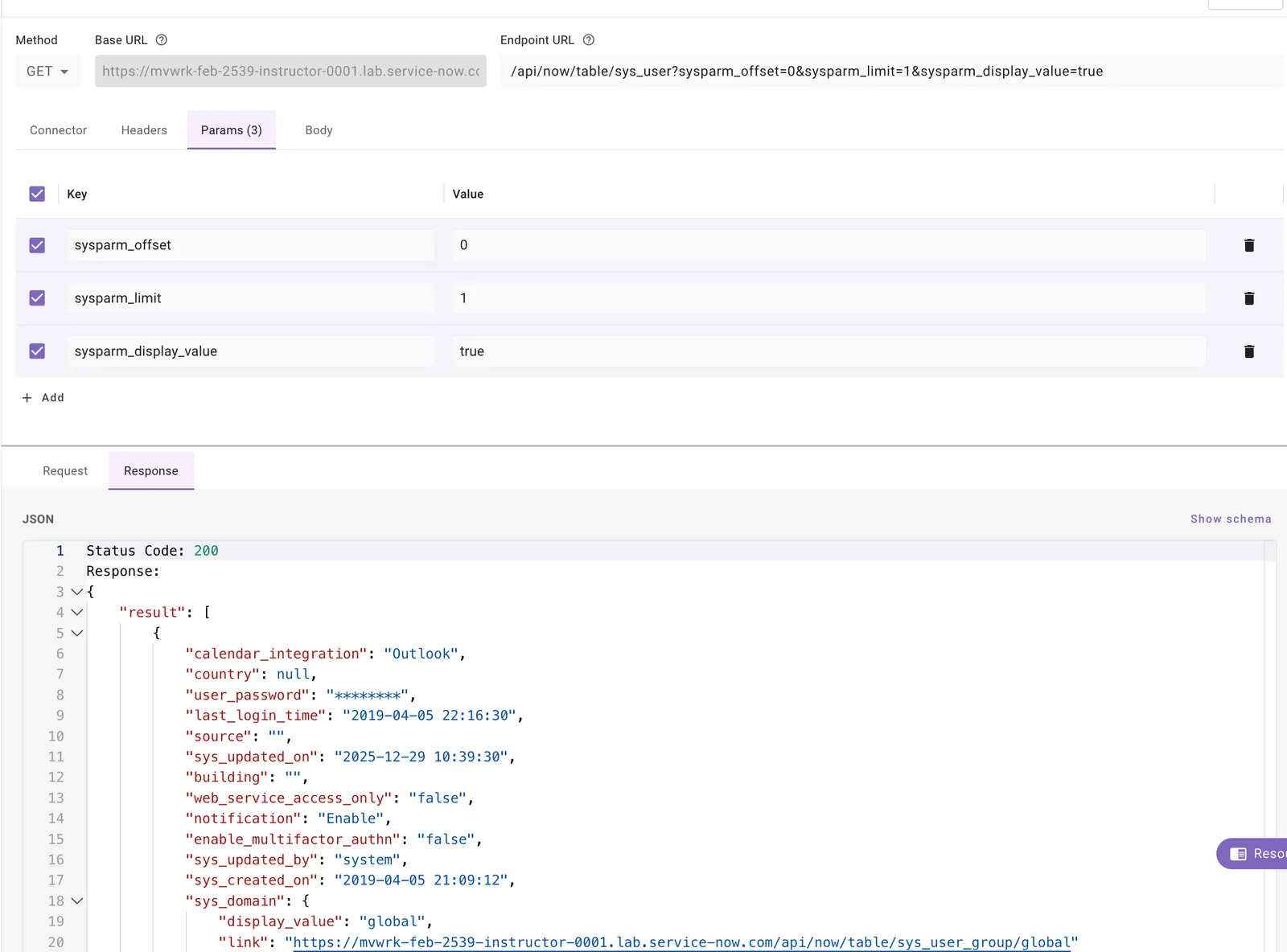
Getting a 401? Confirm the username is machine_admin, the password is current, and the account has the snc_basic_auth_api_access role (Lab #2: ServiceNow Setup, Section 1.3).
🪞 3: Reflecting on This Configuration
Through this lab, you’ve learned the following:
- How to connect an external system to Moveworks
- How to validate that connection using API Playground
How this comes up during live implementations:
- After creating a connector, always validate that it has the permissions the full integration needs. Confirm the connector lets Moveworks:
- Query the users in the environment
- For knowledge: query the content, and the permissions for users and groups
- For ticketing: query the tables and endpoints Moveworks will support
⚙️ 4: Configuration Details
Use the table below to fill in the required fields accurately.