
Reference Configuration Locator
Overview
When you try to delete a configuration in Moveworks Setup, deletion is blocked if other configurations still reference it. The error dialog lists the referencing configurations by name (for example, AccessControlStrategy or EnterpriseSearchContentConfig) — you need to clear each of those references first. This guide maps each name to where you can find the corresponding setting in Moveworks Setup. Search this page for the name shown in the error dialog, then follow the steps in that section to update or remove the reference and retry the deletion.
Referencing Configurations
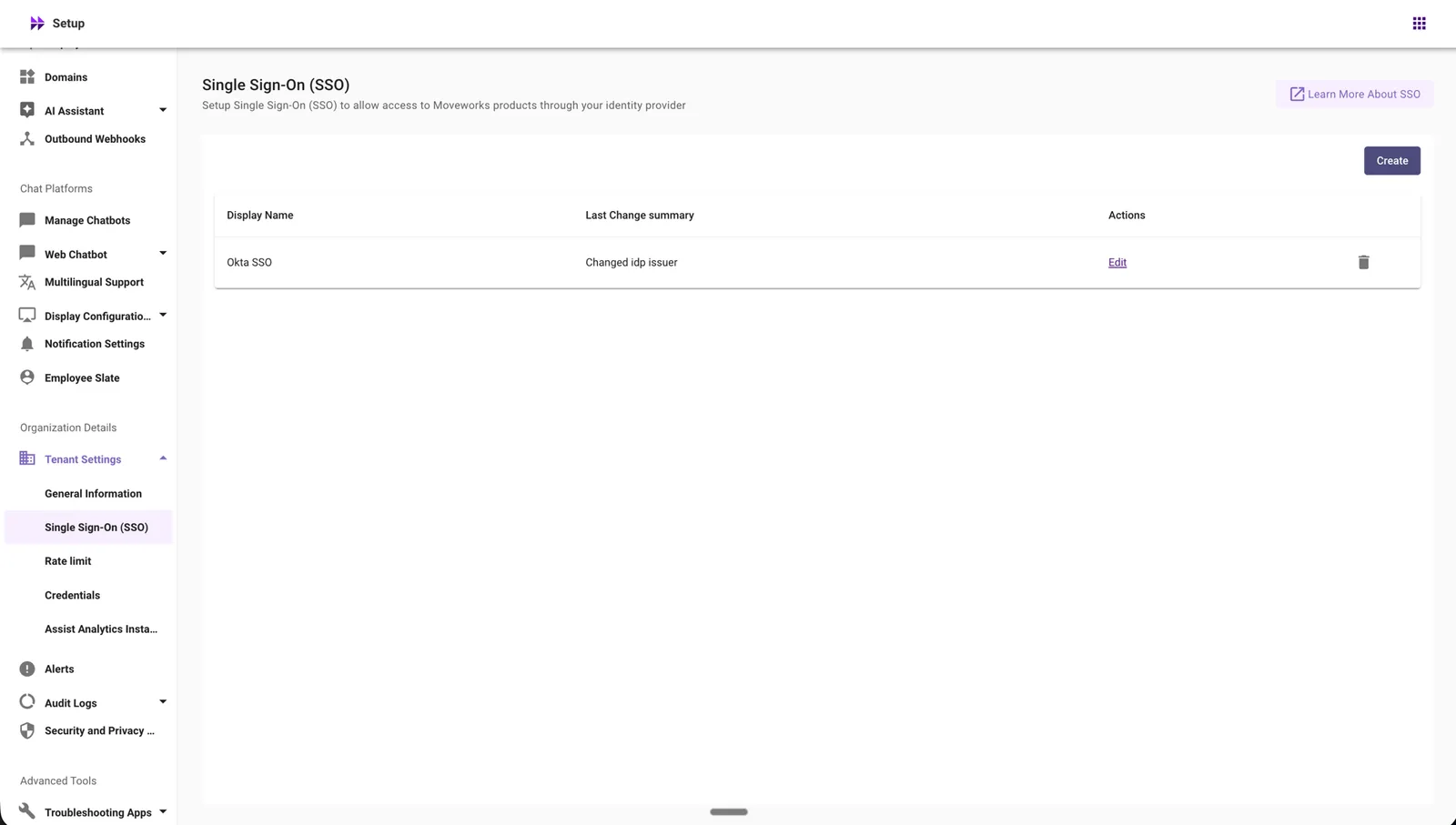
SSOConfig
Config Name: Single Sign-On (SSO)
Where to find it:
- Navigate to Moveworks Setup.
- Under Organization Details, expand Tenant Settings.
- Select Single Sign-On (SSO).
- Delete the SSO configuration that references the item you are trying to delete.
Delete is an irreversible action - please proceed with caution.
Deleting an SSO configuration can immediately impact access to MyMoveworks and other Moveworks applications.
ACLIngestionVars
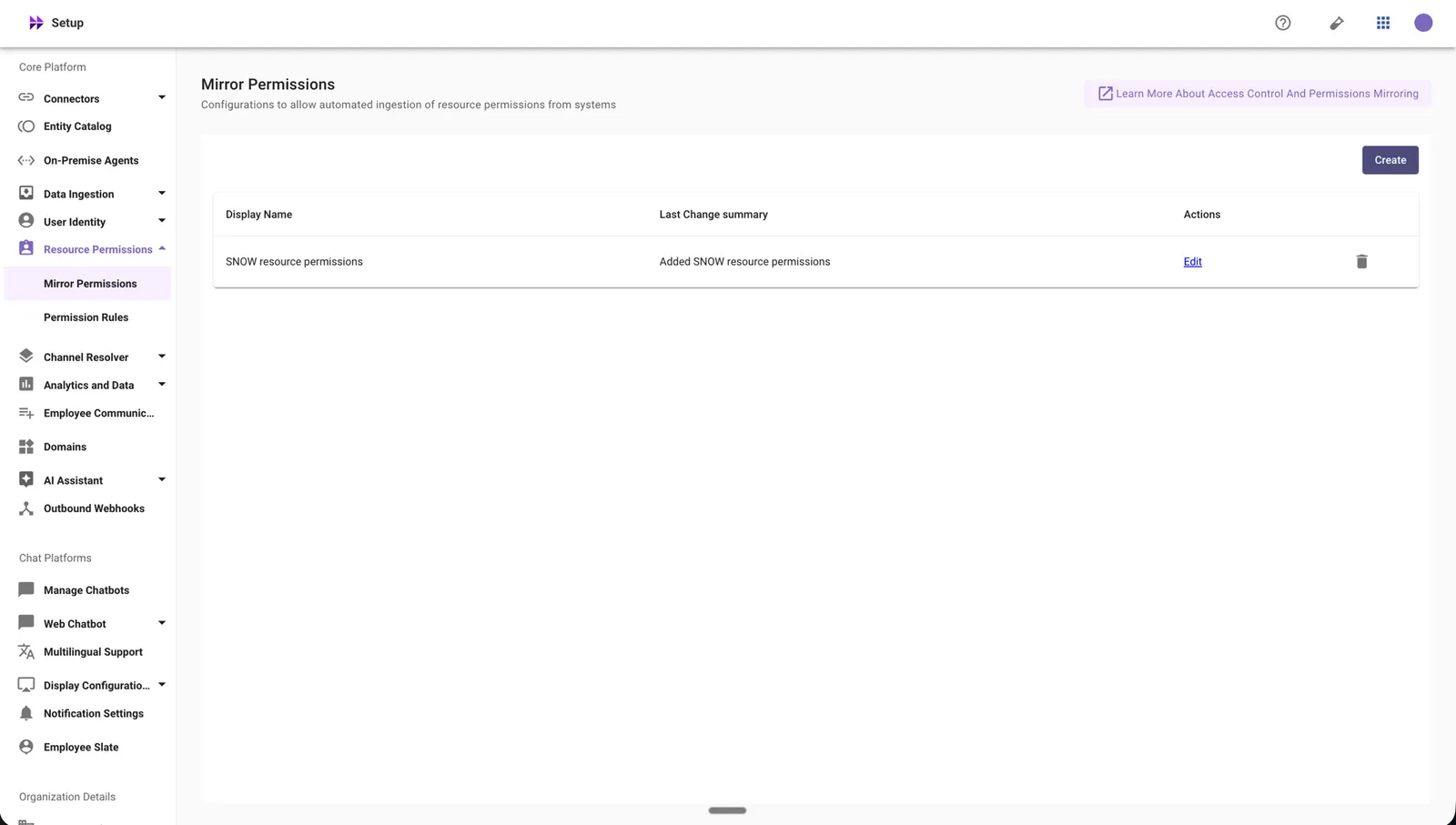
Config Name: Mirror Permissions
Where to find it:
- Navigate to Moveworks Setup.
- Go to Core Platform.
- Under Core Platform, expand Resource Permissions.
- Select Mirror Permissions.
- Delete the Mirror Permissions configuration that references the item you are trying to delete.
Delete is an irreversible action - please proceed with caution.
Deleting a Mirror Permission configuration may impact automated ingestion of resource permissions from systems.
AccessControlStrategy
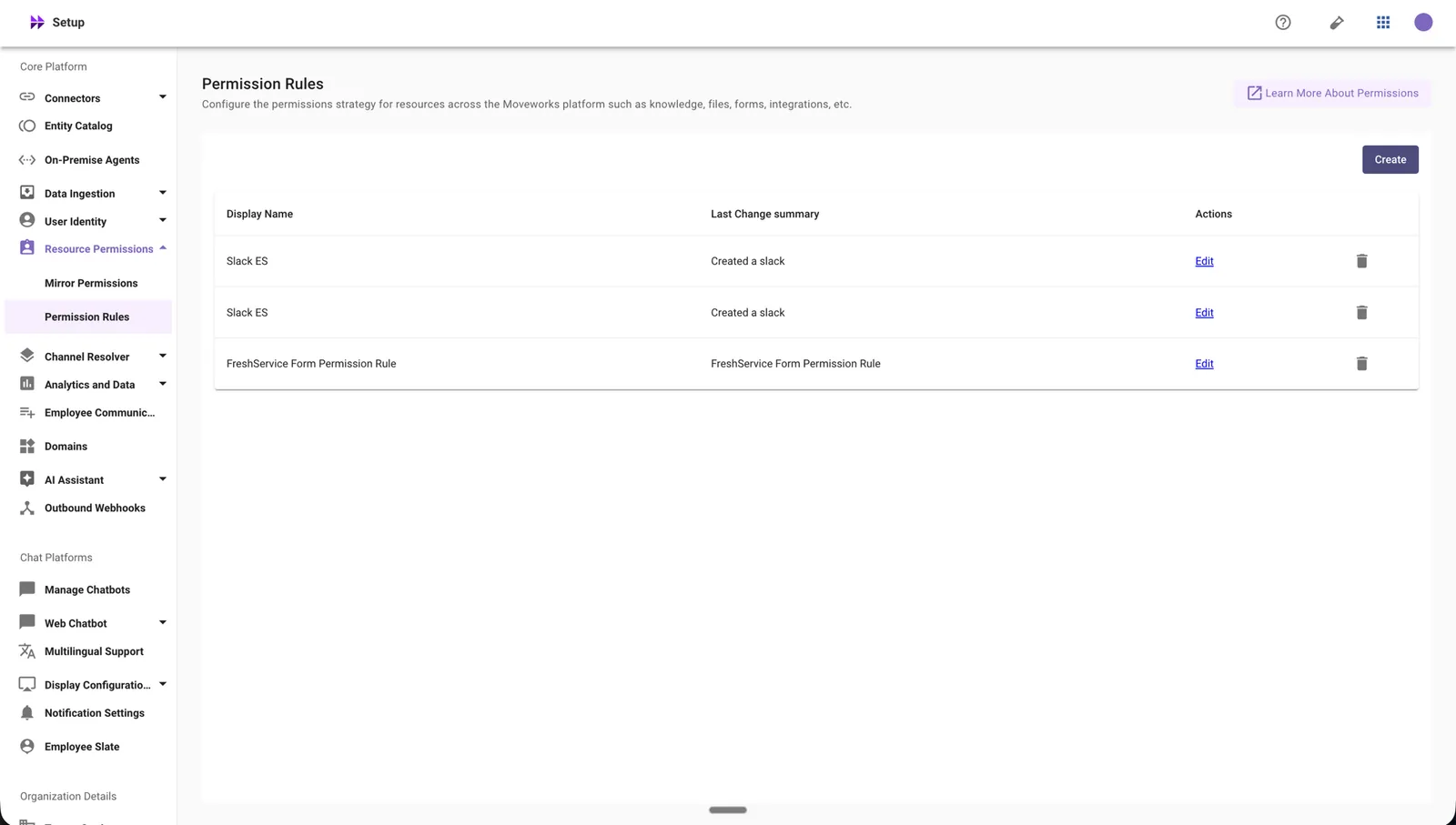
Config Name: Permission Rules
Where to find it:
- Navigate to Moveworks Setup.
- Go to Core Platform.
- Under Core Platform, expand Resource Permissions.
- Select Permission Rules.
- Delete the Permission Rule that references the item you are trying to delete.
Delete is an irreversible action - please proceed with caution.
Deleting a Permission Rules configuration may impact resource visibility and user access for related resources.
FormIngestionIntegrationConfig
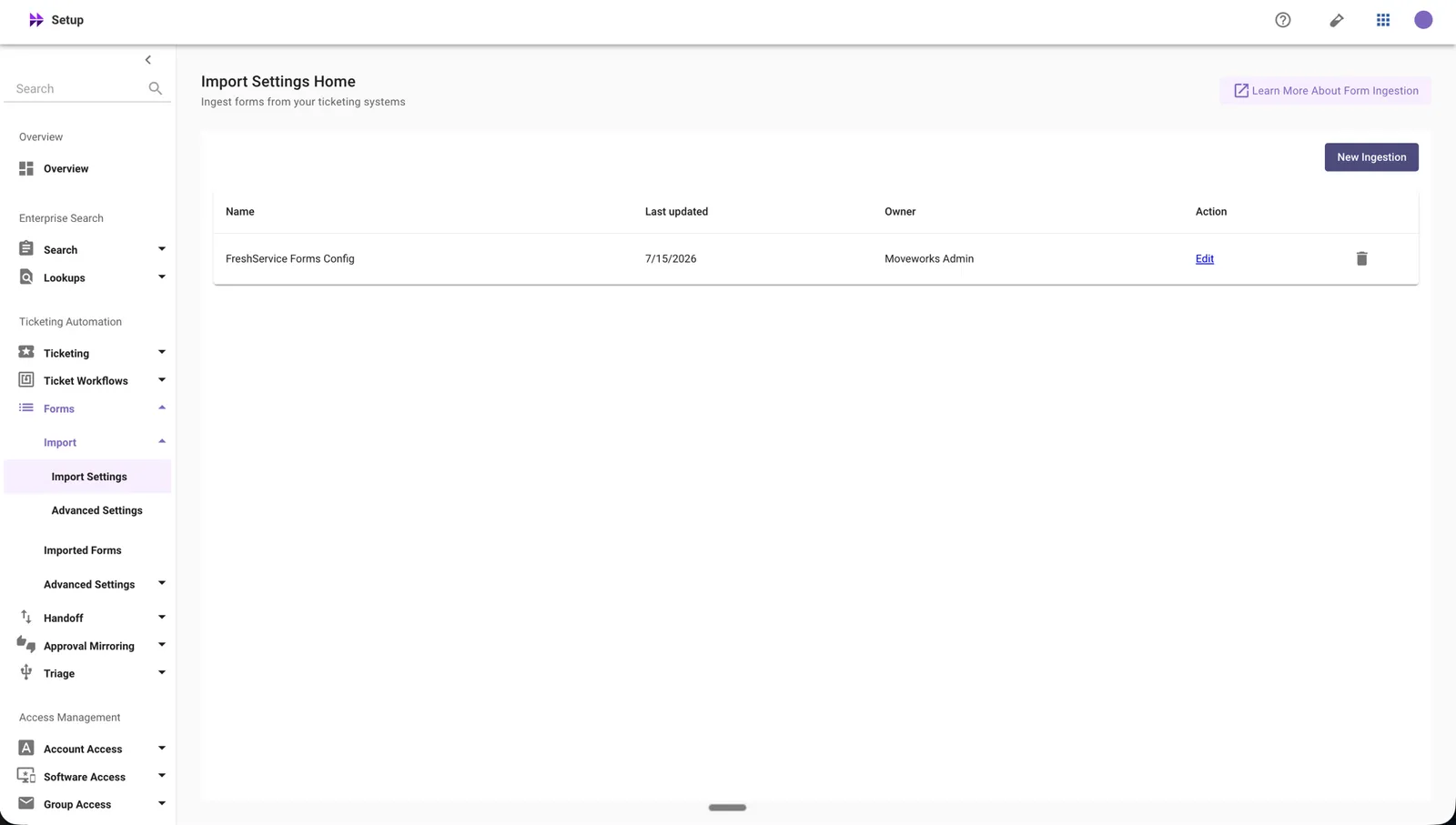
Config Name: Forms Import Settings
Where to find it:
- Navigate to Moveworks Setup.
- Under Ticketing Automation, expand Forms.
- Under Forms, expand Import.
- Select Import Settings.
- Delete the Forms Import Settings configuration that references the item you are trying to delete.
Delete is an irreversible action - please proceed with caution.
Deleting a Form configuration permanently removes the forms ingestion configuration and all associated indexed forms data.
IdentityIngestionVars
Config Name: Identity
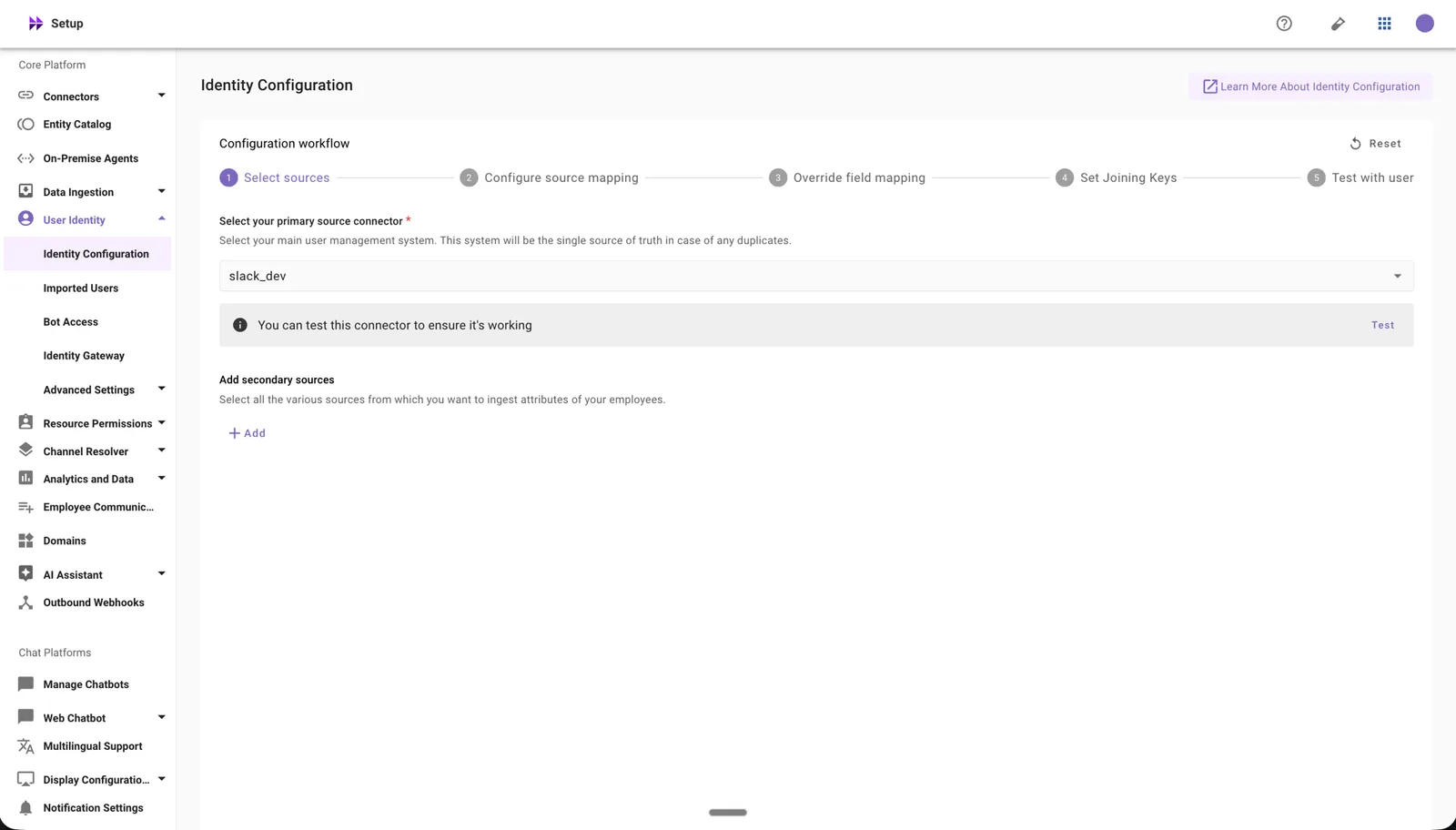
Depending on which version of the identity configuration journey your organization is on, the location differs.
Version 2 — Identity configuration
Where to find it:
- Navigate to Moveworks Setup.
- Go to Core Platform.
- Under Core Platform, expand User Identity.
- Select Identity Configuration.
What to do — choose the option that matches how the connector is used:
- Reset the identity configuration to fully clear the configuration.
- Change the primary source: if the connector you want to delete is set as the primary source, select a different connector from the dropdown.
- Remove the secondary source: if the connector is listed as a secondary source, remove it from the list.
Delete is an irreversible action - please proceed with caution.
- Resetting or deleting an Identity configuration removes all ingested user roster data and related access information.
- Changing the primary connector may impact user ingestion.
- Removing a secondary connector may impact user attributes and related functionality.
- These changes can result in loss of access to MyMoveworks and other Moveworks applications.
Version 1 — Import Users
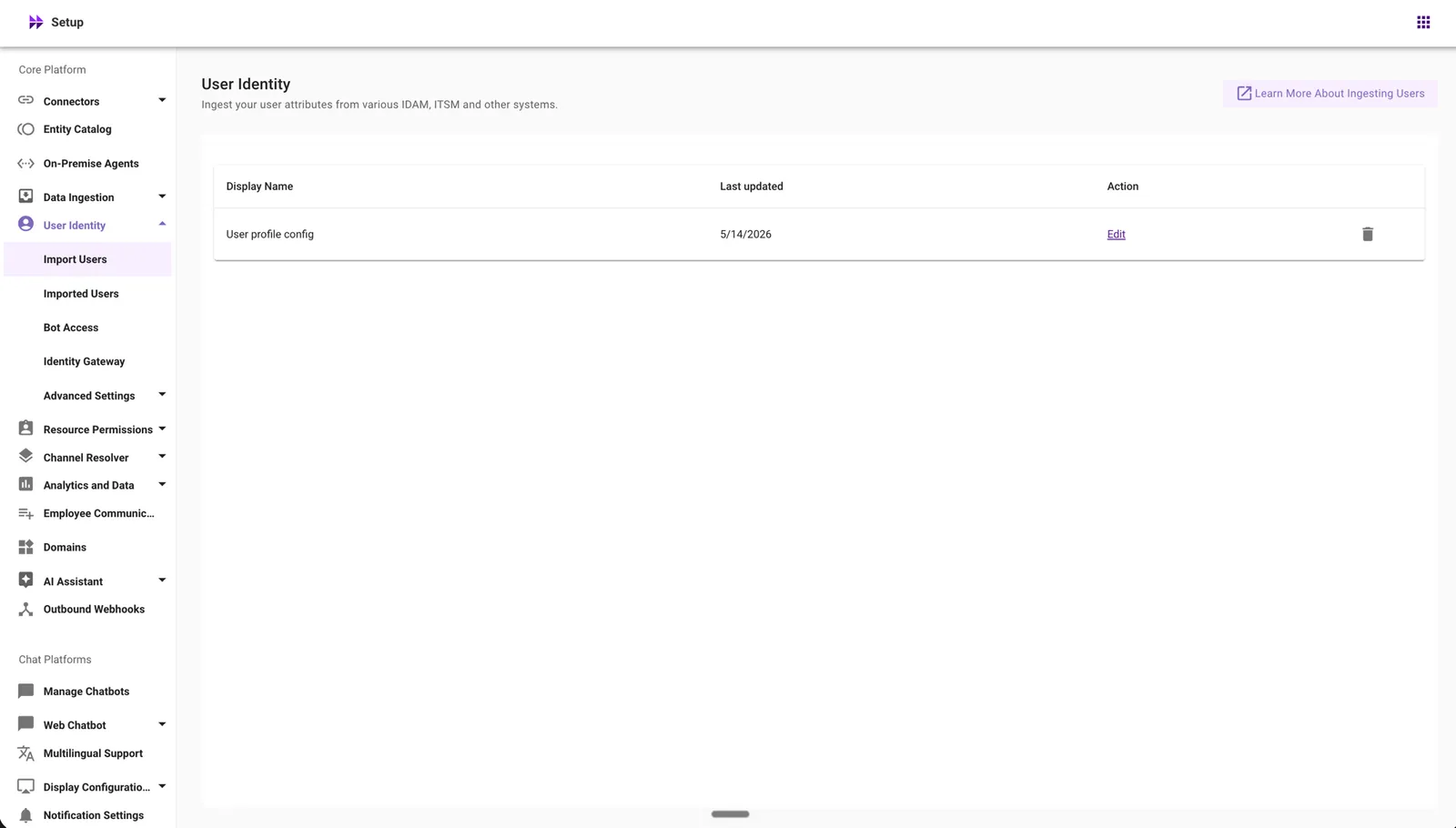
Where to find it:
- Navigate to Moveworks Setup.
- Go to Core Platform.
- Under Core Platform, expand User Identity.
- Select Import Users.
What to do — choose the option that matches how the connector is used:
- Delete the identity configuration to fully remove the configuration.
- Change the primary source: if the connector you want to delete is set as the primary source, select a different connector from the dropdown.
- Remove the secondary source: if the connector is listed as a secondary source, remove it from the list.
Delete is an irreversible action - please proceed with caution.
- Resetting or deleting an Identity configuration removes all ingested user roster data and related access information.
- Changing the primary connector may impact user ingestion.
- Removing a secondary connector may impact user attributes and related functionality.
- These changes can result in loss of access to MyMoveworks and other Moveworks applications.
NotificationOrgConfig
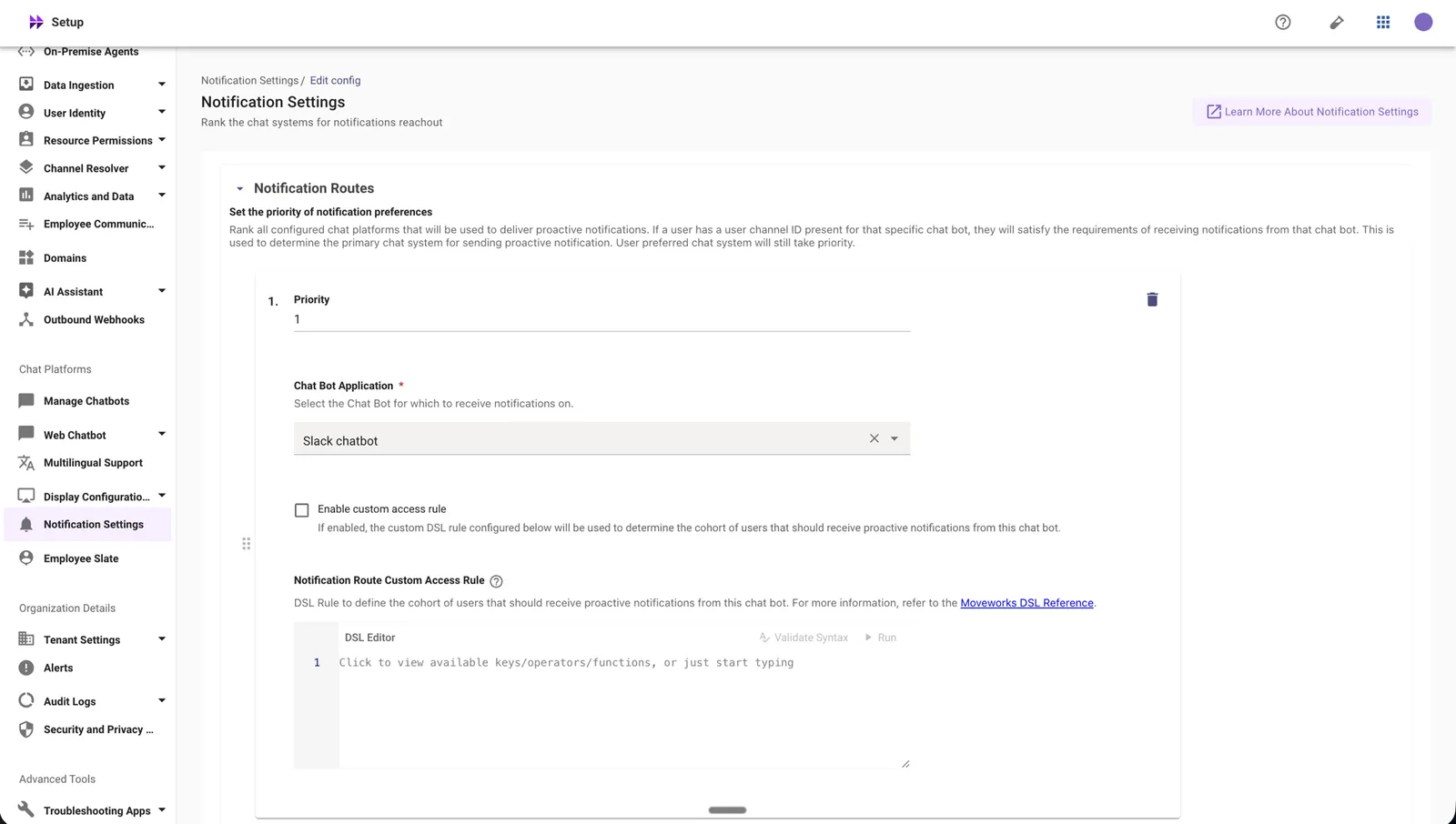
Config Name: Notification Settings
Where to find it:
- Navigate to Moveworks Setup.
- Under Chat Platforms, select Notification Settings.
- Open the Notification Routes section.
- Delete the notification route that references the item you are trying to delete.
ChatVars
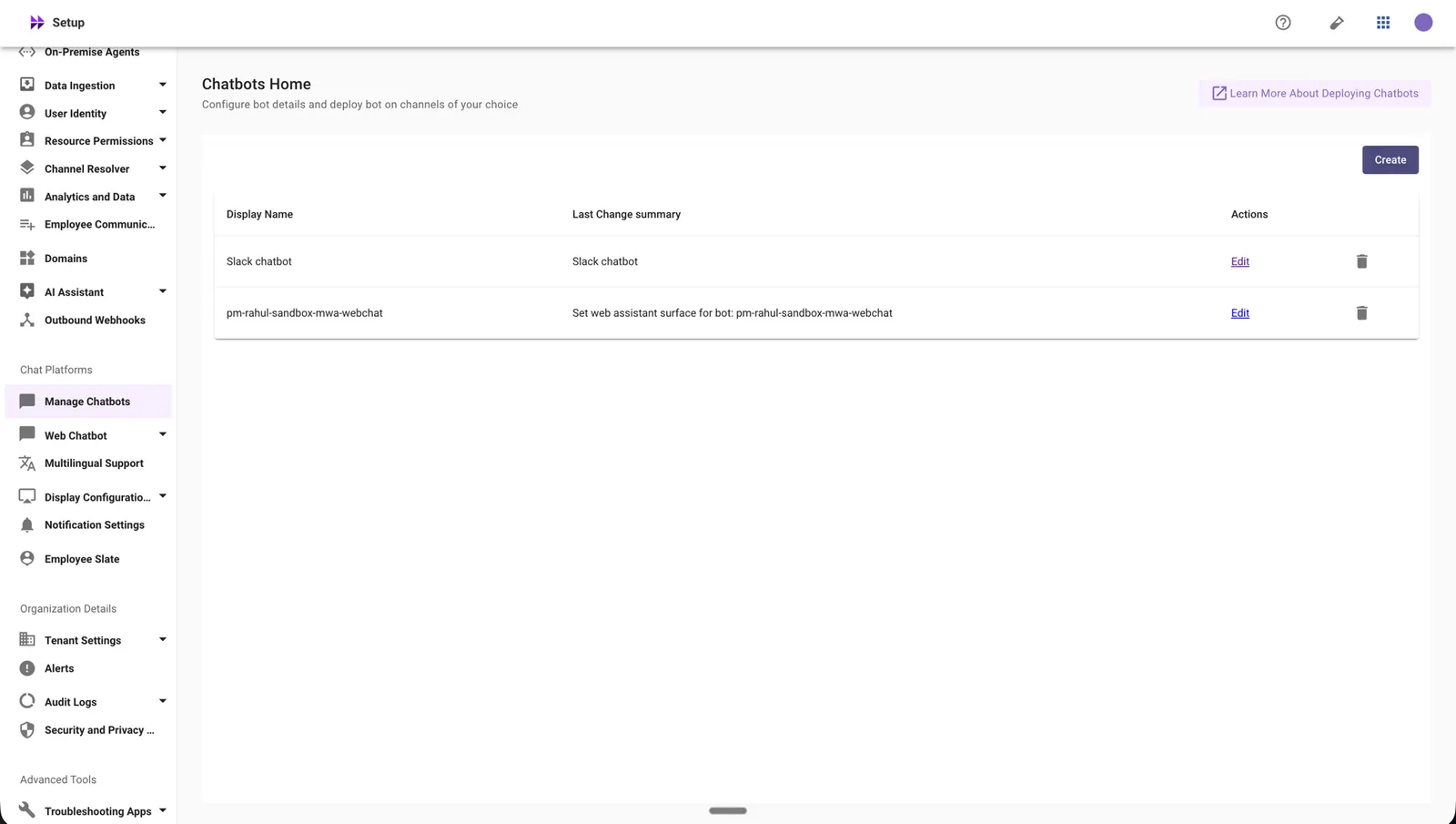
Config Name: Manage Chatbots
Where to find it:
- Navigate to Moveworks Setup.
- Under Chat Platforms, select Manage Chatbots.
- Open the individual chatbot configuration that uses the connector you plan to delete.
- Delete the Manage Chatbot configuration that references the item you are trying to delete.
Delete is an irreversible action - please proceed with caution.
Deleting a Manage Chatbots configuration can impact chatbot behavior, naming, channel integrations, and other chat experiences.
EnterpriseSearchContentConfig
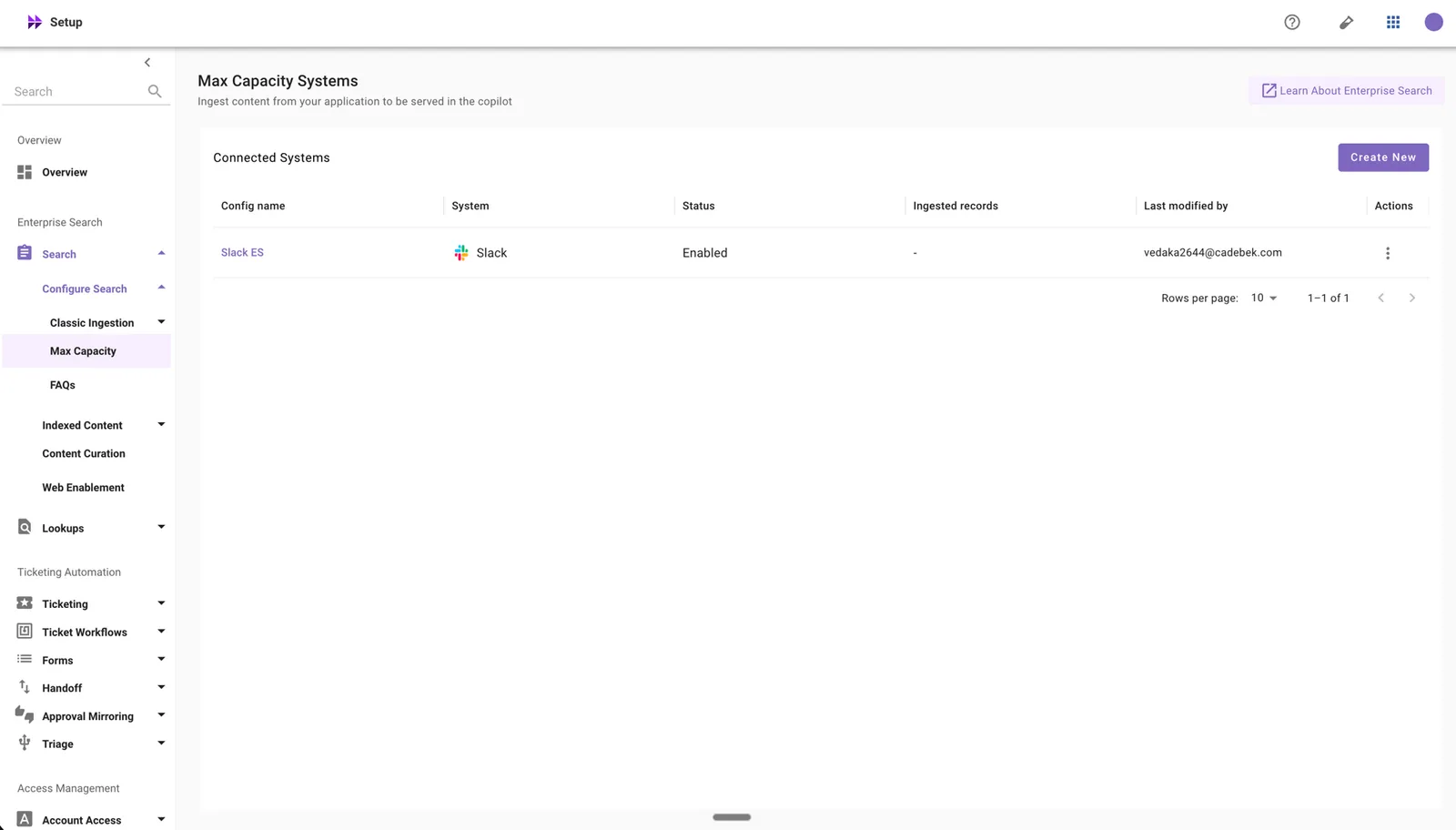
Config Name: Max Capacity
Where to find it:
- Navigate to Moveworks Setup.
- Under Enterprise Search, expand Search.
- Under Search, expand Configure Search.
- Select Max Capacity.
- Delete the Max Capacity configuration that references the item you are trying to delete.
Delete is an irreversible action - please proceed with caution.
Ingested content is marked as non-serving immediately upon deletion, but the data purge completes within a few hours. No notification is sent to end users about the deletion.
AgentHandoffConfig
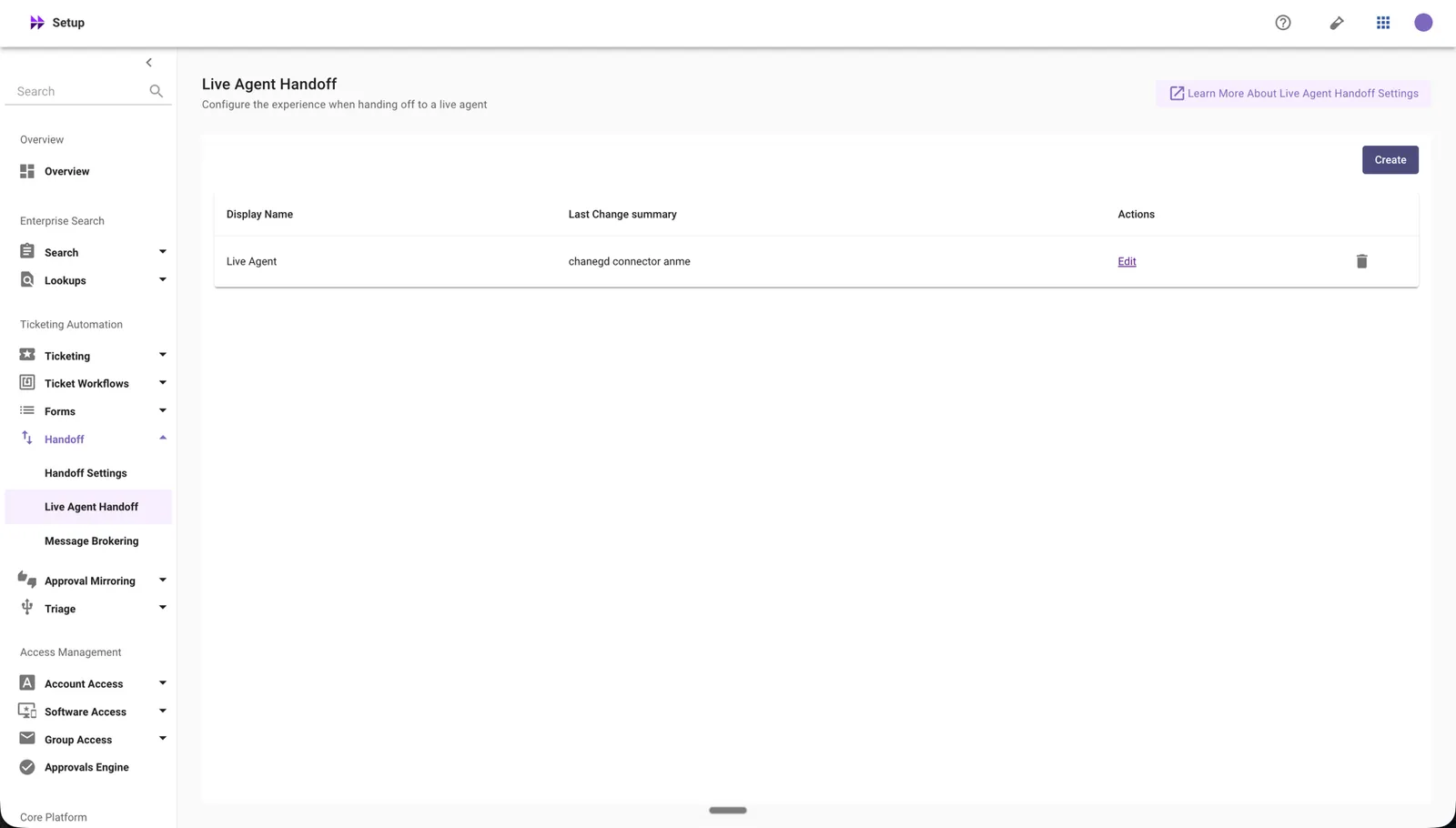
Config Name: Live Agent Handoff
Where to find it:
- Navigate to Moveworks Setup.
- Under Ticketing Automation, expand Handoff.
- Select Live Agent Handoff.
- Delete the Live Agent Handoff configuration that references the item you are trying to delete.
Delete is an irreversible action - please proceed with caution.
Any skills or experiences configured to use this live handoff skill will stop functioning.
AccessSoftwareConfig
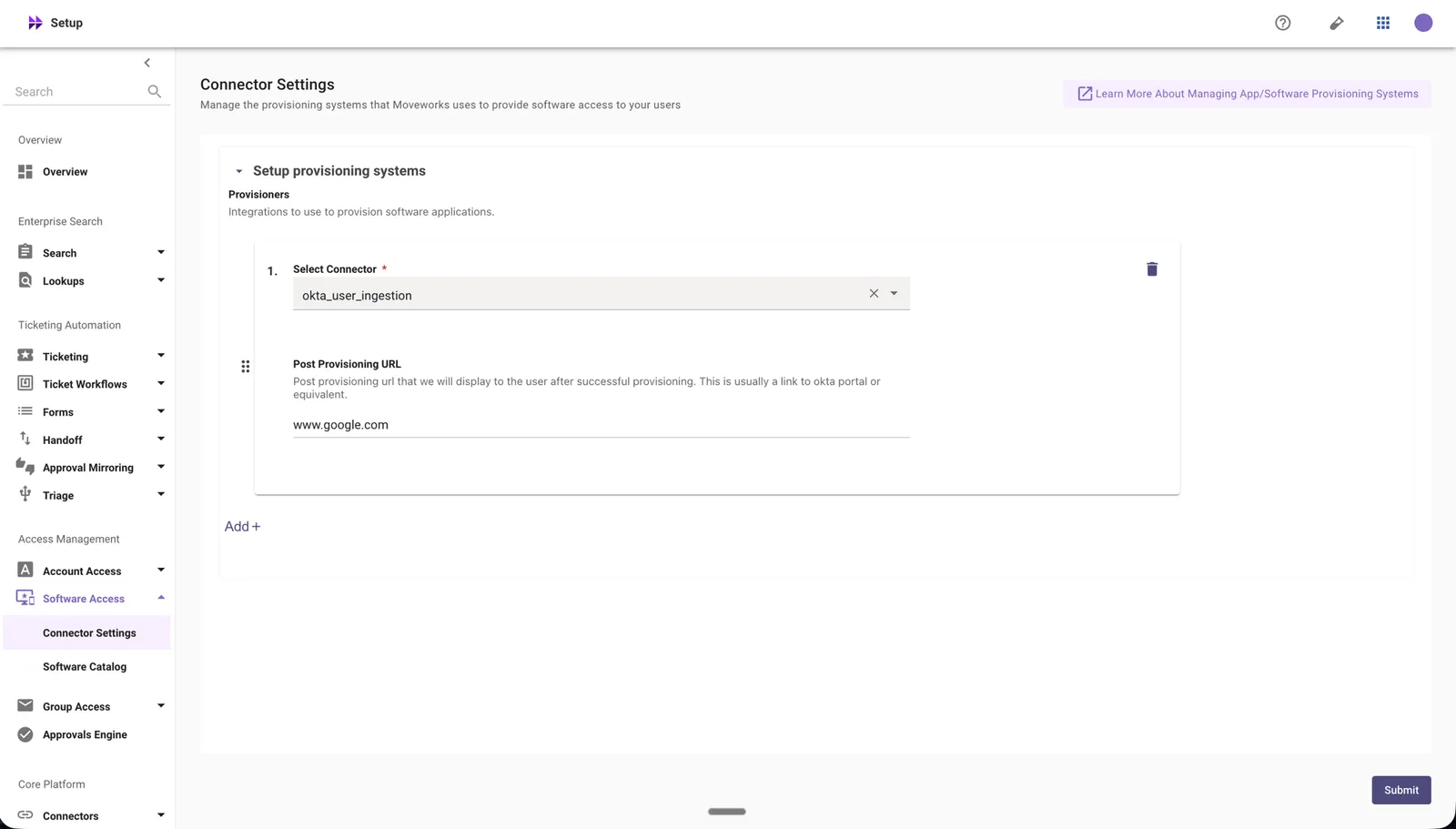
Config Name: Connector Settings
Where to find it:
- Navigate to Moveworks Setup.
- Under Access Management, expand Software Access.
- Select Connector Settings.
- Delete the Connector Settings configuration that references the item you are trying to delete.
Delete is an irreversible action - please proceed with caution.
Deleting a Software Access configuration disables software provisioning for the associated software application.
HandoffMenuItem
Config Name: Handoff
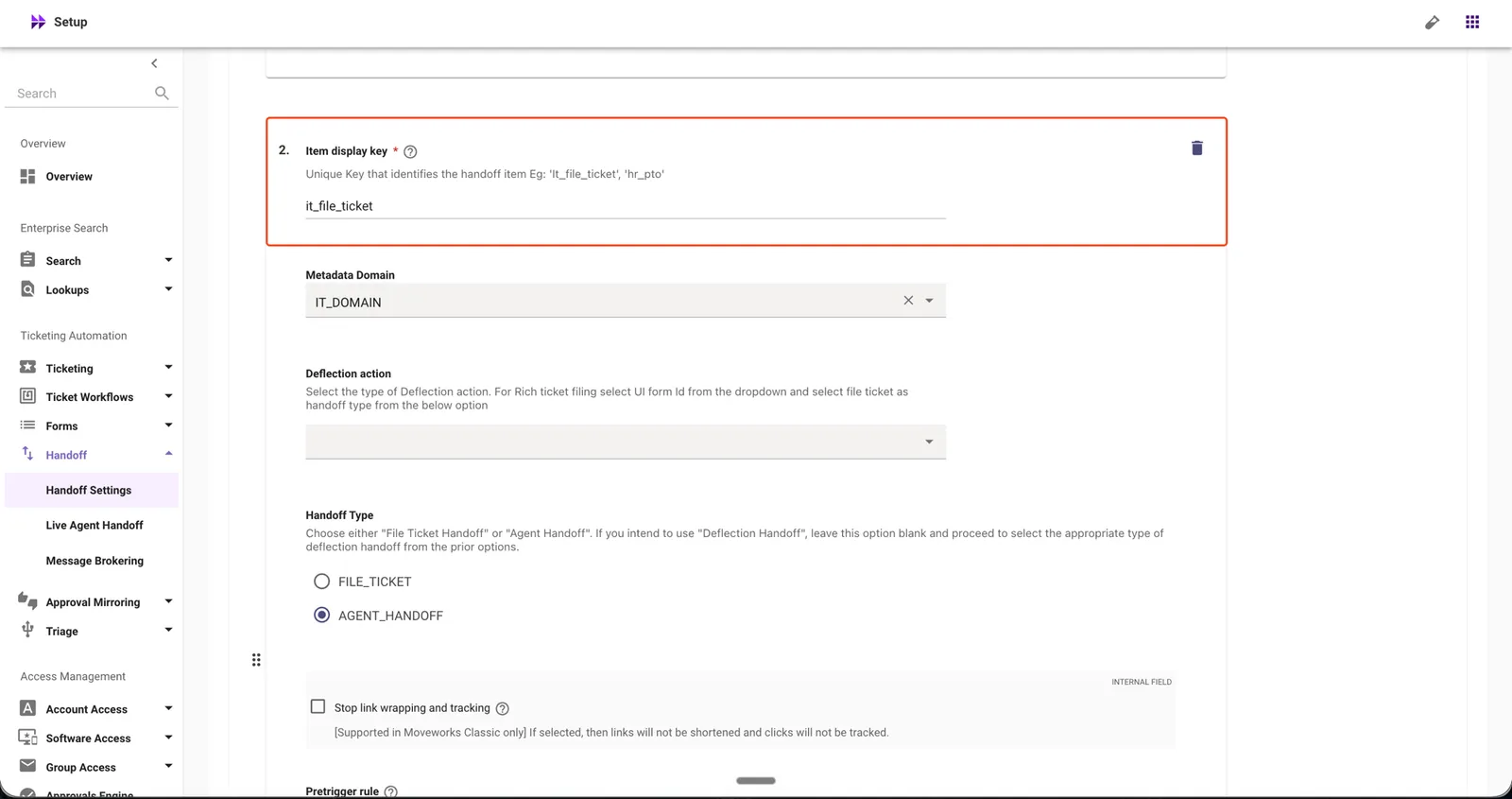
Where to find it:
- Navigate to Moveworks Setup.
- Under Ticketing Automation, expand Handoff.
- Select Handoff Settings.
- Expand Setup Items for Categories.
- Find the item whose Item display key matches the one shown in the error dialog (for example,
it_file_ticket). - Delete or repoint this handoff menu item, then retry the Live Agent deletion.
Delete is an irreversible action - please proceed with caution.
Deleting a Live Agent configuration disables Live Agent handoff — the deleted Live Agent will no longer be functional.
If you’ve reviewed all known references and still can’t delete the configuration, or if you encounter any issues during the deletion process, please contact Moveworks Support for assistance.